Skip to content

Learn

Zero-fluff, step-by-step master tracks designed for business analysts, everyday teams, and AI engineers. Progress at your own pace from scratch to production.

Where do you want to start today?
Showing all 51 series across 5 tracks

🎓 Core Analytics & Data Skills

The foundational curriculum: go from messy spreadsheets to confident SQL, Python, charts, and metrics you reuse everywhere.

Track 01 · 7 Series
★ Flagship Core Curriculum

SQL series

This path is for you if a spreadsheet is the wrong place for the question. The numbered tutorials start with a playground and the core commands, then reading, filtering, grouping, and joins, then subqueries, changes, views, and faster queries. One extra primer asks what SQL is. Start with the first part on this page, and do not skip ahead to joins.

Key Milestones:
  • Parts 1–4: Playground setup, SELECT, filtering, and sorting
  • Parts 5–8: Grouping, aggregates, multi-table joins & subqueries
  • Parts 9–14: Views, indexes, window functions, CTEs & query tuning
Start Part 1 (14 Lessons) →
SELECT department, COUNT(order_id) AS volume, ROUND(AVG(revenue), 2) AS ticket FROM warehouse.orders WHERE status = 'shipped' GROUP BY 1 HAVING volume > 1000;
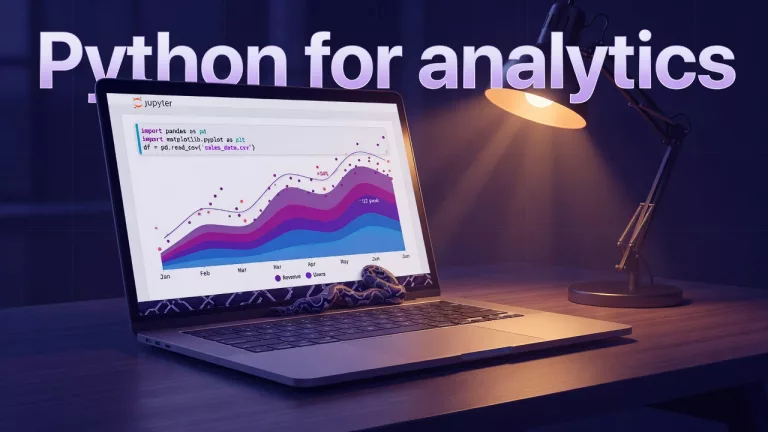
Visualization Intermediate Charts that make sense This path is for you if the chart is pretty and the decision is still fuzzy. Parts cover the purpose, which chart fits, honest axes, color and labels, a dashboard versus one slide, annotation, and common chart crimes with a fix. Start with the first part on this page. 7 parts Start series → Quality Intermediate Data quality for people who ship numbers This path is for analysts who ship numbers other people will quote. Parts go from what bad data means, through profiling, deduping without destroying history, names and dates, checks you can automate, and a note so the next person trusts you. Start with the first part on this page. 7 parts Start series → Spreadsheets Beginner From spreadsheets to real data This path is for you if the file has become the system. Parts move from a sheet that is now a liability, to real tables, keys, cleaning, a clean export, and a one-page contract for the table. Start with the first part on this page. 6 parts Start series → Metrics Intermediate Metrics that matter This path is for you if the team has a pile of numbers and no agreed definition. Parts walk from the goal to the metric, leading versus lagging, a written spec, a North Star versus a team scorecard, incentive traps, and a review that decides something. Start with the first part on this page. 6 parts Start series → Foundations Beginner Analytics foundations This path is for you if people hand you a chart before anyone has named the decision. The parts separate the question, data versus an insight, the loop you repeat, how good the data has to be, and how to read a number without performing certainty. Start with the first part on this page. 5 parts Start series → Python Intermediate Python for analytics This path is for you if SQL or a sheet is getting clumsy and you want code you can rerun. Early parts cover when to stay in SQL, a calm setup, and pandas as tables: filter, group, and join. Later parts clean missing values, hand off a result, mix Python with SQL, plot, and choose a notebook or a script for a teammate. Start with the first part on this page. 12 parts Start series →

🤖 Everyday AI for Work & Life

Practical AI workflows for knowledge workers — prompting, memory, personal assistants, and real work tasks.

Track 02 · 8 Series
★ Flagship Workplace AI

Practical AI for analytics people

This path is for analytics people who will use AI on a real file, not a demo. Parts cover what it can and cannot do, tokens and cost as a feel, prompts for data work, checking an answer, retrieval in plain English, agents, what you should not paste, documentation, and a checklist you can reuse. Start with the first part on this page.

Key Milestones:
  • Parts 1–3: Capabilities, limits, token economics & prompt framing
  • Parts 4–6: RAG foundations, agents, evals & structured data extraction
  • Parts 7–9: Privacy boundaries, governance checklists & production ops

Start Part 1 (9 Lessons) →
// Workplace AI Loop Input: messy business brief Step 1: Extract constraints & entities Step 2: Compare model reasoning traces Step 3: Verify outputs with facts Result: Decisions shipped 5x faster
Agents Intermediate AI agents for everyone This path is for you if a chat that only answers is not the tool in front of you. Parts separate chat, an agent, work mode, and a coding agent, then how much you let it do, how loops run away, and how to check the work without being an engineer. Start with the first part on this page. 5 parts Start series → Safety Beginner AI safety for everyday life This path is for home and work, not a lab. Parts cover scams and deepfakes, school and work honesty, health and money limits, kids on a shared device, and which job skills still matter. Start with the first part on this page. 5 parts Start series → AI Setup Beginner AI setup from zero This path is for you if you do not have an AI account yet, or you have one and you are not sure what you pay for. Parts cover Free versus paid, browser versus apps, personal versus work, recovery, and where uploads go. Start with the first part on this page. One vendor at a time. 5 parts Start series → Assistants Intermediate Everyday AI assistants beyond chat boxes This path is for you if you want an assistant that can take a next step, not only reply in a box. It is about permissions, what the assistant is allowed to touch, and when you still do the task. No part is live on this page yet. Start with AI agents for everyone, which is live, and come back when part 1 is up. 8 parts Start series → Workflows Beginner Memory, projects, and files across AI tools This path is for you if a chat forgot the file you uploaded last week. Parts separate chat history, memory, and projects, then where an upload goes across tools, and how to turn a messy folder into a working project. Start with the first part on this page. 4 parts Start series → Prompting Beginner Prompting for everyone This path is for you if the advice online sounds like magic words. Parts teach a plain request, context and examples, what to do when the first answer is wrong, a few real tasks, and when to stop prompting and do the work yourself. Start with the first part on this page. 5 parts Start series → Tool Chooser Beginner Which AI product should I use? This path is for you if the brand names are louder than the job. Each part is a different job: writing, coding, office files, privacy and a local run, images and voice, and which one to try first. Start with the first part on this page if you just want help with writing and questions. 6 parts Start series →

🛠️ Major AI Platform Masterclasses

Deep-dive operational playbooks for frontier models and developer ecosystems with official marks.

Track 03 · 10 Series
★ Frontier Model Masterclass

Claude

This path is for you if Claude is the tool on your screen and the product names do not line up. Early parts are the plain guide, plans, a first half hour, projects and files, writing, and what never to paste. Later parts split into the product map, Claude Code, and Cowork, including when each one is the wrong tool. Start with the first part on this page.

Key Milestones:
  • Parts 1–3: Prompt caching, Projects, Artifacts & context hygiene
  • Parts 4–6: Claude Code CLI tool execution, subagents & workflows
  • Parts 7–10: MCP server integration, tool boundaries & developer best practices

Start Part 1 (31 Lessons) →
$ claude > Analyze Q3 churn data and propose 3 SQL fixes Thinking Process (Extended Thinking)… [Tool Call] read_file query.sql [Result] 3 queries optimized Ready for review.
OpenAI Intermediate ChatGPT This path is for you if ChatGPT is one app with several rooms and you are not sure which room you are in. Early parts are the plain guide, plans, a first half hour, the desktop app, memory, and files. Later parts separate Chat, Work, and Codex, then Custom GPTs, and when each one is the wrong solution. Start with the first part on this page. 30 parts Start series → Google Intermediate Gemini This path is for you if Google uses the name Gemini for more than one product. Early parts explain the names, plans, a first half hour, Gmail and Docs and Sheets and Drive, and privacy. Later parts separate the consumer app from Workspace, then the coding surfaces, and when a full IDE agent is too much. Start with the first part on this page. 26 parts Start series → xAI Intermediate Grok This path is for you if Grok is a chat, a builder, an image tool, and an API, and those are not the same job. Early parts explain the names, where the app lives, a first half hour, and what not to paste at work. Later parts separate chat, Build, Imagine, and the API, including rights and deepfakes on the image side. Start with the first part on this page. 24 parts Start series → Meta Intermediate Meta Llama from scratch This path is for you if Llama sounds like one chatbot and it is not. Parts cover what it is, the license at work, sizes for a laptop versus a server, hosted chat versus running it yourself, a first useful task, and community fine-tunes without the zoo. Start with the first part on this page. 7 parts Start series → DeepSeek Intermediate DeepSeek from scratch This path is for you if DeepSeek is both a free chat app and a set of weights you can download, and those are different things. The live part separates the product from the files. Start with that part. Do not treat a download as the same thing as the chat site. 7 parts Start series → Alibaba Intermediate Qwen from scratch This path is for you if Qwen is a pile of names: a chat, open weights, and a large multilingual line. The live part is the map, not the zoo. Start with that part before you pick a version. 6 parts Start series → Moonshot Intermediate Kimi from scratch This path is for you if Kimi is famous for a long context window and you are not sure what that buys you. The hub separates the app, the downloadable weights, and the long-context claim. Start with the live part, what Kimi is. 6 parts Start series → Z.ai Intermediate GLM from scratch This path is for you if GLM, Zhipu, and Z.ai sound like three companies. They are one family, with a chat site and open weights. Start with the live part, what GLM is, before the version names. 7 parts Start series → Hugging Face Intermediate Learn Hugging Face from scratch This path is for you if model cards, licenses, and file types on Hugging Face are a wall of nouns. It is meant to separate a model card, a license, and a file you can actually run. No part is live on this page yet. Start with Open-source AI explained, which is live, and come back when part 1 is up. 8 parts Start series →

🧠 Open-Source & AI Engineering

Run, build, fine-tune, and inspect models locally — llama.cpp, Unsloth, RAG, vector databases, and autonomous harnesses.

Track 04 · 14 Series
★ Deep AI Engineering Path

Fine-tuning open models with Unsloth from scratch

This path is for you if you want to change an open model's weights, not only write a better prompt. The tool is Unsloth, and the split is a prompt versus a weight update. No part is live on this page yet. Start with Meta Llama from scratch if you still need the map of the model, and come back here for the training path.

Key Milestones:
  • Part 1: Weight updates vs RAG & prompt engineering trade-offs
  • Part 2: 5x faster custom CUDA autograd kernels with 80% less VRAM
  • Part 3: LoRA / QLoRA training on Colab GPUs & GGUF production export
Start Part 1 (3 Lessons) →
from unsloth import FastLanguageModel model, tokenizer = FastLanguageModel.from_pretrained( model_name = 'unsloth/Meta-Llama-3.1-8B', max_seq_length = 2048, load_in_4bit = True, ) # 5x faster, 80% less memory
Meta Advanced llama.cpp from scratch This path is for you if you want Georgi Gerganov's llama.cpp engine: a local run, a GGUF file, and a small API on your own machine. No part is live on this page yet. Start with Run open models, which walks a desktop runner first, and come back when part 1 is up. 7 parts Start series → Agent Harnesses Advanced AI harnesses and coding agents from scratch This path is for you if a coding agent is a black box and you want the loop: tools, packed context, and how a run is judged. No part is live on this page yet. Start with AI agents for everyone for the plain version of watch, approve, and check. 8 parts Start series → Automation Intermediate Automation platforms from scratch (n8n, Zapier, and friends) This path is for you if you want apps to hand work to each other without a throwaway script. It covers triggers, webhooks, and visual tools such as n8n and Zapier, including an AI step and what breaks once it runs every day. No part is live on this page yet. Start with Practical AI if you need the plain limits of a model first. 10 parts Start series → LlamaIndex Advanced LlamaIndex from scratch This path is for you if you want a library that turns files into something you can query. It is LlamaIndex: connectors, pieces of documents, an index, and a query step. No part is live on this page yet. Start with Practical AI for the plain retrieval lesson, then come back for the library. 7 parts Start series → Local AI Intermediate Local LLMs from scratch This path is for you if the model has to run on a machine you control, with no monthly chat bill. No part is live on this page yet. Start with Run open models, which is the live path for a hosted chat, a desktop runner, and one local stack. 9 parts Start series → Open Source Intermediate Open-source AI explained This path is for you if open, free, and downloadable have been used as the same word. Early parts define weights and a license, hosted chat versus a download, whether a laptop can run it, privacy, quality, and random models from the internet. Later parts say when a closed chat is easier, how to read a model card, and what a hosted API such as Groq, Together, or Fireworks is for. Start with the first part on this page. 10 parts Start series → Model Maps Intermediate OSS and open-weight model map This path is for you if the names of open models have started to blur together. It separates a base model, a fine-tune, an instruct variant, and a small model you can run. No part is live on this page yet. Start with Open-source AI explained, which already covers weights, licenses, and a model card. 6 parts Start series → RAG Advanced RAG from scratch This path is for you if you want answers from your own files, not from the model's memory. It covers cutting documents into pieces, embeddings, filters, a mix of search types, and a citation you can check. No part is live on this page yet. Start with the Practical AI part on retrieval in plain English, then come back for the build. 8 parts Start series → Open Models Intermediate Run open models from scratch This path is for you if you want an open model without building a lab. Parts go from a hosted chat, to a desktop runner, to one local stack, a first offline task, real hardware limits, updates that do not break the setup, and sharing a machine with family. Start with the first part on this page. 7 parts Start series → Vector DBs Advanced Vector database products map This path is for you if every retrieval demo names a different database and they sound interchangeable. It separates an in-memory library, a dedicated engine, pgvector, and a managed platform. No part is live on this page yet. Start with Practical AI for what retrieval is, then come back to pick a product. 6 parts Start series → Video AI Advanced Video models from scratch This path is for you if a video model is a prompt box plus a credit counter, and you need the job underneath: text to video, image to video, a shot brief, cost, and deepfake rules. No part is live on this page yet. If the tool in front of you is Grok Imagine, start with the Grok series image and video parts, and come back when this hub has part 1. 6 parts Start series → Vision & OCR Advanced Vision, OCR, and document extraction from scratch This path is for you if a photo of a receipt or a scanned contract needs to become text you can check, not a guess in a chat. It is the vision and document path: what the model can read, and where a human still has to look. No part is live on this page yet. Start with Practical AI for what not to paste, and come back when part 1 is up. 8 parts Start series → Voice AI Advanced Voice models from scratch This path is for you if voice is a speak button and you need the split underneath: text to speech, speech to text, a cloned voice, and the delay that makes a conversation feel broken. No part is live on this page yet. Start with the product series for the voice button you already have, and come back when part 1 is up. 1 part Start series →

🏢 Data Systems, Engineering & Applied Practice

How data moves, scales, and delivers value: pipelines, dbt, Airflow, stewardship, BI, and domain analytics.

Track 05 · 12 Series
★ Production Systems Anchor

How data actually moves

This path is for analysts who inherited a pipeline and were never in the room when it was designed. Parts walk the path from sources to a table someone queries, batch versus streaming, where the data lives, orchestration, what dbt is for, dev versus prod, and how you notice a break. Start with the first part on this page.

Key Milestones:
  • Parts 1–2: Trace data movement, lineage & latency requirements
  • Parts 3–5: Storage tiers, orchestration engines & dbt transformations
  • Parts 6–7: Multi-environment deployments & proactive observability alerts

Start Part 1 (7 Lessons) →
Source: CRM & Event Streams ↓ (Extract & Load: 15m cadence) Raw Warehouse Landing ↓ (dbt Transformations & Tests) Curated Dimensional Marts ↓ (Power BI / Metric APIs) Executive Dashboards (99.9% SLA)
Apache Advanced Airflow hello DAG This path is for you if someone said DAG and meant a schedule, not a philosophy. Two parts: a first DAG as a rail of tickets, then retries, sensors, and when Airflow is the wrong tool. Start with the first part on this page. If you only need the idea of orchestration, the pipelines series says it in one metaphor. 2 parts Start series → Career Beginner Analyst career path This path is for you if the next title is fuzzy and the portfolio is a folder of screenshots. Parts cover the individual-contributor ladder, a portfolio that can get an interview, and a story that earns senior trust. Start with the first part on this page. 3 parts Start series → Customers Beginner Customer analytics basics This path is for you if the funnel on the slide does not match the product. Three parts: stages that match what people do, conversion math without magic, and cohorts. Start with the first part on this page. 3 parts Start series → Governance Beginner Data stewardship at work This path is for the person who gets asked who owns the table. Parts separate steward, owner, and custodian, then catalogs, access, an incident, how long you keep a row, and how to work with Legal and Security without panic. Start with the first part on this page. 6 parts Start series → dbt Labs Advanced dbt project lab This path is for you if dbt is a folder of SQL that nobody wants to review. Three parts: a project layout that can grow, first models and tests, and reviewing a model the way you would review a change. Start with the first part on this page. The conceptual what is dbt lives in the pipelines series, not here. 3 parts Start series → Experiments Intermediate Experimentation culture This path is for you if the p-value arrived before the decision. Parts cover a design that is more than a significance test, peeking and stopping rules, and a review meeting that actually decides. Start with the first part on this page. The stats series is the intuition. This one is the meeting. 3 parts Start series → Finance Intermediate Finance analytics for non-finance This path is for you if finance uses ARR, churn, and retention and you are not in finance. Parts pin those words down, then show a cohort chart that does not lie. Start with the first part on this page. Do not borrow a definition from a blog and put it in a board deck. 3 parts Start series → Geospatial Beginner Geospatial for beginners This path is for you if a map feels like the serious way to show a number. Two parts: when a map actually helps, and how a map misleads. Start with the first part on this page. If a bar would answer the question, use the charts series instead. 2 parts Start series → Data Culture Beginner Inclusive data products This path is for you if the chart works for you and fails for the person who has to use it. Two parts: accessible charts, and metrics that leave someone's story out. Start with the first part on this page. 2 parts Start series → Microsoft Intermediate Power BI starter This path is for you if Power BI opened on a chart and the model underneath is a mystery. Parts go model first, then measures that match the question, then publish and share in a way other people can trust. Start with the first part on this page. Do not start with a visual. 3 parts Start series → Statistics Intermediate Statistics for analysts This path is for you if a stakeholder wants confidence and you do not want a math degree first. Parts cover sampling and bias, comparing groups without fooling yourself, uncertainty in plain English, and the intuition of an A/B test. Start with the first part on this page. 4 parts Start series →