
A spreadsheet becomes a liability when people make real decisions from it but nobody can say which copy is correct, who changed what, or why a total moved. When that happens, give the numbers one owner and one official copy, or move them somewhere built for shared data. Imagine you built a quick spreadsheet as a favor, and you keep emailing new versions named “v2,” then “final,” then “final, use this one.” Months later, your whole team runs on it, and in one meeting three people quote three different totals from three different copies of your file.
This post opens a series for people who live in Excel or Google Sheets and want habits that scale, without pretending you must become a full-time engineer tomorrow. We start with the honest question: when does a handy file become something you should not trust with a real decision?
Spreadsheets are not the villain
Sheets are excellent at exploration, small models, one-off analyses, and personal tracking. The problem is not the tool. The problem is using a personal calculation surface as a shared, official record that a whole team depends on, without the habits that shared systems need: one definition, one owner, one place to look, and a way to recover when something breaks.
If you already work through problem framing from Analytics foundations, you know a fuzzy decision plus fuzzy data is expensive, and a fuzzy spreadsheet multiplies both. You get speed early and confusion later, paid for in meetings that argue about which file is right.
The liability ladder
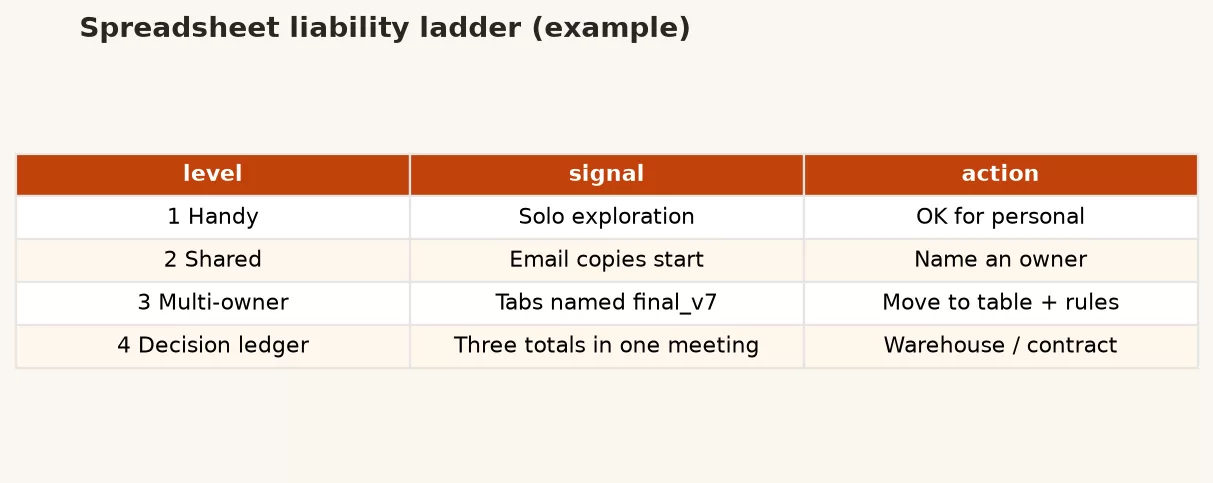
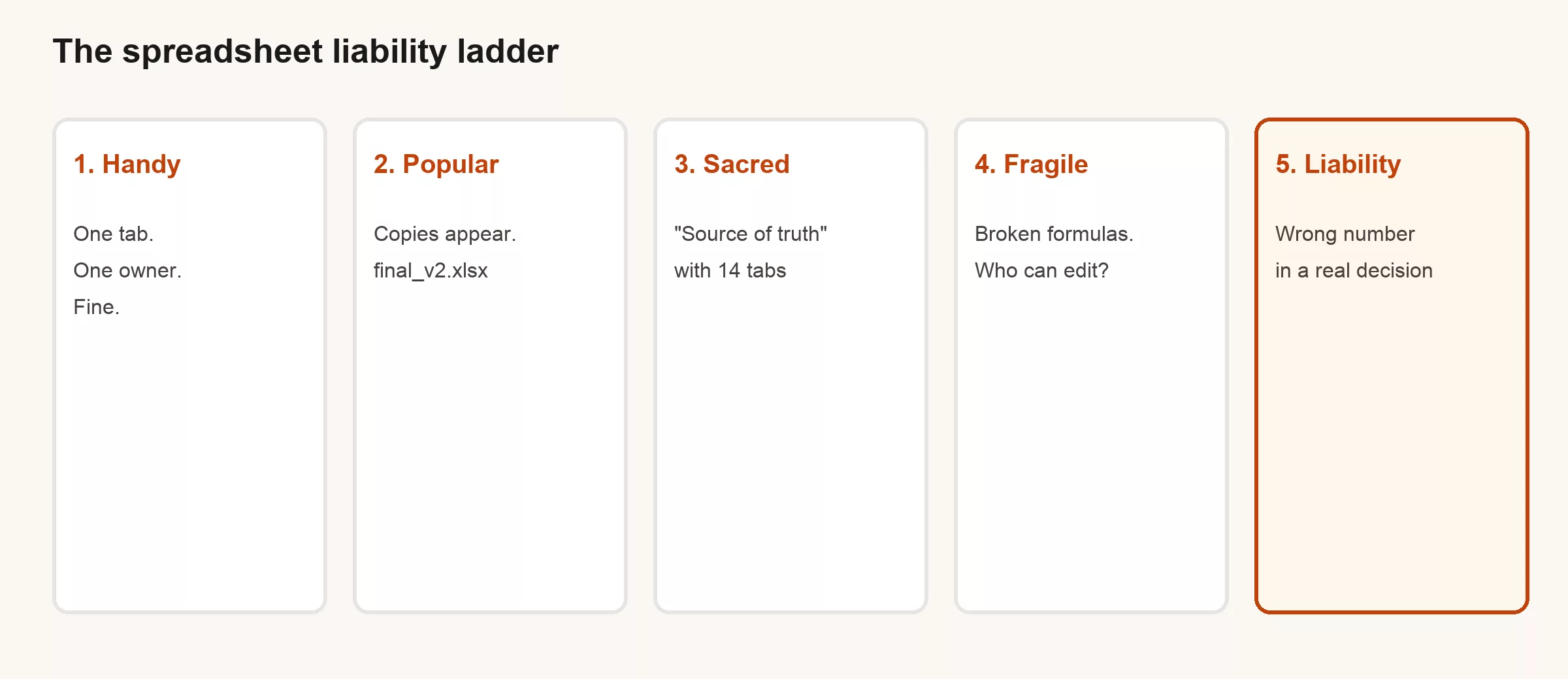
Most disasters do not start out evil. They climb a ladder, one small shortcut at a time.
| Stage | What it looks like | Risk |
|---|---|---|
| Handy | One tab, one owner, clear purpose | Low |
| Popular | Copies emailed; “latest” is ambiguous | Medium |
| Sacred | Called source of truth; many tabs; few understand all of it | High |
| Fragile | Broken links, macros, tribal knowledge | Very high |
| Liability | Wrong number drives hiring, pricing, or board narrative | Existential for trust |
Your job is not to ban spreadsheets. Your job is to notice when you have left “handy” behind and are still treating the file like a notebook only you use.
Red flags: past “handy”
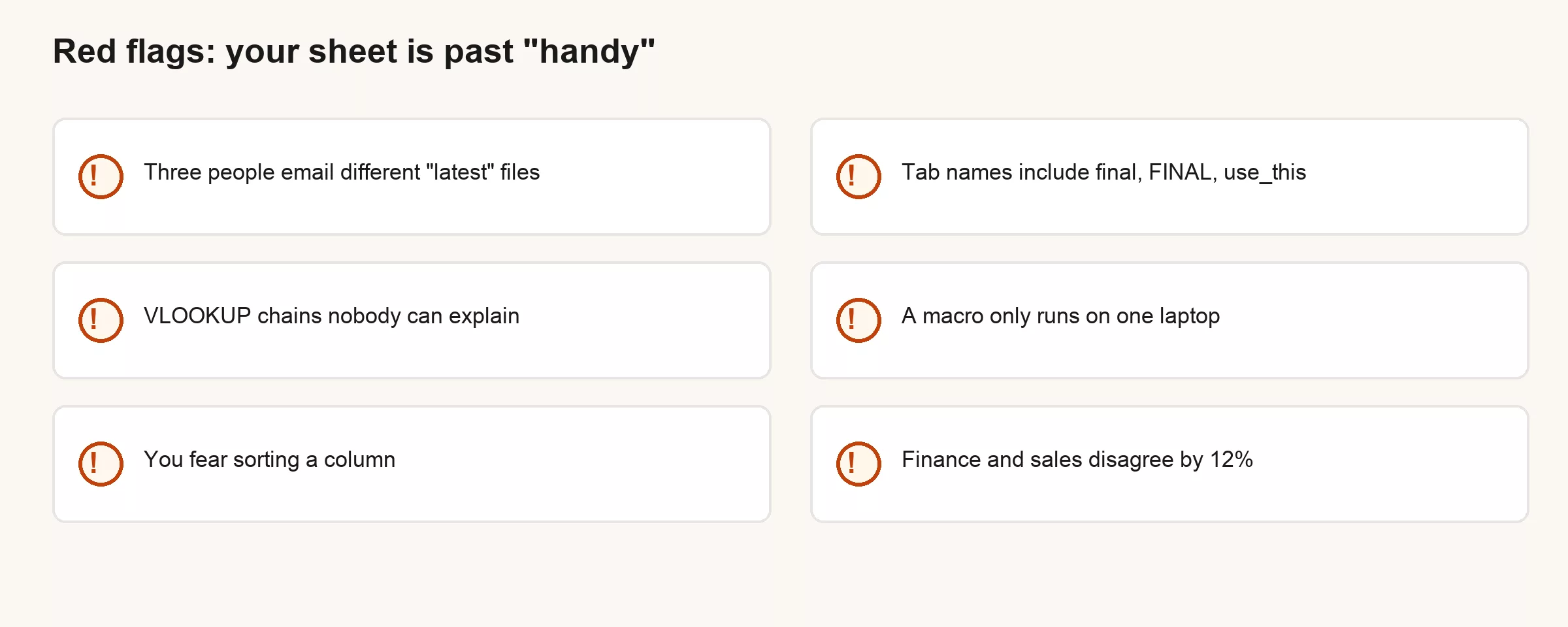
- Multiple “latest” files in email or Drive with no single link.
- Tab archaeology: final, FINAL, use_this, archive_old, don’t_delete.
- Formula chains nobody can explain in one sentence.
- Environment dependency: only works on one machine, one locale, one offline copy.
- Fear of sorting or filtering because “something breaks.”
- Systematic disagreement: two teams cannot reconcile totals within a known tolerance.
Who owns truth?
One named person should own the numbers in a shared sheet, and everyone else should know who that is. When a sheet gets shared across a team, ownership is usually the first thing missing, and “we all own it” means nobody does. Write the roles down:
| Role | Responsibility |
|---|---|
| Metric owner | Defines what the number means in plain language |
| Data steward | Keeps the file/link, access, and refresh process |
| Consumer | Uses the number; may not edit definitions |
| Escalation | Who decides when two versions conflict |
If you cannot name those four roles for a “sacred” sheet, you already know why people argue over it. Ownership is not bureaucracy. It is a fire extinguisher label: nobody reads it until the day they desperately need it.
A worked scene: the board total that would not sit still
Ops tracks weekly orders in a shared sheet. Sales keeps a personal copy with “adjustments.” Finance pulls a PDF export from a few days earlier. In the board prep meeting, the three numbers do not agree:
- Ops: 12,400
- Sales: 13,100 (includes verbal commits)
- Finance: 11,950 (excludes a region mid-migration)
All three numbers can be “correct” relative to their own silent definitions. The liability is not the math. It is the absence of a single agreed grain, exclusion list, and source link. The fix is not “build a warehouse” by Monday. The fix is to stop pretending three files are one number.
What to do Monday (before any migration)
- Pick the canonical link. One Drive/SharePoint/Sheets URL. Retire email attachments as “official.”
- Write the one-sentence definition of the main metric at the top of the file.
- Name the owner and last-refreshed date somewhere visible, not buried three tabs deep.
- Freeze a weekly snapshot tab or export so history is not only “whatever the cells say today.”
- List known lies: filters people forget, regions missing, manual overrides.
These steps are boring, and that is fine, because they prevent the liability stage more often than a shiny new tool does.
When to leave the grid (signals, not snobbery)
Move toward structured data (a database, a warehouse, proper tables) when several of these stack up together:
- Multiple concurrent editors need reliability
- Row counts grow past comfortable human review
- You need joins across systems regularly
- Auditors or customers will ask how the number was built
- The same “clean” work is repeated every week by hand
That path is what the rest of this series is for: tables instead of freeform cells, keys and IDs, cleaning habits, clean exports, and a one-page table contract. SQL (the standard language for asking a database questions) skills from the SQL series become useful once the sheet stops being a secret second database.
A tiny “truth log” you can paste into the sheet
TRUTH LOG (keep on a tab named _meta)
Canonical URL: ________________
Metric (1 sentence): ________________
Grain (one row = ): ________________
Owner: ________________
Steward: ________________
Refresh cadence: ________________
Last refreshed: ________________
Known exclusions: ________________
Known manual overrides: ________________
Do not use for: ________________
Escalation if conflict: ________________
If filling that block feels hard, the sheet is already carrying more load than its documentation admits.
Common mistakes
- Blaming “Excel” instead of ownership and process
- Adding more tabs instead of one clear definition
- Protecting the file with obscurity (“only I understand it”)
- Jumping to a warehouse project without fixing definitions first
- Treating email attachments as version control
How to practice this week
- Inventory three “important” sheets. Place each on the liability ladder.
- For the worst one, write the one-sentence metric and grain.
- Create or clean a single canonical link. Tell everyone who uses the sheet, in writing.
- Add a _meta truth log tab. Fill it with an owner in the room.
Why “we will clean it later” rarely happens
Every fragile sheet has a story about the future: rebuild it after the quarter, after the hire, after the migration. Later is where small shortcuts quietly turn into permanent habits, because the sheet keeps working just well enough that the pain stays occasional. Occasional pain does not fund projects. It funds heroics from whoever happens to be online at 11 p.m. when the numbers do not add up.
So design for the world you are actually in. If the file already serves a whole team, invest in ownership and definition now. If it is still personal, keep it personal on purpose. The liability is pretending a personal tool is something the whole company can lean on.
Language that helps in the meeting
- “Which URL is canonical, and who owns the definition?”
- “What does one row mean in this tab?”
- “What are we silently excluding?”
- “If two copies disagree, who wins?”
- “Is this decision reversible enough for a fragile number?”
These questions sound simple, and that is the point: they stop you from treating spreadsheet chaos as a personality trait and start you treating it as a design problem instead. The rest of this series gives you concrete table habits. This part only asks you to stop climbing the ladder with your eyes closed.
Personal tool vs institutional infrastructure
A useful distinction: personal tools optimize for the person holding the keyboard. Company infrastructure optimizes for strangers who will use the number next quarter without you in the room. Spreadsheets can be either. Trouble starts when a personal tool gets treated as infrastructure because it is convenient, not because anyone designed it for that job.
Ask yourself: if you went on vacation for three weeks, could someone reproduce the number from written rules alone? If the answer is no, you do not have infrastructure. You have a performance that only works while you are in the room. Performances are fine for exploration. They get expensive fast when they appear in board packs and customer commitments.
Copy-paste culture and silent forks
Email attachments and Drive “Make a copy” create silent forks. Each fork starts honest and then quietly diverges: a filter left on, a row deleted, a manual override added for one customer. Nobody intended to cause a mess. Everyone intended speed. The organization now has three truths and no protocol for reconciling them.
Version control for code exists because forks are inevitable. Spreadsheets in the wild often skip that lesson entirely. A canonical URL plus a dated snapshot tab is not glamorous, but it is how you stop arguing about which attachment won.
Quick recap
Spreadsheets become liabilities when they act as shared records without ownership, definition, and a single place to look. Watch the ladder from handy to sacred to fragile. Red flags are social as much as technical: copies, fear of sorting, irreconcilable totals. Monday fixes start with a canonical link and a written definition, not a platform purchase.
Related: foundations on problem framing and good enough data.
Series notes
This is Part 1 of From spreadsheets to real data. The rest of the series covers tables instead of freeform cells, keys and IDs in plain English, cleaning habits in Sheets before analysis, exporting cleanly toward SQL or a warehouse, and a one-page table contract. You do not need all of it tomorrow. You need to stop calling a fragile, shared file “just a sheet” when it already runs part of the business. Liability starts as a habit of language, and fixing the language makes the next technical step obvious. Next in this series: Tables, not freeform cells (headers, one value per cell, tidy vs wide in plain language).
Sources
- European Spreadsheet Risks Interest Group (EuSpRIG) research and case studies on spreadsheet risk in organizations: https://eusprig.org/
- Panko, Raymond R. work on spreadsheet error rates (widely cited overview papers on end-user computing error rates)
- Analytics Made Simple: Analytics foundations series; SQL series for structured query habits after sheets stop scaling
Keep going
Same lessons in your feed
Short diagrams, hooks, and weekly tutorials on Substack, Instagram, X, and Facebook.



