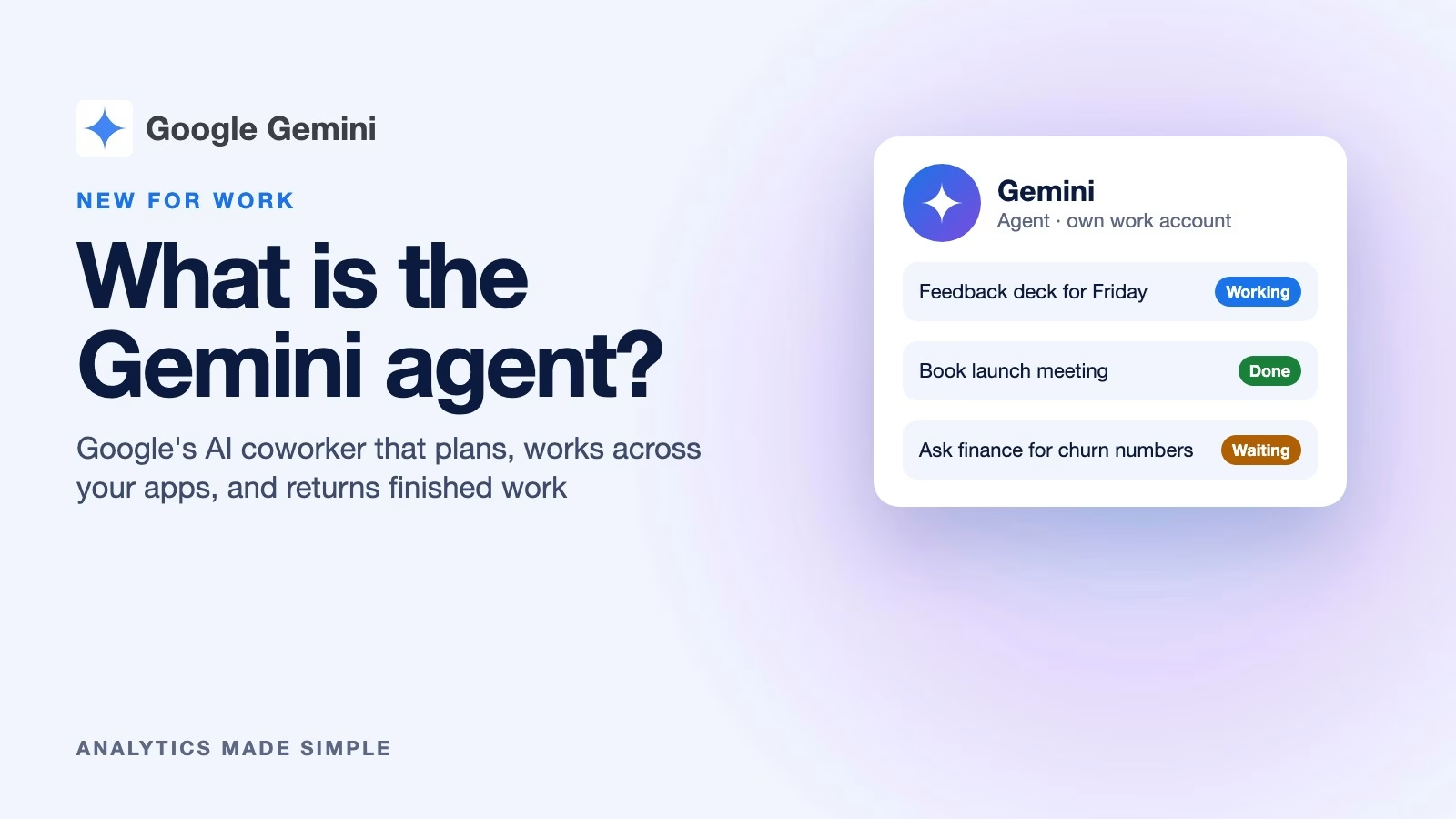
The Gemini agent is Google’s new AI coworker for businesses. It does not just answer one question at a time. It takes a goal, plans the steps, and works across your company’s apps for hours or days. Then it comes back with finished work. Google announced it on October 8, 2026. It starts as a preview for business customers, and a version for everyone else comes later.
Imagine your manager messages you on a Tuesday: “Can you pull together a slide deck on last quarter’s customer feedback by Friday?” Today you would open the feedback folder, read the notes, build the slides, and chase two colleagues for numbers. Google’s pitch is simple. You hand that whole job to Gemini with one click. It does the reading, the chasing, and the first draft of the deck.
Google calls it “the Gemini agent,” and describes it as “your new single, universal agent for work” in its Gemini at Work 2026 announcement (checked October 8, 2026). This post explains what it does and how it differs from the Gemini in Gmail and Docs. It also covers who can get it and how companies keep it in check.
What is the Gemini agent?
The Gemini agent is an AI that works through many steps on its own, in the apps your company already uses. Google’s summary is short: “You give it objectives, not instructions. You delegate an outcome and come back to finished work.”
It “plans the work, uses skills and tools, connects to your systems, and brings back something finished,” according to the same announcement. A skill is a saved set of instructions for a job. A team can teach it how a job is done once and reuse that.
For big jobs it can split the work. It creates temporary helper agents for parts of a task. Some steps run side by side and some run in order. Google says that work “keeps running after you close your laptop.” It also remembers what it has done and learned, so the next job starts with that context.
Where it works and what it connects to
The Gemini agent lives inside Google Workspace and reaches beyond it. Inside Workspace it works in Gmail, Drive, Docs, Slides, Sheets, Chat, and Calendar. You call it by typing @Gemini, according to 9to5Google’s report (checked October 8, 2026).
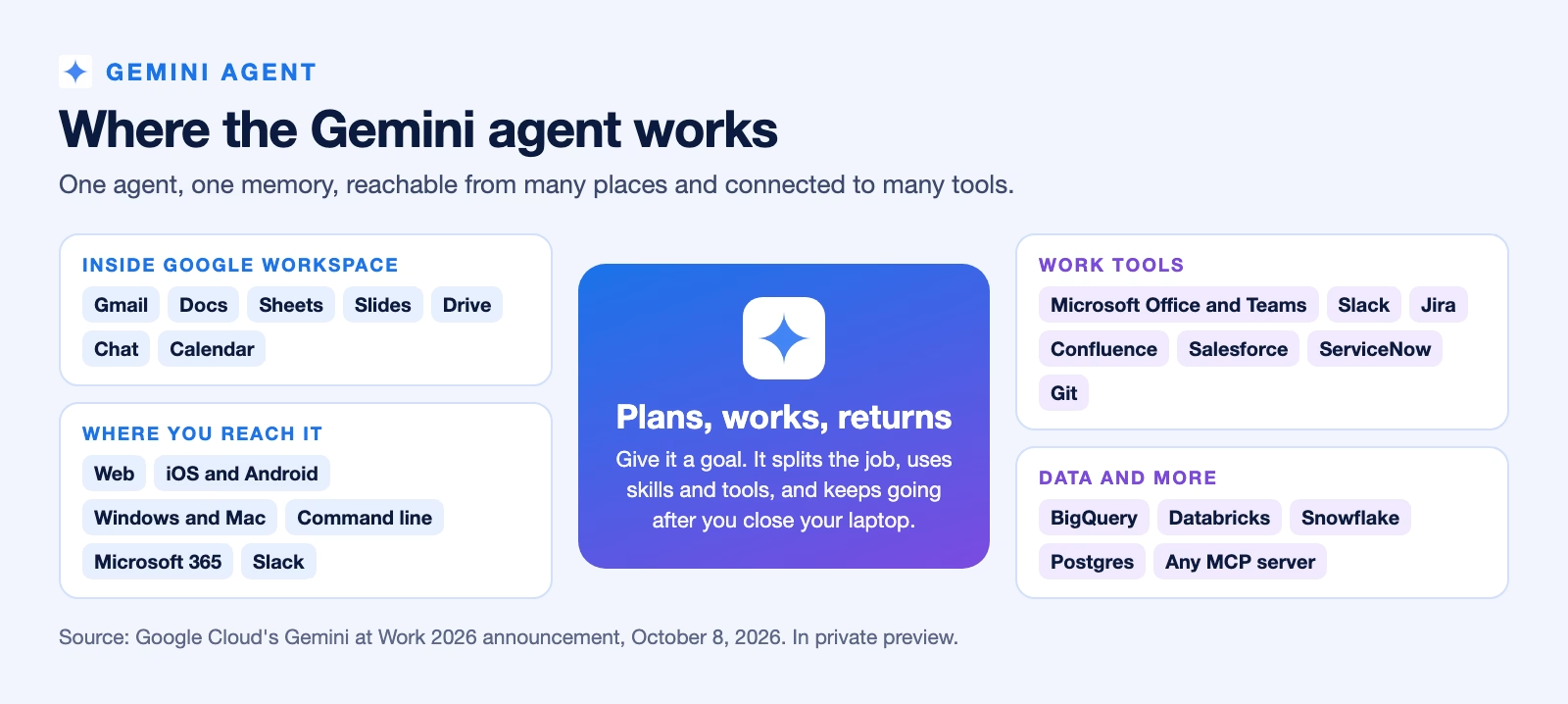
Outside Google’s apps, the announcement lists Microsoft Office and Teams, Slack, Jira, Confluence, Salesforce, and ServiceNow. It also lists data tools such as BigQuery, Databricks, and Snowflake. It can use any MCP server too. MCP is a standard plug for connecting AI to outside tools, explained in the post on MCP and A2A.
You can reach it from the web, phones, Windows and Mac computers, Microsoft 365, and Slack. Programmers can also use the command line, the text window where you type commands. Google says it keeps “a single set of memories” wherever you start a job. A task you begin on your laptop can be checked from your phone.
How is it different from the Gemini you already use?
The Gemini you may already use in Workspace is an assistant. You ask, it answers or drafts, and you do the next step. The Gemini agent takes the next steps itself. The earlier posts on Gemini in Gmail and Gemini in Docs cover the assistant side.
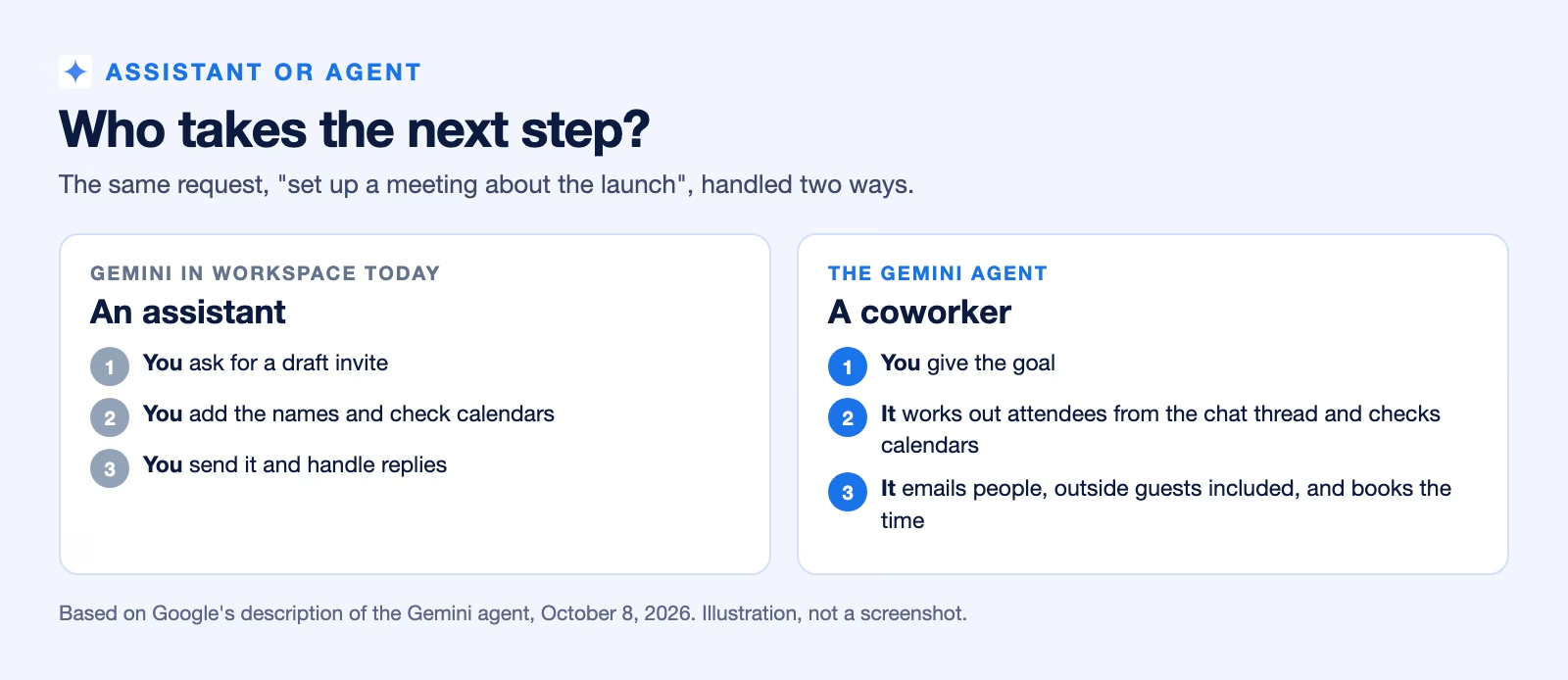
Scheduling shows the difference well. Google says the agent can set up a meeting “without supplying a single name or email address.” It works out who should attend from a chat or email thread and checks calendars. Then it emails people to agree on a time, even people outside your company.
It also picks the AI model for each job. Google says it runs each job “on the model that fits best.” Today that means Google’s Gemini models and Anthropic’s Claude models, with others planned. You do not have to choose, though TechCrunch reports you can pick one yourself.
A coworker with its own email address
The most unusual part is identity. When the Gemini agent works as a member of a team, it gets “its own Workspace account, including an email address, calendar, Drive, and presence in your company directory,” according to Google’s announcement.
That means it acts under its own name, not yours. Google says such an agent “acts under its own identity rather than yours, and it sees only what you share with it.” Every action it takes goes into an audit trail, a lasting record of who did what. That record names the agent, not a person.
You can set it up as your personal assistant. Or you can describe a role, such as an analyst in the finance team, and Gemini creates that teammate. Colleagues can then add it to a chat space or mention it, like a new hire.
Who can use it, and when?
Right now, very few people can. The Gemini agent is in private preview, so only invited companies can use it. Wider availability is coming “soon” for Workspace customers on select Business and Enterprise plans, according to 9to5Google. Google has not given a date or prices.
Personal Gemini users will wait longer. Businesses come first. Google CEO Sundar Pichai said the company will first focus on “harder problems around security, scale, and performance,” per TechCrunch’s report (checked October 8, 2026).
If you use Gemini through your job, your company’s Workspace administrator decides whether you get it. Nothing changes in your account until they switch it on.
How companies keep it under control
An agent that can email people and open files needs firm limits, and Google lists several. Each agent gets permissions tied to its role, approved by the company’s security team. When it signs into another system, it uses OAuth, the “sign in with your account” method, so its own identity carries over.
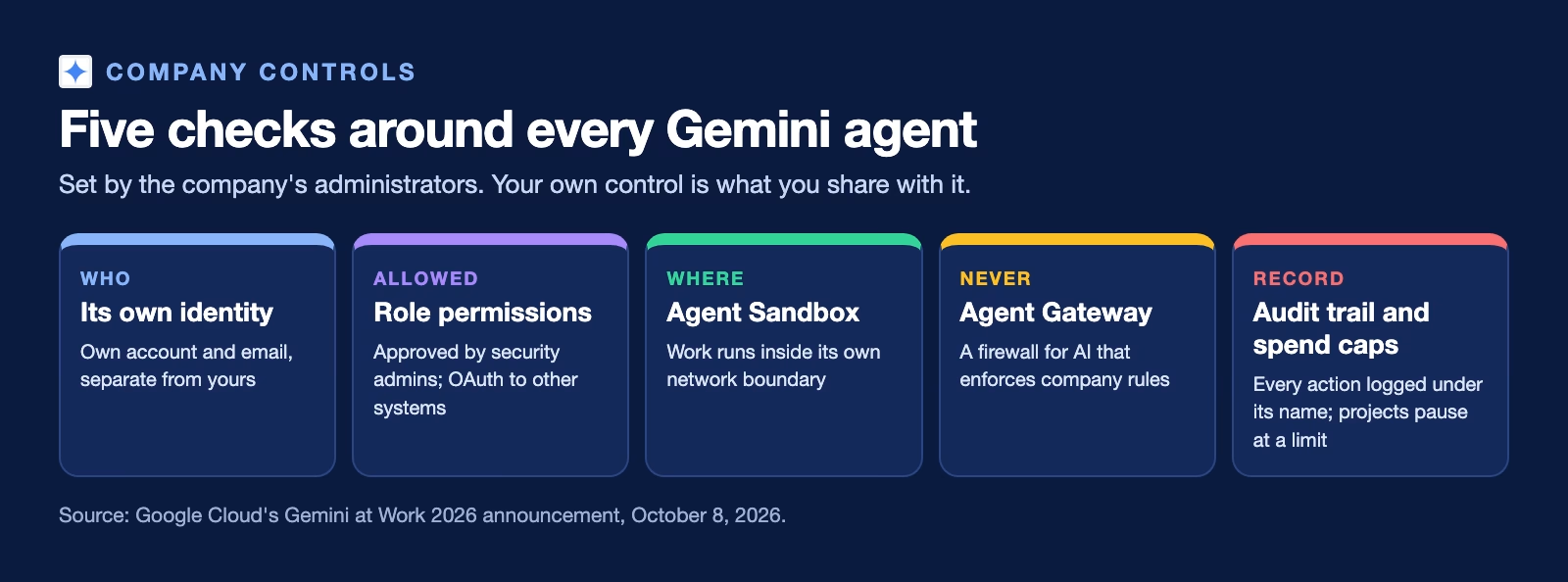
The agent’s work runs inside what Google calls an Agent Sandbox, a walled-off space with its own network boundary. All its traffic passes through Agent Gateway, a firewall for AI that enforces company rules, according to Google’s announcement (checked October 8, 2026). Administrators can also set a spending limit per project. When the limit is hit, that project’s agent pauses until someone resumes it.
These controls belong to administrators, not individual users. Your main control is what you share with it. That makes the habits in the post on team rules for Gemini at work more important, not less.
A worked example: the Friday slide deck
Here is the slide deck from the start of this post, step by step, as a practice example. It assumes your company has the agent switched on.
- Your manager’s request arrives in Google Chat. Google says Workspace can flag a request like this and offer a one-click handoff to Gemini.
- You hand it over and add one line: “Use only the Q3 feedback folder, and show me the outline before you build slides.”
- The agent reads the folder, groups the feedback into themes, and sends you the outline. You cut one theme and approve the rest.
- It needs churn numbers it cannot see, so it emails the colleague who owns them, under its own name, and waits for the reply.
- By Thursday it has a draft deck in Slides. You check every number against the source before it goes to your manager.
Notice where you stayed involved. You limited what it could read, approved the outline, and checked the numbers. The agent did the reading, the follow-up, and the first draft.
How it compares with dots and Grok Bot
The Gemini agent joins a growing group of always-on agents. OpenAI’s ChatGPT dots and xAI’s Grok Bot are also agents that keep working after you close the app and check in when a decision is yours.
The main difference is where each one starts. Dots and Grok Bot are sold to individuals on paid plans as well as to teams. Google is starting inside companies only, with email identities, administrator controls, and audit records. Consumers come later. If your workplace already runs on Google Workspace, this is the agent you are most likely to meet at work.
Recap
- The Gemini agent is Google’s AI coworker: give it a goal, and it plans, works across your apps, and returns finished work.
- It works in Gmail, Docs, Sheets, Slides, Chat, Calendar, and Drive, connects to tools like Slack and Salesforce, and can use MCP servers.
- As a team member it gets its own email address and account, and every action is recorded under its name.
- It is in private preview for businesses, with wider Workspace availability “soon” and consumers later; no prices yet.
Try it this week: even before your company has it, write down one recurring task you would hand to an agent, and list exactly which files it would need. That list is what you will share with it, and nothing more.
Sources
- Google Cloud: Welcome to Gemini at Work 2026 (what the Gemini agent does, identity, models, connections, controls, spend caps)
- 9to5Google: Google Cloud announces Gemini agent (Workspace apps, @Gemini, private preview, availability)
- TechCrunch: Google brings agentic AI to Gemini, starting with businesses (businesses first, consumers later, model choice)
Keep going
Same lessons in your feed
Short diagrams, hooks, and weekly tutorials on Substack, Instagram, X, and Facebook.