

Use Gemini in Google Docs to outline and draft, but approve the outline first and add the real facts yourself before anyone treats the draft as finished. Gemini helps because the document is already where your team works together. Skip those checks and you get pages of bland, machine-written text.
Say you are writing a grant proposal in Docs. You skip the outline and ask Gemini to regenerate the same section eight times instead of editing it once. The final version reads confidently and includes two impact numbers you never gave it. Agreeing on the outline first, then filling in your own numbers, would have avoided both problems.
The rule is simple. Approve the structure before any prose exists, put in the real facts yourself, and refuse to let the scope grow without limit.
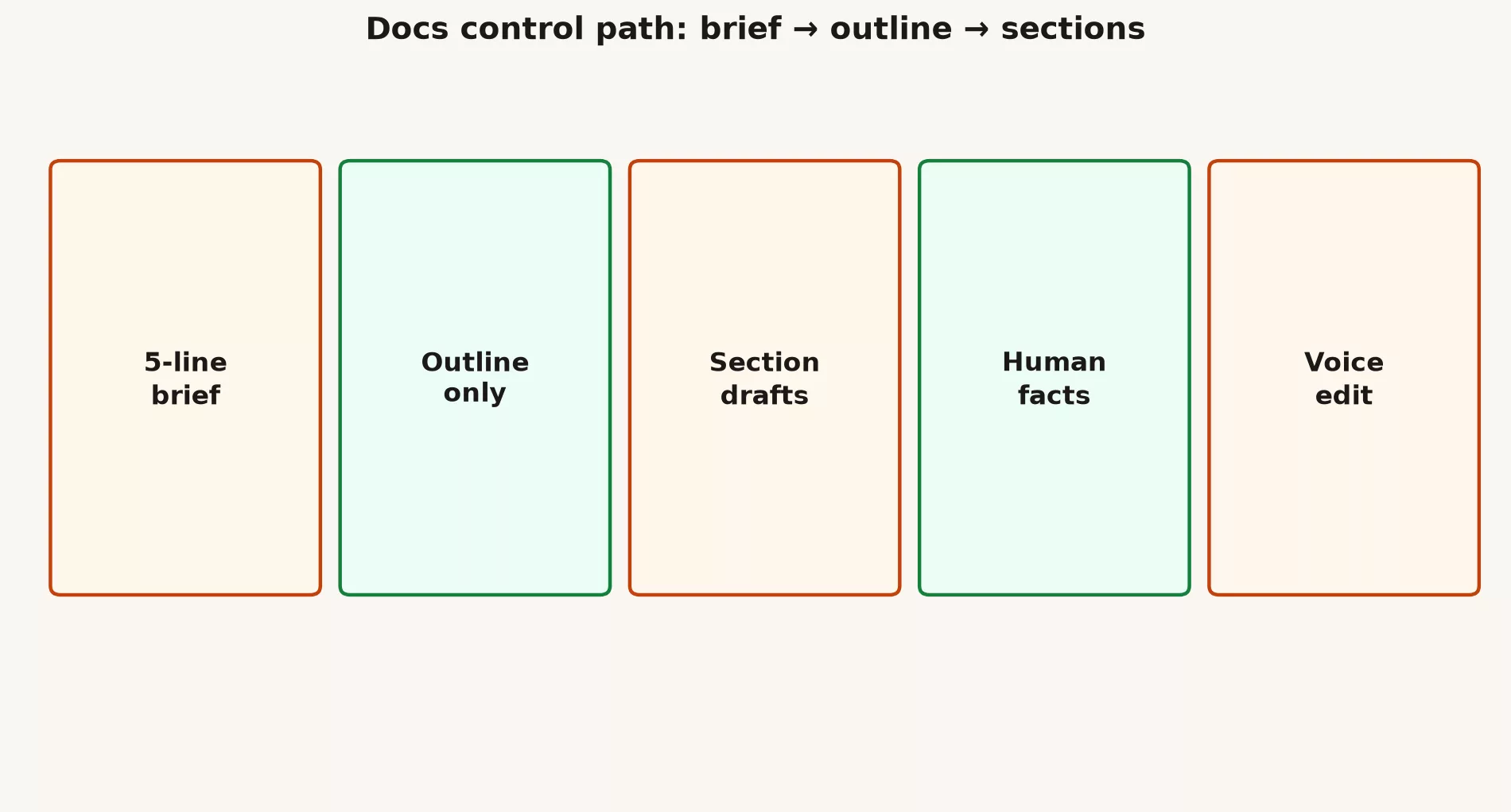
A control path: brief, outline, sections
The path has five steps, and each one is a small handoff between you and the AI. You write a short brief, the AI proposes an outline, you approve it, the AI drafts one section at a time, you add the real facts, and you finish with a pass for voice. The sections below cover the placeholders that keep numbers from being invented, how to behave when several people edit the same document, and when to freeze a template instead of generating something new.
The five-line brief
Five-line brief
A brief is a short set of instructions that tells the AI who the document is for and what it must and must not do. Fill in these five lines before you generate anything.
Audience:
Goal:
Must include:
Must avoid:
Length / format:
Put the brief at the top of the Doc, and ask Gemini to use only that brief. If the brief is fuzzy, the draft will be fuzzy too, so fix the brief first.
Outline only
Next, ask for headings and nothing else. The prompt below limits the AI to seven sections and one sentence of purpose for each, so you can judge the shape of the document before any writing exists.
Using the brief above, propose H2s only.
Max 7 sections. One sentence purpose per H2.
Do not write the full draft yet.
Approve or rewrite the outline by hand. This is the highest-value minute in the whole process, because a wrong structure cannot be rescued by good sentences.
Section drafts
Generate one section at a time. A long essay produced in one go hides a bad structure under smooth connecting phrases, and by the time you notice, you have spent an hour polishing the wrong thing. The prompt below tells the AI to leave visible holes wherever it does not know a fact.
Write only section "[H2]".
Use [[METRIC]] and [[NEED SOURCE]] for unknowns.
Plain language. No hype adjectives.
Length: [ ]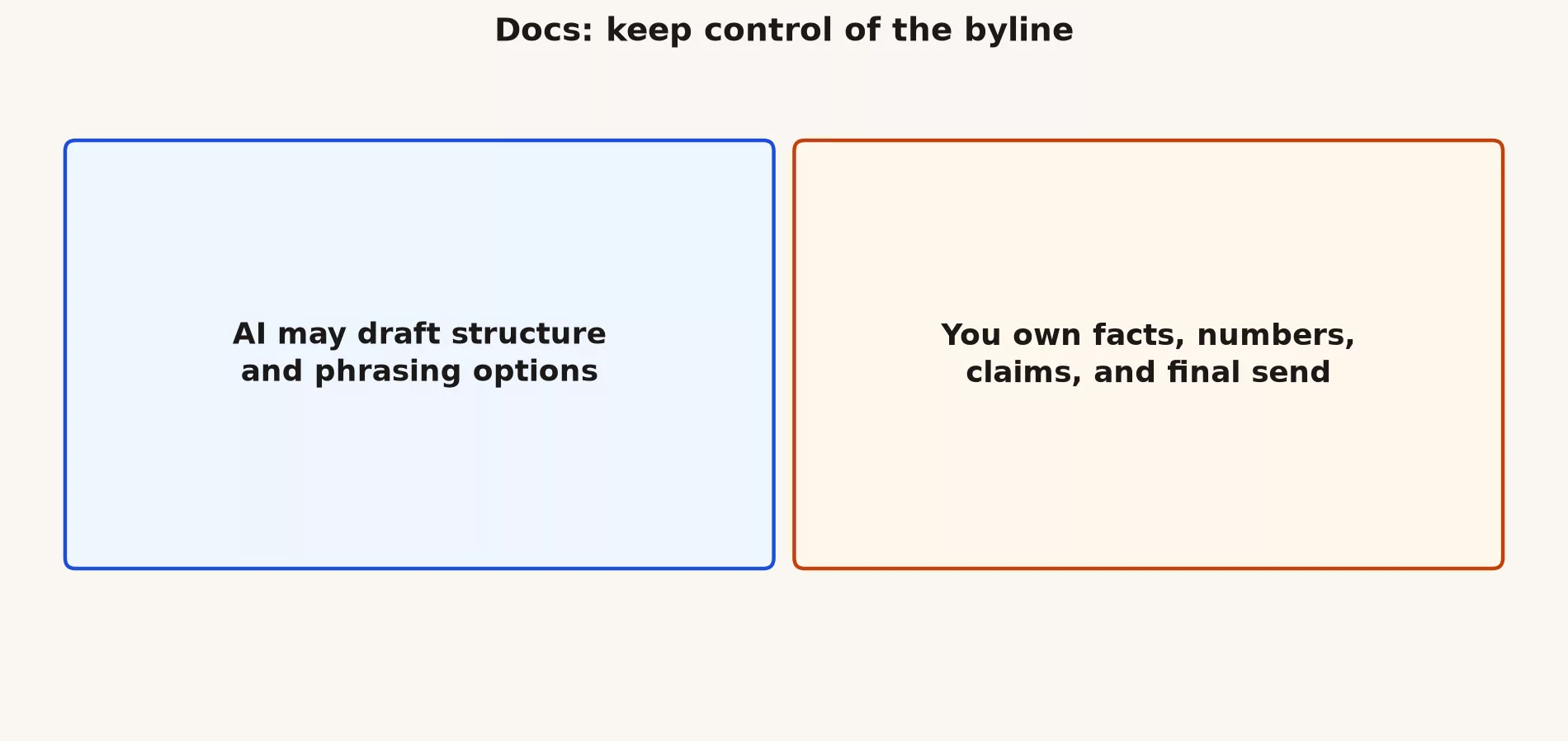
Facts and placeholders
Language models love fake precision, so force visible holes into every draft. Teach the people who read early drafts to expect brackets. Teams that punish uncertainty end up with fiction that has better grammar.
| Token | Meaning | Who fills it in |
|---|---|---|
| [[METRIC]] | A number from the official data source | You or the analytics owner |
| [[NEED SOURCE]] | A claim that needs a citation, or should be deleted | You |
| [[NEED LEGAL]] | Counsel required | Legal |
| [[OWNER]] | A named human | You |
Voice edit pass
After the facts are solid, cut the empty hype words, such as “synergy,” “game-changing,” and “cutting-edge.” Ask Gemini to flag hype adjectives and empty openers, then delete them yourself. Your brand voice lives in examples you provide, not in a generic request for a “professional tone.”
List hype words and empty openers in this section.
Do not rewrite yet. Return a bullet list only.
Collaboration etiquette
A shared Doc has more than one author, so a few habits keep the peace. Each one protects a colleague’s work or keeps the record honest.
- Do not overwrite a section that people are still debating, and suggest changes in comments or suggestion mode instead.
- Note that AI helped when your workplace expects to know where a draft came from.
- Keep one main Doc, rather than forking twelve chat versions that nobody can compare.
- Freeze approved templates and fill the placeholders later, instead of regenerating the company voice every week.
Worked example: project one-pager
Say you owe leadership a one-page project summary by Friday. These five steps take you from a blank page to something you can share.
- Write the brief: the audience is leadership, a decision is needed Friday, and the page must include risk and cost placeholders, so the draft is built around the decision from the first line.
- Ask for an outline, which should come back as problem, options, recommendation, risks, and ask.
- Draft the recommendation section only, with [[METRIC]] standing in for the cost.
- Paste in the finance numbers yourself, and delete any competitor claim the AI invented.
- Share the Doc for comments, with the decision date in the title, so reviewers know how much time they have.
When Docs AI is wrong for the job
Some documents should not start with a machine draft at all. Skip it in these three cases.
- Live contract negotiation language, where a lawyer needs to be involved the whole time.
- Documents that must be fully human-written for regulatory reasons.
- Situations where you are generating text instead of interviewing the stakeholder who actually has the facts.
Common mistakes
- Asking for a full-length draft from a vague prompt.
- Leaving numbers in the text with no sources.
- Regenerating a section instead of editing it.
- Arguing about AI prose while the outline is still wrong.
What good looks like
In the first team, banning full drafts until the outline had an emoji approval in the comments cut their review cycles. In the second, a nonprofit regenerated its mission page every week and drifted away from its own brand. They fixed it by freezing a human-approved template and allowing the AI to fill in only the event-specific sections.
Practice beats theory, so run one real task from this post today on non-sensitive material. Save the result outside the side panel where Gemini appears, and write two lines on what you will reuse tomorrow. Small, dated repetitions are how Workspace AI becomes a skill instead of a novelty.
Quick recap
- Work in order: brief, outline, sections, facts, then voice.
- Placeholders beat fake precision.
- Humans own the byline.
- Coming next: Sheets formulas, cleanup, and explanations.
Practice this week
- Create a five-line brief for a real one-pager you owe, because a brief written first keeps the draft focused.
- Generate an outline and edit it by hand.
- Draft one section with placeholders.
- Fill in one real fact and delete one weak sentence.
Series notes
This is Part 2 of the Gemini in Google Workspace tutorial (GM18). Previous: Gmail drafts and tone. Next: Sheets formulas and cleanup.
Sources
Keep going
Same lessons in your feed
Short diagrams, hooks, and weekly tutorials on Substack, Instagram, X, and Facebook.



