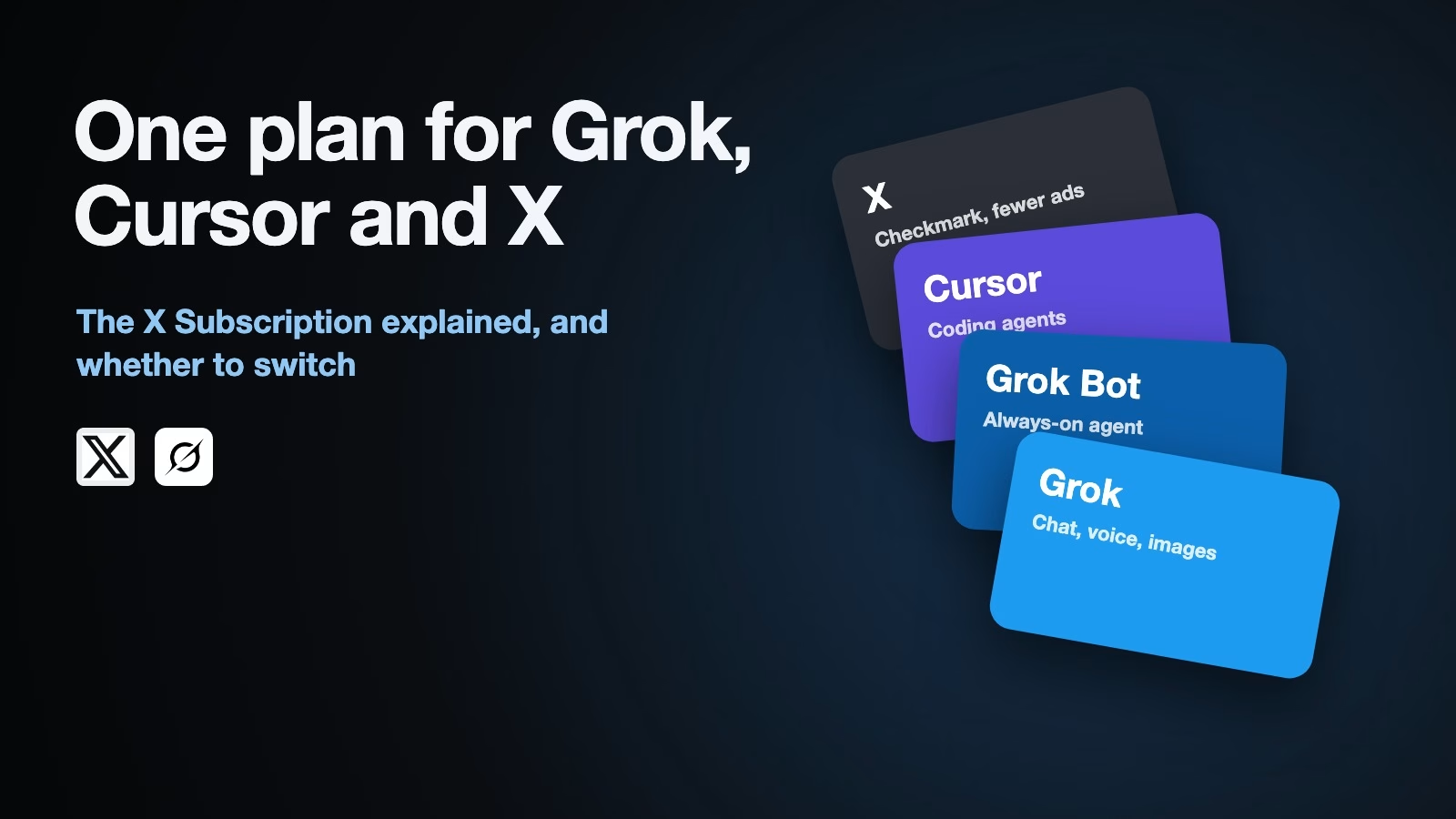
The X Subscription is one plan that covers Grok, Grok Bot, the Cursor coding app, and X Premium, at five prices from free to $200 a month, according to xAI’s announcement of October 12, 2026. If you chat with Grok and post on X, you likely need Plus at $8 or Premium at $30. If you already pay for SuperGrok, Cursor, or X Premium, nothing changes until you choose to switch.
Imagine you pay for X Premium to get the checkmark, try Grok now and then for quick questions, and a friend tells you Cursor is the best way to learn to code. Until this month that could mean three separate bills. xAI now sells all of it as one subscription, and the question is which tier covers what you actually use without paying for a pile of usage you never touch.
What the X Subscription is
xAI announced the X Subscription on October 12, 2026. It is one plan for four products: Grok, xAI’s chat assistant for chat, voice, and images and video; Grok Bot, its always-on agent, an AI that works through tasks on its own; Cursor, the coding app with AI agents; and X, the social network, where paid tiers add a checkmark, creator tools, and fewer ads. On paid tiers, Grok and Cursor draw from one shared usage pool, the allowance of AI work your plan includes.
New customers could sign up from launch day, and xAI said it would reach everyone worldwide “over the next few days.” Cursor’s pricing page now shows the same five tiers and says subscriptions are sold only through X Subscription Corp, with a warning that purchases from resellers may be unauthorized (both checked October 14, 2026).
The five plans in one table
Here is what xAI and Cursor list for each tier. Usage is shown as a multiple of Plus, the way xAI describes it.
| Plan | Per month | Usage | What it adds |
|---|---|---|---|
| Free | $0 | Limited | Daily Grok, a starter allowance for Cursor’s coding agents, standard X |
| Plus | $8 | 1x (base) | More Grok and Cursor (Grok models only in Cursor), checkmark, creator tools, fewer ads |
| Premium | $30 | 4x Plus | What SuperGrok, Cursor Pro and X Premium+ gave, $90 combined before; other companies’ models in Cursor |
| Super | $100 | 15x Plus | Everything above, priority model access at busy times |
| Ultra | $200 | 50x Plus | Everything above, earliest access to new products and models |
The table hides one useful pattern. Each step up costs more, but you get more usage for every dollar, as the chart below shows using xAI’s own multiples.
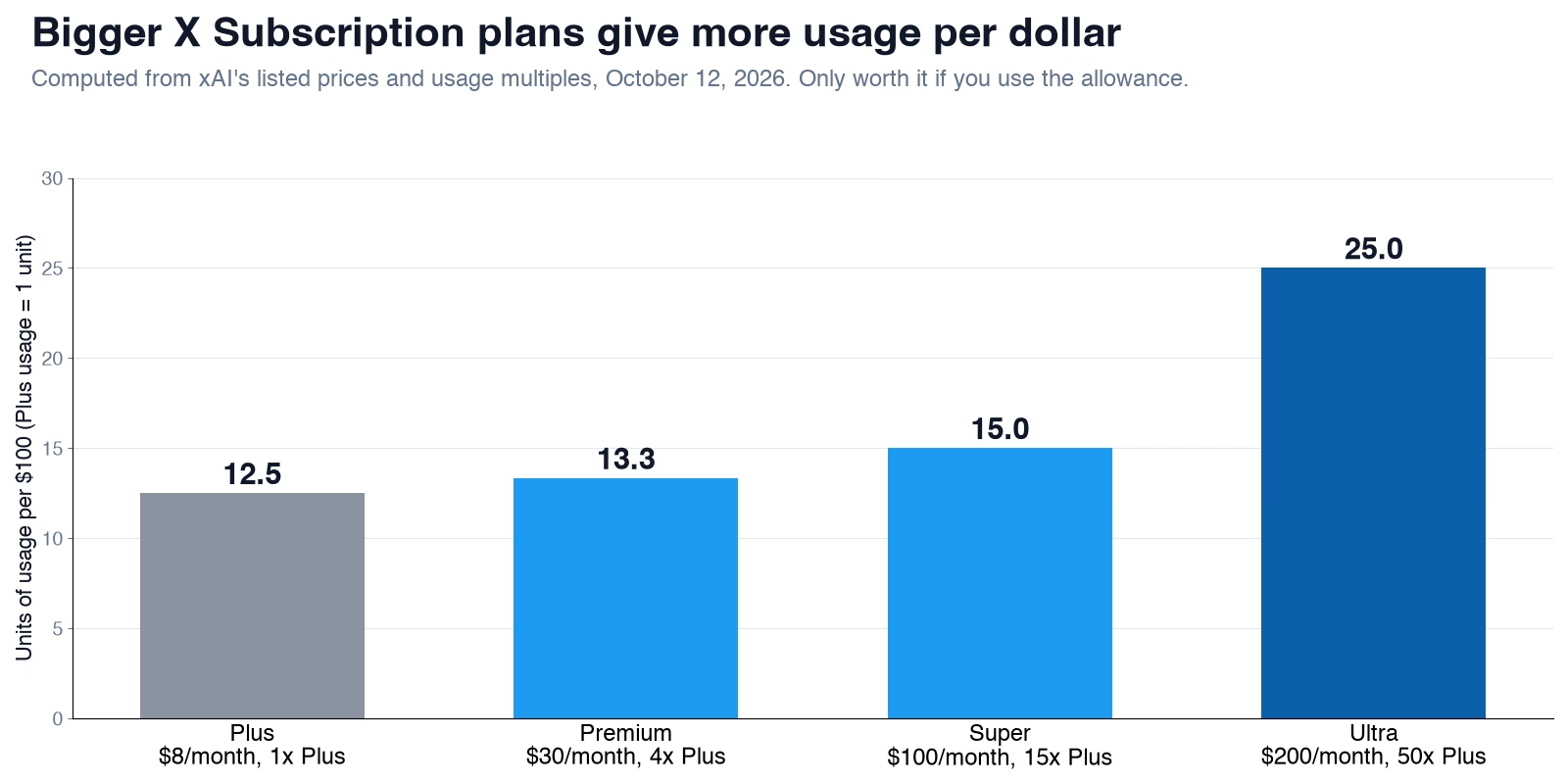
Using the prices and multiples in xAI’s announcement (October 12, 2026), Plus gives one unit of usage for $8, Premium four units for $30, and Ultra 50 units for $200, about twice as much per dollar as Plus. Per $100, that is 12.5 units on Plus, 13.3 on Premium, 15 on Super, and 25 on Ultra. That only saves money if you would really use it. An unused allowance is not a bargain. It is a donation.
Which plan fits how you use it
Start from what you do in a normal week, not from the biggest plan you can afford. These rules of thumb follow from what each tier includes.
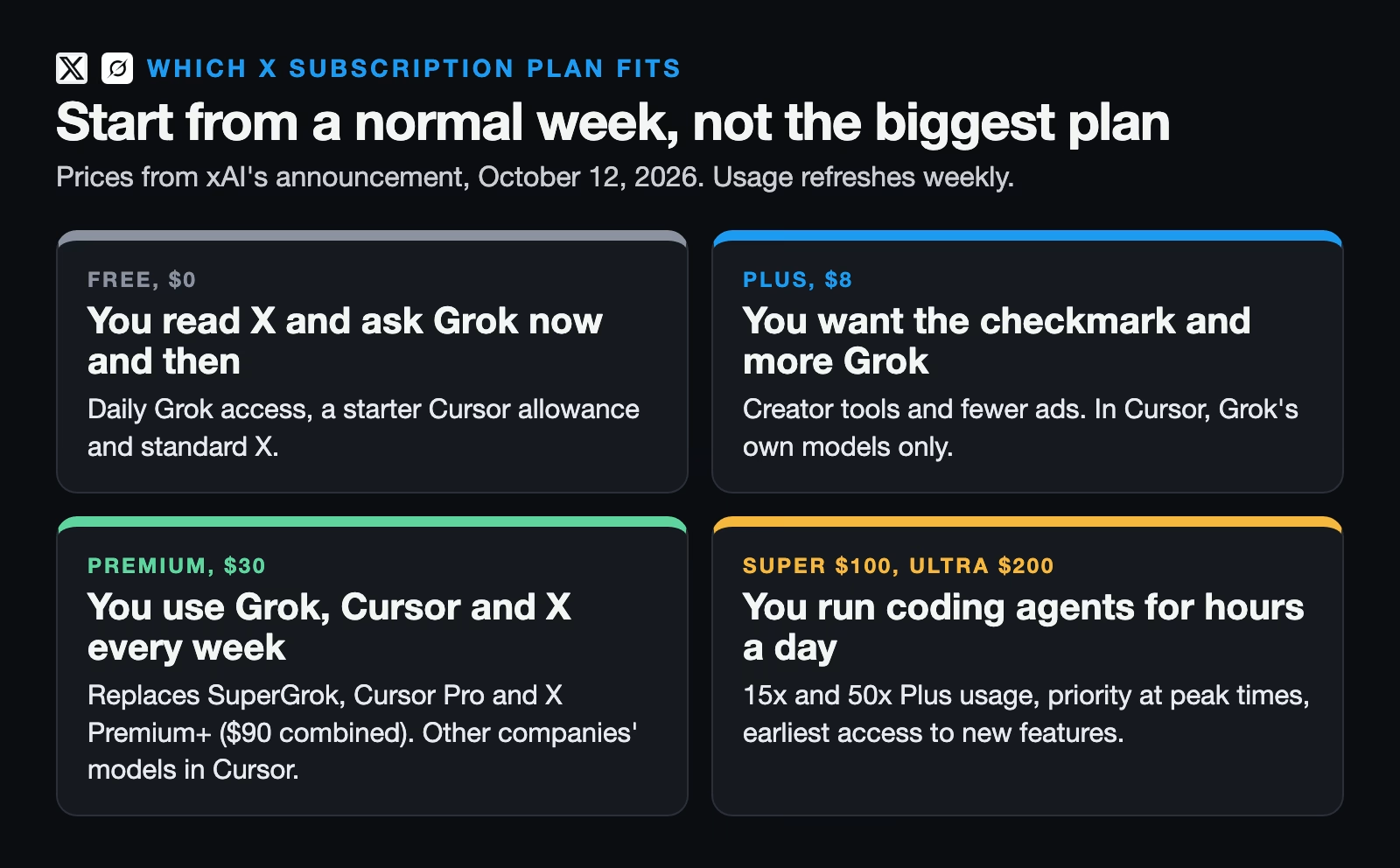
If you mostly read X and ask Grok the odd question, the free tier is enough. xAI’s announcement lists the free tier as “Daily access to Grok, a starter allowance for Cursor’s coding agents, and standard X” (checked October 14, 2026). If you want the checkmark, creator tools, and fewer ads, or you hit Grok’s limits now and then, Plus at $8 covers that, per the same announcement.
Premium at $30 is the plan regular users should look at first. xAI’s announcement says it includes the benefits of SuperGrok, Cursor Pro, and X Premium+, which it says cost $90 a month combined before (checked October 14, 2026). It is also the first tier where Cursor can use models from other companies, such as Anthropic’s Claude or OpenAI’s models, rather than only Grok’s, according to Cursor’s pricing page. The same page says usage of those other models is billed at their API list price, the per-use rate each company charges developers.
Super at $100 and Ultra at $200 are for people who run coding agents for hours a day. Cursor’s pricing page adds priority access at busy times on Super and earliest access to new products on Ultra (checked October 14, 2026). If you are not sure you need them, you probably do not. Start lower.
Three setups, priced
Here is how the tiers work out for a few common situations, using only the prices xAI lists. These are illustrations, not quotes for your account, and taxes are extra.
- You are learning to code in the evenings and use Grok for homework-style questions. Start on Free, which includes a starter allowance for Cursor’s coding agents. Move to Plus at $8 when you hit the limit more than once a week.
- You are a freelance developer who writes most of your code in Cursor with Anthropic’s Claude models. Plus will not do, because it runs only Grok’s models in Cursor. Premium at $30 is the starting point, and usage of Claude inside Cursor is billed at Anthropic’s API list price on top of the plan.
- You run a five-person agency where everyone uses Grok and two people code daily. Five Premium seats cost $150 a month. If the two developers keep running out, move just those two to Super, which makes it 3 seats at $30 plus 2 at $100, or $290 a month. Buying Super for all five would cost $500.
Should you switch from the plan you have now?
If you already pay for SuperGrok, Cursor, or X Premium, nothing changes automatically. You can keep your plan, price, and features. xAI says a switch option is rolling out in your account’s billing settings and may not be visible yet. If you switch, you get a prorated refund for the time left on your old plan, which means you get back the unused part, and there may be limited-time offers shown in the same place.
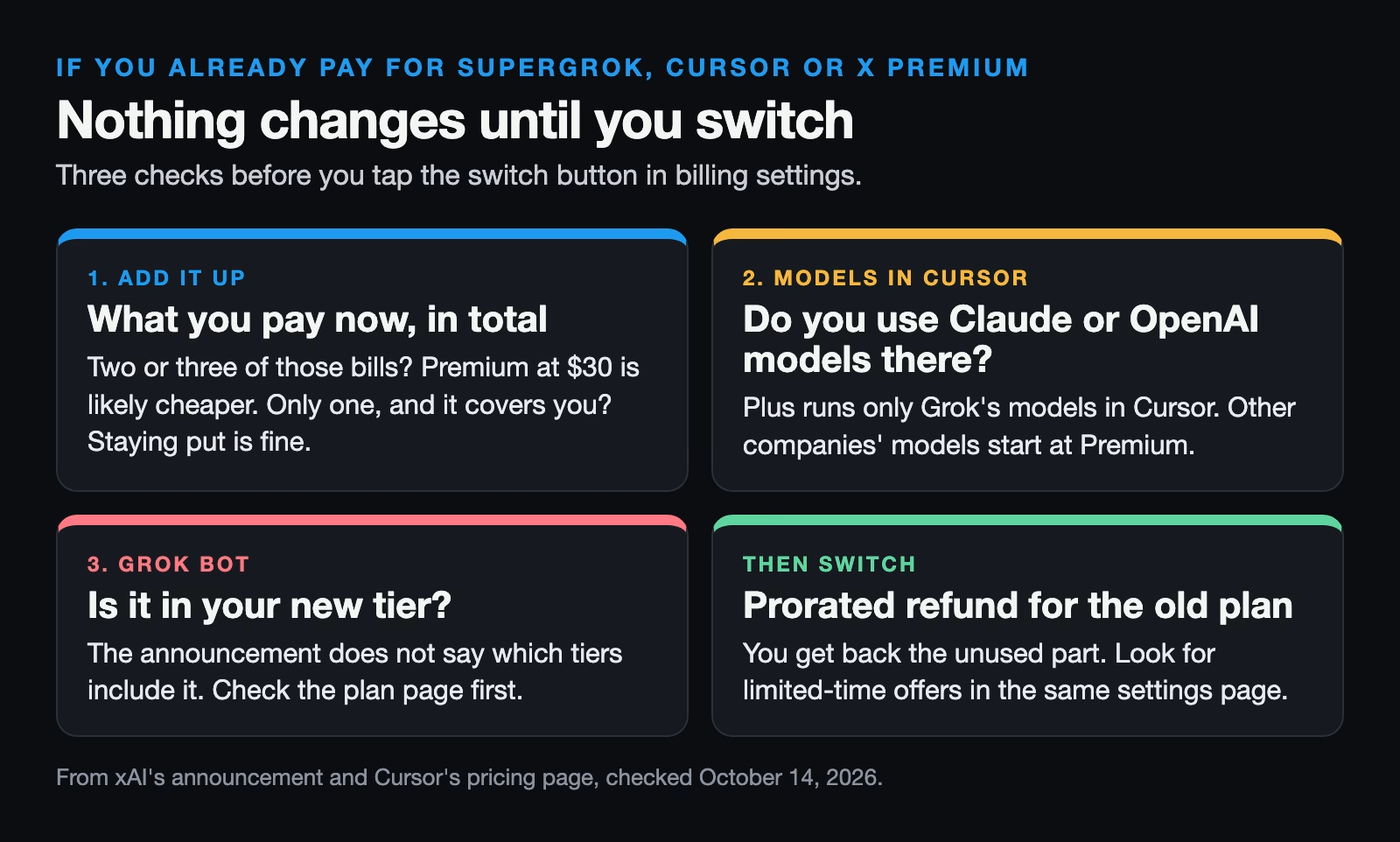
The test is simple arithmetic. Add up what you pay now across all three products and compare it with the new tier that covers the same things. If you pay for two or three of them, Premium is likely cheaper. If you only pay for one, and it covers what you need, staying put is often fine. Check one thing before you switch: Plus runs only Grok’s own models in Cursor, so a developer who relies on Claude or OpenAI models inside Cursor needs Premium or higher.
What it means for Grok Bot
Grok Bot is xAI’s always-on agent, which works on its own cloud computer and checks in when a decision is yours. The X Subscription announcement lists it as part of the plan, but does not say which tiers include it (checked October 14, 2026). Before this, xAI’s plans update of August 26, 2026 included it with SuperGrok, SuperGrok Plus, SuperGrok Heavy, Cursor Pro, Pro+, Ultra, and Cursor Teams, and said Grok Bot work comes from its own usage, separate from Grok and Cursor.
So if Grok Bot is the reason you are paying, check the plan page for your tier before you switch, or stay on the plan that includes it today. The Grok Bot guide covers what it does and how to keep it in check.
Usage, top-ups, and the API
Three billing details catch people out. Read them twice. First, Cursor’s page says allowances refresh weekly, so a heavy Monday can leave you short by Friday. Second, usage beyond your plan is billed at API list prices through top-ups, which are extra purchases on top of the subscription. Set a limit if your account lets you, the same way you would cap a phone plan.
Third, the API is still separate. The API is how a program, rather than a person, uses Grok, and Cursor’s page says API usage is billed separately and does not draw from the plan’s pool. A subscription for you is not credit for your scripts. They bill apart. The guide on when to use the Grok API explains that split.
For teams
Teams can buy Premium, Super, and Ultra at the same price per person as individuals, according to xAI. Team plans add single sign-on (SSO, one company login for every tool), admin controls, one bill, usage reports, and SOC 2 compliance, an audit standard many companies require from software suppliers. xAI says per-seat prices are lower than the old Cursor Teams plans, with three times the coding usage. Larger companies go through sales for one dashboard that covers both Grok and Cursor.
If you are the person who signs off on tools at work, ask two questions before buying seats: which tier each role really needs, and whether personal X Subscriptions on work devices are allowed at all. A designer who uses Grok for images does not need the same plan as an engineer running coding agents all day.
What to do this week
Open your bank statement and list what you pay for SuperGrok, Cursor, and X Premium. Compare the total with Plus and Premium. If Premium is cheaper and covers everything, switch from billing settings once the option appears, and keep a note of the date for the prorated refund. If you rely on Grok Bot, confirm your new tier includes it first. For a map of xAI’s other products, see which Grok product to pay for.
Sources
- xAI: Introducing the X Subscription (October 12, 2026) (plans, prices, usage multiples, products included, teams, switching and prorated refunds, top-ups)
- Cursor: pricing (the same five tiers, Grok-only models on Plus, third-party models from Premium, weekly refresh, API billed separately, sold only through X Subscription Corp)
- xAI: Grok Bot on more plans (August 26, 2026) (plans that included Grok Bot before the X Subscription, separate Grok Bot usage)
Keep going
Same lessons in your feed
Short diagrams, hooks, and weekly tutorials on Substack, Instagram, X, and Facebook.