

Pick one AI tool for each kind of job, try it first, and switch only after it fails twice on the same kind of task. Products and defaults change quickly, so check each vendor’s current pages in the week you write your team note.
Say you lead a small team, and by Friday five teammates bring you five different AI problems. One tried four apps to write one thank-you note. One has two coding agents (AIs that change code on their own) running at once. One has a $4,250 draft credit sitting in an email thread. One dropped a cafeteria file into a personal chat. And one made a meetup flyer that spells Analytics with a y. Each of them tells you “we should standardize on a model,” but none of them has a model problem. Each has a problem knowing which tool fits which job.
A quick chooser by job
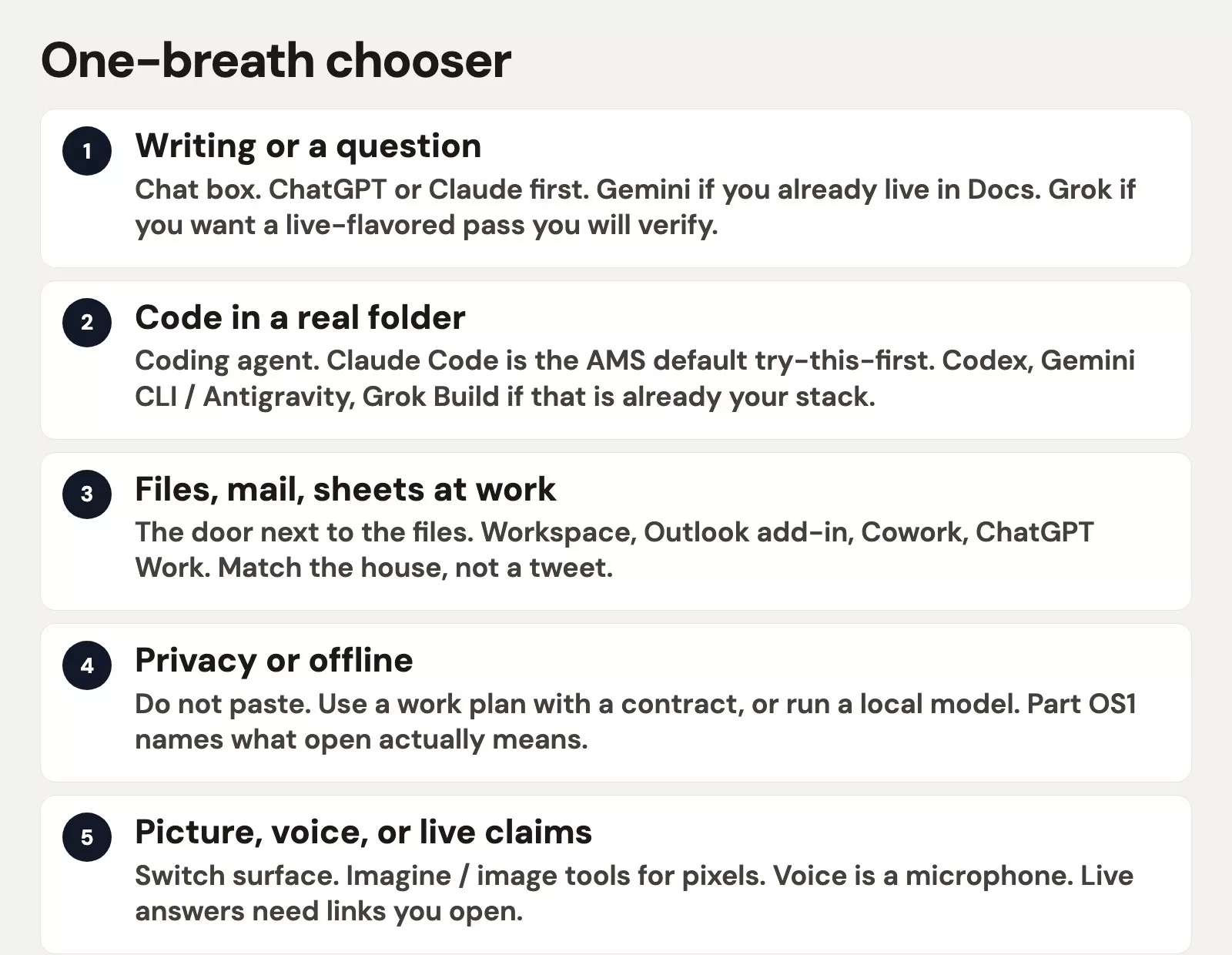
Here is the short version. Read the list and stop at the first line that describes your job.
- Writing or asking a question: use a chat box, as covered in the post on writing and questions.
- Code in a real project folder: use one coding agent (an AI that takes actions on its own), as covered in the post on coding and building software.
- Mail, Docs, Sheets, or local folders: use the AI that already sits next to the files, as covered in the post on files and office work.
- Data that must not leave the machine, or that you would never email to the vendor: do not paste it anywhere, and use a local model or a work contract, as covered in the post on privacy and running it yourself.
- A picture, a voice, or a claim about something happening now: use a different kind of tool, and inspect the pixels and the links, as covered in the post on images, voice, and live answers.
If two lines apply to your job, follow the privacy line first. A cafeteria file does not become any safer just because Gemini happens to be good at Docs.
Try this first
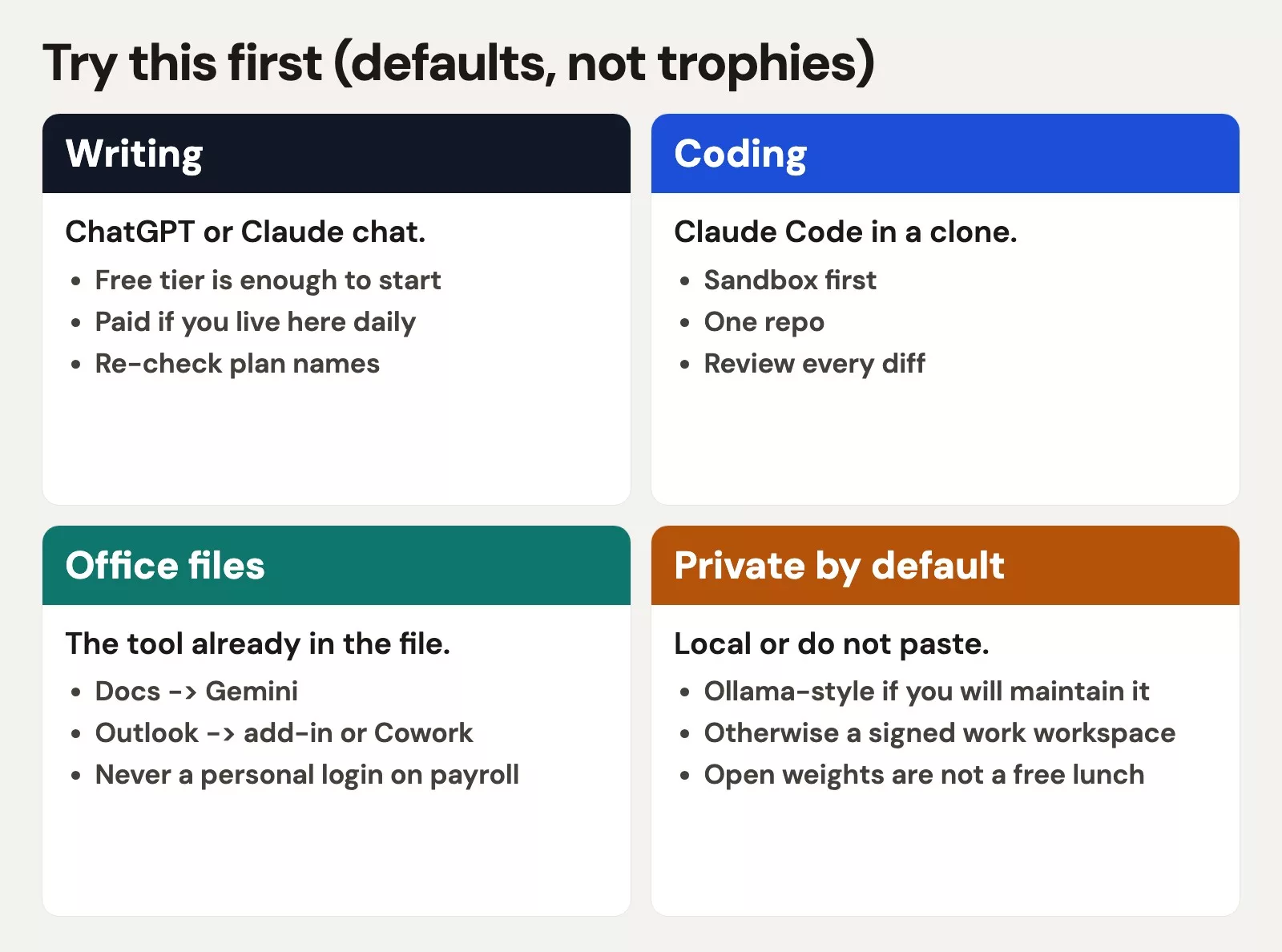
| Job | Default try | House override |
|---|---|---|
| Writing / questions | ChatGPT or Claude chat | Gemini if you already live in Docs; Grok if you will open live links |
| Coding in a folder | Claude Code in a clone | Codex, Gemini CLI / Antigravity, or Grok Build if that is already the stack |
| Office files | The tool already in the file (Workspace, Outlook add-in, Cowork, ChatGPT Work) | Whatever IT already pays for, including Copilot |
| Private by default | Do not paste; toy data or local | Signed work workspace if policy matches |
| Images / live | Imagine or the image tool in the chat you already pay for; overlay type | Whatever your designer already uses |
Rule of thumb: Keep one default for each kind of job for 30 days. Four logos in one Friday afternoon is not a strategy.
A 10-line team note
Paste the note below into a shared doc and fill in the brackets. That is the whole “standardize” meeting, and it takes about ten minutes instead of a month of arguing.
AI tools we use (review quarterly; names move)
Writing: [ChatGPT | Claude] in the work account. One version. We Send.
Coding: [Claude Code] in a clone. One agent per branch. We read diffs.
Office: [Gemini in Workspace | Outlook add-in | Cowork]. No auto-send. Money from the Sheet.
Private: no patient / payroll / HR files in personal chats. Toy data or local.
Images: no on-image type from the model. Overlay. No fake faces.
If two tools apply, privacy wins.
Owners: [name for writing, name for coding, name for office work].
This note names the tool for each job and the person who owns it. It does not rank GPT-5.5 against Opus 4.8, because leaderboards go out of date within weeks, while the jobs stay the same.
A worked example: one Friday, five jobs
| Person | Job | Tool | What not to do |
|---|---|---|---|
| A coworker who writes | Thank-you | One chat box | Four screenshots |
| A coder | Missing CSV | List the folder, then one agent | Two agents, 12,403 rows |
| An office worker | Vendor thread | Outlook sidebar, $0 from the Sheet | “Handle it” + $4,250 |
| An analyst | Patient file | Do not paste; toy or local | Cafeteria personal chat |
| Meetup | Flyer | Still, overlay type | Analtyics Nite, fake VP |
None of those five people needed a new subscription. They needed a clear path to the tool they already had. If your company already pays for one family of tools, use it until it fails twice on the same kind of task. When it does, switch the tool for that one job, and do not change your whole approach.
Where this series stops
Setting up accounts, choosing between free and paid plans, and turning on two-factor sign-in belong to the next series, so they are not covered in this chooser. Prompting habits come after that, and agents as an idea get their own path. Open models, their licenses, and what the word “open” really means start with the post on what open means for AI weights (the downloadable model files) and licenses. You do not need to wait for that post to pick a chat box for a thank-you email. You do need to read it before you tell your legal team “we run Llama, so we’re open source now.”
What “fails twice” means
Switching tools every afternoon is how one person ended up with four screenshots of the same thank-you note. A default earns 30 days, and “fails twice” means the same kind of task went wrong twice, which is different from one ugly sentence. Suppose Claude’s drafts are stiff even after you named the audience twice. Then try ChatGPT for writing. Suppose Claude Code keeps touching seven files for a one-line check after you said “one file.” Then maybe Codex or Grok Build fits your project better, or maybe your instructions were still closer to “just let it run.” Change one thing at a time, so you know what made the difference.
Your company’s own choices beat any default you find on the internet. If IT already pays for Copilot and has locked down your account, you do not need Grok inside Outlook this month. If the design team already lives in a particular image tool, the meetup flyer should go there, with the same rule of inspecting every letter. This chooser is for people who do not have a house standard yet, and for teams that collected logos by accident.
How this fits with Practical AI
Practical AI teaches judgment for analysts, including tokens (small chunks of text, about three-quarters of a word each), checking outputs, retrieval (looking up the right documents first) in plain English, and what not to paste. This series helps you pick one tool so you are not practicing that judgment inside four products at once. You still need both. A perfect Claude Code setup will still invent a metric if you ask it to “make revenue look healthy,” because clear definitions and checks do not retire just because the logo is pretty. Follow the links for those lessons, and do not try to redo them here.
If you are choosing among models inside one product, such as Haiku, Sonnet, or Opus, or Grok 4.5 and 4.6, that is a job for the series about that brand and not for this chooser. Pick the tool first, and then pick the exact model version. Mixing up those two questions is how a Friday becomes a benchmark (a standard test used to compare models) argument while the thank-you note still does not get sent.
Common mistakes
- Standardizing on a model name instead of on a tool for each job.
- Testing four apps against each other on one thank-you note.
- Letting privacy lose to convenience because Gemini was already open.
- Installing a coding agent just to win an email.
- Never writing the 10-line note, and then arguing in Slack forever.
A 30-day calendar that is not a content plan
In week 1, use writing chat only. Everyone who thinks they need AI sends one real draft through one chat box. In week 2, anyone who actually edits a code project may add one agent, working in a copy of the project. In week 3, people whose IT department already allows office add-ins can try them, for summaries only. In week 4, try image stills with type added on top afterward, and skip the video binge. Privacy applies every week. If someone wants Llama on a laptop, they should read the post on open models before they buy more random access memory (RAM), the working memory a computer uses to run programs, and they should never make patient files their first prompt.
That month will feel slow if your feed is full of agents. It will feel fast if you remember the 47 minutes one person lost to switching apps. Empty lanes can stay empty. Do not pad your Friday with a second ChatGPT just because Gemini had nothing to do.
When a vendor renames a product, such as Bard becoming Gemini, a command line (the text window where you type commands) tool getting a new animal name, or Cowork arriving on the web, update the 10-line note. Do not restart the 30 days unless the tool itself really changed. A new model version inside the same chat box is not a new tool. Choosing between Haiku, Sonnet, and Opus is a later click inside the Claude series, after you have already opened Claude. The same is true of Grok 4.5 and 4.6, and of whatever Gemini is calling its coding command line tool the week you read this. Pick the tool first and the nickname second. If you cannot say the job in one clause, you are not ready to pick a model version, and you are definitely not ready to buy four of them.
Quick recap
- Pick the tool by the job, and let privacy win any tie.
- Keep one default for each kind of job for 30 days.
- Write the 10-line note, and stop collecting logos.
How to practice this week
Fill in the 10-line note. Pick one default for each job you actually have, and ignore the jobs you do not have. Then go use the tool. More learning paths are on Learn.
Series notes
This is Part 6 of Which AI product should I use?, folding the five earlier posts into one try-this-first note.
Sources
- The earlier posts in this series (job maps).
- ChatGPT, Claude, Gemini, Grok (confirm live surfaces).
- Analytics Made Simple (AMS) Learn.
- What open means for AI models.
Keep going
Same lessons in your feed
Short diagrams, hooks, and weekly tutorials on Substack, Instagram, X, and Facebook.



