
If you mostly want help with writing and questions, you need one chat box, a 20-minute habit, and a clear rule for when another brand would be quicker. You do not need a coding agent, a tool that touches your folders, or a model running on your own computer. Plan names and buttons change often, so treat this as a dated map and re-check the product the week you roll it out.
Picture a thank-you email to a customer that you have to send tonight. You paste it into four chat boxes to see which one does best. ChatGPT gives you a warm first paragraph and a made-up invoice number (4419). Claude keeps the right names but closes stiffly. Gemini rewrites the Google Doc in place, including a sentence you had already deleted, and Grok adds a punchy line about “shipping the win” that nobody on your team would say out loud. Forty-seven minutes later you have four screenshots and one email still sitting in drafts.
This post opens the series Which AI product should I use? and covers only the first family of jobs: drafts, explanations, rewrites, and questions.
The job is a paragraph, not a project
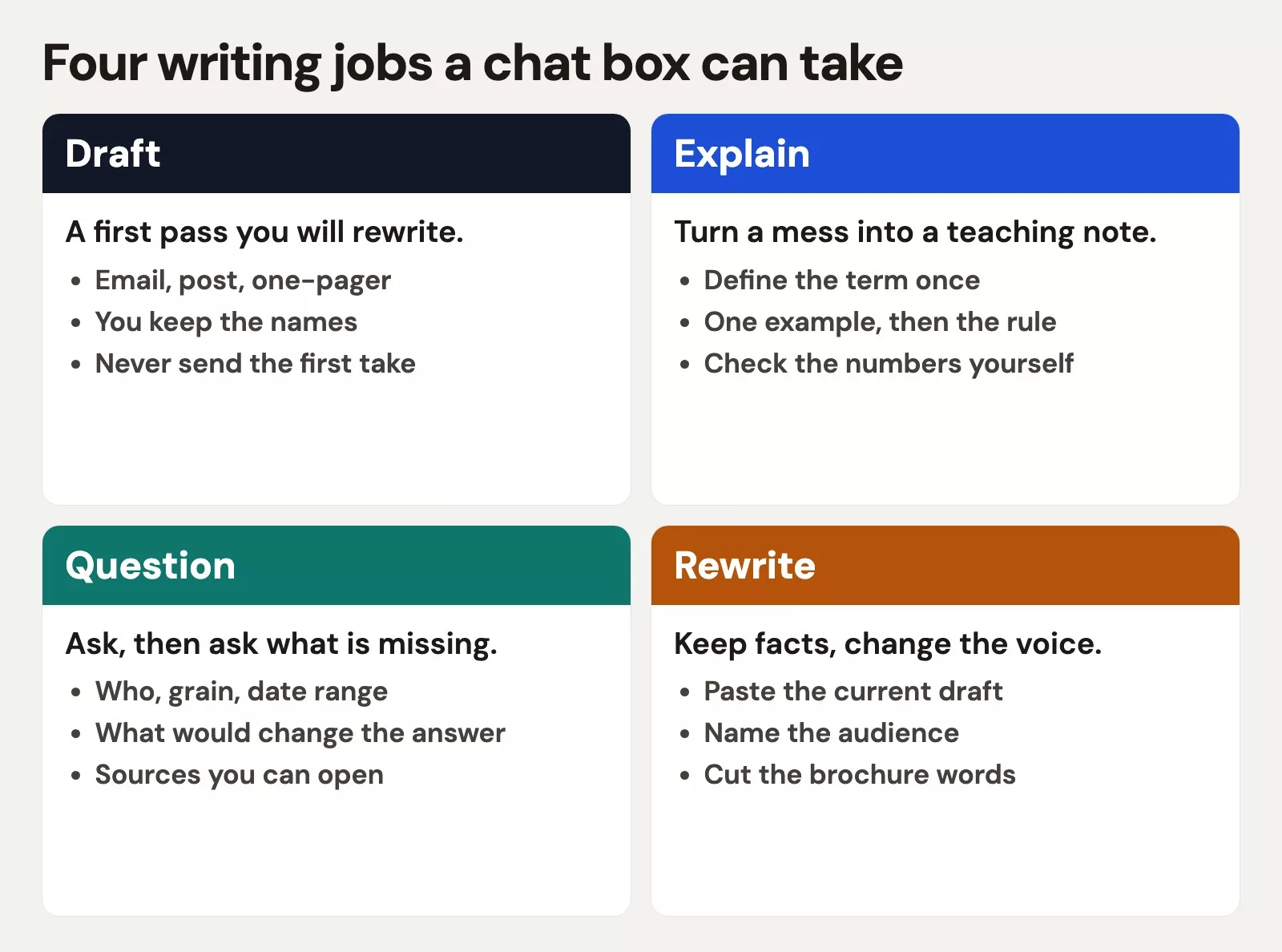
People say “I need AI” the way they used to say “I need Excel,” and that sentence hides the actual object. The output could be a thank-you, a definition, a study recap, or a change across twelve files of software code. Those are very different jobs, and this post is about the first three only.
For writing and questions, the unit of work is a conversation. You type, you maybe attach a file you are allowed to share, you read the answer, you push back, and you copy something into an email. You do not give the tool permission to open folders, and you do not install anything on your computer.
If your work is “make this sound like me,” stay here. If it is “edit our code,” the post on AI for coding and building software is the better start. If it is “clean up the shared drive,” read the post on AI for files and office work. Mixing those jobs is how you end up with four screenshots and no sent email.
Four chat products for the same job
Four consumer products will take a writing job without pretending to be a programmer’s workbench. They are not identical, and they also are not magically different. The useful split is where your work already lives and what you will need to double-check afterward.
| Product | Company | Open this chat if | Watch for |
|---|---|---|---|
| ChatGPT | OpenAI | You want a general writing partner that will answer almost anything you ask | A warm tone that invents specifics, like the fake invoice number invoice 4419 |
| Claude | Anthropic | You want a careful draft, a long paste, or a blunt note that a claim is thin | A stiff voice if you forget to say who the reader is |
| Gemini | The text is already a Doc, Sheet, or Gmail thread | It will edit the live file if you let it, which is handy and also easy to regret | |
| Grok | xAI | You want an answer with a fresh, current-events flavor, or you already live in grok.com or X | Punchy lines that are not sources, so open every link it gives you |
If you later want more depth, this site has a full track for each brand: ChatGPT, Claude, Gemini, and Grok. This post is the hallway, and those tracks are the rooms. Free versus paid plans and model nicknames change, so confirm the details on chatgpt.com, claude.ai, gemini.google.com, and grok.com the week you pick a default.
What “good at writing” actually means
Vendors will always advertise a new score, and you can ignore the leaderboard for this job. A writing chat is good if it keeps your names, does not invent numbers, matches the voice you asked for after one correction, and is the app you will actually open on a busy day. The ChatGPT draft in the story above felt human and still shipped a fake invoice number. That is a checking mistake, so it is not a reason to collect three more subscriptions before lunch.
Rule of thumb: Use one chat box per kind of job until it fails twice on the same kind of task. Then switch for that job, and leave the rest of your routine alone.
Try this first
A default is a way to stop the screenshot thread, and you can change it after two weeks of real work.
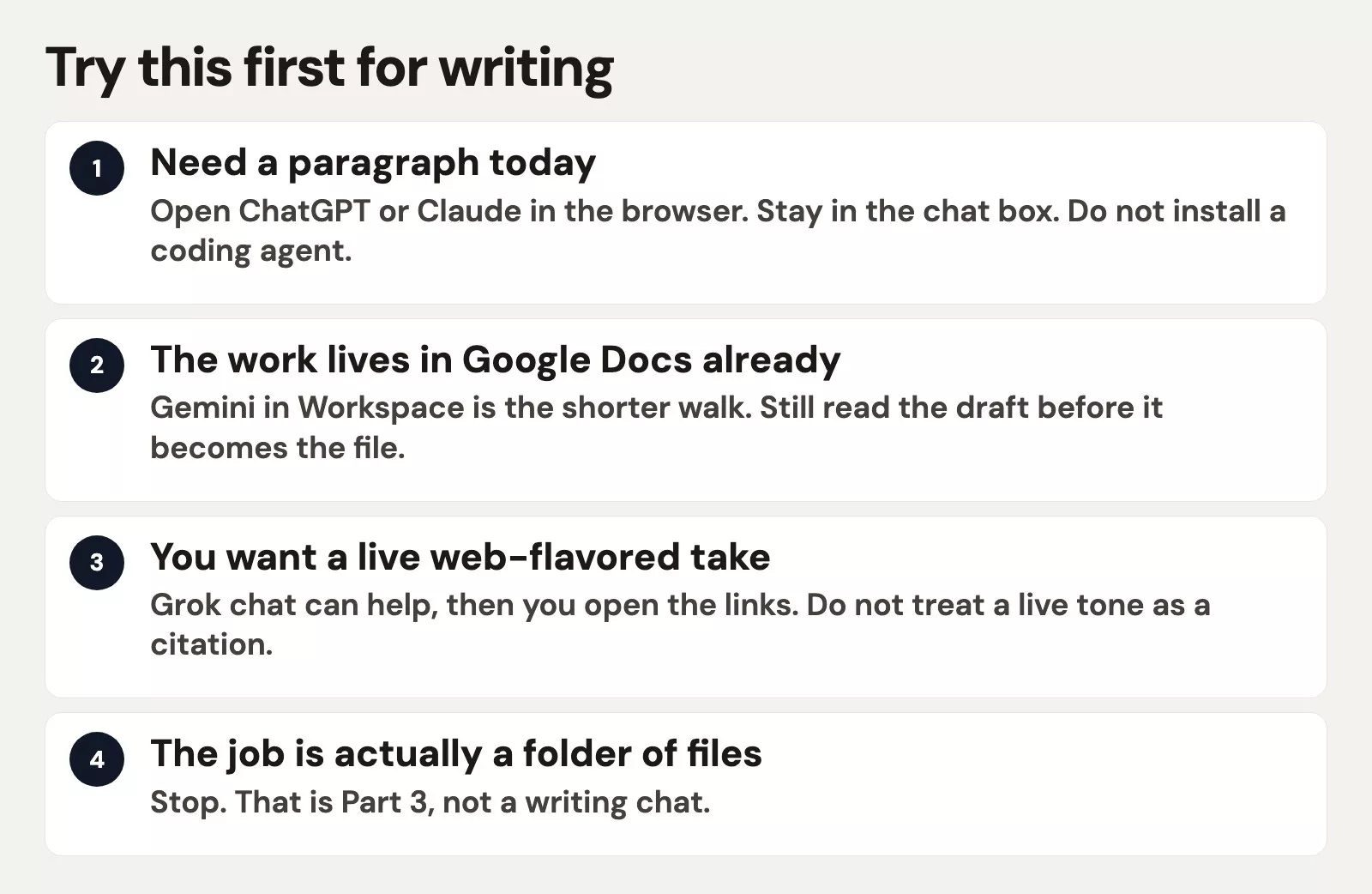
- For a first try, start with ChatGPT or Claude in a web browser. Pick the one whose first draft you already prefer after one honest try. If you have no preference, use ChatGPT for everyday notes and Claude when the paste is long or the email will be forwarded to finance.
- If your text already lives in Google Docs, use Gemini. Moving the same email out of Docs, into another app, and back again is what makes Gemini’s in-place edit look like a bug, when it is really the whole point of the product.
- If you want an up-to-the-minute web flavor, use Grok, then open whatever it cites. A confident, current tone is not the same as a footnote.
- If the email is for customers, use the account your company pays for. The same rule applies to a single paragraph, because payroll language does not belong in a free personal chat.
A 20-minute first session
Do this once with a real draft sitting on your desk. If you do not have one, use the thank-you email below and swap in your own details.
- Open one chat box and close the other three tabs, so you are not tempted to compare.
- Paste the current draft, not a vague description of it. If you have no draft, write four ugly bullets first, because the model is much better at rewriting than at guessing what you meant.
- State the reader, the length, and what must stay true. Names, numbers, dates, and promises are off limits for changes, while tone is fair game.
- Ask for one version, not five. Five versions is how forty-seven minutes disappear.
- Read the result out loud and delete any sentence you would not say. Then check every digit against the source, for example order 1182 and not invoice 4419.
- Send it from your own mail program. The chat box never gets to press Send for you.
Here is a brief you can paste. Swap the bracketed parts for your own details.
You are helping me rewrite a short thank-you email.
Audience: the operations manager at Northpark Dental.
Length: 120-150 words, one screen on a phone.
Must stay true: we shipped order 1182 on Tuesday; the backorder was our delay, not theirs; I work in billing.
Voice: warm, specific, no slogans, no "circling back," no fake invoice numbers.
Here is my ugly draft:
[paste]

Return: (1) a subject line, (2) the email, (3) a 3-bullet list of facts you used so I can check them.
This brief names the reader, the length, the facts that cannot change, and a checklist. If the model returns invoice 4419 anyway, you catch it in the third item of the reply instead of in a group chat after you have already sent the email.
A worked example: the thank-you email
Here is the rough draft, labeled as an example so you can see what the model gets to work with.
| Field | Value |
|---|---|
| To | The operations manager at Northpark Dental |
| Order | 1182 |
| What happened | Shipped Tuesday after our warehouse delay |
| Your rough line | “sorry again for the mess, boxes should be there, let us know if counts are weird” |
A good pass thanks the customer for waiting, names order 1182, owns the delay in one short clause, tells them who to contact if a line item is short, and skips the slogan. A bad pass opens with something poetic, invents a credit memo, and says “we’re thrilled to partner.” If Gemini already edited the Doc, you still have to compare the new version with the old one. In-place editing is faster, but it does not replace reading.
Questions use the same muscle. Take the question “Why is Tuesday’s revenue 12,403 when the dashboard (a screen of charts that updates as new data comes in) said 11,880?” A chat box can list possible causes, which makes it a writing-and-questions job. It becomes a data job the moment you need the actual table from your warehouse, and for that split you can read Practical AI for analytics people. Chat can suggest hypotheses, but it cannot vouch for the number.
Common mistakes
- Running the same prompt through four apps “to compare.” You are buying a committee. Compare only after your first tool fails twice.
- Pasting customer names into a personal free chat because your work laptop was at home. Use the work account, or wait until you are back at your desk.
- Asking for “make it better” with no reader and no draft. You will get generic brochure language back.
- Trusting a number the model invented because the sentence sounded confident. Ask for a list of the facts it used, then open the source.
- Installing Claude Code or Grok Build because a social post said agents write emails now. Those are tools for programmers who work in folders, so stay in the chat box until a folder is the real job.
- Letting Gemini rewrite the live Doc and then noticing an hour later that a deleted apology is back. Keep a saved copy of the file, or ask for suggestions as comments instead of a silent replace, until you trust the habit.
Free versus paid, without a shopping spree
All four products have free tiers, and a free tier is enough to learn the 20-minute session. Paid plans buy higher limits, longer memory inside a single chat, and sometimes controls for company administrators. They do not change the personality of the tool. If you hit a usage cap after three emails, that is a limit on the plan, and it does not mean you need a coding agent. A later post in the setup series compares free and paid plans without hype. For now, start free or on the work plan you already have, and add a second paid seat only after 30 days in one box.
Phone apps are the same job in a smaller window, so they are not a new product family. Use them for quick questions on the train, but do not dictate customer names out loud in a quiet car. The privacy side of that choice gets its own post later in the series. Desktop apps for ChatGPT, Claude, and Grok are still chat boxes unless you switch on the coding or shared-folder mode on purpose. The icon on your dock does not tell you which mode you are in, so check the screen before you type.
How to practice this week
Pick one writing job you repeat, such as a standup note, a parent email, or a message chasing a vendor. Run the 20-minute session three times in the same chat box. If you still dislike the voice, switch tools once, and then stop collecting logos. When you are ready to choose by job instead of by brand, the decision tree on which AI product to try first is the next stop. If what you actually wanted was help with a codebase, jump to the coding post linked earlier.
Quick recap
- Writing and questions belong in a chat box, and coding agents are a different tool.
- Try ChatGPT or Claude first. Use Gemini if the file is already in Google, and Grok if you will open the links it gives you.
- Ask for one version, protect the facts, and press Send yourself.
- Four screenshots of the same email is a process failure, not research.
Series notes
This is Part 1 of Which AI product should I use? (writing and questions).
Sources
Product features and plan names change. Vendor sites checked in September 2026, so confirm on the vendor site the week you adopt a default.
- OpenAI: ChatGPT (consumer chat)
- Anthropic: Claude (consumer chat)
- Google: Gemini (app and Workspace-adjacent chat)
- xAI: Grok (grok.com chat)
- Analytics Made Simple: Learn (series index)
- Practical AI for analytics people (when a number still needs a table)
Keep going
Same lessons in your feed
Short diagrams, hooks, and weekly tutorials on Substack, Instagram, X, and Facebook.



