
Images, voice, and live web answers each fail in their own way, and they behave differently from a coding agent (an AI tool that takes several steps on its own to finish a task) or an inbox bot. Before you post anything, check the picture, the transcript, or the live claim with your own eyes.
Say you ask Grok Imagine for a flyer for your team’s meetup. It comes back with “Analtyics Nite” in 72-point type, a lifelike stranger labeled as your vice president of sales, and a caption that cites a blog post from 2019 as “this morning.” You regenerate it eleven times, and the room still needs a readable title, a real headshot with permission, and a date that someone has actually opened. Pictures, voice, and live answers are not a writing chat with extra sparkle. Each one is a different tool with different ways to go wrong.
Three outputs, three different tools
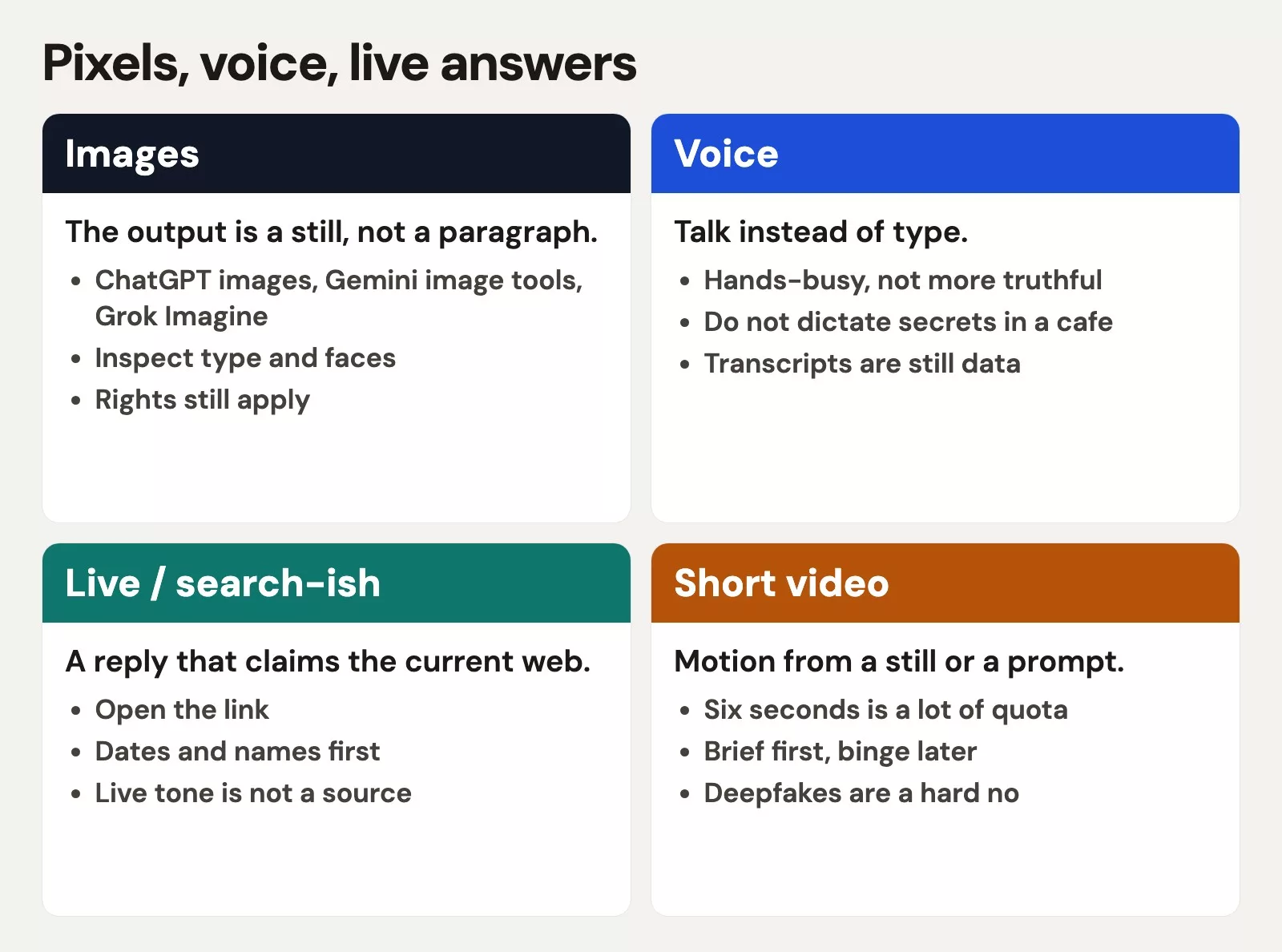
| Output | Recommended first | Verify |
|---|---|---|
| Still image | ChatGPT image tools, Gemini image tools, or Grok Imagine | Every letter, every face, no invented logos |
| Voice | The voice mode in the chat app you already use | You are not dictating secrets in a cafeteria (see Part 4) |
| Live / search-ish answer | Grok chat, or the browsing/live mode in ChatGPT / Gemini / Claude if offered | Open the link. Dates and names first |
| Short video | Imagine-style video or the vendor’s motion tool | Quota, likeness, and whether a still would have done |
Claude is more of a language product than an image studio, so do not punish it for a job it does not sell. Gemini and ChatGPT both make still images, and which one looks better depends on your brief and the week. Grok Imagine is a whole studio of its own and not an afterthought inside chat. You can find the details in the Grok Imagine posts and in the series for the other brands, and this post is only the hallway between them.
Verify before you post
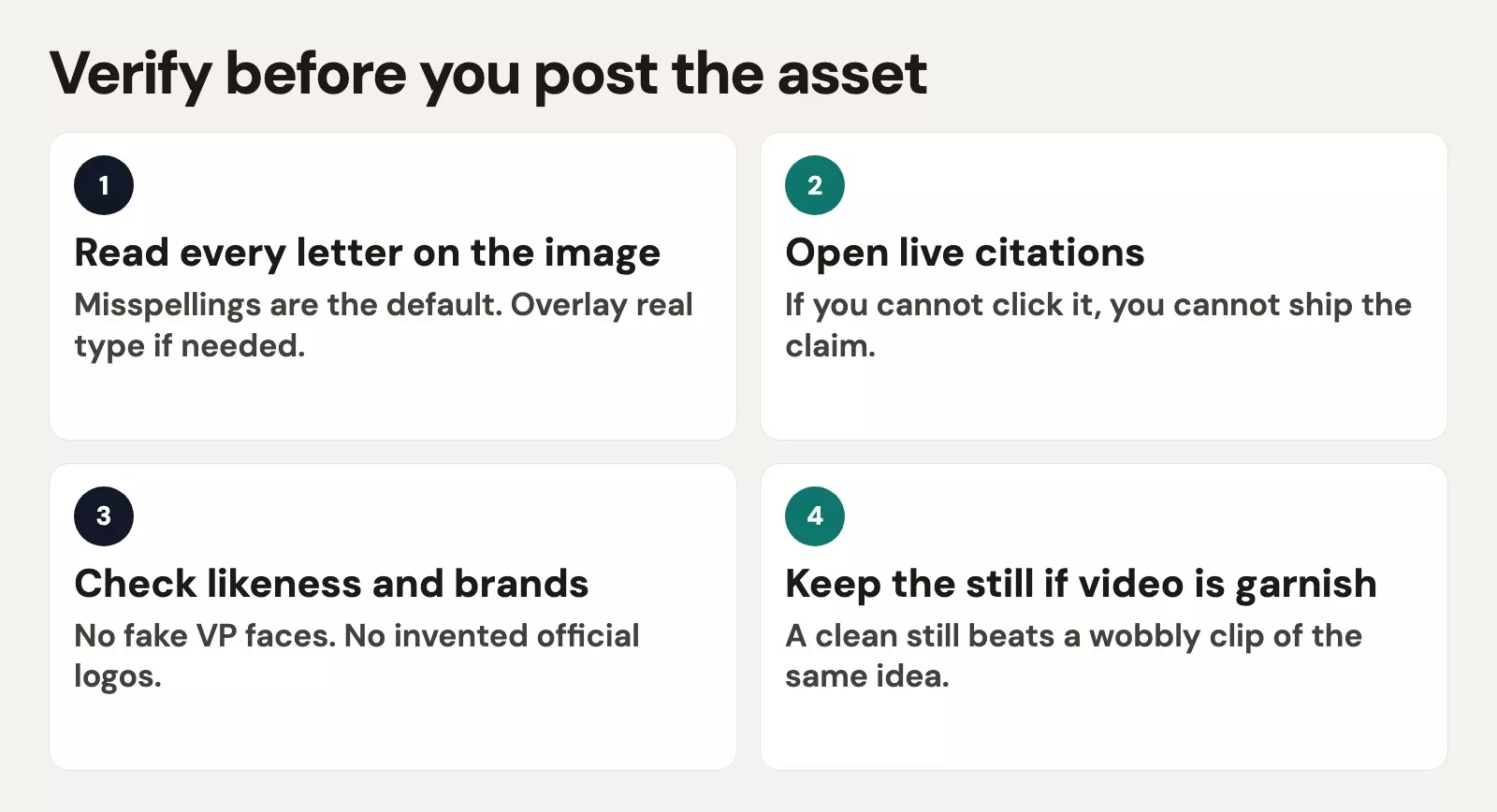
- Read every letter. If the model cannot spell Analytics, overlay real type yourself, because eleven regenerations will not fix a bad brief.
- Open every live citation. If you cannot click it, you cannot ship the claim.
- Check likeness and brands. Do not use a fake vice president or an invented official logo. Use a real photo with permission, or an illustration that is obviously not someone you employ.
- Watch your quota. A still that prints beats a six-second clip of the same misspelling.
Rule of thumb: If the artifact is pixels, inspect pixels. A confident caption does not spell the title.
A brief that survives a flyer
Still image, 16:9, meetup flyer background only.
Do not put any words on the image. We will overlay type ourselves.
No people faces. No logos. No watermarks.
Metaphor: a clean classroom table with printed charts, evening window.
If you cannot avoid letters, return a blank table and stop.
This brief stops “Analtyics Nite” at the source, because it refuses any type on the image. You then add “Analytics night” yourself in ordinary design software, where you control every letter. Voice is simpler: you talk, and then you read the transcript before you paste it into a chat with coworkers. Live answers need a second browser tab, and Grok’s live search is a real feature that deserves that check, not a footnote.
A worked example: the flyer with the typo
| Check | Regeneration 11 | Shipable |
|---|---|---|
| On-image title | Analtyics Nite | Type overlaid: Analytics night |
| Face | Invented VP | No person, or a teammate’s real photo with consent |
| Caption source | “this morning” + 2019 URL | Link opened, date in the sentence |
| Motion | 6s clip of the misspelling | Still only |
The eleventh regeneration was a budget problem disguised as taste. The fix was to change the brief and overlay the type, not to spend a twelfth try. Rights still apply even when the picture is pretty. A later series covers honesty at school and work, but the short version is to never submit generated art as a photograph and never fake a colleague’s face.
Voice and live answers, without the mythology
Voice is useful when your hands are busy, but it is not more truthful than typing. Talking in a crowded cafeteria is still a privacy problem, which the earlier post on running AI privately covered. Live or browsing modes make a retrieval claim, meaning the model says it looked somewhere. Your job is the same as a junior analyst’s with a search bar: open the page. If Claude, ChatGPT, or Gemini offers a live or web mode the week you read this, use it the same way. Do not memorize which brand “has search,” because verifying the link works on all of them.
Quota, voice transcripts, and the still that prints
Image and video meters are often separate from the chat plan you already pay for, and that surprises people. Grok’s Imagine is the cleanest example on this site, since it is a studio with its own habits and not a second chat window. ChatGPT and Gemini also meter generations. Eleven regenerations of a misspelled title is how a team burns the week’s budget on a flyer nobody can hang. Write the brief, overlay the type, and stop.
Voice modes are a gift when your hands are full and a leak when the room is public, because the transcript is still data. If you dictate a customer list while you wait for coffee, you have pasted that list into a chat with a microphone instead of a keyboard. Save voice for chores that your account already allows, such as outlining a public blog post, rehearsing a talk, or capturing a grocery list. Then read the transcript, since voice models swallow names and can turn one first name into a similar one. You would then send the wrong thank-you note to the wrong person.
Short video is garnish until the still is right. A six-second slow zoom on a correct title can help a social post, and a six-second slow zoom on “Analtyics Nite” just advertises the typo. If you do make motion, say the duration, the subject, and the camera move in the brief, and do not ask for a feature film. The Grok Imagine tutorial walks through that budget in more pages than this hallway allows.
Live answers without becoming a search engine
Live or browsing modes fail in boring ways. They pull stale pages, confuse two people with the same name, or present a PDF from 2019 as this morning’s news. Your check is a journalist’s check, which means you open the source. If the claim is a number, find the table it came from, and if the claim is “the vendor announced X,” find the announcement. Grok’s access to X can be useful for finding out what people are arguing about, but it is a terrible way to close a $4,250 credit, and your own spreadsheet still wins. For analysis numbers, Practical AI already made the point that a model is not a signed-off analyst. It is the same rule on a different tool.
Mistakes that come up again and again
- Regenerating the image eleven times instead of overlaying the type.
- Using a fake executive face because “we needed a person.”.
- Shipping a live sentence you never clicked.
- Using Imagine to write a thank-you note, which is the wrong tool for the job.
- Making a video from a still that already failed the spelling check.
Rights on one uncomfortable page
Generated pictures are easy to copy from and easy to over-claim. If the meetup is a school event, ask whether generated art is allowed on the flyer. If it is a client deliverable, say that it is generated, and do not invent a photographer. Do not drop in a brand mark you have no rights to just because the model knew the shape. Analytics Made Simple product posts composite official logos for identification only, and your flyer is not that kind of article. When in doubt, leave the logo off and print the name in type you control.
Fake photos of colleagues, students, or a vice president who could not make the shoot are a hard no here. Illustrations, objects, rooms, and charts are fine, but a lifelike person who does not exist, labeled as staff, is not. Cloning the voice of someone who did not agree to it is the same no with a microphone. If a vendor offers a likeness tool, that is a legal conversation and not a Friday experiment. The later safety series goes deeper, though you do not need it to reject the fake vice president on the flyer.
Odd-looking hands and extra fingers are a quality tell, and they are also a reminder to inspect the image. Zoom in, print a proof, and have a second person read the title out loud. The earlier problem of comparing four apps was mostly a show of comparison. This flyer problem is an inspection that never happens. Make one still, one overlay, and one proof, and only then talk about video. If the second person still reads “Analtyics,” the overlay failed and the model did not, so fix the type file and leave the room image alone.
Quick recap
- Pictures, voice, and live answers are different tools with different failures.
- Read the letters, open the link, and never use a fake executive, because a fake name or broken link in a published image damages trust.
- A still with real type beats a clip of a typo.
How to practice this week
Make one still with no words on the image, and overlay a three-word title yourself. Open one live citation on a question you actually need answered. Then move on to the next post on choosing which AI product to try first and pick your defaults. For the image path in depth, see the Grok series.
Series notes
This is Part 5 of Which AI product should I use?. Stay out of the coding agent unless the asset is code.
Sources
- Grok Imagine
- ChatGPT and Gemini image help pages (names and models move).
- Analytics Made Simple: Grok series (Imagine tutorial).
- Analytics Made Simple: privacy when you run AI yourself
Keep going
Same lessons in your feed
Short diagrams, hooks, and weekly tutorials on Substack, Instagram, X, and Facebook.



