
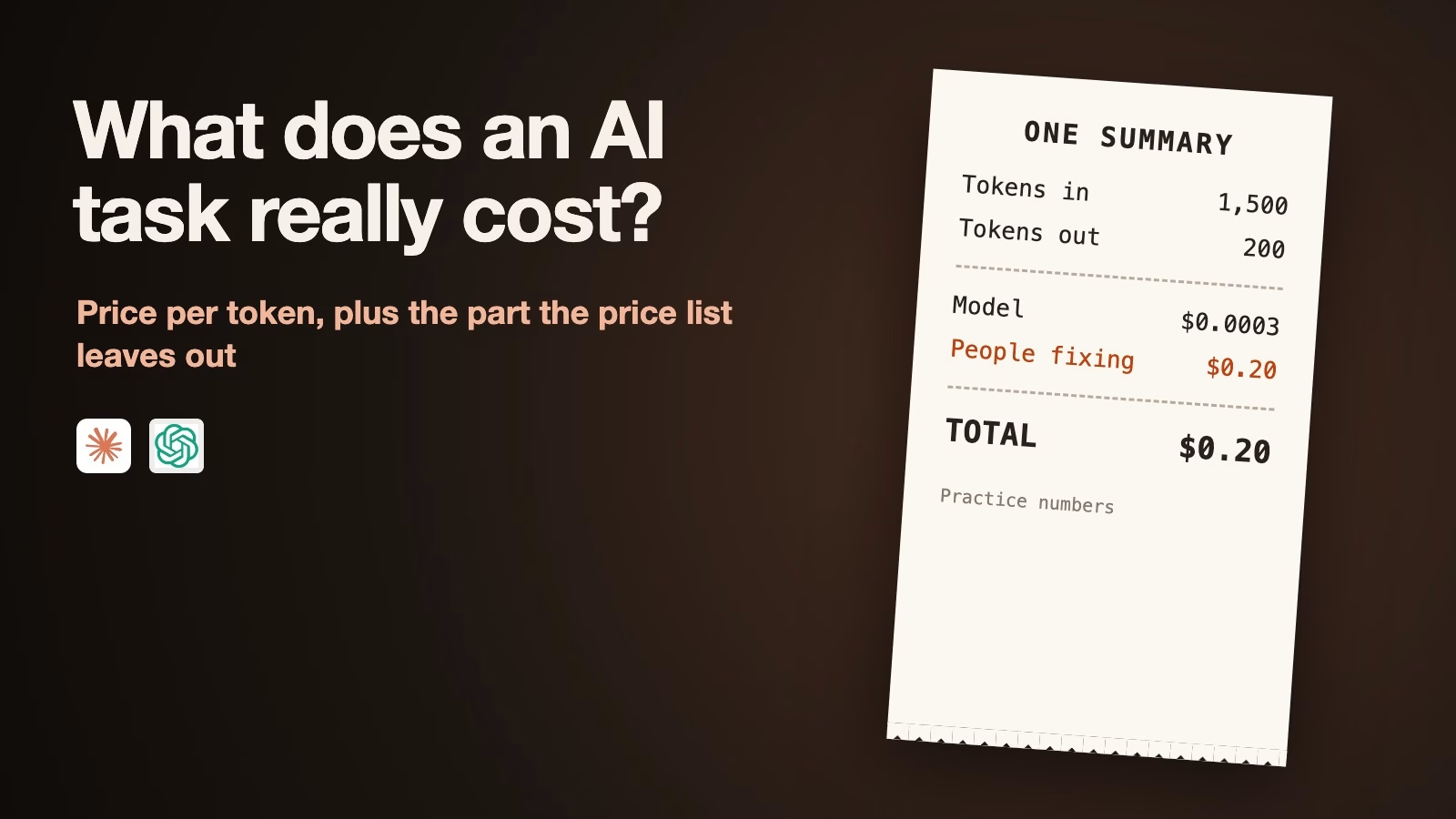
To work out what an AI task really costs, multiply the words it reads and writes by the model’s price, then add the cost of fixing the answers that come back wrong. The cheapest model is usually good enough for simple, checkable jobs. When a person has to fix its mistakes, a pricier model can be cheaper overall.
Imagine your team uses AI to summarize customer emails before someone replies, about 10,000 emails a month. Several new models launched this autumn, and your manager asks whether you are overpaying. The price lists only tell you half of it. This post shows how to price one task, what the October 2026 prices mean for that email job, and how to tell when the cheap model really is the cheaper choice.
How AI pricing works, in one formula
AI services charge by the token, a small chunk of text that averages about three quarters of a word. You pay one price for the tokens the model reads, called input, and a higher price for the tokens it writes, called output. Prices are quoted per million tokens, so the numbers look tiny until you multiply them by a month of work.
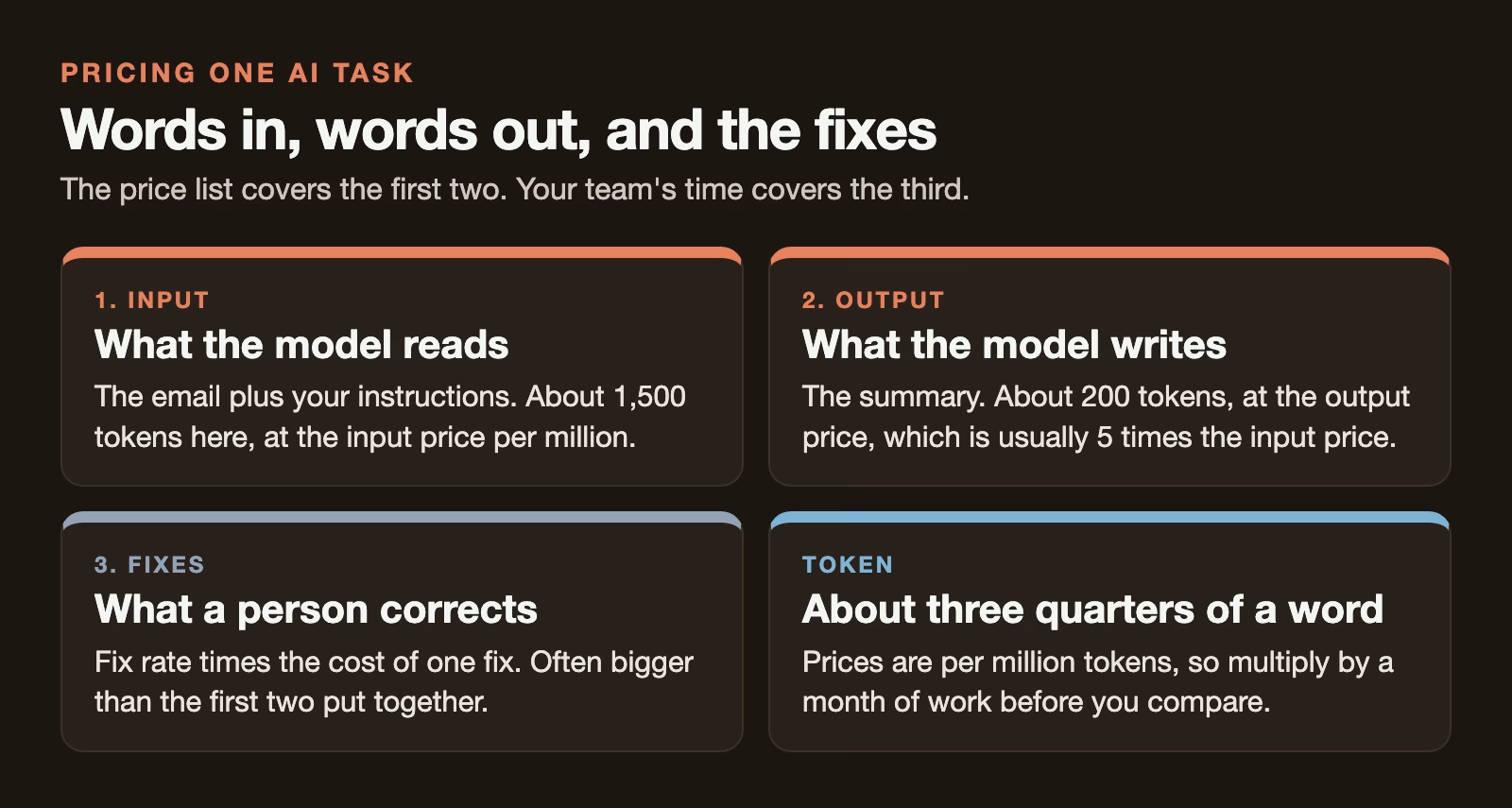
The cost of one task is the input tokens times the input price, plus the output tokens times the output price, each divided by a million. For a support email, the input is the email plus your instructions, and the output is the summary. A typical email with a short set of instructions might be 1,500 tokens in and 200 tokens out.
Cost of one task  = input_tokens / 1,000,000 * input_price
                  + output_tokens / 1,000,000 * output_price

Cost per month    = cost of one task * tasks per month

True cost of one task = cost of one task + fix_rate * cost_of_one_fix

Example, Claude Haiku 5.5 ($0.10 in, $0.50 out), 1,500 tokens in, 200 out:
  1,500 / 1,000,000 * 0.10  =  $0.00015
    200 / 1,000,000 * 0.50  =  $0.00010
  One task                  =  $0.00025    10,000 a month = $2.50
What the new models cost per task
The table below lists four Claude models, priced on Anthropic’s pricing page, and two GPT-6 models, priced on OpenAI’s API pricing page, all checked on October 14, 2026. They come in pairs. Claude Haiku 5.5 and GPT-6 Luna cost the same, $0.10 in and $0.50 out per million tokens, and so do Claude Sonnet 5.5 and GPT-6 Sol at $2 and $10. Claude Opus 5.5 costs $4 and $20, and Claude Fable 5.1 costs $10 and $50.
| Model | Input, per million tokens | Output, per million tokens | One summary | 10,000 a month |
|---|---|---|---|---|
| Claude Haiku 5.5 | $0.10 | $0.50 | $0.00025 | $2.50 |
| GPT-6 Luna | $0.10 | $0.50 | $0.00025 | $2.50 |
| Claude Sonnet 5.5 | $2 | $10 | $0.005 | $50 |
| GPT-6 Sol | $2 | $10 | $0.005 | $50 |
| Claude Opus 5.5 | $4 | $20 | $0.01 | $100 |
| Claude Fable 5.1 | $10 | $50 | $0.025 | $250 |
At 1,500 tokens in and 200 out, one summary costs $0.00025 on Haiku or Luna, $0.005 on Sonnet or Sol, $0.01 on Opus, and $0.025 on Fable. Ten thousand of them a month cost $2.50, $50, $100, and $250.
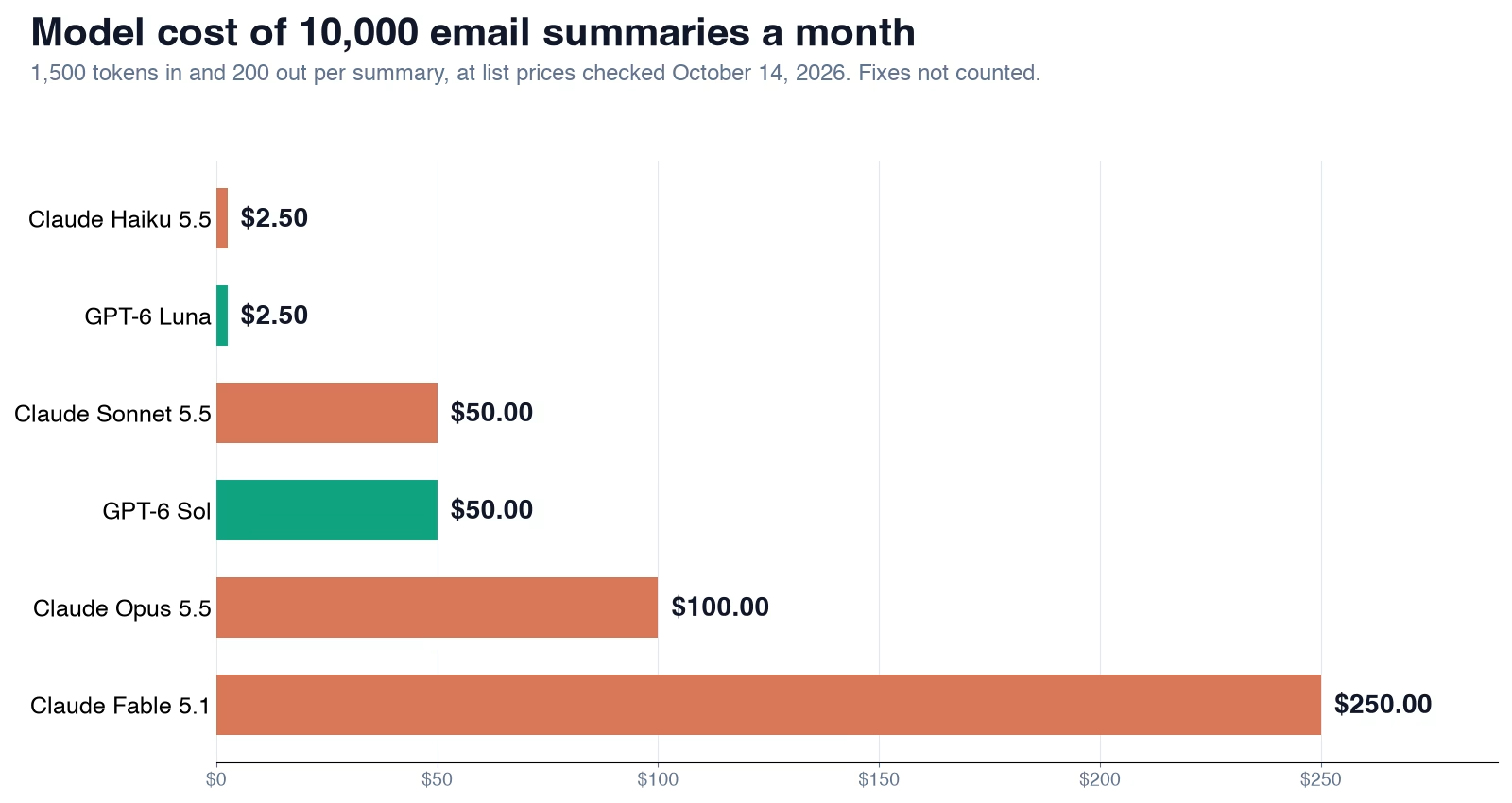
The spread is a factor of 100 between the cheapest and the most expensive. That is why the question “is the cheap one good enough?” matters, and why it cannot be answered from the price list. If you are not sure which model does what, the guide to Claude models covers that.
A second example: a long weekly report
Short emails make every model look cheap. Longer documents change the picture. Say your team asks AI to draft a weekly report from about 20,000 tokens of notes and data, roughly 15,000 words, and the draft is about 2,000 tokens. You run 200 of these a month across all teams.
One report costs about $0.003 on Haiku 5.5, $0.06 on Sonnet 5.5, $0.12 on Opus 5.5, and $0.30 on Fable 5.1, at the prices in the table above. Two hundred a month cost $0.60, $12, $24, and $60. Even the most expensive model costs $60 a month, about two hours of someone’s time at $30 an hour, which is why, for low-volume work, quality should decide and price hardly matters.
Now make the input much longer, say 150,000 tokens for a big quarterly pack. Haiku 5.5 crosses its 100,000-token line, where Anthropic’s pricing page lists $0.50 in and $2.50 out per million (checked October 14, 2026). One report then costs about $0.08 instead of the $0.016 you would expect from the short-prompt price, five times more. It is still cheap, but an estimate built on the wrong price line will be wrong by the same factor.
How to find your real token counts
You do not have to guess the token numbers. Both providers report them. Every API response from Anthropic and OpenAI includes a usage section with the input and output token counts for that request, and both companies’ billing pages show totals by day and by model. If you use a chat app rather than the API, a rough rule works: 1,000 tokens is about 750 English words, so a one-page email is a few hundred tokens and a 10-page report is several thousand.
Measure a week of real tasks before you price a month. Averages hide the long ones, and the long ones are where surprise bills come from. Note the largest input as well as the average, because one 100,000-token request costs as much as dozens of short ones.
The cost the price list leaves out
A summary that gets a customer’s order number wrong is not free just because it was cheap to make. Someone has to notice and fix it. That person’s time is part of the cost, and for most business tasks it is the biggest part.
Here is the same email job with practice numbers for the fix rate, the share of summaries a person has to correct. Suppose a fix takes five minutes of someone’s time at $30 an hour, which is $2.50 a fix. Suppose Haiku’s summaries need a fix 8% of the time, Sonnet’s 3%, and Opus’s 2%. These rates are made up for the example. You will need your own.
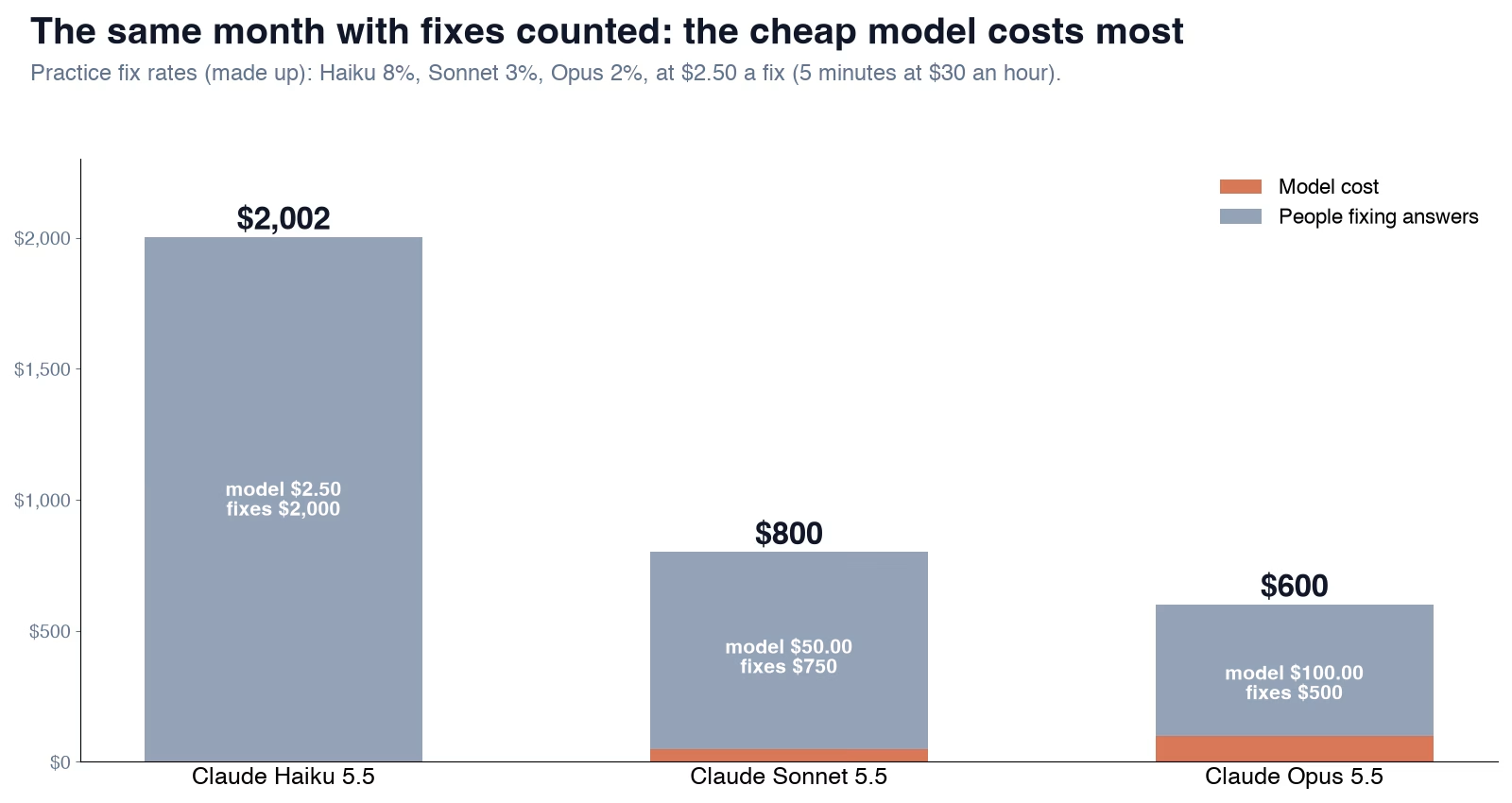
With fixes counted, one Haiku summary costs about $0.20, almost all of it the fix. Sonnet costs about $0.08 and Opus about $0.06. Over 10,000 emails a month, that is about $2,000 on Haiku, $800 on Sonnet, and $600 on Opus. In this example the most expensive model is the cheapest overall, because it saves the most human time.
The lesson holds in real life even when the numbers change. If mistakes are cheap to catch, or nobody has to fix them, the cheapest model wins easily. If each mistake costs a person minutes, a small difference in quality outweighs a big difference in price.
Three ways to pay less without a worse model
Before you switch to a cheaper model, use the discounts both companies already offer. Each one cuts the bill without changing the answers.
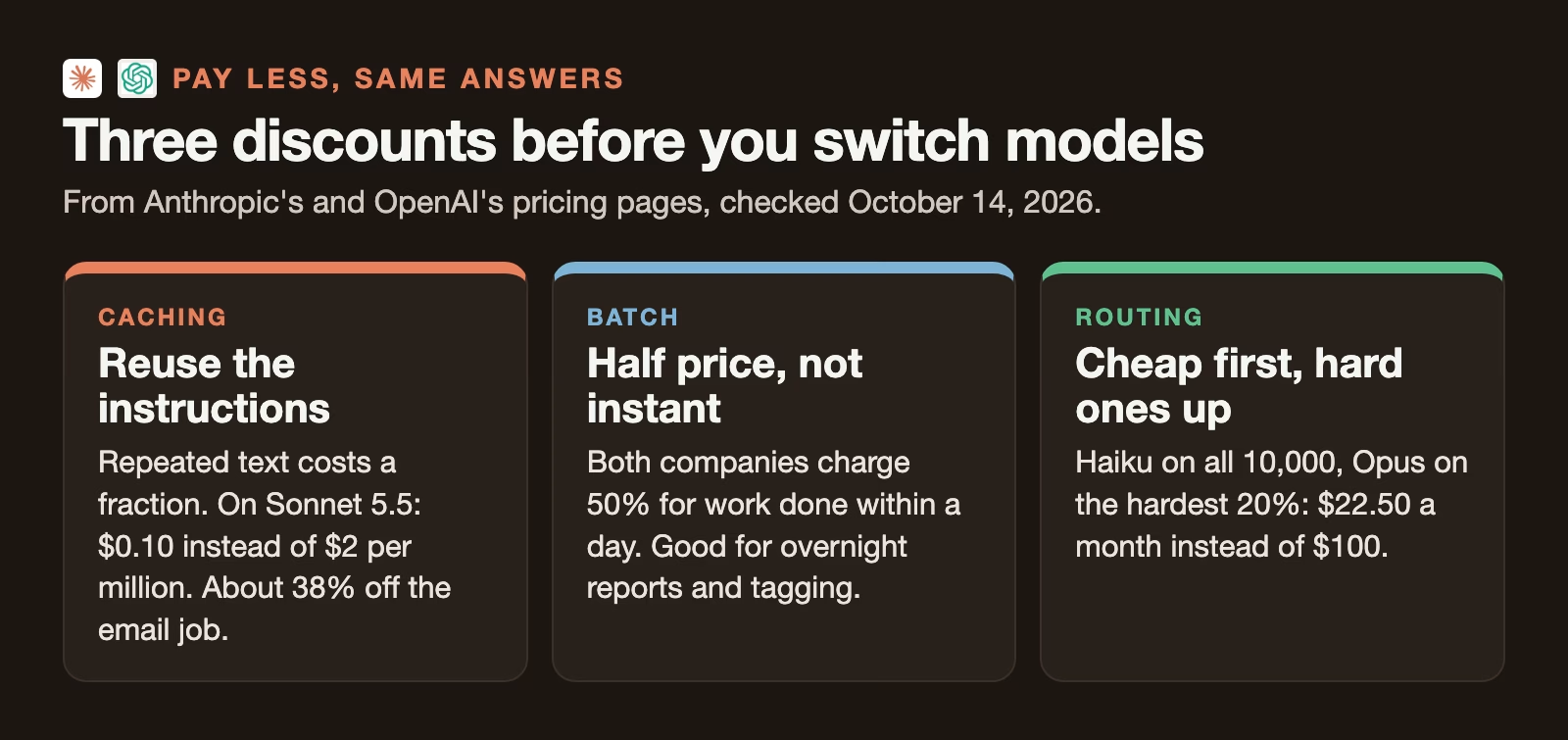
Caching is the first. Your instructions are usually the same for every email, so the provider can store them and charge a fraction to reuse them. On Sonnet 5.5, a cache hit costs $0.10 per million tokens instead of $2, according to Anthropic’s pricing page. If 1,000 of the 1,500 input tokens are repeated instructions, each summary drops from $0.005 to about $0.0031, a 38% saving, before the small one-time cost of storing the instructions.
The batch discount is the second. If the summaries do not need to be ready in seconds, send them as a batch, a group of requests processed within a day. Anthropic and OpenAI both charge half price for batch work, according to their pricing pages. Overnight reports, weekly digests, and tagging old records are good fits.
Routing is the third, and the most powerful. Send every email to the cheap model first and pass only the hard ones to the expensive model. If Haiku handles all 10,000 and 20% go on to Opus, the month costs $2.50 plus $20, or $22.50, against $100 for Opus on everything. The trick is deciding which ones are hard. A decision model or the cheap model’s own confidence can do the sorting, as the guide to testing a cheaper AI decision model explains.
How to tell if the cheap model is good enough
You need your own fix rates, and you can get them in an afternoon. Take 50 to 100 real tasks from last month, run each one through the cheap model and the one you use now, and have someone who knows the work mark each answer as fine or needs a fix, without knowing which model wrote it. Count the fixes for each model.
Then put the numbers into the formula above, with your real fix time and hourly cost. If the cheap model’s total, including fixes, is lower, switch. If it is higher, keep the current model and try routing instead. And if the two are close, the fix rates from 50 tasks are not precise enough to decide; run another 50.
Watch for one trap. Haiku 5.5 costs more for very long inputs. Anthropic lists $0.50 in and $2.50 out per million tokens for prompts over 100,000 tokens, five times the short-prompt price. A cost estimate built on short emails will be wrong for long reports.
What to do this week
Pick one AI task your team runs often and write down three numbers: average tokens in, average tokens out, and how many times a month it runs. Price it on two models with the formula. Then grade 50 answers from each and add the fix cost. The answer is your real price per task, and it is the number to bring to the next budget meeting. The same habit of counting before deciding runs through the guide to measuring whether AI saves your team time.
Sources
- Anthropic: Claude API pricing (input, output and cache prices for Haiku 5.5, Sonnet 5.5, Opus 5.5 and Fable 5.1; long-prompt Haiku pricing; 50% batch discount)
- OpenAI: API pricing (GPT-6 Luna and Sol input, cached and output prices; 50% batch discount)
Keep going
Same lessons in your feed
Short diagrams, hooks, and weekly tutorials on Substack, Instagram, X, and Facebook.



