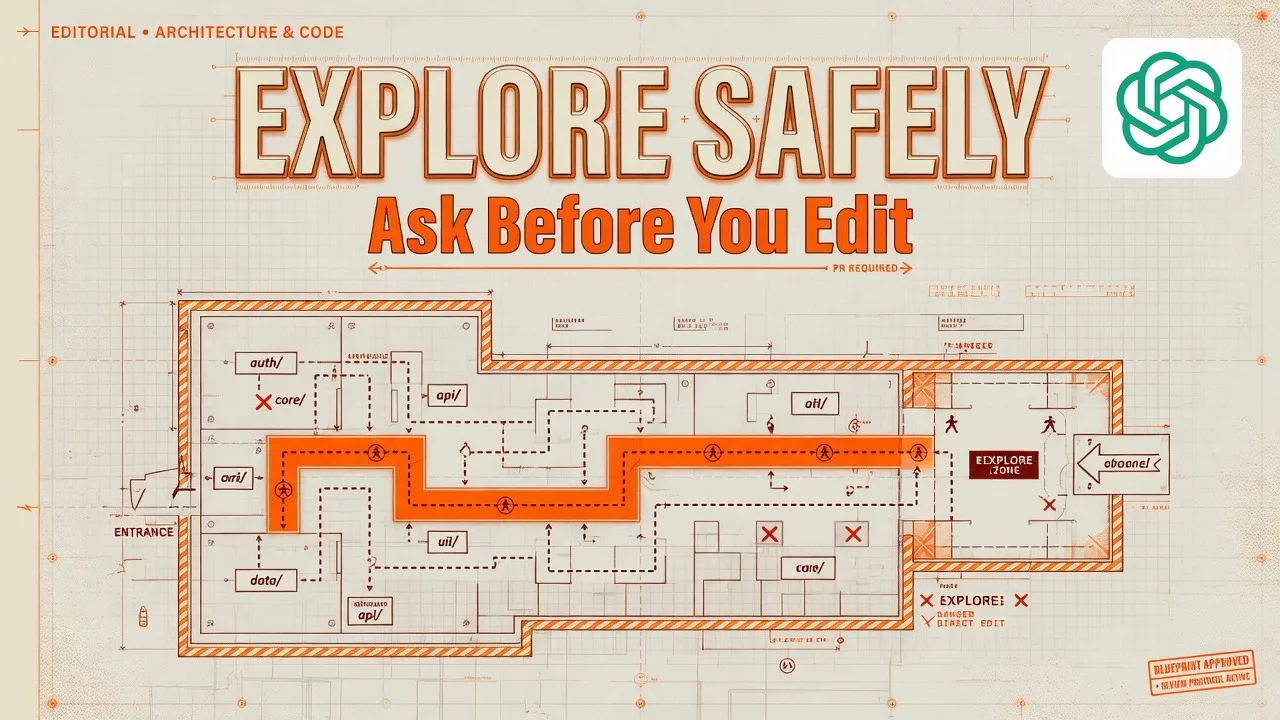
Before you ask an AI coding agent to change anything, make it show you how the project is laid out. The safest way to work is a four-step conversation: ask, map, bound, then make a small change.
Say you have Codex open with a project folder attached, and a ticket on your desk that reads “just fix onboarding.” The agent will happily invent a helper function that does not exist, touch six packages, and hand you a diff (the list of lines it added and removed) that you cannot defend in review. The fix is not a secret prompt template. It is the same order you would use with a sharp junior engineer on their first day in a large shared codebase.
This is the second post in the ChatGPT Codex tutorial. The first one covered what Codex is, where it sits next to Chat and Work, how usage limits depend on your plan, and a first-run routine of opening a project, getting oriented, making a tiny change, and reviewing it. If the different ChatGPT products still blur together, keep the ChatGPT product map open. Account setup and first-week safety live in Learn ChatGPT from scratch. Human-led chat skills, without an agent that can change files, are in the ChatGPT everyday tutorial, and office jobs with many steps are in the ChatGPT Work tutorial. This post stays inside Codex and goes deep on exploring a project safely before you invite real edits.
Button labels and permission prompts keep moving, so treat the workflows below as a field guide written in July 2026. Before you turn them into team habits, re-check developers.openai.com/codex, Using Codex with your ChatGPT plan, and ChatGPT Work and Codex.
Why exploring first beats “fix everything in one go”
Tickets are usually written as outcomes, like “add dark mode,” when they should be written as questions, like “where does theme state live today?” People collapse the two, and Codex will happily collapse them with you. Your job is to refuse that shortcut until the map of the project is good enough to trust.
The four beats: ask, map, bound, change
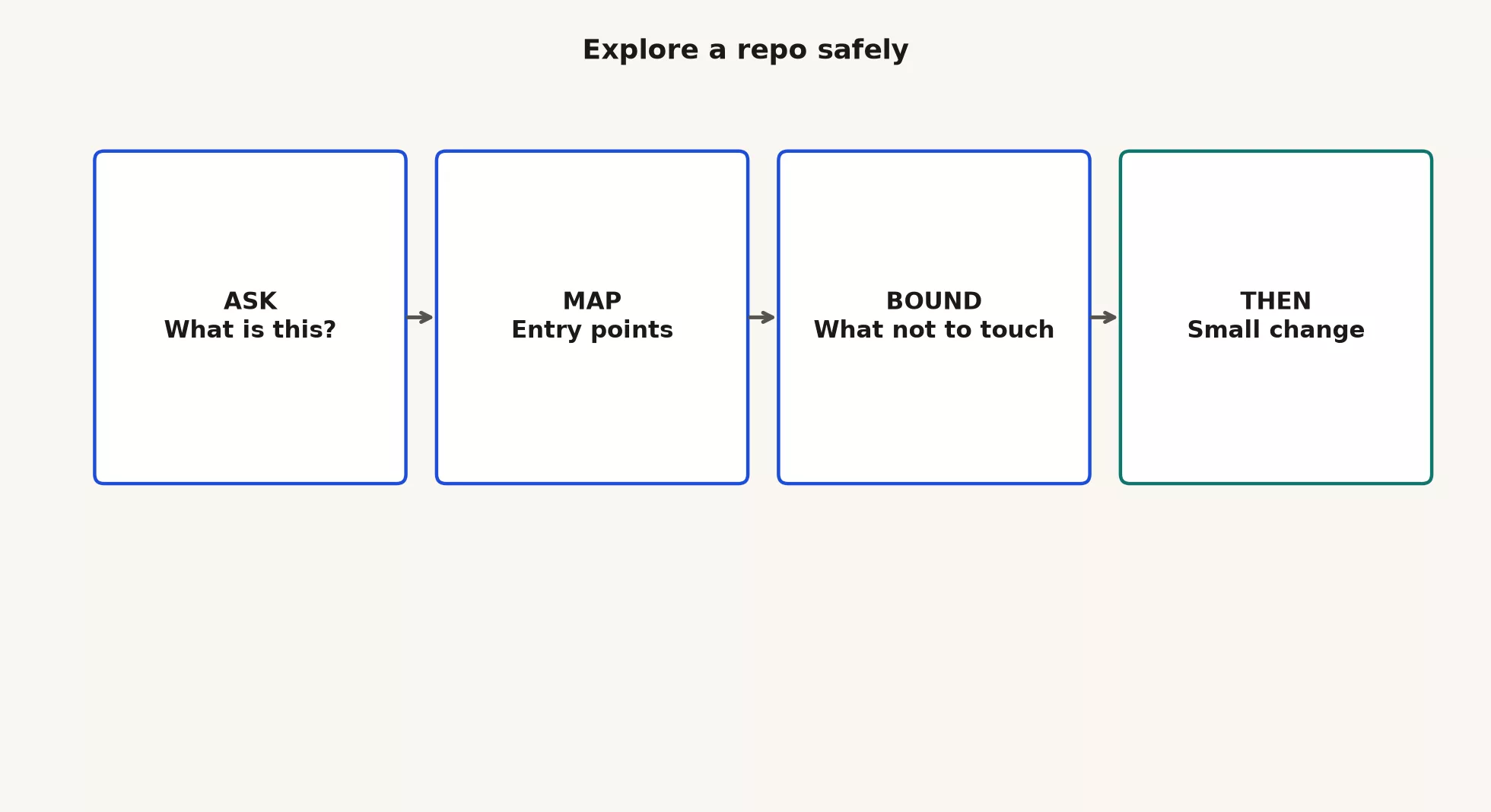
Think of Codex as a teammate who can read the whole folder tree faster than you and write faster than you. That speed only helps if the shared map is right, and the four beats keep the map honest. The table shows what each side does in each beat.
| Beat | Your job | The agent’s job | Done when |
|---|---|---|---|
| Ask | State your role, goal, and limits in plain language | Answer with structure and file paths | You can open the cited files and they match the story |
| Map | Drill into one area, and ask for examples and tests | Search, read, summarize, and maybe run read-only commands | You know where a change should live and what might break |
| Bound | Name the folders, systems, and actions that are off limits | Stay inside the fence, and point out risks instead of “helpfully” expanding | The agent can restate the fence without you asking twice |
| Change | Name the smallest useful patch, and review every diff | Edit with your approval, and run checks if asked | You can explain the patch in one sentence and a check passes |
Before you type: make a branch and fence the workspace
Exploring is safer on a clean branch, which is a separate line of work in git that keeps experiments away from the main copy. It also helps to have a clear mental fence around what the agent may touch.
cd ~/src/notes-sandbox
git status
git checkout -b explore/onboarding-map- Branch: a branch keeps strange experiments from landing on
main. - Project folder only: give Codex the project folder and not your whole home directory, unless you have a rare reason and a real policy for it.
- No secrets in chat: do not paste
.envfiles, private keys, customer data, or login cookies “for context.” Describe their shape and use placeholders instead. - No silent production releases: explore and patch inside the project, then ship through your normal release path with humans on the critical steps.
If the working folder already holds your half-finished work, stop and commit or stash it first. Human and agent edits mixed into one unreadable pile make review impossible.
Beat 1: ask questions that force a map
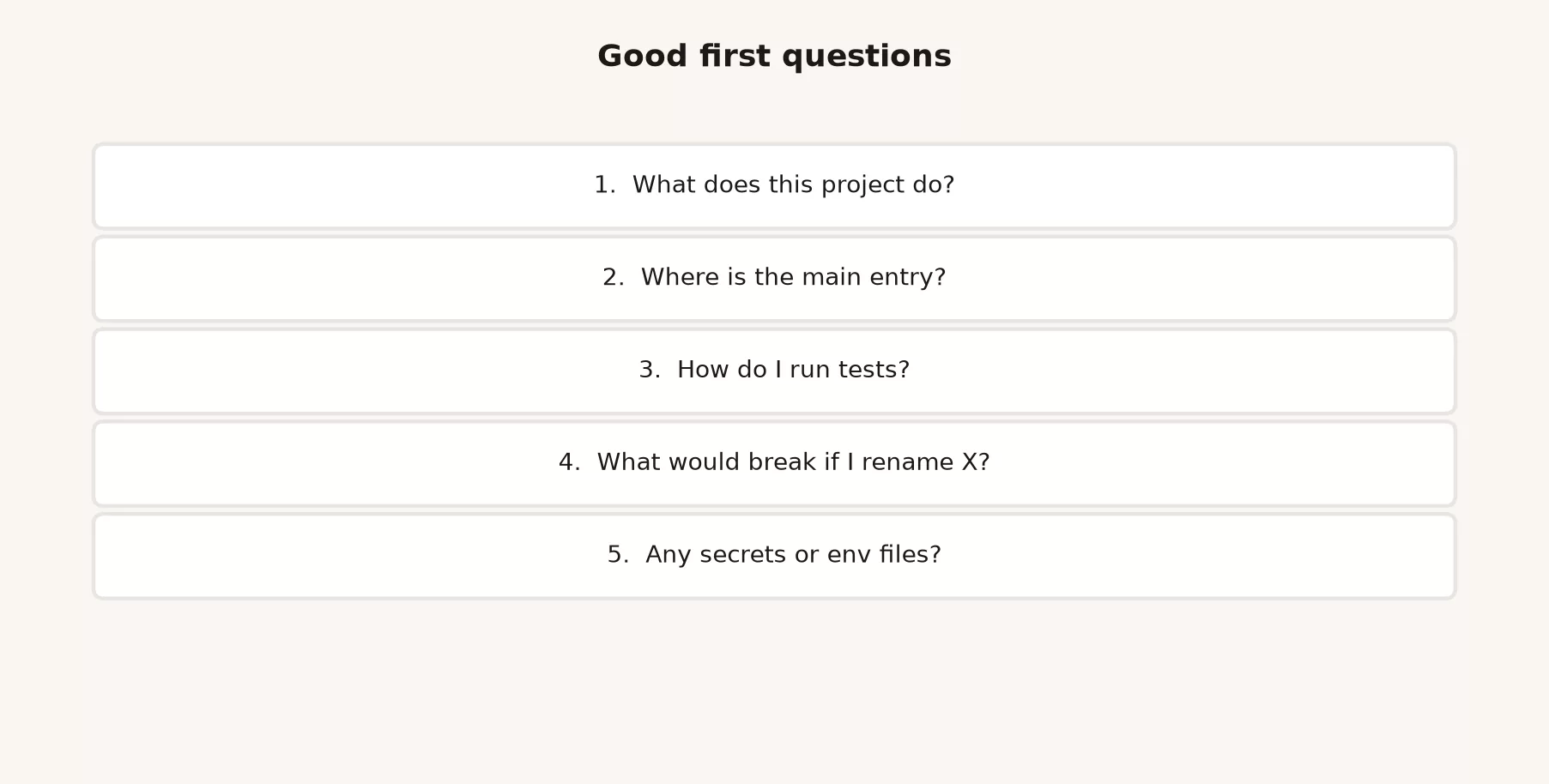
Good starter questions are intentionally boring. On a project you have never seen, try these four.
What does this project do?Where is the main entry point? List file paths.What technologies does this project use? Cite config files.Explain the top-level folder structure. One sentence per top-level path.Then move from brochure language to questions about how the project actually runs.
How do I run tests and start the app locally? Quote the exact commands from the repo. Do not invent scripts.Where is user authentication enforced for HTTP requests? List file paths.Which package owns billing, and which packages only consume it?Are there .env.example files or secret patterns I should never commit? Do not print secret values.Notice the pattern. You are asking for paths, commands, and boundaries, and not for vibes. A line like “this is a modern scalable platform” tells you nothing. A line like “the entry point is apps/web/src/main.tsx, the API is services/api, and the login check is services/api/src/middleware/auth.ts” is gold, but only after you open those files and see that it is true.
Frame your role and the risk up front
Codex does not know whether you are a new hire, a contractor, or the original author unless you say so. A short framing note saves a lot of wasted back and forth.
I am new to this repo. I can run basic git and tests.
I am not allowed to change production deploy config today.
Goal: understand how notes are created, then fix a small validation bug.
Prefer small diffs and existing patterns over new frameworks.
Do not edit until I say so.
That note is not ceremony. It stops the agent from “helpfully” rewriting your project around a new state library when all you asked about was required fields on a form.
What good answers look like
- They name files you can open in under ten seconds.
- They separate “I read this” from “I am guessing.” If the agent never shows any doubt on a messy project, be suspicious.
- They match what
package.json,pyproject.toml,go.mod, or the README already say about scripts. - They stop when you say “enough map, next question,” instead of pitching a rewrite.
If answers stay abstract after two tries, change tactics and ask, “Show the contents of the top-level directory and tell me what each top-level folder is for.” Agents get better when the question attaches to something concrete on disk.
Beat 2: map it like you mean it
Mapping is still mostly reading. You may allow shell commands that list files, search, or run tests, but you should hesitate before allowing anything that writes. Explicit language helps, for example “Do not edit files yet” or “List options with tradeoffs, recommend one, and wait for my pick.” If your version of the product offers a plan-only or read-first mode, use it while you explore. The exact control names move around, but the intent stays the same: research before you change anything.
Follow the path, not the slogan
When Codex says the login check lives in a middleware file, open that file and skim its imports. Then ask the next question based on what you actually see.
In services/api/src/middleware/auth.ts, where do tokens get verified?
Is there a test that covers an expired token?
Do not edit yet.
This is the human part that people skip. If you only read the chat window, you are reviewing a book report and not the code.
Find the sibling feature
Almost every new feature has a cousin that already exists. If you want a new webhook (a message one system sends to another when something happens), find the last webhook. If you want a new admin filter, find the last admin filter, and point Codex at it.
Find an existing admin list filter and explain the pattern end to end:
route, query params, UI control, tests.
I want to add a filter for createdAfter using the same pattern.
Do not edit yet. List the files I would touch.
Agents copy visible structure, so when the sibling is clear, the first change turns out boring in the best way. When no sibling exists, say so out loud with a line like “This may be a new pattern, so stay minimal.”
Use tests as a map
If the project has tests, ask where the behavior is already specified before you invent new behavior.
Which tests cover note creation?
What is the smallest command that runs only those tests if possible?
Run that command after you identify it.
Do not change code yet.
Read the permission prompts for test commands. Running tests is usually lower risk than rewriting packages, but “run tests” should never quietly turn into “upgrade the whole toolchain,” so deny any command shape you do not recognize.
Find out what a rename would break
Before you rename a function or move a module, force the agent to list everything that depends on it.
What would break if I rename createNote to createUserNote?
List importers and tests that reference the current name.
Do not edit yet.
If the answer is “everything, probably,” then you either need a careful multi-step plan or a smaller goal. Exploring is where you discover that truth, and it is far cheaper than finding out after half the project has been rewritten.
Beat 3: bound what you will not touch
A map without a fence invites helpful disasters. After the orientation, write the fence into the chat so it becomes part of the shared context.
Bounds for this session:
- Do not edit deploy/, infra/, or *.tf files
- Do not change database schema or migrations
- Do not add new dependencies without asking
- Do not print or request production secrets
- Do not open PRs or push without my explicit ask
- Prefer edits under src/routes/ and test/
Ask the agent to restate the bounds in its own words. If it “forgets” halfway through and proposes a database migration, stop the change and restate the fence. Setting bounds is leadership, and it is not paranoia.
Secrets and environment files
Here is a good exploring question about configuration.
Point me at .env.example or config templates.
List which env var names the app expects.
Do not open real .env files if present.
Do not print any secret values.
If a real .env file sits in the project and is not on the git ignore list, that is a finding for humans and not content for the model. Fix the ignore rules in a separate careful change, and do not paste the file into chat to “confirm” anything.
Production is off limits for silent agents
Codex can help you prepare a change, but it does not own production. Treat any suggestion to force-push, skip the automated checks (known as CI), disable login “temporarily,” or release from the agent session as an automatic stop. Your release process is the source of truth for going live, and the chat transcript is not.
Beat 4: change something small, then review it
Invite writes only after the map is good enough. That means you know the main files, the pattern to copy, the fence, and a check you will run, whether that is a test, a script, or a manual click path.
Write the change request like a careful ticket
Here is a weak request.
Fix validationAnd here is a stronger one.
In the note creation API, reject empty titles with a 400 and a clear error body
matching existing error shape in this service.
Add or update a test next to the existing note creation tests.
Do not change database schema.
Do not refactor unrelated files.
Show the diff and wait for review before commit.
Being specific is a kindness to the agent and to your reviewer. It also makes bad diffs obvious, because a patch that touches the database schema or renames half a module clearly went beyond what you asked.
Review before you commit
Once the edits land, look at exactly what changed.
git status
git diff
You can ask Codex to explain the diff as a guided tour, but distrust the tour until the changed lines match what it said. Watch for these six warning signs.
- Files you did not mention
- New dependencies you did not approve
- Deleted tests or weakened checks
- Formatting-only churn that hides a real logic change
- “Helpful” renames that break the parts of your code other people rely on
- Secrets, tokens, or
.envcontents that should never appear
Commit only when you can defend the patch. Later posts in this series go deeper on review, tests, and why a green checkmark alone is not proof. The explore habit is what makes those reviews possible, because it gives you a small scope, a known map, and a clear fence.
A worked example: an empty title on a notes API
Say you are working in ~/src/notes-sandbox on the branch explore/onboarding-map, with desktop Codex attached to that folder and tests available through npm test. The scenario is a small notes service that accepts a note with no title, and you want to reject it.
Ask
What does this project do?
Where is the HTTP entry point?
How are notes created today?
Do not edit files yet.
Codex points at src/server.js, src/routes/notes.js, and src/db.js. You open notes.js and find a POST /notes handler that saves title and body with almost no checks.
Map
Do not edit yet.
How does this service format 400 errors for other routes?
Where are tests for POST /notes?
What command runs only those tests if possible?
You learn that errors look like { "error": "message" } with a status of 400. The tests live in test/notes.test.js, and the command to run them is npm test -- test/notes.test.js. You allow the test run, and the existing tests pass, though none of them cover an empty title.
Bound
Bounds:
- Touch only src/routes/notes.js and test/notes.test.js
- No schema changes
- No new dependencies
- No deploy config
Restate these bounds before you edit.
Change
Add validation so POST /notes returns 400 with { "error": "title is required" }
when title is missing or only whitespace.
Add a test in test/notes.test.js next to the other POST tests.
Do not change the database schema or other routes.
Codex proposes a small guard and a test. You read the file paths and approve both edits, then ask it to run the notes tests again, and they pass. You run git diff and see two files with no surprise lockfile change. Then you commit with a message like “fix: reject empty note titles with 400.”
That loop took longer than a single “fix validation” prompt would have. It also produced something you can merge without crossing your fingers.
Prompt patterns that transfer safely
| Pattern | Example stub | When |
|---|---|---|
| Map first | “Explain X with file paths; no edits.” | A new area of the project |
| Sibling clone | “Match the pattern in FILE; list steps; wait.” | A feature similar to an existing one |
| Impact check | “What else imports this function?” | Before renames or signature changes |
| Test seatbelt | “Find the smallest relevant test command; run it; no edits yet.” | Behavior bugs with a clear expected result |
| Scope lock | “Touch only these paths: …” | Any time the agent gets ambitious |
| Rollback line | “If tests fail, stop and summarize; do not keep hacking.” | Long agent loops |
| Secret fence | “Never print secrets; use .env.example only.” | Any work that touches configuration |
Warning signs that mean stop editing
- Unrelated files changed for a one-line ask
- A new framework or dependency that you did not request
- Deleted or weakened tests that make the checks look green
- Deploy, infrastructure, or secrets showing up in the plan
- A huge rewrite for a tiny bug
- Force-push or “skip CI” language
- Paths that do not exist when you open them, which means the map was wrong and you should go back to asking
When you smell smoke, say “stop editing, summarize what you believe is true, and list the files you would open next.” That resets the map. Do not just let it finish.
Free and Go plans versus Plus and Pro while you explore
Exploring costs usage and time. Free and Go accounts can still learn the shape of Codex if the product offers it on your account, but long investigations across many files use up limited capacity. Plus and Pro are built for longer coding sessions. Either way, exploring questions usually cost less than failed rewrites, because one path map prevents ten bad rounds of edits. Scope the session to one area of the project, one goal, and one fence. When you plan a team day of agent work, re-check the live limits on chatgpt.com/pricing and in the help articles.
Keeping OpenAI’s product names straight
If you have used other coding agents, the idea of exploring before editing will feel familiar. For OpenAI, keep the names straight: Codex is for software inside a project, Chat is for conversation, and Work is for office jobs with many steps and finished deliverables. Do not paste a whole codebase into Work and expect a clean software patch. Do not ask Chat to own a multi-file refactor without project tools. Shared vocabulary is how a review culture survives tool churn.
Common mistakes
Skipping the map because the ticket is “small”
Small tickets still need a home in the project. If you skip the map, you get the wrong file, a confident patch, and a long debugging session.
Never opening the cited paths
If you do not open the files, you are trusting a summary of a summary. Open the entry point at least once.
Setting no bounds
Without a fence, “helpful” agents wander into infrastructure files, lockfiles, and reformatting of half the project.
Putting secrets in the prompt
Exploring does not require production credentials. If debugging really needs real values, do it in a controlled local setup, and never paste the secrets into chat.
Working on the main branch
Make a branch first, because being able to undo is a feature and you should use it.
Treating green tests as permission to release
Tests help, but they do not replace human review or your release process. A later post in this series digs into review and the traps of green checkmarks. The rule starts here: explore and patch carefully, and ship through your real path.
Where to go next
- Learn ChatGPT from scratch: setup and safety basics
- ChatGPT product map: Chat versus Work versus Codex and related splits
- ChatGPT everyday tutorial: human-led Chat skills
- ChatGPT Work tutorial: office work with many steps
- ChatGPT Codex tutorial: opening features and a first project, then exploring safely (this post), then skills and tasks, review and tests, and git habits
Wider curriculum paths also sit on Learn.
How to practice this week
- Pick a sandbox project and create an explore branch.
- Run five orientation questions with “do not edit yet,” and open every path the agent cites.
- Write a bounds block with no deploy, no secrets, and a short list of allowed paths.
- Find one sibling feature and write down its pattern in three sentences yourself.
- Only then request a small change with an explicit test or manual check.
- Review
git diff, and commit only if you can defend the patch in one sentence.
Quick recap
- Explore before you edit: ask, map, bound, then make a small change.
- Force the agent to give paths, commands, and fences, and open the files yourself.
- Use sibling features and tests as maps, and check what a rename would break before you do it.
- Branch first, keep secrets out of chat, and never allow silent production releases.
- Stop when diffs sprawl, tests vanish, or cited paths do not exist.
Series notes
This is Part 2 of the ChatGPT Codex tutorial. The next post covers skills, tasks, and scheduled help as the product offers them, which are power-ups you add after you can review a simple change. Those are reusable workflows, one-off tasks, and scheduled jobs you watch carefully. After that come review and tests without trusting green checkmarks alone, then git-friendly habits for beginners.
Sources
Official product and help materials used for this article (re-check the week you set policy; UI and plan packaging move):
- Codex in ChatGPT (product overview for agentic software engineering)
- OpenAI Help: ChatGPT Work and Codex (Chat vs Work vs Codex; when to write, debug, run tests, review changes, work with a repository)
- OpenAI Help: Using Codex with your ChatGPT plan (access and getting started; plan-shaped usage including Free and Go)
- OpenAI Help: Moving to the new ChatGPT desktop app (Codex as software development with local files, repositories, terminals, developer tools)
- OpenAI Help: Codex collection (security, rate card, related how-tos)
- OpenAI Help: Codex Security (security-oriented guidance; re-check for current recommendations)
- OpenAI Developers: Codex (technical docs for Codex surfaces and workflows)
- OpenAI and OpenAI Help Center (live release notes and account-specific steps)
- Analytics Made Simple: Learn ChatGPT from scratch
- Analytics Made Simple: ChatGPT product map
- Analytics Made Simple: ChatGPT everyday tutorial
- Analytics Made Simple: ChatGPT Work tutorial
- Analytics Made Simple: Learn
Keep going
Same lessons in your feed
Short diagrams, hooks, and weekly tutorials on Substack, Instagram, X, and Facebook.