
Turn on Codex’s extras one at a time, and only after you can check and undo a small change yourself. Each extra (skills, tasks, and scheduled help) lets the AI do more without you watching, so a mistake can spread further before you see it. Codex is OpenAI’s tool for changing software code with AI.
Imagine you have just started using Codex on a real project, and a coworker asks whether you have tried skills yet. Another screen offers tasks, and a third offers to keep working on a schedule while you sleep. It is tempting to switch everything on so you are not “doing it wrong.” You are not doing it wrong: these extras only help once you can run a small change, read exactly which lines changed, and undo it.
This post is part of the ChatGPT Codex tutorial. It explains what each extra is for, how much risk it adds, and when to leave it off. The labels keep changing, but the judgment does not. If Chat, Work, and Codex still blur together, keep the ChatGPT product map open. Related series: everyday ChatGPT, ChatGPT Work, and Learn ChatGPT for account and privacy basics.
Screen text, plan limits, and exact menu paths change. Re-check OpenAI’s Codex product pages and ChatGPT help the week you train a team. This post teaches structure and risk, not a frozen screenshot tour.
Three product offers, one coding surface
Codex is the coding agent (an AI that can take actions on its own, not just answer) side of ChatGPT, built for code repositories, diffs, commands, and multi-step code work. On top of simply chatting about a file, OpenAI has been adding extra features so the agent can reuse workflows, take a defined job, and sometimes run on a clock. In plain English, they look like this:
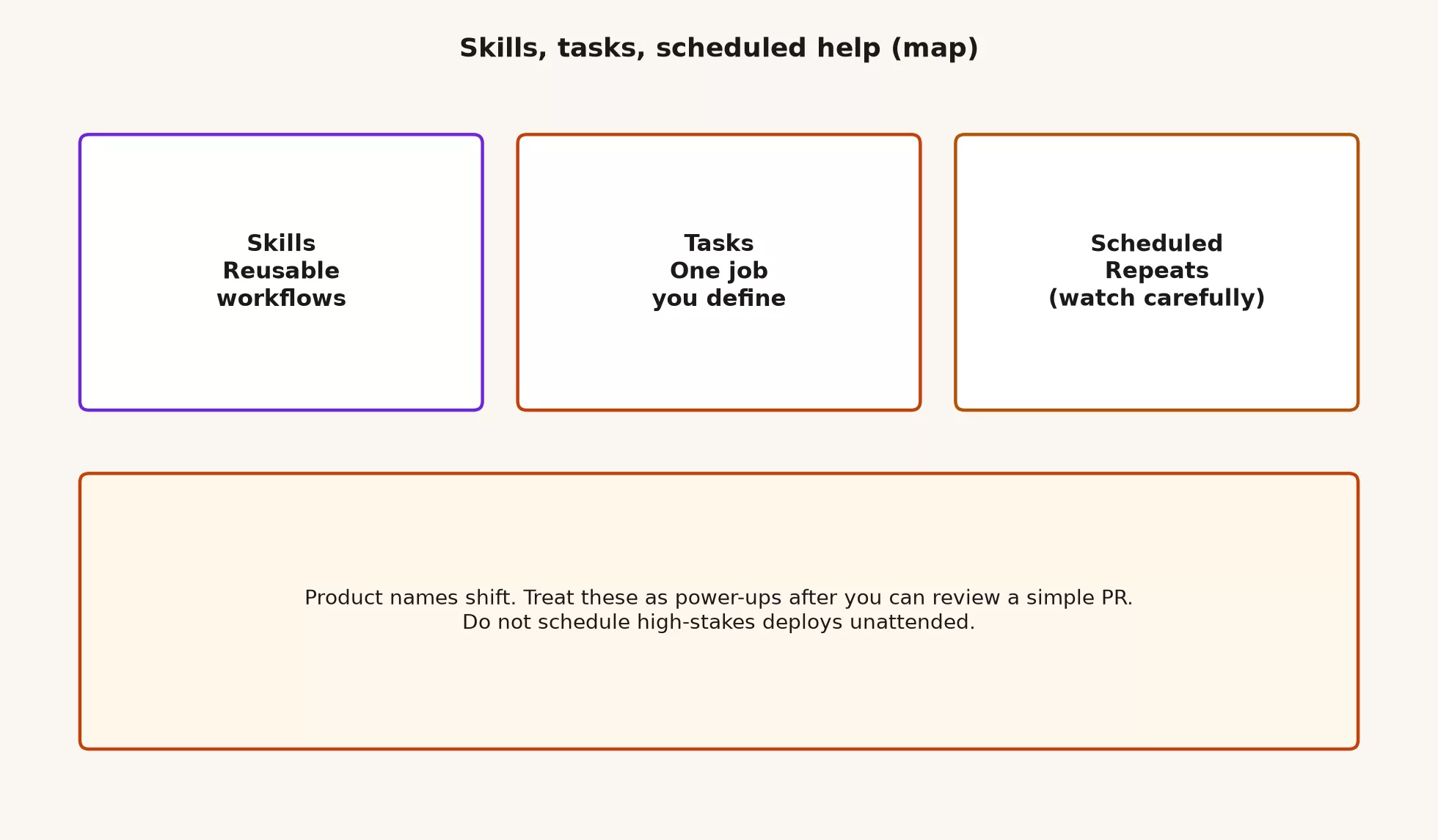
| Offer (plain name) | What it feels like | Good first use | Bad first use |
|---|---|---|---|
| Skills | Reusable playbooks the agent can load, such as checklists, domain steps, and how you review pull requests | Same review or release checklist every week | Storing secrets or writing “always push to main” |
| Tasks | One job you define with a goal, scope, and done condition | “Add a test that stops filter X from breaking again, in these two files” | “Make the app better” with no bounds |
| Scheduled / automated help | Repeating or background runs, such as triage, reports, and routine checks | Draft a daily summary of new issues for humans to sort | Unattended releases to production, or replacing secret keys |
OpenAI has described skills as a way to extend Codex beyond writing code into structured work like research, documents, and repeatable procedures, using packaged instructions and tools. Automations, and related scheduled patterns in ChatGPT Work and the Codex app, are described as background or repeating work such as sorting new issues, monitoring-style jobs, and routine reporting. ChatGPT also has Scheduled Tasks in the broader product for actions that run once, on a schedule, or when something changes. The names will keep shifting, so when you open the app, match the behavior to this table and not the marketing headline.
Hedge on purpose: If your screen says Automations, Skills, Tasks, Scheduled tasks, or something newer, ask whether it is a reusable playbook, one job, or a run on a clock. Train your judgment and not your memory of a brand name.
The complexity ladder (climb in order)
Most Codex pain comes from skipping rungs. People jump from a hello-world chat to a nightly agent with write access, because the screen makes the top look one click away. Use this ladder as a personal and team gate.
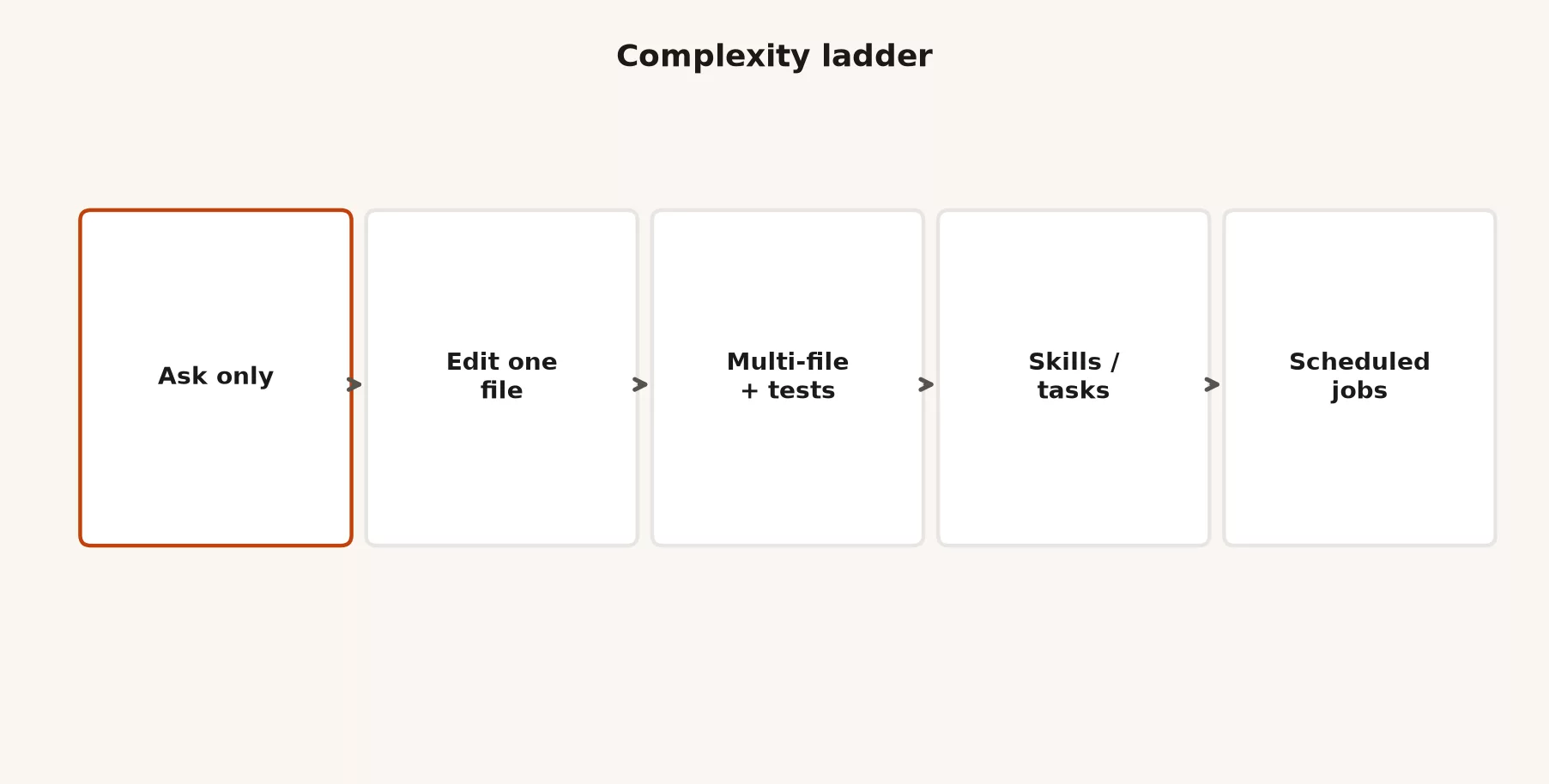
| Rung | You can already… | You earn the next rung when… |
|---|---|---|
| 1. Ask only | Explain a file, map entry points, list risks | You stop the agent before it edits when you only wanted a tour |
| 2. Edit one file | Ship a tiny, reviewed change in a branch | The diff matches the ask, and you can undo it with git |
| 3. Multi-file + tests | Change a few files, run the real test command yourself | You catch scope creep before you commit, as the next post in this series shows |
| 4. Skills / tasks | Reuse a playbook or run a well-bounded job without re-explaining your house rules | The playbook is saved with a version history, free of secrets, and open to review |
| 5. Scheduled jobs | Repeat low-risk work on a clock, with a human reviewing the outputs | The worst failure is noise in a document, not a production outage |
If you are still shaky on rungs 1 to 3, the earlier posts in this series on opening Codex and exploring safely are not optional homework. Skills and schedules amplify whatever habits you already have. A careful explorer becomes a careful automator, and a sloppy explorer becomes a scheduled mess factory.
Skills: reusable workflows, not magic memory
A skill is a packaged way of working the agent can apply when relevant: how you review pull requests (PRs), how you write a changelog, how you open a data pipeline (a set of steps that moves data from one system to another on a schedule) ticket, or how you write commit messages for one large codebase. In the broader Agent Skills idea, which is shared across tools including Codex, you put instructions, and maybe scripts or reference files, into a bundle the agent can load. That saves you from pasting a wall of text every Monday.
Think of a skill like a kitchen recipe card. The card is not the meal, but it gives the reliable sequence so that two cooks do not invent two different kitchens. Codex still needs a code project, permissions, and a human who tastes the food, which is what the next post on review covers.
What belongs in a skill
- Checklists that almost never change, such as PR review steps, release gates, and security notes for your stack.
- Domain language, such as saying that “order” means a customer order and not a purchase order in this service.
- Preferred commands for running tests and code checks in this project.
- Hard rules, such as never committing secrets, never force-pushing shared branches, and never reformatting the whole codebase for a one-line fix.
What does not belong in a skill
- Passwords and secrets: API keys (the passwords one program uses to call another), login tokens, and connection details for live databases.
- One-off ticket context that will be wrong next week.
- “Always merge without review” or “skip tests if they fail”.
- Personal grudges about coworkers, or company politics, which will leak into tone and priorities.
If you already keep standing rules in something like an AGENTS.md file, project settings, or a team document that Codex finds, skills are the on-demand playbooks that would otherwise bloat that always-on memory. Standing facts stay short and always true, and long procedures become skills. It is the same split you would use in any coding agent, with some material always loaded and the rest loaded when needed.
Mini skill sketch (copy and adapt)
You do not need the exact file format from today’s screens to practice the content. Draft the body first, and worry about packaging later.
# skill: pr-review-lite
# when: reviewing a Codex or human PR for this service

## Goal
Review for correctness, scope, and safety. Prefer small comments over rewrites.

## Always do
1. Summarize the intended change in 2-3 sentences.
2. List files that look outside the ticket.
3. Flag auth, money, PII, migrations, and config.
4. Require tests for bug fixes.
5. Never approve force-push or secret commits.

## Never do
- Rewrite style across the monorepo.
- Delete failing tests to go green.
- Invent product requirements not in the ticket.

## Output shape
- Summary
- Risks
- Suggested tests
- Approve / request changes / block
When the product lets you attach this as a named skill, you stop retyping the ritual. Until then, paste it at the start of a review session. The value comes from the discipline and not from the menu.
Tasks: one job you define
A task is a bounded assignment with a goal, inputs, an out-of-scope list, and a condition for being done. Codex is good at filling empty space, so if you leave room, it will decorate the empty walls. A task lets you fill those walls with constraints first.
Task template that survives contact with a model
Goal: <one concrete outcome>
Context: <ticket link or 3 facts>
In scope files/dirs: <paths>
Out of scope: <paths, refactors, deps>
Tests: <exact command or “add unit test in X”>
Done when: <observable condition>
Do not: <reformat, force-push, touch secrets, …>
Here is a filled-in example for a realistic small job:
Goal: Fix dashboard filter so archived accounts appear only when
includeArchived is true.
Context: Bug report from support; reproduced on staging.
In scope files/dirs: src/dashboard/query.ts, src/dashboard/query.test.ts
Out of scope: utils/, package.json, other pages, dependency upgrades
Tests: npm test -- src/dashboard/query.test.ts
Done when: unit test covers includeArchived true/false; manual note
for staging check is written in the PR body draft.
Do not: reformat unrelated files; delete tests; edit .env*
That task is boring on purpose, because boring tasks produce diffs that a human can review. A request like “improve the dashboard (a screen of charts that updates on its own) experience” is a product roadmap and not a Codex task.
Tasks vs chat vs Work
| Surface | Best for | Wrong for |
|---|---|---|
| Chat | Wording, explaining, and light planning with no writing to a code project | Code changes across many files that you need to ship |
| Work | Office files such as decks, sheets, and multi-file documents, plus app connectors | The main path for a team that reviews code in git |
| Codex task | Code jobs inside a project, with diffs and tests | Press release rewrites and plain meeting notes |
If you find yourself writing a Codex task that never touches a code project, you may be in the wrong mode. The product map series exists so you do not force every job through the coding agent just because it feels more advanced.
Scheduled help: useful, not unattended high stakes
Scheduled or automated runs are where people get starry-eyed. They hear that Codex will sort new issues every morning, watch the automatic checks that run on every code change (continuous integration, or CI), and keep the docs fresh. Those things can be real, but they can also open a second shift of silent failure if nobody owns the output. That is the trap.
OpenAI’s public description of Codex automations and ChatGPT scheduled patterns covers routine work such as sorting new issues, monitoring-style jobs, reports, documentation updates, and actions that fire once or on a schedule. That is a story about saving time. It is not permission to stop thinking about production. Stay alert.
The worst-case test
Before you schedule anything, finish this sentence.
“If this run goes wrong overnight and nobody reads the log until morning, the worst realistic outcome is ___.”
If the blank is a messy draft in a private document, or a noisy chat message that you can mute, you may have a good candidate. If the blank is a release to production, a customer data export, a credential change, a mass closing of tickets, or a force-push to main, stop. That is not a beginner automation. It is an incident generator with a calendar invite.
Good first schedules
- Draft a morning summary of new GitHub issues labeled
buginto a team document, while a human still sorts them. - List the names of tests that failed at random over the last day into a checklist, while a human still sets priorities.
- Generate a weekly report of docs that mention removed features, while a human still edits the docs.
- Remind you to renew a test-environment security certificate, as a notification only.
Refuse list (paste into team policy)
- No unattended releases or database migrations in production.
- No unattended writes to customer production data.
- No storing secrets inside skill text, task text, or schedule prompts.
- No automatic merging into protected branches.
- No force-push, history rewrite, or mass branch deletion on a clock.
- No loops that fix the automatic checks by deleting tests, ever.
Worked example: a low-risk morning triage automation
Imagine a small product team with a noisy issue tracker. You want Codex, or ChatGPT scheduled help set up for the same purpose, to prepare a human-readable triage brief at 8:30 a.m. You do not want it to close tickets for you.
Schedule: weekdays 08:30 local
Goal: Draft a triage brief for issues created in the last 24 hours
      with label bug or support.
Output: Markdown in team/triage-drafts/YYYY-MM-DD.md (or a private doc)
Include for each issue:
  - title, link, reporter, labels
  - one-line guess at component (from path hints in the body)
  - severity guess: low / medium / high (with one reason)
  - whether it looks like a duplicate of an open issue (link if yes)
Do not:
  - close, reassign, or comment on issues
  - change labels
  - open PRs
  - access production systems
Done when: draft file exists; human reviews before stand-up.
Here is what a good draft looks like. It is a toy sample and not real issues.
| Issue | Component guess | Severity guess | Notes for human |
|---|---|---|---|
| #412 filter ignores archived | dashboard query | medium | Matches last week’s support thread, and needs steps to reproduce it |
| #413 logo blurry on retina | marketing site | low | Not core to the product, so maybe the design queue |
| #414 cannot login SSO | auth | high | If confirmed, alert whoever is on call, and do not close it automatically |
Notice that the automation never fixed the login problem. It only prepared where a human should look first. That is the goal of a good schedule, which is a better morning for people and not silent changes to your systems.
How skills, tasks, and schedules fit together
These three offers stack on top of each other, but you should not turn them all on the same day.
- A skill holds the house rules for how you sort issues and how you review.
- A task is today’s specific job, and it may load that skill.
- A schedule is a task, or a task backed by a skill, that repeats with a human reviewing the output.
Here is a concrete chain for the filter bug from earlier:
- The morning schedule drops a triage brief that flags issue #412.
- You open a Codex task with the template limits of two files plus tests.
- A
pr-review-liteskill shapes the review of the resulting PR. - You still run the review loop from the next post: read the diff, run the tests, check for secrets, check scope, and make a human commit.
If any step makes the agent feel like the owner, reverse it. You own the merge, and the agent owns only drafts and proposals.
Common mistakes
| Mistake | What happens | Fix |
|---|---|---|
| Skipping the ladder | Scheduled chaos before you can even review a one-file PR | Prove rungs 1 to 3 first |
| Skills full of secrets | Keys leak into logs, git, or other machines | Keep secrets in a proper secret store, and keep skills free of them |
| Vague tasks | Huge diffs, surprise refactors, “helpful” dependency bumps | Use the task template, and name the paths that are out of scope |
| Schedule equals auto-merge | Broken main at 3 a.m. | Schedule drafts and reports and never merges |
| Chasing every rename | The team wiki goes out of date every quarter | Document the behavior and not only the button labels |
| Using Codex for Work jobs | Awkward tools and the wrong mental model | Send office files to Work, and keep code here |
Where this sits in the ChatGPT path
Codex is one deep track inside a longer ChatGPT curriculum on this site:
- Learn ChatGPT from scratch covers product basics, plans, and privacy judgment.
- ChatGPT product map compares Chat, Work, Codex, the models, and the API against the app.
- ChatGPT everyday tutorial covers structure, verification, and never sending AI text without reading it.
- ChatGPT Work tutorial covers multi-step office agents and checking their results.
- ChatGPT Codex / coding tutorial (this series) moves from opening Codex, to exploring, to skills, tasks, and schedules, to review, and finally to git habits.
- Next after Codex comes the Custom GPTs tutorial. Custom GPTs are saved versions of ChatGPT set up for one repeating job outside code, which you can share with your team.
The matching discipline for Anthropic’s coding agent lives in the Claude Code tutorial. The tools differ, but the ladder and the rule against unattended high-stakes work carry over.
Quick recap
- Skills are reusable playbooks, tasks are one bounded job, and scheduled help repeats with a human checking the output.
- Climb the ladder in order, from asking, to one file, to many files with tests, to skills and tasks, and finally to schedules.
- Expect renames, so map screen labels to behavior and re-check the official docs when you train a team.
- Never schedule unattended high-stakes changes, and start with drafts and reports.
- The next post is the brake, covering review, tests, and not trusting green checkmarks alone.
Try it this week
- Write one skill body (even as a plain text note) for a review or release checklist you already retype, so the agent applies it the same way every time.
- Run three Codex jobs, each as a filled task template, and refuse any job that you cannot limit to specific paths and a done condition.
- Design one schedule on paper that fails the worst-case test, and redesign it until the worst case is a draft that someone can safely ignore.
- Only after that, turn on a real schedule if your plan and the product support it, and watch it for a week with a named human owner.
Sources
Research and further reading used for this article:
- OpenAI: Codex product page (coding agents, scheduling-style routine work framing)
- OpenAI: Introducing the Codex app (skills beyond code generation; Automations for scheduled background work)
- OpenAI: ChatGPT for your most ambitious work (Work, Scheduled Tasks, Codex integration story; product surfaces evolve)
- Agent Skills (shared skill packaging idea referenced in Codex skill messaging)
- ChatGPT / Codex changelog (Learn) (desktop modes, discovery of AGENTS.md, skills, config; verify current labels)
- AMS: ChatGPT product map (Chat vs Work vs Codex)
- AMS: ChatGPT Work tutorial (multi-step jobs and result checks on the office agent)
- AMS: ChatGPT Codex / coding tutorial (this series)
- AMS: Learn (full series index)
Keep going
Same lessons in your feed
Short diagrams, hooks, and weekly tutorials on Substack, Instagram, X, and Facebook.



