
Claude Code forgets your conversation when a session ends, and that is by design. What survives is whatever you wrote into a file: a project instruction file, a test, or the code itself. This post maps the layers of memory so you stop treating chat history as a design document.
Imagine you spend two hours teaching Claude Code how your billing code really works. You correct the command that runs your checks three times, and you explain which old part of the code to leave alone. Then you close the laptop for lunch. After lunch you start a new session, ask a simple question, and watch it suggest a change that brings back every mistake you already fixed.
That is not a flaw in you or in the model. It is how session memory works. This post covers what carries over between sessions, what resets when you clear a session or start fresh, why long sessions get noisy as the model’s working memory (the amount of text it can see at once) fills up, and how to keep your saved files as the source of truth. Earlier posts covered installing Claude Code, talking to a codebase, typed commands, and skills. The next post goes deep on instruction files.
Product details move, so the ground truth for this post is Anthropic’s public Claude Code docs on memory and the context window. Re-check those pages before you write team policy. Auto memory is a feature that can save learnings across sessions, and you should verify whether it is on and what it stored in your own setup, not assume every machine matches.
The mental model: four layers, not one brain
People talk about “Claude’s memory” as if it were one sticky note that survives forever. In practice you are juggling several different stores, and each has its own rules.
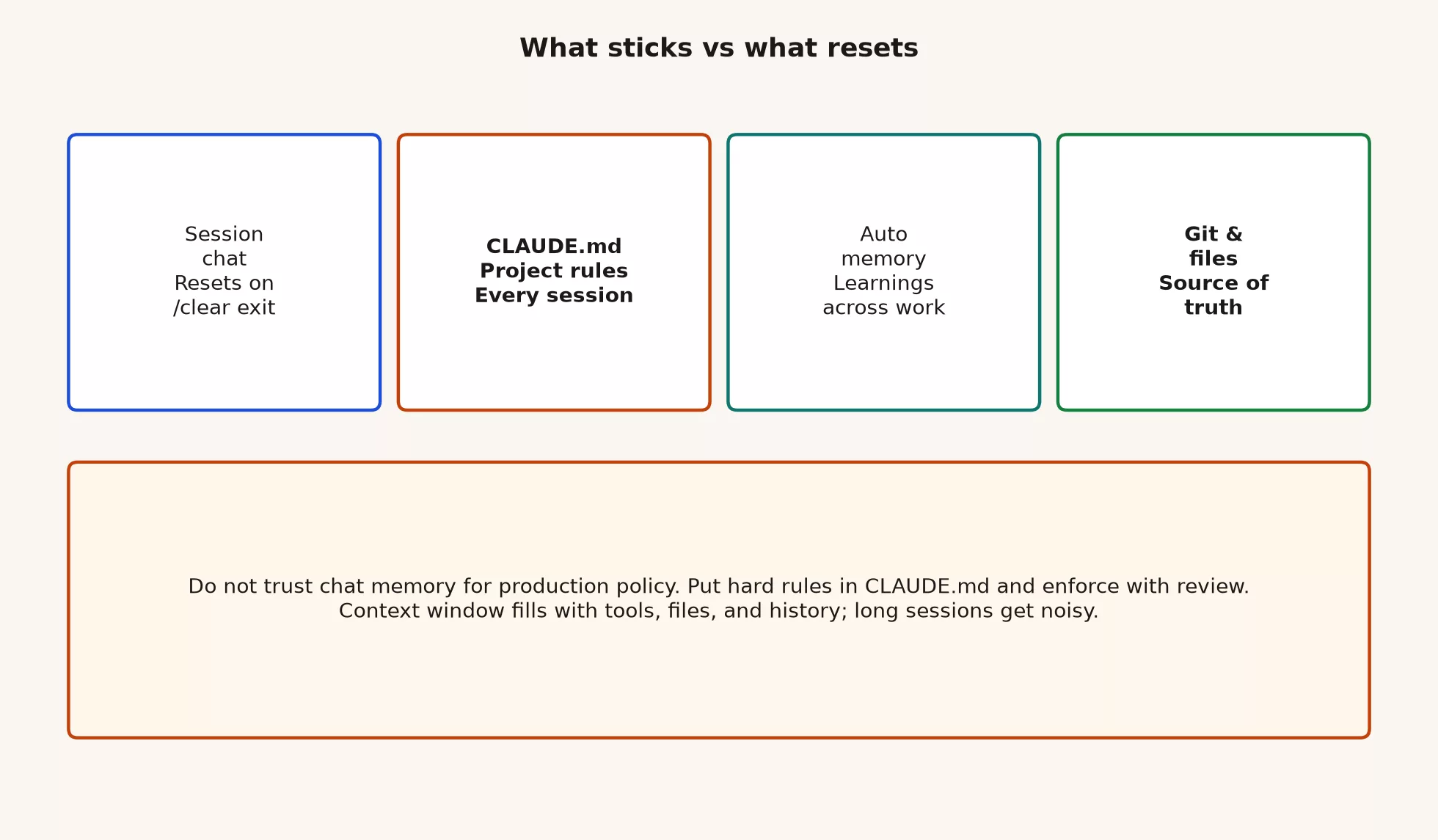
Picture four layers stacked under your keyboard:
- Session chat. This is the conversation you are having right now, with prompts, tool outputs, in-progress plans, and side trips. It is working memory, and it resets when you start a new session or run
/clear. Compaction can also swap the long middle of a chat for a summary so the window can keep going. - The CLAUDE.md file and related instruction files. This is markdown you write, loaded at the start of each session under documented rules about scope and path. It is your standing brief, covering commands, style, safety, and architecture notes that should not depend on who remembers last Tuesday.
- Auto memory. These are notes Claude can write for itself, based on corrections and patterns it decides are worth keeping. The docs describe a feature that gathers learnings across sessions for a project, stored on your own machine. You should verify whether it is on and what it actually saved.
- Git and project files. This layer holds the code, tests, configs, the
README.mdfile, a committedCLAUDE.md, and the automated checks that run on every change, known as continuous integration (CI). It is the lasting source of truth for the product, and if a decision only lived in chat, it never really landed.
Rule of thumb: Chat is a whiteboard. The
CLAUDE.mdfile is the laminated wall card. Auto memory is the sticky notes Claude leaves for next time. Git is the building. When the whiteboard gets wiped, the building should still stand.
Session chat: what resets, and why that helps
Every Claude Code session starts with a fresh context window. The official memory docs say two mechanisms carry knowledge across sessions: the CLAUDE.md files you write, and the auto memory notes Claude can build up. The chat transcript itself is not a database that lasts.
You reset chat on purpose in three ways:
- Run
/clearto drop the current conversation and free the window for unrelated work. - Start a new session after closing the old one.
- Hand a task to a subagent, a helper that gets its own window so its research stays out of your main transcript.
That design is only frustrating if you treated the transcript as documentation. If you treat chat as a temporary workspace, it helps you. Long sessions collect failed approaches, abandoned file reads, half-finished refactors, and contradictory instructions, such as “use the old path” followed by “no, use the new path.” Those words still sit in the window, so the model can get pulled toward yesterday’s wrong turn simply because the wrong turn is still on the page.
What reset does not mean
Clearing chat does not uninstall the product, delete your project, or erase a committed CLAUDE.md. It also does not automatically delete auto memory files on disk. It means the conversational working set for that thread is gone or summarized away, depending on whether you cleared or compacted.
If you need a fact after a reset, put it where the next session will load it. Good homes are a project instruction file, a test, a code comment that is actually true, a short note in the pull request (PR, a proposed change awaiting review), or a memory entry you have checked yourself. Do not hope the model “just knows” from last week.
The CLAUDE.md file: loaded each session on purpose
A CLAUDE.md file is the deliberate way to give Claude lasting instructions. You write it in plain text, and Claude reads it at the start of every conversation, with documented rules for managed, user, project, and local scopes. These files are context and not hard enforcement, because Claude treats them as guidance. When you need a hard block on certain tools or paths, use permissions, hooks, and settings instead of a polite paragraph in markdown.
That distinction matters if you are new to this. Writing “never push to main” in CLAUDE.md is a strong hint, but it is not a lock on git. Pair the written notes with real barriers whenever a mistake would be expensive.
Here is what belongs in the file, previewed briefly because the next post covers it in depth:
- A project brief in a few sentences
- Build, test, and lint commands that actually work
- Code style that is specific enough to check
- Safety rules the team agrees on, such as secrets, production data, and force pushes
- Architecture facts that are easy to get wrong
The docs recommend keeping the file concise, and a common target is under about 200 lines. Longer files use up the window and get followed less reliably. Multi-step procedures and rare workflows usually belong in skills, which are instruction sets that load only when needed, and not in the always-on brief. Short and true beats long and aspirational, so “Run npm test before you claim done” is better than a page of manifesto about quality culture.
Auto memory: a feature to verify in your setup
Auto memory is Anthropic’s way of letting Claude collect learnings across sessions without you hand-writing every correction into CLAUDE.md. Claude may save notes about build commands, debugging patterns, architecture insights, and preferences it noticed while working. The official docs describe it as on by default in typical setups, with a switch in /memory and in settings such as autoMemoryEnabled. Notes are stored in a project-scoped folder on your machine, and the documented layout uses ~/.claude/projects/<project>/memory/ with a MEMORY.md index.
These practical facts should shape how you talk about it at work:
- It is a real product feature with documented ways to turn it on and off, storage locations, and load limits. The docs describe loading the first 200 lines or 25KB of
MEMORY.md, whichever comes first. - Verify the settings. Do not assume every teammate has the same toggle state, the same Claude Code version, or the same memory folder. Run
/memoryand/contextwhen something “should have been remembered.” - It is not a replacement for git. In the documented model, auto memory stays on one machine. A coworker who clones the project does not inherit your local
MEMORY.md, the way they would inherit a committedCLAUDE.md. - You can audit it. Memory files are plain markdown that you can open, edit, or delete. If Claude learned a bad fact, such as “always skip tests on this package,” fix or delete that entry.
When should you put something in CLAUDE.md and not wait for auto memory to catch it? Do it when the whole team needs the same rule, when the rule protects safety, when you want it visible in code review, or when you are tired of correcting the same mistake twice. Auto memory suits small personal preferences, such as “Claude keeps forgetting my preferred package manager.” The shared file suits “we never commit secrets, and here is the command that runs the suite.”
What sticks and what resets: a cheat sheet
Use this table when someone asks why it does not remember.
| Thing | Survives new session / /clear? | Where it lives | Who owns it |
|---|---|---|---|
| Chat transcript and mid-task plan | No (cleared or summarized) | Session context | You, while the thread lives |
| CLAUDE.md project brief | Yes (reloaded each session) | Repo or user config paths | Team (if committed) or you |
| Auto memory notes | Can, if enabled and stored | Local project memory dir | Claude writes; you audit |
| Skills you invoke | Bodies load on use; not “chat memory” | Skill files on disk | You or the team |
| File edits on disk | Yes | Working tree | You via review + git |
| Committed code and tests | Yes | Git remote + history | The team |
| Uncommitted experiment | Yes on disk, no as chat | Working tree only | You until committed |
After compaction, which is not the same as a full clear, the docs say the project-root CLAUDE.md and auto memory can be loaded again from disk. Path-scoped rules and nested CLAUDE.md files may need a matching file to be read again first. The instructions that feel lost are the ones you gave only in conversation and never wrote to a file. That is a feature, as long as you promote important chat corrections into CLAUDE.md or into tests.
The context window: why long sessions get noisy
The context window is the limited amount of text Claude can see in one session. Before you type anything, a lot has already loaded, including system instructions, information about your environment, skill descriptions, the names of connected tools, the contents of your CLAUDE.md, and a slice of auto memory when it exists. Your first prompt is often tiny next to that stack, and then every file read, tool result, hook note, and reply adds more.
The official context-window material stresses a few practical truths:
- File reads take up most of the growth. A vague prompt that forces wide exploration costs more than “fix the null check in
src/auth/session.ts.” - Follow-up questions stay in the same window, so a wrong approach from the first hour is still sitting there in the third.
- Subagents can keep large research out of your main window, and only their summary comes back.
/compactreplaces the conversation history with a structured summary so work can continue. Startup instructions reload, but the full word-for-word middle of the chat does not./clearis the clean break when your next task is unrelated. Old chat crowds out the files you need next and costs tokens (small chunks of text, about three-quarters of a word each) on every message.
The noisy session test
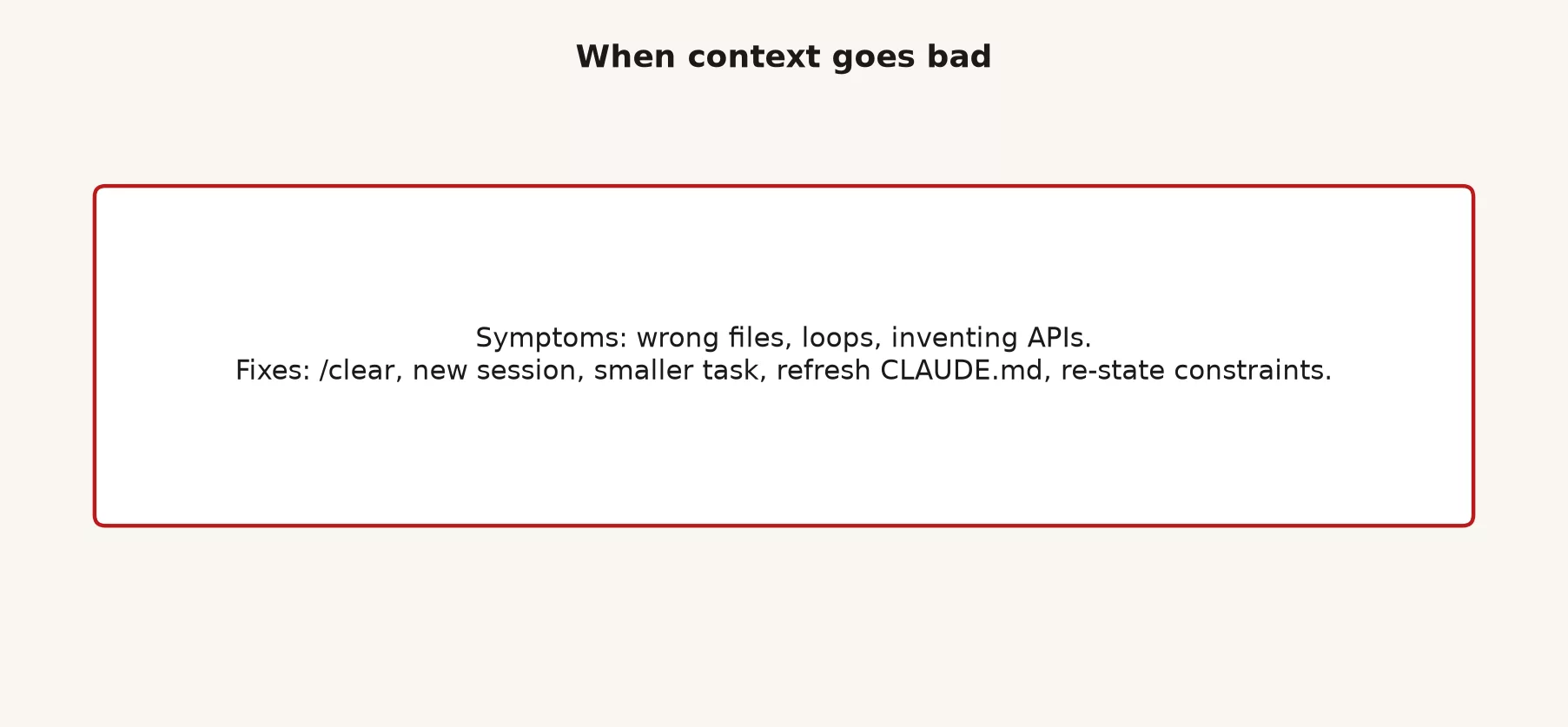
Your session is probably getting noisy when any of these show up:
- Claude keeps proposing a design you rejected half an hour ago.
- You are on a new ticket, but the agent still talks about the old one.
/contextshows heavy usage and answers are getting worse, with more generic replies and more repeated file reads.- You are pasting “ignore previous instructions about X” instead of clearing.
- Half the transcript is debugging a wrong path you already abandoned.
When that happens, choose deliberately. Compact with a focus note if you need continuity, clear if you are changing jobs, or open a fresh session with a tighter CLAUDE.md so the standing rules stay and the mud does not.
Git and files are the source of truth
Here is a sentence worth taping above your monitor: if the only place a decision lives is in chat, you do not have a decision yet.
Claude Code is very good at changing a tree of files, and those files are what your automated checks run, what code review sees, and what production ships. The agent’s confidence in a summary does not replace any of these:
- A failing test that now passes for the right reason
- A committed
CLAUDE.mdthat new sessions load - A PR description that states what changed and what you checked
- Config that the app actually reads while it is running
Newer users sometimes treat a good chat answer as done. More experienced users ship the files and still forget to promote the standing rule that would have prevented the bug. Advanced teams treat it as a loop: correct the agent once in chat, write the correction into tests or CLAUDE.md, and let the next session start smarter without replaying the whole story.
A Monday morning workflow that respects the layers
- Open the project, confirm your branch, and skim
CLAUDE.mdif you have not in a while. - Start a session for one job, not three tickets mashed together.
- Ask Claude to explore with a narrow question before it makes large edits.
- When you correct the same fact twice, add it to
CLAUDE.mdor to a test. - Review the diff, the list of changed lines, as if a human coworker wrote it, which a later post in this series covers in detail.
- If the next task is unrelated, run
/clearor start a new session, and do not hoard transcripts for luck. - Commit what should survive, and leave the chat behind without grief.
Worked example: the billing correction that should not die at lunch
Imagine you are working on a small Node service. In the first session, this happens:
You: The invoice total is wrong for multi-seat plans.
Claude: (reads files, proposes a fix in calculateTotal)
You: Stop. calculateTotal is legacy. New pricing goes through PricingEngine.
You: Also run pnpm test:billing, not npm test.
Claude: (adjusts plan, edits PricingEngine, tests pass)
If you stop there, the second session after lunch may still open calculateTotal first, because that was the obvious name and nothing lasting said otherwise. Three durable moves fix that:
- Update
CLAUDE.md: “Billing math lives insrc/billing/PricingEngine.ts. Do not extendcalculateTotal.” - Record the command: document
pnpm test:billinginCLAUDE.mdnext to the other commands. - Add a test: a regression test for multi-seat totals, so the next agent fails fast if it reopens the wrong path.
There is an optional fourth move. If auto memory is on and Claude saved “use pnpm for this project,” that is useful, but you should still put the architecture rule in CLAUDE.md so the team shares it. Auto memory on your laptop does not onboard the next hire.
Here is a minimal project CLAUDE.md fragment you might commit after that session:
# Project brief
Node billing service. APIs under src/api. Domain logic under src/billing.

# Commands
- Install: pnpm install
- Unit tests: pnpm test
- Billing suite: pnpm test:billing
- Lint: pnpm lint

# Architecture
- Pricing and invoice totals: src/billing/PricingEngine.ts
- Do not add logic to legacy calculateTotal helpers

# Safety
- Never commit .env or real customer dumps
- Do not run migrate against production URLs
That fragment is short, true, and checkable. The next post expands the skeleton and explains how CLAUDE.md, AGENTS.md, and the README.md file divide the work.
Commands that show what the session knows
You do not have to guess. Claude Code documents a few inspection commands worth keeping in your muscle memory:
| Command | Use it when |
|---|---|
/context | You want a live breakdown of what is in the window, including memory files loaded |
/memory | You want to open, edit, or toggle memory-related files and auto memory |
/compact | The thread is long but still the same job; optionally add focus text |
/clear | You are switching to unrelated work and want a clean conversational slate |
/init | You need a starting CLAUDE.md draft from the codebase (then edit hard) |
If CLAUDE.md “is not working,” first confirm it loaded under memory files in /context. If it loaded and Claude still ignores a vague line, make the line concrete. If two files conflict, resolve the conflict instead of adding a third contradictory note.
Seven mistakes to avoid
- Treating chat as the design record. After a reset the design is gone, so promote decisions into files.
- Never clearing because “context is free.” Context is finite, and noise costs answer quality as well as tokens.
- Assuming auto memory means teammates share your sticky notes. Verify, and commit the shared rules.
- Writing a 900-line
CLAUDE.mdof aspirations. Short, true instructions win, and procedures belong in skills. - Expecting
CLAUDE.mdto hard-block tools. Use permissions and hooks when “must not” is literal. - Mixing three tickets in one session. You get a stew of half-relevant file reads.
- Skipping review because “the agent remembers our standards.” Diffs land on disk, and you own the merge.
Try it in a real project
- In an existing project, run a short session and deliberately correct one preference twice, for example the test command.
- Run
/memoryand/contextand note what loaded. Inspect auto memory if your build supports it, and verify instead of assuming. - Add three true lines to
CLAUDE.mdthat would have prevented the double correction. - Run
/clearor start a new session, ask for the same kind of task, and check whether the agent follows the written rule. - Commit the
CLAUDE.mdchange if the team should share it, and keep personal paths in a local file if your workflow (the usual sequence of steps you follow) uses one.
The next post covers markdown and project instruction files in detail, including CLAUDE.md, AGENTS.md, and the README.md file, with a sample skeleton you can paste and thin down. If you still need install and first-run orientation, jump back to the start of this series from the Learn page.
Quick recap
- Session chat resets with
/clearor a new session, so it is working memory and not the archive. - The
CLAUDE.mdfile loads each session, so put the project brief, commands, style, and safety rules there as short, true statements. - Auto memory can save learnings across sessions, so verify the settings and audit what it wrote.
- The context window fills with file reads and history, so long sessions get noisy, and you should compact or clear on purpose.
- Git and project files are the source of truth, so promote lasting facts out of chat.
Sources
Research and further reading used for this article:
- Claude Code docs: How Claude remembers your project (CLAUDE.md scopes, auto memory,
/memory, load behavior) - Claude Code docs: Explore the context window (what loads at startup, compaction survival,
/clearand/compactguidance) - Claude Code docs: How Claude Code works (context window mechanics and related product behavior)
- Claude Code docs: Best practices (managing context as a primary constraint)
- Claude Code docs: Skills (on-demand workflows versus always-on CLAUDE.md)
- Claude Code docs: Subagents (separate context windows for research)
- Claude Code docs: Overview (product entry and doc index)
- Analytics Made Simple: Learn (series map on this site)
Keep going
Same lessons in your feed
Short diagrams, hooks, and weekly tutorials on Substack, Instagram, X, and Facebook.



