
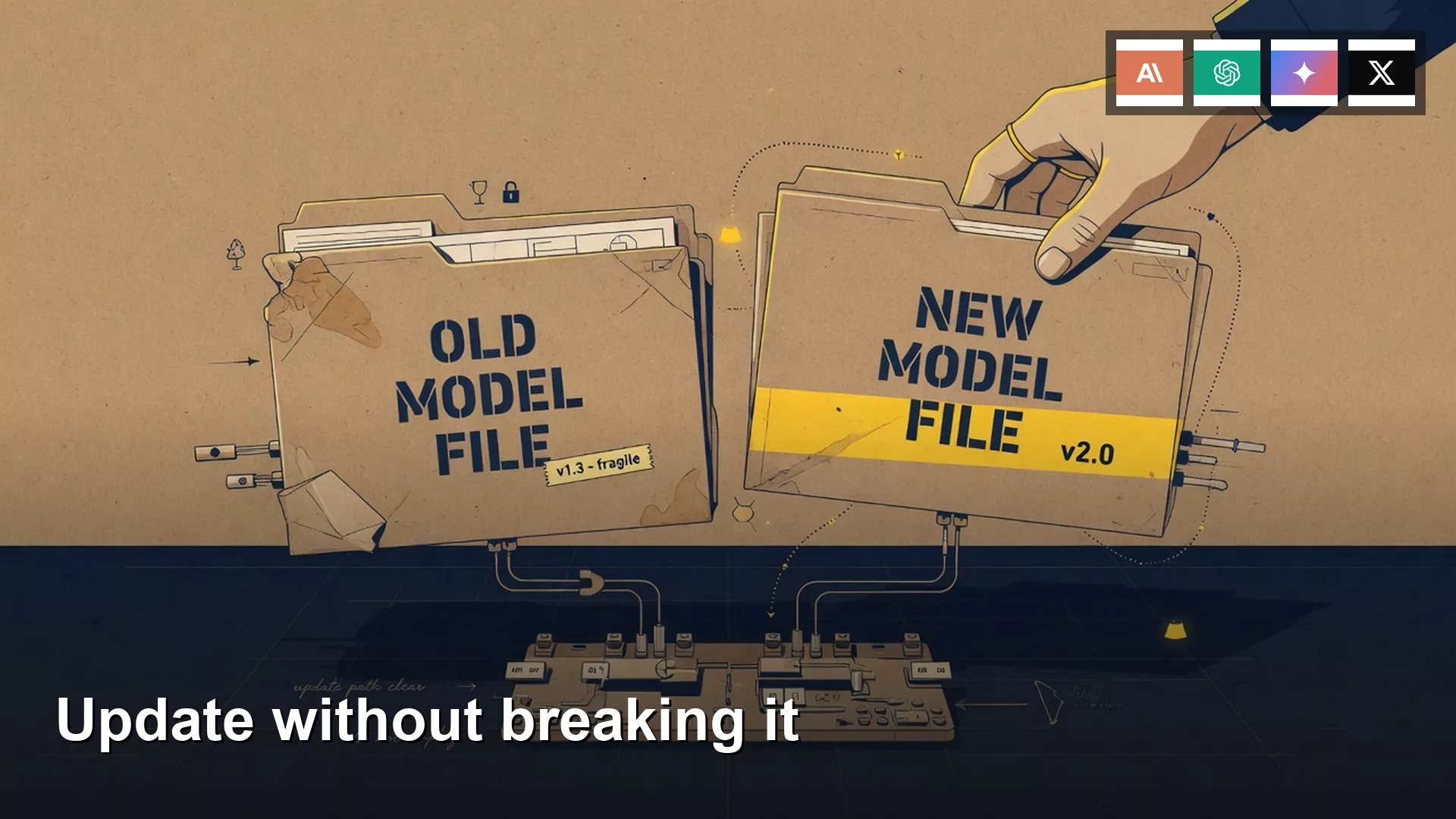
Ivy ran ollama pull at 8:12 on Monday because a Slack from the warehouse systems person said the new weights were better. Friday’s file was 4.7 GB. Monday’s file was also 4.7 GB, with a different digest in the list. Her 12 canned prompts, the sticky note on the laptop lid, started rambling. The 7am delay note that used to land at 90 words now invented a dock 4 reroute the floor never ran.
This is OS13, Part 6 of Run open models from scratch. Previous: OS12, hardware reality: RAM, GPU, heat, battery. Next: OS14, sharing a local setup with family or a small team. Location is OS2. Open weights vs open source: OS1. The explainer series is Open-source AI explained. Privacy paste test: P4. Writing-only jobs still belong in the chooser. Learn lists the rest.
latest is not a pin
- Why
ollama pullon a moving tag can change quality and size under a name you already use - How to pin a known-good copy with a dated alias or a GGUF filename
- The one-prompt test before you point the 12 canned jobs at a new file
- Why leftover blobs fill the disk after a few “just update it” days
- What to check after an app update, including cloud toggles
A tag is a pointer

Ollama names look like model:tag. If you omit the tag, you get latest. That word is a pointer. Library maintainers can aim it at a new blob whenever they publish. Your chat window still says the same short name. The file is not the same file.
Open a tags page before you treat a name as furniture. As of writing (August 2026), the Llama 3.2 tags list shows 63 tags. Sizes on that one family run from a 581 MB q2_K 1B file to a 6.4 GB 3B fp16 file. llama3.2:latest currently matches llama3.2:3b, which matches llama3.2:3b-instruct-q4_K_M, about 2.0 GB, digest prefix a80c4f17acd5. One family, many files. latest is an alias, not a freeze.
Ivy was not on Llama 3.2. She was on an 8B-class tag that listed as 4.7 GB, the same class Ken downloaded in OS2. Friday she scribbled the ID from ollama show on the sticky note under prompt 12. Monday the ID did not match. The list still said 4.7 GB. Size is a weak fingerprint. Digest is the fingerprint.
The HTTP check is GET /api/tags on http://localhost:11434. Each local model comes back with name, size in bytes, and digest. If the digest moved and you did not mean to change jobs, you already have Ivy’s Monday.
What an update can change
A new file under an old name can shift more than a changelog tweet. Quantization can change, so RAM and heat from OS12 move even when the marketing name stays “8B.” The chat template in the Modelfile can change, so the model talks more, or hedges, or pads “next steps.” A different instruct tune can treat your canned prompt as a request for a plan. That is how a 90-word delay note becomes 340 words with a dock 4 story.
Ollama’s own README says ollama pull can update a local model and that only the diff is pulled. Handy on a slow link. Easy to miss, because the command looks like the first download. If the daily name is qwen3:8b and you pull that string, the daily name now points at the new layers. Your 12 prompts did not get a vote.
LM Studio and llama.cpp are blunter. They load a GGUF (or MLX) path. A new download is a new filename if you let it be. The failure mode is loading “the Qwen 8B” from a dropdown that now prefers the fresh file. Hugging Face model pages list hashes for those files. Keep the old path until the new path earns the job.
| Update type | Risk | How to pin |
|---|---|---|
ollama pull on :latest or a short size tag like :8b | Same name, new digest. Quality, size, and ramble length can all move. | Copy to a dated local name first. Compare digest. Switch the daily name only after one canned prompt wins. |
| New GGUF in LM Studio or a Hugging Face save | Two files on disk. The Discover list likes the new one. You load it by habit. | Keep the old filename. Load by path. Delete the extra quant only after the test. |
| Runner or engine bump (llama.cpp inside the app) | Same file, different runtime. Answers can still shift. | Note the engine version in Settings. Rerun the one prompt on the pinned file. |
| Desktop app update (Ollama, LM Studio, friends) | Selected model, context size, and cloud toggles can move. The 4.7 GB file may sit unused. | Read the model line after install. If it says cloud or remote, you changed location. The file on disk did not move. |
Pin the file that already does the job. Test the candidate on one canned prompt. Delete the loser so the disk matches the sticky note.
Pin a known-good name

The cheap pin in Ollama is a copy. ollama cp (and POST /api/copy) makes a new name that points at the layers you already like. Docs show the shape ollama cp llama3.2 my-model and an API copy from gemma4 to gemma4-backup. Names in those docs move; the idea does not. Ivy’s Friday file should have been ivy-ops-2026-08-15 before anyone typed pull.
A longer library tag is a softer pin. llama3.2:3b-instruct-q4_K_M is less of a weather vane than llama3.2:latest. Maintainers can still retarget a long tag. The local copy is the one that cannot move unless you pull it. Write the size and the digest on the same sticky note as the 12 prompts. Two extra lines. Cheaper than a 340-word dock story.
LM Studio and a raw GGUF
LM Studio, as of writing, keeps ordinary files under a models directory (My Models can move it). llama.cpp takes a -m path. Pinning is “do not delete Friday’s .gguf.” Load the old path until the new one beats the 90-word delay note without inventing dock 4. If the Hugging Face card lists SHA256, paste it next to the filename.
Test one prompt, then delete
Do not A/B the whole sticky note on a live warehouse thread. Pick the prompt that already has a known good answer. Ivy’s was the 7am delay note: 90 words, names the lane, does not invent a reroute. Run it on the pin. Run it on the candidate. Same temperature. No extra system sermon. Read the length and the facts. If the candidate is tighter and still true, point the daily name at it. If it rambles, keep the pin. Only then delete the file you will not use. Deleting first is how people “update” into a hole with 4 GB free and no Friday weights.
A checklist you can paste. Flags and model names move; read help the week you run it. This is a shape, not a promise that every runner uses the same subcommand.
# 1. Snapshot what you already run (size + digest).
ollama ls
curl -s http://localhost:11434/api/tags

# 2. Pin Friday before anyone pulls.
# Replace the source name with whatever `ollama ls` showed.
ollama cp qwen3:8b ivy-ops-2026-08-15

# 3. Pull the candidate. The short tag may move. The copy should not.
ollama pull qwen3:8b
ollama show qwen3:8b
ollama show ivy-ops-2026-08-15

# 4. One canned prompt only. Same text you already trust.
# Example: "Write the 7am delay note: Lane B late 40 min, no reroute."
# If it invents dock 4, keep ivy-ops-2026-08-15 as the daily name.

# 5. After the new file wins, free the loser. Check disk.
# ollama rm qwen3:8b
# Then confirm the models folder actually shrank.
Toy numbers below are an example, not a live library listing.
| Name | Digest (short) | Size | Role |
|---|---|---|---|
ivy-ops-2026-08-15 | 7a3c… (Friday) | 4.7 GB | Known-good. 90-word delay note. |
qwen3:8b after pull | 9f21… (Monday) | 4.7 GB | Candidate. 340 words, dock 4 fiction. |
| Daily chat name | Must match the pin | Point this at Friday until the test passes. |
Disk fills with leftover blobs
Ollama stores layers, not a single tidy “one model, one file” icon. Default locations as of the public FAQ: macOS ~/.ollama/models, Linux often /usr/share/ollama/.ollama/models, Windows under the user profile .ollama\models. OLLAMA_MODELS moves that tree. Pulling a moving tag can add blobs while the old ones stay until no name points at them. Ivy had 11 GB free on Friday. After two more “just pull” days she had 4 GB free.
Shared layers are why a delete sometimes frees less than you expected. List first. Remove the name you lost the test with. Then look at free space. Do not empty the whole models directory to “be sure.” LM Studio leftovers are extra .gguf files. Keep the quant you tested. One path per job.
App updates change defaults
Weights are not the only moving part. The desktop app can ship a new default model, a new context size, or a cloud control. OS2 already showed the one-app two-mode trap: Ollama’s public site advertises computer and cloud. An installer that “just updates the app” can leave you on a remote id while the 4.7 GB file sits on disk looking unused. Legal heard local. The packet heard a host.
After every app bump, read the model line before you paste a vendor PDF. If the line says cloud or remote, you changed location. Turn that off or stop pasting. Then rerun the one canned prompt on the pinned local name, because an engine bump can still change tone on the same GGUF. Confirm the selected model and the models directory. If LM Studio reset My Models to the home folder, you may have loaded a different file.
Worked example: Ivy’s 12 prompts
Friday 16:40 she pencils the ollama show ID under prompt 12. Monday 8:12 she pulls the short tag. Prompt 1 hits 340 words and names dock 4, a real door the floor did not use. She almost sent it. The other 11 prompts pad “next steps” onto jobs that were one paragraph.
| Check | Friday | Monday after the pull |
|---|---|---|
| Listed size | 4.7 GB | 4.7 GB (useless as a fingerprint) |
Digest from show / /api/tags | The ID on the sticky note | A different ID |
| Delay note length | 90 words, lane named, no reroute | 340 words, invented dock 4 |
| Disk free | 11 GB | On the way to 4 GB after two more pulls |
| Fix | Should have cp’d first | If the old blobs still exist, copy is still possible. If not, she waits on a re-download of the Friday digest, if the registry still has it. |
The boring ending: she copies whatever still matches Friday’s digest to ivy-ops-2026-08-15, points the daily name there, and treats the Monday file as a candidate. One prompt. If it still invents docks, ollama rm the candidate when disk is tight. The 12 prompts stay on the pin until a candidate beats 90 words without fiction.
Do not update because the badge is green
- Pulling
:latest(or a short:8b) on the same name your canned jobs already use. - Trusting size alone. Two 4.7 GB files are not the same file.
- Deleting Friday’s copy before the one-prompt test.
- Leaving every old blob “in case.” The SSD fills, then you delete the pin in a panic.
- Updating the app and missing a cloud toggle. Location changed. Weights did not.
- Testing on a live vendor email instead of the delay note you already know.
- Assuming a longer tag can never move. Local
cpor a kept GGUF path is the freeze.
Write the current tag before you pull
List what you actually run. Copy it to a dated name. Write size and digest on the sticky note. Pull only if you have a reason, into a name you can throw away. Run one canned prompt. Keep the winner. rm the loser and watch free space. Next is OS14: other people on the same box, which is how a moving tag becomes everyone else’s problem. Hardware still sits in OS12. Size and RAM: OS3.
Update on purpose, keep a rollback name
- A tag is a pointer.
latestcan change the 4.7 GB file under you. - Copy a known-good name (or keep the GGUF) before you pull.
- Test one canned prompt. Then delete the loser so disk matches the pin.
- After an app update, read the model line for cloud and for a different file.
Sources
- Ollama library: Llama 3.2 tags (63 tags as of writing, sizes and digest prefixes)
- Ollama CLI reference (
pull,ls,rm) - Ollama API: list models (
GET /api/tags, size and digest) - Ollama API: copy a model (new local name for a pin)
- Ollama FAQ (default models folders and
OLLAMA_MODELS) - ollama/ollama README (
pullcan update a local model;cpcopies a name) - LM Studio: download a model and Hugging Face GGUF (file plus hash, not a floating tag)
- llama.cpp (path to a file you keep)
- AMS OS2 (local vs cloud in the same app) and Learn
Keep going
Same lessons in your feed
Short diagrams, hooks, and weekly tutorials on Substack, Instagram, X, and Facebook.
Merch on Etsy
Open store → You're On Mute White Ceramic Coffee Mug, Data Science Mug, Data Mug, Analytics Mug, Statistics Mug, Programming Mug, Gift Mug, Coffee Mug
View on Etsy →
You're On Mute White Ceramic Coffee Mug, Data Science Mug, Data Mug, Analytics Mug, Statistics Mug, Programming Mug, Gift Mug, Coffee Mug
View on Etsy →
 You're On Mute White Ceramic Coffee Mug, Data Science Mug, Data Mug, Analytics Mug, Statistics Mug, Programming Mug, Gift Mug, Coffee Mug
View on Etsy →
You're On Mute White Ceramic Coffee Mug, Data Science Mug, Data Mug, Analytics Mug, Statistics Mug, Programming Mug, Gift Mug, Coffee Mug
View on Etsy →
 SQL Order of Operations Coffee Mug – Data Science Gift
View on Etsy →
SQL Order of Operations Coffee Mug – Data Science Gift
View on Etsy →
 Naive Bayes Mouse Pad, Data Science Mouse Pad, Analytics Mouse Pad, Bayesian Mouse Pad
View on Etsy →
Naive Bayes Mouse Pad, Data Science Mouse Pad, Analytics Mouse Pad, Bayesian Mouse Pad
View on Etsy →