

Before you change numbers in a database, check whether hidden code inside it will also change them, because some rules run on their own and never show up in what you typed. Say you fix one wrong order amount, and a minute later a customer total you never touched changes too. Code stored inside the database did that, and nobody on your team knew it was there. Code stored this way can protect data quality and keep business rules in one place, but they also hide logic from the tools your team uses to track code changes, and they rarely move cleanly from one database product to another.
This tutorial is part of the SQL series on Analytics Made Simple, where SQL is the standard language for asking a database for data. It covers the three kinds of code that can live inside a database and how to spot each one before it surprises you. The series map is on the SQL series page. Broader paths sit on Learn.
What you will learn
- Plain rules of stored routines, triggers (code that runs on its own when rows change), and user-defined functions (UDFs, your own calculations you can call from SQL).
- When each appears in backend (the systems behind the scenes) systems versus analytics systems.
- Why many analytics teams prefer SQL scripts, scheduled jobs, or dbt-style models.
- Code migration and debugging cautions for multi-engine careers.
- How analysts inspect hidden logic without rewriting app code.
- A simple conceptual example shape (dialect-light) on the toy domain.
Three objects on one map.

| Object | Fires when | Typical job | Analyst angle |
|---|---|---|---|
| Stored procedure | Someone calls it | Multi-step routine, batch job, logic other apps call | Find who runs it and what tables it touches |
| Trigger | INSERT/UPDATE/DELETE on a table | Enforce rules, audit, sync side tables | Explain mystery column changes |
UDF | Called inside SQL expressions | Reusable calculation or transform | Know it can block optimizations and portability |
Example output:
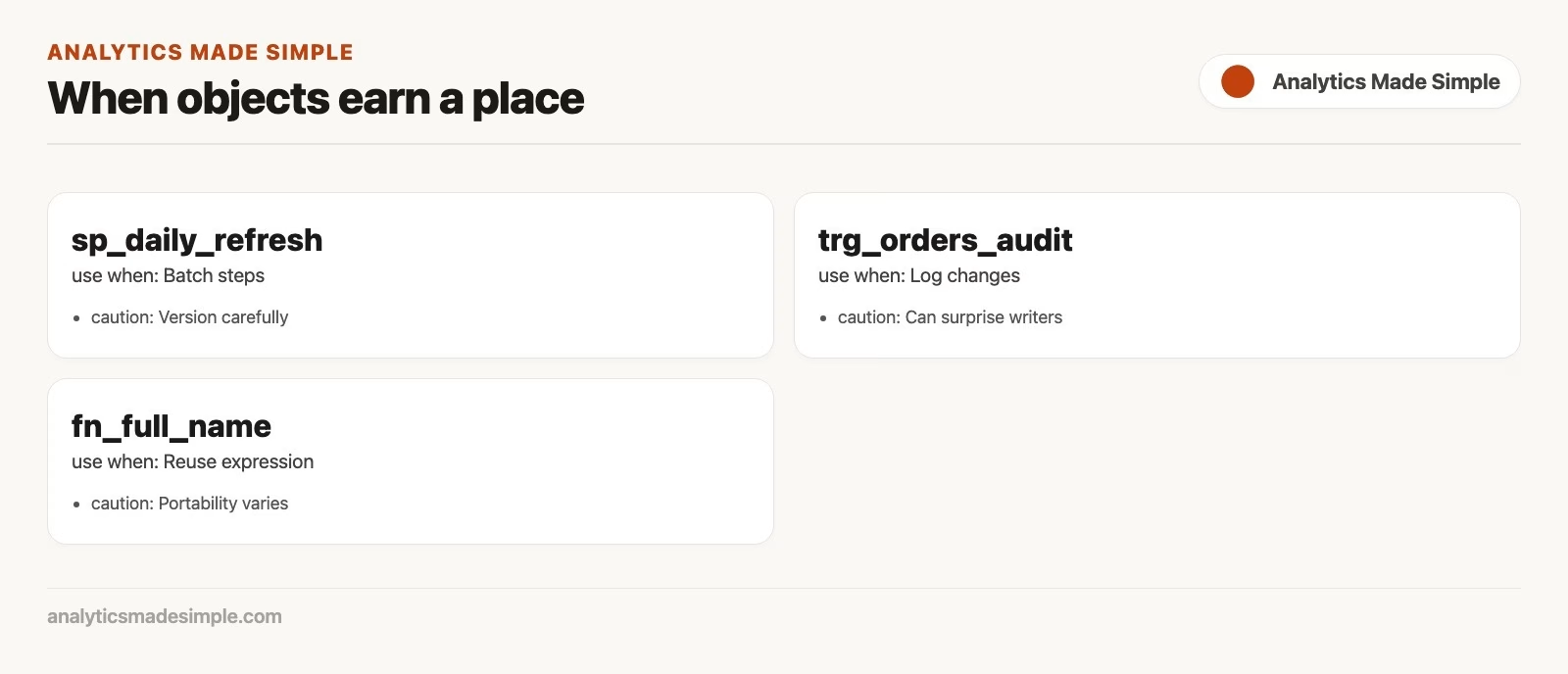
Stored routines: named routines in the database.
A stored procedure is a stored program you invoke with a CALL statement (or engine-specific execute syntax). It accepts inputs, such as a date or a customer ID, and runs multiple statements. It can also catch errors and return clean status codes. App backends and older enterprise stacks rely on them often. They wrap order creation and stock checks right next to raw tables.
Conceptual shape (not one portable standard dialect):
-- Pseudocode-style illustration; syntax differs by engine
-- PROCEDURE refresh_customer_order_stats(p_as_of_date DATE)
-- BEGIN
--   DELETE FROM customer_order_stats WHERE as_of_date = p_as_of_date;
--   INSERT INTO customer_order_stats (...)
--   SELECT customer_id, COUNT(*), SUM(amount), p_as_of_date
--   FROM orders
--   WHERE status = 'paid' AND order_date <= p_as_of_date
--   GROUP BY customer_id;
-- END;
That routine rebuilds a stats table for a date. The idea is useful. The implementation language (stored dialects like PL/pgSQL or T-SQL.) is not portable. If your career spans Postgres today and a cloud warehouse tomorrow, procedure code rarely travels for free.
When routines help
- Multi-step writes that must be atomic and close to tables with tight constraints.
- Older apps built to call stored procedures through an API (the way one program asks another for data).
- Controlled batch jobs already owned by a database administrator (DBA) team with monitoring around them.
When analysts should pause
- Business metric rules only exist inside stored routines nobody diffs in pull requests.
- You need the same transform on Snowflake, BigQuery, and a local DuckDB file.
- Debugging requires privileges and tools you do not have during a dashboard fire drill.
Many modern analytics shops prefer SQL scripts in version control, scheduled by a scheduler, or models compiled by tools such as dbt. Those approaches keep logic reviewable, testable. In addition, closer to the way analysts already work with SELECT. Routines still exist in online transaction processing (OLTP) systems you will pull data from, meaning the databases that run day-to-day apps. Prefer not to invent new ones for pure analytics transforms unless your platform standard says so.
Triggers: automatic reactions to row changes
A trigger is logic attached to a table event: before or after insert, update, or delete. Example jobs: write an audit row when amount changes, block deletes of customers with open orders, maintain a combined summary column, or sync a search index table.
Conceptual illustration:
-- Pseudocode: after update of orders.amount, log the change
-- TRIGGER trg_orders_amount_audit
-- AFTER UPDATE ON orders
-- FOR EACH ROW
-- WHEN (OLD.amount IS DISTINCT FROM NEW.amount)
-- BEGIN
--   INSERT INTO orders_audit (order_id, old_amount, new_amount, changed_at)
--   VALUES (NEW.order_id, OLD.amount, NEW.amount, CURRENT_TIMESTAMP);
-- END;
From an analyst’s seat, triggers explain mysteries: “I updated one column and three other tables moved.” They also create load: every write pays the trigger cost. Cascading triggers (A fires B fires C) can produce surprising performance and surprising data lineage.
How to inspect as an analyst
- Ask whether the table has triggers, because a trigger can change other tables every time this one changes. check the database’s built-in list of its own tables and columns, which databases call the information schema (the structure of tables and columns), or engine catalogs if you have access.
- Reproduce a small write in a safe environment and watch related tables.
- Document side effects in your metric notes (“status flips also write to audit_x”).
- Do not disable triggers casually in shared environments, because other people’s data checks may depend on them.
Our write safety discipline still applies. Triggers can amplify a bad UPDATE across side tables. Preview, stage, and transact carefully when you have write rights at all.
User-defined functions: package a calculation.
A UDF returns a value (or, in some systems, a table) and can be used in SELECT lists, WHERE clauses. In addition, other expression slots depending on the engine. Simple SQL-bodied functions might convert units, normalize phone formats, or compute a business score from a few columns.
-- Pseudocode SQL-style function
-- FUNCTION order_band(p_amount NUMERIC) RETURNS TEXT AS
-- BEGIN
--   RETURN CASE
--     WHEN p_amount >= 200 THEN 'high'
--     WHEN p_amount >= 50 THEN 'mid'
--     ELSE 'low'
--   END;
-- END;

SELECT
  order_id,
  amount,
  order_band(amount) AS amount_band
FROM orders
WHERE status = 'paid';
You could write the same CASE expression inline. A function helps when many queries need the identical banding rules. Costs to remember:
- Opaque functions can prevent index use or predicate pushdown if the planner cannot see through them.
- Language choice matters: SQL functions are often more optimizer-friendly than black-box stored or external language functions.
- Portability is weak across engines and systems.
- Versioning can be painful if production functions drift from what docs claims.
For analytics systems, teams often encode banding as a column in a curated model or a shared macro in a transformation tool, so the logic is visible in code review. Same intent as a UDF, different packaging.
Where analysts should put logic (a practical bias.
There is no universal law. However, there is a common modern bias for analytics work.
| Kind of logic | Often better home | Why |
|---|---|---|
| Metric rules, grain, joins | Versioned SQL models / views | Reviewable, testable, portable-ish |
| App integrity rules on writes | Constraints, carefully designed triggers, app code | Enforced at write time |
| Multi-step backend workflow | App services or approved routines | Owned by the primary transactional app |
| One-off analysis | Ad-hoc SQL / notebook | Speed of learning |
| Reusable banding used in 40 dashboards | Curated column or shared model | One meaning, many consumers |
If you are choosing defaults for a new analytics warehouse, start with standard SQL models, tests. In addition, docs. Reach for routines when your platform and platform owners standardize on them. Reach for triggers when write-time enforcement is the product requirement, not when you want a sneaky way to copy and reshape data.
This bias matches how many teams already partner SQL with Python: keep durable transforms near the warehouse in SQL, use Python for awkward reshaping and modeling as in the Python series. In addition, keep quality checks explicit as in data quality.
None of this means routines are “bad.” It means the default for analytics definition should optimize for review, test. In addition, move-across-engines. A payments platform might correctly keep access workflows in tightly controlled routines next to balances. A marketing analytics warehouse almost certainly should not hide “active subscriber” inside an undocumented function only three people can edit. Match the tool to the risk and the audience that must maintain the meaning.
In job interviews, expect questions about system boundaries even if nobody explicitly says trigger. “Where does this metric live?” “Can we change it safely?” “What runs when a row updates?” Your ability to answer with calm inventory language is more valuable than reciting CREATE TRIGGER syntax from memory.
Portability caution (career skill, not pedantry)
SELECT with joins and aggregations is fairly portable across engines with modest dialect edits. Stored code is not. Even “SQL standard” features arrive unevenly. When you invest weeks in trigger trees and proprietary functions, you are investing in a specific platform. That can be the right call for a stable OLTP core. It is a riskier call for analytics logic that leadership may migrate to a new warehouse next year.
Portable habits:
- Prefer declarative SQL for transforms you might rerun elsewhere.
- Keep business rules in documented models, not only in compiled routines, because a rule hidden inside the database is hard for the next analyst to find or review.
- When you must use engine-specific features, isolate them and comment the dependency (something else that has to stay in place for this to work).
- Test restores and migrations with real object inventories (backend caretaking mindset, because a backup you have never restored is only a hope.).
Worked story: the missing refunds audit
You filter orders for status changes and notice amounts sometimes differ from yesterday’s extract even when status did not change. A teammate mentions “the audit trigger.” You request catalog access and find a trigger logging amount edits into orders_audit. Your corrected analysis becomes:
SELECT
  a.order_id,
  a.old_amount,
  a.new_amount,
  a.changed_at,
  o.status,
  o.customer_id
FROM orders_audit AS a
INNER JOIN orders AS o
  ON o.order_id = a.order_id
WHERE a.changed_at >= '2024-06-01'
ORDER BY a.changed_at DESC;
You did not rewrite the trigger. You learned the side table existed, joined it. In addition, answered the real question: which amounts moved, when, and for which customers. That is professional analyst behavior around stored routines: discover, document, query the effects, escalate changes to owners.
If no audit table exists and amounts still drift, look for batch routines that rewrite rows overnight, app jobs, or manual data manipulation language (DML) statements. Stored routines are one class of hidden writers, not the only class.
Security and least privilege
Routines can run with definer rights or invoker rights depending on the engine and how they were created. That means calling a procedure might touch tables you cannot query directly, or might fail even when you can read the tables. Triggers run with privileges that can surprise you. UDFs might be allowed in some roles and not others. As an analyst, do not treat “I can SELECT” as “I understand every write path.” Ask owners for a data flow sketch when numbers move without an obvious folder of data-copying code. That kind of code is often called ETL, short for extract, transform, load.
Documenting inherited stored routines
When you inherit a system full of routines and triggers, your first job is not to rewrite it in dbt by Friday. Your first job is a map. Create a living note (wiki, project doc, ticket epic) with:
- Object name, type (procedure, trigger, function), and host schema.
- Tables read and tables written.
- Who or what invokes it (an app, a scheduler, manual database administrator run, nested call).
- Business purpose in one sentence.
- Last known owner and last change date if available.
- Risk notes (cascading triggers, rights elevation, non-obvious side tables).
That inventory prevents two dangerous failure modes. First, you avoid accidental double-processing where new pipelines repeat nightly jobs. Second, you prevent reporting errors from triggers that silently modify rows after extraction. Share the inventory with platform owners. Ask which objects are sacred, which are legacy. In addition, which are safe to replace with declarative models over a planned migration.
When proposing a migration, always migrate business meaning first. Encode the metric as a tested SQL model, compare outputs across a parallel testing period. In addition, only then cut consumers over. Do not delete stored routines until the last consumer and the last write path are accounted for. Our database maintenance mindset applies: backups, grants, and runbooks before hero rewrites.
Common mistakes
- Putting metric rules only inside routines so nobody can unit test them in continuous integration (CI) workflows.
- Trigger cascades that turn one update into a performance cliff.
- Assuming
UDFresults are free in large scans. measure. - Copy-pasting stored syntax across engines and declaring SQL “broken.”.
- Debugging production triggers live without a staging clone.
- Ignoring that app code may duplicate the same rules, so fixing only one side creates drift.
Rule of thumb: Use table constraints to enforce hard integrity. Use versioned SQL models to define metric meanings. Use stored routines only when your backend design already relies on them.
How to practice
- On a local engine that supports them, create a tiny audit table and a trigger that logs amount changes on orders. Update one row and query the audit.
- Rewrite the amount banding
CASEexpression as both an inline expression and, if available, a simple function. Compare readability and EXPLAIN if you can. - Sketch a one-page inventory: tables, views, known jobs, suspected triggers. Leave blanks where you must ask owners.
- Convert a multi-step notebook transform into a plain SQL script file with comments. Notice how much clearer review becomes without stored wrappers.
- Read your engine’s docs for procedure and trigger syntax once, so vendor errors feel less alien.
Spreadsheet analogy: a trigger is a bit like a sheet script that fires on edit, with all the same “who changed my cell?” energy. Habits from From spreadsheets to real data about uncontrolled automation still apply at database scale.
Quick recap
- Stored routines are callable routines. triggers fire on table events. UDFs package expressions.
- Analysts should discover and document these objects because they change lineage and numbers.
- Many analytics teams prefer versioned SQL scripts and models over new stored metric logic.
- Code migration and optimizer transparency favor declarative SQL for transforms.
- Integrity enforcement at write time can still justify triggers and routines in online transaction processing (OLTP) systems.
Leave this part with a calm stance: respect stored routines in systems of record, prefer declarative versioned SQL for analytics meaning. In addition, document what you inherit before you rewrite it. That stance keeps you useful in both modern systems and older backend databases without turning every problem into a trigger.
Our next tutorial turns to query tuning best practices: EXPLAIN mindset, select lists, sargable filters. In addition, index awareness without premature complexity. Continue on the SQL series.
Sources
Research and further reading used for this article:
- PostgreSQL docs: User-defined functions
- PostgreSQL docs: Triggers
- PostgreSQL docs:
CREATEPROCEDURE - MySQL Reference Manual: Stored programs and views
- Microsoft Learn: Stored routines (Database Engine)
- Analytics Made Simple: SQL series
Keep going
Same lessons in your feed
Short diagrams, hooks, and weekly tutorials on Substack, Instagram, X, and Facebook.



