

To speed up a slow database query, a written request for data, first look at how the database plans to run it, then ask for only the rows and columns you need. Say a report that loaded in seconds last year now takes minutes. Usually the database is not to blame. Your request worked fine on 2,000 rows and then quietly met 20 million, or a table combination started counting rows twice, or a filter was written in a way the database cannot speed up. Fixing it is less about secret tricks and more about clear intent and checking the plan.
This guide is part of the SQL series, where SQL is the standard language for asking a database for data. It takes the techniques from earlier posts and makes them kinder to shared databases and to the next person who reads your work. Clear queries protect shared databases from sudden slowdowns, slow reports, and running out of memory. You can explore the full path on the SQL series page, with more skills on the Learn hub.
What you will learn
- An
EXPLAINmindset: plans before folklore - Why select lists and grain discipline beat
SELECT * - Sargable filters that keep columns visible to indexes
- Index awareness without “index everything”
- Join and
CTEhabits that avoid accidental explosions - How to avoid premature complexity while still shipping better SQL
Optimization is a loop, not a spell
Example output:
Healthy loop:
- State the question and required grain.
- Write a correct query on a sample first, because speeding up a wrong query only gets you the wrong answer faster.
- Measure how long it takes to run, how many rows it touches, and the database’s plan.
- Change one thing at a time.
- Re-measure and keep the simpler option when speeds match.
Wrong loop: paste three blog tricks, add five indexes, wrap everything in nested subqueries, and ship a result you cannot explain. Focus on correctness first, followed by clarity, and then speed. Speed without correctness is just a faster way to look wrong in a meeting.
The EXPLAIN mindset
Most engines can show a query plan: the steps chosen to filter, join, aggregate, and sort. Commands differ (EXPLAIN, EXPLAIN ANALYZE, visual tools in point-and-click database apps). You do not need to memorize every node type on day one. You do need the habit of asking:
- Does this plan scan an entire large table when I expected a selective lookup?
- Are joins in a sensible order for the filters I have?
- Is the engine sorting a huge intermediate set?
- Do row estimates look wildly different from reality (stale statistics are covered in our database maintenance guide)?
-- Shape varies by engine; idea is universal
EXPLAIN
SELECT
  c.region,
  SUM(o.amount) AS paid_revenue
FROM orders AS o
INNER JOIN customers AS c
  ON c.customer_id = o.customer_id
WHERE o.status = 'paid'
  AND o.order_date >= '2024-05-01'
GROUP BY c.region;
EXPLAIN asks the database how it plans to run the query without running it. The plan shows which tables it will scan in full, how it will join them, and how many rows it expects, which is where slow queries give themselves away.
When you change a filter or add an index, run EXPLAIN again. Plans are evidence. Opinions are optional. On tiny toy tables the plan may always say “just scan everything,” which is correct. Practice the habit now so it is muscle memory when tables grow.
Select lists: ask only for what you need
SELECT * is fine for exploration on small tables. It is a bad default for production queries, views that feed dashboards, and any path that moves data across a network.
-- Exploration (ok in a sandbox)
SELECT *
FROM orders
WHERE order_id = 101;

-- Production-shaped (better)
SELECT
  order_id,
  customer_id,
  order_date,
  amount,
  status
FROM orders
WHERE order_id = 101;
Why explicit lists win:
- Less data shipped to the client or BI (business intelligence, the reporting tools people read) tool
- Fewer breakages when someone adds a wide column later
- Clearer contracts for people reading your SQL
- Better chance to use covering indexes in some engines
Same idea for joins: do not select every column from both sides “just in case.” Project early when intermediate CTE results are wide and only a few columns feed the next step.
Filter early, filter honestly
Put selective filters as early as readability allows. In common table expressions (CTEs), the named steps inside one query, a first step that keeps only paid orders for the date range is easier to reason about and often cheaper than joining everything then filtering at the end. Engines can push predicates around, but humans still benefit from obvious early filters.
WITH paid_recent AS (
  SELECT
    order_id,
    customer_id,
    amount,
    order_date
  FROM orders
  WHERE status = 'paid'
    AND order_date >= '2024-05-01'
)
SELECT
  c.region,
  SUM(p.amount) AS paid_revenue
FROM paid_recent AS p
INNER JOIN customers AS c
  ON c.customer_id = p.customer_id
GROUP BY c.region
ORDER BY paid_revenue DESC;| table | grain | key | links |
|---|---|---|---|
| customers | 1 row per customer | customer_id | root |
| orders | 1 row per order | order_id | customer_id to customers |
Sargable filters: keep columns usable
Sargable roughly means the filter is written so the engine can seek into an index on that column. Exact rules vary, but a durable habit is: avoid wrapping the filtered column in a transforming function when a range or equality on the raw column works.
Prefer range on the date column:
SELECT order_id, amount
FROM orders
WHERE order_date >= '2024-05-01'
  AND order_date < '2024-06-01';
This query asks for May’s orders with a plain date range on the order date column. Because the column is compared directly, without a function wrapped around it, the database can use an index on that column instead of reading every row.
Be careful with patterns like transforming every row’s column just to compare to a constant, when you could express the same logic as a range. Leading wildcards in LIKE '%smith' often prevent simple index seeks. LIKE 'smith%' can be friendlier. Null logic, OR chains across many columns, and mismatched types (comparing text to numbers with silent casts) also cause pain.
When you must use a function for correctness, accept the cost or consider a stored helper column or index with a database administrator (DBA), the person who runs and tunes the database. Do not “optimize” by removing necessary business logic.
Index awareness applied
Recall: indexes help selective lookups and joins, cost write overhead, and must match real filters. For the toy schema (the layout of tables and columns) at scale you would watch:
orders.customer_idfor joins to customersorders.order_datefor range reports- composite
(status, order_date)if almost every query filters paid plus a date window - primary keys for point lookups
Example output:
| order_id | customer_id | order_date | amount | status |
|---|---|---|---|---|
| 10 | 1 | 2026-01-03 | 120.0 | paid |
| 11 | 1 | 2026-01-04 | 40.0 | paid |
| 12 | 2 | 2026-01-04 | 200.0 | paid |
| 13 | 3 | 2026-01-05 | 15.0 | pending |
Analyst-friendly moves when you cannot run CREATE INDEX yourself:
- Write filters that could use existing indexes, because a filter that matches an index lets the database skip most of the table.
- Avoid selecting huge row sets into BI tools when a warehouse aggregate would do, because the database totals millions of rows faster than a dashboard can load them.
- File an index request with the slow query text, runtime (how long it takes to run), and
EXPLAINoutput attached. - Prefer curated aggregates (daily revenue tables) for dashboards that do not need raw lines.
Joins, fanout, and counting disasters
Performance and correctness meet at fanout. If one customer has 50 orders and you join before counting customers, you can count 50. That is not only wrong; it is also more work. Aggregate to the grain you need, or use EXISTS when you only need membership.
-- Dangerous if you later COUNT(c.customer_id) expecting unique customers
SELECT c.customer_id, c.name, o.order_id, o.amount
FROM customers AS c
INNER JOIN orders AS o
  ON o.customer_id = c.customer_id
WHERE o.status = 'paid';

-- Safer unique customer count with paid orders
SELECT COUNT(*) AS customers_with_paid_orders
FROM customers AS c
WHERE EXISTS (
  SELECT 1
  FROM orders AS o
  WHERE o.customer_id = c.customer_id
    AND o.status = 'paid'
);
When you need both detail and totals, window functions often beat join-then-group gymnastics that duplicate logic.
CTEs, subqueries, and “readable vs fast”
Write common table expression (CTE, a named step inside a SQL query) queries for humans. If a plan shows a CTE being materializing expensively, you might inline, combine steps, or temp-stage a result for a heavy batch. Do not avoid CTE blocks on principle because a social media thread said they are slow. Measure on your engine and data. Premature micro-optimization of readable SQL is how teams inherit uneditable monsters.
Same story for window functions: they can be expensive on huge partitions, and they can also replace multiple self-joins cleanly. Compare plans when it matters. Prefer the version a teammate can modify under pressure.
Avoid premature complexity
Complexity tax examples:
- Six nested layers when two CTEs would do
- Dynamic SQL generation for a static weekly report
- Hints and forced join orders copied from another product
- Caching layers for a query that runs once a month
- user-defined function forests for simple
CASElogic
Simple checklist before adding cleverness:
- Is the query correct on a known sample?
- Is the grain documented?
- Is the select list tight?
- Are filters selective and sargable where possible?
- Did
EXPLAINshow a real problem? - Is there already a curated table or view that answers this?
Rule of thumb: Make the query obviously right. Then make the plan cheap enough. Stop when the next trick would make either worse.
Worked story: from wide scan to intentional report
Version A (common first draft):
SELECT *
FROM customers AS c
LEFT JOIN orders AS o
  ON o.customer_id = c.customer_id
WHERE c.region = 'East';
Problems: wide select list, possible huge order history, unclear grain for a revenue metric, filter only on customers so every East customer’s entire order history may stream out.
Version B (report-shaped):
SELECT
  c.customer_id,
  c.name,
  COUNT(o.order_id) AS paid_orders,
  COALESCE(SUM(o.amount), 0) AS paid_revenue
FROM customers AS c
LEFT JOIN orders AS o
  ON o.customer_id = c.customer_id
 AND o.status = 'paid'
 AND o.order_date >= '2024-05-01'
WHERE c.region = 'East'
GROUP BY c.customer_id, c.name
ORDER BY paid_revenue DESC;
Improvements: explicit columns, paid and date predicates on the join to keep the left-customer grain, aggregation to the grain the meeting needs. On large data you would confirm indexes support status, order_date, and customer_id, and you would run EXPLAIN. On toy data you still practice the shape.
Partner tools: warehouses, BI, and Python
Push heavy filtering and aggregation toward the database or warehouse. Pull skinny results into business intelligence (BI) tools or Python. That is the partnership theme from the Python series. Do not extract ten million rows to compute a sum pandas could have skipped if SQL had done it. Conversely, do not force SQL to do awkward reshaping that is clearer in a small Python step after a tight extract.
Quality still bounds performance work. A fast pipeline (the automatic steps that load and clean data) that double-counts refunds is a liability. Keep data quality checks in the loop when you change query logic for speed.
Pagination, LIMIT, and “just give me top 10”
Analysts often slap LIMIT 10 on a heavy query to make exploration snappy. That is fine for sampling when you understand whether the engine can stop early. It is not a substitute for a correct top-N definition. Without ORDER BY, “top 10” means “some 10.” With ORDER BY on a non-selective expression, the engine may still sort a huge set before limiting.
For true top-N per group, prefer the window pattern (ROW_NUMBER then filter) or engine-specific quality-of-life features you have measured. For pagination in applications, deep OFFSET pages get expensive as offsets grow, because many engines still walk prior rows. Keyset pagination (continue after the last seen ordered key) scales better when you control the app. Analysts building one-off reports rarely need deep offsets; they need honest ordering and a tight filter.
-- Exploration sample with explicit order (still not a business "top customers" rule)
SELECT
  order_id,
  customer_id,
  amount
FROM orders
WHERE status = 'paid'
ORDER BY amount DESC, order_id
LIMIT 10;
This query returns the ten largest paid orders, sorted by amount and then by order id so ties always come out in the same order. Adding the second sort key keeps the sample the same every time you run it.
Combine LIMIT with the rest of this part’s habits: select only needed columns, filter early, and check the plan if even the limited query is slow. Sometimes the limit does not save you because the planner builds a large intermediate result first. EXPLAIN tells that story faster than guessing.
Common mistakes
- Tuning before defining grain and correctness tests.
SELECT *in production paths.- Non-sargable filters that disable perfectly good indexes.
- Join fanout mistaken for “the database is slow.”
- Adding indexes without measuring, then wondering why writes slowed down.
- Copying vendor hints into engines that ignore or punish them.
- Optimizing a monthly query as if it were a hot path on every page load.
How to practice
- Take one of your earlier window function (a calculation across related rows that keeps every row) queries, tighten the select lists, and add early filters.
- Run
EXPLAINbefore and after a filter change on whatever engine you use, so you can see whether the database actually changed its plan. - Rewrite a non-sargable date filter into a range and compare plans on a larger sample if you have one.
- Create a short “query review” checklist for your team and apply it to a real dashboard (a screen of charts that tracks key numbers) SQL string.
- Find one
SELECT *in a shared repo (or your notes) and replace it with explicit columns.
Quick recap
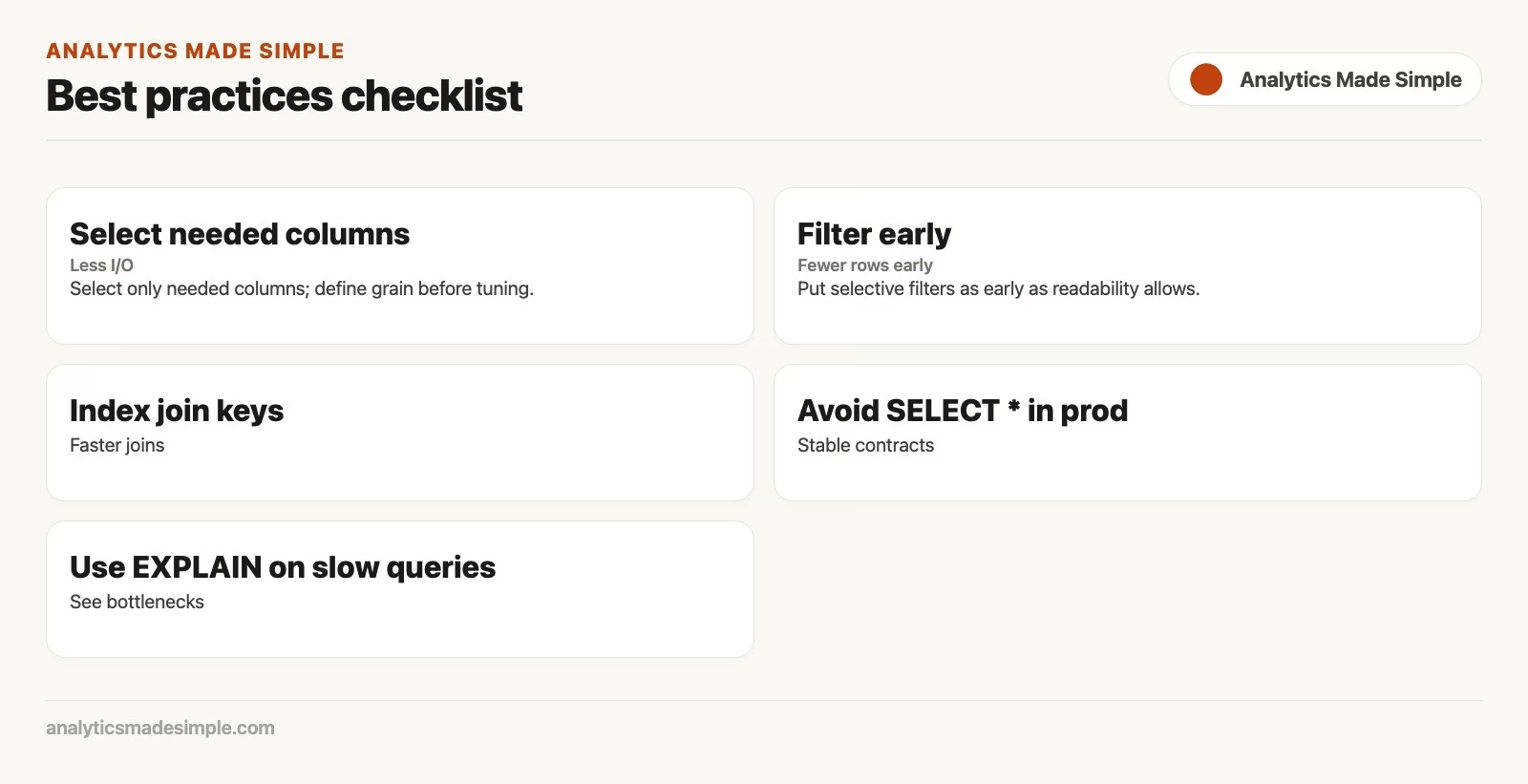
- Use
EXPLAINand measurements, not folklore, to guide changes. - Select only needed columns; define grain before tuning.
- Write sargable filters and index-aware joins when data is large.
- Watch fanout: wrong counts often look like “performance issues.”
- Prefer simple correct SQL; add complexity only when evidence demands it.
Part 13 closes the series with maintenance: backups, slow query hygiene, statistics, vacuum/analyze concepts, grants, and on-call habits for analysts who inherit databases. Continue on the SQL series.
Sources
Research and further reading used for this article:
- PostgreSQL documentation: Using EXPLAIN
- PostgreSQL documentation: Performance tips
- MySQL Reference Manual: EXPLAIN
- SQLite documentation:
EXPLAIN QUERY PLAN - Use The Index, Luke: SQL indexing and tuning reference
- Analytics Made Simple: SQL series
Keep going
Same lessons in your feed
Short diagrams, hooks, and weekly tutorials on Substack, Instagram, X, and Facebook.



