
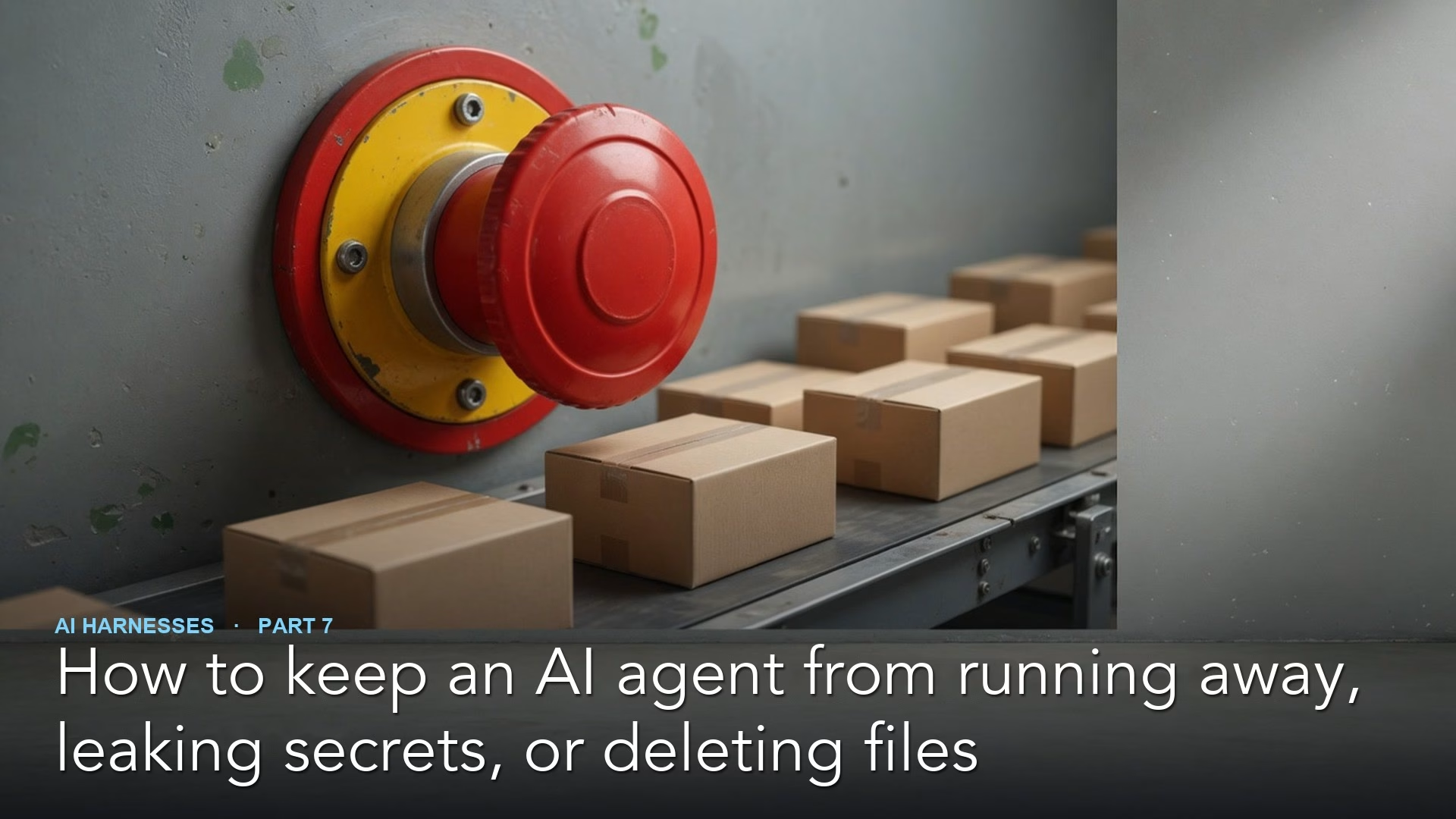
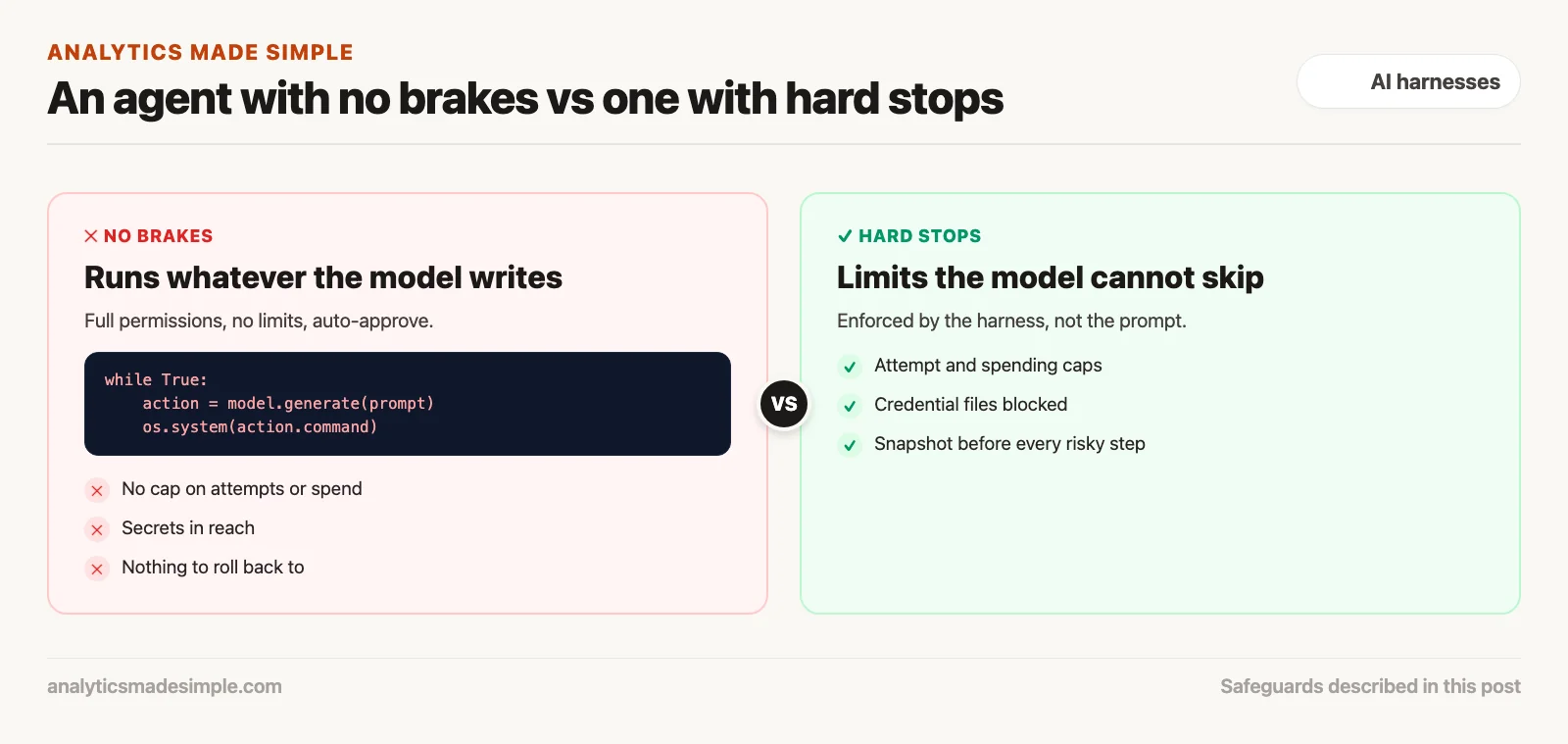
If you let an AI agent act on your computer with no brakes, it can burn money and wreck your files. An AI agent is a program that can edit files and run commands on its own. Cap how many steps it can take. Block it from reading files that hold passwords. Require a person’s yes before it deletes or overwrites anything, and stop it when it repeats the same move all night.
How an unattended loop can run up a huge bill
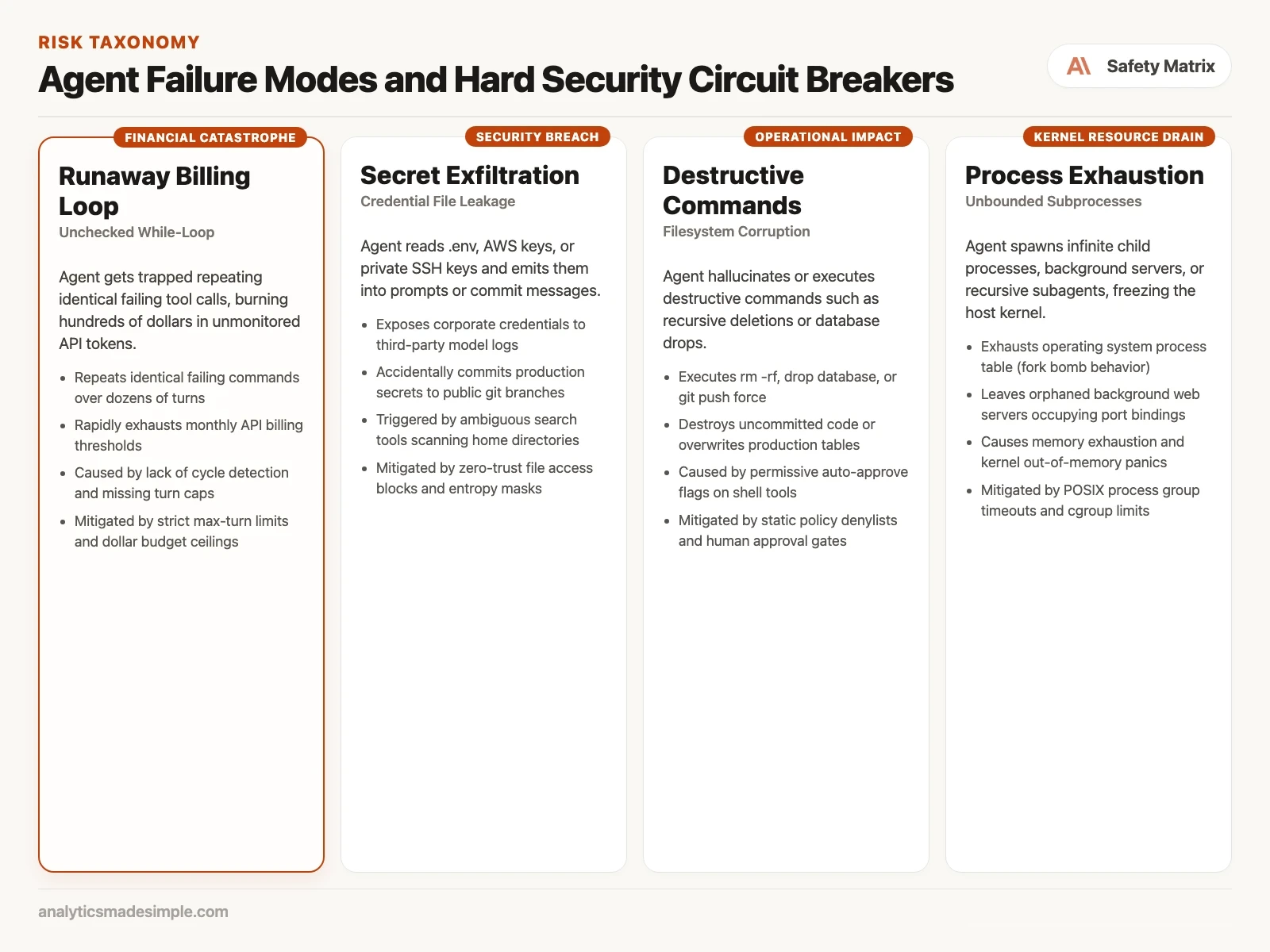
Imagine you set up an AI agent to fix broken tests every night while nobody is watching. One evening, a build fails because of an outdated dependency file, the file that lists the libraries a project needs. The agent starts working on it.
But you skipped three safeguards: a limit on attempts, a limit on spending, and a check that notices when it keeps repeating itself. The agent edits a setting, runs the tests, sees the same failure, and tries again, with almost the same fix. Each attempt adds more text to the conversation, so each one costs more than the last.
By morning, it has made hundreds of attempts, there is no working fix, and your AI bill is far bigger than you planned. Worse, at some point the agent tried to fix the failure by deleting the working folder.
Every automatic loop needs hard stops that do not depend on the model behaving well: a maximum number of attempts, a maximum spend per task, and a rule that stops the loop when it repeats the same move.
Why models get stuck repeating themselves
Why do capable models get stuck going in circles? It comes down to how they actually generate text, combined with how errors get fed back to them.
When a person hits the same error three times in a row, something in us steps back. We notice our approach isn’t working, pause, rethink, or go look something up. A language model doesn’t have that instinct built in. It’s predicting one word at a time, based only on the words already in front of it.
Say what’s in front of it is a prompt, a proposed fix, and the same error message. The model’s best guess for what comes next tends to be a small variation on the same fix. That same error repeats across several attempts. Each time, the model locks onto that same pattern a little harder, reinforcing the very approach that isn’t working. Without something outside the model stepping in, it will happily keep repeating the same failed move forever.
Keeping secrets out of the conversation
The second major risk in building these assistants is accidentally leaking secrets. Developers routinely store sensitive credentials, API keys (a secret password a program uses to prove which account it is), database passwords, remote-login keys, and login tokens (a saved proof that you are already signed in), in files like .env, .aws/credentials, or .netrc.
Ask an assistant a broad question, like how a payment service authenticates with a billing provider, and a naive search tool might scan the whole project folder. It finds the secret key sitting in a local .env file and pulls that raw secret directly into the conversation. Once that happens, the secret gets sent over the internet to the model provider and stored in logs. It could even end up echoed back into a commit message or a pull request.
A properly built assistant protects against this on three separate levels:
- 1. Blocking sensitive files outright. Any tool that reads or views files must automatically refuse anything that looks like a credentials file, patterns like .env, .pem, id_rsa, .key, or credentials.json. JSON is a plain text format of labeled values that programs pass to each other. This block happens before the file is ever opened, not after.
- 2. Cleaning up what a command can see. When the assistant runs a command in the background, it should never get an unfiltered copy of your system’s environment variables. Sensitive ones, like cloud access keys or login tokens, get stripped out first, so a command like env or printenv only returns harmless system paths.
- 3. Scanning before anything gets shown. Before any proposed code change gets written to disk or shown to a developer, an automated scanner checks it for text that looks like a real secret. Long, random-looking strings are a strong signal. If it finds one, it blocks the change immediately.
Undoing destructive commands automatically
Even an assistant acting with good intentions can make serious mistakes. It might misread an instruction and delete a whole folder of configuration files. It might run a command that wipes out days of unsaved work. It might run a database script that deletes real customer data.
To protect a developer’s work from that kind of damage, a properly built assistant takes an automatic snapshot before doing anything risky. Before it writes a file or runs a script, it quietly saves the current state of the code first.
# Python pattern for pre-turn git snapshot:
import subprocess

def create_safety_checkpoint(repo_dir: Path) -> str:
    # Create an invisible stash snapshot preserving untracked files
    res = subprocess.run(
        ["git", "stash", "create", "--include-untracked"],
        cwd=repo_dir, capture_output=True, text=True
    )
    commit_hash = res.stdout.strip()
    return commit_hash # Can be restored with 'git stash apply' if turn fails
If the assistant introduces an error that can’t easily be fixed, deletes something important, or the developer just hits stop, the system rolls everything back to exactly how it was before that step. That means experimenting with an assistant like this is genuinely low-risk. Whatever happens, your work doesn’t disappear.
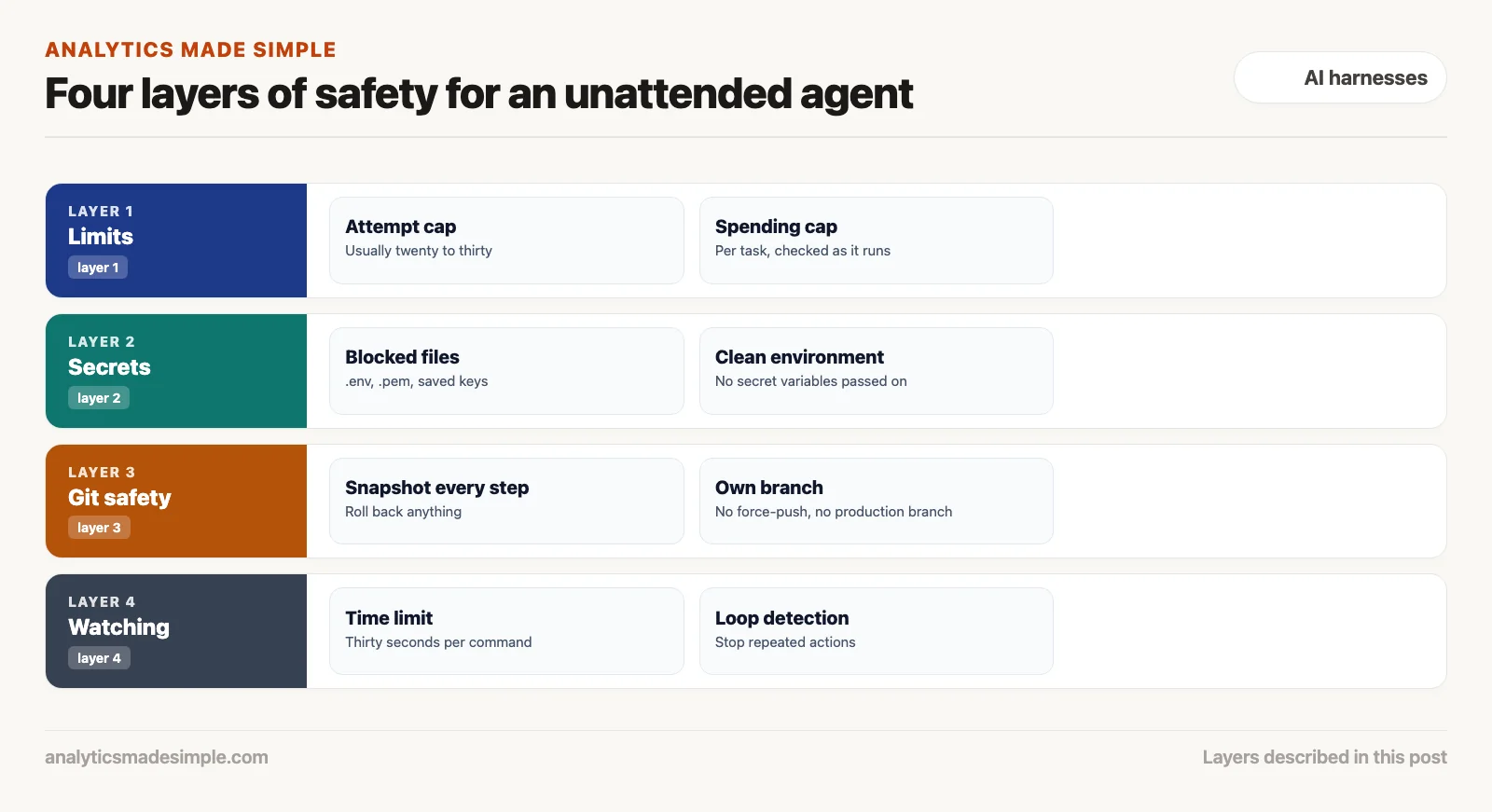
Four layers of defense, stacked together
A well-built safety setup doesn’t rely on just one safeguard. It stacks several independent layers:
Layer one: spending and step limits
Build hard limits directly into the system, not as suggestions. Set a maximum number of attempts, usually twenty to thirty, and a maximum amount it can spend on any one task, say, five dollars. Hit either limit, and the loop stops immediately, no matter what the model is in the middle of doing.
Layer two: keeping secrets out of reach
Keep file access limited to the project folder itself. Block any hidden credential files by default, and strip sensitive environment variables before running any background command.
Layer three: safe by default in git
Take an automatic snapshot before every step. Keep the assistant working on its own separate branch, and never allow it to force-push or touch the branch your production code actually runs from.
Layer four: watching what’s actually running
Give every command it runs a strict thirty-second time limit. If something hangs, stop it firmly, so leftover processes don’t quietly eat up memory or leave network connections open.
Catching loops that aren’t exact repeats
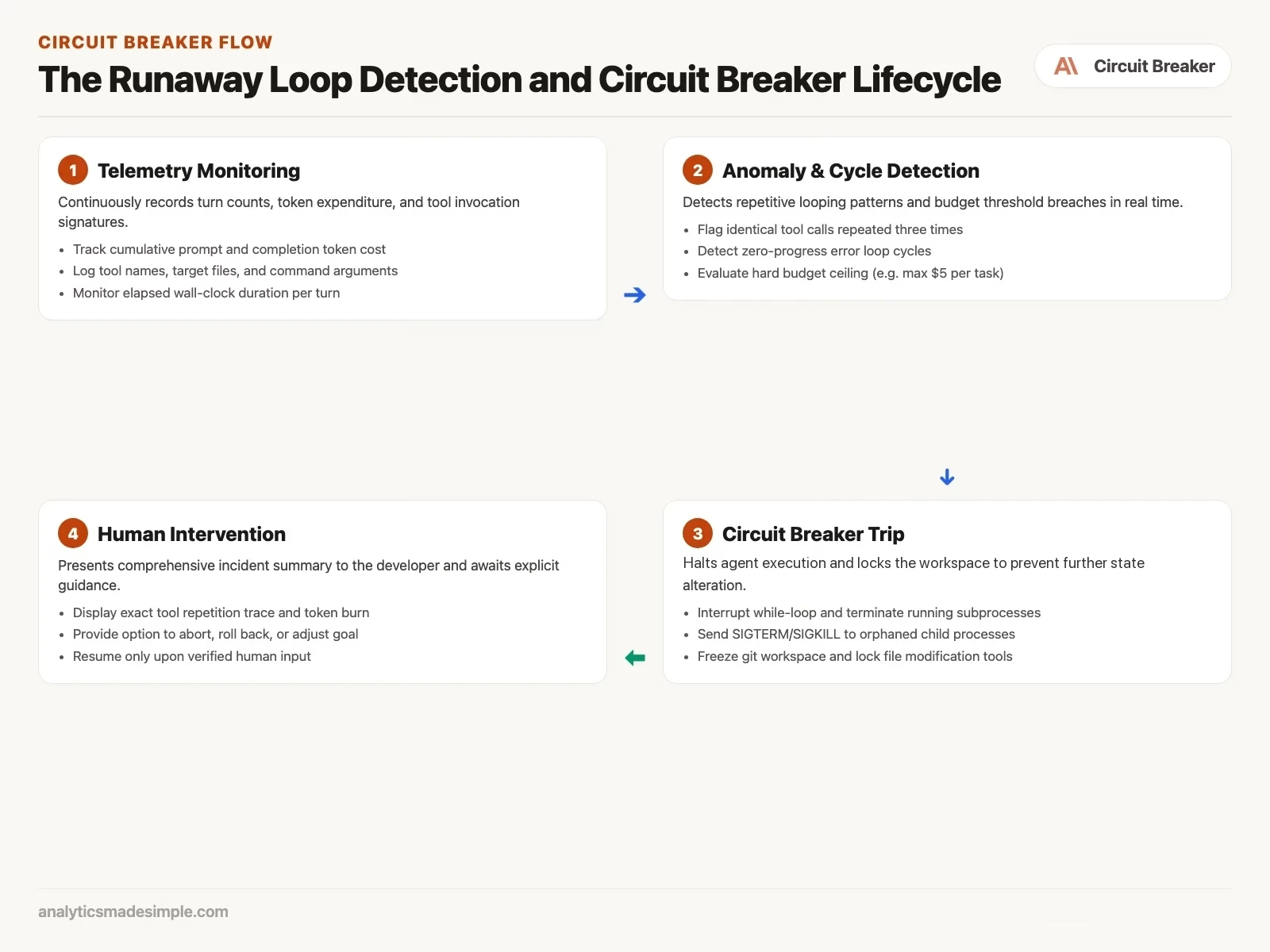
Catching a loop is easy when an assistant runs the exact same command with the exact same input twice in a row. In real use, though, loops are rarely that obvious. More often, an assistant bounces back and forth. One action, then another, then back to the first, over and over, for dozens of attempts.
To catch both kinds, a well-built system keeps a short memory of recent actions. On every turn, it turns the action, the tool used, plus its exact settings, into a short fingerprint, and keeps a running list of the last several fingerprints.
import hashlib
import json
from collections import deque

class CycleDetector:
    def __init__(self, window_size: int = 10, max_frequency: int = 3):
        self.history = deque(maxlen=window_size)
        self.max_frequency = max_frequency

    def record_and_check(self, tool_name: str, arguments: dict) -> bool:
        canonical = json.dumps({"tool": tool_name, "args": arguments}, sort_keys=True)
        sig = hashlib.sha256(canonical.encode()).hexdigest()
        self.history.append(sig)
        return self.history.count(sig) >= self.max_frequency
The moment that fingerprint shows up too many times in a short window, the system cuts the loop off immediately, before it burns through hundreds of dollars going nowhere.
Wrapping every task so it can always be undone
To make sure file changes can always be cleanly reversed, without a developer having to clean anything up by hand, a well-built system wraps every task in a kind of safety wrapper. Say something crashes unexpectedly, tests fail in a way that can’t be fixed, or the developer hits an emergency stop. That wrapper automatically resets the code back to exactly how it looked before the task started.
Here’s a simple example of what that wrapper looks like in Python.
import subprocess
from pathlib import Path

class GitTransaction:
    def __init__(self, workspace: Path):
        self.workspace = workspace
        self.checkpoint_hash = None

    def __enter__(self):
        res = subprocess.run(["git", "rev-parse", "HEAD"], cwd=self.workspace, capture_output=True, text=True, check=True)
        self.checkpoint_hash = res.stdout.strip()
        subprocess.run(["git", "stash", "push", "-u", "-m", "pre_agent_safety_stash"], cwd=self.workspace, check=True)
        return self

    def __exit__(self, exc_type, exc_val, exc_tb):
        if exc_type is not None:
            subprocess.run(["git", "reset", "--hard", self.checkpoint_hash], cwd=self.workspace)
            subprocess.run(["git", "clean", "-fd"], cwd=self.workspace)
            subprocess.run(["git", "stash", "pop"], cwd=self.workspace)
            return False
Treat your local code like a database that can always roll back, and developers can let an assistant experiment freely, knowing that any bad deletion or broken change can be undone in under half a second.
Locking down what it can reach on the network
One safeguard that’s easy to overlook is limiting what the assistant can reach on the network. When it’s running build scripts or tests, it almost never actually needs open access to the internet. Leave that open, though, and a bad or hacked third-party dependency could quietly send your code out to an outside server.
A properly locked-down setup blocks that. While tests run, network access is either turned off completely, or limited strictly to your own internal package servers through an approved list of addresses. Cut off the open internet during execution, and that entire category of risk disappears.
What this means, and where the series ends
Autonomous coding assistants are genuinely powerful tools, but giving them freedom with no safety net is reckless. Put in hard step limits, real-time spending limits, strict handling of secrets, automatic rollback points, and firm time limits on every command. Do that, and teams can let developers move fast while keeping production systems genuinely safe.
The final post in this series pulls everything together. It’s a practical, honest way to decide when you actually need a full autonomous terminal assistant (the terminal is the text window where you type commands instead of clicking), and when a simple chat window is really all the job calls for.
Your next step
Add three hard stops to any agent loop you run unattended: a maximum number of attempts, a spending cap, and a time limit per command. Then run it once on a task you know will fail, and check that it stops. Testing the brakes on purpose is the only way to know they work.
Series notes
This is Part 7 of AI harnesses from scratch. Previous: open vs product. Next: when a plain chat window is enough.
Keep going
Same lessons in your feed
Short diagrams, hooks, and weekly tutorials on Substack, Instagram, X, and Facebook.



