Retention is a decision about how long you keep data. It is not a hard drive setting. Data moves from hot to warm to cold, and then you delete it, anonymize it, or boil it down to totals. “We might need it someday” is not a retention policy.
Say your manager asks you for a five-year pull of every support ticket “just in case.” Someone else will not delete a test copy of customer emails. A future model might want it, they say. The disk fills up and the risk grows, and nobody owns the clock that would end it.
Retention is a decision, not a hard drive setting
Retention is the rule for how long you keep a kind of data. It also covers what form the data takes, why you keep it, and what happens when time runs out. Storage platforms will happily keep rows forever if you let them. Forever is not neutral, because it raises cost, slows tables, and widens the group of people who could accidentally export sensitive history. It also makes deletion requests harder, since you cannot find what you kept.
Many privacy laws expect storage limitation, which means keeping personal data no longer than you need it for the purposes you stated. The EU’s GDPR (General Data Protection Regulation) treats this as a core principle. It also gives people rights such as erasure in defined cases. Other laws and contracts add industry-specific clocks for financial, health, and employment records. Your company may already have schedules, and your job as a steward is to notice when analytics copies quietly ignore them.
Rule of thumb: If nobody can name the purpose and the end date for a dataset, you do not have retention. You have a landfill with SQL (the standard language for asking a database for data) access.
The retention spectrum: hot, warm, cold, then decide
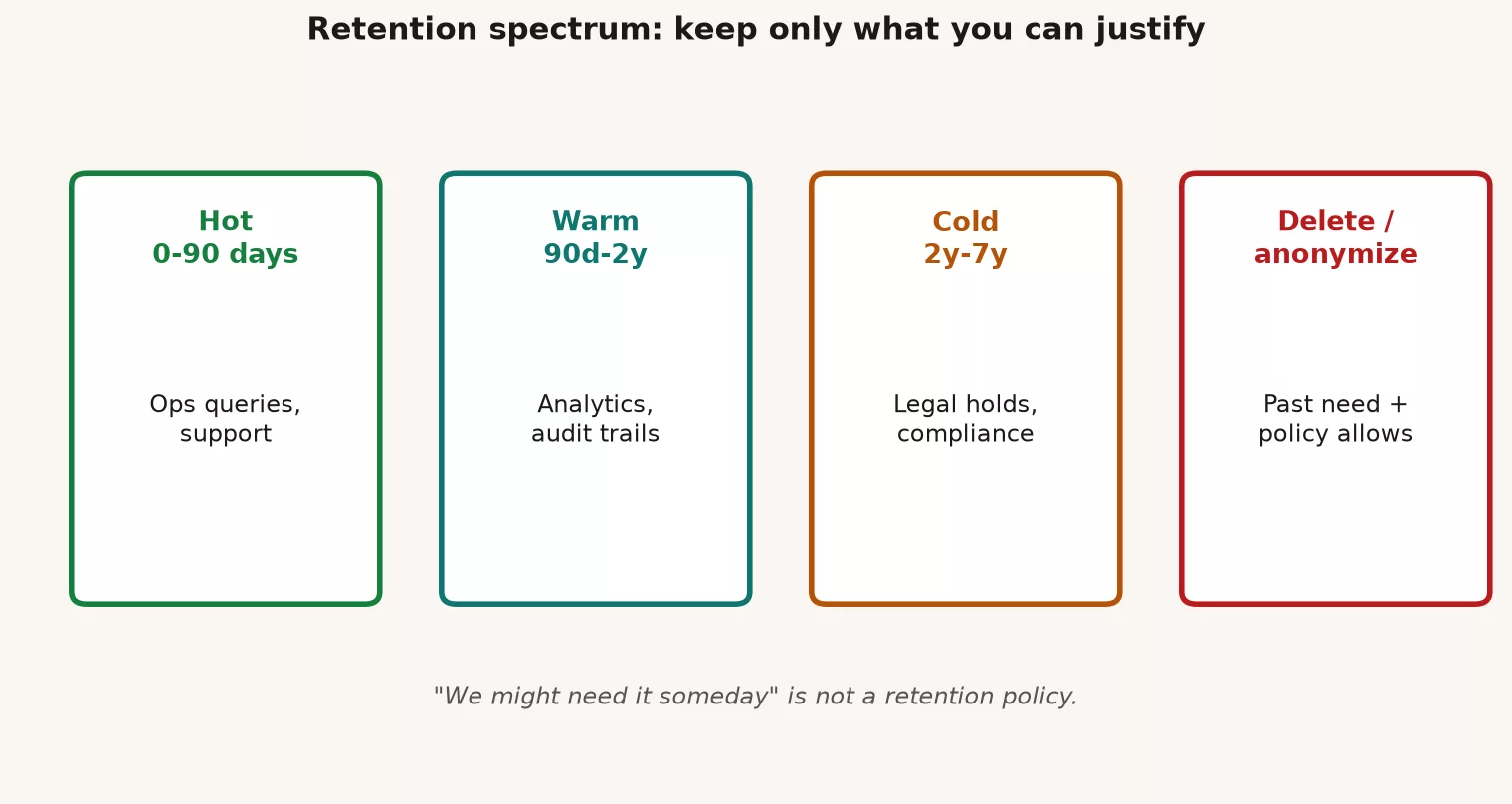
Think in temperature. Do not think only in “production versus an archive folder.” Temperature covers how fast you can reach the data and what it costs. It also covers who still needs every row.
| Stage | Typical use | Access pattern | Form of data | Steward habit |
|---|---|---|---|---|
| Hot | Current operations, live dashboards, last N days or current fiscal period | Frequent, interactive | Full detail needed for the job | Strict access; freshness checks |
| Warm | Recent history for trends, support lookups, monthly closes | Regular but not constant | Still detailed, maybe fewer replicas | Document purpose; avoid extra copies |
| Cold | Rare audit, legal hold, long-range research with approval | Rare, ticketed | Compressed, cheaper storage, tighter gate | Named owner; retrieval procedure |
| Delete or anonymize | Purpose ended; law or policy requires disposal; risk outweighs value | None | Gone, or reduced so individuals are no longer reasonably identifiable | Prove the action; log it |
Hot does not mean better. Hot means expensive and sharp. Cold does not mean safe forever, because cold storage still holds risk if it is full personal data with weak access control. The spectrum’s job is to force a move toward delete or anonymize once the warm stage has no remaining purpose.
Delete, anonymize, aggregate: three different endings
People say “anonymize” when they mean “hide the email column.” Be more precise, because the three endings protect people in different ways.
- Delete: rows or fields are removed from the systems you control, and eventually from backups according to policy. Use this when you no longer need the record and the law or your policy allows or requires disposal.
- Anonymize (also called de-identify): change the data so individuals are not reasonably identifiable, alone or combined with other data you hold. This is harder than dropping a name. A few ordinary facts, such as postal code plus birth date plus gender, can point to one person. If re-identification is easy, you did not anonymize the data. You masked it poorly.
- Aggregate: keep counts, rates, and sums at a level that does not point at a person. Watch small groups, because five customers in one rural postal code can still identify someone. Aggregates are often what leadership needed all along.
Pseudonymization means replacing names with tokens that you can reverse with a key. It is useful for operations, but in most privacy frameworks it is still personal data, because the key exists. Do not call tokenized CRM (customer relationship management system, where sales keeps customer records) dumps “anonymous” in a slide deck.
Five questions: keep, archive, or delete
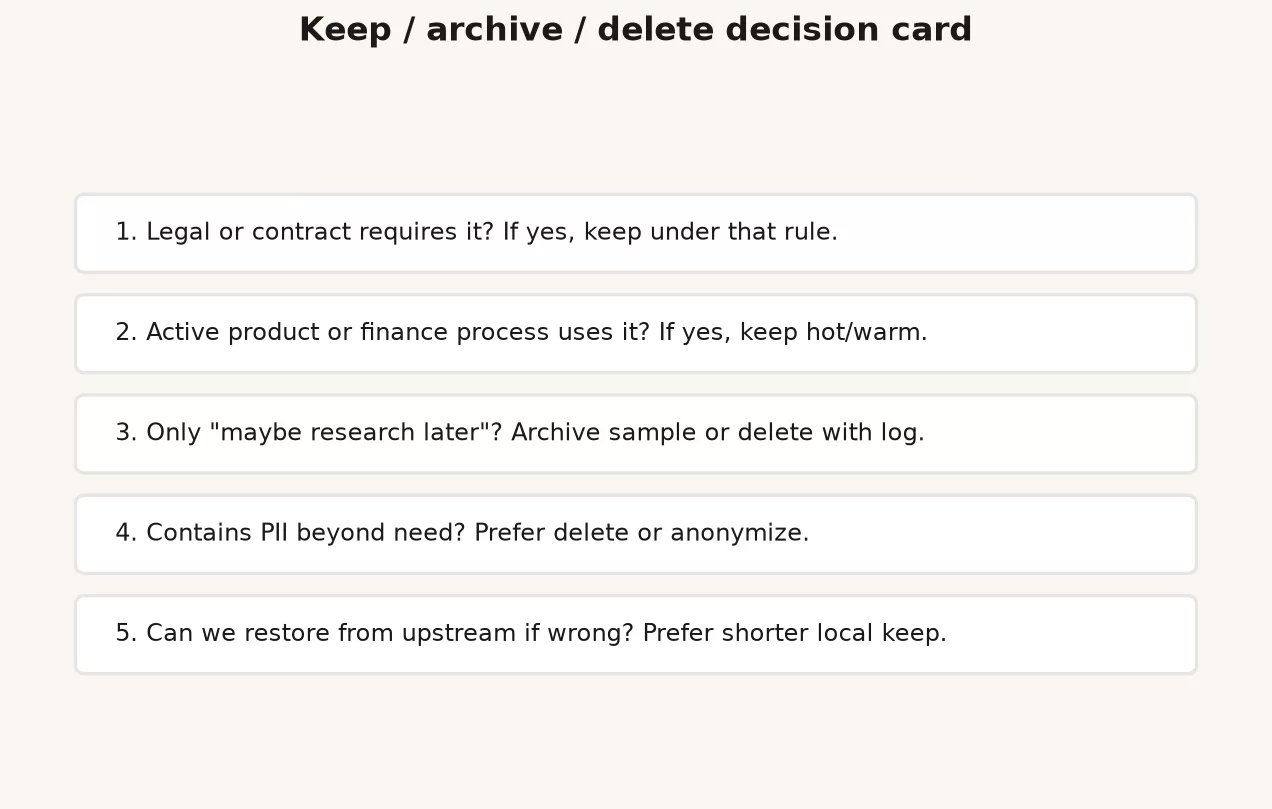
When someone asks to keep a table “just in case,” run this card. Write the answers on one page and not in a novel. If answers are missing, lean toward shorter retention and fewer copies until Legal or the data owner sets a longer clock.
| # | Question | If weak or “unknown” |
|---|---|---|
| 1 | Purpose: What decision or obligation does this data support? | Do not keep “for vibes.” Pause new copies. |
| 2 | Audience: Who is allowed to use it, and for how long? | Tighten access; no shared dumps in group drives. |
| 3 | Form: Do we need row-level personal fields, or would aggregates work? | Prefer aggregate or minimized columns. |
| 4 | Clock: What is the end date or event that ends the purpose? | Set a review date (90 days) instead of open-ended keep. |
| 5 | Exit: When the clock ends, do we delete, anonymize, or move to cold with a legal hold flag? | No exit plan means landfill. Refuse silent forever. |
Here are example answers for a marketing experiment export.
- Purpose: measure the lift from the Q1 campaign, and report it to leadership once.
- Audience: growth analytics only, and not sales operations.
- Form: user-level data for 30 days after the campaign, and after that weekly aggregates are enough.
- Clock: delete the user-level data 90 days after the campaign ends, and keep aggregates for 2 years for year-over-year comparisons.
- Exit: a scheduled job drops the user-level partition, and the aggregates remain in a mart without identifiers.
That is retention as stewardship, and it does not need a 200-page wiki.
Legal holds and “delete everything” are different jobs
Sometimes counsel (the company’s lawyers) tells you not to delete anything. That is a legal hold, and it freezes disposal for specific matters or date ranges. A hold overrides your normal cleanup clock until it is released. If you get a hold notice, stop automated deletion for the covered systems and write down what you froze. Do not freestyle by deleting “the old stuff outside the hold” without instruction.
The reverse case is a customer or employee asking to have their data erased. Policy can also say it is time to dispose of it. Then you need a path that finds every copy, including warehouse tables, business intelligence (BI) extracts, shared drives, notebooks, and vendor tools. Stewards who mapped those copies earlier, as the earlier post on cataloging did, can survive such requests. Stewards who only know one dashboard (a screen of charts that updates on its own) turn them into a scavenger hunt.
Worked example: the “temporary” support export
Say Support asks Analytics for a one-time CSV (a plain spreadsheet-style text file) of two years of tickets. It includes customer email, phone, and the free-text body, and the goal is to “look for themes.” The file lands in a shared drive. Six months later it is still there, and it has been copied onto two laptops and into a vendor prototype.
Here is the five-question card, filled in honestly.
| Question | Original reality | Better plan |
|---|---|---|
| Purpose | “Themes” (vague) | Topic model and top 20 issue tags for QBR |
| Audience | Anyone with drive link | Two named analysts; ticketed access |
| Form | Full PII + free text | Ticket id + product + tag + month; sample of redacted text only |
| Clock | None | User-level extract expires in 14 days |
| Exit | None | Delete CSV and confirm; keep aggregate theme table 18 months |
The next block is an inventory sketch for the warehouse side. The names are toy names, so adapt them to your own catalog.
-- Find aged support extracts staged for "temporary" analysis
-- Example only: replace schema/table names with your inventory

SELECT
  table_schema,
  table_name,
  created_at,
  last_queried_at,
  row_count,
  has_email_column,
  has_phone_column
FROM stewardship.dataset_inventory
WHERE domain = 'support'
  AND purpose_tag IN ('ad_hoc_export', 'sandbox', 'vendor_poc')
  AND created_at < CURRENT_DATE - INTERVAL '30' DAY
ORDER BY created_at;

-- Age profile of a hot table that should roll off
SELECT
  DATE_TRUNC('month', created_at) AS ticket_month,
  COUNT(*) AS tickets,
  COUNT(DISTINCT customer_email) AS distinct_emails
FROM support.tickets_raw
GROUP BY 1
ORDER BY 1;

-- Example deletion of a staged extract past its clock
-- Run only with approval, backups policy understood, and no legal hold
-- BEGIN;
-- DELETE FROM analytics_staging.support_export_2025_q4
-- WHERE export_batch_id = 'tmp-2025-11-02';
-- COMMIT;
The first query lists support data copies made for temporary analysis that are more than 30 days old, along with when they were last used and whether they hold emails or phone numbers. The second counts tickets and customers by month in a table that should be trimmed, so you can see how much old data it still keeps.
For free-text themes, prefer aggregate outputs early.
-- Keep what leadership needs without retaining customer contact fields
CREATE TABLE analytics.support_theme_monthly AS
SELECT
  DATE_TRUNC('month', created_at) AS month,
  product_area,
  theme_tag,
  COUNT(*) AS ticket_count
FROM support.tickets_tagged
WHERE created_at >= DATE '2024-01-01'
GROUP BY 1, 2, 3;
This creates a new summary table that keeps only the month, product area, theme, and ticket count. Leadership still gets the trends, but the customer contact details are left behind, so the detailed copy can be deleted on schedule.
Then delete the CSV, rotate the drive links, and ask the vendor to confirm deletion of their copy. Confirmation in writing beats “they said they would.”
Weekly habits that beat a yearly purge panic
- Monday inventory slice: list the new sandbox tables and shared exports created last week. Tag each one with a purpose, or schedule its deletion.
- Column minimization by default: when you build extracts, start from the metric or question and not from
SELECT *. Personal fields need a reason. - The replica tax: every extra copy needs an owner and a clock. If you cannot name them, do not create the copy.
- Dashboard vs dump: if the ask is a trend, ship a chart or an aggregate table. Do not ship a CSV full of personal data.
- Quarterly cold review: for each domain table older than policy allows, confirm the purpose still exists. Link to metric specs so that “we use it for the board” can be checked (see Metrics that matter).
- Incident learnings: after a wrong-number incident, ask whether stale copies confused the picture. Retention hygiene is also quality hygiene.
What good looks like in a small team
You do not need a full data lifecycle product on day one. What you need is short, and the list below covers it.
- A one-page schedule for your top ten sensitive tables, with the purpose, the hot, warm, and cold windows, and the exit action.
- A named steward per domain who can answer “do we still need this?”
- A ticket type for deletion or anonymization, so the work is visible.
- An agreement with Security and Legal on who approves exceptions and holds.
- Automated jobs that enforce the clocks where that is safe, with human review for holds and edge cases.
Master data and golden records (see master data management) still need retention rules. A perfect customer golden record that never expires can violate storage limitation just as loudly as a messy CSV.
Common mistakes
| Mistake | Why it hurts | Better habit |
|---|---|---|
| “Keep forever, storage is cheap” | Risk and attention are not cheap | Purpose + clock + exit on every sensitive set |
| Calling masked emails “anonymous” | False comfort; still personal data | Use precise terms; ask privacy when unsure |
| Deleting only the warehouse table | Copies live in drives, BI, vendors, laptops | Map copies; confirm exits |
| Ignoring legal holds | Compliance and case risk | Freeze disposal; document |
| Big-bang “delete week” once a year | Panic, mistakes, and politics | Weekly small hygiene |
| No owner on cold storage | Orphan risk with a smaller bill | Named owner and retrieval rules |
Quick recap
- “We might need it someday” is not a purpose, a clock, or an exit plan.
- Move data along hot, warm, cold, and then delete or anonymize, and do it on purpose.
- Delete, anonymize, and aggregate are different endings, so use honest words for each.
- Five questions force keep, archive, or delete decisions in plain language.
- Legal holds freeze disposal, while normal hygiene still needs weekly attention.
- This is practice guidance and not legal advice, so partner with counsel on your obligations.
Next in the series: the next post covers working with Legal and Security without panic. It includes the basics of personally identifiable information (PII) for analysts. Keep governance and quality links nearby: data governance, data quality, and data pipelines.
How to practice this week
- Pick three datasets you touch often, fill in the five-question card for each, and share it with the domain owner, so the owner can correct your understanding before it spreads.
- Find one “temporary” export in a drive or sandbox. Either attach a clock and an owner to it, or delete it with approval.
- Replace one recurring CSV of personal data with an aggregate mart or a dashboard tile.
- Ask Legal or Security, politely, where the official retention schedule lives, and bookmark it. The next post in this series is about making that conversation calm.
- Add retention notes to your catalog cards: the purpose, the clock, and the exit. Even three sentences beat silence.
Series notes
This is Part 5 of Data stewardship at work.
Sources
Research and further reading used for this article:
- GDPR.eu overview of Article 5 principles (including storage limitation; orient to official text for your counsel)
- EUR-Lex: Regulation (EU) 2016/679 (GDPR) official text (storage limitation, purpose limitation, integrity and confidentiality, erasure provisions)
- NIST Privacy Framework (privacy risk management outcomes useful for retention and disposal discussions)
- NIST: De-identification (why removing a name is not always enough)
- IAPP: Glossary of privacy terms (shared vocabulary for personal data, anonymization, pseudonymization)
- Analytics Made Simple: Data governance
- Analytics Made Simple: Master data management
Keep going
Same lessons in your feed
Short diagrams, hooks, and weekly tutorials on Substack, Instagram, X, and Facebook.