
Airflow is a tool that runs your data jobs in the right order on a schedule. A DAG (directed acyclic graph) is simply one of those jobs written out as a chain of steps. Retries give a failed step another chance, and sensors make a step wait for something, such as a file, before it starts. Knowing when Airflow is the wrong tool is the harder skill, and this post covers that too.
Say you are waiting on a file from a vendor, and it is late. Your DAG starts on schedule and the first step fails. Your team chat lights up, and you click “clear and rerun.” By the third morning, you have taken on a new job title: human sensor. Retries and sensors exist so that people stop playing that role. Used badly, they also hide real outages under a blanket of “it will work next try.”
Picture what happens without limits. Your sensor checks an empty folder in cloud storage (Amazon S3) every minute all night, and it ties up worker capacity because nobody set a timeout. A hard deadline and a clear failure path would raise one alert with a useful message instead of hundreds of empty checks.
Retries: recover from flukes, not from design bugs
A retry runs a failed task again, a limited number of times, after a delay. Good retries assume that the failure might be temporary, such as a blip in the network, a short queue at the warehouse or a rate limit (a cap on how many requests you may send) that clears on its own.
Bad retries assume that waiting five minutes will make a missing file appear or fix a wrong join. It will not, and all you have done is delay the alert and pile up overlapping work.
default_args = {
    "owner": "analytics",
    "retries": 2,
    "retry_delay": timedelta(minutes=10),
    # optional: retry_exponential_backoff=True in many setups
}
These guidelines keep retries honest.
- Low counts for loaders and APIs (the connections one program uses to ask another for data) that can flake, where 1 to 3 retries is common.
- Zero or one retry for logic bugs that you expect to fail the same way every time.
- Idempotent tasks, which means running them twice gives the same result, so a second try does not insert rows twice.
- Alert after the final failure and not after every attempt, unless you really want the noise.
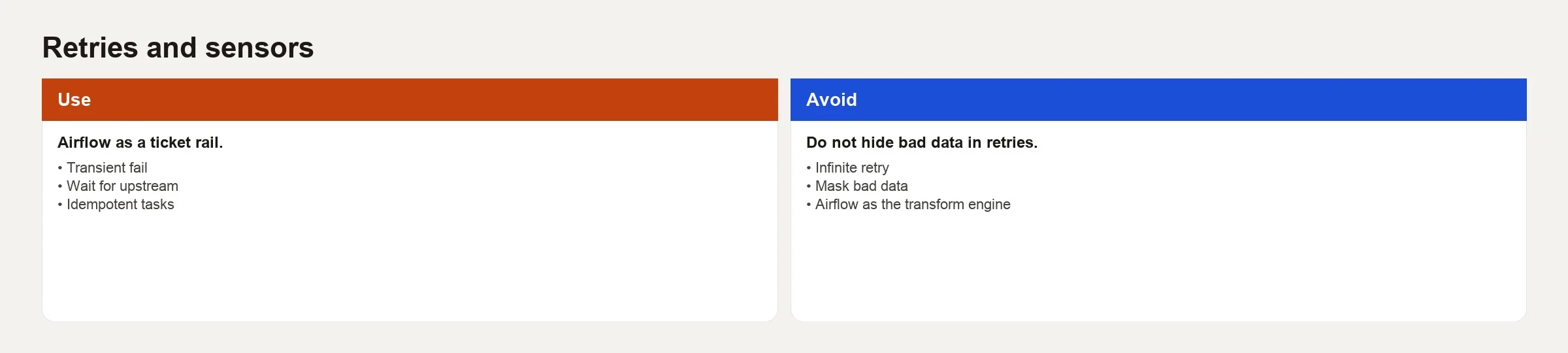
Suppose a task fails three days in a row and always succeeds on the second retry. You do not have a resilient system. You have a hidden dependency on timing, meaning the step only works if something else happens to finish first. Fix that dependency, often with a sensor or a delivery deadline agreed with the upstream team, instead of raising the retry count forever.
Retry rule: Retries buy time for things to settle. They do not replace a correct wait condition or a correct join.
Sensors: waiting as a first-class station
A sensor is a task that waits for a condition. The condition might be a file in cloud storage, a new partition in a table, a successful run of an upstream DAG, or a row appearing in a control table. A sensor turns “a person checks the storage folder” into a step on the rail with a timeout.
Here is the classic example, which does not start the load until yesterday’s extract file exists. The imports below use the Airflow 2 paths. In Airflow 3, the file sensor lives in the standard provider package, so newer code imports it from airflow.providers.standard.sensors.filesystem, as the Airflow docs show.
from airflow.sensors.filesystem import FileSensor

wait_for_orders = FileSensor(
    task_id="wait_for_orders_file",
    filepath="/data/incoming/orders_{{ ds }}.csv",
    poke_interval=60,   # seconds between checks
    timeout=60 * 60 * 2,  # fail after 2 hours
    mode="reschedule",  # free the worker between pokes when supported
)
The table below lists the key settings.
| Knob | Meaning | Practical tip |
|---|---|---|
| poke_interval | How often to re-check the condition | Too aggressive hammers storage; too slow delays the rail |
| timeout | Max wait before the sensor fails | Match it to the business deadline and not to hope |
| mode=poke | Holds a worker slot while waiting | Fine for short waits; dangerous at scale |
| mode=reschedule | Releases the worker between checks | Prefer for long waits when available |
| soft_fail | Skip downstream instead of failing hard | Use rarely; easy to hide missing data |
Sensors are not free. Hundreds of long sensors in poke mode can starve real work of capacity. Prefer reschedule for waits that last hours, or use event-driven patterns, such as messages or deferrable operators in newer Airflow versions, when your platform supports them. Read the official sensor docs for the version you run. The settings change over time, but the difference between waiting and working stays the same.
Retries vs sensors vs SLAs
People often mix up these three ideas.
- Sensor: wait until a precondition is true, and then proceed.
- Retry: after a task fails, try the same task again.
- Deadline thinking, often called an SLA or service level agreement: if success arrives late, alert a person even if the task eventually finishes.
Many teams handle a late file with the following pattern.
- A sensor waits for the extract, up to a defined timeout.
- The load and transform steps use a small retry count for temporary warehouse errors.
- If the sensor times out, the DAG fails loudly, and it does not load partial or made-up data.
- Optionally, a separate monitoring check alerts someone if the finished table is still empty at the business deadline.
That last item matters, because a DAG can look like it is running fine while the business deadline has already passed. A successful run of the scheduler is not the same as a successful result for the people who use the data.
A worked example: an orders pipeline with a late file
Here is the business rule. The finished orders table must be ready by 08:00 local time. The extract usually lands by 05:30, although vendor delays sometimes push it to 07:00. After 07:30 waiting is pointless, because finance will switch to its fallback process.
from datetime import datetime, timedelta
from airflow import DAG
from airflow.operators.bash import BashOperator
from airflow.sensors.filesystem import FileSensor

default_args = {
    "owner": "analytics",
    "retries": 1,
    "retry_delay": timedelta(minutes=5),
}

with DAG(
    dag_id="orders_rail_with_sensor",
    default_args=default_args,
    schedule="0 5 * * *",
    start_date=datetime(2026, 1, 1),
    catchup=False,
    tags=["orders", "sensor"],
) as dag:

    wait_for_file = FileSensor(
        task_id="wait_for_orders_file",
        filepath="/data/incoming/orders_{{ ds }}.csv",
        poke_interval=120,
        timeout=60 * 90,  # 90 minutes after the DAG starts
        mode="reschedule",
    )

    load_staging = BashOperator(
        task_id="load_staging",
        bash_command="python /opt/jobs/load_orders.py --date {{ ds }}",
        retries=2,  # warehouse blips only
    )

    run_dbt = BashOperator(
        task_id="run_dbt",
        bash_command="cd /opt/dbt && dbt build --select tag:orders",
        retries=1,
    )

    quality_gate = BashOperator(
        task_id="quality_gate",
        bash_command="python /opt/jobs/check_orders_counts.py --date {{ ds }}",
        retries=0,  # a bad count is not transient
    )

    notify = BashOperator(
        task_id="notify_success",
        bash_command="echo 'orders ready {{ ds }}'",
    )

    wait_for_file >> load_staging >> run_dbt >> quality_gate >> notify
Notice how the responsibilities are split on purpose.
- The sensor owns the lateness of the vendor file.
- The load step gets more retries than the quality gate.
- The quality gate fails closed, which means it stops the whole chain of steps, because bad counts should not be retried until they look right.
That timeout panel is a feature and not a flaw. A clear red message that the file never arrived costs less than a green load of empty data that poisons dashboards until lunch.
Sensor anti-patterns
- Infinite patience. With no timeout, you teach the vendor that being late is fine, and you burn capacity.
- Soft fail everywhere. Downstream skips look healthy in the interface while the finished tables go stale.
- Poke mode for waits of several hours across dozens of DAGs, with no capacity planning.
- Sensing the wrong thing. The file exists but has zero bytes or is yesterday’s copy, so pair sensors with size checks or content checks.
- Using a sensor as business logic. Complex rules belong in a small script (a short program file) or query and not in a tangle of nested sensors.
When not to use Airflow
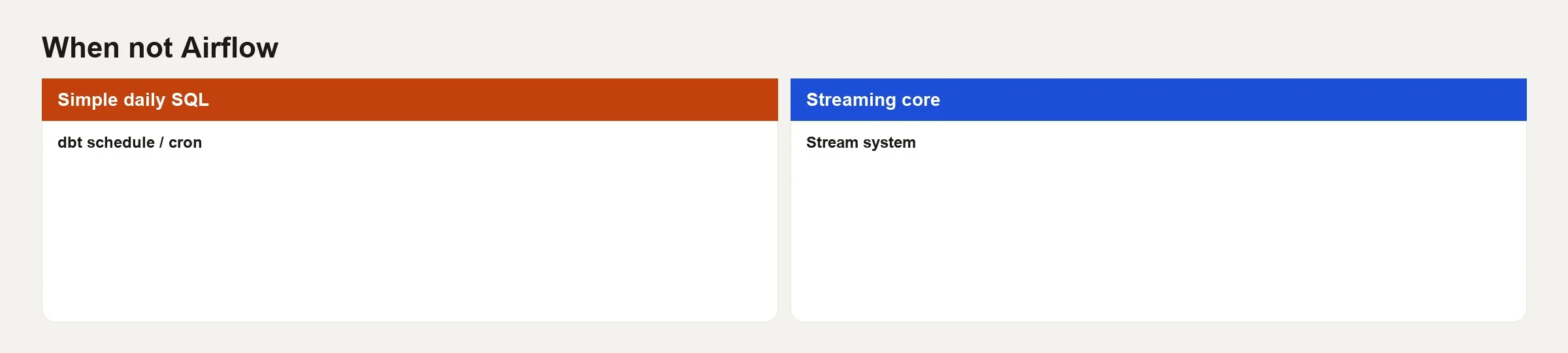
Airflow shines at batch workflows that have many steps, touch many systems and need dependencies, history and people who operate them. It is a poor default for every small automation idea.
| Situation | Prefer | Why not Airflow first |
|---|---|---|
| One SQL transform on a schedule | dbt Cloud schedule, warehouse tasks, or a single orchestrated job | DAG overhead for one station |
| True streaming / sub-minute events | Stream processors, queues, CDC tools | Airflow is batch-oriented at heart |
| Ad hoc analyst notebooks | Notebooks, scheduled notebook services carefully scoped | Not a substitute for exploration UX |
| Simple app cron inside one service | The app’s own scheduler or platform cron | Cross-system orchestration not needed |
| CI for code tests | GitHub Actions / GitLab CI | Different lifecycle and secrets model |
| You have no operators on call | Managed simpler tools until ownership exists | Airflow without owners becomes a museum of failed tasks |
Also pause if the real problem is about definitions. If two teams disagree on what one row of revenue means, a more sophisticated DAG will only deliver the wrong number faster. Fix the agreements and the tests first, and the review habits from the dbt lab carry over. A scheduler cannot create agreement about what the words mean.
Lighter alternatives to know about
Depending on the stack, teams also use Prefect, Dagster, or the schedulers built into cloud platforms. Examples are Google Cloud’s managed Airflow service, AWS (Amazon Web Services) Step Functions and Glue workflows, and Azure Data Factory. Some teams use the schedules built into their extract, load and transform (ELT) tools. The questions you ask stay the same, which are how many dependencies you have, how easily you can see what is happening, how skilled your team is, and whether you need a general graph of steps or a narrow managed job.
For many analytics teams the winning setup is boring. It combines a managed extract tool, dbt for transformations, a thin scheduler such as Airflow to connect the tools, and tests in the warehouse. Do not adopt Airflow just to feel like a big company. Adopt it when the chain of data steps is real and runs again and again.
Operational checklist for retries and sensors
- Document for each task which failures are temporary and which are permanent.
- Set retries only where a second try can succeed without doing damage.
- Make loads safe to run twice, or safe to merge, before you raise retry counts.
- Give every sensor a timeout that matches a business deadline.
- Prefer reschedule or deferrable waits for conditions that take a long time.
- Treat a sensor timeout as a vendor or upstream incident, and do not report it as “Airflow is broken.”.
- Review the number and mode of sensors in capacity planning, and not only in reviews of DAG changes.
Common mistakes
- Retries on bad data. Wrong logic fails the same way every time, so fix the model.
- No timeout on waits. Tasks that wait forever hide outages.
- Human sensors. If someone must click rerun every day, build the wait into the DAG or escalate to the vendor.
- Alert fatigue. Storms of retries and soft fails teach teams to mute their channels.
- Airflow for one SQL (the standard language for asking a database for data) file. Too much tooling leaves you owning platform pain with no value in return.
- Ignoring idempotency. A double load after a retry creates duplicate rows, and the uniqueness test fires in the morning.
- Skipping quality checks because the sensor already showed that the file exists.
- Confusing green tasks with on-time data. Track business deadlines separately when you need to.
Quick recap
- Retries help with temporary failures on tasks that are safe to repeat, and they do not fix wrong logic or missing files.
- Sensors build waiting into the DAG with check intervals, timeouts and modes, and you should prefer waits that are gentle on capacity.
- Treat late upstream data with a sensor, flaky execution with a retry and bad counts by failing closed.
- Match timeouts to business deadlines, because a green run that finishes after the deadline can still be a miss for the business.
- Skip Airflow when you need streaming, only a single scheduled step or automatic code tests, or when nobody owns the tool.
- Together with the earlier post on the shape of a first DAG, you now have a starting path: first the shape of the chain of steps, then waiting and retries that survive problems, with honest limits.
How to practice this week
- Pick one flaky job and sort last month’s failures into temporary glitches, late upstream data and logic bugs.
- For each group, decide whether it needs a retry, a sensor or a code fix, and write that decision in the description of the change, as in the dbt lab.
- Add or tighten one sensor timeout so it matches a real stakeholder deadline.
- Remove one unjustified retry from a task that always fails for the same reason.
- List two automations on your team that should not move to Airflow, and say out loud why.
If AI tools draft sensors and retry settings for you, still verify the timeouts, the modes and the idempotency by hand. Generated scheduling code fails the way generated SQL does, because it looks confident and plausible and is sometimes disastrous. The verification mindset in how to check AI-written SQL applies to DAG reviews too.
Series notes
This is Part 2 of Airflow hello DAG. The previous post covered the mental model of a pipeline as a ticket rail and the shape of a first DAG.
Sources
- Apache Airflow, “Sensors”: https://airflow.apache.org/docs/apache-airflow/stable/core-concepts/sensors.html
- Apache Airflow, “DAGs” (scheduling and task behaviour): https://airflow.apache.org/docs/apache-airflow/stable/core-concepts/dags.html
- Apache Airflow, “Deferrable Operators & Triggers” (for modern async waits): https://airflow.apache.org/docs/apache-airflow/stable/authoring-and-scheduling/deferring.html
- Apache Airflow project site: https://airflow.apache.org/
- Analytics Made Simple (AMS), Learn map: https://analyticsmadesimple.com/learn/
- AMS, Data pipelines series: https://analyticsmadesimple.com/series/data-pipelines/
Keep going
Same lessons in your feed
Short diagrams, hooks, and weekly tutorials on Substack, Instagram, X, and Facebook.



