
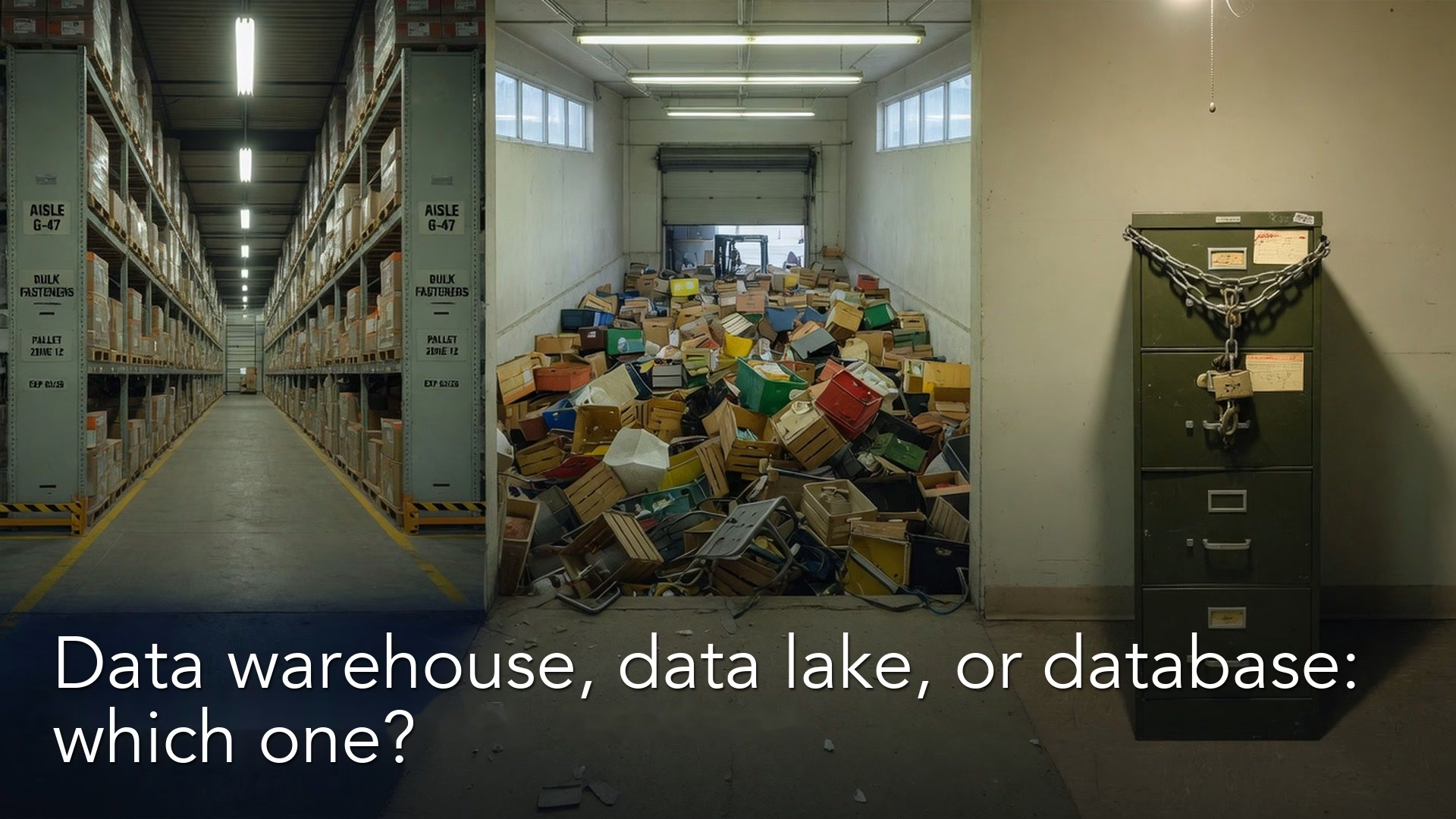
When someone asks, “Should this live in the warehouse, the lake, or just Postgres?”, the honest answer depends on the job the data has to do. A warehouse, a lake, and an app database are three different homes for three different jobs: running the product, keeping lots of history cheaply, and answering analytical questions without slowing the app down. Pick the home for the job, not for the logo.
Say you are in a planning meeting and someone asks that question. Three people nod as if the words point to one decision, and they do not. If you pick the wrong home, you either slow the product down, overpay to store data you never use, or hand analysts a live production database and a pager. Picture your team copying every app event into the warehouse “because that is where the dashboards live,” and then wondering why the processing bill keeps climbing. The argument ends once you name each job: the app database, such as Postgres, keeps serving the app, a lake holds the raw history, and the warehouse holds the checked summary tables.
Three homes, three jobs
Strip away the product logos and ask what each home is good at.
Application database: the product’s working memory
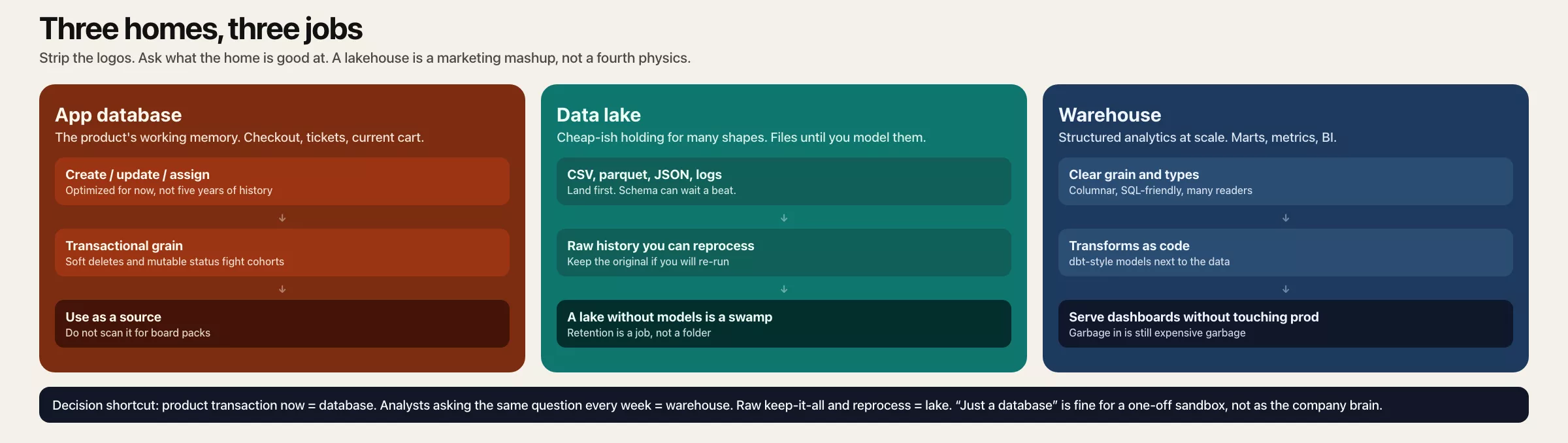
Your app database is built to run the product right now. It creates an order, updates a profile, or assigns a ticket. It enforces rules, and it stays consistent when many people write at once. Its indexes, which work like the index of a book, favor “fetch this user’s current cart,” not “scan five years of orders by region for a cohort study.” Common ones are PostgreSQL, MySQL, and Microsoft SQL Server, or a cloud version of one of them. All of them answer SQL, the standard language for asking a database for data, and they run on a server, a computer that stays on to answer requests.
That design is a feature. When analysts run heavy scans on the same machine that takes checkout traffic, they compete with customers. Read replicas, which are live copies of the database, only partly solve this, because a replica still carries a layout built for transactions and not for analysis. Soft deletes (rows hidden instead of removed), statuses that get overwritten, and tables that only hold the “current state” all fight against questions about the past.
Use the app database as a source at the start of the data path described in the first post of this series, not as the default place analysts query (ask for data).
Data warehouse: structured analytics at scale
A data warehouse is built to answer analytical questions over large, structured tables. People usually name BigQuery, Snowflake, Redshift, or Synapse as examples, and other platforms have warehouse-like modes too. A warehouse stores data by column, often keeps storage and computing separate, and works well with SQL, which makes it a natural home for summary tables (called marts), metrics, and business intelligence (BI) tools, the dashboard software most companies use.
Warehouses shine when:
- Your tables have a clear grain (what one row means) and clean data types.
- Many analysts need governed SQL access.
- BI tools expect relational models, meaning tables that link to each other.
- You want to keep your transformations as code, in the style of dbt, close to the data.
- You want many people reporting at once without touching the live product.
Warehouses are not magic trash compactors. Garbage in still comes out as expensive garbage. They are also not always the cheapest place to park every raw data file forever, which is where lakes come up.
Data lake: broad, cheap-ish holding for many shapes
A data lake is usually object storage, which means a big pool of files, plus rules and tools to read them. You land CSV dumps, parquet files (a compact column format), event records in JSON (a plain-text data format), images, logs, and exports that are not yet modeled as warehouse tables, or never will be. Lakes are built for flexible landing and long retention, especially when the shape of the data keeps changing or when several processing engines need the same files.
Lakes shine when:
- You must keep raw history so you can reprocess it later.
- Data arrives as files or as events with many different shapes.
- Data science or machine learning needs large amounts of source material.
- You are not ready to model everything into marts on day one.
- Several engines (Spark, SQL engines, notebooks) share the same files.
Lakes fail when they turn into swamps, with no owner, no catalog, no retention rules, and ten copies of “final_orders.” A lake without the habit of landing, transforming, and serving data is just cheaper confusion.
Lakehouse, in one honest paragraph
You will hear the word “lakehouse.” In plain terms, it is the industry’s attempt to get warehouse-style table management (safe updates, a defined structure, good speed) on top of lake storage, so you do not always have to copy everything into a separate paid store. The table formats and engines change quickly, so for a non-architect the useful takeaway is not a vendor comparison. It is that you still need the four-stage path. Whether your marts are files with a table format or classic warehouse tables, someone still lands the raw data, transforms it with tests, and serves certified models. Do not let the word “lakehouse” excuse missing definitions.
A decision tree for non-architects
Walk through these from top to bottom, and stop at the first solid yes.
- Is this data required to run a live product transaction? If yes, it belongs in the app database, which is the official home where the product records its own facts. Analytics should copy the data out and not keep it there long term.
- Do people need interactive SQL or dashboards on curated tables with a clear grain? If yes, use a warehouse, or a warehouse-like SQL layer, as the place analytics is served from.
- Do you need cheap retention of raw or mixed-shape history for reprocessing or machine learning? If yes, use a lake, or lake storage under a lakehouse, as the place to land and archive.
- Is the data small, private, and temporary for one analysis? If yes, local files, a notebook extract, or a private sandbox area in the database for scratch tables may be enough. Do not build a platform for a one-off.
- Still unsure? The default pattern for most product companies is to treat the app database as the source, land the data in a lake or a raw area of the warehouse, transform it into warehouse marts, and serve dashboards from the marts.
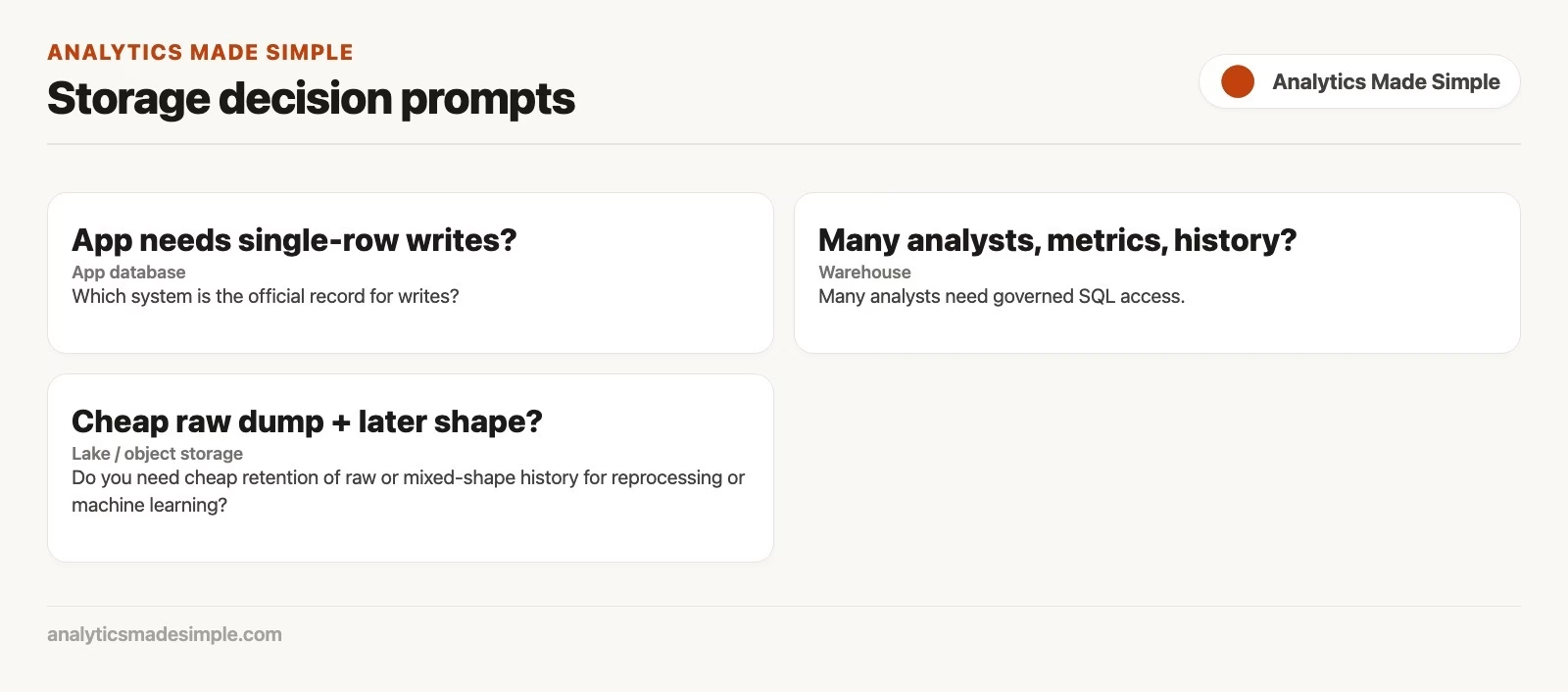
Rule of thumb: Keep the official record where writes must be correct. Keep analytical truth where scans must be safe. Keep raw history where reprocessing must be possible.
A comparison table for your design doc
| Question | App database | Warehouse | Lake |
|---|---|---|---|
| Primary job | Run the product | Analyze structured data | Store diverse raw data and history |
| Typical users | Application services | Analysts, analytics engineers, dashboard builders | Data engineers, data scientists, platform team |
| Schema style | Split into many small tables, mostly the current state | Modeled marts, typed tables | Files, evolving schemas |
| Historical analysis | Awkward and risky | Strong when modeled | Strong as a raw archive |
| Heavy scans | Dangerous on the live system | Designed for this | Depends on the engine |
| Governance focus | App access and personal data in the live system | Certified metrics, roles | Catalog, retention, zones |
| Failure if misused | Slow site or outages | Cost and metric chaos | A swamp of mystery files |
Where each dataset should live
Imagine a mid-size software company where product, support, marketing, and finance all want “the data.” Here are sensible placement choices:
| Dataset | Best primary home | Also copy to | Why |
|---|---|---|---|
| Current subscriptions & entitlements | App database | Warehouse mart | The product enforces access, while analytics needs history and joins |
| Clickstream events (JSON) | Lake (land) | Warehouse aggregates | High volume and a changing payload; dashboards want rollups, not raw data forever |
| Daily revenue by plan | Warehouse mart | Dashboard serve | A certified metric for SQL users, not a product write path |
| Support tickets | Helpdesk (source) | Warehouse | The official record stays in the vendor’s tool; analytics joins it to accounts |
| Machine learning training data dump | Lake | Feature store or tables as needed | Large historical material, and not every column belongs in dashboards |
| One-off executive spreadsheet request | Sandbox or local | Nowhere permanent | Avoid promoting a temporary mess into something “official” |
A placement checklist in code form
When a new source appears, fill this in before anyone buys a connector:
dataset: customer_invoices
system_of_record: billing_app_db          # app DB or SaaS
write_path: product_services              # who must write correctly
analytical_consumers: finance, sales_ops
needs_full_history: true
raw_retention_years: 7
interactive_sql_bi: true
recommended:
  land: lake_or_raw_wh_schema             # reprocessable copy
  transform: warehouse_marts              # net revenue definitions
  serve: bi_dataset_finance_kpis
anti_pattern: bi_direct_on_prod_replica
A healthy result looks like this simple inventory:
| Object | Layer | Home | Owner |
|---|---|---|---|
billing.public.invoices | Source | App database | Payments engineering |
s3://raw/billing/invoices/ | Land | Lake | Data platform |
mart.revenue_daily | Transform/serve | Warehouse | Analytics engineering |
| Dashboard “Finance KPIs” | Serve | Dashboards on the warehouse | Finance planning + dashboard team |
That inventory is worth more than arguing whether Snowflake or BigQuery is “better” for your stage. Vendor choice matters later, and picking a home by job matters now.
Questions to ask in a design review
You do not have to become an architect to help. When someone proposes “put it in the lake” or “just warehouse everything,” ask these out loud:
- Which system is the official record for writes? If the answer is “the warehouse,” dig harder, because warehouses rarely own checkout or ticketing writes.
- Who reprocesses the data when a business rule changes? If nobody can rebuild from the landed copy, you are stuck with last quarter’s logic forever.
- What is the certified table people will make decisions from? Name the table or dashboard dataset, not “the platform.”
- What does a heavy scan cost today? On the live system the cost may be customer delay. On a warehouse it may be dollars and waiting in line. In a swamp lake it may be that nobody finds the file.
- Which personal data must not be cloned casually? Placement without a privacy review is how hidden copies multiply.
- What ends the temporary pattern? “We will use the replica until…” needs an “until” you can measure.
Those questions keep the conversation on jobs and risk. They also make you a better partner to platform teams, because you arrive with constraints instead of a favorite logo.
“Just a database” patterns that still make sense
Not every team needs a lake and a warehouse on day one. These smaller patterns are honest ones:
- Production plus a replica plus limited analyst views: This is fine for an early-stage company if queries are light, access is controlled, and you accept limited history. Set an end point, such as slow queries, locking, or personal data spreading.
- A single warehouse that also holds raw schemas: This is common. Raw, staging, and marts all sit inside one platform, and you still separate them into named groups of tables (schemas) and by owner.
- A lake for files and a warehouse for marts: This is the classic modern path for products with lots of events.
- Pushing curated data back into business tools: The serving layer can send clean customer attributes into the CRM (customer relationship management system, where sales keeps customer records). That does not replace a warehouse, because it uses one.
The mistake is not starting small. The mistake is pretending a small pattern is still small after 50 analysts, five years of events, and finance-grade metrics.
How this connects to loading styles and storage
Loading style, meaning ETL versus ELT (transforming before you load versus after), is about when transforms run relative to the load. This post is about where objects live for which job. You can run ELT into a warehouse from a lake, or ETL into curated warehouse tables from files, or stream into a lake and batch into marts. The four-stage path still holds.
For deeper tool language and storage tradeoffs already covered on Analytics Made Simple, start from the Learn hub and its storage and loading articles. For SQL against warehouse marts, use the series on SQL. For reshaping data on your own before something goes to production, use the series on Python. Quality checks belong wherever you transform and serve, so see the series on data quality. Metric definitions still need human-written specs, which the series on metrics covers. Access and stewardship language pairs with data governance.
Common mistakes
- Running analytics on the primary app database. Eventually you will page yourself over a dashboard.
- Treating the warehouse as an infinite raw swamp. Without zones and retention rules, cost and confusion grow together.
- A lake with no catalog or owner. A pile of files is not a platform.
- One home for every job. Product writes, cheap archives, and certified dashboards rarely share one perfect system.
- Promoting sandbox tables to “official” on a hunch. Serving needs certification, not popularity.
- Copying personal data everywhere “just in case.” Placement is also a privacy decision.
- A vendor war before the jobs are clear. Decide jobs and zones first, and evaluate vendors second.
- Ignoring the serving step. A beautiful lake and warehouse still fail if the dashboards rebuild their definitions in twelve workbooks.
Quick recap
- App databases run the product, warehouses serve structured analytics, and lakes hold diverse raw history.
- Choose homes by job, not by fashion.
- The default modern path is to source from app systems, land data for reprocessing, and transform and serve analytics in a warehouse-like layer.
- Lakehouse ideas still require the land, transform, and serve habit.
- Small “just a database” setups can work early if you define when they end.
- A placement inventory beats a logo debate for analysts who inherit pipelines.
How to practice this week
- List five datasets you touch, such as events, orders, tickets, spend, and users.
- For each one, write down the official record, its current analytical home, and whether that home is a source, a landing area, a transform step, or a serving layer.
- Mark any heavy query you still run against the live system or a fragile replica.
- Pick one dataset and draft the placement checklist from above, so you test the checklist on something real before you share it.
- Ask a platform or data engineering partner, “Where should raw data live so we can reprocess it?” Write the answer down, even if it is “we do not have that yet.”
- Optional: find one swamp folder or group of tables (a schema, meaning one named section of the database) that needs an owner more than it needs a new tool.
The next post in this series covers orchestration, meaning schedules, dependencies, and retries, using Airflow and dbt as examples rather than install guides.
Series notes
This is Part 3 of How data actually moves. The previous post covered batch versus streaming, and the first two posts covered the path and the timing.
Sources
- Google Cloud. “What is a data warehouse?” https://cloud.google.com/learn/what-is-a-data-warehouse
- Google Cloud. “What is a data lake?” https://cloud.google.com/learn/what-is-a-data-lake
- Snowflake documentation. “Key concepts” (warehouse-oriented analytics concepts as an example system). https://docs.snowflake.com/en/user-guide/intro-key-concepts
- AWS. “What is a data lake?” (vendor-hosted intro, architecture patterns). https://aws.amazon.com/big-data/datalakes-and-analytics/what-is-a-data-lake/
- dbt Labs. “How we structure our dbt projects” (warehouse transform zones as practice). https://docs.getdbt.com/best-practices/how-we-structure/1-guide-overview
- Kimball Group. Data warehouse bus architecture resources. https://www.kimballgroup.com/data-warehouse-business-intelligence-resources/kimball-techniques/kimball-data-warehouse-bus-architecture/
Keep going
Same lessons in your feed
Short diagrams, hooks, and weekly tutorials on Substack, Instagram, X, and Facebook.



