ChatGPT Work is the mode for multi-step office jobs, where you hand over a goal and get back a finished deck, sheet, or document that you still review. Chat is for conversation, and Codex is for software. Choosing the right one before you start saves you usage, time, and a few awkward meetings.
Picture a Monday when your manager drops three files in chat: last week’s meeting notes, a half-finished partner list, and a slide titled only “status.” You paste the notes into ChatGPT and get a clean summary, which is fine. Then you spend the next half hour copying bullets into slides, rebuilding a small table by hand, and hunting for the one number that lived only in the partner list. A teammate asks why you did not just use Work. You have used ChatGPT for months, and you still treat every job like a conversation.
This tutorial is for people who already know how to talk to ChatGPT in Chat and now need a clear picture of Work mode, which is multi-step office work with apps, files, and deliverables you still own. If the basics are fuzzy, such as plans, first-week safety, and memory, start with Learn ChatGPT from scratch. If the difference between Chat, Work, and Codex still blurs in meetings, keep the ChatGPT product map open. Everyday drafting habits without agent tools live in the ChatGPT everyday tutorial. This post goes deep on what Work is for, what it is not, and how to choose it without burning a week of usage on the wrong mode.
Button labels, plan packaging, and which device gets which feature keep changing. Treat the names and rollout notes below as a field guide checked in July 2026, and re-check openai.com/chatgpt-work, chatgpt.com/work, and help.openai.com the week you write team policy or buy seats.
Work in one sentence
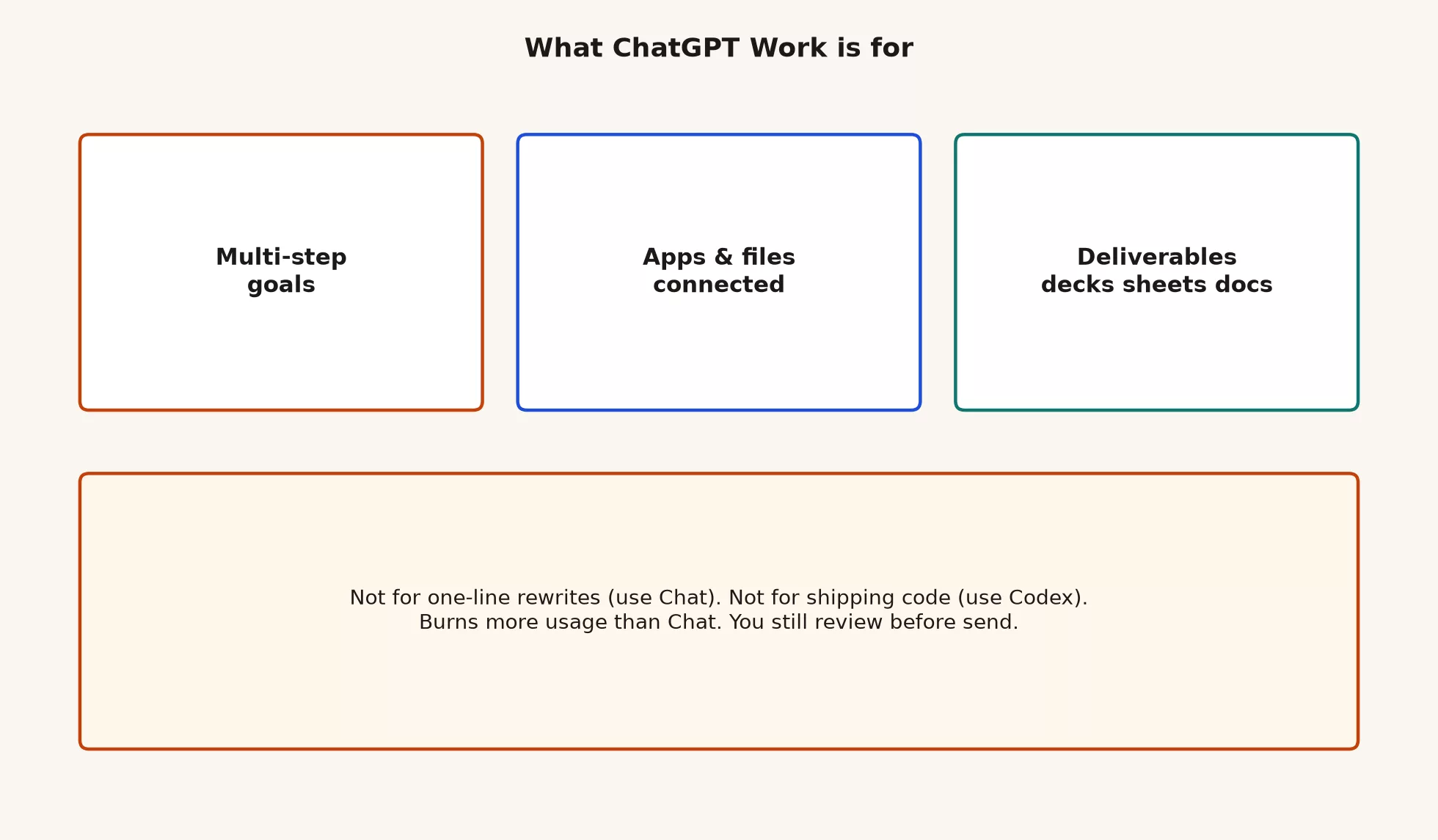
Work is the agent-style mode in ChatGPT for longer, multi-step office jobs. You give it a goal, and it can gather context across the apps and files you allow, plan steps, use tools and plugins, and produce finished-looking deliverables such as decks, sheets, docs, and reports. You follow progress, answer questions, steer, and approve important actions, and you still review everything before it is final.
That is different from Chat. Chat is conversational help where you ask, get a reply, edit it, and leave, so you remain the one doing the operating. Work is also different from Codex, which is the coding agent for software projects, with code changes, tests, and pull requests. Work is knowledge work and office deliverables, while Codex is software. Mixing those names in a team huddle is how three people leave with three different plans under one brand.
Rule of thumb: Chat answers and drafts with you. Work runs multi-step office work toward a deliverable you still check. Codex changes software under review. Pick by the artifact you need when you are done.
Why Work exists at all
For years, “I used ChatGPT” meant a chat box. That was enough for subject lines, outlines, and first drafts, but real office work is messier. The status deck needs numbers from a sheet, owners from a meeting note, risks from a chat thread, and a template your vice president already likes. In Chat you become the glue, so you paste, paste again, and hope you did not miss the second file that depends on the first.
Work exists because multi-step office work needs a different loop of goal, plan, tools, checkpoints, deliverable, and review. OpenAI’s own product language says so plainly. Work is an agent designed for longer, multi-step work and finished deliverables, Chat stays for fast conversational help, and Codex stays dedicated to software development. It is the same login with different job types.
At work, vocabulary costs money. Finance may approve a Plus seat and still be shocked when agent sessions use up capacity. IT may allow browser Chat and still restrict local files or connectors. An analyst who only knows Chat will paste CSVs into a thread while an ops lead expects a multi-file pack from Work. Once each mode has a name, plans, permissions, and review habits become things a team can discuss.
Where Work shows up on desktop, web, and mobile
As checked in mid-2026, the desktop app is where OpenAI made the three-mode split hardest to ignore. Chat, Work, and Codex live together in the ChatGPT desktop app on Mac and Windows. That helps your habits, because you open one app and then choose a job type, instead of learning a separate product for every task.
Web and mobile Work are real, but how complete they are depends on your plan. OpenAI’s product pages describe Work as available more broadly on desktop, with fuller web and mobile access on paid tiers such as Plus, Pro, Business, Enterprise, and Edu. A free account can be enough to learn the shape of Work on desktop, and day-to-day multi-step office work usually becomes practical once your usage budget supports longer agent runs. Do not assume every device is equal. If a teammate’s phone can only check progress while your laptop runs the deep file job, that is normal for this stage of the product and not a personal failure.
Desktop: the deepest workflows
Desktop is the right home when local files, desktop apps, richer browser workflows, and Codex all live next door. If the only clean copy of the partner PDF pack is on your laptop, plan that job on desktop. If you need to sit beside a spreadsheet window and a browser tab while the agent works, desktop is built for that side-by-side juggling.
Web and mobile: start, steer, check
Web is still the easiest start for many people, since there is nothing to install, IT can often approve a single web address, and you can kick off work from a locked-down laptop. Mobile is useful for starting, reviewing, and steering when your plan and app version support it. Treat mobile as great for check-ins and light direction, and not as the place to invent your whole security plan for folder access and plugins.
| Where you use it | Best for | Watch-out |
|---|---|---|
| Desktop | Deeper Work runs with local files, apps, browser workflows; Chat and Codex in the same install | Update the app; confirm which account is signed in before you grant folders |
| Web | Starting and steering when install is blocked or files already live in cloud tools | Feature parity with desktop still moves by plan and product stage |
| Mobile | Check progress, answer a quick question, redirect a task away from the desk | Do not design policy from phone screenshots alone |
What Work is good for
Work earns its keep when one careful conversation is not enough and the job is still office work and not a software project. The measure of success is a package you can review, such as a deck outline with a supporting sheet, a multi-section brief from several sources you provided, a cleaned tracker built from messy notes, or a first-pass report that still needs a human for the numbers and the tone.
These examples belong in Work when your plan, policy, and permissions allow:
- Turn a folder of meeting notes into a structured status brief with open questions and owners
- Build a multi-section report from several sources you explicitly provide or connect
- Produce a first-pass deck plus a supporting sheet of numbers you will verify
- Coordinate multi-file office work across docs, sheets, and slides under approvals, instead of copy-and-paste gymnastics in Chat
- Run a longer delegated task where the in-between steps matter and you want to watch progress, not get one block of text
- Synthesize survey themes, pipeline changes, or launch risks into a share-ready pack, still with your review
Notice the pattern. Each job has more than one step, wants tools or several inputs, and ends in something a colleague might open. That is the Work lane. A subject-line rewrite is not in that lane, and neither is a one-paragraph request to make something friendlier. Those stay in Chat, where you already practiced structure and audience in the everyday tutorial.
Chat versus Work: the split that saves usage
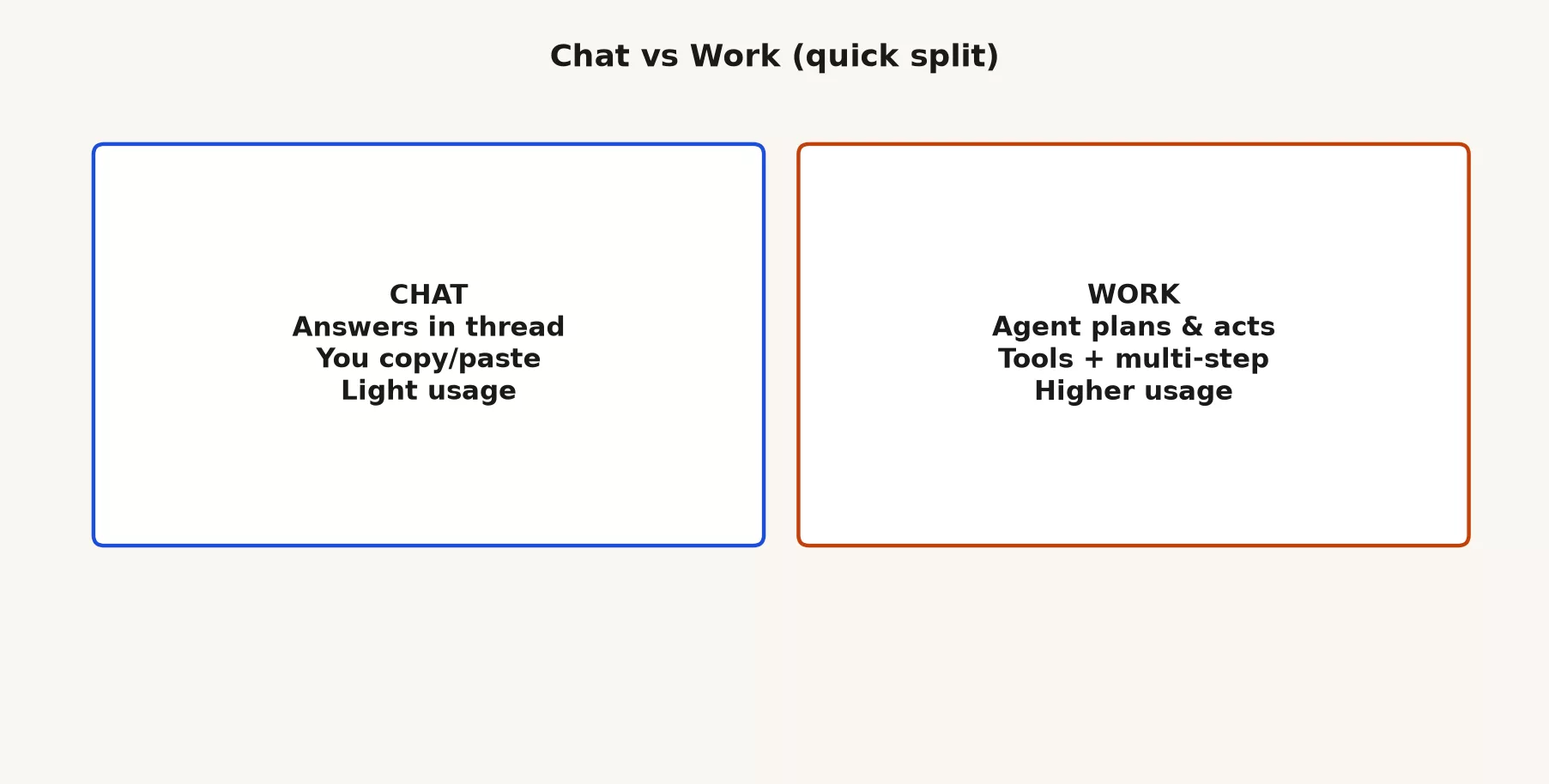
People waste money and patience by treating Work as Chat with a longer reply. A longer Chat thread is still a conversation, while Work spends more because multi-step agents make more tool calls, use more context, and take more time. That is not a flaw in the product. It is why a free account can feel generous for chat demos and tight for agent demos.
| Chat | Work | |
|---|---|---|
| Primary job | Answers, drafts, planning talk, Q&A | Multi-step office work toward a deliverable |
| How it touches work | You paste or upload; reply stays in the thread | Agent plans, uses tools/apps/files you allow, produces artifacts |
| What “done” looks like | Text you move yourself | Deck, sheet, doc, brief, or pack you still review |
| Usage feel | Usually lighter for the same “thinking out loud” | Usually heavier: more steps, more tools, longer runs |
| Good first job | Rewrite an email from notes | Build a short status pack from notes and a list you own |
| Bad default | Pretending a long reply already reorganized a folder | Spending agent capacity on a one-line subject fix |
If you already used half your weekly limit on agent demos that were really “rewrite this paragraph,” you had a chooser problem and not a model problem. Scope the job in one sentence before you open Work. “Make it better” is not a scope. “From these three notes I own, produce a six-slide status outline and a one-page risk table that I will verify” is a scope.
Work versus Codex: office files, not shipping code
Codex is for software. If success looks like a passing test suite, a reviewable diff, and a pull request description that matches what changed, open Codex. If success looks like a deck your director can open in the afternoon meeting, open Work. You can paste code into Chat, but that is still a conversation about code and not Codex. Work can touch code-shaped files in some office workflows, yet it is not the place to pretend you shipped production software without a developer review loop.
This series stays on Work. A later ChatGPT Codex tutorial is where installation, a first project, and git-friendly habits belong. For now, one hard rule: do not open Work to ship code, and do not open Codex to rewrite a press release.
Approvals, control, and staying close
Work is useful because it can act across tools, which is also why it needs adult supervision. Product materials stress that you stay in control by following progress, answering questions, changing direction, and approving important actions. Plan-style modes, where available, let the agent gather context and propose steps before a long run starts, so use them. Approving a plan is cheaper than undoing a half-built mess after the agent has spent your usage budget.
Stay closest when the task touches money, outbound messages, or sensitive files. “Draft the partner email and leave it unsent” carries a different level of risk than “send the partner email.” “Build a status deck from notes I own” carries a different level of risk than “open the shared drive and tidy the finance exports.” The next post in this tutorial walks through a first task with approvals on purpose. For now you only need the mindset, because agent power without approval habits is how people create confident garbage at scale.
What you still own
- The truth of the numbers: if a slide becomes a board figure, a human owns the check against the source systems.
- Names, dates, and owners: agents invent plausible people and timelines, and your org chart does not care.
- Tone and commitments: a polished deck can still promise a date nobody agreed to.
- Policy: personal accounts, Business seats, and Enterprise controls are different levels of trust, and the paste rules from Learn ChatGPT still apply.
- Sending and spending: auto-send and unsupervised money moves are not productivity, and they can end careers.
Why Work uses more allowance than Chat
Chat is usually the cheaper way to spend a limit, with one prompt, one reply, and a couple of follow-ups. Work spends more because multi-step agents take more tool calls, more context, and more thinking time. Parallel tools, long projects, and vague goals make the meter spin faster. A free account can get you started for orientation, but heavy weekly Work usually wants a paid plan with a real usage budget, such as Plus, Pro, Go where offered, Business, or Enterprise.
These practical habits protect your capacity:
- Prefer Chat for language-first jobs until the remaining work is truly multi-step.
- Write a one-sentence outcome before you start Work.
- Attach only the files and tools the job needs.
- Ask for a short plan and approve it before a long run when the product offers Plan mode.
- If you hit a limit mid-task, export what you already have instead of re-running the whole loop blind.
- On shared Business seats, remember that heavy Work sessions can be a team cost and not a private hobby.
A chooser you can say out loud
Ask yourself three questions out loud before you switch modes.
- Is the main artifact language, office files, or code? Language-only conversation belongs in Chat, an office multi-step deliverable belongs in Work, and a software project belongs in Codex.
- Is one careful conversation enough? If yes, use Chat. If you need tools, several inputs, and in-between steps, use Work, or Codex for engineering.
- Am I willing to review the in-between steps and the final pack? If you need a 30-second subject line, stay in Chat, because agents shine when review is part of the job.
If you pick wrong, stop early. Copy the useful text out, open the right mode, and start clean, rather than dragging an office agent through a one-line rewrite or a coding agent through an email to a stakeholder.
Chooser table for real Mondays
Use this when a meeting gets fuzzy. Pick the row that matches the job, not the demo video.
| Job you actually have | Default mode | Why |
|---|---|---|
| Draft, rewrite, explain, plan, Q&A in a thread | Chat | Conversation is the unit of work; low setup |
| Multi-step office work with apps, files, slides, sheets, docs | Work | Agent for knowledge work deliverables you still review |
| Explore a repo, edit files, run tests, open or review a PR | Codex | Coding agent with developer workflows |
| One short email from notes | Chat | Agent overhead is waste |
| First-pass status deck from notes and a list you own | Work | Multi-step pack; still low external risk if you do not auto-send |
| Unclear, sensitive data, or high liability | Slow down: policy + Chat sandbox first | Do not grant folder or app access by default |
Worked example: one launch phrase, four different plans
Imagine a team huddle where the product manager says, “Let’s use ChatGPT on the launch.” Without a map, four people walk away with four plans.
The product manager opens Chat, pastes the brief, and asks for a timeline critique plus risks for sales. That is the right mode for that slice of work.
The ops lead opens Work, points it at meeting notes and an allowed set of partner PDFs, and asks for a one-page risk table plus a first-pass status deck outline. That is the right mode if policy allows the files and tools involved, and if the ops lead reviews everything before anything external leaves the building.
The engineer opens Codex on the code project, asks for a dark-mode toggle that matches existing patterns, reviews the diff, runs the tests, and opens a pull request. That is also the right mode.
The data analyst starts pasting production customer IDs into Chat on a personal free account because it is faster. That is the wrong mode, the wrong account, and the wrong data. The analyst should use approved tools, scrubbed samples, and whatever path IT named for sensitive work.
The phrase “use ChatGPT” was incomplete. The fixed version is longer and clearer: the product manager uses Chat for the brief, the ops lead uses Work for the partner pack if legal says yes, the engineer uses Codex for the interface change, and the analyst keeps customer IDs out of personal Chat, full stop. That one sentence saves two days of crossed wires.
What “finished deliverable” does and does not mean
Marketing likes the word finished, and your career likes the word reviewed. A Work run can produce polished spreadsheets, documents, and slides that look ready for a meeting, but looking ready is not the same as being correct. Treat agent output as a strong intern’s draft with excellent formatting, meaning fast, useful, and still checked.
Run through this checklist before you present a Work pack:
- Do the numbers match sources you control?
- Are the names, titles, and dates real for your organization this week?
- Did the agent stay inside the scope you asked for?
- Would you put your name under every claim on slide three?
- If this pack were wrong, who would get hurt first?
Later posts in this tutorial go deeper on multi-step jobs and result checks. For now, keep the bar simple. Work can assemble a package faster than you can, but it cannot own your reputation.
Plugins, apps, files, and how far a mistake can spread
Work gets more powerful when it can pull context from tools you already use, such as files, connected apps, plugins, and browser paths on desktop. Power without a plan for limiting damage is how a learning session becomes an incident report. Start narrow, prefer copies of non-sensitive materials you own, prefer “draft and leave unsent” over “send,” and prefer one folder over your entire Documents tree.
If your company has Business or Enterprise ChatGPT, admin controls and workspace policy matter as much as the mode name. Folder access, connectors, and what counts as approved data are not personal taste, because they are policy. When money or compliance is real, re-check OpenAI’s current plan matrix and your IT notes instead of trusting a chat rumor from last quarter.
Mistakes to avoid
Treating Work as “Chat that tries harder”
A longer Chat thread is still a conversation. Work is multi-step agent work with tools and deliverables under review. If your organization allows Chat but restricts folder or app agents, those are different policy lines for a reason.
Opening Work for a one-shot rewrite
Subject lines, tone tweaks, and short rewrites belong in Chat. Agent overhead costs usage and attention, so save Work for jobs that need steps, tools, and a package.
Opening Work to ship code
Shipping software is Codex’s lane, along with your review, tests, and merge habits. Work can help with the documents around software, but it is not a substitute for a coding agent in a real project.
Assuming every device is equal
Desktop, web, and mobile do not always carry the same depth on every plan. Start your policy from desktop and web realities, then add mobile for check-ins.
Skipping review because the deck looks pretty
Polish is not truth. Numbers, names, and commitments still need a human, and a pretty wrong deck is worse than an ugly honest one.
Granting the whole world on day one
First tasks should use low-risk inputs you own. Connect only what the job needs, and stay close on money, messages, and sensitive files. The next post in this tutorial turns that advice into a concrete run.
Where this fits on the site
On Analytics Made Simple, learning ChatGPT is a ladder and not a pile of random tips:
- Learn ChatGPT from scratch covers what it is, plans, the first minutes, a modes overview, memory, images and files, connectors, and judgment.
- The ChatGPT product map covers Chat versus Work versus Codex, Custom GPTs, models, and light notes on the developer API.
- The ChatGPT everyday tutorial covers writing, planning, learning, long documents, and email and workplace writing without agent tools.
- The ChatGPT Work tutorial, which you are reading, goes deep on Work mode for multi-step office jobs.
- Coming later: a Codex tutorial, then Custom GPTs.
If you skipped straight here from a marketing page, that is fine. Bookmark the Learn page and the product map so you do not invent policy from demos. Wider curriculum paths also sit on the Learn page.
Write three jobs from your real week
Do not start with a high-stakes client pack. Do this instead:
- Write three jobs from your real week on a sticky note.
- Label each one Chat, Work, or Codex using the chooser table above.
- Pick the lowest-risk Work candidate, which should be a deliverable built from notes you own and not something that auto-sends or touches money.
- Confirm which device you will use, with desktop preferred for a first deep run, and what plan capacity you actually have.
- Stop before you run it, because the next post is the first agentic task with approvals.
Quick recap
- Work is multi-step office work with tools and deliverables you still review.
- Chat is conversation, Codex is software, and Work is office packages.
- Desktop holds Chat, Work, and Codex together, while web and mobile Work are more complete on paid plans.
- Work burns more usage than Chat, so scope the job in one sentence before you start.
- Stay close on money, messages, and sensitive files, and approve important actions.
- Work is not for one-shot rewrites or for shipping code.
- Next comes the first agentic task with approvals.
What comes next
The next post in this tutorial walks through a concrete low-risk run, turning owned notes into a short status deliverable with tight connections, approval habits, and a review loop before anything leaves your desk. After that come multi-step jobs and result checks, and then the question of when Work beats Chat and when it does not.
Sources
Official product and help materials used for this article (re-check the week you set policy; UI and plan packaging move):
- OpenAI: ChatGPT Work for every team (product overview, desktop vs web/mobile availability notes, deliverables and control language)
- ChatGPT Work on chatgpt.com (use cases, plan-shaped access, start/steer/review framing)
- OpenAI: ChatGPT is now a partner for your most ambitious work (announcement framing for Work as multi-step agent work)
- OpenAI Help: ChatGPT Work and Codex (Chat vs Work vs Codex job split; Work for longer multi-step work and finished deliverables)
- OpenAI Help Center (live UI steps, plan matrices, and enterprise release notes for your account type)
- OpenAI: ChatGPT and chatgpt.com (entry points for plans and product home)
- Analytics Made Simple: Learn ChatGPT from scratch
- Analytics Made Simple: ChatGPT product map
- Analytics Made Simple: ChatGPT everyday tutorial
- Analytics Made Simple: Learn
Keep going
Same lessons in your feed
Short diagrams, hooks, and weekly tutorials on Substack, Instagram, X, and Facebook.