

ChatGPT can write a polished email in seconds, but the facts, promises, and tone in it still belong to you. Imagine your manager wants a “quick email” to a client by lunch. The thread you are answering is really four people arguing across different time zones. You paste the mess into ChatGPT and ask it to “make it professional.” Back comes a smooth paragraph that invents a deadline nobody agreed to, softens a real risk into a “minor delay,” and ends with “Looking forward to partnering on this exciting journey.” You almost hit Send out of habit. Stop there. The draft looks finished, and that is exactly when you need to slow down.
This post closes the ChatGPT everyday tutorial. The earlier posts covered your first useful week, better answers through structure and examples, long documents and many files at once, and studying hard topics simply. Here we point those habits at the messages that carry your name: email, meeting agendas, action lists, and follow-ups. We stay in ordinary Chat for all of it. Tools that take many steps on their own, and tools that write code, come in the next tutorials. The goal is careful, boring quality: clear requests, one clear next step per email, and nothing sent automatically. Simple habits, done well.
Audience first, always
Most weak workplace drafts fail before the first sentence of body copy, at the moment you decide who you are writing to. “Write an email about the project” is not a job. “Write to the client’s operations lead, who has 90 seconds between meetings, needs one decision, and already knows the product name” is a job. ChatGPT is fast at producing words, but it cannot guess who will read them, what that person already knows, or what “done” looks like unless you say so.
Use this five-step loop for every message that leaves your outbox:
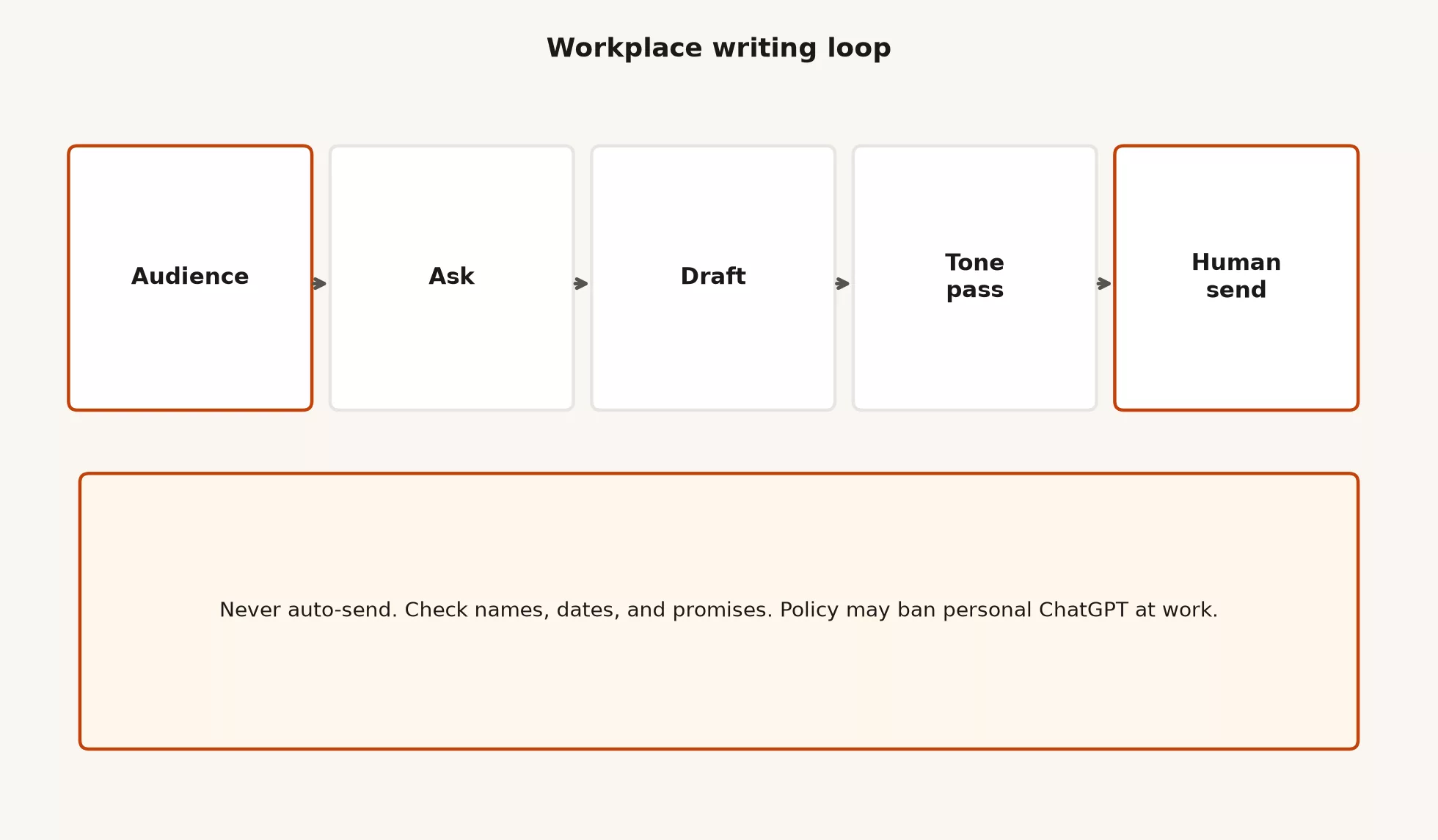
- Audience: pick one main reader, or one named group, and note their role, what they already know, how much time they have, and how much power they hold over you.
- Ask: decide the single outcome you need, whether that is a decision, information, attendance, approval, or a next meeting time.
- Draft: let ChatGPT produce the structure and wording, using your facts only.
- Tone pass: make it shorter, less salesy, less hedged, or more direct, so it matches your relationship with the reader.
- Human send: you check names, dates, numbers, promises, links, and company policy, and then you send from your real mail program.
If you skip the audience and the ask, the model fills the gap with generic corporate fog. If you skip the human send, you ship someone else’s invented certainty under your own signature. The loop is short on purpose, because workplace writing comes in high volume and a two-minute checklist beats a thirty-minute ritual of prompt tweaking.
A five-line audience brief you can reuse
Paste something like this before any draft request, and fill in the brackets:
Audience: [role + company + how busy they are]
They already know: [2-4 facts]
They do not know / should not assume: [gaps]
My relationship: [peer / manager / client / vendor]
Tone: [plain / firm / warm / formal]. No hype, no invented numbers.
Desired outcome: [one sentence]
Must include: [facts, dates, owners]
Must refuse: [promises, legal claims, discounts I did not approve]
That brief uses the same habits as the earlier post on better answers (a role, a goal, limits, an example, and a format), pointed at email and meetings instead of essays. If the brief is thin, the draft will be thin, so fix the brief before you rewrite the body for the fifth time.
Email: subject, body, CTA
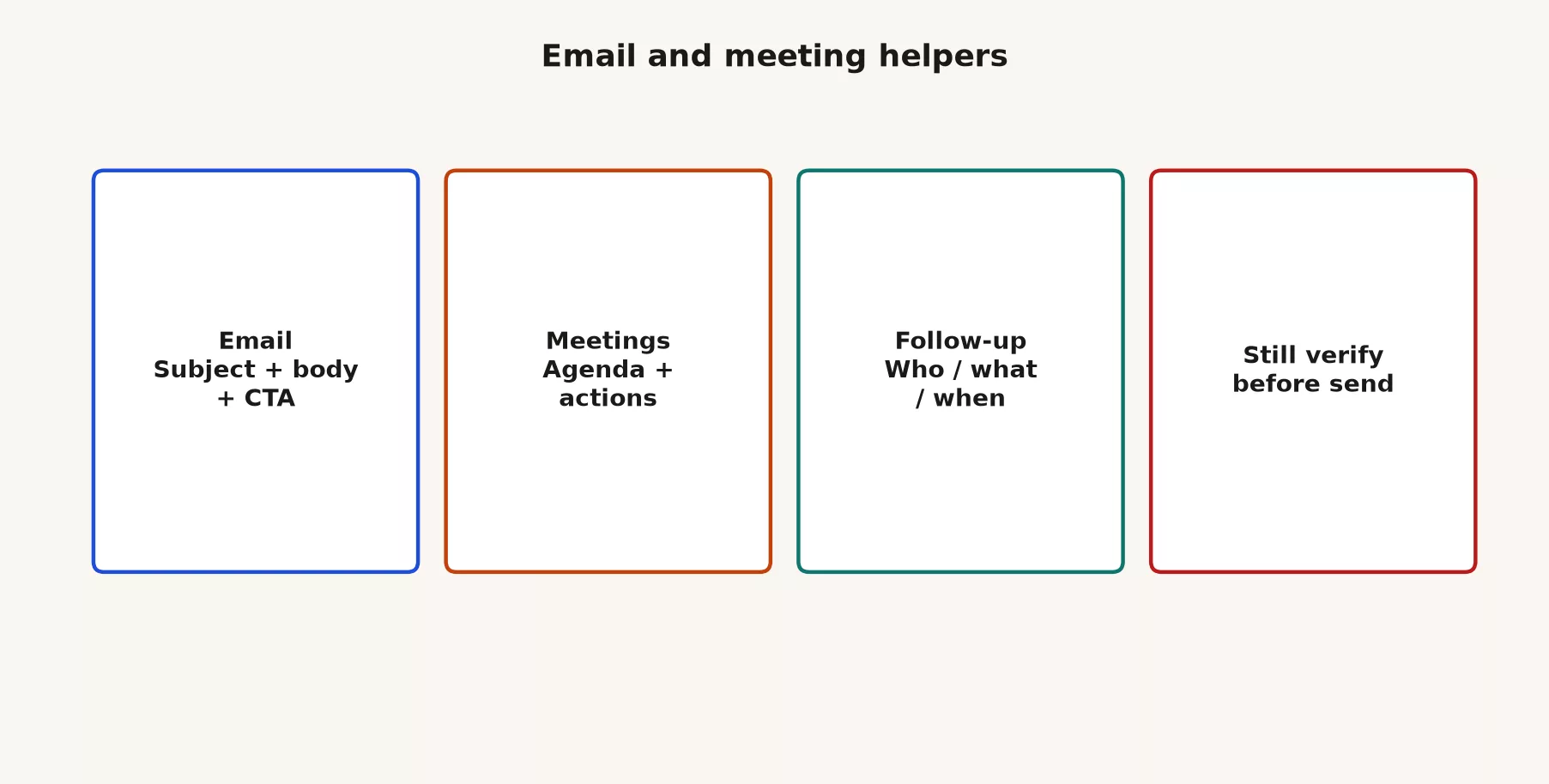
A useful workplace email has three jobs. The subject line gets it opened, the body gets scanned, and the call to action gets a response. ChatGPT can help with all three if you name them. If you only say “write an email,” you often get a long body, a vague subject, and three competing requests at the end.
Subject lines that survive a phone screen
Ask for several options, then pick one, and do not accept the first poetic title. These four habits keep subject lines useful:
- Lead with the decision or deadline when it is real, as in
Decision needed by Fri 3pm: Q3 pilot scope. - Name the project once instead of using three synonyms, as in
Acme pilot: week-of plan + owner asks. - Avoid empty openers such as “Quick question,” “Following up,” or “Touching base” that leave out the topic.
- Keep it short enough to scan on a phone, ideally under about 60 characters.
Here is a prompt pattern for subject lines:
Write 5 subject line options for this email.
Audience: busy client ops lead on mobile.
Primary goal: get a yes/no on moving the pilot kickoff to Oct 14.
Facts only from my notes below. No urgency theater.
Rank the 5 from clearest to fluffiest and say why in one line each.
Body structure that does not hide the point
For most status and decision emails, tell ChatGPT to follow this shape:
- Why you are writing, in one sentence.
- What is true now, as bullets built from facts you supplied.
- What you need, which is one main ask.
- Optionally, risks or open questions, labeled as open questions and written without drama.
- A sign-off that matches your company culture, without the “journey” language.
When the model buries the ask in paragraph three, your rewrite request is not “make it nicer.” It is “move the ask to the top and cut everything that does not support it.”
One CTA, not a scavenger hunt
CTA means call to action, which is the next human step you want the reader to take. Workplace CTAs fail when they are plural, soft, or undated. “Thoughts?” is not a CTA, while “Please reply yes or no by Thursday 4pm Pacific time so we can book rooms” is one.
| Weak CTA | Stronger CTA |
|---|---|
| Let me know your thoughts | Reply with Approve or Revise by Wed 2pm Eastern time |
| Happy to discuss further | Pick one of these two slots, or send two times that work for you |
| Please review when you can | Review the attached one-pager; comment only on section 2 by Friday |
| Looking forward to partnering | Confirm the pilot start date (Oct 14) or propose an alternate |
| Any questions, reach out | If blocked, name the blocker in one sentence so we can escalate |
Ask ChatGPT to end with exactly one CTA sentence. If you truly need two asks, put the second as a clearly labeled optional line so it does not compete with the main closer.
Worked example: messy notes to sendable email
Suppose your notes look like the ones below. This is a made-up example and not a real client.
Notes (facts only):
- Pilot with Northwind Ops still planned for October
- Their lead prefers short email
- We need rooms on Oct 14-15 if kickoff holds
- Data feed from their side still missing 2 fields (region, channel)
- We will not promise go-live in October; pilot only
- Internal owner for feed checklist: our data lead
- I need their lead to confirm Oct 14 kickoff OR propose a new week by Fri

Draft:
1) 3 subject options
2) Email body under 180 words
3) One CTA only
4) Do not invent missing fields, discounts, or legal language
5) Tone: plain and direct, peer-to-peer
After your edit, a solid draft might look like this:
Subject: Northwind pilot: confirm Oct 14 kickoff by Friday
Hi,
I’m writing to lock the pilot kickoff date so we can hold rooms for Oct 14-15.
Where we are:
- October pilot is still the plan on our side
- Two fields still missing from your data feed: region and channel
- Our data lead owns the checklist for those fields once they arrive
- This is a pilot window, not a production go-live commitment
Please reply by Friday with either confirmation of an Oct 14 kickoff or a proposed alternate week.
Thanks,
Your name
The model must not invent that the fields are “almost ready,” promise rooms that are not booked, or call the pilot a launch. Your job is to catch those upgrades, because models love to make the story sound smoother than the real situation.
Meetings: agendas and action lists
Meetings waste less time when everyone knows the purpose before they join. ChatGPT is excellent at turning a pile of bullets into a timed agenda and a clean action table. It is poor at knowing who actually owns a task in your organization, so you still assign the humans.
Agenda that fits the clock
Give the length of the meeting, who attends, and what must be decided, then ask for a time limit on each topic.
Build a 30-minute agenda.
Goal of the meeting: decide whether to slip the pilot one week.
Attendees: client ops lead, our data lead, me (project manager), our engineering lead.
Must decide: keep Oct 14 or move.
Must not decide today: pricing, contract language.
Include: time boxes, owner for each block, and a 5-minute wrap for actions.
Output as a table: minutes | topic | owner | outcome type (inform / discuss / decide).
The result can look like this, and you can paste it into the calendar invite:
| Minutes | Topic | Owner | Outcome |
|---|---|---|---|
| 0-3 | Goal and decision rule | You | Inform |
| 3-10 | Data feed status (region, channel) | Data lead | Inform |
| 10-18 | Risk if we keep Oct 14 | Engineering lead | Discuss |
| 18-25 | Keep vs slip one week | All | Decide |
| 25-30 | Actions: owner, due date, channel | You | Decide |
If the model invents a 12-item agenda for a 30-minute call, cut it. The time limits are a real constraint and not decoration. The same rule from the earlier post applies here: name the format and the limit, or you get essay energy in a calendar slot.
Action lists people can run on Monday
After the meeting, or from transcript notes you are allowed to paste, force a table with four columns: action, owner, due date, and what “done” looks like. Ban “team” as an owner, and ban “as soon as possible (ASAP)” as a date unless you convert it to a calendar day.
From my notes below, extract action items only.
Rules:
- One owner per row (a person, not "team")
- Due date as a calendar day if present; else mark DATE NEEDED
- "Done looks like" must be observable
- Do not invent owners or deadlines
- Flag anything that was only a discussion, not a commitment
Output markdown table: Action | Owner | Due | Done looks like | Confidence (said / inferred)
The confidence column matters because models collapse “we should maybe look at X” into “a named person will deliver X by Friday.” Your edit pass is where inferred rows get demoted or deleted. If you send the inferred list as if it were true, you create ghost commitments that come back in status meetings as blame.
Follow-ups: who, what, when
Follow-up email is where good meetings die. People leave the room with energy, and a week later nobody remembers who owned the missing data fields. ChatGPT can draft the follow-up in two minutes if you give it the action table and a list of recipients. You still check the office politics yourself, so do not assign a vice president a task in writing just because the model assumed they were free.
A minimum follow-up includes five things:
- Who: the named owners, and which people are only on the carbon-copy (CC) line for awareness.
- What: the action someone could watch happen, such as “send sample rows with region and channel” instead of “look into the data.”
- When: a date, or a date and time with the time zone if your team is spread out.
- Where: the ticket link, document link, or chat channel where the work lives, if company policy allows those links in ChatGPT.
- Escalation: one line on what happens if the date slips.
Here is a prompt for a follow-up that does not sound like a performance review:
Draft a follow-up email under 150 words.
Audience: people who attended today's pilot call.
Lead with the decision we made (keep / slip).
Then a short action table in plain text.
Tone: neutral project manager, not cheerleader.
Do not add praise paragraphs.
CTA: each owner replies "got it" or corrects their row by end of day tomorrow.
If you are chasing a thread that has gone silent, ask for a nudge that restates the request without sarcasm. Sarcasm travels badly in text, and models will happily escalate passive aggression if you feed them your frustration. State the deadline again and offer two reply options. Keep the venting in a private note to yourself. Nobody else needs it.
Tone passes that do not erase meaning
Tone work is useful, and it is also how true risks disappear. “We are blocked on two fields” becomes “we are aligning on a few data nuances.” That is fog and it has nothing to do with professionalism.
These tone requests are useful:
- Make it 30% shorter without deleting any fact or date.
- Make it less salesy by removing words like journey, excited, thrilled, and synergy.
- Make it more direct for a peer, or more formal for a client in a regulated industry, while keeping plain English.
- Turn hedges that hide the ask, such as “I was wondering if maybe…”, into clear requests.
These tone requests are dangerous, so ban them in the prompt:
- “Make it more positive” with no rule that the facts must stay the same.
- “Sound executive,” which tends to inflate the scope of what you promised.
- “Softening” a missed deadline into a success story.
- Adding gratitude paragraphs that bury the CTA.
Here is a prompt you can paste every time you ask for a tone change:
Rewrite for tone only.
Keep every fact, name, date, number, and commitment identical.
If something is uncertain, keep the uncertainty labeled.
Do not add benefits, timelines, or praise I did not write.
Show a short diff: what you changed and why.
Never auto-send
This series ends on a hard rule: ChatGPT drafts, and you send. Do not connect an app or an automated helper that mails clients without a human click, unless your company has an explicit, reviewed workflow (the series of steps you follow) (the series of steps you follow) for that. Most teams do not, and the Work tutorial is where approvals for automated helpers get serious. Everyday Chat is for preparation and not for running your outbox.
Here is a pre-send checklist. Print it, pin it, and make it boring:
- Names: check spelling, job titles, who is on To and who is on CC, and that you did not hit Reply All by accident.
- Dates and time zones: confirm which Friday you mean, and include the time zone if your team is spread out.
- Numbers and promises: make sure every figure matches your source and that no service promises were invented.
- Links and attachments: check that you attached the right file, that the permissions are right, and that no internal-only link goes to an outside client.
- Tone against the relationship: ask yourself whether you would say this face to face.
- Policy: ask whether your company allowed this data in the tool you used.
- CTA: confirm there is one main ask that a reader can see without scrolling through three screens.
If you use voice dictation or mobile ChatGPT between meetings, still paste the final text into your real mail program and read it once on a full screen. Phone keyboards hide subject line mistakes and half-finished sentences. The model will not feel the social cost of a wrong Reply All, but you will. Read it twice.
Work policy is not optional flavor text
Workplace writing is where personal convenience collides with company rules. Many organizations allow ChatGPT only on a Business or Enterprise workspace, ban personal accounts for company data, or forbid pasting customer content into consumer tools. A product marketing page does not override your employer’s policy, so if your IT team published a one-page rule, that page wins.
This table gives a practical split:
| Situation | Safer default |
|---|---|
| You have a company ChatGPT workspace | Use it for work drafts, and do not sneak the same work onto a personal Plus login |
| Only personal ChatGPT is available | Use redacted samples, synthetic examples, or wait for approved tools |
| Customer PII, health, payroll, unreleased finances | Do not paste unless policy and the plan tier explicitly allow that class |
| You are unsure | Ask IT or your manager before the first sensitive paste, not after the leak |
| Connectors that can write to mail or docs | Keep write actions on “ask me first,” and treat automatic sending as its own risk project |
OpenAI documents enterprise privacy commitments and data controls for its business products, including ownership of business data, a default of not training on business data for qualifying products, and admin controls. Consumer Data Controls and business plan controls are not the same thing. Read your plan’s current privacy page and your company’s AI policy side by side. Settings screens move around, but the intent of policy stays the same: protect the data classes that matter, know which account you are in, and do not treat a credit-card upgrade as legal approval.
Remember what this everyday series left out on purpose. Work mode is ChatGPT’s option for multi-step office jobs that can touch files, tools, and longer tasks that run without you watching every step. Codex is ChatGPT’s option for working with code. Each of those can do more damage if something goes wrong than a chat reply can, because their mistakes reach further. Finishing everyday skills does not mean turning on every button. It means you can draft, plan, learn, structure, and write at work without pretending the AI did your job.
Common mistakes and how to fix them
| Mistake | What goes wrong | Fix |
|---|---|---|
| No audience brief | Generic fog, wrong formality | Five-line brief first |
| Multiple CTAs | No reply, or partial reply | One primary ask; optional secondary labeled |
| Invented dates | Broken trust in one send | “Facts only” + pre-send number check |
| Softening risk | Leaders decide on fiction | Tone pass with fact lock |
| Owner = “team” | Nobody does the work | One human per action row |
| ASAP deadlines | Invisible priority fights | Calendar day + timezone |
| Auto-send dreams | Wrong mail, wrong people | Human click always for this series |
| Personal account + work data | Policy and leak risk | Workspace or redaction |
| Pasting a whole meeting transcript that contains secrets | Oversharing into the model | Redact; paste decisions and actions only |
| Using Work mode for a two-paragraph email | Slow, overkill | Stay in Chat for single-message drafts |
A 20-minute practice block
If you want this to stick, run one real (or redacted) cycle today.
- Pick one email you actually need to send this week, and write the five-line audience brief by hand.
- Prompt for subject options, a body under a word limit, and one CTA, and then edit for facts.
- Turn a recent meeting’s notes into an action table with confidence labels, and delete the inferred rows.
- Draft the follow-up and run the pre-send checklist. Then send it from your real mail program and not from an automated connector.
- Save the chat with a clear title such as
2026-10-01 Northwind pilot follow-up, so that you can find it later.
Do not practice on real customer secrets if policy is unclear. Practice on redacted or made-up threads until your workspace is approved, because building a skill never requires a compliance incident.
What this everyday series covered
The ChatGPT everyday tutorial was about useful Chat skills that a human leads, and it never tried to cover every OpenAI product.
| Post | Focus |
|---|---|
| 1 | First week of useful tasks: write, plan, learn |
| 2 | Better answers with structure and examples |
| 3 | Long docs and multi-file work |
| 4 | Studying and explaining hard topics simply |
| 5 (this post) | Email, meetings, and workplace writing (series close) |
The series did not turn you into an admin for ChatGPT Enterprise, a prompt influencer, or an operator of unsupervised agents. It gave you a stable loop instead: name the job, limit the facts, structure the output, verify it, and keep company policy in the room. That loop carries over to Work, Codex, and Custom GPTs (saved custom versions of ChatGPT that you set up for one job). The tools get heavier, but your judgment still has to lead.
Where to go after this series
When you finish this series, continue in this order unless your job forces a different path.
- ChatGPT Work tutorial: what Work mode is for, your first tasks where the AI takes several steps and asks for your approval, how to check the results, and when Work beats plain Chat and when it does not.
- ChatGPT Codex / coding tutorial: how to open the coding features, explore a code project safely, use the skills and tasks the product offers, review and test the output, and keep clean version history. Never ship code just because the checks are green.
- Custom GPTs tutorial: how to build a simple custom assistant for a repeating task with instructions, knowledge files, and light actions, how to share it with a team without chaos, and when a custom assistant is the wrong solution.
If the product names still blur together (Chat, Work, Codex, models, and the difference between the app and the developer interface), keep the ChatGPT product map bookmarked. Orientation and first-week safety live in Learn ChatGPT from scratch, and wider paths sit on Learn. Posts on this site about checking your work and data quality stay relevant too, because a clean email that cites a wrong number is still wrong.
Questions people ask
Can ChatGPT send the email for me?
Not in this tutorial’s recommended path. Draft in ChatGPT and send from your mail program. Any future connector or automated helper that can send mail needs explicit company approval, tight limits on what it can touch, and a human approval step. Everyday quality still comes down to a human click.
Should I paste full meeting transcripts?
Only if policy allows it and the transcript is free of secrets you should not expose. A redacted decision log and raw action bullets are better, because pasting less means less risk and often gives better action items.
Is a perfect prompt more important than the checklist?
No. A mediocre prompt plus a strict pre-send checklist beats a clever prompt that you trust without checking. Prompts shape drafts, while checklists protect relationships and compliance.
When do I leave Chat for Work mode?
Move to Work mode when the job is multi-step office work with tools, files, or longer deliverables that need approvals. Stay in Chat when you only need a single email rewritten. Choosing between the two is the heart of the Work tutorial.
Quick recap
- Decide the audience and the ask before the draft, fix the tone after the facts are right, and send by hand last.
- A good email has a scannable subject, a short body, and one CTA.
- A good meeting has a timed agenda and an action table with real human owners and dates.
- Follow-ups restate who, what, and when, and say where the work lives.
- Never send automatically from everyday Chat habits.
- Company policy and the right workspace matter more than personal convenience.
- The everyday series ends here, and the next tutorials are Work, then Codex, then Custom GPTs.
Your next step
Before your next important email or meeting, write the audience and the one action you need in a single line, then draft. For the meeting, prepare the action table with owners and dates in advance. Deciding the ask first is what keeps an AI draft from turning into a long message nobody acts on.
Sources
Research and further reading used for this article:
- OpenAI: Enterprise privacy (business data ownership, default training posture for qualifying business products, admin and retention themes)
- OpenAI: Business data privacy, security, and compliance (business data handling overview and compliance-oriented controls)
- OpenAI Help: Data Controls FAQ (consumer Data Controls vs additional controls on business plans)
- ChatGPT (product surface for Chat-based drafting described in this series)
- ChatGPT Enterprise (enterprise security and admin control themes for workplace deployments)
- Analytics Made Simple: ChatGPT everyday tutorial (this series)
- Analytics Made Simple: Learn ChatGPT from scratch (orientation and safety foundations)
- Analytics Made Simple: ChatGPT product map (Chat vs Work vs Codex and related product splits)
- Analytics Made Simple: Learn (curriculum hub)
Keep going
Same lessons in your feed
Short diagrams, hooks, and weekly tutorials on Substack, Instagram, X, and Facebook.



