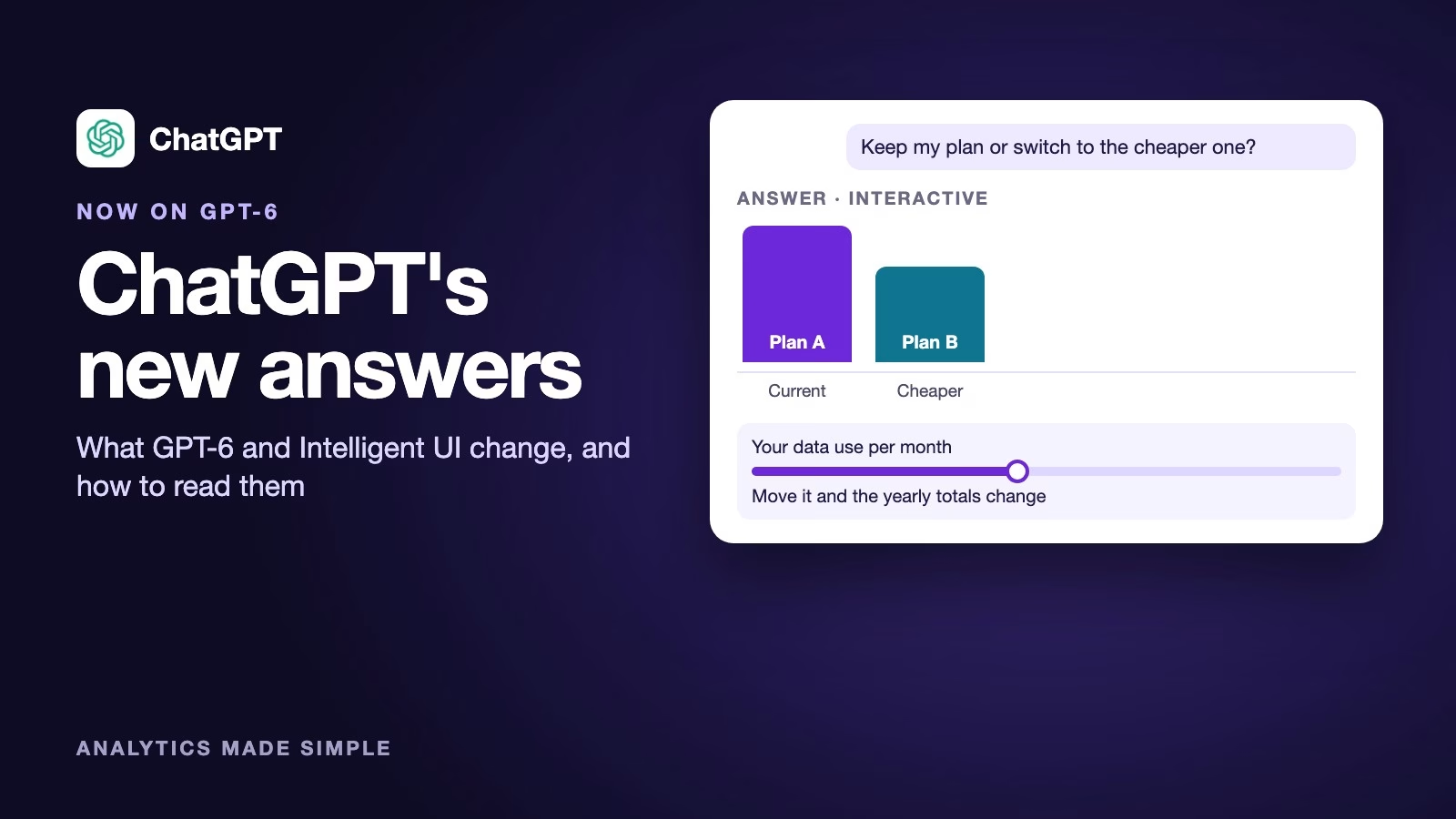
ChatGPT now runs on GPT-6, and its answers can include more than text. When a picture, a comparison, or a small interactive tool explains something better than paragraphs, ChatGPT can build one right inside the answer. OpenAI calls this Intelligent UI, and it arrived on October 7, 2026. UI is short for user interface, meaning the part of a program you see and click, so the name means the answer itself can become a small screen you use.
Imagine you ask ChatGPT whether to keep your current phone plan or switch to a cheaper one. Until now you got paragraphs and maybe a table. Now the answer can arrive as a side-by-side comparison with a small calculator where you type your own monthly data use and watch the totals change. That is handy, and it is also new enough that you should know how to read it.
ChatGPT is OpenAI’s chatbot, and GPT-6 is the family of AI models behind it. If ChatGPT is new to you, the earlier post on which ChatGPT mode to use is a good start. This post covers what changed, which model you get on each plan, and how to use the new answers well, based on OpenAI’s release note from October 7, 2026, as indexed by Releasebot and checked on October 8.
What changed in ChatGPT, and when?
Two things changed at once: the model and the shape of the answers. ChatGPT’s Chat tab moved to the GPT-6 models, and answers can now mix text, visuals, and interactive elements to fit your question, according to OpenAI’s release note (checked October 8, 2026). An interactive element is a part of the answer you can click or type into, like a slider or a small calculator.
ChatGPT chooses the format on its own. The release note says it can still give a simple text answer when that works best, so a quick question still gets a quick sentence. You do not need to switch anything on.
The third change is easy to miss. GPT-6 can start answering while it is still thinking or using tools, then keep adding what it finds. So the first lines of an answer may arrive before the full answer is ready, and later parts can still change what the early parts implied.
Which GPT-6 model you get on each plan
Your plan decides which GPT-6 model answers you, and the names are easy to mix up. Here is how the release note maps them (checked October 8, 2026).
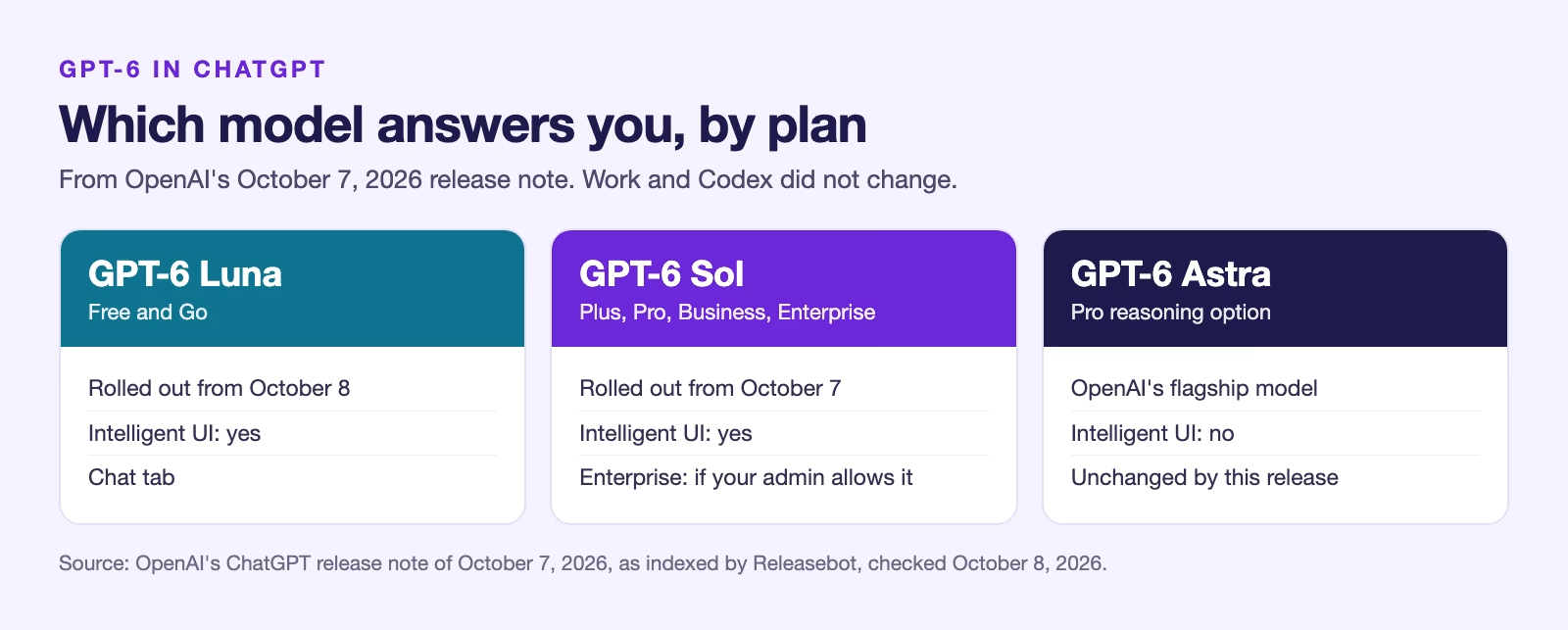
Free and Go plans use GPT-6 Luna. Plus, Pro, Business, and Enterprise use GPT-6 Sol. The Pro plan’s reasoning option keeps GPT-6 Astra, OpenAI’s flagship model, and that option does not use Intelligent UI. Paid plans got the update first, on October 7, and Free and Go followed from the next day.
On Enterprise, whether you see it depends on your company’s administrator settings. If your work account still looks the old way, that is the likely reason, not a problem with your account.
What Intelligent UI looks like in practice
The easiest way to understand it is to compare two answers to the same question. OpenAI’s announcement describes examples such as side-by-side comparisons, diagrams, and small tools like calculators. The figure below is our own illustration of the idea, not a screenshot.
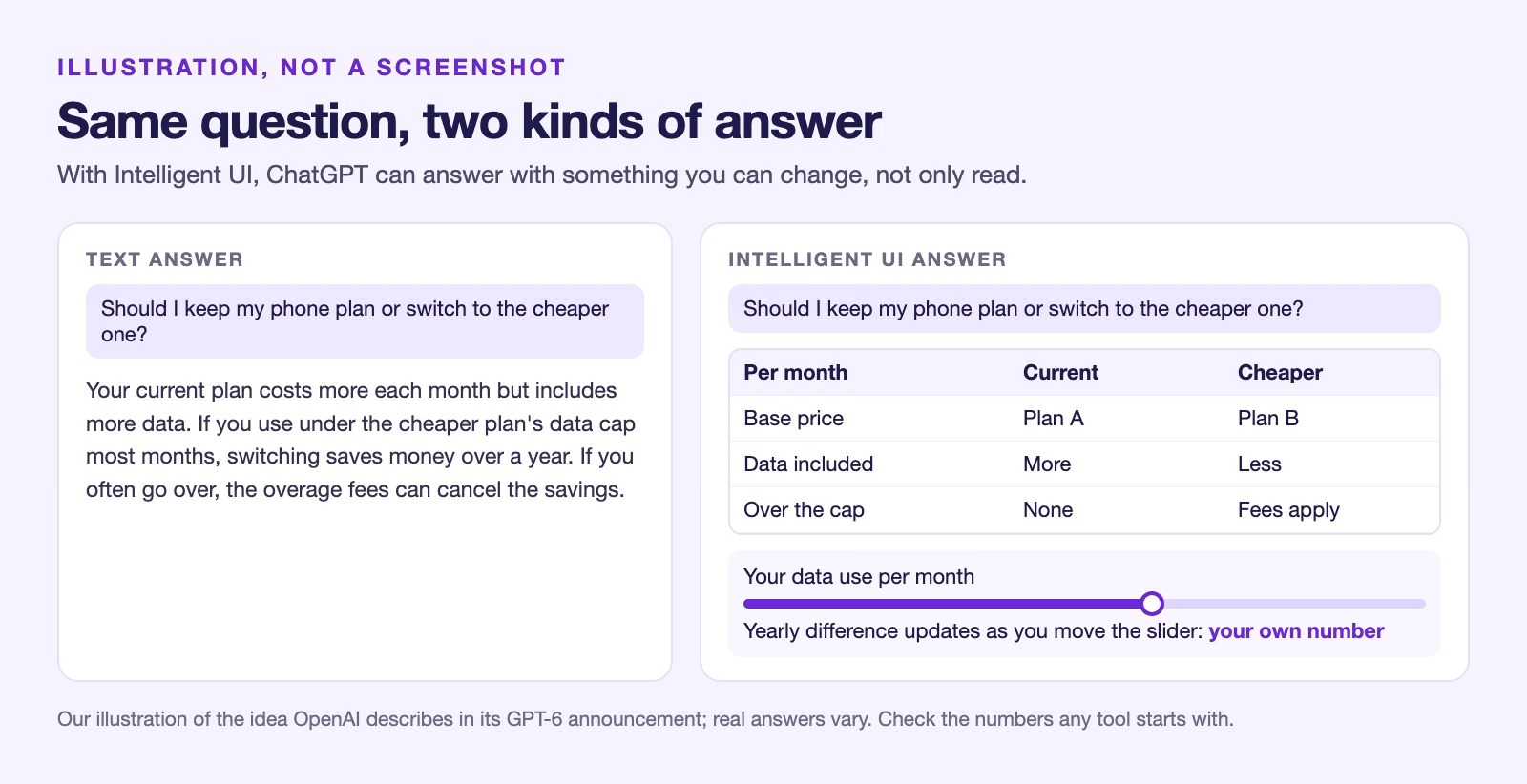
The text answer tells you the result. The Intelligent UI answer lets you change the inputs and see the result move, which is better when your own numbers matter. For a question with one right answer, like a date or a definition, plain text is still the better format, and ChatGPT is meant to know that.
Release notes also say Intelligent UI works across reasoning levels, from Instant to Extra High. Reasoning level is how long the model thinks before answering. You can ask for a deep, slow answer and still get it in a visual form.
How to get better answers from it
You can steer the format with plain words, the same way you would ask a colleague. Ask for what you want to see, and say so when you only want text.
- Ask for a format when you know it helps: “compare these two laptops side by side” or “show this as a timeline”.
- Ask for plain text when you need to copy, paste, or forward the answer: “answer in plain sentences, no visuals”.
- Give your real numbers up front, so any calculator starts from your situation rather than an example.
- Ask what an interactive tool assumes: “what rate is this calculator using, and where did it come from?”
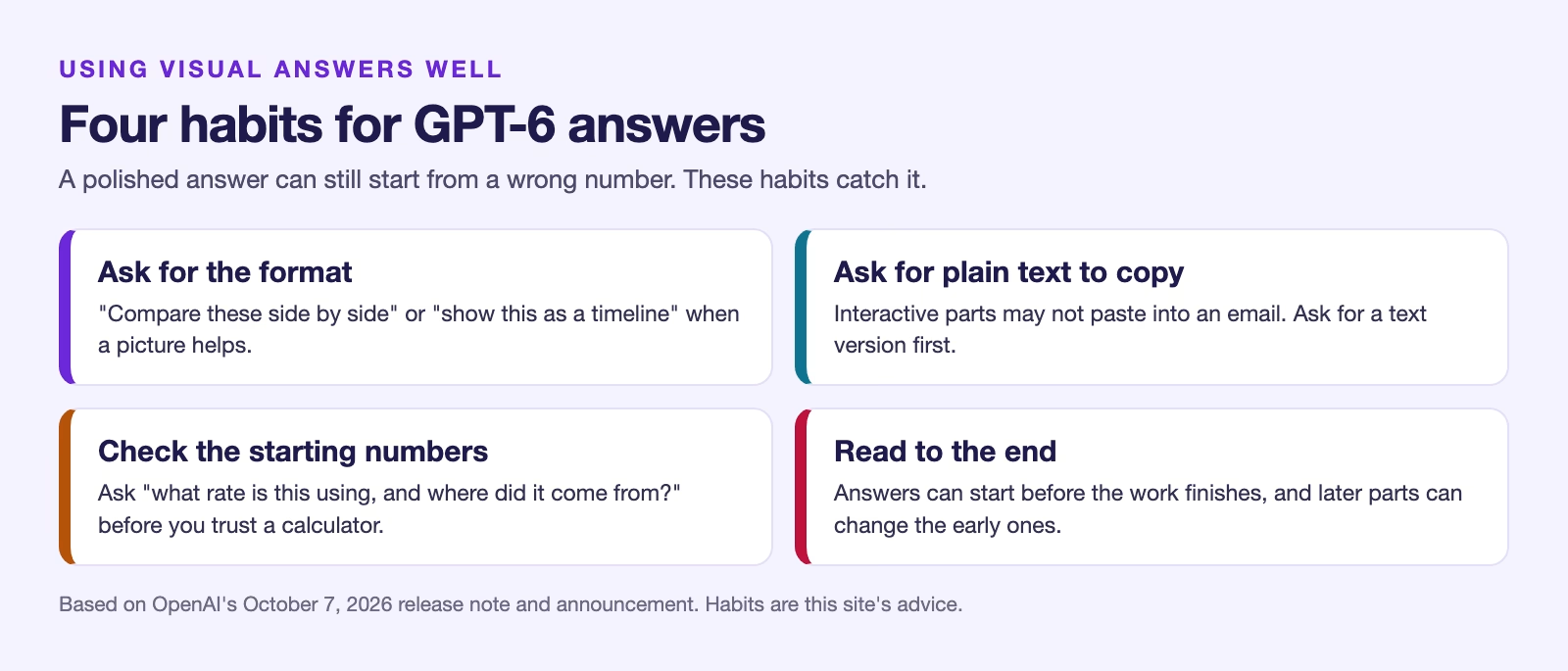
That last habit matters most. A neat calculator looks trustworthy, but its starting numbers come from the model, and the model can be wrong about a price or a rate. Check the inputs before you trust the output.
What did not change
Not everything moved to GPT-6 this week. The release note says the models powering Work and Codex are not changing with this release, so those modes behave as before. The earlier posts on ChatGPT Work mode still apply.
Your saved chats, projects, custom instructions, and memory stay where they were. If you built a habit around a certain kind of answer, ask for it by name and ChatGPT should keep giving it to you.
A worked example: choosing between two job offers
Here is how the new answers can help with a real decision, using made-up numbers for practice. Say you have two offers. One pays $68,000 with a 40-minute commute. The other pays $64,000 and is fully remote.
- You ask: “Compare these two offers over a year, including commute time and fuel, and let me change the numbers.”
- A good answer shows both offers side by side, with fields for commute days, fuel cost, and how much an hour of your time is worth to you.
- You change the commute to three days a week instead of five, and the gap between the offers shrinks in front of you.
- You ask what fuel price it used. It tells you, and you replace it with the price at your local station.
The arithmetic is simple, and you could do it on paper. The win is seeing how the answer changes as you change your assumptions, which is how most real decisions work. Check every number it started with before you rely on the result.
Things to watch for
Visual answers are new, and they come with new ways to be misled. A polished chart can make a guess look like a measurement, so read where its numbers came from.
- Early text can change. Because answers can start before the work finishes, read to the end before you quote the first paragraph.
- Interactive tools run inside the chat. Do not paste passwords or account numbers into them.
- Copying can lose parts. If you paste an answer into an email, the interactive pieces may not come with it, so ask for a text version first.
- Work accounts may lag. If your company’s ChatGPT looks unchanged, your administrator controls the rollout.
Recap
- ChatGPT’s Chat tab now runs on GPT-6: Luna on Free and Go, Sol on Plus, Pro, Business, and Enterprise, and Astra for Pro reasoning.
- Intelligent UI lets answers include visuals and interactive pieces, and ChatGPT picks the format.
- Answers can start before the work is finished, so read to the end.
- Ask for a format, ask for plain text when you need to copy it, and check the numbers any calculator starts with.
Try it today: ask ChatGPT to compare two things you are actually choosing between, give it your own numbers, and then ask it what assumptions it used.
Sources
- OpenAI: GPT-6 for everyone (the announcement and Intelligent UI examples)
- Releasebot: ChatGPT release notes (OpenAI’s October 7, 2026 note: models by plan, rollout dates, Intelligent UI, Work and Codex unchanged)
- OpenAI Help Center: ChatGPT release notes (the official release notes page)
Keep going
Same lessons in your feed
Short diagrams, hooks, and weekly tutorials on Substack, Instagram, X, and Facebook.