

ChatGPT now has three modes, and each one fits a different kind of job. Chat is for talking and writing: you ask, it answers, you edit. Work is for office tasks with several steps, like building a slide outline from a few files. Codex is for changing software code.
Imagine you tell your manager, “I used ChatGPT for this.” They picture a chat window that cleaned up an email. You actually had it pull numbers from three files and draft a deck, which needs a much closer check. Naming the mode you used tells everyone what to expect and what to review.
This post is part of the ChatGPT product map series. If you finished Learn ChatGPT from scratch, you already know the basics of plans and models. Here we make Chat, Work, and Codex easy to tell apart. Later posts in the series cover saved custom versions of ChatGPT and how to read model names, and Work and Codex each have their own tutorial series.
Product names, which plan includes what, and which mode gets which feature change often, so treat what follows as a dated map, current on OpenAI’s pages checked in July 2026. Re-check openai.com/chatgpt, chatgpt.com, and help.openai.com before you write policy or buy seats for a whole team.
A fast way to choose
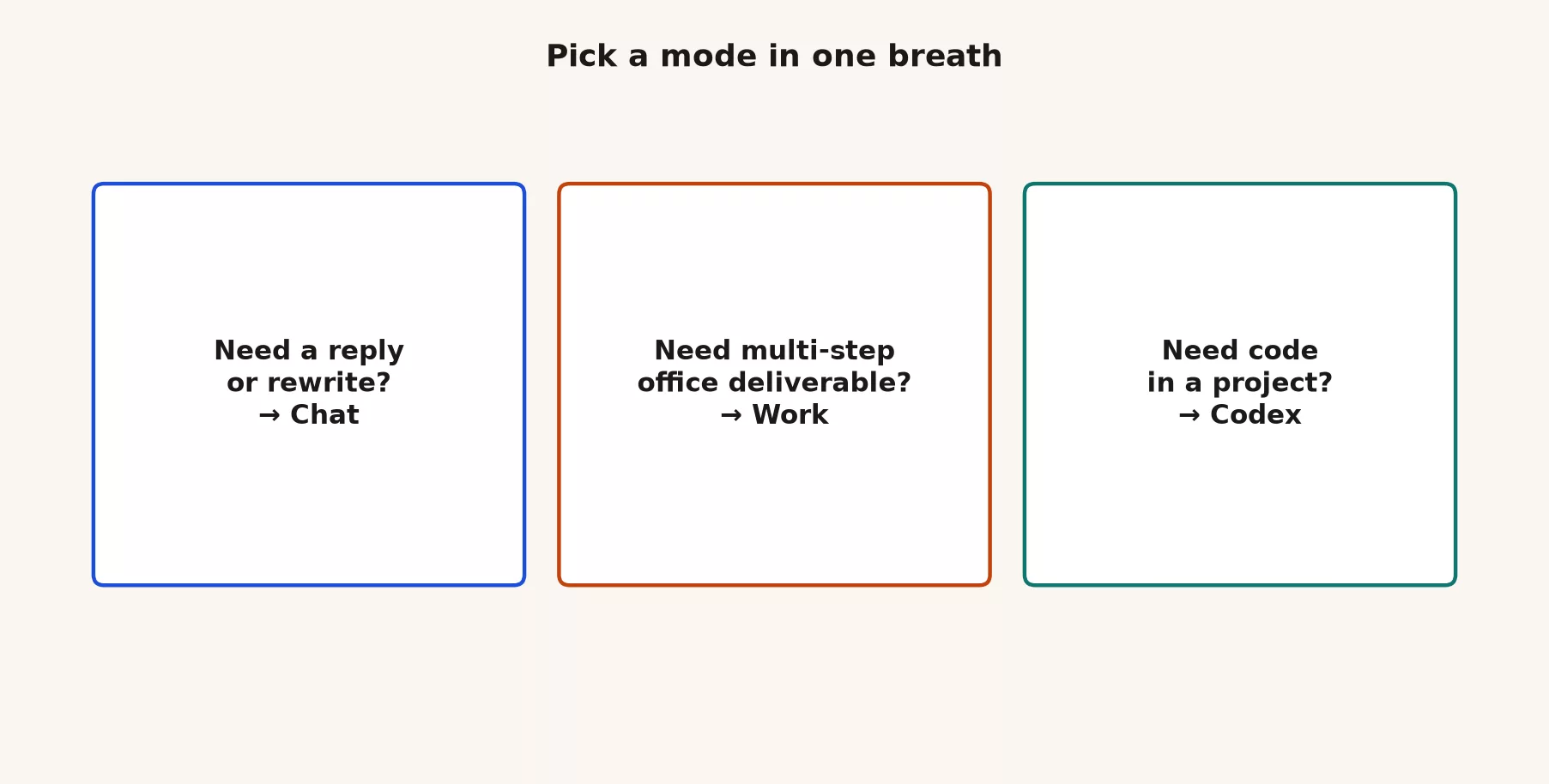
Ask three questions out loud before you switch modes:
- Is the main output language, or code? Language-first work goes to Chat or Work. Code and repo-first work goes to Codex.
- Is one careful conversation enough? If yes, stay in Chat. If the job needs multi-step tool use and longer delegated progress in office work, move to Work. If it is engineering, move to Codex.
- Am I willing to review intermediate steps? If you just need a thirty-second subject line, stay in Chat. Agents, the AI tools that take several steps on their own, shine when review is already part of the job, not when you only wanted faster autocomplete for one paragraph.
If you pick wrong, stop early. Copy the useful text out, open the right mode, and start clean, rather than dragging Codex, a coding agent (an AI tool that takes several steps on its own), through a press-release rewrite.
Match the job to the mode
Use this when a meeting gets fuzzy. Pick the row that matches the job, not the hype.
| Job you actually have | Default mode | Why |
|---|---|---|
| Draft, rewrite, explain, plan, Q&A in a thread | Chat (web, desktop, or mobile) | Conversation is the unit of work; low setup |
| Multi-step office work with apps, files, slides, sheets, docs | Work | Agent for knowledge work deliverables you still review |
| Explore a repo, edit files, run tests, open or review a PR | Codex | Coding agent with developer workflows |
| One short email from notes | Chat | Agent overhead is wasted effort |
| Unclear, sensitive data, or high liability | Slow down: check policy, use a Chat sandbox first | Do not grant folder or repo access by default |
| Ship model calls inside your own product | Developer platform (a later map part) | Separate billing, keys, and engineering ownership |
Two people can share the same brand subscription and still need different modes for different hours of the day. An ops lead might live in Chat and Work. An engineer might live in Codex and only open Chat for prose. That is normal. Shared vocabulary beats shared habits.
Worked example: one monthly report through all three modes
The modes are not rivals. A single piece of work often passes through more than one, and knowing where each step belongs saves both usage and review time. Say you prepare the monthly sales report for your team, and this month you want ChatGPT’s help with every part of it.
- Chat, to agree on what the report should say. Paste your manager’s notes from last month and ask for a one-page outline with the three questions the report must answer. This is a conversation, so you push back and rewrite until the outline is right. It takes a few minutes and very little usage.
- Work, to build the draft from your files. Give Work the outline plus the three exported files the numbers come from, and ask for a first-pass slide outline and a summary sheet. This is multi-step office work across files, which is the job Work exists for. Review the progress as it goes, and stop it early if it starts pulling from the wrong file.
- Codex, only if the export itself is broken. If one file comes out with a missing column every month because of a script your team wrote, that is a software fix, so it belongs in Codex. Ask for the smallest change, read what it changed, and run the script once before you trust the next export.
- Back to Chat, to check the story. Paste the finished numbers and ask what a skeptical reader would question. Then check every number in the deck against the source files yourself, because none of the modes is the official record.
Notice where the review happens. Each handoff is a point to stop and check, and each mode leaves something different to check: a draft you read in Chat, files and figures in Work, and changed lines of code in Codex. If you skip a mode that the job needs, the work does not disappear. It lands back on you as copying and pasting.
Why three modes exist
OpenAI still sells “ChatGPT” as one product family, but the work you do under that name is not one shape. Some jobs are conversation: you write, you get a reply, you edit, you leave. Some jobs are multi-step office work, where you want steps across files, apps, slides, sheets, and docs, with progress you can pause and check. Some jobs are software: repositories, diffs, tests, pull requests. Forcing all three into a single chat thread makes people either underuse the tools, or overtrust a chat reply as if it had already changed a codebase.
The desktop app is where OpenAI made this split hardest to ignore. Chat, Work, and Codex now live together in the ChatGPT desktop app on Mac and Windows. Older standalone Codex builds, and a “Classic” desktop path, may still show up as leftover migration stories on some machines. Web and mobile keep expanding Work and related features where the AI works on its own by plan, though coverage is uneven between them. The durable idea is not the exact menu label. It is the job type underneath it.
At work, vocabulary costs money. Finance may approve a Plus seat and still be shocked when sessions where the AI works on its own burn through capacity fast. IT may allow browser Chat and still restrict local folder or coding access. An analyst who only knows Chat will paste CSV files (comma-separated spreadsheet exports) into a thread, while an engineer expects multi-file edits inside Codex. Name the mode you mean. Plans, permissions, and review habits become discussable once each mode has a name everyone agrees on.
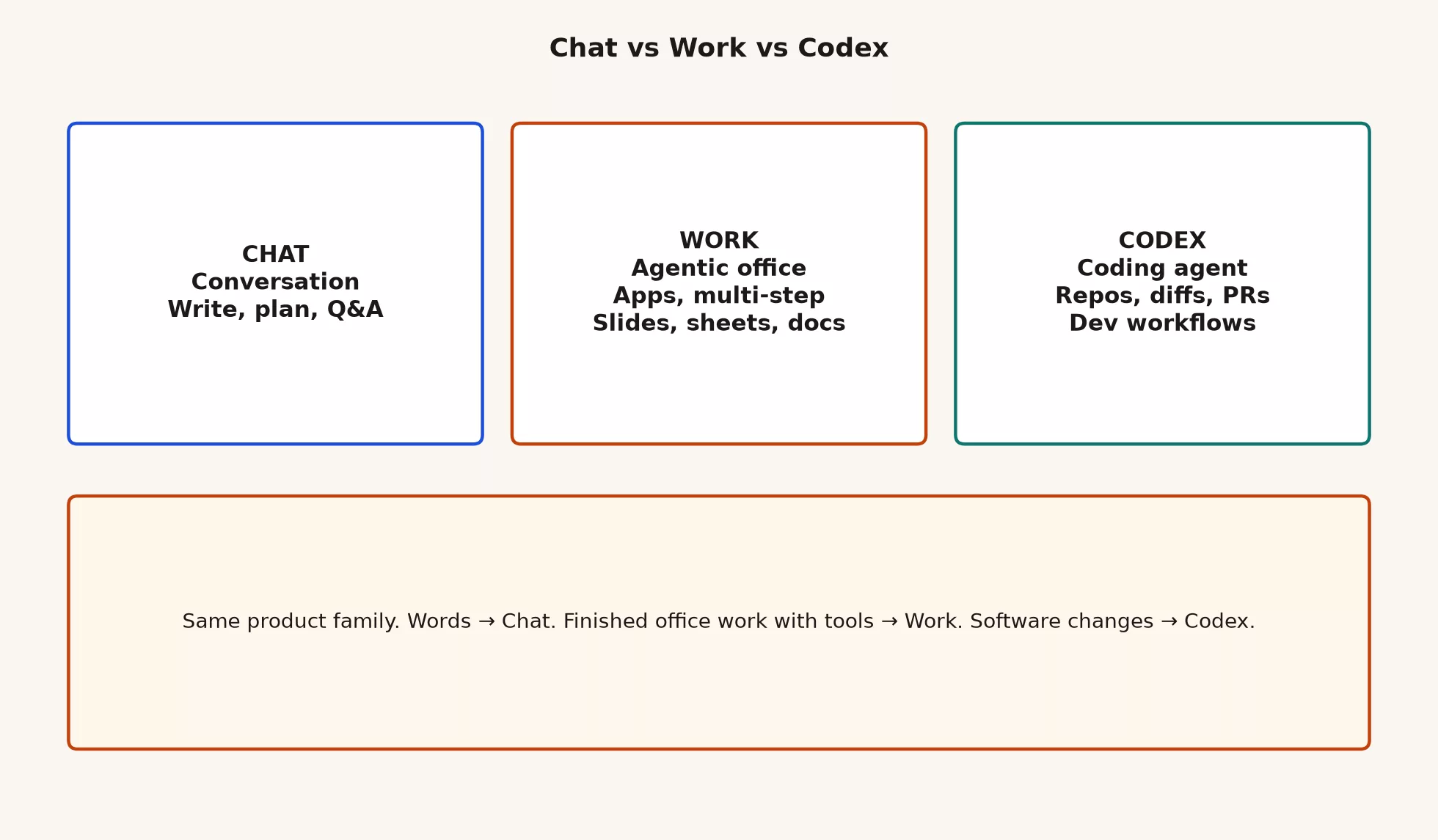
Chat: conversation, writing, plans, and Q&A
Chat is the default mode almost everyone means when they say ChatGPT. You lead turn by turn: you type a prompt, maybe attach a file you are allowed to share, read the reply, push back, rewrite, and export. The unit of work is a conversation. That sounds simple, and it also happens to be the right tool for a huge share of real jobs.
What Chat is good at
Use Chat when the main output is language or judgment inside a thread. Draft an email from bullet notes. Critique a slide outline. Explain a metric definition for non-analysts. Turn messy meeting notes into three options with risks attached. Translate jargon for a specific audience. Plan a week of tasks without opening five tools. Ask clarifying questions before you touch a spreadsheet. Review one PDF and list the open questions. Learn a concept until you can restate it in your own words.
Chat is also where new users should live first. You can learn prompting, verification, and “paste less private data” habits without giving an AI tool that acts on its own write access to a repo or a folder of contracts. That order matters more than any feature comparison chart. If Chat still feels fuzzy, stay in Learn ChatGPT from scratch before you treat Work or Codex as your daily tool.
What Chat is awkward for
Chat is awkward when the real unit of work is a tree of files that must stay consistent, or a multi-step office job that wants intermediate files saved along the way. You can paste snippets, but you are still the glue: you copy, you apply, you re-paste errors, and you hope you did not miss a second file that depends on the first. Chat is also a weak place to pretend you “ran a project” when all you actually did was get a long reply that nobody checked against the source files.
Chat is still not the official record of what happened. If the answer becomes a board number, a customer commitment, or a SQL (the standard language for asking a database questions) change that hits production, a human owns the check. That rule does not change just because the interface feels friendlier than it did last year.
Web, desktop, mobile for Chat
Web Chat is the lowest-friction start: any machine with a browser works, IT can often allow-list the domain, and you are not installing anything. Desktop Chat is useful when you want a dedicated window, less tab chaos, and the same install that also holds Work and Codex. Mobile Chat is for capture and light review: dictate a thought on the train, reread a draft, or kick off something that continues later. Exact feature parity still moves, so treat mobile as “great for many tasks,” not as an identical twin of desktop.
Rule of thumb: If the job is thinking, drafting, planning, or Q&A, open Chat first. If the job is multi-step office work with tools and deliverables, look at Work. If the job is changing software in a real project, look at Codex.
Work: agentic multi-step office work
Work is the agent-shaped mode for non-coding knowledge work. Think multi-step: gather context, use the apps and files you allow, draft longer material, and produce something closer to a finished package that you still review. Slides, sheets, docs, and similar office outputs sit in this lane when the product supports them. Work is not “Chat with a longer reply.” It is a different loop entirely: goal, steps, tools, checkpoints, review.
What Work is good at
Work earns its keep when one careful conversation is not enough, and the job is still office work rather than a software project. Examples that belong here, when your plan and permissions allow them:
- Turning a folder of meeting notes into a structured brief with open questions.
- Building a multi-section report from several sources you explicitly provide.
- Producing a first-pass deck outline plus a supporting sheet of numbers you will still verify.
- Running a longer delegated task where the intermediate steps matter, and you want visible progress, not one shot of text.
- Coordinating multi-file office work across docs, sheets, and slides under approvals, instead of copy-paste gymnastics inside Chat.
Work is not a free pass to unsupervised action on company systems. Approvals, review, and data rules still sit with you. A later post in the ChatGPT Work tutorial track goes deeper on first agentic (where the AI takes many steps on its own) tasks and checking the results. Here you only need to recognize the mode, and not waste it on a subject-line rewrite.
Where Work shows up, and why “available” is not “equal”
Desktop Work is available more broadly than many people expect, including limited Free access for orientation. Web and mobile rollouts still vary by plan and region. Marketing lines may say you can open a mode on every plan, but capacity is the constraint that actually bites. Free can be enough to learn the shape of Work. Day-to-day multi-step office work usually becomes practical on paid plans, such as Plus, Pro, Go where offered, Business, and Enterprise, since those come with higher usage budgets.
If your company uses Business or Enterprise, admin controls and workspace policy matter as much as the mode label does. Folder access, connectors, and what counts as approved data are not personal taste. They are policy. When money or compliance is real, re-check OpenAI’s current plan matrix and your own IT notes, rather than a Slack rumor from last quarter.
Work costs more usage than Chat
Chat is usually the cheaper way to spend a usage limit: one prompt, one reply, a couple of follow-ups. Work spends more, because multi-step agents take more tool calls, more context, and more “thinking” time behind the scenes. That is not a flaw in the product. It is why Free feels generous for chat demos and tight for demos where the AI works on its own. Scope the job in one sentence before you start Work, because a vague goal for the agent (the AI working on its own) burns capacity while the model just explores.
Codex: coding agent for repos, diffs, and pull requests
Codex is the coding agent mode. It is for developers and technical professionals who live in software projects: repositories, diffs, tests, pull requests (PRs, the standard way to propose a code change for review), and related developer workflows. Codex is now merged into the ChatGPT desktop app alongside Chat and Work, so you no longer juggle a separate coding-only app once the product has combined them. Older Codex-only apps may still update into that combined desktop experience over time.
What Codex is good at
Point Codex at software work. Explore a repo. Propose multi-file edits. Read a failing test and try a fix under your review. Draft a pull request description that matches the actual diff. Review changes in a side panel when the product supports it. Work across projects when multi-repo flows are available. The important word here is agent, not autocomplete. Autocomplete suggests the next few words while you type. An agent takes a goal, explores the code, plans steps, and carries them out inside limits you set. You still steer. You still review.
Codex is not only for people who write C++ for fun. Beginners who can open a project folder, read a diff, and run a test command can get real value from it. You do not need to be the senior engineer who built the whole system. You do need enough judgment to say “that change is wrong” when the agent invents a function that does not actually exist.
What Codex is a bad default for
Do not open Codex for stakeholder emails, pure prose research, or a one-paragraph rewrite. You will get extra clicking around and wasted usage for a job Chat already does. Do not treat “I pasted code into Chat” as the same thing as “I used Codex.” Pasting snippets into Chat is coding with conversation. Codex is a different mode, with repo context and developer workflows built in. Both can be useful. Call each one by its right name.
Deep install steps, your first project, and git-friendly habits live in a later ChatGPT Codex tutorial series. This map only needs you to know when to open Codex and when to walk past it.
Plans and Free limits
OpenAI markets Chat, Work, and Codex as available on desktop across a wide range of accounts, including Free for limited use. That can be true as a “you can open the mode” claim, and still false as a “you get the same capacity” claim. Free is useful for orientation. Multi-step Work and Codex tend to burn usage faster and hit limits sooner. Plus, Pro, Go where offered, Business, and Enterprise are where heavier Work and coding patterns usually become practical day to day.
Web and mobile Work rollouts still depend on plan and product stage. Do not assume every desktop button has a full twin on Free mobile. When a service agreement, legal review, or budget is on the line, screenshot the plan page for your account type and date the note.
| Question | Practical answer |
|---|---|
| Can Free open desktop Chat? | Yes, through the normal ChatGPT login and download paths OpenAI documents. |
| Can Free touch Work or Codex? | Often yes, as limited access. Capacity is the real constraint, not curiosity. |
| When should I pay? | When Chat limits or Work/Codex capacity block real weekly work, not because a banner shouted once. |
| Business or Enterprise? | Admin controls, data rules, and workspace choice matter more than mode labels do. Follow IT policy. |
| Why did my agent session die mid-task? | Usage and plan limits often hit multi-step modes first. Export what you have; do not blindly re-run the whole task. |
Before you roll out a team habit, write three facts on one page: which modes each seat includes today, what data is banned from personal accounts, and who owns review for agent outputs. Skip that page, and you will learn the rules the hard way, from a surprise limit wall or a compliance email.
Habits that protect usage and sanity
- Scope agent jobs in one sentence before you start Work or Codex, because “make it better” is not a real scope.
- Prefer Chat for the first draft of language, and only move to Work if the remaining work is truly multi-step.
- Do not open Codex for prose. It adds extra clicking and wasted usage for a job Chat already does well.
- Watch plan usage indicators when the product shows them. If you hit a wall mid-task, export what you already have.
- On shared Business seats, heavy Work and Codex sessions are a team cost, not a private hobby, so know your company’s norms.
- Review outcomes, not vibes. Diffs, numbers, names, and “did this touch the wrong folder?” still sit with you.
Signs you picked the wrong mode
You will not always pick right the first time. These are the signs that a job belongs somewhere else, and where to move it. When you see one, copy out what is useful, open the right mode, and start clean instead of dragging the old thread along.
| What you notice | What is going on | Move to |
|---|---|---|
| You keep copying text between Chat and the same five files | The job is multi-step office work, and you are doing the steps by hand | Work |
| Chat’s code fix needs matching edits in three other files | The job is a change to a software project | Codex |
| Work spends ten minutes and a chunk of your limit on a one-paragraph rewrite | The job is a conversation | Chat |
| Codex asks for access to a project folder so you can draft a press release | The job is writing, not code | Chat |
| A Work deck looks finished but you cannot tell which file each number came from | The steps ran without a check | Stay in Work, ask it to list its sources, and check them |
| You are about to paste customer details into a personal account | The mode is not the problem; the account is | Your company’s approved tool |
The last two rows matter most. Picking the wrong mode wastes time and usage, but the work can be redone. Skipping a check or using the wrong account can put a wrong number in front of your manager or private data in the wrong place, and that is much harder to undo.
Frequently asked questions
Is Work better ChatGPT?
No. It is a different mode for multi-step office work. For writing a client email, Chat is usually better. For a multi-source brief with tools and deliverables, Work is usually better. “Better” only makes sense next to an actual job.
Do I need Codex if I already paste code into Chat?
Not always. Snippet pastes handle plenty of small coding questions. Codex earns its keep when the job is multi-file work in a real project, with diffs and pull-request habits attached. If your company has not approved coding agents yet, stay on Chat with scrubbed samples.
Is Free enough to learn the three modes?
Often yes, for orientation on desktop. Capacity gets tighter on Work and Codex. Learn each mode on Free if you can open it, then pay once weekly work actually hits a wall, not because a banner told you to feel left out.
Should every teammate use every mode?
No. Start with Chat fluency for everyone. Add Work for people who run multi-step file and office workflows under policy. Add Codex for people who actually touch repositories. Unused agent access still creates permission questions and support load for no benefit.
Series notes
Part 2 of this series is Custom GPTs vs plain chat: when a saved recipe beats restating context every time, and when a Custom GPT is the wrong solution. Later map parts cover model names without hype and the developer path for people who build apps. Deeper Work, Codex, and Custom GPT tutorials live in their own series once this map is clear.
If you still want everyday Chat habits before you expand into other modes, stay with Learn ChatGPT from scratch. For the Anthropic sibling map, covering chat versus Claude Code versus Claude Cowork, see Learn Claude from scratch and the Claude product map series. Related paths also sit on Learn.
Quick recap
- One brand, three primary job modes: Chat, Work, and Codex.
- Chat is conversation: write, plan, ask questions, and use turn-by-turn judgment.
- Work is agentic multi-step office work with apps, files, slides, sheets, and docs under review.
- Codex is the coding agent for repos, diffs, and pull requests, merged into ChatGPT desktop alongside Chat and Work.
- Work and Codex burn usage faster than short Chat sessions. Free can open the mode; capacity is not equal.
- When someone says “use ChatGPT,” answer back with a mode name, not a vibe.
Try it this week
- Write down the last three times someone said “ChatGPT” at work, and label each one with a mode: Chat, Work, Codex, or unknown.
- Open chatgpt.com, and the desktop app if you use it. Note which modes you actually see on your plan, and date the note.
- Pick one real task for tomorrow. Force yourself to choose a mode before you type. If you choose Chat, write one sentence on why Work or Codex would have been worse for that task.
- If you have never used anything beyond Chat, stop after one careful Chat session this week. Do not start three agent experiments “just in case.”
- Skim OpenAI’s help and product pages for desktop and plan language, so your team notes match current labels instead of last year’s screenshots.
Sources
Official product pages and help used for this map, checked in July 2026 (re-check before purchase or policy; product details change):
- OpenAI ChatGPT product home: https://openai.com/chatgpt/
- ChatGPT app: https://chatgpt.com/
- ChatGPT download (desktop entry points): https://chatgpt.com/download/
- OpenAI Help Center: https://help.openai.com/
- OpenAI Help: ChatGPT plans and features (search current plan articles on help.openai.com for Free, Plus, Pro, Business, Enterprise language)
- Analytics Made Simple: Learn ChatGPT from scratch (foundation series before this map)
- Analytics Made Simple: Learn hub (related paths)
Keep going
Same lessons in your feed
Short diagrams, hooks, and weekly tutorials on Substack, Instagram, X, and Facebook.



