Speech AI products fall into a few kinds: cloud services you pay per use, open models you run on your own hardware, and voice-cloning tools. Pick by how private the audio is, how fast a reply must come, and how your bill grows with use, not by brand name. Most real setups use more than one.
Say your app reads text aloud for users, and you send everything to one cloud voice service because it sounded best in a demo. A few months later the monthly bill has grown with every new user, and someone in legal asks why private health notes are being sent to an outside company. Both problems come from using one tool for every job.
This post explains the cloud versus own-hardware choice, the four kinds of speech tools with current examples, four questions for sending each job to the right tool, and a short program that does that routing and estimates the bill.
A cloud service or your own hardware
The first decision is where the work happens. A cloud service takes your text or audio over the internet and charges per character or per minute. Programs usually reach it through an application programming interface (API), a set of rules for one program to ask another for work. An open model, one whose files you can download, runs on a computer you control.
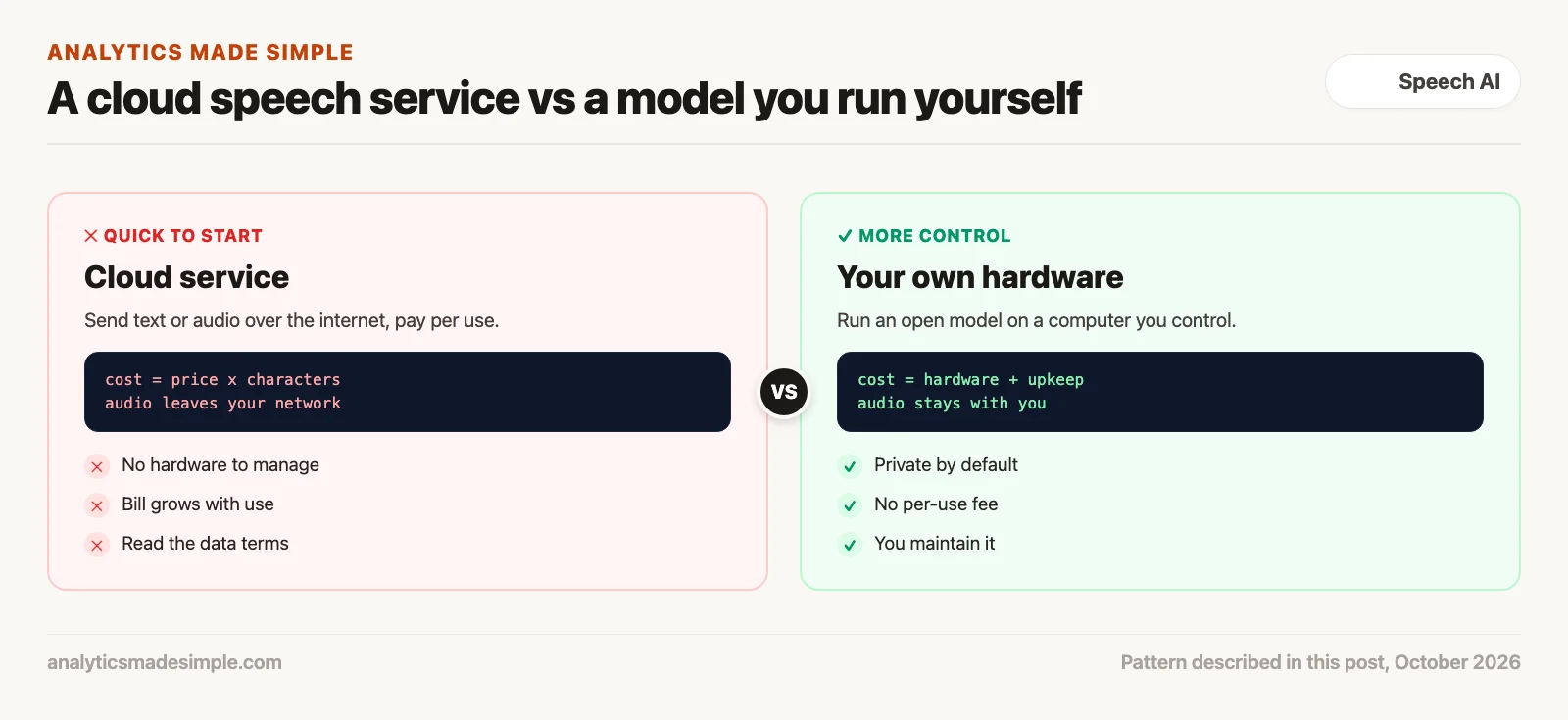
- Cloud service: Fast to start, with no hardware to manage, and often the most natural-sounding voices. The bill grows with every character, and your audio leaves your network, so read the provider’s data terms.
- Your own hardware: Private by default, with no per-use fee. It is not free: you pay for the computer, the electricity, and the time to keep it running.
For a prototype or a small amount of high-value narration, a cloud service is usually the easy choice. As volume grows, running a small open model yourself can become cheaper, especially for routine text.
Distance adds delay
For live conversations, published prices are only part of the story. Every trip over the internet adds delay. If a caller is in one country and the speech service runs in another, the audio travels a long way before any AI work starts. That is why it pays to measure the real delay from your own servers, over real phone and mobile connections, instead of trusting a demo.
Four kinds of speech AI tools
These examples come from each vendor’s own documentation, checked October 3, 2026. Names change often, so check the links before you decide.
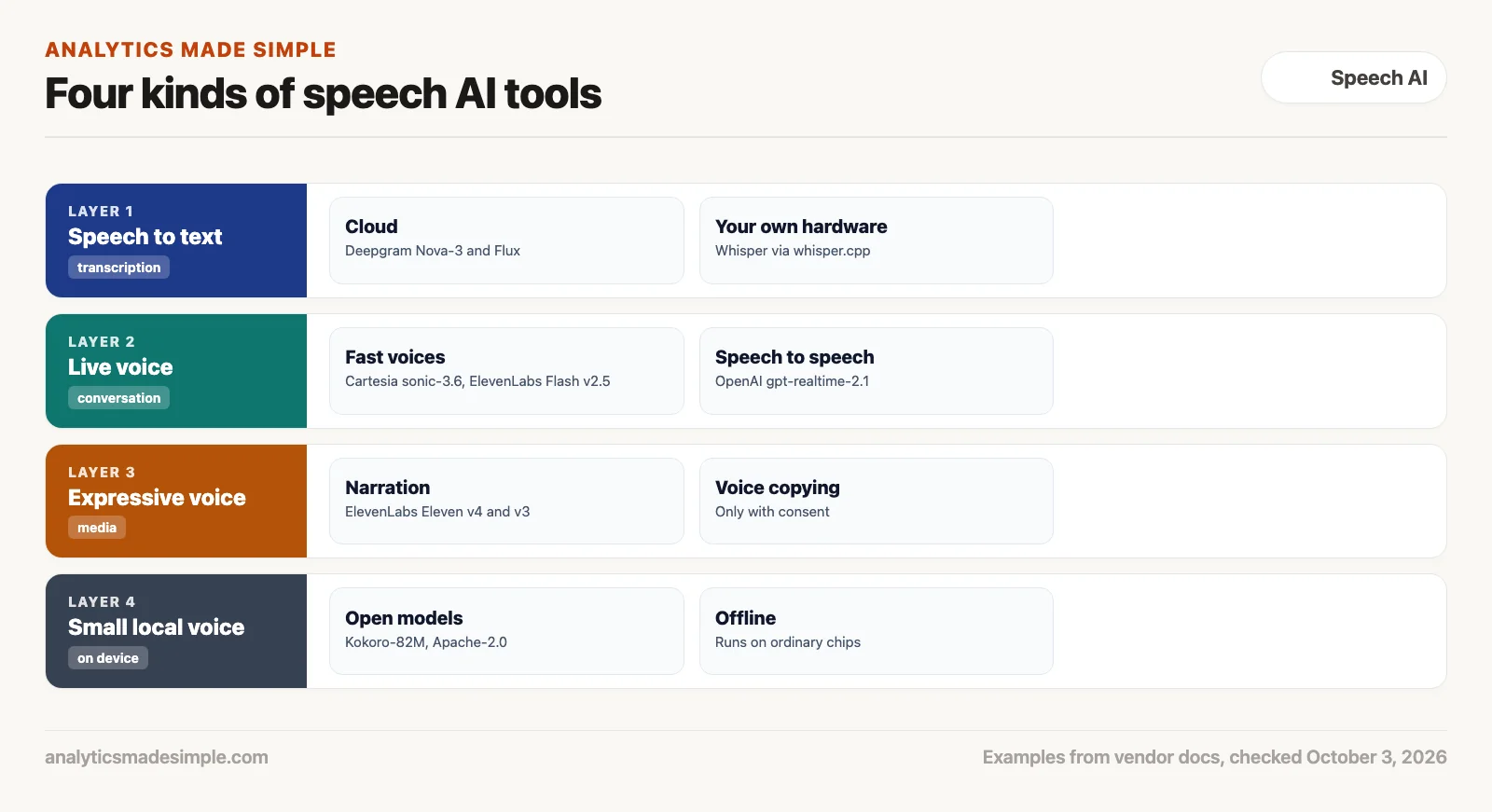
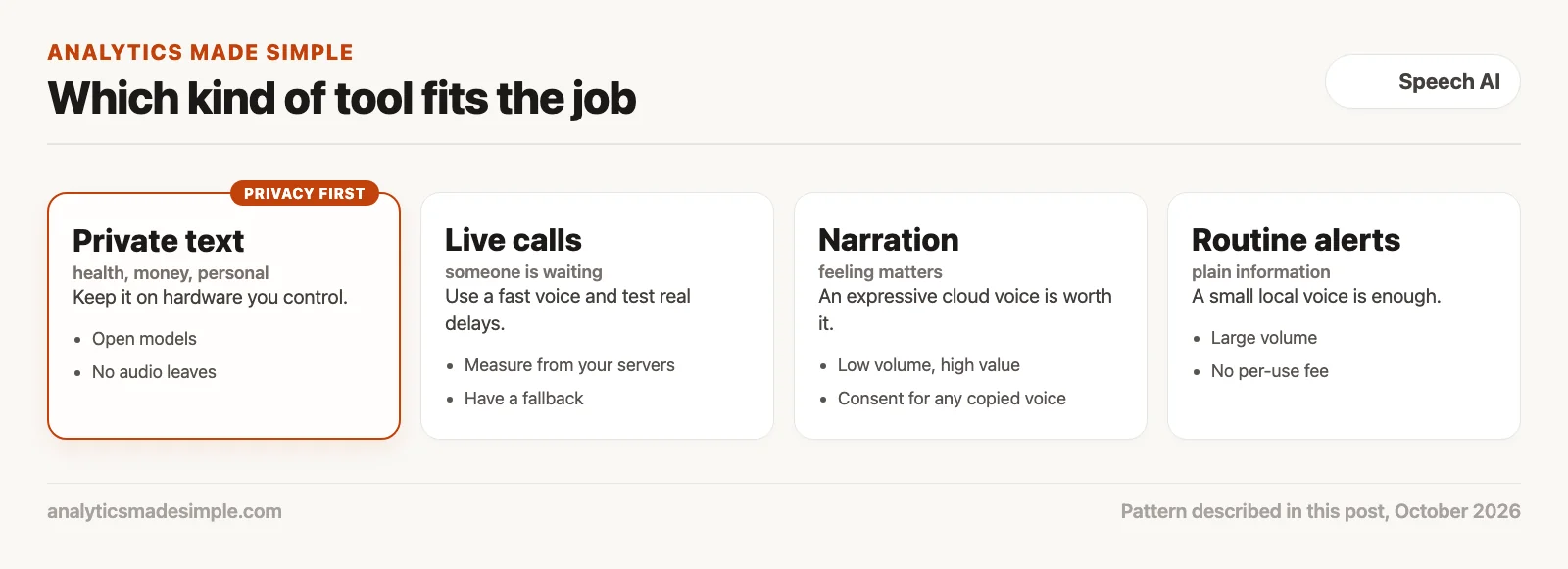
- Speech to text: Turning recorded speech into text. Deepgram lists Flux, Nova-3, and Nova-2, with Flux built for voice agents. If audio must stay in-house, whisper.cpp runs OpenAI’s open Whisper models on ordinary computers.
- Live voice: Voices fast enough for conversation. Cartesia’s current model is sonic-3.6. ElevenLabs lists Flash v2.5 as its fast, lower-cost model. OpenAI’s Realtime API, a way for programs to hold a live voice session with its models, uses gpt-realtime-2.1 in its examples. That model takes speech in and gives speech back.
- Expressive voice: Narration where feeling matters. ElevenLabs describes Eleven v4 as its most emotive model. Copying a real person’s voice needs that person’s consent, a topic for the next post.
- Small local voice: Open models such as Kokoro-82M (Apache-2.0 license) run on ordinary processors, even offline, which suits screen readers and routine alerts.
Four questions for every request
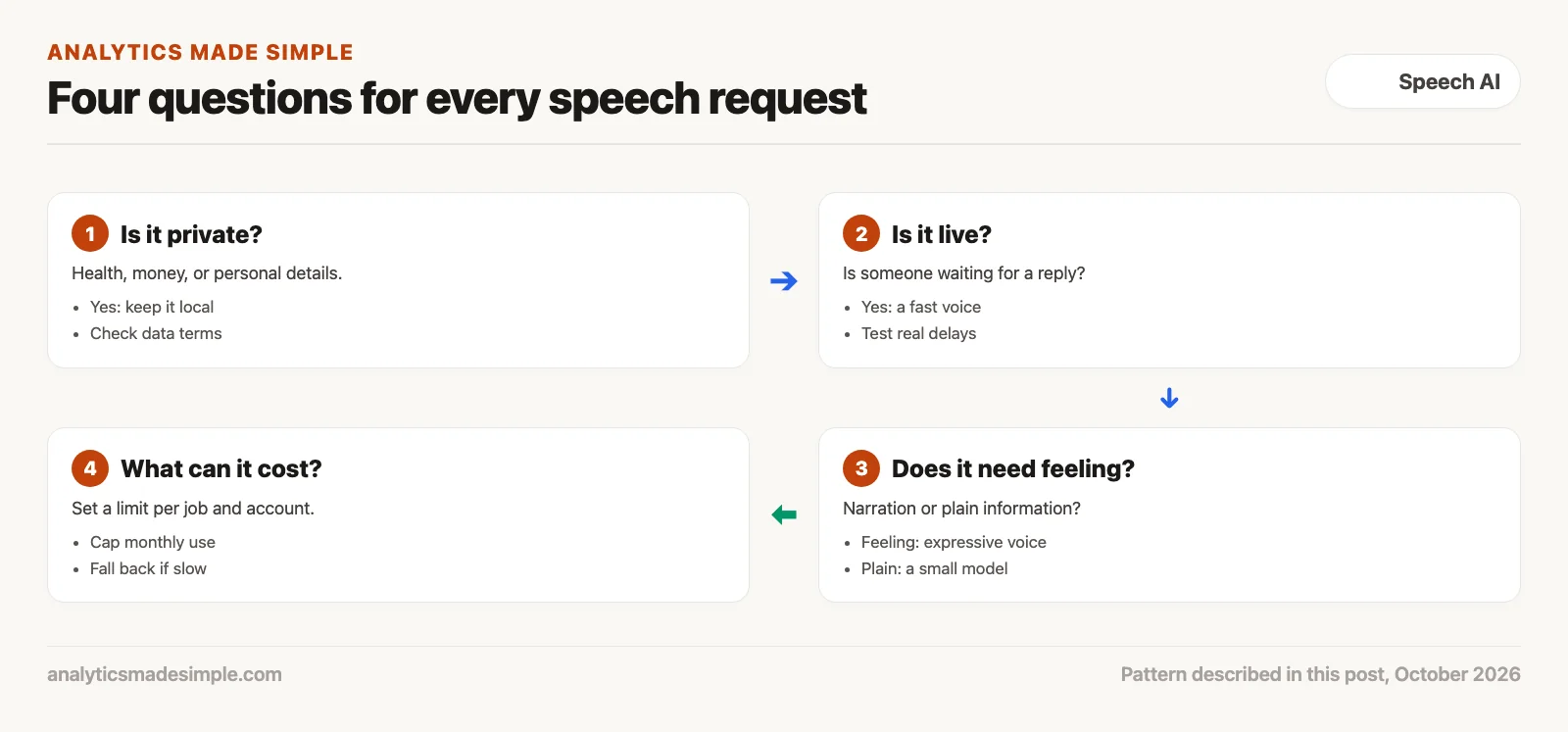
- Is it private? Health details, financial records, and other personal data are safest on hardware you control.
- Is it live? If someone is waiting on a call, use a fast voice, and have a small local model ready in case the cloud is slow.
- Does it need feeling? Marketing narration may justify an expressive voice. A status alert does not.
- What can it cost? Set a monthly limit per account, so a bug or a bot cannot run up a huge bill.
A router you can run
The short Python program below asks those questions of four made-up jobs, picks a kind of tool for each, and estimates the month’s cloud bill. The prices are placeholders, so copy current ones from each vendor’s pricing page. It needs nothing beyond Python.
# Route each speech request to a kind of tool, then estimate a month's cloud bill.
# Prices are made-up placeholders; copy current ones from each vendor's pricing page.
CLOUD_PRICE_PER_1000_CHARS = {"expressive cloud voice": 0.20, "fast cloud voice": 0.05}

requests = [
    {"job": "read patient notes aloud", "private": True, "live": False, "expressive": False, "chars": 4_000_000},
    {"job": "phone support replies", "private": False, "live": True, "expressive": False, "chars": 6_000_000},
    {"job": "product video narration", "private": False, "live": False, "expressive": True, "chars": 50_000},
    {"job": "internal status alerts", "private": False, "live": False, "expressive": False, "chars": 9_000_000},
]


def route(r):
    if r["private"]:
        return "model on your own hardware"
    if r["live"]:
        return "fast cloud voice"
    if r["expressive"]:
        return "expressive cloud voice"
    return "model on your own hardware"


total = 0.0
for r in requests:
    tool = route(r)
    cost = CLOUD_PRICE_PER_1000_CHARS.get(tool, 0.0) * r["chars"] / 1000
    total += cost
    print(f"{r['job']:26} -> {tool:28} ${cost:,.2f}")
print(f"{'cloud bill this month':26}    {'':28} ${total:,.2f}")
Running it prints:
read patient notes aloud   -> model on your own hardware   $0.00
phone support replies      -> fast cloud voice             $300.00
product video narration    -> expressive cloud voice       $10.00
internal status alerts     -> model on your own hardware   $0.00
cloud bill this month                                      $310.00
In plain words, the route function checks privacy first, then whether the job is live, then whether it needs feeling, and sends everything else to a local model. The cost line multiplies the placeholder price by the number of characters. The patient notes and the alerts stay on your own hardware and add nothing to the cloud bill, though that hardware still has its own running costs.
A checklist before you pick a vendor
- Read the data terms: Check whether the provider may use your audio to train its models, and whether it will sign the agreement your industry needs.
- Measure real delay: Test from your own servers over real connections, because demo numbers come from ideal conditions.
- Plan a fallback: Decide what happens if the cloud service is slow or down.
- Cap usage: Set monthly limits per account.
Quick recap
- Cloud services are quick to start but bill per use, and audio leaves your network.
- Open models on your own hardware keep audio private, with hardware and upkeep costs instead.
- Speech tools come in four kinds: speech to text, live voice, expressive voice, and small local voices.
- Send each job to the right tool by privacy, speed, feeling, and cost.
Your next step this week
List the speech jobs in your product or team, and mark each one private or not, live or not, and expressive or not. Put them into the program above with current prices from the vendors you are considering, and see which jobs could move to a model on your own hardware.
Series notes
This is Part 3 of Voice models from scratch. Previous: everyday uses for speech AI. Next: voice-cloning ethics and scams.
Sources
- Deepgram, Models and languages overview, checked October 3, 2026.
- ElevenLabs, Models, checked October 3, 2026.
- Cartesia, Text-to-speech models, checked October 3, 2026.
- OpenAI, Realtime API guide, checked October 3, 2026.
- ggml-org, whisper.cpp on GitHub.
- hexgrad, Kokoro-82M on Hugging Face, Apache-2.0 license.
Keep going
Same lessons in your feed
Short diagrams, hooks, and weekly tutorials on Substack, Instagram, X, and Facebook.