Qwen is Alibaba Cloud’s model family: a chat site, cloud APIs, and open weights. Four browser tabs that all say “Qwen” are still four separate products, so pick one path and one model size before you paste a product brief into all of them at once.
Say you keep four browser tabs pinned, each one with “Qwen” somewhere in the title, while you work through a 14-line spec sheet for a blender with the stock keeping unit (SKU) code AMS-BLND-900. Tab 1 is chat.qwen.ai. Tab 2 is Alibaba Cloud Model Studio. Tab 3 is the Hugging Face account named Qwen. Tab 4 is an Ollama library page still offering qwen2.5:14b. You paste the same 11-bullet brief into all four tabs to compare the answers. Less than an hour later, someone on your team publishes a product listing that says 800 watts. The actual spec sheet said 900 watts. That wrong number came from the leftover local 2.5 model, which had never seen the current product catalog at all.
Qwen is a family, not a chatbot
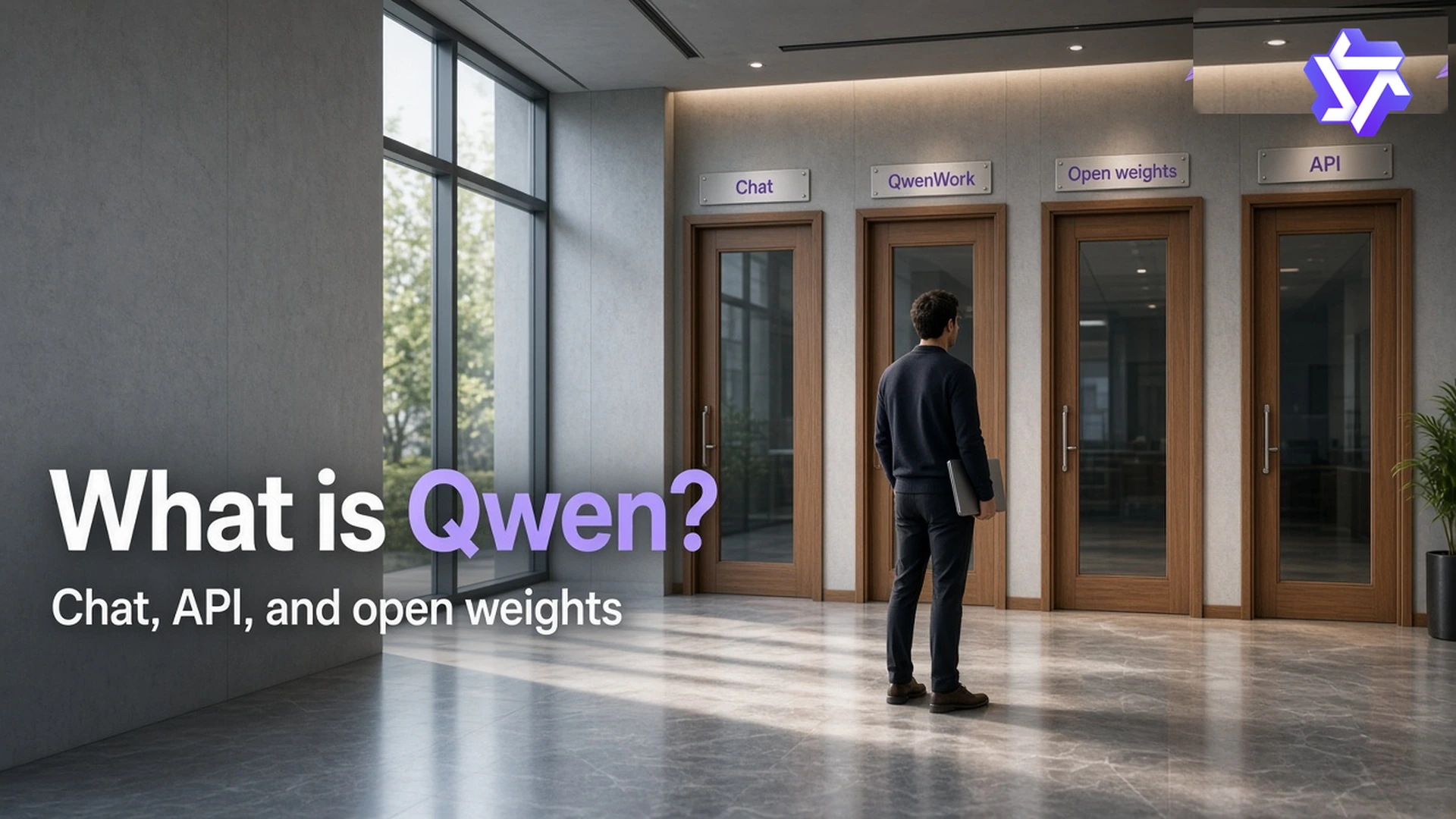
Hugging Face’s Qwen account page says it plainly: Qwen is the large language model family built by Alibaba Cloud. In Chinese product history you will also see the name Tongyi Qianwen used for the same lab family, just with a different label on the door. The public chat product is Qwen Chat, at chat.qwen.ai. The site qwen.ai currently puts Qwen Studio in its navigation menu for that same assistant. Alibaba’s August 2026 announcement also pointed at QwenWork and at Alibaba Cloud Model Studio for developers who want API access. None of those four is “the” Qwen. They are simply different ways to reach models that belong to the same family.
Meta’s Llama is a weight family, not the Meta AI app, so this pattern is not unique to Qwen. DeepSeek has a chat site and a Hugging Face account. Qwen does both of those, plus a cloud console that sends you a bill. If a coworker asks whether your team used Qwen, the honest answer is “which one.” Chat logged a draft, Model Studio wanted an API key before it would do anything, Hugging Face just showed model cards, and Ollama ran a leftover 2.5 file nobody remembered was still there.
Handling Chinese alongside other languages is a real strength of this family, since Qwen’s research pages have long treated translation as something the models are specifically trained for, and a later post in this series covers that in more depth. If the blender listing has to ship in both English and Simplified Chinese from one brief, Qwen is worth trying. A listing that only ever needs English does not need an Alibaba tab at all.
Rule of thumb: Write down which path you are using, chat, QwenWork, open weights, or the API, on a sticky note before you write “Qwen.” The family name alone does not tell you where your text is going.
Four tabs, four products
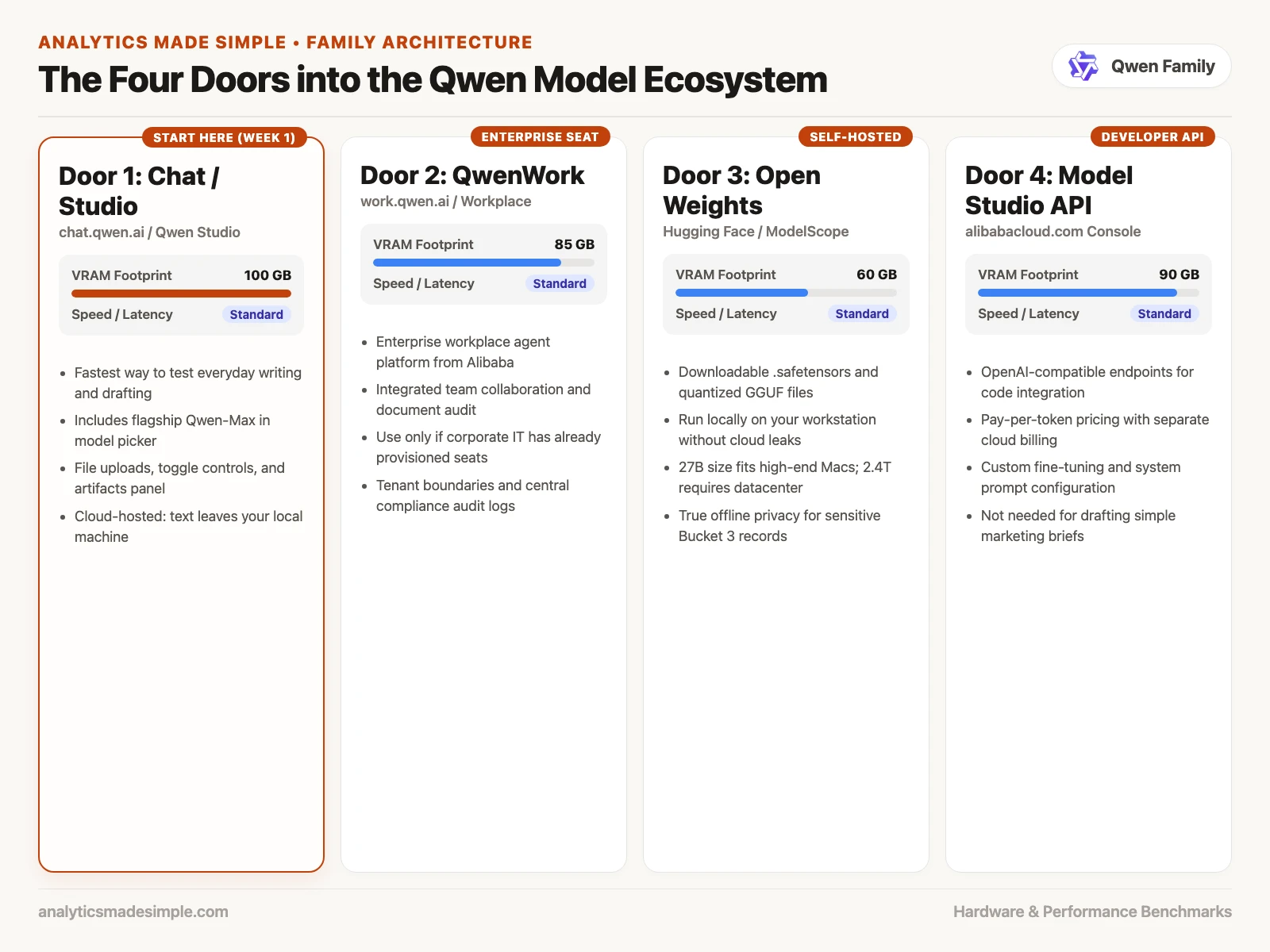
Chat is the box you actually type into. You log in, you pick a model from a picker menu whose label tends to shift over time, and you paste in the brief. Studio, on qwen.ai, is currently that same assistant under a second name, so treat the two as one login unless the site has clearly split them by the time you visit. QwenWork is the workplace product Alibaba announced alongside its August 2026 flagship model. If your IT team already uses it, that may be the path they want you on, but it is still a hosted product, so your prompt still leaves your laptop.
Open weights are just files. The Qwen account on Hugging Face hosts model cards, licenses, and checkpoints, and a card is documentation, not a running assistant. It will not draft your listing until you load the actual file into Ollama, LM Studio, llama.cpp, or a rented server with a graphics processing unit (GPU). Even open weights running on a rented host still send your text off your own machine, the same hosted tradeoff covered in the guide to hosted versus local models. A 2.4-trillion-parameter flagship model is a data-center-scale project even when the weight file is technically public. A 27-billion-parameter model is closer to the size a real self-hosted setup can actually finish downloading and running.
The API path is Alibaba Cloud Model Studio, and Qwen’s own API documentation also describes OpenAI-compatible calls. You create a key, you pay per token, and you put that key into an app you are building. A chat seat and an API budget are billed separately, from different accounts, so you do not need an API key just to rewrite eleven product bullet points. A key is a second bill and a second place your product data can end up logged.
| Path | What you open | Where the brief goes | Use it in week one? |
|---|---|---|---|
| Chat / Studio | chat.qwen.ai (qwen.ai currently calls it Studio) | Alibaba’s chat product | Yes, one tab is enough. |
| QwenWork | Alibaba’s workplace agent | Your work tenant, with a work log | Only if IT already put you there |
| Open weights | Hugging Face Qwen account, then Ollama or a host | Your own memory if local and offline; a host if you upload it there | Not until the job specifically needs a local file |
| API / Model Studio | Alibaba Cloud Model Studio, with API keys | Their API logs, plus a token bill | Not until you are actually shipping an app |
Groq, the inference company spelled with a q, may list a Qwen model tag of its own. That is a hosting company, not Alibaba’s chat product, and it is not the same thing as xAI’s Grok either. If someone tells you they “moved the listing to Groq,” ask which exact checkpoint and which company’s servers they mean.
Names change every few months
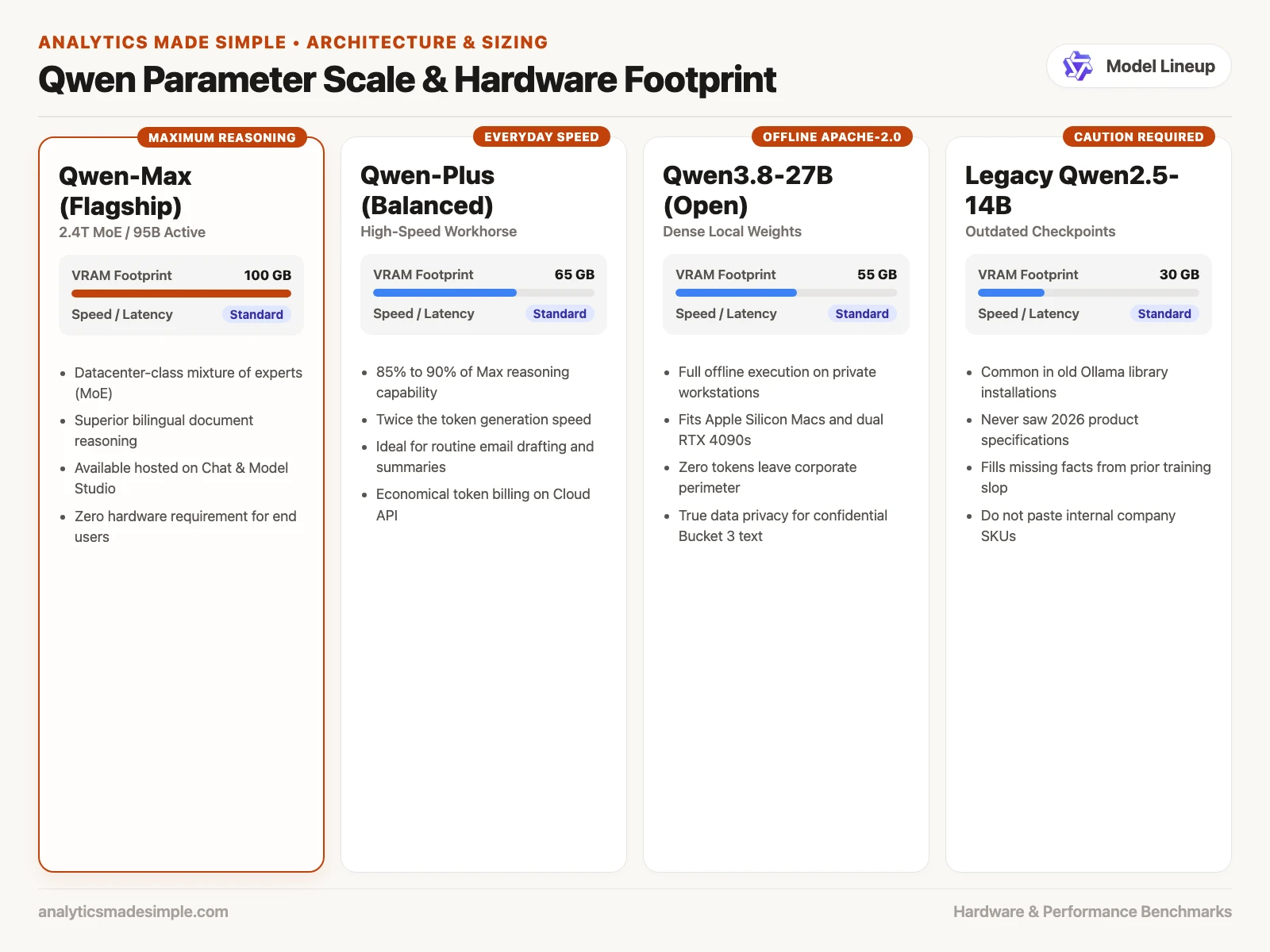
Alibaba’s August 3, 2026 announcement, which we checked while writing this, put Qwen3.8-Max at about 2.4 trillion parameters. It is a sparse mixture-of-experts design that activates roughly 95 billion parameters per word, with a context window of up to 1 million tokens. Mixture-of-experts means the full stored model is huge, but only a slice of it wakes up for each step of generating text. The 2.4 trillion figure is the full pile sitting on disk; the roughly 95 billion figure is the slice that actually runs for any single word. A million-token context window is how much text you can feed in during one conversation, not a memory that remembers the blender project next Tuesday.
Alibaba said the flagship model is available through Model Studio’s APIs and on QwenWork, with downloadable weights promised as a follow-on release. Qwen’s own August 3, 2026 blog post said Max-class weights would follow later. Smaller model lines exist too, so you are not forced to rent a whole server rack just to try the family. Qwen3.8-27B is the size people usually point to for a denser download under the Apache-2.0 license, based on the card we checked in August 2026. Apache-2.0 is a common open-source license with very few restrictions. Read the actual license file on whichever card you clone, and never copy a blog post’s license sentence onto a completely different, much larger 2.4-trillion-parameter file.
Then there is the junk drawer of old names: Qwen2, Qwen2.5, Qwen3, Coder, VL, image, guard. Ollama still lists old tags simply because old tags still work and still download. Tab 4, in the story above, was running qwen2.5:14b, a model that never saw the 900-watt line at all. It filled in a wattage from whatever it learned during training and sounded perfectly fluent while doing it. Fluency is not the same thing as an accurate spec sheet. If a thread tells you to “just run Qwen,” ask exactly which picker label, which repository, and which date is printed on the card.
Skip leaderboard screenshots as if they were facts about your job. Vendors post leaderboard graphics the same week they ship a new model, and those graphics keep moving. Use your own eleven bullets instead. Keep the 900-watt line inside the prompt itself. Judge the draft against your spec sheet, not against a blog’s ranking chart.
One chat path, one size
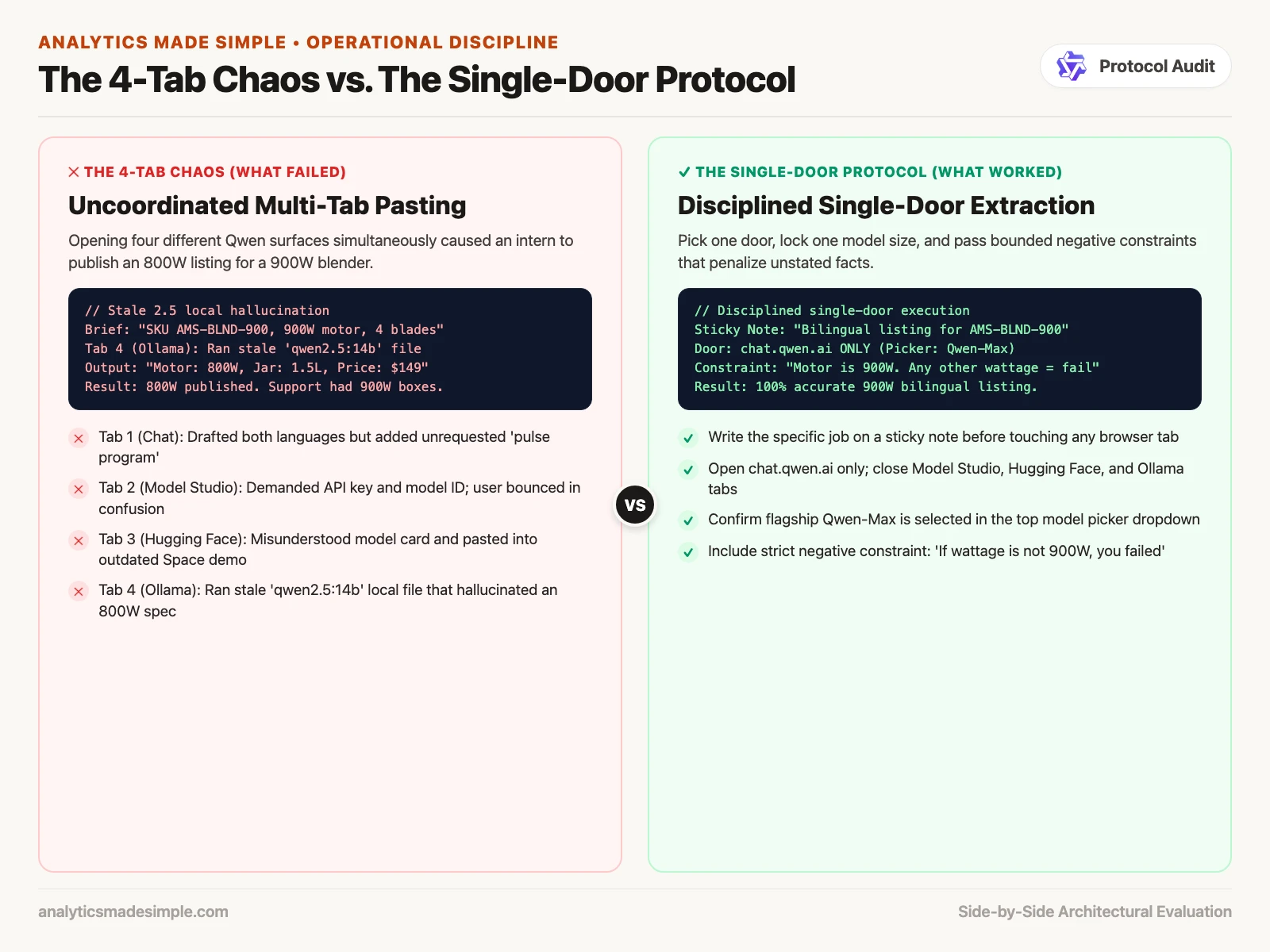
Week one should be boring on purpose. Open chat.qwen.ai. Create one login using the email address that matches your actual work account. Pick whatever the picker currently labels as the everyday or Max-class chat model. Paste in one brief. Close Model Studio, Hugging Face, and Ollama entirely. Come back for open-weight files only after you already know whether the family writes the way you need it to.
Model size is closer to a clothing label than a promise, the same lesson as sizing up any AI model in general. Hosted Max is the big option running on someone else’s hardware. A 27-billion-parameter Apache-2.0 file is a self-hosting choice you can consider later, once your available memory and where the data lives are both honestly accounted for. A random 14-billion-parameter Qwen2.5 file is not a free stand-in for Max. A 16-gigabyte (GB) laptop will not hold a 2.4-trillion-parameter model. Hosted chat exists precisely so you do not have to try.
Here is a checklist you can paste straight into a team note. Fill in the brackets, and leave every other path turned off until a real job actually needs it.
Qwen first week (as of writing, Aug 2026)
Job: [one sentence, e.g. bilingual listing for AMS-BLND-900]
Chat door: https://chat.qwen.ai
Login email: [work address, not the shopping Gmail]
Picker label this week: [copy the name, do not invent it]
Same 11-bullet brief: this tab only
QwenWork: off (unless IT already put us there)
Model Studio / API key: none
Open weights: none
Ollama leftover (qwen2.5:* and friends): do not paste SKUs
Owner: [Catalog Lead]
Re-check date: [the Monday you still care]
What that checklist actually does is stop the four-tab experiment before anyone publishes the wrong wattage. Write the picker label down in plain text. If next month the site calls it 3.9-Plus instead, you will know you are no longer working from the August notes.
Worked example: 11 bullets, four tabs
The product brief, shortened. The full sheet had 14 lines; these are the 11 that got pasted:
- SKU AMS-BLND-900, 900W motor, 1.5 L glass jar
- Three retail names: US “Harbor Blend 900”, China (CN) “港湾破壁 900”, internal AMS-BLND-900
- Do not say commercial kitchen. Home counter only
- Warranty 18 months, receipts in the box
- Return window 30 days, US and CN stores differ on who pays postage
- Blade kit is four blades, user-replaceable, SKU AMS-BLND-B4
- No “nutrient preservation” health claims
- English listing first, Simplified Chinese second, same facts
- Price is out of scope. Do not invent $149
- Call out the 900W number in the first sentence of each language
- If a fact is missing, say MISSING. Do not fill in watts, liters, or months
Here is what came back, in the same span of under an hour, from the same pasted brief. Treat the numbers as a teaching example, not a lab scoreboard.
| Tab | What it looked like | What actually happened |
|---|---|---|
| chat.qwen.ai | Qwen, the product | Drafted both languages. Kept the 900W figure. Invented a “pulse program” that was never in the brief |
| Model Studio | The same chat, just fancier | Asked for a model id and an API key before doing anything. No listing came out. Work stopped here |
| Hugging Face Qwen | A place to try the Max model | Just a model card. The brief ended up pasted into a demo Space running an old 2.5 checkpoint |
qwen2.5:14b local | A free copy of Qwen on the laptop | Wrote 800W, skipped the Chinese block entirely, and added a $149 price that had been explicitly banned |
The team shipped the local draft because it came back first. The laptop was already warm from running the 14-billion-parameter model. The marketplace copy said 800W. The warehouse box, sitting in Support’s storage, said 900W. The chat tab’s “pulse program” line was just filler, but at least it kept the correct wattage. Model Studio is an API console, not a writing tool. Hugging Face is a file cabinet, not a chatbot. Four things labeled Qwen are not one brain, and the fastest one to answer is not automatically the correct one.
The fix, in order: take the live listing down first. Paste the 11 bullets into one chat path. Add a twelfth line that says, plainly, “the motor is 900W, and any other wattage in your answer is wrong.” Keep the Chinese block in the same reply, so the two language versions cannot drift apart from each other. Rename the local 2.5 file to something like do-not-use-sku so nobody reaches for it by accident. Do not open Model Studio again until someone specifically owns the API key. The invented pulse-program detail is the real tell here: fluent extra details that were never in the source sheet are exactly what to watch for.
Why the 800W listing shipped
- Bookmarking Chat, Studio, Model Studio, and Hugging Face as though they were one shared inbox.
- Pasting SKU data into a leftover Qwen2.5 file simply because the folder still says “Qwen.”
- Treating a model card as if it were a chatbot, then pasting the brief into a random demo Space.
- Assuming Qwen3.8-Max will run on a 16 GB laptop. The 2.4-trillion-parameter pile does not fit; use hosted chat or skip Max entirely.
- Copying a vendor’s leaderboard graphic into a deck as if it were a measurement your team actually ran.
- Creating a Model Studio API key “just to try Qwen” and then leaving that key inside a plugin.
- Mixing up Groq, the hosting company, with Grok, the xAI chatbot, when a teammate says they used Qwen on Groq.
One tab, one bilingual pair
Write the job down in one sentence. Open chat.qwen.ai and nothing else. Copy the picker’s current label into your checklist. Paste in a toy bilingual pair, one English sentence and one Simplified Chinese sentence stating the same fact, and check whether the facts stay lined up between them. Do not download a file. Do not create an API key. The next post in this series covers the different chat surfaces and how to get started with each. See also Learn, the product chooser, and the open-source map.
Close the leftover 2.5 folder
- Qwen is Alibaba Cloud’s model family. Chat, QwenWork, open weights, and Model Studio are four separate paths into it.
- Checked in August 2026, Qwen3.8-Max was the flagship model (about 2.4 trillion parameters, mixture-of-experts, about 95 billion active per word, 1 million token context). Smaller Apache-2.0 sizes such as 27B exist for anyone who wants a downloadable file.
- Start with one chat path and one model size. Eleven product bullets never needed four tabs open at once. The wrong 800W listing came straight from the leftover 2.5 model.
Series notes
This is Part 1 of Learn Qwen. Next: chat surfaces and how to start.
Sources
- Qwen / qwenlm.github.io (family hub; now points at qwen.ai research)
- Qwen team: Qwen3.8-Max blog (August 3, 2026: 2.4T, 95B active, open-weight follow-on as stated there)
- Alibaba Group: Qwen3.8-Max announcement (August 3, 2026: 2.4T, 95B active, 1M context, Model Studio and QwenWork)
- Qwen Chat (public chat; qwen.ai currently also labels Studio)
- Alibaba Cloud Model Studio and model list (API path; confirm ids the week you call)
- Hugging Face: Qwen account (open-weight cards and licenses; read the file you clone)
- qwen.ai (Studio, API platform, research navigation checked in August 2026)
Keep going
Same lessons in your feed
Short diagrams, hooks, and weekly tutorials on Substack, Instagram, X, and Facebook.