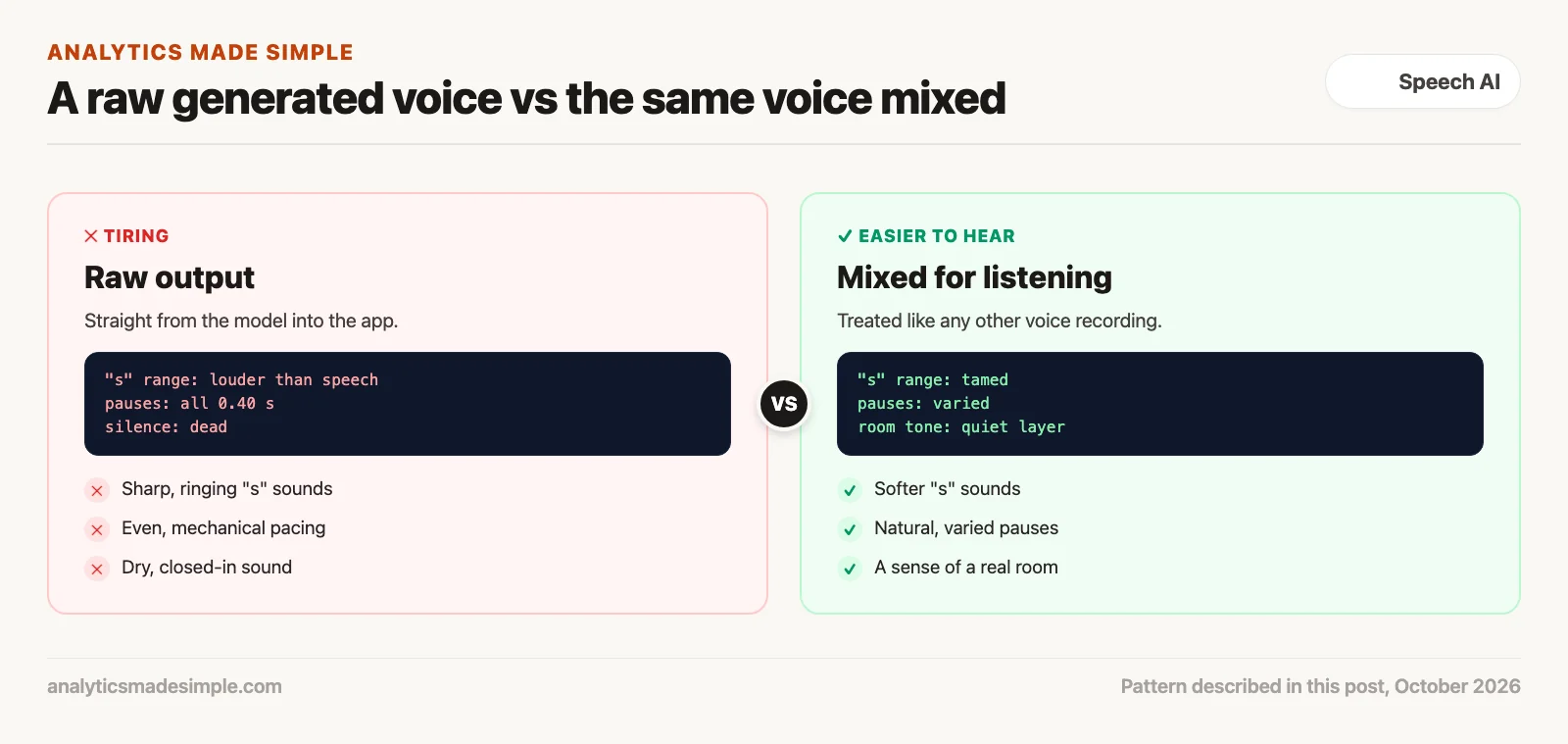
A generated voice can get every word right and still be tiring to hear. The usual culprits are accents that drift, sharp “s” sounds, pauses that are all the same length, and a dry sound with no room around it. Treat the output like any raw recording and mix it before people hear it.
Say you add an AI narrator to the lessons in your training course. The transcripts are perfect, but people stop listening halfway through, and a few say the voice “gets on their nerves” without knowing why. When you play it on earbuds, you hear it: hissing “s” sounds, an accent that wanders, and a rhythm like a metronome.
This post covers why a nearly human voice can feel worse than a clearly robotic one, where the common problems come from, four steps to polish a generated voice, and a short program that flags likely problems from a few measurements.
Why nearly human can feel worse
People accept a clearly robotic voice, like a car’s turn-by-turn directions, because they know what to expect. A voice that is almost human sets a higher bar. Small things that are missing, such as breaths, a sense of the room, or natural variation in pacing, are easier to notice and can make the voice feel slightly off. This is the same idea as the “uncanny valley” covered earlier in the video series.
Where the common problems come from
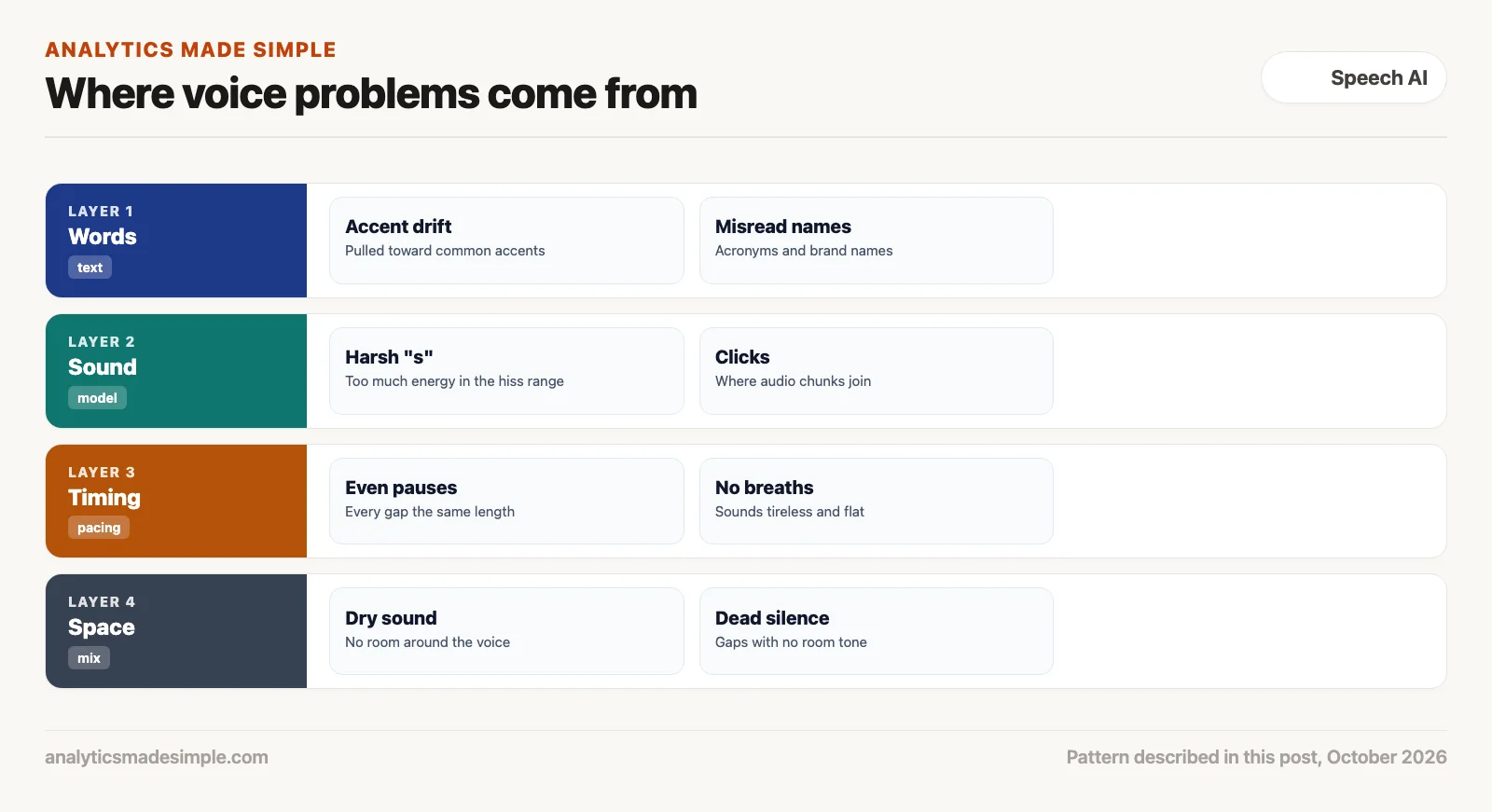
Accents that drift
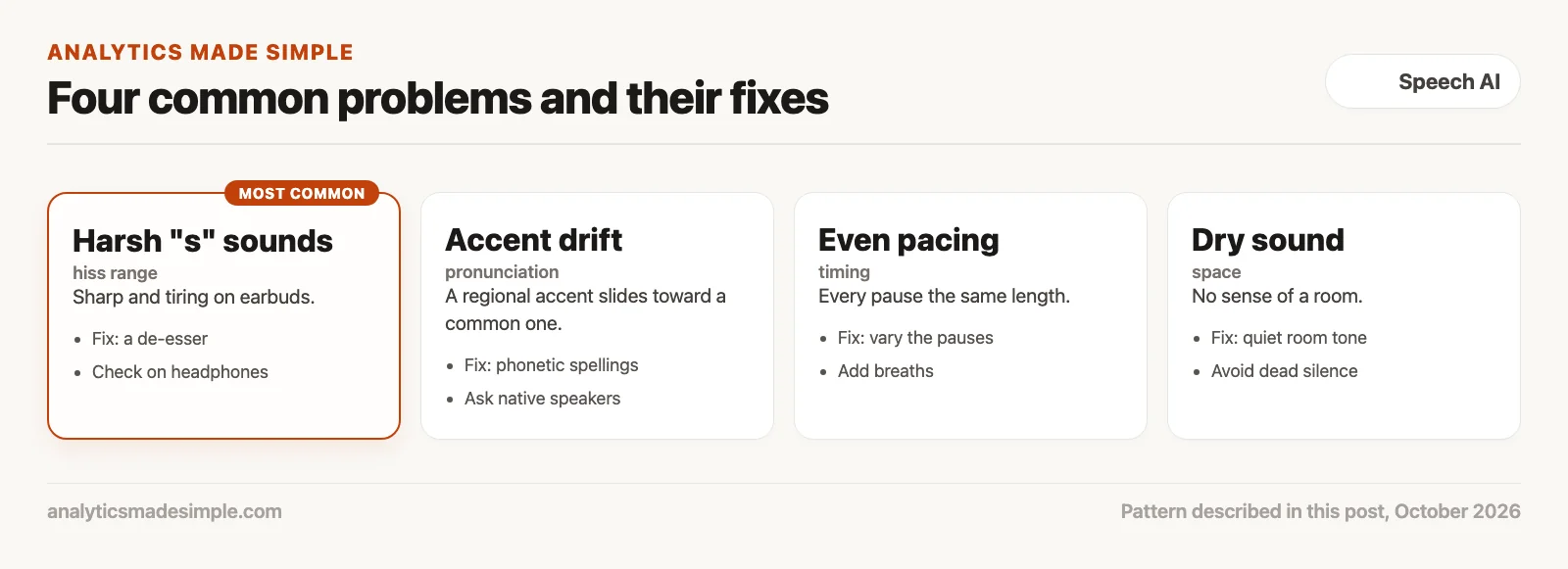
Many speech models learn from large collections of internet audio, which lean toward a few common accents. When asked for a regional accent, a model can slide toward the accent it heard most. Some accents also have a different rhythm. Singaporean and Nigerian English, for example, are often described as giving syllables more even timing than American English, and a model trained mostly on American speech may flatten that.
One fix is to give the model exact pronunciations instead of letting it guess. The International Phonetic Alphabet (IPA) is a standard set of symbols for speech sounds, and many speech tools accept IPA spellings for specific words. Whatever you change, ask native speakers of the accent to listen. They will hear problems that others miss.
Sharp “s” sounds
Hissing sounds such as “s,” “sh,” and “z” carry most of their energy in the high frequencies. Generated voices sometimes push too much energy into that range, which sounds sharp and metallic. It is easy to miss on laptop speakers and hard to ignore on earbuds. A de-esser, an audio effect that turns down only those sharp moments, fixes most of it.
Clicks, even pauses, and dry sound
When audio is generated in chunks, the joins can click. A very short crossfade, where one chunk fades out as the next fades in, hides the join. Pauses that are all the same length make speech sound mechanical, so vary them. A voice with no room around it sounds closed in, and total digital silence between phrases is unnatural, so add a quiet layer of room tone, the soft background sound of a real room.
Short tests miss long-listen problems
Voice quality is often scored by asking people to rate short clips from 1 to 5, a method described in the ITU-T P.800 standard and known as a mean opinion score. Another standard method, MUSHRA, compares versions side by side. Both are useful, but a voice that sounds crisp for a few seconds can still be tiring over twenty minutes. Test with a full lesson or episode, on headphones, before you ship.
Four steps to polish a generated voice
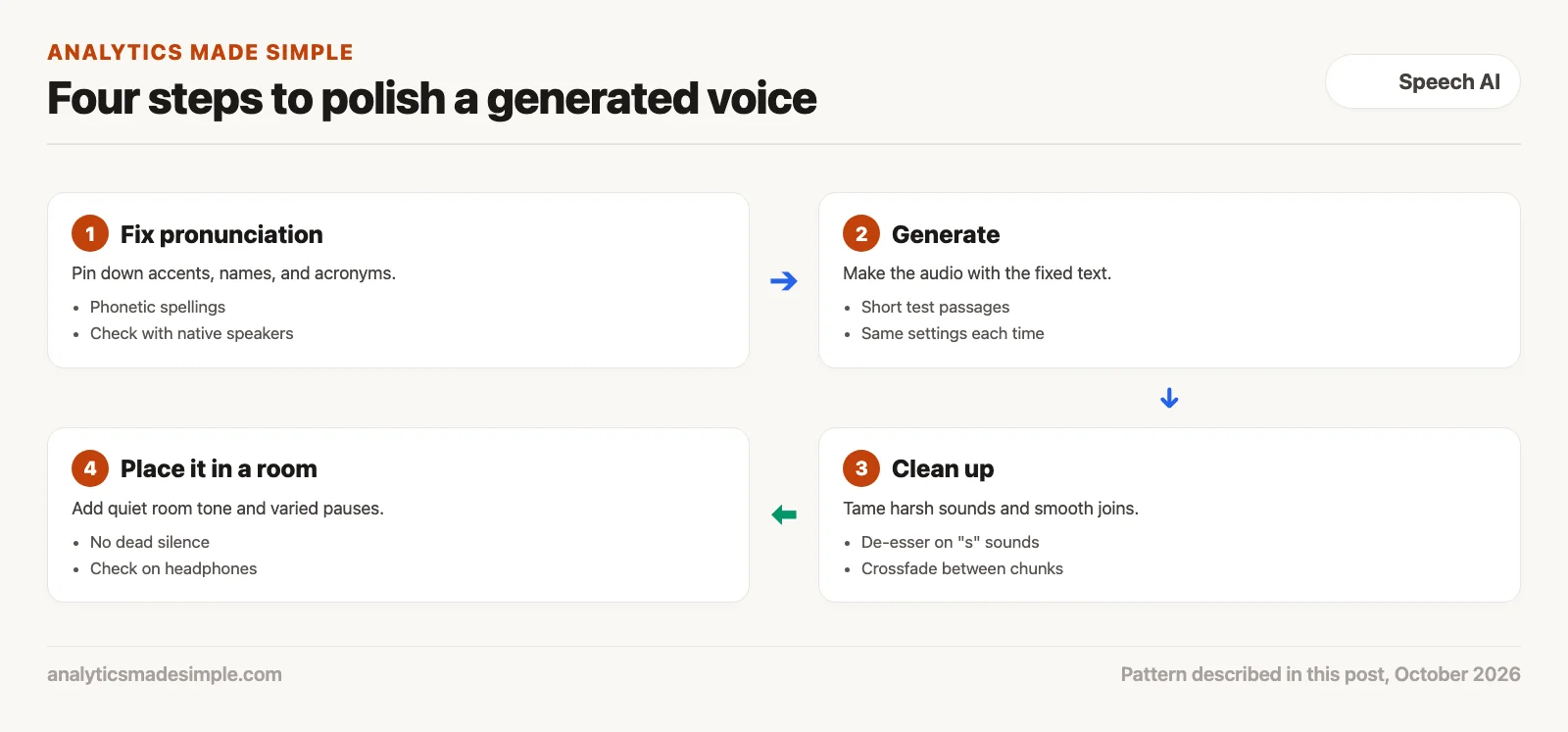
- Fix pronunciation: List names, acronyms, and accent-specific words, and give the model exact spellings for them.
- Generate: Make short test passages with the same settings each time, so you can compare changes fairly.
- Clean up: Use a de-esser on sharp “s” sounds and short crossfades where chunks join.
- Place it in a room: Add quiet room tone, vary the pauses, and do the final check on headphones.
A quick check you can run
The short Python program below flags likely problems from three measurements you can take in most audio editors: the loudness of the main speech range versus the hiss range, the length of each pause, and whether there is room tone. The clips and the limits are made up for practice, so tune the limits by ear. It needs nothing beyond Python. For measuring real files in code, the librosa library is a common choice.
# Flag likely listening problems in a generated voice clip from a few measurements.
# Measure the numbers with any audio editor's spectrum and silence tools.
# The clips and the limits are made up for practice; tune the limits by ear.
from statistics import mean, pstdev

clips = {
    "lesson 1, raw": {"speech_band_db": -18.0, "hiss_band_db": -9.0,
                      "pauses_s": [0.40, 0.40, 0.41, 0.40, 0.40], "has_room_tone": False},
    "lesson 1, mixed": {"speech_band_db": -18.0, "hiss_band_db": -21.0,
                        "pauses_s": [0.30, 0.45, 0.25, 0.50, 0.35], "has_room_tone": True},
}

HISS_LIMIT_DB = 0.0       # the "s" range should not be louder than the main speech range
PAUSE_SPREAD_MIN_S = 0.03 # pauses that are all the same length sound mechanical

for name, c in clips.items():
    problems = []
    if c["hiss_band_db"] - c["speech_band_db"] > HISS_LIMIT_DB:
        problems.append(f"harsh 's' sounds ({c['hiss_band_db'] - c['speech_band_db']:+.0f} dB vs speech): add a de-esser")
    spread = pstdev(c["pauses_s"])
    if spread < PAUSE_SPREAD_MIN_S:
        problems.append(f"pauses all about {mean(c['pauses_s']):.2f}s: vary them")
    if not c["has_room_tone"]:
        problems.append("dead silence between phrases: add quiet room tone")
    print(f"{name}: " + ("; ".join(problems) if problems else "no flags, now listen on headphones"))
Running it prints:
lesson 1, raw: harsh 's' sounds (+9 dB vs speech): add a de-esser; pauses all about 0.40s: vary them; dead silence between phrases: add quiet room tone
lesson 1, mixed: no flags, now listen on headphones
In plain words, the program compares the hiss range with the speech range, measures how much the pause lengths vary, and checks for room tone. The raw clip has a hiss range 9 dB louder than the speech, pauses that are all 0.40 seconds, and dead silence, so it gets three flags. The mixed clip passes, which only means it is ready for a real listen on headphones.
Quick recap
- A generated voice can be accurate and still tiring to hear.
- Common problems are accent drift, sharp “s” sounds, even pacing, and dry sound.
- Fix pronunciation first, then clean up the sound and add a sense of the room.
- Test long passages on headphones, because short clips hide fatigue.
Your next step this week
Take ten minutes of a generated voice you use or plan to use, and listen to all of it on earbuds. Write down every moment that bothers you, then match each one to the four problems above and try the matching fix.
Series notes
This is Part 5 of Voice models from scratch. Previous: voice-cloning ethics and scams. Next: when a human voice is required.
Sources
- ITU-T, Recommendation P.800, methods for subjective determination of transmission quality.
- ITU-R, Recommendation BS.1534 (MUSHRA), a method for assessing intermediate audio quality.
- International Phonetic Association, The International Phonetic Alphabet and the IPA chart.
- Jungil Kong and others, HiFi-GAN, a widely used method for turning a sound picture into audio, NeurIPS 2020.
- librosa, a Python library for audio analysis.
Keep going
Same lessons in your feed
Short diagrams, hooks, and weekly tutorials on Substack, Instagram, X, and Facebook.