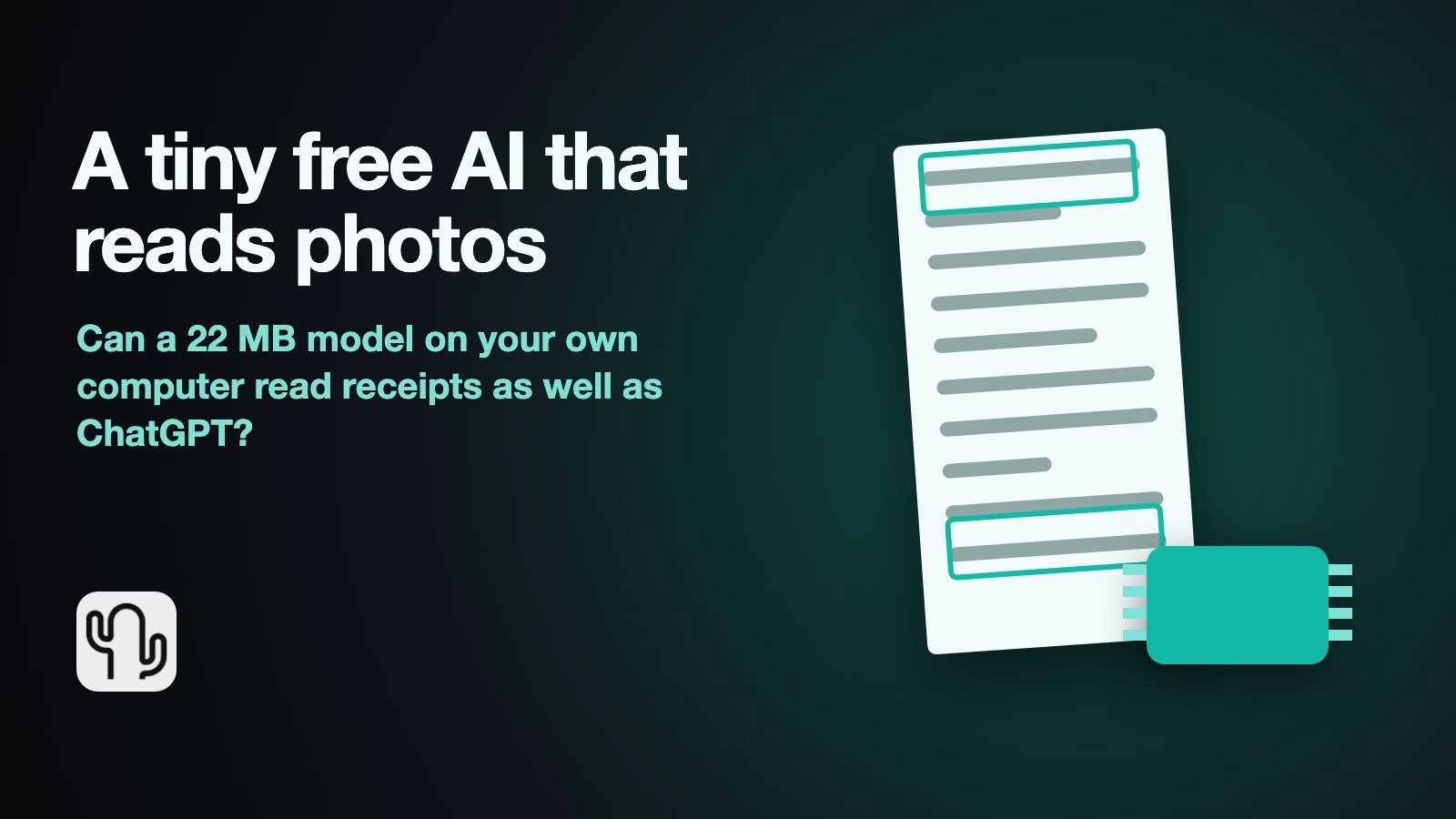
Mirage is a free AI model of about 22 MB that runs on your own computer or phone and can describe a photo, read the text in it and fill in simple fields you define. It keeps your images private and costs nothing per photo. Its maker’s announcement of November 6, 2026 gives no accuracy scores for receipts or documents, so for anything that matters, test it against a bigger model like ChatGPT on your own photos first.
Imagine you have a shoebox of receipts to log for expenses, or a folder of product-label photos to sort. Uploading them all to a chatbot works, but it means sending private paperwork to another company and working within plan limits. A model small enough to run on a laptop sounds like the obvious answer, as long as it actually reads the totals right.
This guide covers what Mirage is, what it can and cannot do, how it compares with a large cloud model, how to try it, and a ten-photo test that tells you whether it is good enough for your job. For the wider choice between AI vision models and classic text-recognition tools, see our guide on AI vision models versus classic text-recognition tools.
What is Mirage?
Mirage is a small vision model from Cactus Compute, a company that builds tools for running AI on phones and other devices. A vision model is an AI model that takes an image as input. Cactus announced Mirage in a blog post on November 6, 2026, and its Hugging Face model card, the page that describes a model and hosts its files, lists the Apache 2.0 licence, which allows free use including at work.
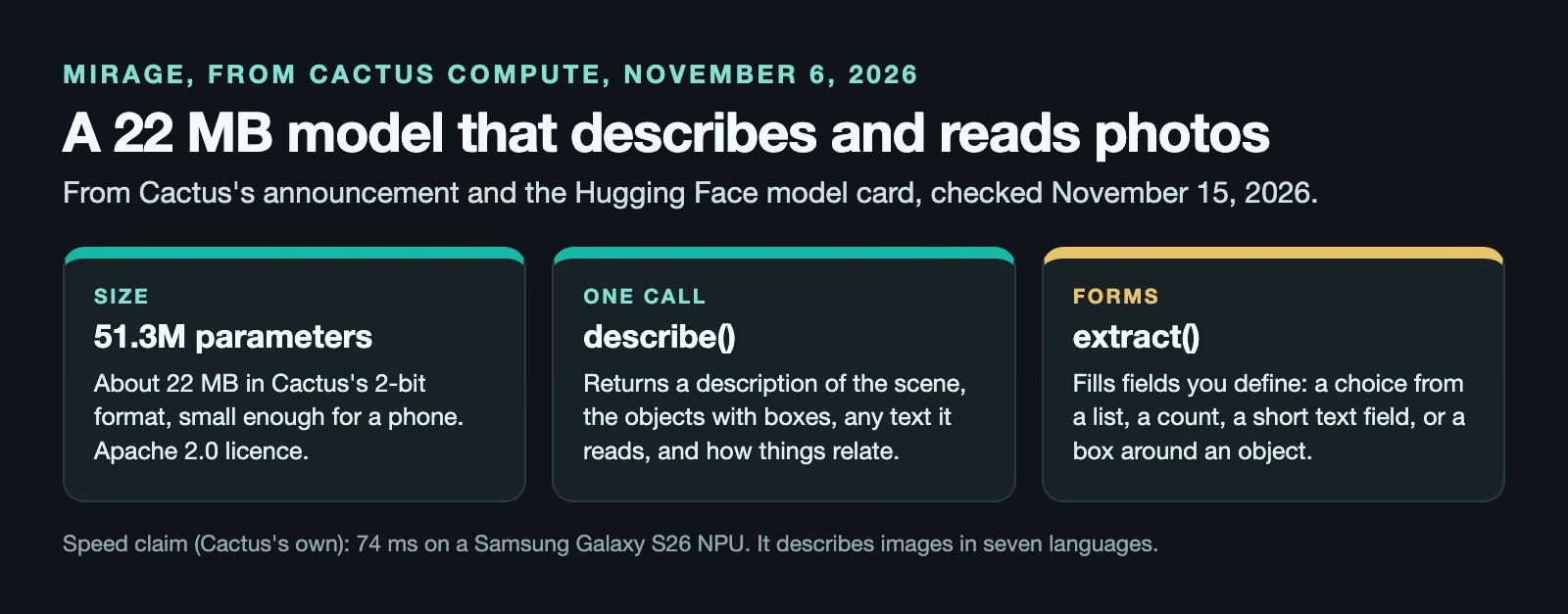
The blog post gives its size as 51.3 million parameters, the adjustable numbers a model learns during training. That is tiny next to the large models behind chatbots, which have billions. Cactus says it fits in about 22 MB using its own 2-bit compression, and the model card’s file list shows the file you actually run at 21.6 MB when we checked on November 15, 2026.
What it does in one call
According to the blog post, Mirage’s main function, describe(), returns a structured description of a photo: the scene, the objects in it with boxes around them, any text it can read, and how the objects relate to each other. A second function, extract(), fills a form you define. The field types the post lists are a choice from a list, a count, a short text field and a box around an object.
The post says Mirage describes images in seven languages: English, German, French, Spanish, Italian, Dutch and Polish. It also claims 74 milliseconds per image on the neural processor of a Samsung Galaxy S26 phone, which is Cactus’s own measurement.
What it does not do well, by its maker’s account
Cactus’s blog post is unusually frank about the limits. It shows an example where Mirage misreads an accented letter on a sign, and it warns that the reasoning notes the model produces can include details it inferred incorrectly.
The only accuracy test in the post is on general questions about everyday photos, scored by having a separate small language model answer from Mirage’s description. It scored 31.3 out of 100 on that test, by Cactus’s own count. The post publishes no scores on receipts, invoices or documents, and the model card has no table of test scores. That does not mean Mirage reads receipts badly. It means nobody has shown it reads them well, so you have to check.
How it compares with a cloud model
The trade is privacy and cost against accuracy and ease. A large model such as ChatGPT reads messy documents well and needs no setup, but every photo leaves your device. Mirage keeps everything local and free, but you set it up with code and verify it yourself.
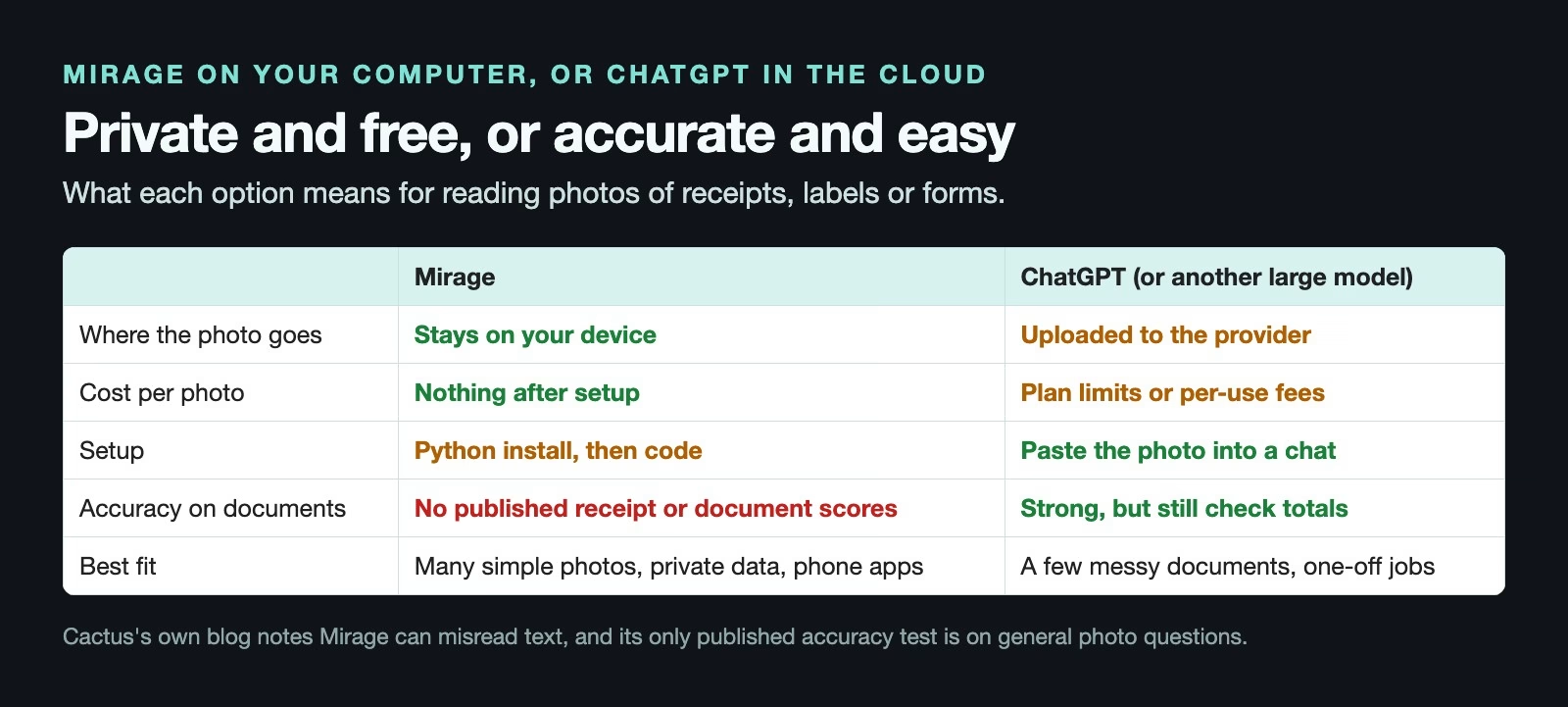
That points to a sensible split. Use Mirage where you have many simple photos, private material or a phone app that has to work offline. Use a large cloud model for a handful of messy, high-stakes documents where you would rather pay than double-check every field.
How to try it
Mirage runs through Cactus’s Python package, a bundle of code you install with one command. The model card gives the install command and a short example, and the Cactus project on GitHub says it needs Python 3.9 or later and downloads the engine and model the first time you use it.
pip install -U cactus-computeAfter installing, the model card’s example creates a Mirage object and calls describe() on an image file, printing the result. Copy the example from the model card rather than from a third-party page, so you get the current version. To fill fields, the blog post shows extract() with a dictionary that names each field and its type, such as a choice between a few options.
Two practical notes. Run it in a fresh Python environment, so its downloads do not disturb other projects. And start with photos that are not sensitive, until you have confirmed what the package downloads and stores on your machine.
Getting receipt fields out of it
For receipts, the useful fields are vendor, total and date, which fit the short text field type. Keep each field narrow, such as “the total amount paid, including tax”, because a small model has less room to guess what you meant than a large one. Ask for the text section of describe() as well, so you can see what it actually read and spot where a wrong field came from.
A ten-photo test before you rely on it
Test Mirage on photos where you already know the answers, side by side with the tool you would otherwise use. Ten photos take under an hour and tell you far more than any general benchmark.
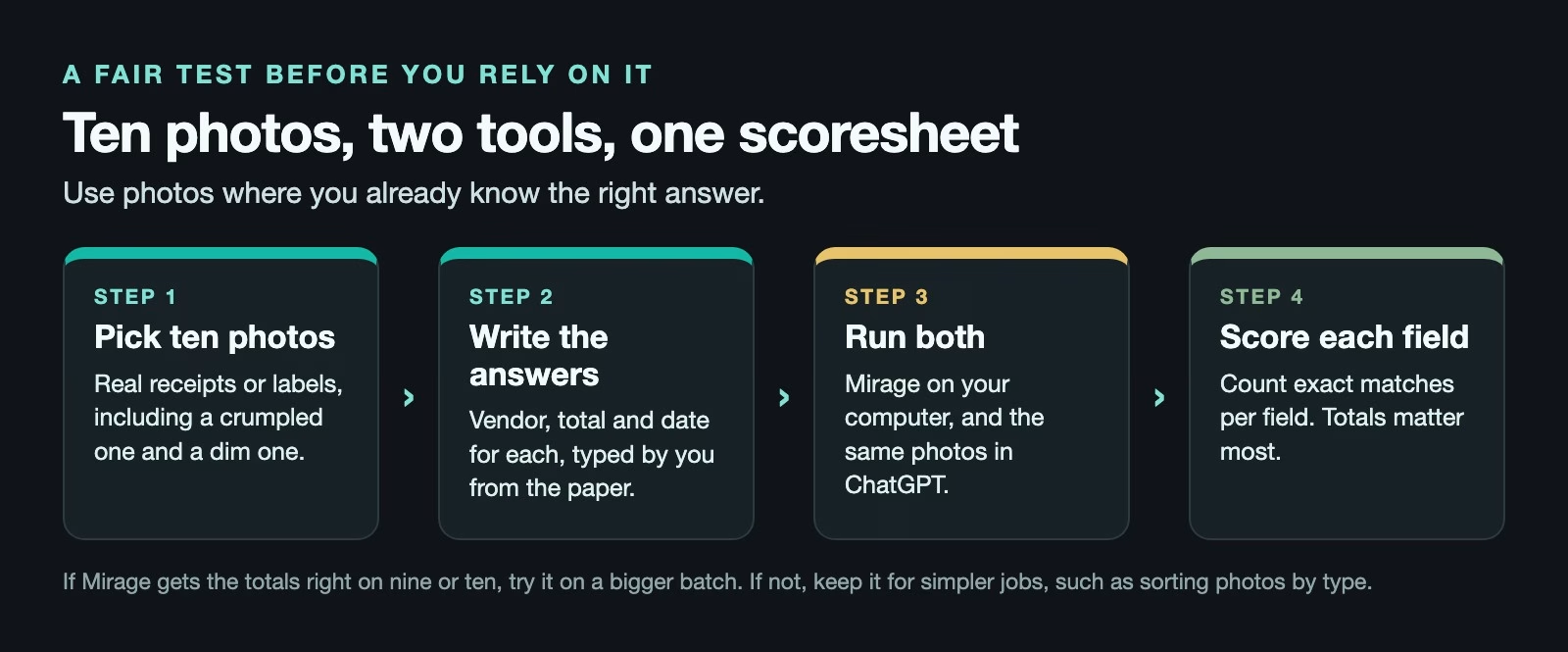
- Pick ten real photos, including a crumpled receipt, a dim one and one with a long list of items.
- Write the right answers yourself: vendor, total and date for each, typed from the paper.
- Run Mirage on all ten and record its three fields.
- Run the same photos through ChatGPT or the tool you use now, with the same three fields requested.
- Score each field as an exact match or not, and count totals separately, because a wrong total is the costly mistake.
If Mirage gets the totals right on nine or ten photos, try it on a larger batch with spot checks. If it misses several, keep it for simpler jobs, such as sorting photos into types or reading clear printed labels, and leave receipts to a larger model.
Keeping the test private
The point of a local model is that photos stay with you, so make sure the test keeps that promise. Cactus’s GitHub page says the package downloads its engine and the model’s files the first time you use it; after that, check whether it needs the internet at all by running one photo with your connection switched off. If it works offline, your receipts never leave the machine.
For the ChatGPT side of the comparison, use receipts you would be comfortable sharing, or blur card numbers and names before uploading. The comparison only needs the vendor, total and date to be readable. And delete the test photos from both places when you finish, so a quick experiment does not turn into a second copy of your expense records sitting in a chat history.
Where a tiny model makes sense
Even if it is not your receipt reader, a model this small opens up jobs that a cloud model makes awkward. It can run inside a phone app with no connection, tag thousands of product photos on a laptop overnight without a bill, or pre-sort images so only the hard ones go to a paid service. The second-pass pattern, cheap local model first and expensive model only for the doubtful cases, is often where the savings are.
Common mistakes
- Trusting it on receipts without a test, when no document accuracy has been published.
- Comparing it with ChatGPT on easy photos only, which hides the cases that matter.
- Writing vague field descriptions, which a small model handles worse than a large one.
- Installing into your main Python setup, instead of a separate environment.
- Copying code from third-party pages, instead of the model card.
Try it this week
- Read the Mirage model card and the Cactus blog post.
- Install the package in a fresh Python environment and run the model card’s example on one photo.
- Collect ten receipts and write down the vendor, total and date for each.
- Run Mirage and ChatGPT on the same ten and score each field.
- Decide which jobs, if any, Mirage should take on.
Quick recap
- Mirage is a free 22 MB vision model from Cactus Compute, released November 6, 2026.
- It runs on your own device under the Apache 2.0 licence.
- It describes photos, reads text and fills simple fields.
- Its maker has published no receipt or document accuracy scores.
- Test it on ten photos you know, side by side with your current tool.
- Use it for many simple, private or offline jobs; keep messy documents for larger models.
Sources
- Cactus Compute: Mirage (November 6, 2026; size, functions, field types, languages, speed claim, limitations, VQA test)
- Hugging Face: Cactus-Compute/mirage model card (licence, install command, example, file sizes; checked November 15, 2026)
- GitHub: cactus-compute/cactus (Python 3.9 or later, first-run downloads; checked November 15, 2026)
Keep going
Same lessons in your feed
Short diagrams, hooks, and weekly tutorials on Substack, Instagram, X, and Facebook.