
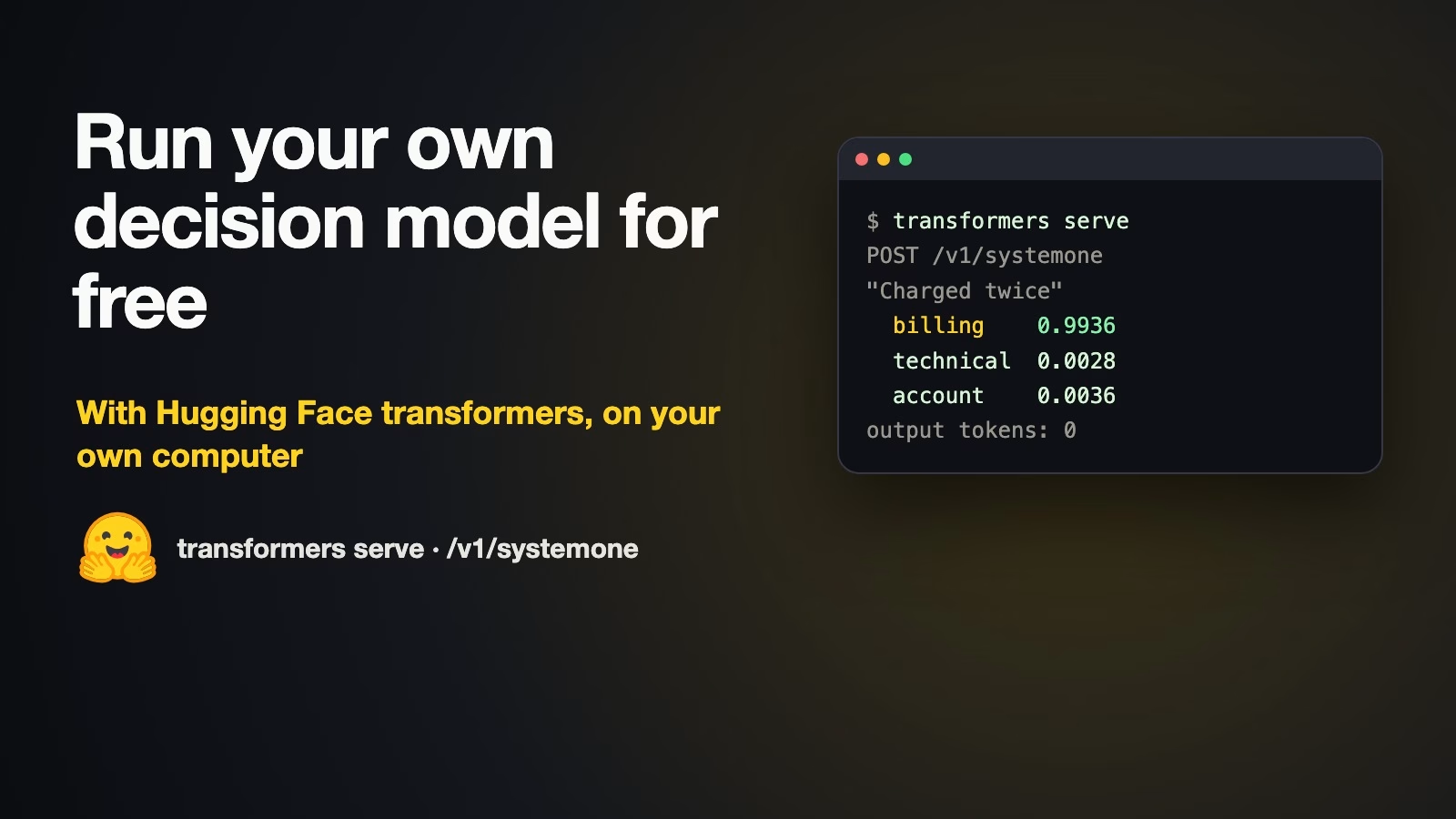
You can now run your own decision model for free on your own computer, using a free tool from Hugging Face. A decision model is an AI that picks from a list of answers you give it, such as billing, technical, or account, and says how likely each one is, instead of writing a reply. The tool works with free models anyone can download, needs no account or password from a vendor, and keeps everything on your machine. For now it is in a test version that you install straight from the project’s code.
Imagine you want software to sort incoming support emails into billing, technical, and account questions. A paid decision service would do it, but your company would rather the emails did not leave the building, and you would like to try the idea before asking for a budget. This post shows how to set it up in about fifteen minutes, what a small and a larger model got right and wrong when we tried them, and how to send the unsure cases to a person.
What a decision model is, and what is new here
You ask “Which team should handle this?” with the options billing, technical, and account, and a decision model gives back something like billing 99%, technical 1%. Because it never writes free text, the answer always fits your list, which makes it easy to use in software. The guide to how TypeSafe built Jev covers the idea in more depth.
Until now you mostly reached such models through a paid service. The change is in transformers, Hugging Face’s free library for running AI models. Its built-in server, transformers serve, added a /v1/systemone endpoint, an address a program sends requests to. The transformers serving docs (checked October 14, 2026) say it follows “TypeSafe’s System One API” and that the model “scores the allowed answers in one batched forward pass without generating text.” A forward pass is one run of the model over your text, which is why it is quick.
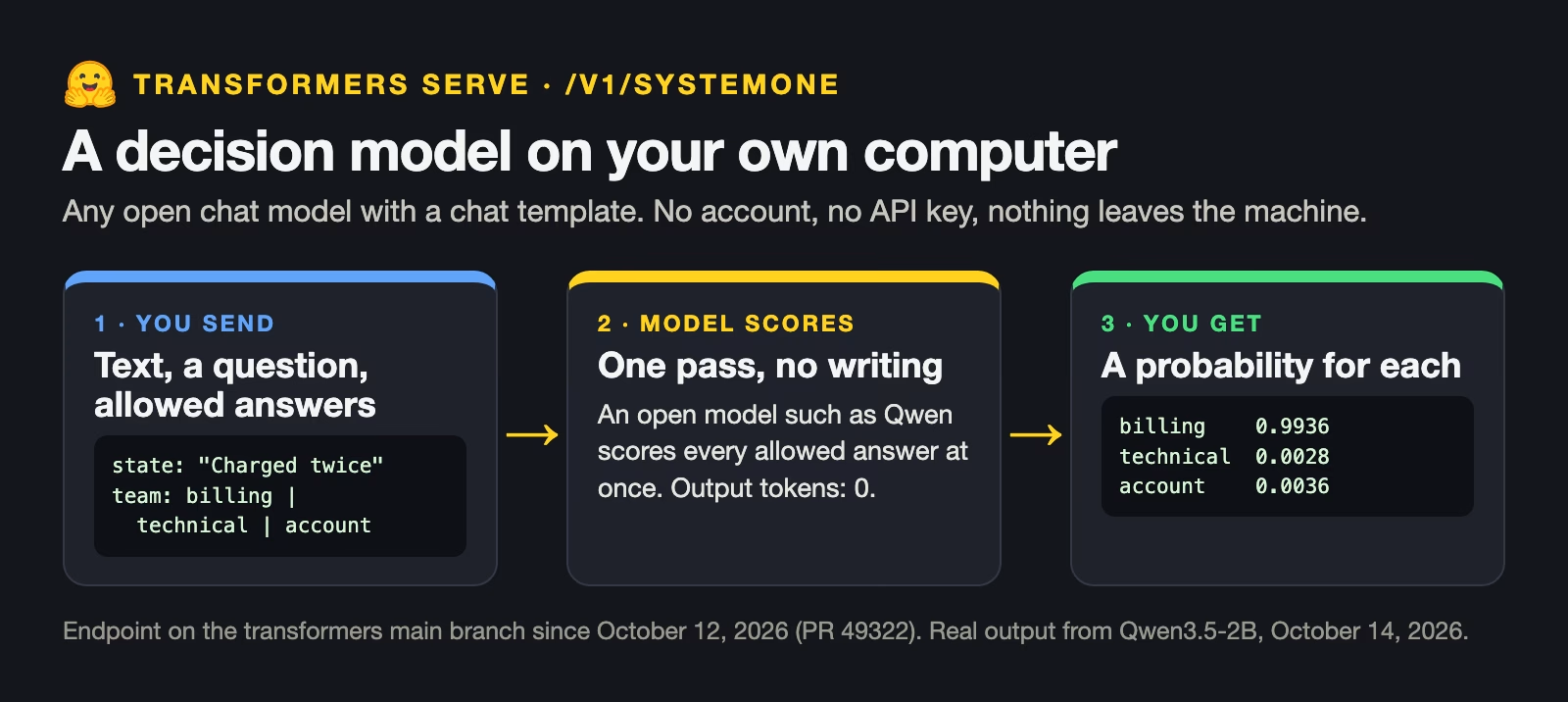
It works with open models, models whose files anyone can download and run, as long as they have a chat template, the formatting a model expects for a conversation. Most instruction-tuned models on Hugging Face do. The same docs say each request takes up to 64 questions with 1 to 26 options each, and models that can read images accept up to four.
What you need
A recent Mac with Apple silicon, or a PC with a graphics card from NVIDIA, the main maker of AI chips, will run the small model comfortably. You also need Python, the programming language the library is written in, and some free disk space. We used two open models from Alibaba’s Qwen team, released in February 2026: Qwen3.5-2B took 4.3 GB of disk and Qwen3.5-9B took 18 GB. Both download automatically the first time you use them.
The feature was merged into the transformers code on October 12, 2026. When we checked on October 14, 2026, the latest release on PyPI, Python’s package index, was still 5.19.0 from October 6, which does not have it. So for now you install the development version from GitHub, as below. Once a later release includes it, a normal install will do.
Step 1: Install it and start the server
Open a terminal, the window where you type commands, and run these three lines. The first two make a venv, a separate folder for this project’s Python packages, so nothing clashes with other projects. The third installs PyTorch, the engine that runs the models; torchvision and Pillow, which Qwen3.5 needs because it can also read images; and the development version of transformers with its server parts.
python3 -m venv .venv
source .venv/bin/activate
pip install torch torchvision pillow "transformers[serving] @ git+https://github.com/huggingface/transformers.git"
Then start the server. It listens at http://localhost:8000, an address only your own computer can reach, and loads each model the first time a request asks for it. Leave this window open while you work.
transformers serveStep 2: Ask one question
The quickest test uses curl, a small program for sending web requests that comes with macOS and most Linux systems. Open a second terminal window and paste this. The request says which model to use, gives the text to judge as the state, and asks one question with three allowed answers and a short description of each.
curl -s http://localhost:8000/v1/systemone \
  -H "Content-Type: application/json" \
  -d '{
    "model": "Qwen/Qwen3.5-2B",
    "state": "I was charged twice for my October invoice.",
    "questions": {
      "team": {
        "type": "choice",
        "instructions": "Which team should handle this support ticket?",
        "criteria": {
          "billing": "Charges, refunds, invoices or payment methods",
          "technical": "Bugs, errors, outages or integration problems",
          "account": "Logins, passwords, users or plan changes"
        }
      }
    }
  }'
The first run takes a minute while the model loads. After that, the answer comes back in a fraction of a second.
{
  "model": "Qwen/Qwen3.5-2B",
  "answers": {
    "team": {
      "type": "choice",
      "choice": "billing",
      "probabilities": {
        "billing": 0.9936,
        "technical": 0.0028,
        "account": 0.0036
      },
      "confidence": 0.9904
    }
  },
  "usage": {
    "input_tokens": 89,
    "output_tokens": 0
  }
}
Each answer has the chosen option, a probability for every option, and a confidence score, which drops when the probabilities are spread across several options. Here the model is almost certain the email is for billing. The usage line shows 89 tokens read and none written, because the model only scored the options. A token is a small chunk of text, about three quarters of a word.
Step 3: Sort a batch of tickets
Real work means many tickets, so the next step is a short Python script. It sends eight practice tickets to the server, one at a time, and prints the team, the confidence, and where each ticket goes. Tickets the small model is unsure about go to the bigger model. If that one is unsure too, a person decides. The script uses only Python’s built-in modules, so it needs nothing beyond the server. If the server is not running, it says so and stops.
# Analytics Made Simple (analyticsmadesimple.com)
# Tutorial: How to run a free AI model that sorts tickets on your own computer with Hugging Face (https://analyticsmadesimple.com/tutorials/run-your-own-decision-model-transformers-serve/)
# License: MIT
#
# Routes practice support tickets with a small local open model through `transformers serve`
# (POST /v1/systemone). Unsure answers go to a bigger local model, and if that is unsure
# too, to a person.
# Start the server first, in another terminal (it loads each model on first use):
#   transformers serve
import json
import sys
import urllib.error
import urllib.request

URL = "http://localhost:8000/v1/systemone"
SMALL = "Qwen/Qwen3.5-2B"
BIG = "Qwen/Qwen3.5-9B"  # set to None to skip the second model
BAR = 0.80  # below this confidence, pass the ticket on

TEAMS = {
    "billing": "Charges, refunds, invoices or payment methods",
    "technical": "Bugs, errors, outages or integration problems",
    "account": "Logins, passwords, users or plan changes",
    "other": "Anything that fits none of the teams above",
}

TICKETS = [
    "I was charged twice for my October invoice.",
    "Our integration has been failing for 3 days and we are losing sales!",
    "How do I add a new user to our team plan?",
    "The export button gives an error 500 every time.",
    "I forgot my password and the reset email never arrives.",
    "Can I get a refund for the seats we did not use?",
    "Your app is slow and my card was declined when I tried to upgrade.",
    "Do you have an office in Berlin?",
]


def decide(ticket, model):
    body = {
        "model": model,
        "state": ticket,
        "questions": {
            "team": {"type": "choice", "instructions": "Which team should handle this support ticket?", "criteria": TEAMS}
        },
    }
    req = urllib.request.Request(URL, data=json.dumps(body).encode(), headers={"Content-Type": "application/json"})
    with urllib.request.urlopen(req, timeout=120) as r:
        return json.load(r)["answers"]


def main():
    try:
        urllib.request.urlopen("http://localhost:8000/health", timeout=5)
    except (urllib.error.URLError, OSError):
        print("No server at localhost:8000. Start it with: transformers serve")
        sys.exit(1)
    print(f"{'ticket':<52} {'team':<10} {'conf':>5}  route")
    for t in TICKETS:
        a = decide(t, SMALL)["team"]
        route = a["choice"]
        if a["confidence"] < BAR and BIG:
            b = decide(t, BIG)["team"]
            route = f"{b['choice']} (big model)" if b["confidence"] >= BAR else "person"
        elif a["confidence"] < BAR:
            route = "person"
        print(f"{t[:50]:<52} {a['choice']:<10} {a['confidence']:5.2f}  {route}")


if __name__ == "__main__":
    main()
We wrote the eight tickets ourselves for this test. Here is what the script printed on our Mac on October 14, 2026, with the server running.
ticket                                               team        conf  route
I was charged twice for my October invoice.          billing     0.97  billing
Our integration has been failing for 3 days and we   technical   1.00  technical
How do I add a new user to our team plan?            account     0.98  account
The export button gives an error 500 every time.     technical   0.99  technical
I forgot my password and the reset email never arr   account     0.97  account
Can I get a refund for the seats we did not use?     billing     0.39  billing (big model)
Your app is slow and my card was declined when I t   billing     0.49  person
Do you have an office in Berlin?                     account     0.12  person
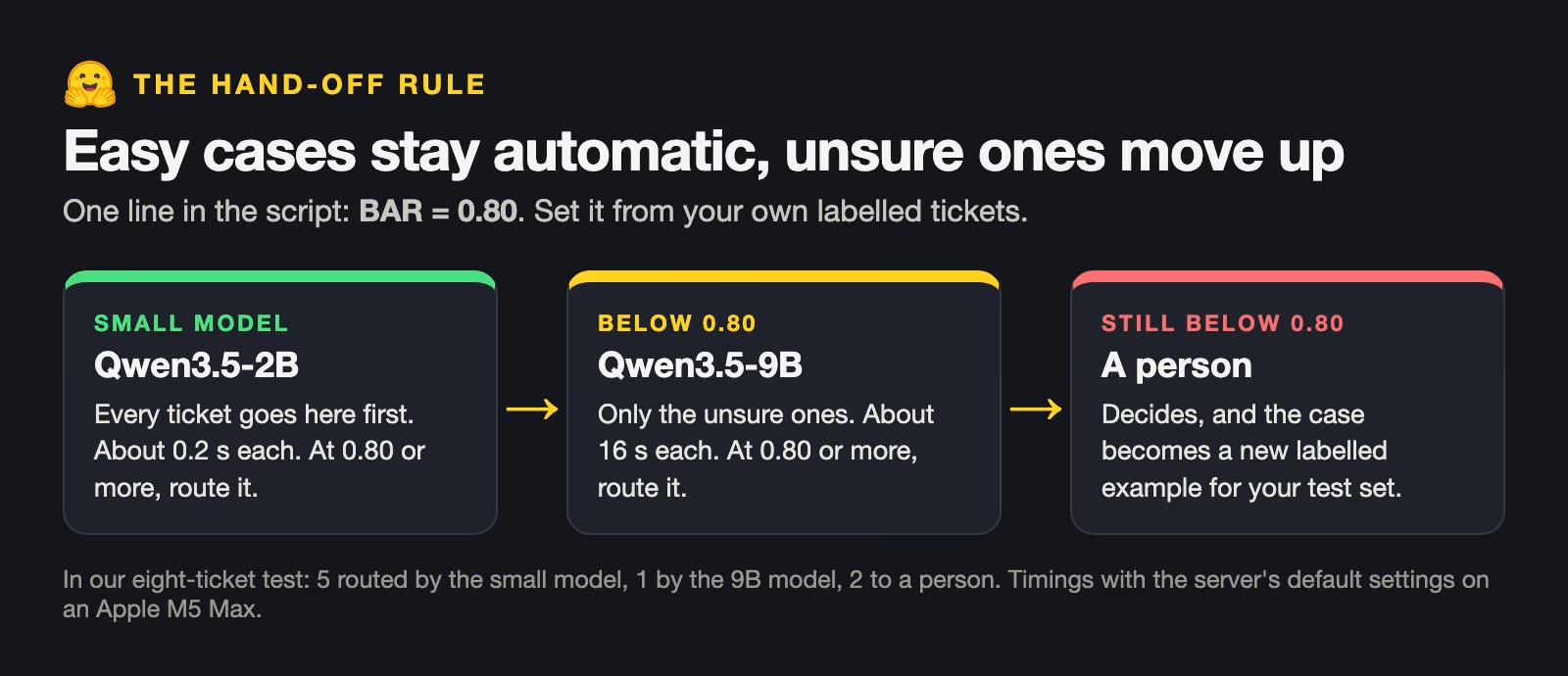
In our own run of the script, the small model routed five of the eight made-up tickets by itself, each at 0.97 confidence or more, and all five were correct. The companion code has the same script and output, so you can repeat the test. Three tickets fell below the bar. The refund question was right but unsure at 0.39, and the 9B model settled it as billing. The mixed ticket, a slow app plus a declined card, stayed unsure on both models, so it went to a person. So did the Berlin question, which the small model guessed was account but with only 0.12 confidence.
What the small and large models got right and wrong
We also asked both models a second question about the same eight tickets: “Does this ticket need a reply within an hour?” That is a yes-or-no question, and the answer is the probability of yes. The chart shows both questions side by side.
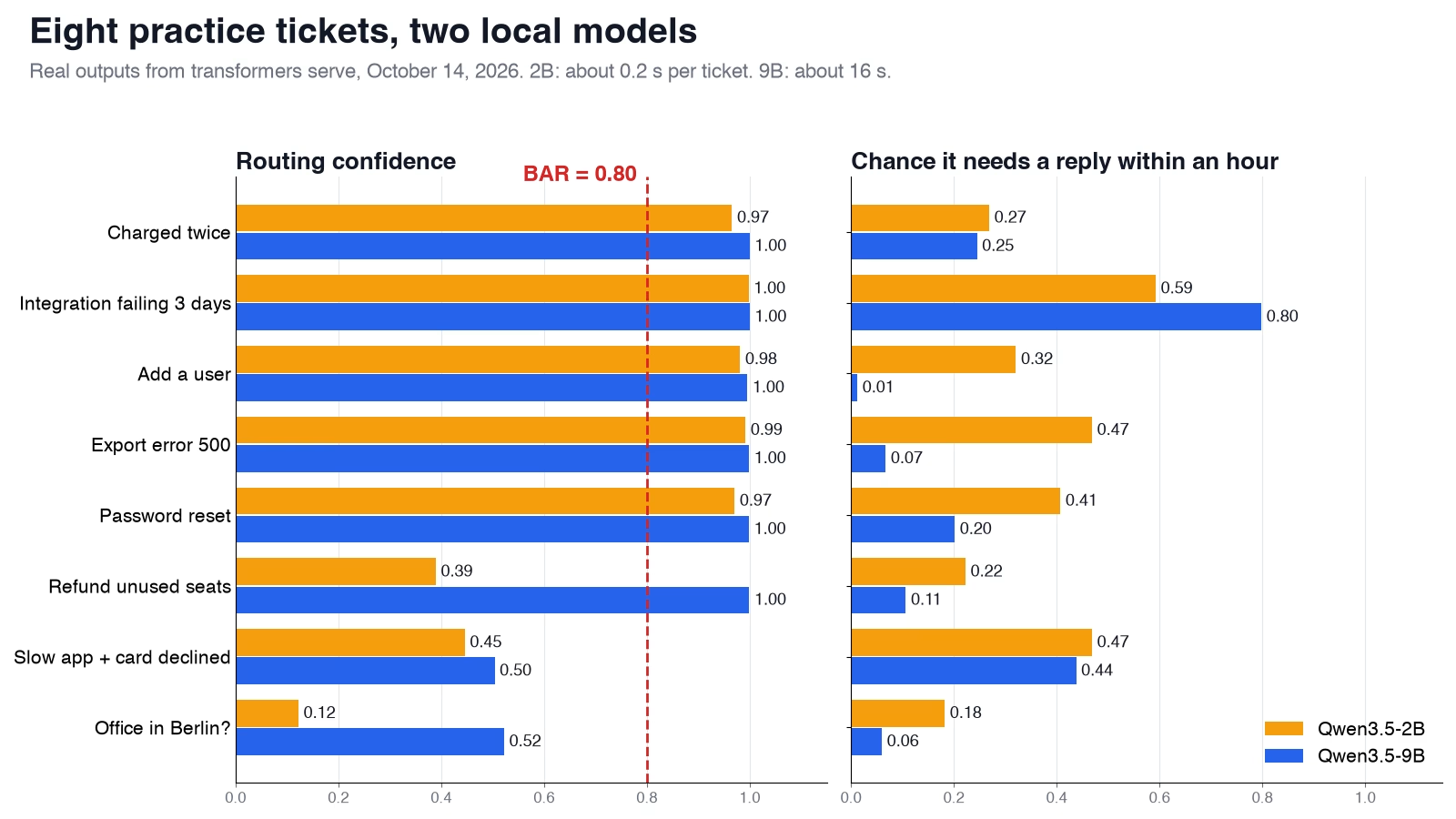
On routing, the small model was sure about five tickets and right about all five, and its doubt fell on the three trickiest ones. That matters more than raw accuracy, because a bar only works if the model is unsure when it should be. On urgency, the small model ranked the failing integration highest, at 0.59, but spread every ticket between 0.18 and 0.59. The 9B model separated them better, with 0.80 for the integration and 0.01 for adding a user.
One small change made a big difference. Adding an “other” option gave odd tickets somewhere to go. Without it, both models spread their bets on the Berlin question across billing, technical, and account.
Speed differs a lot. With the server’s default settings on our Mac, the 2B model answered each ticket in about 0.2 seconds and the 9B model in about 16. That is the main reason to send only the unsure cases up to the bigger model.
Hand the unsure cases on
A decision model is most useful when it handles the easy cases alone and passes on the rest. The confidence score makes that a one-line rule. In the script, BAR = 0.80 means anything below 0.80 confidence goes to the next step.
Choose the bar from your own data, not from a guess. Run a few hundred past tickets where you know the right team, and look at how often the model is wrong at each level of confidence. If it is wrong 1 time in 50 above 0.9, but 1 time in 5 between 0.6 and 0.9, a bar of 0.9 keeps the easy work automatic and the risky work with people. The guide to testing whether a cheaper decision model is good enough shows how to build that test in a spreadsheet.
Other people are building the same pattern. dgem is a community project published on a personal GitHub account, not an official Google product. It runs Google’s DiffusionGemma model as a decision model and hands hesitant answers to Gemini. The project’s own front page reports 98% accuracy with the hand-off against 88% without it, on just 50 questions it tested itself, so treat those numbers as a sign of direction.
Limits to know before you rely on it
This is new, and a few things are still rough. None of them stop you trying it today.
- It is in the development version. The command or the answer format may change before the release, so note the version you tested with when you move past experiments.
- The default question wording is generic. The docs say each question uses “a fallback prompt and the model’s chat template with thinking disabled.” You can change the wording and answer labels with a
--decision-configfile. - Confidence from an ordinary chat model is not tuned. Models trained as decision models, such as Jev, are trained so that their confidence matches how often they are right. A general chat model is not, which is why the bar has to come from your own test.
- Local is not the same as locked. The server runs on your machine, but a laptop others can use, or a server open to your network, still needs the usual care.
What to do this week
Install the development version, start the server, and run the curl example. Then copy the companion script, swap in ten of your own past tickets with their correct teams, and count how many the small model gets right and how many it hands on. If most clear cases come back right and the unclear ones fall below the bar, you have a free, private first version of a decision layer. If you want the paid route instead, the guide to Microsoft Decision-1 and other decision models compares them.
Sources
- Hugging Face Transformers docs (main): Serving, v1/systemone (request format, question types, limits, decision configuration)
- huggingface/transformers pull request 49322: v1/systemone endpoint (merged October 12, 2026)
- transformers on PyPI (latest release 5.19.0, October 6, 2026)
- Qwen3.5-2B on Hugging Face (the small open model used in the test)
- Qwen3.5-9B on Hugging Face (the larger open model used in the test)
- dgem on GitHub (community DiffusionGemma decision model with a hand-off to Gemini; self-reported results)
- Analytics Made Simple companion code (the ticket script and its walkthrough)
Keep going
Same lessons in your feed
Short diagrams, hooks, and weekly tutorials on Substack, Instagram, X, and Facebook.



