

The fastest way to learn a hard topic with ChatGPT is to make it quiz you instead of only explaining. Say you have a work exam in eleven days, or a talk to give next week, or a new metric at work that everyone pretends to understand in meetings. You open ChatGPT and type “Explain compound interest like I’m five.” The answer is cute, but you still cannot teach it back to a coworker without glancing at the screen. You feel busy, and you are not learning.
This post is part of the ChatGPT everyday tutorial. The earlier post covered long documents and working across many files. Here we use Chat as a study partner: explain simply, quiz, fix mistakes, and teach it back. You will also meet Study Mode, a ChatGPT feature for guided learning that asks you questions instead of dumping an answer, and the common mistakes that turn “studying with AI” into expensive copy-paste. If your basic habits are shaky, start with Learn ChatGPT from scratch. If the ChatGPT product names still blur together, keep the ChatGPT product map nearby. The series home is the ChatGPT everyday tutorial.
Study features and their labels move around. OpenAI documents Study Mode as a learning experience that asks questions, builds up explanations step by step, and checks your understanding instead of only handing over a final answer. Availability and entry points can differ by plan and screen, so re-check OpenAI’s Help Center and product pages before you write classroom or workplace guidance. More paths sit on Learn.
Why “explain like I’m five” is not a study plan
Simple explanations help, but they are not enough. Learning sticks when you retrieve the idea (pull it out of your own head), apply it (use it on a new example), and get feedback (find out where you are wrong). A single friendly paragraph is only consumption, and consumption feels good. Exams, client calls, and design reviews punish pure consumption.
ChatGPT is strong at producing explanations, examples, and quizzes on demand. It is a weak substitute for your own retrieval practice if you never close the laptop and try. Your job is to force the active steps, and the model’s job is to supply structure, questions, and corrections when you ask for them carefully.
Rule of thumb: If you cannot teach the idea for two minutes without looking at the chat, you do not own it yet, so keep looping.
The study loop
Use this loop for a concept, a chapter, a metric, or a tool, and stay in ordinary Chat. Keep one topic per Project or thread when you can, so examples from one subject do not leak into unrelated work.
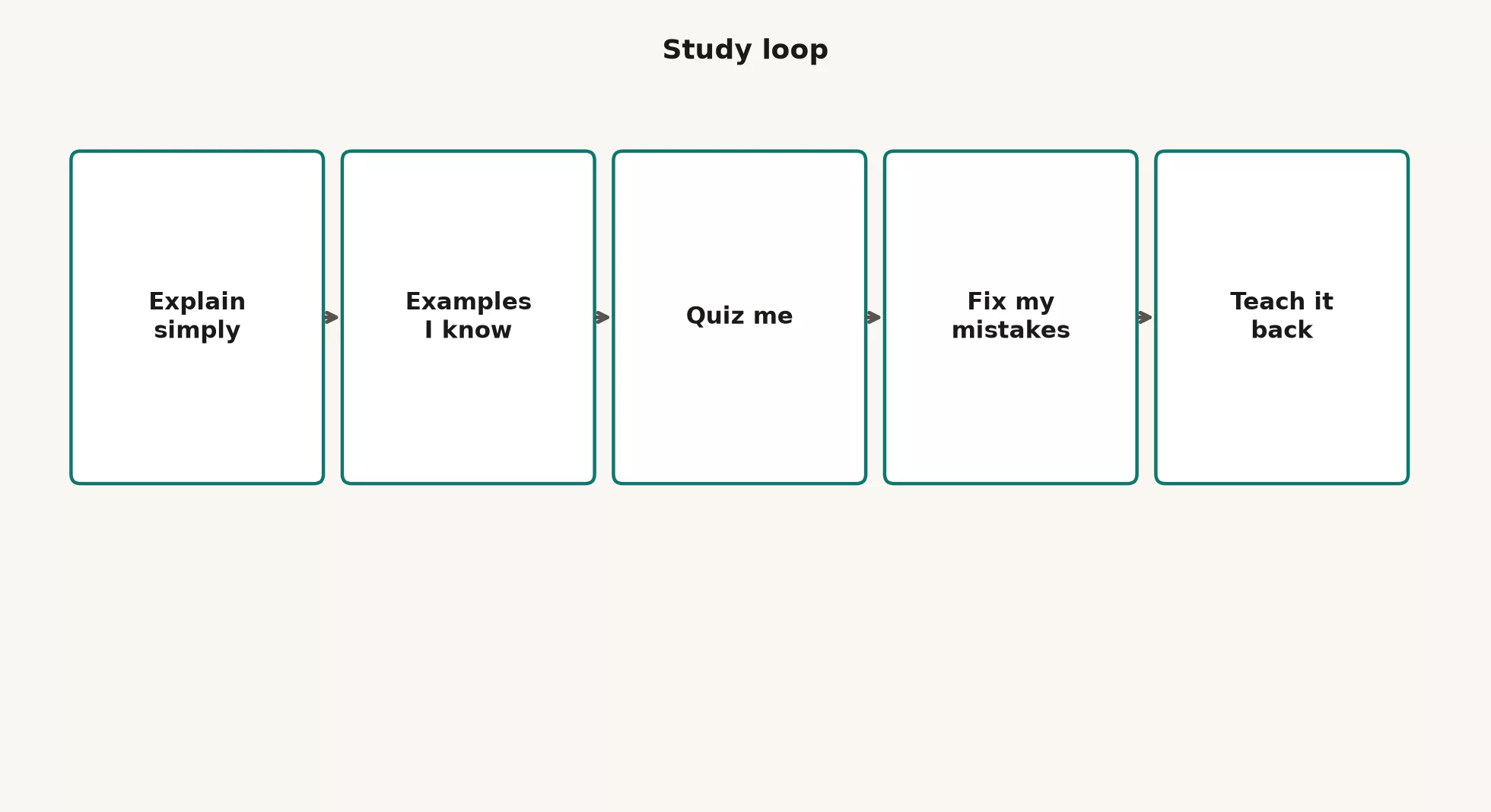
1. Explain simply, but not only in baby talk
Ask for a clear explanation at your real level. “Like I’m five” can strip out so much detail that you learn a cartoon, so use a prompt like this instead:
Topic: [name]
My level: [beginner / used it once / intermediate]
Audience I must teach later: [coworker / client / exam]

Explain in plain English in under 200 words.
Then give a 2-sentence version I could say out loud in a meeting.
Flag 3 terms I must not fake if I do not know them yet.
Do not invent product stats or papers.
2. Examples I already know
Connect the new idea to your own world by picking something concrete, such as sales operations, warehouse inventory, school labs, or game rules. Abstract metaphors that ignore your field leave you sounding fluent and knowing little.
Using the explanation above, give 3 analogies from [my domain: e.g. retail inventory].
For each: what maps cleanly, and where the analogy breaks.
Keep each analogy under 5 sentences.
3. Quiz me (closed book)
This is the step people skip. Do not ask for the answer key first. Ask for questions, answer them yourself in the chat or on paper, and then request grading.
Quiz me on [topic] at [level].
Give 8 questions mixed: 4 short answer, 2 "what would you do", 2 trap questions for common mistakes.
Do NOT include answers yet.
Wait for my replies, then grade with:
- correct / partial / wrong
- a one-line fix
- one follow-up question on anything I missed
4. Fix my mistakes
When you miss items, do not restart with a full re-explanation unless the foundation is broken. Target the miss instead.
I missed these ideas: [list].
For each:
1) the precise correction in one sentence
2) a tiny example
3) a 30-second drill I can repeat tomorrow
No pep talk. No new advanced topics.
5. Teach it back
Write or speak a short lesson as if you were the teacher. Then ask ChatGPT to critique it as a skeptical peer and not as a cheerleader.
Here is my teach-back (I wrote this without looking at your earlier full essay):

"""
[paste your explanation]
"""

Grade me as a skeptical coworker:
- factual issues
- fuzzy terms I hand-waved
- missing caveats
- one better example I should add
Score understanding 1-5 with a one-line reason.
If I am wrong, do not rewrite for me first; ask me one question that forces the fix.
Repeat the loop until your teach-back scores are honest 4s with only small caveats, or until a real deadline forces a “good enough for this meeting” cut. An honest score beats a fake 5.
Hard topic breakdown
When a subject feels like a wall, do not start with a 2,000-word survey. Use a five-part breakdown instead. It works for technical topics such as database indexes, confidence intervals, and sign-in permissions (OAuth), and for business topics such as contribution margin, who-does-what charts, and service credits.
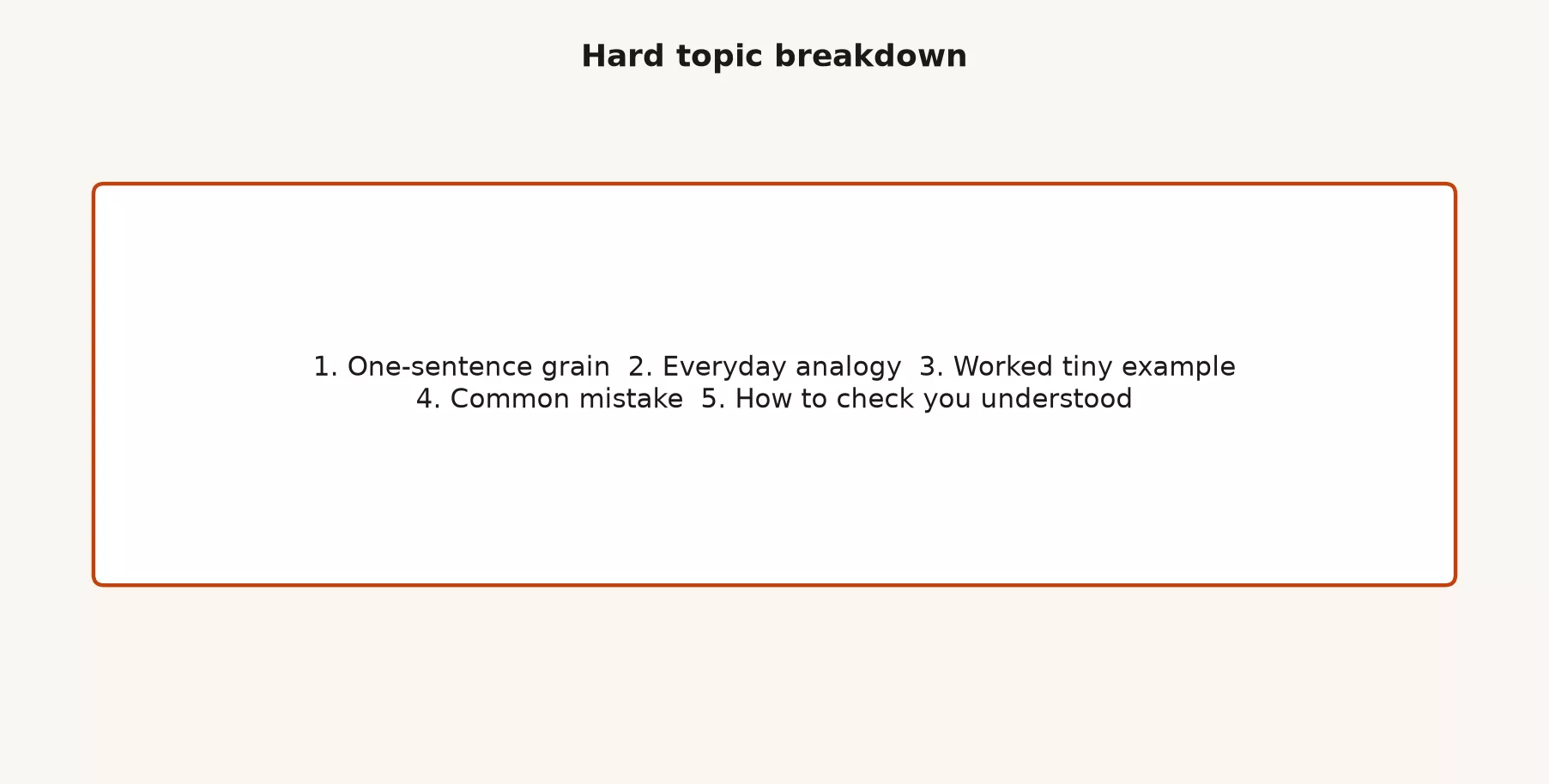
| Step | Question it answers | Toy: “database index” |
|---|---|---|
| 1. One-sentence grain (the core idea) | What is this, in one line? | An index is a lookup structure that helps a database find rows faster without reading every row. |
| 2. Everyday analogy | What is it like? | Like the index at the back of a book, which lists page numbers for topics and is not a second copy of the whole book. |
| 3. Worked tiny example | Show numbers or steps | A table of 1 million orders, where you look for order_id = 42. The index points close to that row instead of reading all rows. |
| 4. Common mistake | How do people mess up? | Indexing every column “just in case,” which slows writes and bloats storage. |
| 5. Understanding check | How do I know I get it? | Explain in two sentences when an index will not help, for example when you still need most of the rows. |
Here is a prompt that forces that structure:
Break down [topic] for a [role] who must use it at work next week.

Use exactly these headings:
1) One-sentence grain
2) Everyday analogy (and where it breaks)
3) Worked tiny example (concrete, small)
4) Common mistake
5) Understanding check (2 questions for me, no answers yet)

Constraints:
- No fake studies or invented benchmarks
- Mark uncertainty if the topic depends on a specific product version
- Keep total under 400 words before the check questions
Study Mode, and a do-it-yourself version
OpenAI describes Study Mode as a learning experience in ChatGPT that helps you build deeper understanding. Instead of only giving a final answer, it can ask you questions, guide you step by step, build up explanations, and check what stuck. OpenAI’s help and marketing pages position it for learning concepts, working through practice problems, preparing for tests, and reviewing notes or a syllabus. Its entry point has been a tools menu with an option such as “Study and learn,” but confirm that in your own screen because labels move.
You do not need to know the product perfectly to use the idea. Even in plain Chat, you can demand Study Mode behavior with these habits:
- Ask for hints before full solutions, because working out the last step yourself is what makes it stick.
- Ban the model from finishing your homework in one paste.
- Require a question for you after every short explanation.
- Upload only materials you are allowed to use, such as class notes you own, public documents, or approved work documents.
Here is a do-it-yourself Study Mode prompt you can paste at the top of a study thread:
You are a tutor in Study Mode style.
Rules:
- Prefer questions and hints over full answers.
- If I ask for the answer immediately, give a hint first and ask if I want the full solution.
- After each concept, ask me one check question.
- If I am wrong, explain the miss in plain English, then give a similar tiny problem.
- Never invent citations. If you are unsure, say so.
- Audience level: [beginner/intermediate]. Topic focus: [list].
- I will teach back at the end; do not write my teach-back for me unless I ask after I try.
If the real Study Mode control is available on your plan, try both for a week and keep whichever forces more of your own typing. The measure is not how nice the screen felt. The measure is whether you can teach the topic tomorrow without the chat open.
Worked session: learning “confidence interval” in 25 minutes
Here is a condensed session shape you can copy for any concept. The times are approximate, and a timer helps if you tend to spiral into reading extra tabs.
| Minutes | You do | ChatGPT does |
|---|---|---|
| 0 to 3 | State your goal: “Explain confidence intervals so I can brief a manager who does not know statistics” | One-sentence core idea plus a meeting-ready version |
| 3 to 7 | Ask for analogy from your domain | Analogy + where it breaks |
| 7 to 12 | Answer 5 quiz questions without scrolling up | Questions only first; then grades |
| 12 to 18 | Fix two misses on paper | Targeted corrections + drills |
| 18 to 25 | Teach-back in 8 to 10 sentences | Skeptical peer review + score |
Here is a sample teach-back target. You write this yourself, and the model does not:
A confidence interval is a range for a statistic (like an average) that
expresses uncertainty from sampling. A 95% CI is a method that, under
its assumptions, traps the true value in 95% of repeated experiments.
It is not "95% probability this particular interval is magic."
Managers should still ask about sample size, bias, and whether the
metric is the right one. Common mistake: treating the interval as a
guarantee for next week's single outcome.
If your teach-back cannot say what the interval is not, you are not ready. For data topics, the caveats are part of understanding.
What good looks like: a 12-minute loop
Say you need to explain “leading versus lagging metrics” in a team meeting tomorrow. You do not need a textbook, you need ownership of the idea.
- Spend two minutes asking for the core idea and two meeting-ready sentences at an intermediate level.
- Spend two minutes demanding one analogy from your product analytics world, plus where it breaks.
- Spend four minutes answering four quiz questions, with the chat scrolled up so you cannot peek.
- Spend two minutes fixing the one miss, such as confusing a lagging revenue total with a leading pipeline (the deals still in progress) coverage ratio.
- Spend two minutes on a teach-back out loud into a voice memo, then paste a transcript or summary for skeptical grading.
If the last step still feels mushy, stop adding new topics and repeat steps 3 to 5 tomorrow. Adding three more goal-setting and retention topics in the same hour is how fake fluency sneaks back in.
Studying with files (without cheating yourself)
The file habits from the earlier post on long documents still apply. You can upload slides, a chapter PDF you are allowed to use, or your own notes. Then follow these steps:
- Index first by asking, “What sections cover X?”
- Quiz from the material by asking, “Ask me questions that require Section 2, not general knowledge only.”
- Verify, because if the model “quotes” your PDF you should spot-check the quote, just as you would with many files.
- Do not upload materials you have no right to process in this tool, such as banned copyrighted paid PDFs, confidential decks, or other students’ work if that violates policy.
For school settings, follow your institution’s AI policy. For work certifications and regulated jobs, follow your employer’s rules. This post teaches learning technique and does not teach how to evade academic integrity rules.
Group study without turning into a copy club
Shared Projects, where your plan and policy allow them, can hold a syllabus, shared notes, and a standing tutor prompt. That helps a study group stay on the same definitions. It does not help if four people paste the same model essay into four assignments.
A healthy group pattern looks like this:
- A shared file set for source material you are allowed to share.
- A shared quiz bank generated once, with answers hidden until each person tries alone.
- Pair teach-backs, where each person explains for three minutes while the other only asks clarifying questions.
- One “open questions” list for the human teacher, mentor, or documentation owner.
The unhealthy pattern is that one person generates a polished answer, the group lightly edits the tone, and everyone submits it. That is answer farming with extra chairs. At work, the same pattern becomes “we all sound smart in chat until the customer asks a follow-up.”
Common mistakes and what to do instead
| Mistake | What it looks like | What to do instead |
|---|---|---|
| Answer farming | “Just give me the solution” | Hints first; full answer only after a try |
| Fake fluency | You can read the explanation but not teach it | Mandatory teach-back with closed notes |
| Endless re-explain | New metaphors every night, no quiz | Cap explains; force retrieval |
| Trusting invented facts | Model cites a paper or stat you never checked | Ban fake citations; verify externals |
| Wrong level | ELI5 forever, or PhD dump on day one | State level and audience in every opener |
| Topic soup | Five subjects in one thread | One topic per loop; Projects help |
| No mistake log | You forget what you miss | Keep a five-line “miss list” in a notes app |
| Policy blindness | Uploading forbidden class or work content | Allowed materials only, with the redaction rules from the earlier post on long documents |
There is a work version of fake fluency. You paste a model explanation into a slide deck and present it as your own understanding, and the first hard question from the room exposes you. It is better to present a shorter, true explanation with one clear caveat than a smooth wrong story.
A one-week practice plan
- Day 1: Pick one topic you must use within 14 days, and run only the core idea, the analogy, and the tiny example.
- Day 2: Take an eight-question quiz and log your misses.
- Day 3: Fix the misses with drills, and skip new advanced chapters.
- Day 4: Teach it back out loud, and a phone voice memo is fine. Ask ChatGPT to critique it afterward.
- Day 5: Apply the idea to a real work item such as an email, a ticket, a slide, or a SQL (the standard language for asking a database for data) comment, and use the concept correctly once.
- Day 6: Take a fresh quiz with harder trap questions, and compare it to Day 2.
- Day 7: Do an optional review with Study Mode or the do-it-yourself tutor prompt, and rest if your scores are solid.
The next post in this series moves to email, meetings, and workplace writing, including audience, asks, tone passes, and checks before you send. Keep the study habit for any new jargon that appears in those drafts.
Quick recap
- Learning needs retrieving, applying, and feedback, and friendly summaries alone are not enough.
- Run the loop of explain, examples, quiz, fix, and teach-back.
- Break hard topics into a core idea, an analogy, a tiny example, a mistake, and a check.
- Use Study Mode when it is available, or set up the same rules yourself in plain Chat, so the model guides you instead of handing over answers.
- Avoid answer farming, fake fluency, invented citations, and uploads you are not allowed to make.
- Score yourself by a closed-book teach-back and not by how full the chat looks.
Your next step
Pick one topic you need to learn this month and run the loop from this post: explanation, examples, a quiz, fixes, and a teach-back. Close the chat and explain the topic aloud from memory. If you cannot, go back to the quiz, because recall, not reading, is what makes the learning last.
Series notes
- Learn ChatGPT from scratch for accounts, plans, Projects basics, privacy, and judgment
- ChatGPT product map for Chat versus Work versus Codex and when study stays in Chat
- ChatGPT everyday tutorial (this series)
- The earlier post in this series on long documents, for when your study materials are a binder of many files
- Learn for the full path board
Sources
Research and further reading used for this article. Feature names and availability change; verify on live OpenAI pages before you publish classroom or workplace rules.
- OpenAI Help: Using Study Mode in ChatGPT (what Study Mode is for, guided learning vs final-answer-only)
- OpenAI: Introducing study mode (product announcement context: interactive prompts, scaffolding, knowledge checks)
- ChatGPT: Study mode feature page (product-facing overview)
- OpenAI Help: Projects in ChatGPT (keeping study materials and chats together)
- OpenAI Help: Data controls FAQ (data handling orientation alongside school or employer policy)
- OpenAI Help Center (live ChatGPT product help)
- ChatGPT (product entry)
- OpenAI policies (terms and usage policies)
- Analytics Made Simple: Learn ChatGPT from scratch (foundation series)
- Analytics Made Simple: ChatGPT product map (the different ChatGPT products and modes)
- Analytics Made Simple: ChatGPT everyday tutorial (this series home)
- Analytics Made Simple: Learn (paths hub)
Keep going
Same lessons in your feed
Short diagrams, hooks, and weekly tutorials on Substack, Instagram, X, and Facebook.



