
Review a proposed change to a dbt model like a product change, because a green check mark on a code change does not mean the numbers are right. dbt is a tool that turns raw warehouse tables into clean ones using SQL, the standard language for asking a database questions. Look at what one row means, how tables are joined, what gets filtered out, which tests exist, who is affected downstream, and whether the totals match something you can defend in a metrics meeting.
Imagine a teammate asks you to review their change to the revenue table. The change arrives as a pull request (PR), a proposed code change that teammates review before it goes live, and it looks small. The automatic checks that run on every proposed change, called continuous integration (CI), show green, so you are tempted to reply “looks good to me.” Then on Monday, finance finds revenue 18% higher than the accounting books, because the new table counted refunded orders twice. Green checks only tell you a machine could run the files, not that the numbers are right.
A model PR is a product change
In software, a pull request changes behavior for users. In analytics engineering, a model PR changes numbers for decision makers. The users are dashboards, tools that push warehouse data back into business apps (called reverse ETL, short for extract, transform, load), the monthly finance close, and the person who will quote your table in a meeting without opening the SQL.
That means review is a real safeguard and not a polite formality. It protects four things:
- Grain: what one row of the table stands for, such as one order or one order line.
- Definitions: what words like “revenue,” “active,” or “churned” include and leave out.
- History: whether past months stay comparable after the change goes live.
- Downstream trust: who will inherit a wrong join without knowing it.
dbt makes review easier because models, tests, and docs live in the same code repository (a project folder that tracks every change). It does not make review automatic, though. The command dbt build can pass while the business logic is still wrong, since tests only catch what someone thought to check.
Review rule: Approve the change you would defend in a metrics meeting, and not the one that merely runs without errors.
The PR review map
Treat every model PR as a short investigation. Do not start by hunting for style nitpicks, because the costly problems are the ones that give wrong numbers without any error message. The map below gives the order that catches those expensive bugs early.
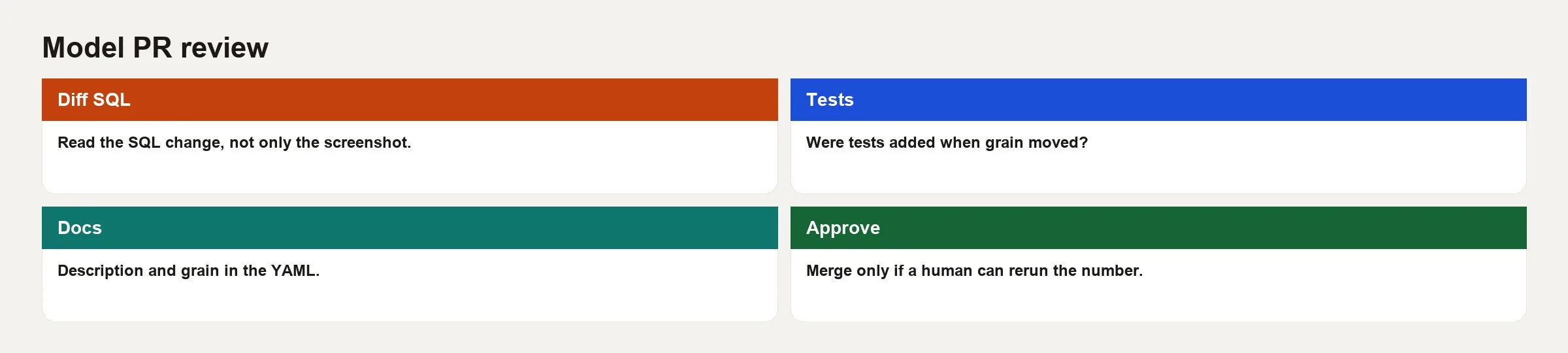
1. Scope and story
Read the description of the PR before you read the SQL. A useful description answers four questions in plain language.
- What business question does this model answer for the people who use it?
- What is the grain of the main model, meaning what does one row stand for?
- What changes for the people who use the table, such as new columns, renamed fields or different filters?
- How did you check your work, for example with sample queries, row counts or a comparison to a trusted total?
If the description only says “fixes revenue,” with no grain and no notes on how it was checked, stop and ask for them. Reviewers should not have to work out the author’s intent from a 200-line SQL file while the clock is running.
2. Grain and keys
Grain is the most important line in a model review. It answers whether a row stands for one order, one order line, or one customer on one day. When the grain is fuzzy, uniqueness tests give false comfort and joins multiply rows, which inflates totals.
Look for these signs.
- A stated grain in the model description or in the YAML file (a plain text format dbt uses for descriptions and tests).
uniqueandnot_nulltests on the real primary key (the column that identifies each row), or on a combination of columns that together identify a row.- A
GROUP BYthat matches that key and not a looser set of columns. - Window functions that bring back duplicates after a careful cleanup step removed them.
Suppose the author tests uniqueness on order_id but the table has one row per order line. That test proves nothing, so say so in your review.
3. Joins, filters, and time
Most silent metric bugs live in these five places.
- Join type: an inner join drops unpaid or unmatched rows when the people using the table expect every order to appear.
- Many-to-many: joining order headers to a lookup table that has several rows per key, without summing them up first.
- Status filters: canceled, test or internal orders get excluded in one model and kept in another.
- Timezone and late arrivals: the model filters on
created_atwhile the business measures byclosed_at. - Hard-coded dates: fixed date windows that were meant to fix last week and now stay in the code forever.
Read every WHERE as a product decision. “Exclude status = ‘test’” is fine if documented. “Exclude amount < 0” may delete legitimate refunds and quietly distort a net revenue story.
4. Tests, docs, and contracts
A model that is ready to merge usually arrives with these four things.
- Column tests (dbt’s built-in checks on a table’s columns, such as “no duplicates” or “never empty”) on the keys and on the columns that link to other tables.
- At least one custom test for a business rule that has caused problems before.
- Column descriptions for the fields people will filter on.
- Clear names that match the purpose of the table, such as
fct_,dim_or your team’s own convention.
Ask yourself what kind of failure would now go uncaught if this PR added SQL and no tests. Reviewers can require a test in the same way that software reviewers require a unit test on a risky change.
5. Who is affected downstream
Use lineage, which is the map of which tables feed which (the dbt docs graph, a search for ref, or your warehouse’s list of dependent tables), to list everyone who inherits the change. Renaming a staging table stays local. Changing a filter in a mart, meaning a finished table that dashboards read, can change the numbers on every dashboard that points at it.
A change that touches many dashboards needs more evidence. Ask for side-by-side totals for a few periods, a note on how old data gets reloaded, and a direct message to the people who use the table. A change with few dependents can move faster, but it still needs a clear grain and keys.
Checklist you can paste into a PR template
| Check | What “good” looks like | Red flag |
|---|---|---|
| Business intent | One sentence question + owner | “Cleanup” with no consumer |
| Grain | Named key, matches GROUP BY | Tests on wrong key |
| Joins | Type justified, fan-out controlled | Unaggregated many-to-many |
| Filters | Documented inclusion rules | Silent status exclusions |
| Time logic | Event clock named | Mixed created vs closed |
| Tests | Key + one business rule | Only default scaffold |
| Docs | Columns humans filter on described | Empty YAML |
| Validation | Counts or totals vs trusted source | “Works on my sample” |
| Downstream | Consumers listed | Unknown mart usage |
| Rollback | How to revert or pin | No mention of history |
Paste this table into your team’s PR template and ask authors to fill in the left column. Reviewers can then discuss substance instead of gut feelings.
How to read the SQL diff
Style comments are fine once correctness is settled. Start with the edits that can change totals.
- New joins or changes to the join type.
- Filter additions or removals
- Case statements that regroup statuses into new categories.
- Currency, tax, discount, or refund handling
- Incremental filters that can skip data which arrives late.
An incremental model only processes new rows on each run. For these models, review the unique key, the lookback window (how far back each run rechecks), and what happens on a full refresh. A PR that speeds up the job by shrinking the lookback can permanently miss facts that arrive late, unless someone notices the gap.
Also scan for copy-and-paste hazards. Watch for a staging model referenced twice under different nicknames, a select * that quietly adds columns for every user of the table, or a hard-coded name for a group of tables that breaks when the PR runs in another environment.
Worked example: reviewing marts.daily_revenue
Imagine a PR that fixes daily revenue after your marketing team complained that the chart looked low. The author adds a join to a promotions table so revenue can be attributed to campaigns. The unique test on order_id is unchanged, and CI is green.
Suspicious before (simplified)
-- models/marts/marts_daily_revenue.sql
with orders as (
  select * from {{ ref('stg_orders') }}
  where status not in ('canceled', 'test')
),
promo as (
  select * from {{ ref('stg_promotions') }}
)
select
  o.order_id,
  o.order_date,
  o.customer_id,
  o.amount as revenue,
  p.campaign_id
from orders o
left join promo p
  on o.customer_id = p.customer_id
 -- oops: no date window; one customer, many promos
A careful reviewer spots these problems within a minute.
- The grain is claimed as one row per order, but the join repeats an order whenever a customer has several promotions.
- Nothing limits promotions to the dates when they were valid.
- Revenue will be inflated whenever someone sums the table without removing the repeats.
- The uniqueness test on
order_idwill fail once repeated rows appear, or it was never added.
Safer after (still simplified)
-- models/marts/marts_daily_revenue.sql
-- Grain: one row per order_id
with orders as (
  select
    order_id,
    order_date,
    customer_id,
    amount as revenue
  from {{ ref('stg_orders') }}
  where status not in ('canceled', 'test')
),
promo_once as (
  select
    customer_id,
    order_date,
    max(campaign_id) as campaign_id
  from {{ ref('stg_promotions') }}
  group by 1, 2
)
select
  o.order_id,
  o.order_date,
  o.customer_id,
  o.revenue,
  p.campaign_id
from orders o
left join promo_once p
  on o.customer_id = p.customer_id
 and o.order_date = p.order_date
This is still not perfect, because keeping the highest campaign id is a product choice. But the grain is preserved and the join key is deliberate. Reviewer comments should push that choice into the PR description, for example: “When several campaigns touch a day, we keep the highest id for now, and we will open a follow-up for multi-touch attribution.”
YAML and validation the PR should include
models:
  - name: marts_daily_revenue
    description: "One row per order with optional same-day campaign id. Revenue is order amount after excluding canceled and test orders."
    columns:
      - name: order_id
        description: "Primary key. One order per row."
        tests:
          - unique
          - not_null
      - name: revenue
        description: "Order amount in USD. Not net of refunds (see fct_refunds)."
        tests:
          - not_null
      - name: campaign_id
        description: "Nullable. Same-day campaign attribution; max id if multiple."
This YAML file describes the new table for dbt, the tool that builds it: what one row means, what each column holds, and which tests to run. The tests check that every order id is present and appears only once, and that revenue is never missing.
The validation notes in the PR description might look like this:
-- row count vs stg_orders after same filters
select count(*) from marts_daily_revenue;
select count(*) from stg_orders where status not in ('canceled','test');

-- total revenue vs finance extract for 2026-09-01 to 2026-09-07
select sum(revenue) from marts_daily_revenue
where order_date between '2026-09-01' and '2026-09-07';
These queries compare the new table with its source: the first two row counts should match once canceled and test orders are removed, and the revenue total for one week should match Finance’s extract. Putting them in the review notes lets the reviewer rerun the same checks.
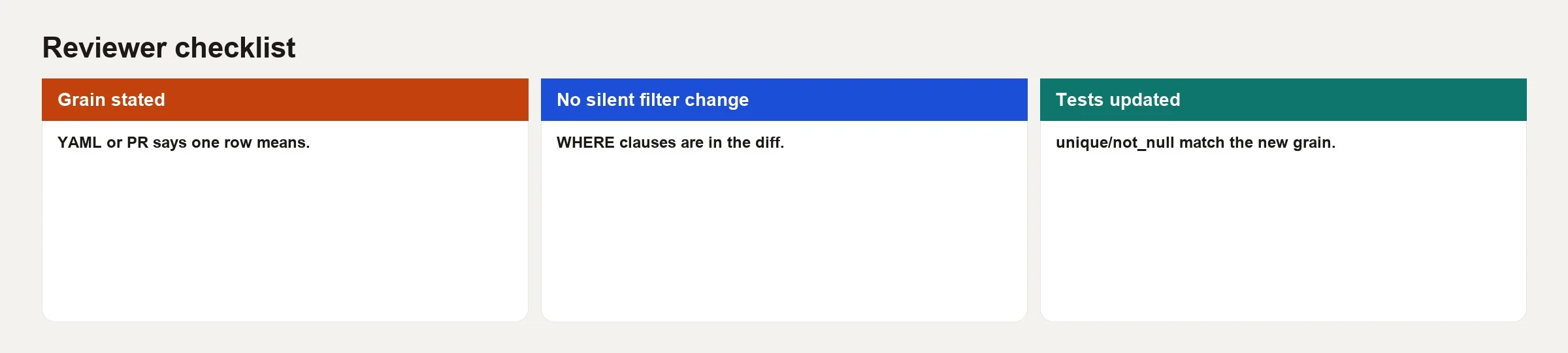
That result card is what “reviewed” should mean. A person checked the ways this change could fail, and a bot was not the only one looking.
Reviewer comments that help (and ones that waste time)
Helpful comments sound like this.
- “This left join can repeat orders because
stg_promotionsis not unique on customer_id. Can we sum first or change the grain?”. - “This filter drops refunds, so please document whether the table shows gross or net revenue.”.
- “Please add a unique test on the combined key you described.”.
- “Can you paste the weekly total next to the finance total in the PR for September 2026?”.
Comments that waste the first pass look like this.
- Only “nit: trailing comma” while the grain is wrong.
- “Looks fine” with no evidence, on a table that many dashboards depend on.
- Blocking a merge over personal style preferences when the team has no written standard.
Authors have a job too, which is to answer with data and not with ego. A reply like “You’re right, here are the row counts before and after” builds trust faster than “it passed my CI.”
CI green is necessary, not sufficient
Good pipelines run dbt build (or a run plus a test) on the PR’s own copy of the tables, lint the SQL (check it for style problems), and sometimes compare row counts. Use that signal, but do not treat it as the last word.
CI will not notice that “active customer” now means “logged in during the last 7 days” instead of “had a paid order in the last 30.” Only a person who knows the metric definition will. Pair the automatic checks with the checklist above. If you use AI to draft SQL, treat it like a new teammate and verify the joins and grain yourself. The habits in how to check AI-written SQL transfer cleanly to PR review.
Common mistakes
- Approving on green alone. Machines check syntax and the tests someone wrote, and they cannot check business truth.
- Reviewing only the new file. Downstream models that use
refto read this table may inherit a broken filter. - Ignoring incremental quirks. Lookback windows and unique keys can change history without any warning.
- Testing the wrong key. A unique test on a column that is not the grain gives false confidence.
- Silent definition drift. Someone renames “revenue” without updating the metric docs or telling the dashboard owners.
- Huge PRs. Layout, logic and renames bundled together mean nobody can review any of it carefully.
- No proof of validation. If the totals are not in the PR, reviewers have to guess at them.
- Blocking on pure style. Style bots already exist, so people should spend their attention on grain and joins.
Quick recap
- A dbt model PR changes numbers that people act on, so review it like a product change.
- Review in this order: scope, grain, joins and filters, tests and docs, then who is affected downstream.
- Green CI is necessary but not enough, because business rules need human eyes.
- Ask for a clear grain, deliberate joins and validation totals in the PR description.
- Helpful comments name the ways a change could fail, while an empty “LGTM” (short for “looks good to me”) on a shared table just hands the risk to someone else.
- This lab closes the hands-on loop of layout, models and tests, and then careful review.
How to practice this week
- Pick one recent model PR, or create a small branch that changes a filter, and fill in the checklist table honestly.
- Write a three-sentence PR description for a model you already own, as if a stranger will merge it, because writing for a stranger forces you to state what is obvious only to you.
- Add one missing uniqueness or business-rule test to a table that worries you.
- Compare one metric total to a trusted source for a fixed date range, and paste the query (a request that asks a database for data) into the PR template so it becomes a habit.
- Review a teammate’s PR by looking only at grain and joins first, and save style for a second pass.
If your team is still settling on a folder layout, revisit the earlier labs in this series on project layout and on writing models and tests, so reviews are not fighting messy folders. For the bigger picture of data pipelines (the steps that move data from where it is created to where it is used) outside dbt, the data pipelines series still applies, because transforms are only one stage where trust can break.
Series notes
This is a lab companion to How data actually moves and the dbt intro. Use it when a PR for a finished table lands in your review queue. In the lab sequence, this is Part 3.
Sources
- dbt Labs, “About dbt projects” and best practices: https://docs.getdbt.com/docs/build/projects.
- dbt Labs, “Tests”: https://docs.getdbt.com/docs/build/data-tests.
- dbt Labs, “How we structure our dbt projects”: https://docs.getdbt.com/best-practices/how-we-structure/1-guide-overview.
- GitHub Docs, “About pull requests”: https://docs.github.com/en/pull-requests/collaborating-with-pull-requests/proposing-changes-to-your-work-with-pull-requests/about-pull-requests.
- Analytics Made Simple (AMS), Learn map: https://analyticsmadesimple.com/learn/.
- AMS, How to check AI-written SQL: https://analyticsmadesimple.com/tutorials/how-to-check-ai-written-sql/.
Keep going
Same lessons in your feed
Short diagrams, hooks, and weekly tutorials on Substack, Instagram, X, and Facebook.



