
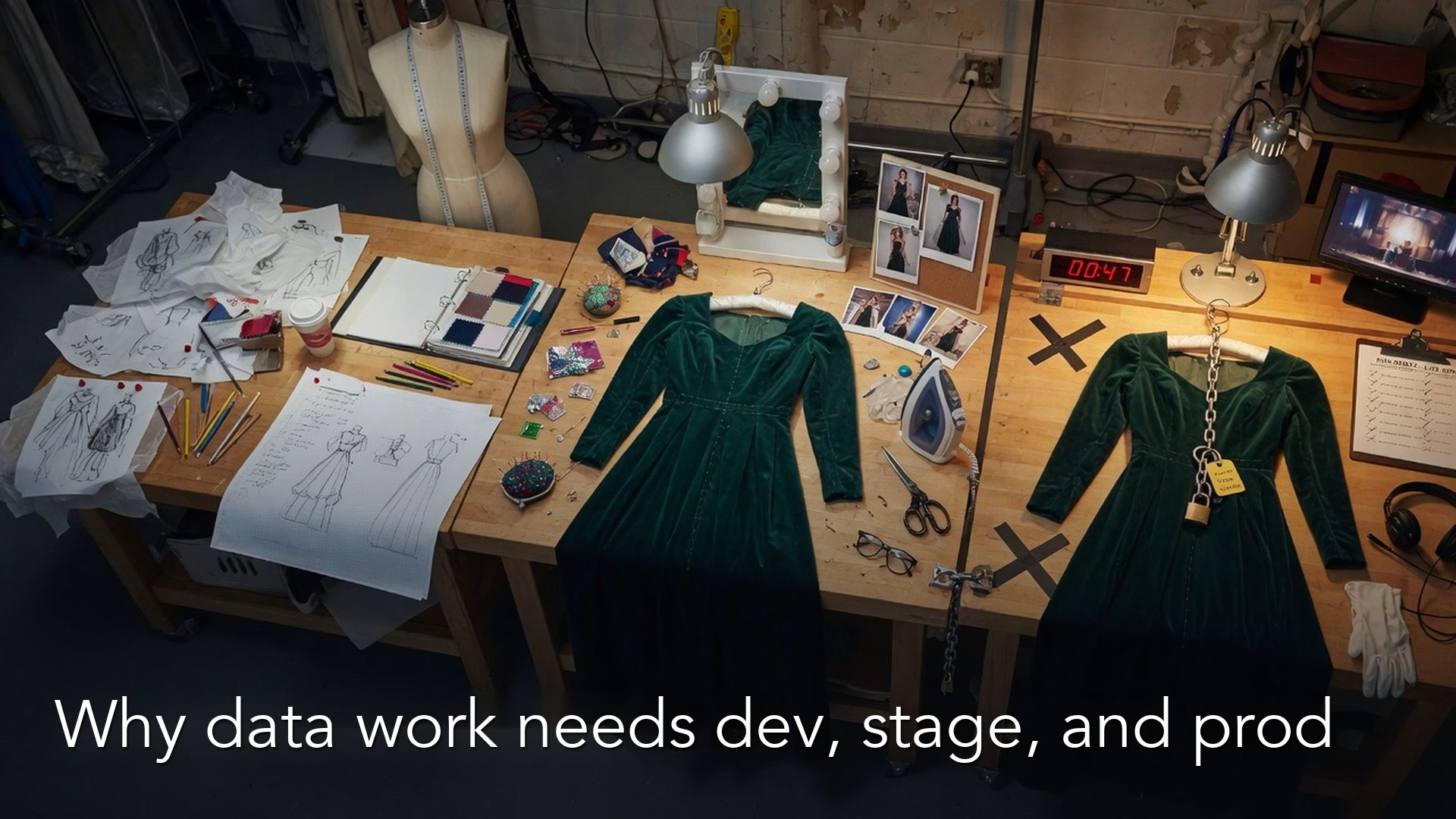
The words dev, stage, and prod name three separate places where your data work lives: one to experiment in, one to test in, and one that everyone trusts. They exist so that a number that looks right on your laptop does not quietly become the company’s official number. If you skip that separation, a private experiment can end up in a board deck before anyone has checked it.
Say you are finishing a chart and the notebook (a document that mixes code and its results) on your laptop shows the right revenue. The board deck is due, so you paste the query (the written request for data) into the shared production report. By morning, three other dashboards still use last week’s logic, a secret access key is visible in a screenshot, and nobody can say whether the test copy was ever checked. A laptop result is not bad. Treating it as the production result is how good analysts ship bad numbers.
A different case makes the same point. Someone “temporarily” connects a personal notebook to the production login to finish a chart. The chart is fine, but the login stays saved in that notebook for six weeks. A test environment would have caught the join bug without ever borrowing the production keys.
Environments in plain English
An environment is a place with its own data, logins, permissions, and purpose. Software teams use dev, stage, and prod so bugs die before customers see them. Data teams need the same idea so that broken calculations die before an executive screenshots them.
The names vary from shop to shop. Some teams say “sandbox,” “UAT” (UAT means user acceptance testing, where business users try a change before it goes live), or “pre-prod.” The jobs stay much the same, and the picture and table below show them side by side.
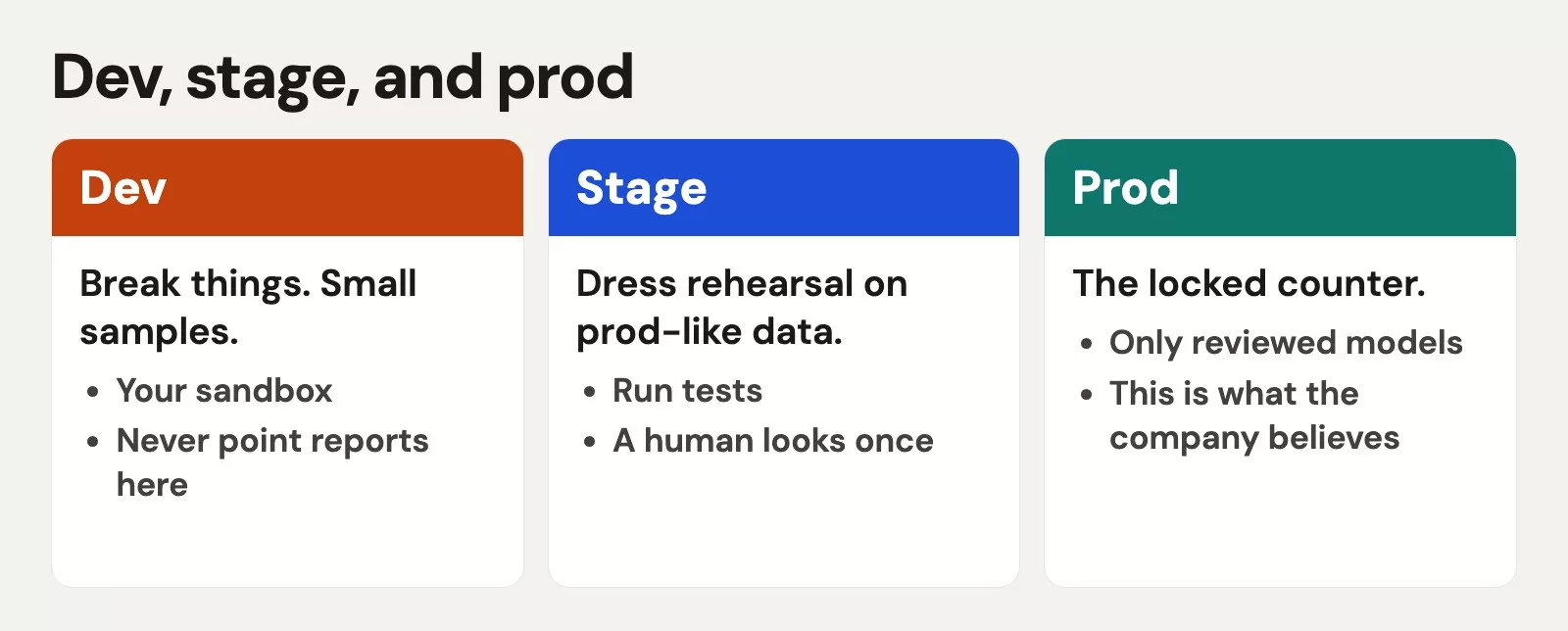
| Environment | Purpose | Data flavor | Who writes? | Who reads for decisions? |
|---|---|---|---|---|
| Development | Explore, break, learn | Sample, subset, or synthetic | Analysts and engineers freely (within policy) | Almost nobody for real decisions |
| Stage / test | Validate before promote | Production-like, sometimes masked | Automation plus reviewers | Limited QA and stakeholders for sign-off |
| Prod | Serve trusted consumers | Full, protected, audited | Pipelines and tightly gated humans | BI, ops, leadership |
Some companies have only one warehouse where everyone is an administrator. You still have environments in theory, but you have squeezed all three into one, so any single mistake can damage everything at once. Part of growing up as a data team is pulling those apart on purpose, so that an error in one place stays in that place.
Why laptop truth is dangerous
Your laptop is a private universe. It differs from the shared systems in five ways that are easy to miss.
- Different data. You filtered to one region, one month, or a CSV (a plain spreadsheet-style text file) export that is already stale.
- Different code version. The notebook has three cells you never re-ran in order, while production runs last month’s scheduled job.
- Different secrets and network. Your company VPN (VPN means virtual private network, the secure tunnel into the office network), personal tokens (secret access codes), and cached logins are not the service account (a shared robot login) that the nightly job uses.
- Different packages and warehouse settings. You may run Python 3.11 locally against a server on 3.9, with a different session timezone and different limits on query slots.
- No second pair of eyes. The bug that only appears on leap days or in fiscal week 53 never reaches a pull request (PR), the step where a teammate reviews your change before it merges.
When you say “it works,” people hear “it is safe for the company.” Those are two different claims. Local exploration is how good analysis starts, and promotion is how it becomes a shared asset. Skip promotion and you get a “final_final_v7_USE_THIS.xlsx” culture inside your warehouse.
Rule of thumb: If a number will drive a decision for someone who is not you, it needs a path through shared code, tests, and an environment that is not your laptop alone.
What “prod” means for tables and dashboards
Production is not only the web app your customers click. In analytics it usually means a handful of things, listed below, and you can spot most of them by asking who or what keeps them running.
- Schemas or projects named things like
analytics,marts, orprod. - Scheduled dbt builds and orchestrated jobs, meaning automatic runs that follow a timetable. The earlier posts on dbt and on job scheduling in this series cover them.
- Business intelligence (BI) datasets, the ones behind your dashboards, pinned to those tables.
- Service accounts that run without your laptop being open.
- Access reviews, backups, and sometimes legal retention rules.
A “prod dashboard” pointed at a personal schema (a named area of the database that holds a group of tables) only looks official. It fails like a draft.
A simple promotion path
You do not need a 40-page change board for every column rename. You do need a path that people on your team can recite from memory, and the six steps below are one way to write it.
- Explore in dev. Use sample data, rough SQL (the standard language for asking a database for data), and notebooks, and label the outputs as exploratory.
- Capture the logic in shared code. That means a repo file, a dbt model, or a scheduled query, and never only a private notebook cell.
- Add the minimum tests and docs. Write one sentence saying what one row means (the grain), a unique key, and a not-null check on the money column. Link the metric definitions when they apply.
- Run in stage against production-like data. Compare row counts and spot-check totals. If the change is visible to users, invite a stakeholder to click through the stage dashboard.
- Review and promote. Open a pull request, get a peer review, and let an automated build run. Deploy through the pipeline (a chain of automated steps that moves and cleans data) instead of hand-editing production tables.
- Watch after release. Track freshness, volume, and test status, which the next post in this series covers. Also keep a rollback plan, or a way to return to the previous model version.
Small teams compress these steps, and that is fine. They should not skip the idea behind them. Even a pull request, a stage dataset, and 24 hours of watching beats silent edits to production.
Secrets: passwords, tokens, and quick shares
Environments are partly about credentials, the logins that let software or people into a system. The usual kinds are listed here.
- Warehouse passwords and key pairs.
- Cloud access keys.
- API tokens, the long passwords software uses to pull data out of other tools through their API (the way one program asks another for data).
- Service accounts for your BI tool.
- SSH keys (SSH stands for secure shell, and a key is a file that lets one computer log into another securely) and webhook secrets (the passwords apps use when they send each other automatic messages).
A few rules keep you employed, and each has a reason behind it.
- Never commit secrets to git. Not even “just for a minute,” because the history remembers everything.
- Never paste production passwords into Slack or tickets. Use a secrets manager or an approved vault, which is a locked store built for this.
- Prefer service accounts for jobs. A job should not run as “you” after you leave the company.
- Give the least access needed in each environment. Logins for dev should not be able to drop production tables if you can avoid it.
- Rotate secrets when people leave or when a leak is suspected. It is boring and it is mandatory.
Analysts often inherit pipelines that already have secrets wired in. Your job is not to invent a parallel set of personal keys because IT is slow. Your job is to use the approved path, or to escalate the blocker. Shadow credentials become shadow outages.
Who can write prod?
Writing to production means creating or replacing tables, changing scheduled jobs, or altering a definition that other people trust. Reading production is different. Many analysts need read access to the production marts so their decisions use real data. That does not mean everyone should run CREATE OR REPLACE on those marts from a laptop session.
A healthy split looks like this.
- Broad read access on documented marts, for people who answer business questions.
- Writes through automation, such as a continuous integration (CI) job, an automatic check-and-build that runs when code changes, an orchestrator, or a dbt Cloud job, after review.
- Break-glass human writes for emergencies, which are logged, time-limited, and rare.
- Free writes in dev so that exploration stays fast.
If you are an analyst without production write access, you are not “less technical.” You are on a team that separates exploring from publishing. You push your logic through a pull request, you own the definition, and you let the pipeline publish it. That is adult analytics, not a demotion.
If you are the whole data team, still pretend you wear two hats: explorer-you and publisher-you. Explorer-you may be sloppy. Publisher-you needs tests, a second look, and a quiet deploy window.
Worked example: a one-page environment contract
Teams argue less when the rules are written down. Here is a lightweight example for a mid-size warehouse that serves finance and marketing dashboards, so adapt the names to your own stack.
| env | data | who_writes | dashboards |
|---|---|---|---|
| dev | sample / subset | you | personal |
| stage | prod-like | CI / review | UAT |
| prod | real | pipeline only | everyone |
| Topic | Development | Stage | Prod |
|---|---|---|---|
| Schema / project | dev_analytics | stage_analytics | analytics |
| Data | 7-day sample + synthetic PII | Full clone, masked emails | Live full data |
| Human write | All data team | CI service account only | CI service account only |
| Break-glass | N/A | Lead + ticket | Two people + ticket, 2-hour window |
| Promotion | Branch builds | Merge to main → stage job | Green stage + approve → prod job |
| Secrets | Personal scoped tokens in vault | Job secrets in vault | Job secrets in vault, no personal keys |
| Dashboards | Personal or draft folder | QA folder | Certified folder only |
| Post-deploy | Optional | Tests + row-count compare | Tests + 24h freshness watch |
Next is an example promotion checklist that an analyst can paste into a pull request description. The person reviewing it can then see at a glance what was checked and what was not.
## Change
- Model: fct_revenue_daily
- Why: paid status now includes 'CAPTURED' (metric spec v1.3)

## Checks
- [ ] Grain sentence updated in docs
- [ ] unique + not_null tests still green on stage
- [ ] stage revenue vs prod revenue for last 7 days within 2%
      (or explained by the definition change)
- [ ] Stakeholder sample on stage dashboard: @finance-partner
- [ ] No secrets or warehouse passwords in this PR
- [ ] Rollback: previous model tag / prior job version noted

## Ask
Please approve promote to prod after stage green.
That checklist is boring on purpose. Boring deploys are how you sleep at night.
Special cases analysts hit every week
“Can I just run this once in prod?”
Maybe, if it is a read-only check. For a write that changes a shared table, run it in a branch or as a one-off job in stage first. A “once” script (a short program that runs a list of steps for you) has a way of becoming the undocumented source of truth.
Notebooks and Python
Notebooks are excellent for exploration and teaching, and the Python for analytics series uses them that way. They are weak as silent production. To use one in production, turn it into a scheduled script that runs with its own environment and has secrets injected safely. If the notebook creates a table that other people use, treat it as a pipeline with a promotion path and not a personal scratchpad.
Spreadsheets as shadow prod
A Google Sheet that leadership opens every Monday is an environment, whether IT says so or not. Document where its numbers come from, control who can change its formulas, and prefer a mart export over hand-typed numbers. The spreadsheets series on this site is about that bridge, and the environment idea still applies.
A hotfix under time pressure
Board decks create pressure to cut corners. Put a time limit on the emergency path: use break-glass access, pair up if you can, and write the ticket the same day. Then schedule the proper pull request within 48 hours. Untracked hotfixes are how environments rot.
How environments connect to quality and metrics
Environments are not bureaucracy for its own sake. They protect the habits you have already practiced on this site.
- Data quality: Checks in stage catch spikes of empty values and duplicate keys before other people trust the number (see the data quality series).
- Metrics: A change to a definition is a product change. Promote it with a version note, the same way you would change the formula for your main business metric (see metrics that matter).
- SQL and Python: Exploration stays fast in dev, while publication gets a review. That split keeps curiosity alive without turning every notebook into something others quietly rely on.
When leadership asks why a number moved after a release, you want a trail: the ticket, the pull request, the stage comparison, and the production deploy time. Environments create that trail. Without them, every surprise becomes a blame conversation about people instead of a conversation about process.
Common mistakes
- One shared admin login for the warehouse. You get no audit trail, and one slip can hit everything.
- Production write access for everyone “so we move fast.” You move fast into outages.
- A stage that looks nothing like prod. Then a green result in stage means nothing.
- Secrets in notebooks, screenshots, or git. They leak, and they break offboarding when someone leaves.
- A dashboard pointed at personal schemas. It looks official but is privately maintained.
- No rollback plan. Every deploy turns into a prayer.
- Skipping tests on “tiny” changes. Tiny filter changes can create huge swings in a metric.
- Confusing read access with write rights. Analysts need to read production, but pipelines should own the writes.
How to practice this week
- Draw your real environments on one page, with their names, who writes, and who reads for decisions.
- List three tables or dashboards that people treat as production, and confirm that personal schemas do not feed them.
- Find one secret in an unsafe place, if there is one, and move it through the official channel. Do not paste it into chat while you fix it.
- Take one logic change you would have shipped from a laptop, and walk it through the pull request checklist above instead.
- Ask who has break-glass write access to production. If the answer is “everyone” or “nobody knows,” raise it as a risk and not as a blame session.
- Sit down with engineering, or with your future self, to learn where stage data comes from and whether it is realistic enough to trust.
Quick recap
- The three environments separate experimenting, validating, and serving trusted numbers.
- Laptop truth is incomplete because the data, the code version, the secrets, and the review all differ.
- Promotion runs from exploring to shared code, tests, stage, review, prod, and then watching.
- Secrets belong in vaults and job identities, and not in git, Slack, or screenshots.
- Prefer pipeline writes to production, keep analyst reads broad, and gate human writes.
- The next post covers the signals that show a pipeline is healthy, such as freshness, volume, schema drift, and tests, and who gets paged when they fail.
Series notes
This is Part 6 of How data actually moves. The previous post covered dbt-style models and layers. The next posts stay on promotion and operations habits.
Sources
Research and further reading used for this article:
- dbt Labs: Deployment environments (dev vs deployment environments and why separation matters)
- dbt Labs: Environments in dbt (how teams structure development and deployment)
- Google Cloud: BigQuery INFORMATION_SCHEMA for tables (inspecting what exists where when comparing environments)
- Snowflake: Staging data considerations (staging as a deliberate step before load into destination tables)
- OWASP Top Ten (OWASP stands for the Open Worldwide Application Security Project; a security mindset for secrets handling and access, adapted to data platforms)
- Analytics Made Simple: Data quality (validation before you trust a promote)
- Analytics Made Simple: Python for analytics (exploration tools that still need a promotion story)
- Analytics Made Simple: Learn (related series map)
Keep going
Same lessons in your feed
Short diagrams, hooks, and weekly tutorials on Substack, Instagram, X, and Facebook.



