Say you send ChatGPT one line: “Write something about our Q3 results.” It returns three polished paragraphs, a made-up 14% growth figure, a vague strategy section, and a closing that could belong to any company on earth. You almost paste it into Slack, and then you realize you never said what Q3 meant, who the reader was, or which four bullets were true. The model filled that silence with confident fog.
The earlier post in this ChatGPT everyday tutorial walked through a Monday to Friday week of writing, planning, and learning, with one real output per day. This one stays in Chat, the plain conversation window, and improves the quality of those outputs. You will get a five-slot prompt structure (role, goal, constraints, example, format), weak and strong prompts side by side, and a calm way to fix a reply that comes back wrong. If the basics or the different ChatGPT modes still feel blurry, start with the beginner series on ChatGPT and the map of ChatGPT products. You do not need the agent-style modes for any of this, because writing a clear prompt is a Chat habit.
You do not need a secret prompt language. You only need to stop leaving the model to guess the reader, the facts, the length, and what a finished answer looks like.
A five-part structure stack you can reuse
The structure stack
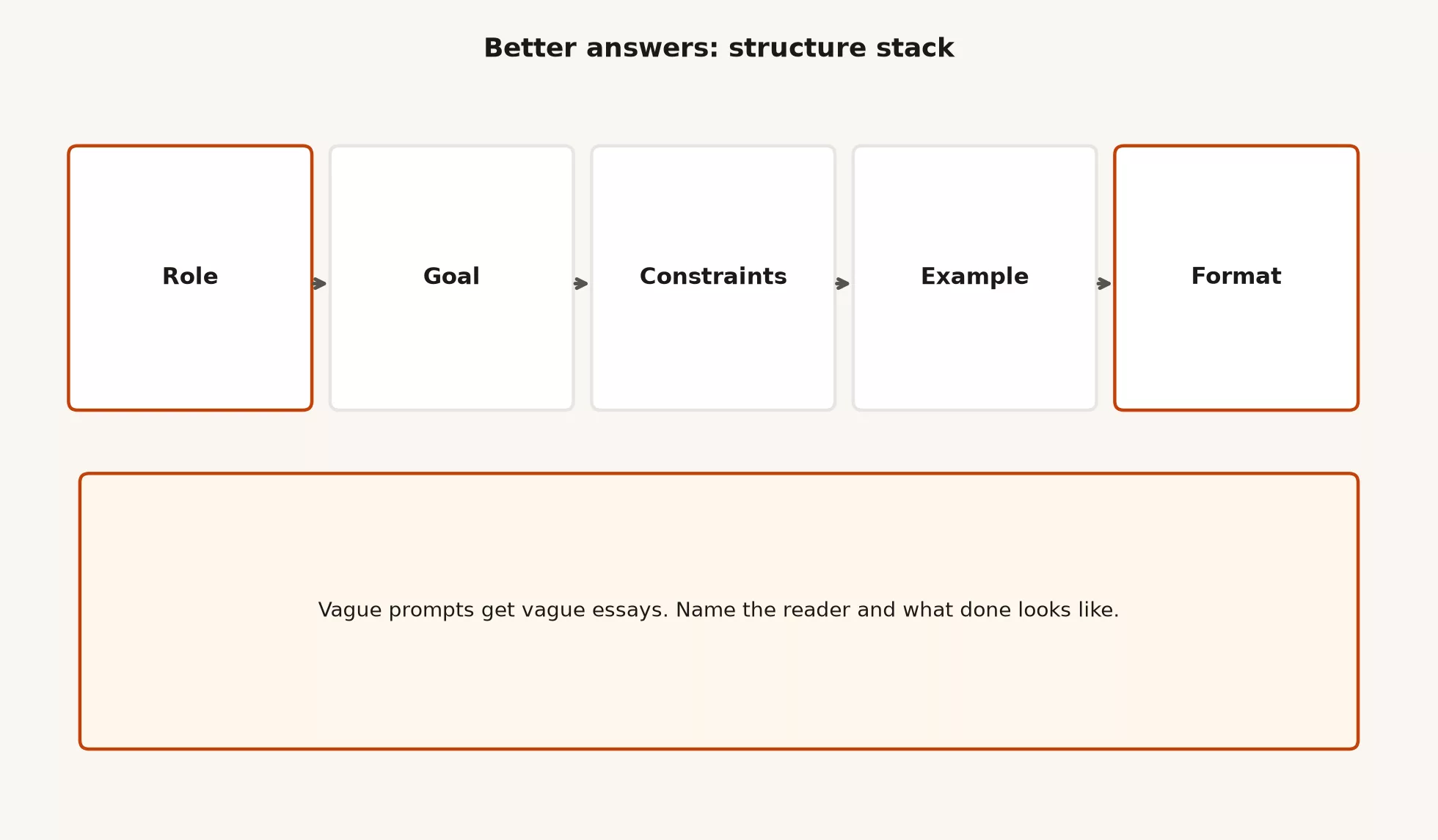
Think of five slots to fill in. You do not always fill all five, but every empty slot is a place where the model improvises, and improvisation is how invented numbers and generic tone sneak in.
| Slot | Question it answers | Tiny example | If you skip it |
|---|---|---|---|
| Role | Who should Chat act like for this turn? | “You are a calm ops analyst writing for non-finance managers.” | Default generic assistant voice |
| Goal | What object should exist when we stop? | “A 200-word channel update ready for my edit.” | Essay-shaped mush |
| Constraints | What must be true / must not happen? | “Use only these 4 bullets. No invented metrics. No hype words.” | Plausible fiction and filler |
| Example | What good (or bad) looks like? | Two sample sentences you like, or “avoid this tone: …” | Tone and structure drift |
| Format | How should the reply be shaped? | “Bullets under three headings. End with 2 questions.” | Wall of prose you must reformat by hand |
Role is not costume play. “Act as a pirate CEO” is entertainment, while “write as a careful analyst who will not invent numbers” is a real rule dressed up with a job title. Pick a job and a reader over a movie character.
Goal should name something you could drop into a file. “Help me think about Q3” is only a mood, whereas “produce a 200-word update for the ops channel from these bullets” is a goal you can check.
Constraints are where most of the quality comes from. Length, audience, a list of things to refuse, facts-only rules, reading level, language, and “mark unknowns as [UNKNOWN]” all belong here. If you keep only one slot from this post, keep constraints.
An example can be positive (“match this tone”) or negative (“do not sound like this”), and one short sample beats five adjectives like “professional, friendly, crisp.” Format is the shape of the reply: a table, bullets, an email, a quiz with the answers hidden, or two columns. Asking for a shape up front saves you ten minutes of cleanup later.
Weak prompt vs strong prompt
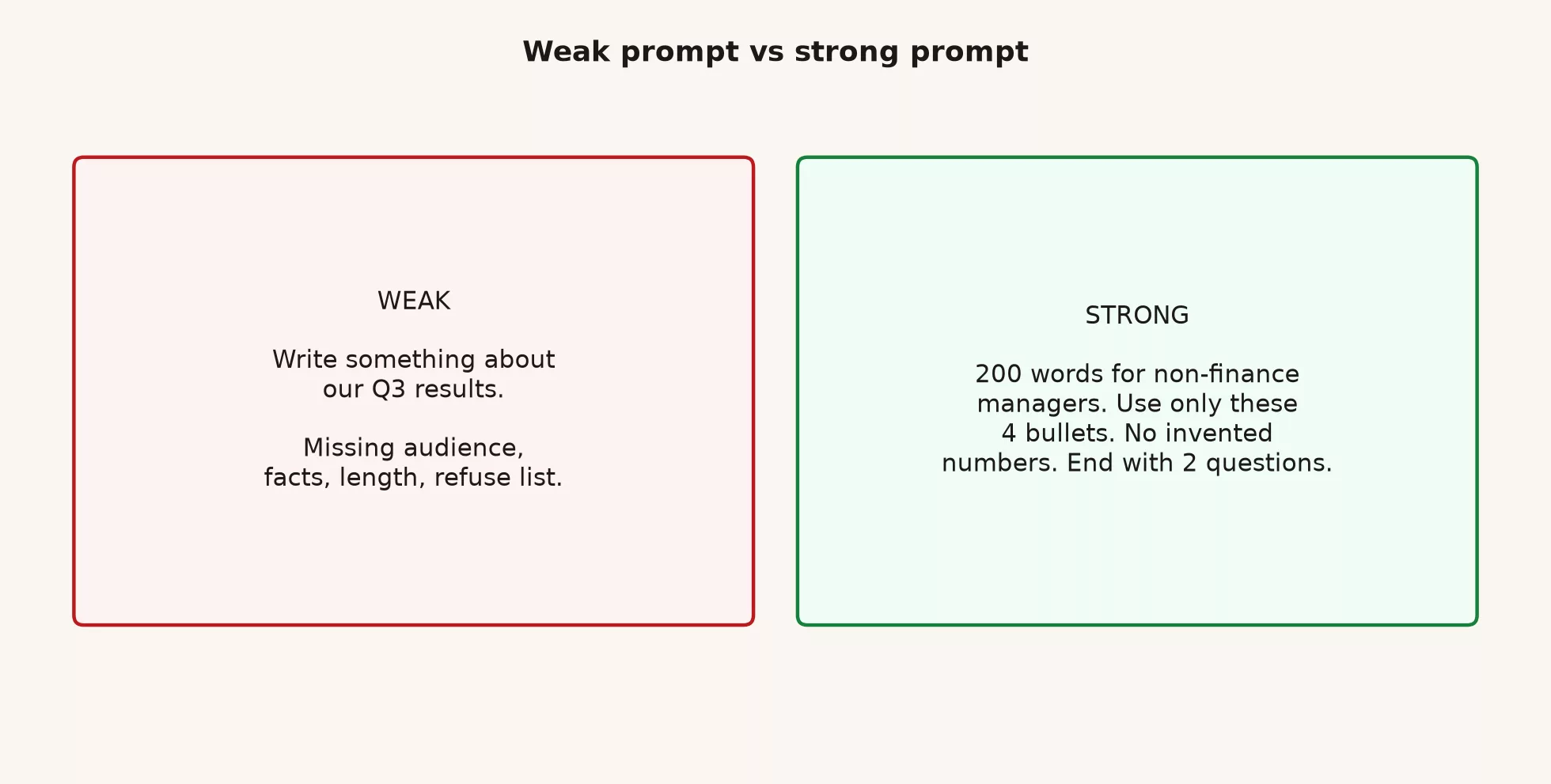
Here is the same task written two ways. Watch which slots are empty in the first one.
Pair 1: the Q3 update
Weak
Write something about our Q3 results.Strong
Role: careful ops writer. I will edit and send under my name.
Goal: 200-word update for non-finance managers in Slack.
Constraints:
- Use ONLY these bullets. If a detail is missing, write [UNKNOWN], do not invent.
  • East region dashboard v2 live Mon 7/14
  • West still missing store #118 (data eng, ETA Wed)
  • Freeze new KPI requests until Fri
  • South pilot target next Tue if West feed is clean
- No growth percentages unless I provided them (I did not).
- No “excited,” “thrilled,” or “synergy.”
Format:
1) What changed (short paragraph)
2) Blocker (2 bullets max)
3) Ask (one sentence)
4) Two discussion questions
Example of tone I want: “East is live. West still has a feed gap on store #118. I need a freeze on new KPI asks until Friday so we can fix grain.”
The weak prompt leaves every slot empty. The strong one fills in the role, goal, constraints, example, and format, so the model has far less room to invent. It can still drift, and you still edit the result before it goes out under your name, but you are no longer asking for fog.
Pair 2: a meeting agenda
Weak
Make an agenda for our metrics meeting.Strong
Goal: 30-minute metrics sync agenda for 6 people (ops + one data eng).
Constraints:
- Start at :00, hard stop :30.
- Must include 8 minutes on active store grain decision.
- Must include 5 minutes on store #118 only (not a full data platform review).
- No “round robin updates” longer than 6 minutes total.
- I will paste owner names; do not invent attendees.
Attendees and owns:
- Ops lead: grain proposal
- Data engineer: #118 status
- South lead: South pilot readiness
Format:
- Table: time | topic | owner | decision needed? (Y/N)
- End with a 3-bullet parking lot for topics we will not cover today
Refuse: strategy offsites, hiring, tools shopping.
A weak request produces a TED-style list of loose topics, because nothing tells the model how long anyone has to talk. A strong request produces an agenda you can run with a clock in your hand.
Pair 3: explain a concept
Weak
Explain primary keys.Strong
Role: patient teammate teaching a new analyst in week one.
Goal: 12th-grade explanation of primary keys for retail ops tables.
Constraints:
- Assume they know what a spreadsheet row is.
- Use a stores table and a daily_sales table as examples.
- Do not start with academic database history.
- Flag what is a team decision vs a hard rule.
Format:
1) One-sentence definition
2) Tiny table example (3 stores)
3) What breaks if the key is wrong
4) 3 quiz questions (answers in a separate ANSWERS section)
Example of voice: short sentences, no “in the realm of data management.”
The topic is the same in both prompts. The difference is that with the strong one you can teach the idea back to someone else without reopening Wikipedia.
Fill the slots without writing a novel
People skip structure because they think it takes twenty minutes, but with a pattern it takes about ninety seconds. If you repeat the same kind of job, keep the pattern on a sticky note or in a text-expander snippet so you never retype it.
Ninety-second template
Role: [job + reader]
Goal: [deliverable + length]
Constraints:
- Facts: [bullets or “none yet, ask me questions first”]
- Refuse: [invented numbers / legal advice / hype words / …]
- Other: [deadline voice, reading level, language]
Example: [2 sentences of good tone OR “avoid: …”]
Format: [headings / table / email / quiz]
If you do not have the facts yet, say so. A strong early move is to write: “Ask me up to 5 clarifying questions before drafting. Do not draft until I answer.” That is still structure, because the goal becomes a list of questions instead of a fake draft.
When to skip a slot
| Slot | Often skip when… | Rarely skip when… |
|---|---|---|
| Role | You already set voice earlier in the same chat | Tone has been wrong twice |
| Goal | Never for work you will ship | (always keep) |
| Constraints | Never for work with numbers or private risk | (always keep for ship work) |
| Example | Format is obvious and tone is already good | Tone keeps sliding corporate |
| Format | You want freeform brainstorming on purpose | You need a table, email, or checklist |
Examples that pull weight
One good example beats a pile of adjectives, and two kinds work well.
Positive micro-example
Match this tone and density:
"East is live. West is blocked on store #118 until data eng finishes the feed fix (ETA Wed). I need leadership to freeze new KPI requests until Friday."
Negative micro-example
Do not sound like this:
"We are thrilled to announce a holistic journey toward cross-functional excellence in our Q3 landscape."
If you catch yourself writing that way, rewrite shorter and more concrete.
You can also give a format example by pasting a skeleton with placeholders and saying, “Fill this outline, keep the headings, and replace only the brackets.” That gives the model an example and a format in one move.
Fill this skeleton. Keep headings. Replace only the bracketed parts. Do not add sections.

## Status
[3 sentences max]

## Blocker
- [owner]: [issue] ([ETA if known])

## Ask
[one sentence]

## Next 7 days
- [ ]
- [ ]
Iterate when the answer is wrong
First replies fail, and that is normal. The mistake is to restart from a new vague prompt or to argue with the model in long emotional paragraphs. A calmer habit is to diagnose the problem, patch the prompt, and run it again.
Step 1: name the defect
Be specific about what went wrong. “Too long” is weak, while “cut to 200 words and remove the strategy paragraph I never asked for” is strong. These are the defects you will see most often:
- Invented facts or numbers
- Wrong audience (too technical / too vague)
- Wrong length
- Wrong structure (essay instead of bullets)
- Wrong tone (hype, hedge, lecture)
- Missing ask or missing decision
- Scope creep (answered three extra questions)
Step 2: patch the prompt, not only the reply
You can edit the last answer yourself (“delete paragraph 2”), and you should. You should also add the missing rule to the prompt so the next turn does not bring the same bug back. If the model invented a metric, add a line such as: “You invented X. Remove all numbers I did not provide, and list any [UNKNOWN] fields instead.”
Step 3: re-run with a tight instruction
Revise your previous draft with these patches only:
1) Delete every number not in my bullet list.
2) Cut to 200 words.
3) Keep the four-part format.
4) Replace hype words with plain verbs.
Do not add new sections. Show the full revised draft.
Step 4: know when to start a new chat
Sometimes a thread gets polluted with three bad strategies and a pile of invented metrics. In that case a clean chat with the strong prompt is faster than ten patches, so copy your facts and rules into a new thread and leave the mess behind. The earlier advice of one chat per deliverable still applies.
Worked iteration story
Say you paste the strong Q3 prompt and the reply looks good, except that it invents an “NPS at 72” (a customer satisfaction score) and adds a “strategic outlook” section nobody requested. Your patch looks like this:
Defects:
- You invented NPS 72. Remove it.
- You added a strategic outlook section. Delete it.
- Blocker section has 5 bullets; max 2.

Revise the full draft. Same facts only. 200 words. Four parts + two questions.
The second reply is clean enough for a ten-minute human edit, and that counts as success. You should not expect perfection on the first turn.
Pre-send checklist
Run through this list before any important prompt. It takes about ten seconds and can save half an hour of cleanup.
| Check | Pass looks like |
|---|---|
| Goal named? | A deliverable + rough length or time box |
| Reader named? | Who will read or use the output |
| Facts listed or marked unknown? | Bullets or explicit “ask me questions first” |
| Refuse list? | At least: no invented numbers / no legal advice / no secrets (as fits the job) |
| Format? | Headings, table, bullets, email shape, etc. |
| Example if tone matters? | One good or bad micro-sample |
| Paste safe? | Redacted or allowed under policy |
Rebuild two weak prompts from last week
If you kept a pile of weak prompts from last week, rebuild two of them now. If you did not, use these stand-ins.
Graveyard item A
Weak: “Help me plan my week.”
Strong rebuild: a role (a realistic planner), a goal (a one-week plan with three outcomes), constraints (18 focused hours, your existing meetings, no work past 6pm), an example (one good “done means” line), and a format (outcomes, day blocks, a parking lot, a refuse list, and a Friday review). That is the planning prompt from the earlier post on a useful first week, which was structured on purpose, so you can reuse its shape for any planning job.
Graveyard item B
Weak: “Make this email better” + paste.
Role: editor for my workplace voice (direct, short, no hype).
Goal: rewrite the email below so I can send it after a quick human pass.
Constraints:
- Keep every commitment, date, and name exactly.
- Cut about 40% length.
- One clear ask in the final paragraph.
- No new offers or apologies I did not write.
- If something is ambiguous, mark [CLARIFY] instead of guessing.
Format: subject line option + body.
Example of bad tone to avoid: "Just circling back to touch base when you have a moment."
Email:
[PASTE]
“Make it better” is not a constraint. Better in what way, for whom, and with what risk if the model changes a commitment? Spell it out.
Common structure mistakes
| Mistake | Symptom | Fix |
|---|---|---|
| Role cosplay | Pirate CEOs, random celebrity voices | Job + reader + refuse list |
| Goal as mood | “Help me think,” endless chat | Name the artifact |
| Constraints after the draft | You keep deleting inventions | Facts and refuse list up front |
| Adjective pile for tone | Still generic | One micro-example instead |
| No format | You reformat every reply | Headings or table request |
| Infinite patching | Thread full of wrong strategies | New chat + clean strong prompt |
| Trusting first draft | Almost-shipped fake numbers | Human edit; verify every figure |
What structure does not fix
Structure will not turn ChatGPT into a reliable source of live market statistics, legal advice, or the truth about your warehouse. It will not replace reading the PDF you care about, and it will not make the multi-step agent modes unnecessary, because those are different modes on the product map. It also will not fix a bad habit around what you paste: a perfect prompt wrapped around a full payroll CSV is still a bad idea on the wrong account.
If you need a tool that acts across many files with your approval, that is agent-mode territory for a later post. If you need edits to a code repository, that is a coding tool. If a team needs the same recipe every day, it might become a Custom GPT (a saved, reusable chat setup) once you know the recipe works in plain Chat. This post makes the recipe easy to read and check.
Where this fits in the series
This post is part of the ChatGPT everyday tutorial. The first post built a useful week, this one makes your prompts easy to inspect, and the next covers long documents and multi-file work (splitting a big file into chunks, checking what is inside it, and verifying quotes). The foundations live in the beginner series on ChatGPT, and the modes are explained in the map of ChatGPT products. You can also browse the broader Learn hub or read the sibling habits for Anthropic’s tools in the beginner series on Claude.
Try it on one real task
- Take one real task for tomorrow and write the weak one-liner you would have typed six months ago.
- Rebuild it with the five-slot template and time yourself, aiming for under three minutes.
- Run it in Chat, then label the defects in the first reply using the defect list above.
- Patch the prompt once, and if the reply is still messy, start a new chat with only the cleaned-up strong prompt.
- Save the strong prompt in a notes file named for the job type (
prompt-ops-updateorprompt-agenda-30m) so you can reuse it next time.
Quick recap
- Stack: role, goal, constraints, example, format.
- Constraints and facts do most of the quality work.
- Weak prompts leave slots empty; strong prompts fill them.
- One micro-example beats a pile of tone adjectives.
- When wrong: name the defect, patch, re-run; new chat if the thread is polluted.
- Stay in Chat, and edit every draft before it goes out under your name.
Sources
Prompt patterns here are teaching practice for everyday Chat, not vendor secrets. Product UIs and help articles change; re-check official pages when you train a team.
- ChatGPT app (Chat surface used throughout this tutorial)
- OpenAI: ChatGPT product home (product overview)
- OpenAI Help Center (feature and plan articles; search for current prompting and data guidance)
- OpenAI Platform: Prompt engineering guide (builder-oriented techniques; many principles still help everyday Chat even if you never use the API)
- OpenAI: Usage policies (allowed use boundaries)
- Analytics Made Simple: Learn ChatGPT from scratch (foundation series)
- Analytics Made Simple: ChatGPT product map (modes and product orientation)
- Analytics Made Simple: Learn (learning paths hub)
Keep going
Same lessons in your feed
Short diagrams, hooks, and weekly tutorials on Substack, Instagram, X, and Facebook.