

Give ChatGPT one specific job each day, with your real facts and a clear format, and you will get work you can actually send. Say it is Monday morning. Your calendar has a stakeholder update at 11, a half-built project plan you promised last week, and a 40-page PDF someone called “light reading.” You open ChatGPT, type “help me with work,” and get a cheerful essay about productivity. You close the tab, and nothing useful has come out of the session.
This is the first post in the ChatGPT everyday tutorial, and it assumes you already know what ChatGPT is and roughly which plan you are on. It also assumes you can stay in ordinary Chat without wandering into the agent (an AI that can take actions, not just write text) modes or the developer tools. If those basics are still fuzzy, start with the beginner series on ChatGPT, then skim the map of ChatGPT products so the different modes do not blur together. Here we stay in Chat on purpose for five weekdays, using three kinds of work (write, plan, learn) and producing one real output per day.
The goal is simple. By Friday you should have five things you can actually use. They are a draft you can send after editing, a plan you can run, a plain-language explanation of a hard topic, a tighter rewrite of something you already wrote, and a short review note about what worked. Ten clever toy prompts do less for you than five finished objects.
How to run a five-day Chat week
Stay in Chat for this series
OpenAI keeps adding to the ChatGPT app. The desktop version can show Chat, Work, and Codex side by side, which is useful later but is only noise this week. Everyday tutorial means conversation: you type, the model answers, you edit, and you ship. The Work-style agents that take several steps on their own and the Codex-style coding agents have their own tutorials after this series. If a button looks exciting and agentic, leave it alone until Friday’s review, and by then you will not be bored, because five real outputs are enough to keep you busy.
Use chatgpt.com on a laptop if you can, since a full keyboard makes it easy to copy text into email or Docs and to rename threads. A phone is fine for a rewrite on the train once the draft exists. Keep the same account and the same history habits from the beginner series, and rename each day’s chat with the name of the deliverable. That way next week you can find “Q3 update draft” instead of a list of chats called “New chat.”
Three kinds of everyday work
Most useful Chat sessions fall into one of three kinds of work. Name the kind before you type, because naming it stops the “help me with work” spiral.
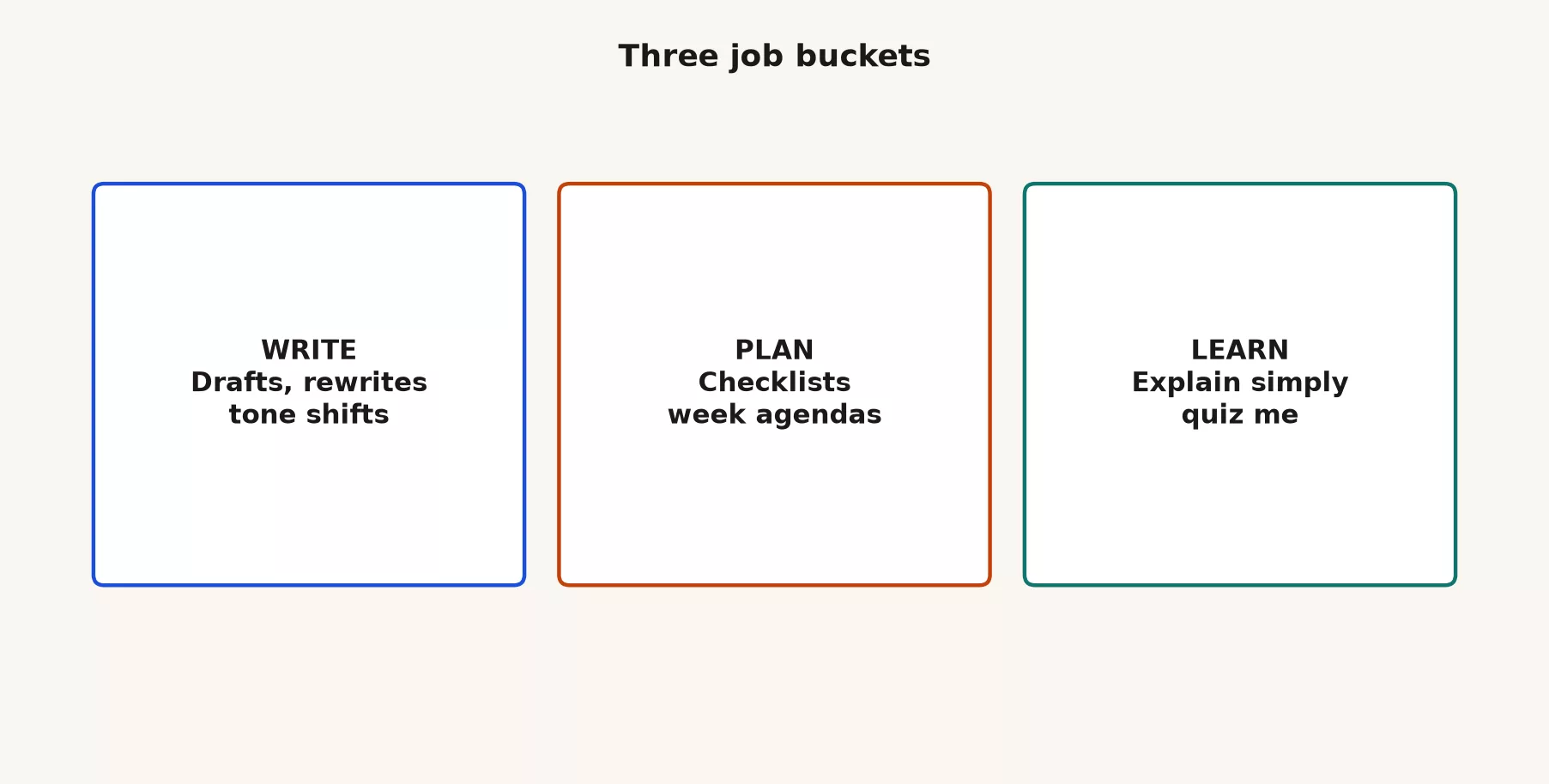
| Bucket | What you want out | Good week-one jobs | Bad week-one jobs |
|---|---|---|---|
| Write | Drafts, rewrites, tone shifts, shorter versions | Project update, cold email rewrite, FAQ answers from your bullets | “Write our strategy” with no facts; full legal contracts; anything you will not read line by line |
| Plan | Checklists, agendas, sequenced steps, time boxes | Week plan from a messy list; meeting agenda; launch checklist | Pretending Chat knows your real capacity or calendar conflicts |
| Learn | Plain explanations, analogies, quizzes, teach-backs | Explain a metric; quiz you on a chapter you uploaded carefully | Treating Chat as a citation machine for academic papers without checking sources |
You will mix these kinds of work later, for example by planning a study week and then writing a summary. For the first five days, pick one main type each morning so the success test stays clear: did a usable artifact exist when you closed the tab?
The five-day schedule
Here is the schedule this post walks through. Swap the topics to match your job, but keep the shape.
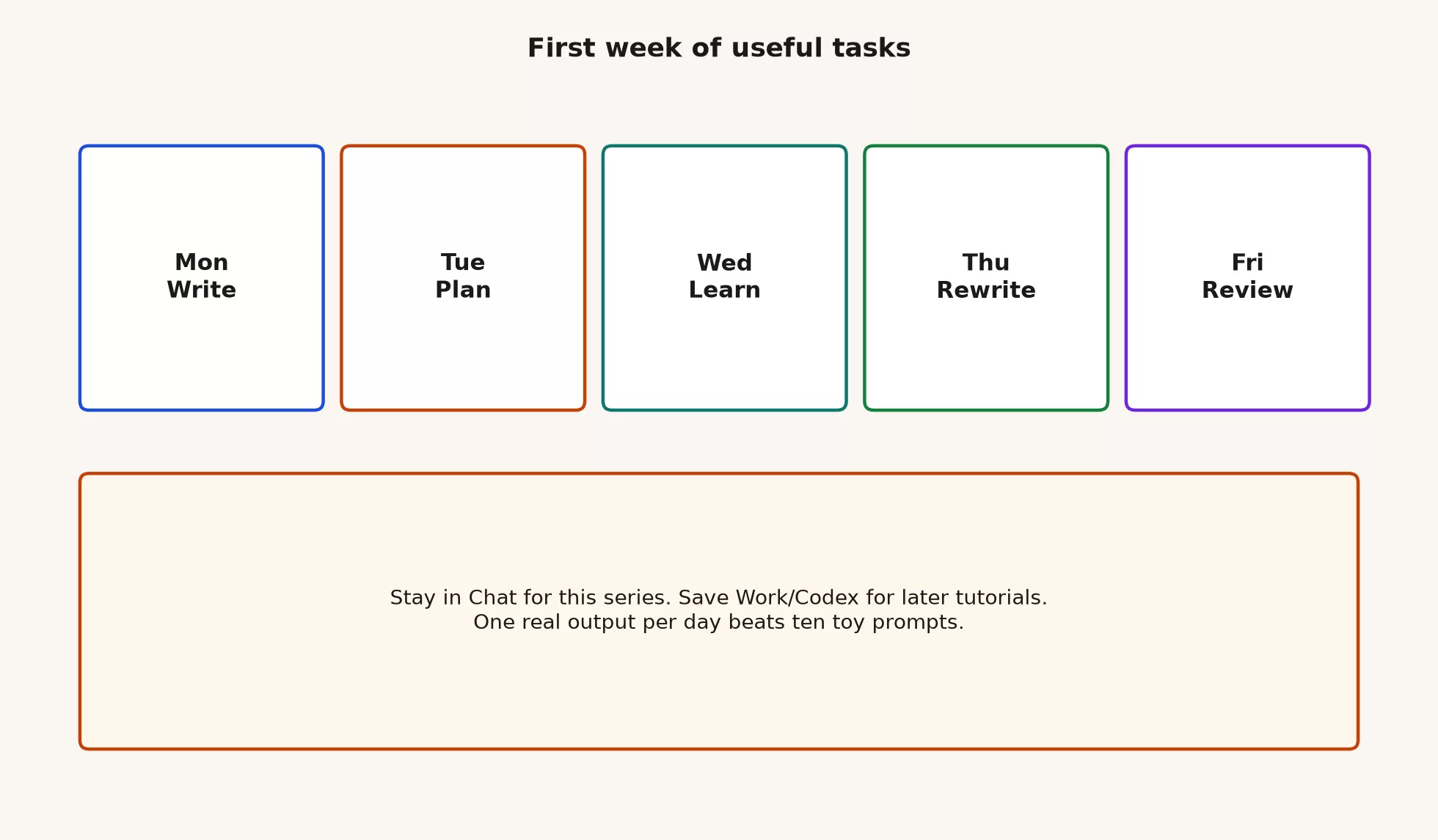
| Day | Bucket | Deliverable | Time box |
|---|---|---|---|
| Mon | Write | Stakeholder update draft (roughly 300-500 words) from your bullets only | 35-45 min |
| Tue | Plan | One-week plan with time boxes and a refuse list (what you will not do) | 30-40 min |
| Wed | Learn | Plain-language explanation of one hard topic + five quiz questions you answer yourself | 40-50 min |
| Thu | Write (rewrite) | Half-length rewrite of Monday’s draft or an email you already sent that felt long | 25-35 min |
| Fri | Review | Half-page note: what shipped, what you fixed by hand, one habit for next week | 20-30 min |
If a day slips, do not stack two full sessions to catch up. Move on to the next day’s shape or shrink the deliverable, because the habit you are building is finishing, not filling a bingo card.
Rules for the whole week
Paste less than you think
Use redacted samples, fake customer names, and made-up numbers while you practice. If you would not put something on a shared slide, do not paste it into a personal Free or Plus chat without checking your company policy. Business and Enterprise workspaces have different controls, but you should still treat a chat as a place where other people or processes might see the content later. The beginner series covered judgment in more detail, so this week is practice and not a privacy seminar. The short version is no payroll files, no full CRM (customer relationship management system, where sales keeps customer records) exports, and no unreleased strategy decks.
Facts you did not provide are suspects
ChatGPT will invent plausible metrics, quote sources it never read, and fill gaps so the prose looks complete. Your job is to supply the facts (or mark them as unknown) and delete anything you cannot defend. If Monday’s draft says “revenue up 12%” and you never said that, the draft is wrong even though it sounds executive.
Edit out loud
Read the final version as if your name is already on it. Change idioms that are not yours, and swap corporate mush for the words your team actually uses. Chat is a first-draft machine and not a spokesperson, so the week fails if you send unedited AI tone into Slack and then spend Friday explaining yourself.
One chat per deliverable
Do not run Monday’s update, Tuesday’s plan, and Wednesday’s study thread in one endless conversation, because the context gets crowded and you will lose the artifact. Start a new chat, rename it, and archive it when you are done. Projects (saved workspaces, if you use them) can hold related files later, but this week five named threads are enough.
Monday: write a real update
Pick something you must send this week, such as a project update, a status note to a vice president (VP), or a client progress email. Gather four to eight true bullets that only you know: what shipped, what blocked you, what you need, and dates that are real. Leave out the vibes and the “we’re crushing it.”
Worked prompt (copy and fill)
You are helping me draft a work update I will edit and send under my name.

Audience: non-finance managers on the ops leadership channel.
Length: 350-450 words.
Tone: plain, calm, specific. No hype words. No “excited to share.”

Use ONLY these facts. If something is missing, write [UNKNOWN] instead of inventing:
- Shipped: weekly dashboard v2 live for East region on Mon 7/14
- Open issue: West region still missing store #118 in the feed (owner: data eng, ETA Wed)
- Decision needed: freeze new KPI requests until Fri so we can fix grain on “active store”
- Next milestone: pilot South region, target date next Tue if West feed is clean
- Risk: if #118 is not fixed by Wed, South pilot slips one week

Structure:
1) What changed this week (5-7 sentences)
2) Blockers and owners (bullets)
3) Decision I need from readers (one clear ask)
4) Next seven days (bullets)

End with two short questions I can paste into the channel to start discussion.
Do not invent numbers, quotes, or customer names.
What a good Monday output looks like
You should leave with a draft in your notes app that still has your facts, no surprise percentages, and a clear ask. If the model added “NPS jumped to 72” (a made-up customer satisfaction score, Net Promoter Score, that you never provided), delete it. If the tone sounds like a press release, run one follow-up: “Rewrite at 12th-grade reading level. Shorter sentences. Keep structure.”
To send it, edit by hand for about ten minutes, paste it into Slack or email, and rename the chat 2026-07-mon-ops-update (or use your own date). That rename counts as part of the deliverable.
Tuesday: plan a week you can actually run
Plans fail when they list twenty tasks and leave no time to do them. Tuesday’s job is a one-week plan with time boxes and a refuse list. It also needs one success measure you can observe, which rules out goals like “be more strategic.”
Worked prompt
Turn my messy list into a one-week plan I can follow.

Constraints:
- I have about 18 focused hours this week for deep work (not meetings).
- Standing meetings already eat Mon/Wed 10-11 and Thu 2-3.
- I will not work past 6pm on weekdays this week.
- Prefer finishing three meaningful outcomes over starting eight.

My messy list (unordered):
- Finish South region pilot brief
- Reply to 12 open tickets in the metrics channel
- Prep 20-min teach-back on active store grain
- Clean personal notes from last retro
- Book dentist
- Draft QBR outline for August
- Review PR on dashboard filters
- Write hiring scorecard notes for analyst role

Output format:
1) Three outcomes for the week (done means what?)
2) Day-by-day schedule in 60-90 min blocks inside my available hours
3) Parking lot (explicitly deferred)
4) Refuse list (things I will say no to if they appear midweek)
5) Friday 15-min review checklist

If the list does not fit 18 hours, cut items and say what you cut and why.
Do not invent meetings or owners I did not name.
Sample shape of a strong plan
| Outcome | Done means | Likely blocks |
|---|---|---|
| South pilot brief | One-pager reviewed by you, ready to send | Tue 90 min draft, Wed 45 min edit |
| Teach-back ready | Outline + 5 quiz Qs in notes, not polished slides | Wed 60 min |
| PR review shipped | Comments left or approve with notes | Thu 60 min |
Notice that the dentist appointment and the ticket pile may land in the parking lot or the refuse list. Chat cannot know your real life, so you still decide. The value here is the sequencing and the honest cuts, and a perfect project chart is not the goal.
Wednesday: learn one hard thing simply
Pick one topic that keeps coming up at work, such as contribution margin, cohort retention, primary keys, “active customer,” or prompt injection (hidden instructions in a document that try to hijack the AI), whichever one you keep nodding along to in meetings. The goal is not a PhD but an explanation you could give a smart new hire in ten minutes.
Worked prompt
Teach me like a smart colleague, not a textbook.

Topic: what “active store” should mean for a weekly retail ops dashboard.
Audience for my teach-back: new ops analysts, first month on the job.
I already know: we have a store dimension table and a daily sales fact.
I am confused about: whether temporary closures count, and whether online-only locations count.

Please:
1) One-sentence definition options (give me 2-3 grains, not one true religion)
2) Everyday analogy that is not cute for its own sake
3) Tiny worked example with 5 fake stores and which would count under each definition
4) Common mistake teams make
5) How I would check understanding (5 short quiz questions with answers in a separate section labeled ANSWERS)

Do not invent company policies. Mark unknowns as decisions our team must make.
No footnotes to papers I did not provide.
How you finish Wednesday
Answer the quiz yourself without peeking. If you miss any, ask Chat to re-explain only that slice, and then write a five-sentence explanation in your own words in a note. If you cannot write those five sentences without looking, the session was reading and not learning. A later post in this series goes deeper on studying hard topics, and Wednesday is the lightweight version that still produces something you can keep.
Thursday: rewrite for length and voice
Take Monday’s update, or a long email you already sent that felt slow to read. The goal is half the length, the same facts, and more of your own voice.
Worked prompt
Rewrite the draft below.

Goals:
- About 50% of the original word count
- Keep every concrete fact, date, owner, and ask
- Delete filler and repeated ideas
- Match a direct workplace voice (I will edit further)
- Keep the four-part structure if it still fits; otherwise use: status, blocker, ask, next

Refuse:
- New numbers
- Soften language that hides a real risk
- “Hope this helps” closings

Draft:
[PASTE YOUR MONDAY DRAFT OR REAL EMAIL HERE]
Compare the two versions side by side. If the short version lost the decision you needed, you cut too hard, and if it still says “synergize across stakeholders,” that phrase never came from your bullets, so delete it. Thursday practices the skill that the next post builds on: structure and examples make rewrites better than “make it better.”
Friday: review without ceremony
Friday is not a pep talk to yourself. It is a half-page note so that next week starts from evidence.
Worked prompt
Help me write a Friday review note from my bullet log.

My log:
- Mon: sent ops update after 12 min of hand edits; Chat invented one metric I removed
- Tue: plan was too dense; I only finished 2 of 3 outcomes
- Wed: teach-back on active store; still fuzzy on temp closures
- Thu: rewrite cut well; tone still slightly generic
- Fri: (today)

Produce:
1) What shipped (artifacts)
2) Where Chat helped vs where I had to fight it
3) One paste or privacy moment I want to be stricter about
4) One habit for next week (single sentence)
5) One topic to deepen (point me at practice, not hype)

Keep the whole note under 250 words. No pep talk.
Save the note where you keep work retrospectives. If nothing shipped from Monday to Thursday, write that down honestly, because the review is still the deliverable and you cannot improve a week you refuse to describe.
A full mini example: one person’s week
Here is a compact example you can mirror. The details and numbers are teaching toys and not a case study of a real company.
Suppose you are an operations analyst. Monday’s bullets say the East dashboard (a screen of charts that tracks key numbers) is live, store #118 is missing, and new KPI (key performance indicator, a number the team is judged on) requests are frozen until Friday. Chat drafts 420 words, you delete a fake “12% lift” line, and you send 380 words to the ops channel with two questions. Tuesday’s plan makes the South pilot brief and a pull request (PR) review the two outcomes, and the ticket pile moves to a 45-minute batch on Friday morning instead of every day. On Wednesday you study “active store,” pick the definition of open for sales at least one day in the week, and miss two quiz questions about pop-up stores. Thursday’s rewrite cuts Monday’s update to 190 words for a vice president who hates walls of text. Your Friday note reads: “Chat is fast at structure, but I still own the numbers. Next week I will put a refuse list in every plan prompt.”
That adds up to five finished pieces of work, with no Custom GPTs (saved versions of ChatGPT set up for one job; GPT is OpenAI’s name for its AI models), no API (the way one program asks another for data) keys, and no Work mode, and that is a successful first week.
Common mistakes
| Mistake | What happens | Fix |
|---|---|---|
| Vague opener every day | Generic essays, no artifact | Name bucket + deliverable + length before any other words |
| One endless chat | Lost drafts, mixed contexts | New chat per day; rename with deliverable |
| Facts left optional | Invented metrics you almost ship | “Use only these facts / [UNKNOWN]” in every write prompt |
| No hand edit | Your name on AI mush | Minimum 10 minutes of human edit before send |
| Mode tourism | Half-finished Work experiment, no Friday note | Stay in Chat until this series says otherwise |
| Secret paste for “realism” | Policy risk and anxiety | Redact; practice with synthetic details |
| Ten prompts, zero ship | Feeling busy, still empty | Time box; ship ugly; improve Thursday |
What not to do this week
- Do not build a Custom GPT (a saved, reusable chat setup) “for productivity,” because you do not yet know which tasks you repeat.
- Do not open Platform API keys just because a thread said serious people have them. The earlier post on the product map covered that split.
- Do not run Work or Codex jobs for these five deliverables, because you need Chat judgment first.
- Do not paste the whole company handbook “for context.” Paste only the page you need, redacted if necessary.
- Do not chase model names in the picker every hour. Use a solid default and put your effort into the prompt and the edit.
Where this fits in the series
The beginner series, Learn ChatGPT from scratch, covers what ChatGPT is, plans, the first minutes, a modes overview, memory and Projects, images and files, connectors, and privacy judgment. The orientation series, the ChatGPT product map, explains Chat versus Work versus Codex, Custom GPTs, models, and API versus app. This everyday tutorial is the default next track for most readers, because useful Chat habits should come before agent tools that can take actions on their own. Later tutorials cover Work, Codex, and Custom GPTs. The sibling stack on Anthropic’s tools starts at the beginner series on Claude, and all learning paths are on the Learn hub.
Practice for next week
The next post is Better answers with structure and examples. It covers the five parts of a strong prompt (role, goal, constraints, example, format), weak versus strong prompts, and how to fix a wrong reply without starting over from a hunch. Bring one weak prompt from this week and you can rebuild it there.
- Run Monday to Friday as written, or compress it into three days (write, plan, learn) if your calendar is brutal.
- Save five renamed chats and five artifacts outside Chat, in docs, notes, or a sent email.
- Keep a “weak prompt graveyard” note with two prompts that failed, because you will need them in the next post.
- Re-check the current plan and data controls on OpenAI’s Help Center if your company is writing policy this month, because product labels move.
Quick recap
- Stay in Chat, because one real output per day beats ten toy prompts.
- There are three kinds of work: write, plan, and learn. Name the kind before you type.
- Monday is write, Tuesday is plan, Wednesday is learn, Thursday is rewrite, and Friday is review.
- Supply the facts or mark them [UNKNOWN], and delete any invented numbers.
- Edit every draft under your name, and rename every thread.
- The foundations are the beginner series and the product map, and the next post covers structured prompts.
Sources
Product surfaces and help articles change. Re-check official pages when you set team habits or policy.
- ChatGPT app (everyday Chat surface for this series)
- OpenAI: ChatGPT product home (product overview and plan entry points)
- OpenAI Help Center (plans, data controls, and feature articles; search current titles)
- OpenAI Help: Data Controls FAQ (consumer-oriented data control orientation)
- OpenAI: Usage policies (what you may not use the services for)
- Analytics Made Simple: Learn ChatGPT from scratch (foundation series before this tutorial)
- Analytics Made Simple: ChatGPT product map (Chat vs Work vs Codex and related orientation)
- Analytics Made Simple: Learn (broader learning paths)
Keep going
Same lessons in your feed
Short diagrams, hooks, and weekly tutorials on Substack, Instagram, X, and Facebook.



