A coding agent does not answer once and stop. It works in a loop, taking many steps on its own until the job is done or you stop it, so you need to decide up front how much freedom to give it.
Say you asked Claude Code for a “small fix.” Forty minutes later it has touched nine files, started a refactor of the logging library, drafted a pull request description for a different ticket, and is waiting on a permission prompt for a network command you do not recognize. You are not mad at the model for being ambitious. You are mad at yourself for treating a multi-step agent like a single autocomplete box.
This is the eighth post in the Claude Code tutorial. The one before it mapped tools, MCP (a standard way to plug outside tools into an agent), and plugins. Here we stay on the run itself: the agentic loop of goal, plan, act, and observe, multi-step work, helper agents that work in parallel, why usage burns faster when the agent keeps going, and how much autonomy to grant. Your choices are to watch, to steer, or to walk away only when safety rails exist. We also note routines, loop commands, and scheduled tasks at a high level, so you know they exist without turning this post into a feature changelog.
Command names, button labels, and scheduled-task features change, but the loop and the autonomy levels are durable ideas. Before you write team runbooks, confirm the live flags and slash commands in the Claude Code docs.
What “agentic” means here
In a normal chat reply, you send a message and get text back. In an agentic run, the system can take steps toward a goal on its own. It can read files, run tests, edit code, and call MCP tools, then look at the results and decide what to do next. The unit of work is not one paragraph. It is a loop that continues until the goal is met, you stop it, or it hits a limit.
Claude Code is built for that style of work inside a project. You still own the goal and the review, and the agent owns the first draft of the execution within the permissions you gave it. If you skip the “own the goal” part, the loop will invent one, and it is usually “improve everything it can see.”
Plain definition: An agentic run is multi-step work where the model plans, uses tools, observes the outcomes, and continues until a stop condition. You are the operator, and you are not a passenger with no brakes.
The agentic loop, simplified
You do not need a research paper to understand this. You need a whiteboard loop that you can interrupt.
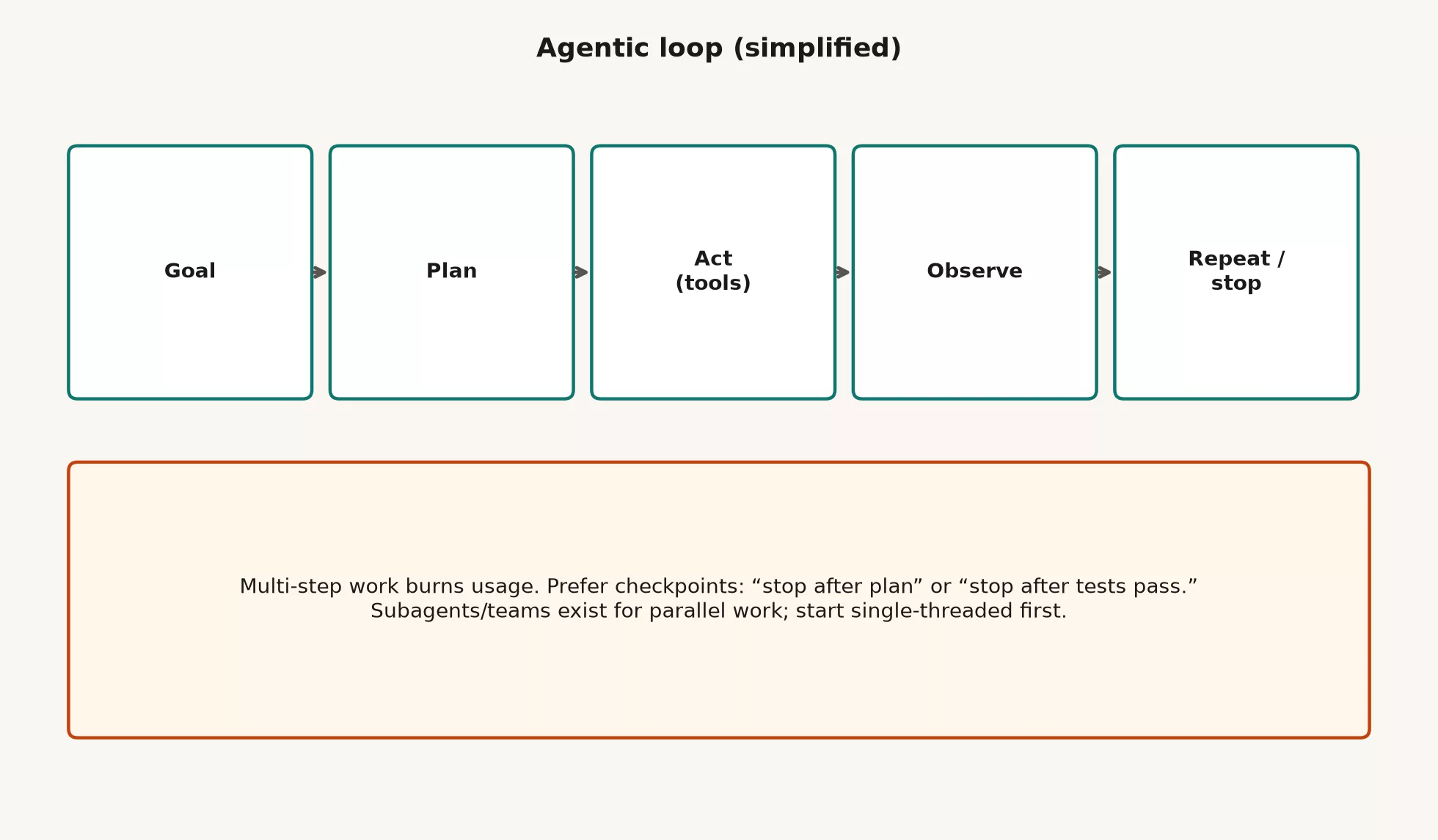
Step 1: the goal
State what done looks like, and include your limits. Examples are no new dependencies, match existing patterns, touch only one package, and stop after the tests pass. Vague goals produce scenic tours, while concrete goals produce diffs you can review.
Step 2: the plan
Good runs sketch their steps before they rewrite half the project. You can force a plan by saying, “List the files you will touch and the test command. Do not edit yet.” Plans are cheap compared to undoing a confident mess. If the plan is wrong, you can correct course before the damage grows.
Step 3: act with tools
Actions use tools such as file reads and writes, search, the shell, git, and any MCP connectors you enabled in the previous post. Each action should serve the plan. Drive-by cleanups are not free, because they are scope nobody requested.
Step 4: observe
Tool output matters, whether it is test failures, type errors, file contents, or ticket fields. The model’s next step should react to reality and not to a fantasy of green checks. When the observation is wrong, for example because outside data is stale or a log was misread, the loop drifts. Your job is to notice the drift early. Catch it fast.
Step 5: repeat or stop
Continue while progress is real and the goal is unmet. Stop when the work is done, when it is blocked on a human decision, when tests pass under the definition you stated, or when you reach a checkpoint you set, such as “stop after the plan.” Infinite loops are rare in the science-fiction sense, but they are common in the “one more cleanup” sense.
Multi-step work is a different sport
In a one-shot chat, you ask “Explain this function” and read the answer. The cost is mostly a single reply.
In multi-step Code, you might ask it to add pagination to the admin users table, reuse the existing table component, add a test, and update the component gallery entry if one exists. The agent may search, read six files, edit four, run tests, fail, edit again, and run again. That is normal, and it is also why the session feels alive and why your usage meter moves faster.
| Shape | What success looks like | What usually fails |
|---|---|---|
| One-shot question and answer | A clear explanation or snippet | The agent assumed the wrong file and never checked the project |
| Short agent run | A small diff with passing tests | It skipped exploring and worked in the wrong package |
| Long agent run | A feature slice with proof that it works | Scope creep, heavy usage, and weak stop rules |
| Parallel helpers | Independent subtasks that merge cleanly | Merge conflicts, duplicated edits, and nobody owning the final assembly |
Train yourself to open multi-step work with four parts: the goal, the limits, the stop condition, and the proof you want to see. Paste those four every time until it becomes muscle memory. The agent will still wander sometimes, but you will catch it sooner. That is the point.
Checkpoints beat “go do the whole epic”
Long goals are fine if you slice them. Give the agent checkpoints that it must honor, such as the ones below.
- “Stop after the plan. Wait for my OK.”
- “Implement the data layer only. Do not touch the user interface yet.”
- “Stop when
npm test -- userspasses or after two fix attempts.” - “If you need a new dependency, stop and ask.”
- “If the ticket’s acceptance criteria conflict with the code, stop and show both.”
Checkpoints are not micromanagement for its own sake. They are how you keep the power of multi-step work without accepting a surprise rewrite of your login module just because it was “nearby.”
Subagents and teams: parallel work, with a catch
Some Claude Code setups support subagents, or team-style parallel helpers. These are specialized roles that work on slices of the job while a parent run coordinates them. Plugins can even ship subagent definitions, as the previous post explained. Parallel work is real, and so are its coordination costs.
When parallel work helps
- Independent tasks, such as updating docs while another helper adds unit tests for a simple function, as long as the files do not collide
- Research alongside editing, where one helper maps every place a function is called while another drafts a fix under your review
- Large migrations with clear package boundaries
When parallel work hurts
- Two agents edit the same file with incompatible assumptions
- You cannot review two streams of diffs at once, which is an honest capacity limit
- Putting the pieces together is the whole job, as it is for most product features
- You are still learning the tool, and parallel work multiplies confusion
Start simple. Single-threaded runs teach you the loop, the permissions, and the review habits. Add subagents when you have a clean split and a plan for merging the results, because fancy orchestration does not fix a fuzzy goal.
Usage burns faster on multi-step work
Every tool call and observation cycle costs capacity, whether that is plan limits, tokens, or both, depending on how you access Claude Code. A long explore, edit, and test loop can cost far more than a short question and answer. That is expected, and it is not a bug for you to ignore.
These practical habits keep the cost under control.
- Do not start a long agent run for a question that needs a three-line answer.
- Explore with a budget, for example, “Map the login flow in five bullets, cite file paths, then stop.”
- Keep your MCP tool sets lean, so the model is not drowning in definitions of tools it never uses.
- Prefer focused working folders and clear file hints over “search the whole codebase for vibes.”
- If you are tuning how you word a prompt, use small dry runs before the big job.
Teams that share seats should treat long unsupervised runs as a budget decision and not only as a productivity flex. The same is true for personal high-tier plans, because the meter is part of the craft.
Autonomy levels: watch, steer, walk away
Autonomy is not a personality trait of the model. It is a policy you choose for each task, based on the risk and on how much you trust your safety rails.
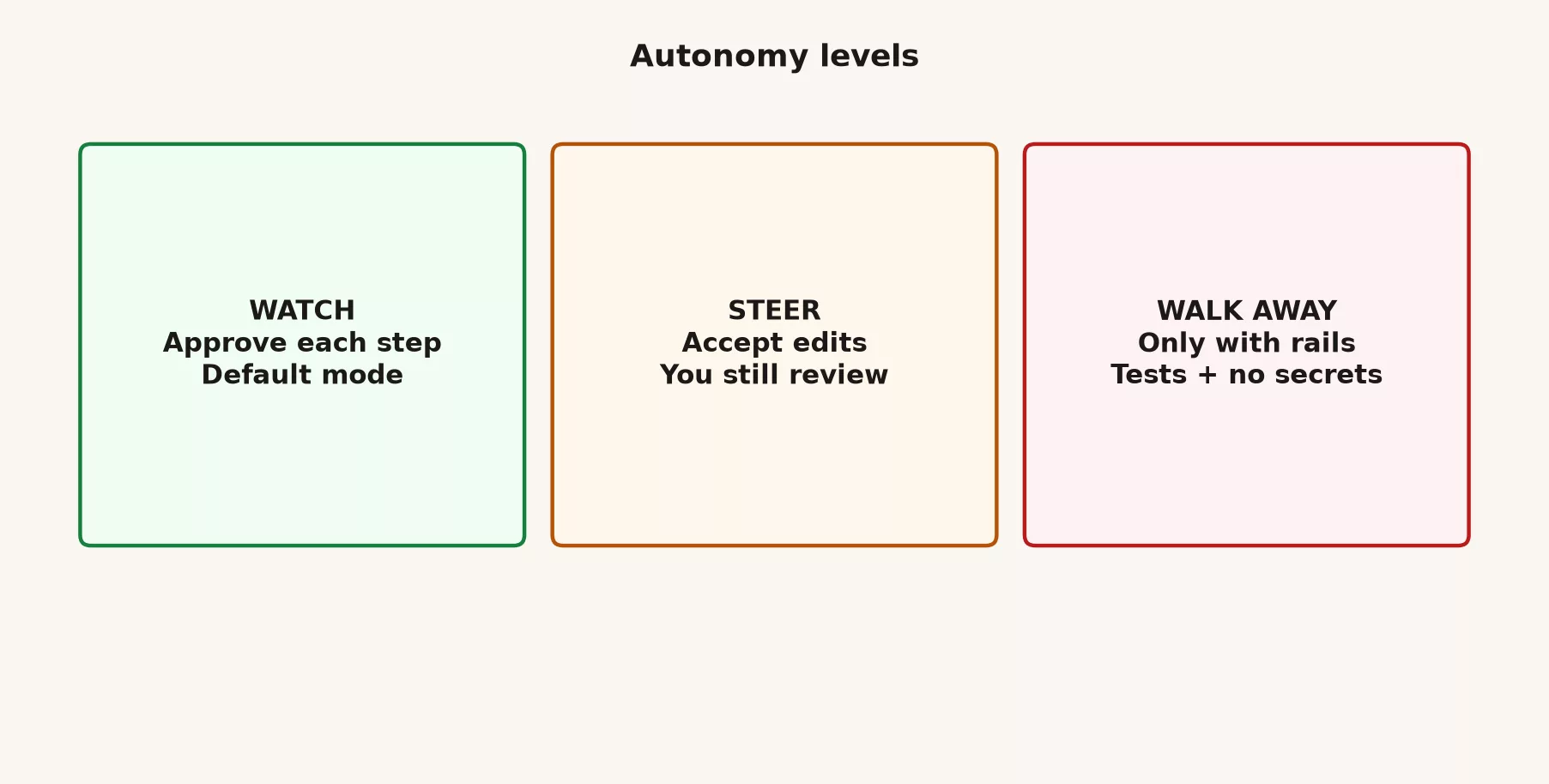
Watch: the default for learning and risky work
You approve sensitive steps, read the permission prompts, and stay present. This is best for projects close to production, your first time with a new MCP server, and anything involving secrets, destructive git commands, or changing data. Going slowly feels fast when it saves you from a bad push.
Steer: the common steady state
You let more edits land without hand-holding every keystroke, but you still review diffs, run or watch the tests, and stay available for forks in the road. This suits familiar codebases, clear tickets, good project instructions, and tests that actually catch breakage. Steering does not mean ignoring the pull request.
Walk away, only with rails
You leave a run progressing without constant attention. This is the mode people brag about and the mode that creates incident stories, so walk away only when the safety rails are real.
- A non-production or clearly sandboxed environment
- Strong automated tests and type checks that the agent must pass
- No secrets in play and no production credentials in the session
- A narrow file scope, with no surprise network or release tools enabled
- A plan to still review the final diff before anything merges
If any of those are missing, you are not walking away with rails. You are hoping, and hope is not a release process.
Routines, loop commands, and scheduled tasks at a high level
Beyond one interactive session, Claude products increasingly offer ways to repeat or schedule work. These include routine-style jobs, loop-oriented commands (often discussed as /loop or similar patterns, depending on the product and version), and scheduled tasks that start work without you sitting in the chair. Exact names and availability depend on the product and your plan, and the mental model matters more than memorizing today’s label.
- Interactive loop: you are present, as in a classic Code session.
- Guided loop or routine: a repeated playbook, such as fixing style errors, writing a status summary, or working a checklist, with clearer boundaries.
- Scheduled task: work starts on a clock or a trigger, and a human still reviews the result.
Anything that runs without your eyes on it inherits the walk-away rules. A scheduled agent with write access to production tools is an automation system and not a toy. Treat it like a scheduled job that can open pull requests and call APIs, which means it needs a clear owner, logging, the least access it can work with, and a way to shut it off.
A worked example: one feature, three autonomy choices
Here is the goal: “Add a CSV export button on the admin orders page. Reuse existing CSV helpers if present. Cover it with a unit test. Do not change pricing logic.”
Watch mode session
You force a plan first, and Claude finds csv.ts and the orders table component. You approve the set of edits. Tests fail once on a date format, so you approve the fix. You deny a suggested “cleanup” of pricing formatters because it was out of scope, and then you commit with a human-written message. The result is slow, safe, and teachable. Nothing surprised you.
Steer mode session
With the same goal, a familiar project, and solid tests, you let Claude edit and re-run the tests. You skim the diff for scope and secrets, fix one naming nit yourself, and open the pull request. This is the steady state for many developers once their project instructions are good.
Walk away, with rails
You use a throwaway branch, required automated checks (known as CI), no release credentials, and MCP limited to read-only ticket lookups. You start the run, switch tasks for twenty minutes, and come back to green tests and a draft pull request. You still read the diff line by line before asking anyone to review it. If CI is flaky or the branch includes surprise files, you drop back to watch mode immediately.
Prompt patterns that keep loops honest
Copy and adapt these, and adjust the paths and commands to fit your project.
Goal: Add CSV export on admin orders page.
Constraints:
- Reuse existing CSV helpers if present
- Do not change pricing logic
- No new dependencies
Stop conditions:
- Stop after plan for approval
- After implementation, stop when unit tests for export pass
Proof:
- Show the test command and result
- Summarize files changed in under 10 lines
Here is another pattern for exploration only.
Explore only. Do not edit files.
Question: Where is order CSV logic today, if anywhere?
Return: bullet map with file paths and one recommended approach.
Stop when the map is done.
And here is a pattern for when you fear scope creep.
If you notice an unrelated bug or cleanup, list it under "Out of scope notes."
Do not fix out-of-scope items in this run.
How this connects to tools and plugins
The ladder from the previous post still applies inside loops. A multi-step run with only built-in tools is already powerful. MCP adds outside steps for observing and acting, such as reading a ticket or posting a comment. Plugins can add skills and subagents that change how the loop branches. More tools mean more ways to succeed, and also more ways to burn usage or to widen the damage of a mistake. Add them for the step that is blocked, and not for the look of a full dashboard of connectors.
Instruction files shorten loops by removing rediscovery, and skills shorten loops by packaging known playbooks. Neither one replaces a stop condition. A highly skilled agent with no stop condition will still redecorate your whole project.
Mistakes to avoid
A goal made of soup
“Make the admin better” is not a goal, and the loop will invent its own measures of success. Use ticket language instead: a user-visible outcome, limits, and proof.
Skipping the observe step
If tests fail and the agent “fixes” something unrelated, interrupt it. Paste the failure and demand a hypothesis, because observation is the honesty check of the loop.
Going parallel too early
Running subagents on your second day of learning Claude Code is cosplay. Master single-thread review first.
Walking away without rails
Production credentials, a broad shell, and “I’ll check the pull request tomorrow” is how surprises ship. Autonomy is earned by designing the environment and not by being optimistic.
Ignoring the meter
Long loops are valuable and expensive. If you are thrashing prompts on a search of a huge codebase, narrow the path. Budget is now part of engineering judgment. Plan for it.
Never stopping to put the pieces together
Multi-step work still ends in a human-readable pull request, a test plan, and a decision to merge. The loop is not finished when the agent stops typing. It is finished when you accept responsibility for the change.
How to practice this week
- Run one explore-only loop with an explicit stop, save the path map it produced, and verify two of the paths by hand.
- Run one implementation loop with “stop after plan,” and approve or rewrite the plan before any edits.
- On a familiar project, try steer mode for a small ticket, and time-box your review so you read every changed section.
- Write your personal rails checklist for walking away, covering the environment, tests, secrets, scope, and final review, and keep it next to your terminal.
- Do not enable parallel subagents until you have three clean single-thread runs with good stop conditions.
Quick recap
- Agentic runs loop through goal, plan, act with tools, observe, and then repeat or stop.
- Multi-step work needs checkpoints and proof, and enthusiasm alone is not enough.
- Subagents and teams can work in parallel, but you should start single-threaded.
- Usage burns faster when tools keep cycling, so budget on purpose.
- The autonomy levels are watch, steer, and walk away, and walking away needs tests, a sandbox, no secrets, and a final human review.
- Routines, loop commands, and scheduled tasks exist, and you should treat unattended runs like automation systems.
Series notes
This is Part 8 of the Claude Code tutorial. The next post covers reviewing diffs, undoing changes, and not shipping blind. The loop is only half the job, and the other half is reading what changed, spotting bad diffs, and knowing how to reverse course before the branch becomes folklore.
Sources
Research and further reading used for this article:
- Claude Code documentation: Overview (agent workflow in project contexts)
- Anthropic: Building effective agents (workflow patterns for multi-step tool-using agents)
- Anthropic engineering: Advanced tool use (tool orchestration and large tool libraries)
- Anthropic engineering: Code execution with MCP (token costs of tools and results in long runs)
- Model Context Protocol (external tools as observe/act steps outside the repo)
- Claude Code documentation: Plugins (skills, subagents, and bundled workflow pieces)
- Claude Code product page (positioning; verify plans and limits live)
- Analytics Made Simple: Claude product map (Code vs chat vs Cowork for job fit)
Keep going
Same lessons in your feed
Short diagrams, hooks, and weekly tutorials on Substack, Instagram, X, and Facebook.