
To trust your first dbt project, write a few models, add tests that actually run, and read what fails, because a project with no running tests can look finished while hiding real mistakes. dbt is a tool that runs your SQL files (SQL is the language for asking a database questions) in the right order inside your data warehouse, the central database your company uses for analysis, and it can test the results. This lab walks through the smallest useful loop: write a few models (in dbt, a model is one saved SQL query that builds one table), add two checks, run them, and read what fails.
Say you open a pull request (a proposed code change that a teammate reviews) titled “adds daily orders table.” The automatic checks come back green, but only because no tests were written. On Monday the sales dashboard (a screen of charts that updates on its own) counts every refunded order twice. A single check that every order ID appears once would have failed on Friday afternoon, when fixing it was cheap.
This post is the hands-on half of the dbt lab, and it follows the earlier post on folder layout and naming. You will not learn every dbt command here. You will learn one loop you can repeat for the next ten models, and that loop matters more than any single command.
The build loop
Every change should fit the same boring loop:
- Write or edit SQL and YAML (a plain text settings format, keeping each change small so a failing test points at one edit.).
- Run the models you touched, and the ones downstream if needed, so a change does not quietly break a table that depends on it.
- Run tests on those models, so a broken grain shows up before anyone builds a report on it.
- Inspect a few rows in the warehouse.
- Open a pull request with grain sentences and test results in the description. A grain sentence says what one row of a table stands for.
If your own routine skips tests “until later,” later never comes. Basic tests cost almost nothing to write, while false confidence is expensive to unwind.
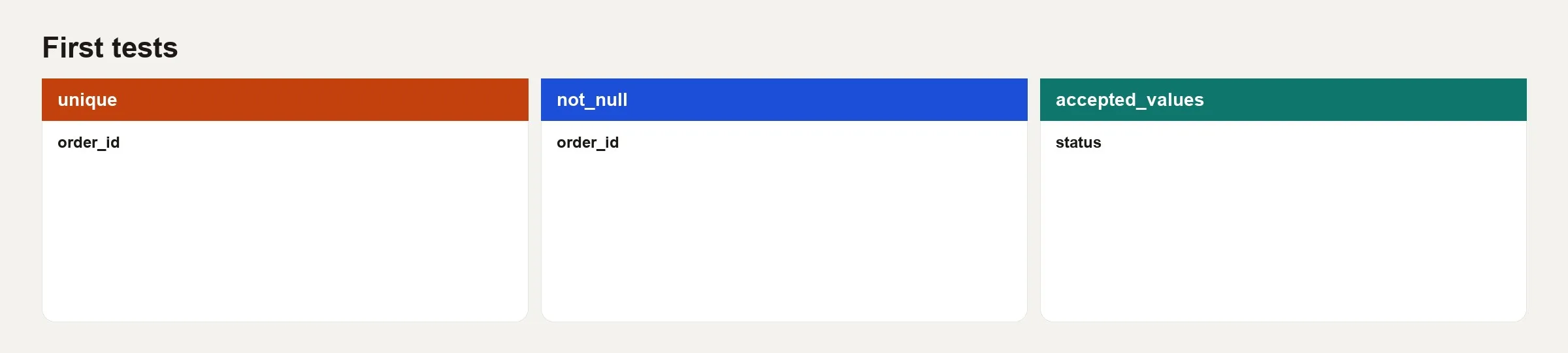
Rule of thumb: If a model has a primary key (the column that identifies each row), give it
uniqueandnot_nulltests before you call it done.
Staging model anatomy
A staging model is usually a single SELECT from a raw source table, with renamed columns and corrected data types. Here is an example for orders:
-- models/staging/jaffle_shop/stg_jaffle_shop__orders.sql
with source as (
    select * from {{ source('jaffle_shop', 'orders') }}
),

renamed as (
    select
        id as order_id,
        user_id as customer_id,
        order_date::date as order_date,
        status as order_status,
        _etl_loaded_at as loaded_at
    from source
)

select * from renamed
The query is written as a chain of named steps, called common table expressions (CTEs), because they are easier to read. The step named source isolates the raw pull. The step named renamed is the clean version that the rest of your project will use. Avoid letting SELECT * leave the model when you can list the columns, because named columns make a schema change (a change to a table’s columns) show up in code review.
Fixing data types belongs here when the source types are messy. Business calculations that need more than one source do not belong here, since staging exists to tidy one table at a time.
Marts with ref()
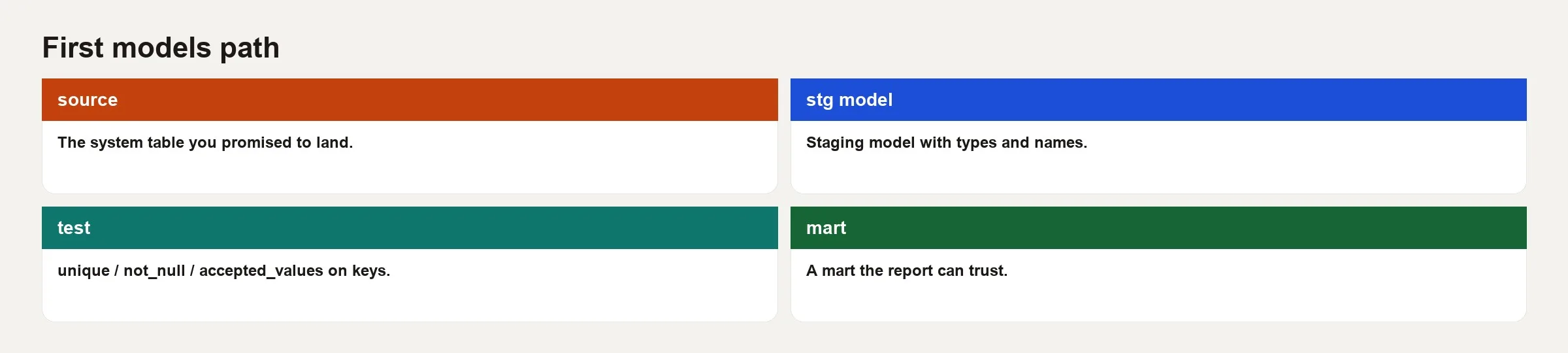
A mart is a finished table built for people to analyze. The call ref('model_name') tells dbt to build things in the right order and to point at the correct schema (the folder inside the warehouse) for whichever environment you are in. If ref can do the job, never hardcode a name like analytics.stg_jaffle_shop__orders inside a mart.
-- models/marts/core/fct_orders.sql
with orders as (
    select * from {{ ref('stg_jaffle_shop__orders') }}
),

customers as (
    select * from {{ ref('stg_jaffle_shop__customers') }}
),

joined as (
    select
        orders.order_id,
        orders.order_date,
        orders.order_status,
        orders.customer_id,
        customers.customer_name,
        customers.customer_email
    from orders
    left join customers
        on orders.customer_id = customers.customer_id
)

select * from joined
The grain sentence for this mart is “one row per order, enriched with current customer attributes.” Customer details can change over time. If you need the history of those changes, that is a later design, using snapshots or what analysts call slowly changing dimensions (SCD). Do not pretend a simple left join solved history when it did not.
Tests that pay off right away
Generic tests written in YAML are the easy way in. Here is an example file called _core__models.yml:
version: 2

models:
  - name: fct_orders
    description: One row per order with customer attributes at build time.
    columns:
      - name: order_id
        description: Primary key.
        tests:
          - unique
          - not_null
      - name: customer_id
        tests:
          - not_null
          - relationships:
              to: ref('dim_customers')
              field: customer_id
      - name: order_date
        tests:
          - not_null

  - name: dim_customers
    description: One row per customer for analytics.
    columns:
      - name: customer_id
        tests:
          - unique
          - not_null
Each test buys you something specific:
- unique on the primary key catches joins that fan out and duplicate orders.
- not_null on the primary key and on required foreign keys (columns that point at another table) catches bad loads and bad joins.
- relationships catches orphan facts, meaning orders that point at a customer who is not in the customer table, when tables load out of step or keys drift.
Accepted values tests help for status columns that should only hold a few options. Freshness tests on sources help when a data feed goes quiet without an error. Custom tests, written as your own SQL, come next when you need something like “yesterday’s order count should not drop 40%.” Start with the generic ones, and get specific when a real failure has shown up twice.
Commands you will actually use
The exact flags change over time, but the ideas stay stable. These are the typical lab commands:
# build one model and its parents
dbt run --select stg_jaffle_shop__orders+

# run tests for a model
dbt test --select fct_orders

# run model then tests in one breath (common in CI)
dbt build --select fct_orders+

# see the graph and docs locally
dbt docs generate
dbt docs serve
Selection syntax matters because it decides how much gets run. model+ means the model and everything downstream of it, and +model means the model and everything upstream. In a pull request, select the smallest set that proves your change. On the main branch, the automated checks (often called CI, for continuous integration) should run the whole project or a wider set of your most important marts.
From empty staging to a tested fact table
In this scenario the folder layout from the earlier post is already in place. You will stand up staging for customers and orders, a thin dim_customers table that lists customers, and fct_orders, which lists orders.
Step 1: sources.yml
version: 2

sources:
  - name: jaffle_shop
    schema: jaffle_shop
    tables:
      - name: customers
      - name: orders
Step 2: staging customers
with source as (
    select * from {{ source('jaffle_shop', 'customers') }}
),

renamed as (
    select
        id as customer_id,
        first_name,
        last_name,
        first_name || ' ' || last_name as customer_name,
        email as customer_email
    from source
)

select * from renamed
This dbt model reads the raw customers table, renames its columns to clear names such as customer_id, and builds a full name from the first and last names. Doing the renaming once, in this staging step, means every later model can use the same clean names.
Step 3: staging orders
Use the orders staging SQL from earlier in this post, then confirm the grain: one row per order_id.
Step 4: the dimension and the fact
dim_customers can start as a pass-through of staging that keeps only the columns consumers need. fct_orders joins the tables as shown above. Resist the urge to add ten metrics “while you are here.” Ship the grain first, then add measures on purpose, or leave the metrics to your dashboard tool if that is how your team divides the work.
Step 5: YAML tests
Attach unique and not_null to both primary keys. Then add a relationships test from fct_orders.customer_id to dim_customers.customer_id.
Step 6: build and read the result
dbt build --select stg_jaffle_shop__customers stg_jaffle_shop__orders dim_customers fct_ordersThis command builds the two staging models, the customer table, and the orders table in order, and runs their tests along the way. If any test fails, dbt stops and tells you which one, so a broken table never reaches the reports.
If unique on fct_orders.order_id fails, you almost always joined wrong, or staging already had duplicates. Fix the problem upstream. Do not add select distinct in the mart to silence the alarm, because that hides the bug you have not yet understood.
After the tests turn green, run a quick sanity query:
select order_status, count(*) as orders
from {{ ref('fct_orders') }}
group by 1
order by 2 desc;
This quick query counts the orders in the finished table by status, from the most common to the least. If a status you did not expect shows up, or the counts look far off from what you know, the model needs another look before anyone uses it.
Run the compiled SQL in the warehouse, or query the built table. You want boring, believable numbers, not one status that quietly swallowed the empty values.
A pull request description you can copy
## Models
- stg_jaffle_shop__customers (grain: one row per customer)
- stg_jaffle_shop__orders (grain: one row per order)
- dim_customers
- fct_orders (grain: one row per order with customer attrs)

## Tests
- unique + not_null on customer_id, order_id
- relationships fct_orders.customer_id -> dim_customers.customer_id

## How I verified
- dbt build --select ...
- Spot-checked order counts by status vs source

## Risk
- Left join means orders without customers still appear; customer fields null
Reviewers should not have to work out the grain from the SQL alone, so put those sentences where people look first.
When tests fail: a triage order
- Is the source bad? Query the raw source for duplicate primary keys or empty values.
- Is staging bad? Check the renames and type fixes, and look for an accidental cross join. That is rare in pure staging, but a badly written CTE can cause it.
- Is the join bad? Fan-out from many-to-many relationships is the classic reason a unique test fails on a fact table.
- Is the timing bad? If a dimension has not loaded yet, the relationships test fails for orphans. Fix the run order, or allow a planned tolerance only if the product owner agrees.
- Is the test wrong? That is rare for unique and not_null on true primary keys, so question the grain sentence before you delete the test.
Incremental models: wait until it hurts
A full refresh table, which rebuilds from scratch on every run, is easier to reason about. Move to incremental models (which add only new rows) when run time or cost demands it, and only after your tests and grain are stable. Incremental logic brings new questions about late-arriving data and about which key marks a row as new. Earn that complexity with measured pain, not with early tuning of a 200,000-row fact table.
Common mistakes
- Hardcoded database references instead of source and ref. They break every time you switch environments.
- SELECT * through every layer. Unexpected columns leak through, and the contract between layers stays fuzzy.
- Adding tests only after the first production incident. Start with tests on primary keys.
- Using distinct to “fix” a failing unique test. It hides join bugs.
- Calculating a business metric three different ways in three marts. Centralize it, or document the difference on purpose.
- Skipping row spot checks after green tests. Tests catch classes of error, not every wrong filter.
- Pull requests with no grain sentences. Reviewers guess, and production inherits the guess.
Where the lab stands
Together, the layout post and this one give you a shape and a first working path: layers that scale, models that compile, and tests that catch the usual join disasters. A fuller lab could go on to cover intermediate pivots, incremental facts, and automated checks on every change. Even if you stop here, you already have the habits that separate a folder of scripts from a project other people can inherit.
Quick recap
- Staging uses
source()and marts useref(), and both keep your project portable across environments. - Primary keys get unique and not_null tests before you celebrate.
dbt buildon a focused selection is the daily driver, and generated docs help new teammates get started.- A failed unique test usually points to a join or grain problem, not a nuisance.
- Pull request text carries the grain and how you verified the work, so reviews stay honest.
How to practice this week
- Day 1: Build one staging model from a real source with explicit columns and a grain sentence in a SQL comment.
- Day 2: Add unique and not_null tests and run them. If they fail, fix the data or the SQL instead of deleting the tests.
- Day 3: Build a thin mart with one join and a relationships test.
- Day 4: Break the join on purpose in a branch so you can watch the unique test fail, then restore it. That memory sticks.
- Day 5: Open a pull request using the template above. Ask a teammate to review the YAML and grain sentences first, and the SQL second.
Series notes
This is Part 2 of dbt project lab. The previous post covered layout, naming, and grain sentences.
Sources
- dbt Docs: Models
- dbt Docs: ref function
- dbt Docs: source function
- dbt Docs: Data tests
- dbt Docs: Node selection syntax
- dbt Docs: Documentation
Keep going
Same lessons in your feed
Short diagrams, hooks, and weekly tutorials on Substack, Instagram, X, and Facebook.



