
To keep an AI video budget under control, do your experimenting on short, cheap drafts and pay full price only for the shots you have already approved. The cost, credits, and quality of a project depend far more on how many tries you make at the top price than on any single clip.
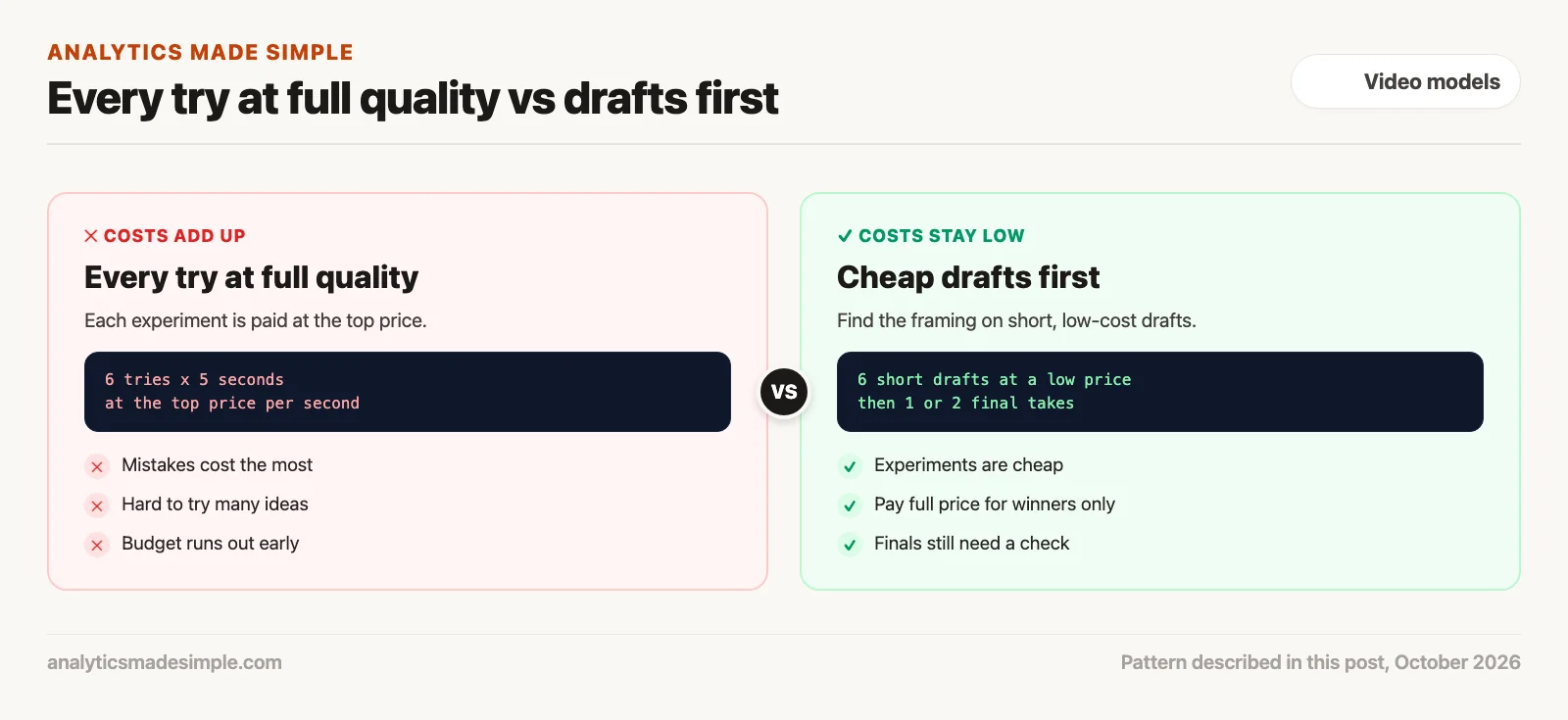
Say you have ten short product shots to make and a fixed budget. You generate every try at the best quality the tool offers, because you want to see the real thing. Six tries per shot later, half the budget is gone and you have only finished four shots.
This post explains how video tools charge, a lean way to spend credits, where upscaling fits, and a short program that compares two budgets using real prices.
How AI video tools charge
Most video tools charge in credits per second of video, and the price depends on the model, the picture size, and sometimes extras such as audio. As one example, Runway sells video through an API, the way programmers ask its servers for clips from their own code. Its API pricing page, checked October 3, 2026, sells credits at $0.01 each and lists these prices per second of video:
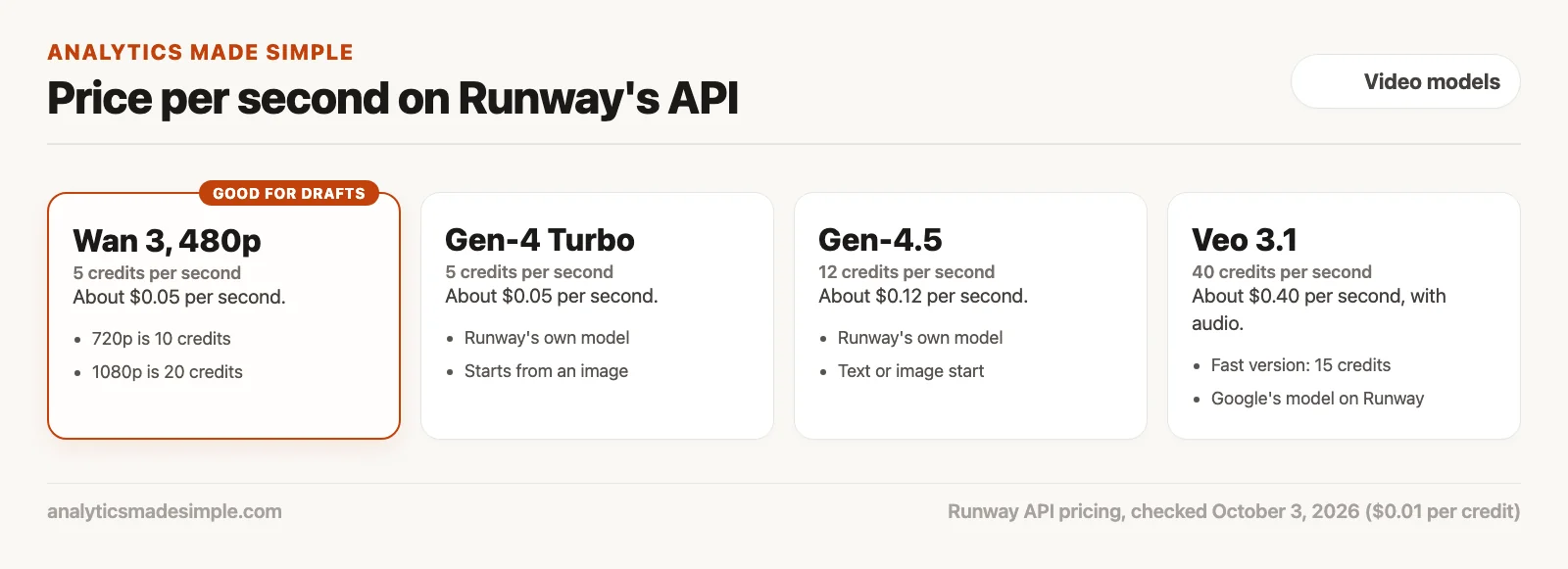
- Wan 3 at 480p: 5 credits, rising to 10 at 720p and 20 at 1080p.
- Runway’s own Gen-4 Turbo: 5 credits. Gen-4.5: 12 credits.
- Google’s Veo 3.1 with audio: 40 credits. Veo 3.1 Fast with audio: 15 credits.
So a five-second clip can cost about 25 cents on the cheapest option or about $2 on the most expensive one. The same model costs four times as much at 1080p as at 480p. Prices change, so check the current page before you plan a real project.
Why every try at full quality gets expensive
Most of the money in AI video goes into tries you throw away. Getting the framing, the camera move, and the motion right usually takes several attempts. If each of those attempts is made at the top price, the experiments cost as much as the finished work.
A lean way to spend video credits
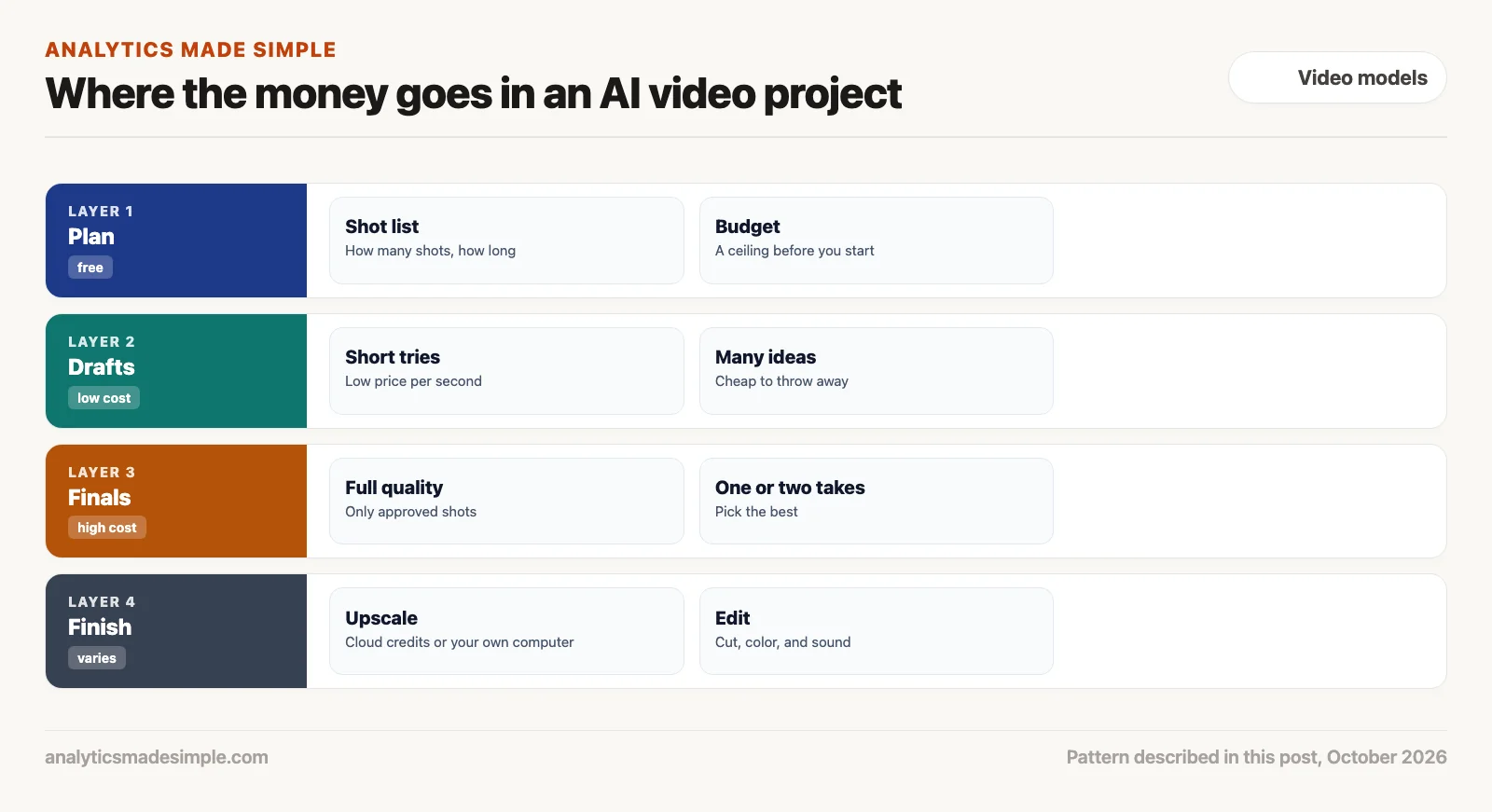
1. Draft short and cheap
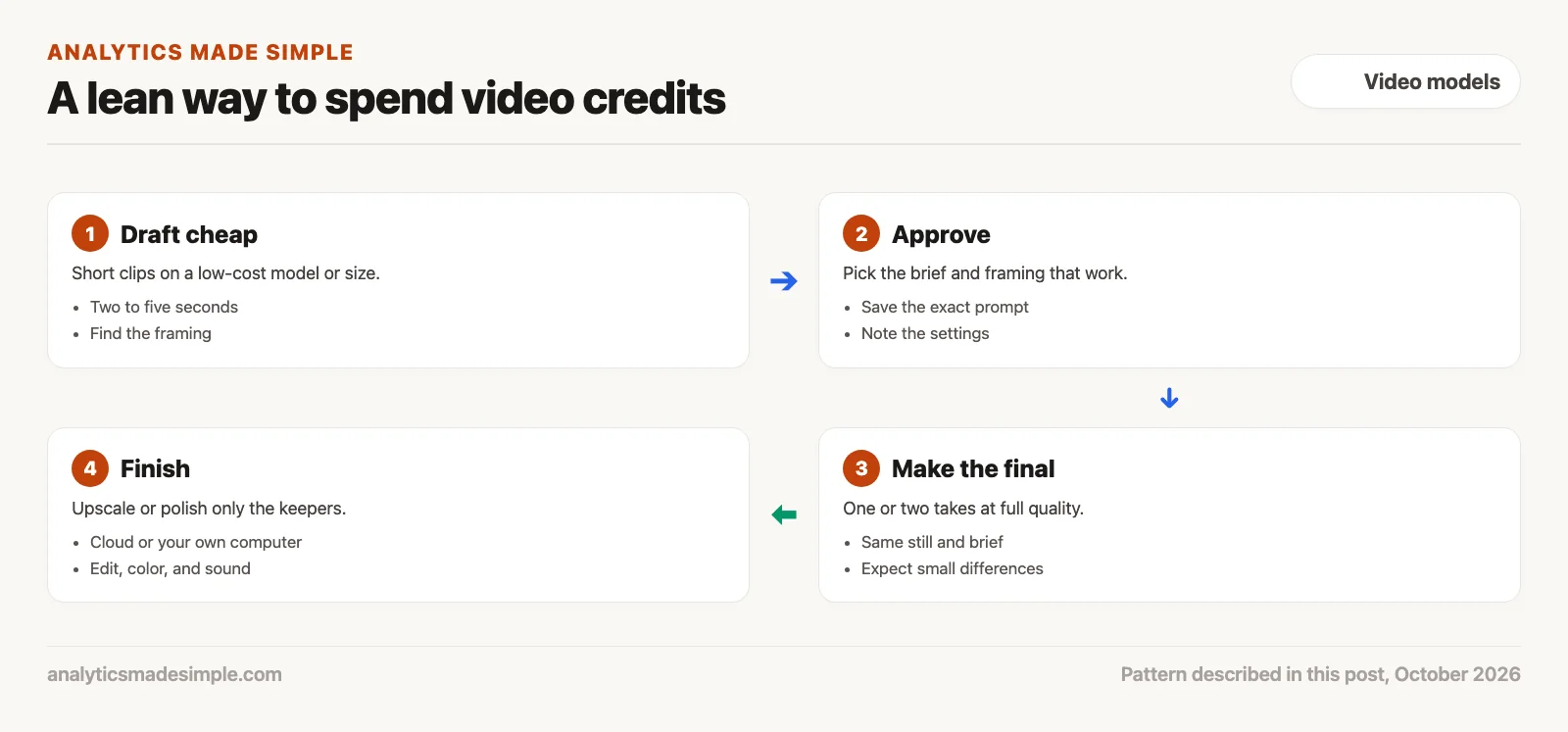
Make your early tries short, two to five seconds, on a low-cost model or a smaller picture size. You are only trying to find the framing, the camera move, and a brief that works. Small and rough is fine at this stage.
2. Approve the brief, not the exact take
When a draft gets the framing and motion right, save the exact prompt and settings. Keep in mind that a final made at a different size or on a different model will not be a copy of the draft. What carries over is the brief, the starting image, and what you learned about what works.
3. Make one or two final takes
Now pay the higher price, once or twice per shot, with the approved brief and starting image. Check each final as carefully as you checked the drafts, because a new model or size can bring its own small problems.
4. Finish only the keepers
Upscaling, making the picture larger and sharper, is worth doing only on shots you will actually use. Some services offer it for credits. Runway’s API reference lists a video upscale option, for example. You can also upscale on your own computer with free, open-source tools such as Real-ESRGAN (BSD-3 license), as long as you have a capable graphics card and time to wait. Look closely at faces and text afterward, because upscalers can invent detail.
Compare two budgets with real prices
The short Python program below compares two plans for the same made-up project of ten five-second shots with six tries each. The prices per second come from Runway’s pricing page as of October 3, 2026. It needs nothing beyond Python.
# Compare two ways to budget an AI video project.
# Credit prices per second are from Runway's API pricing page, as of October 3, 2026
# ($0.01 per credit). The project plan and try counts are made up for practice.
DOLLARS_PER_CREDIT = 0.01
CREDITS_PER_SECOND = {
    "wan3 480p": 5,
    "wan3 1080p": 20,
    "veo3.1_fast": 15,
    "veo3.1": 40,
}

shots = 10          # finished shots you need
seconds = 5         # length of each finished shot
tries = 6           # tries per shot until the motion is right


def cost(model, n_seconds, n_tries):
    return CREDITS_PER_SECOND[model] * n_seconds * n_tries * DOLLARS_PER_CREDIT * shots


# Plan 1: every try at final quality.
all_final = cost("veo3.1", seconds, tries)

# Plan 2: find the motion with cheap, short drafts, then make one or two final takes.
drafts = cost("wan3 480p", 3, tries)
finals = cost("veo3.1", seconds, 2)
draft_first = drafts + finals

print(f"Every try at final quality: ${all_final:,.2f}")
print(f"Cheap drafts, then 2 finals: ${draft_first:,.2f}  (drafts ${drafts:,.2f}, finals ${finals:,.2f})")
print(f"Difference: ${all_final - draft_first:,.2f}")
Running it prints:
Every try at final quality: $120.00
Cheap drafts, then 2 finals: $49.00  (drafts $9.00, finals $40.00)
Difference: $71.00
In plain words, the program multiplies the price per second by the length of each clip, the number of tries, and the number of shots. The first plan makes all six tries on Veo 3.1 with audio at 40 credits per second. The second makes six three-second drafts on Wan 3 at 480p, then two final takes on Veo 3.1. The drafts cost $9, the finals $40, and the whole plan less than half of the first. Change the numbers to match your own project, and add the other models in the list to compare them.
Habits that keep spending predictable
- Set a ceiling first: Decide what the whole project may cost before you start, so you notice early when it is going over.
- Write the brief before you generate: A clear brief, as covered in the previous post, cuts the number of tries more than any discount.
- Count usable seconds: Track what you spent divided by the seconds you actually used, not just the price per try.
- Check prices often: Video prices change, and a model that was cheap last month may not be now.
Quick recap
- Video tools charge per second, and the price depends on the model, the size, and extras such as audio.
- Most money goes into tries you throw away, so make those tries cheap.
- Draft short and cheap, approve the brief, then make one or two finals at full price.
- Upscale only the shots you keep, in the cloud or on your own computer.
Your next step this week
Write down the shots for your next video project and how many tries you expect each to take. Put those numbers and the current prices from your tool into the program above, and decide which model you will use for drafts and which for finals before you spend anything.
Series notes
This is Part 4 of Video models from scratch. Previous: a first generation with a clear brief. Next: rights, likeness, and deepfakes.
Sources
- Runway, API pricing, checked October 3, 2026.
- Runway, API reference, checked October 3, 2026.
- Xintao Wang and others, Real-ESRGAN (code and BSD-3 license on GitHub).
Keep going
Same lessons in your feed
Short diagrams, hooks, and weekly tutorials on Substack, Instagram, X, and Facebook.



