
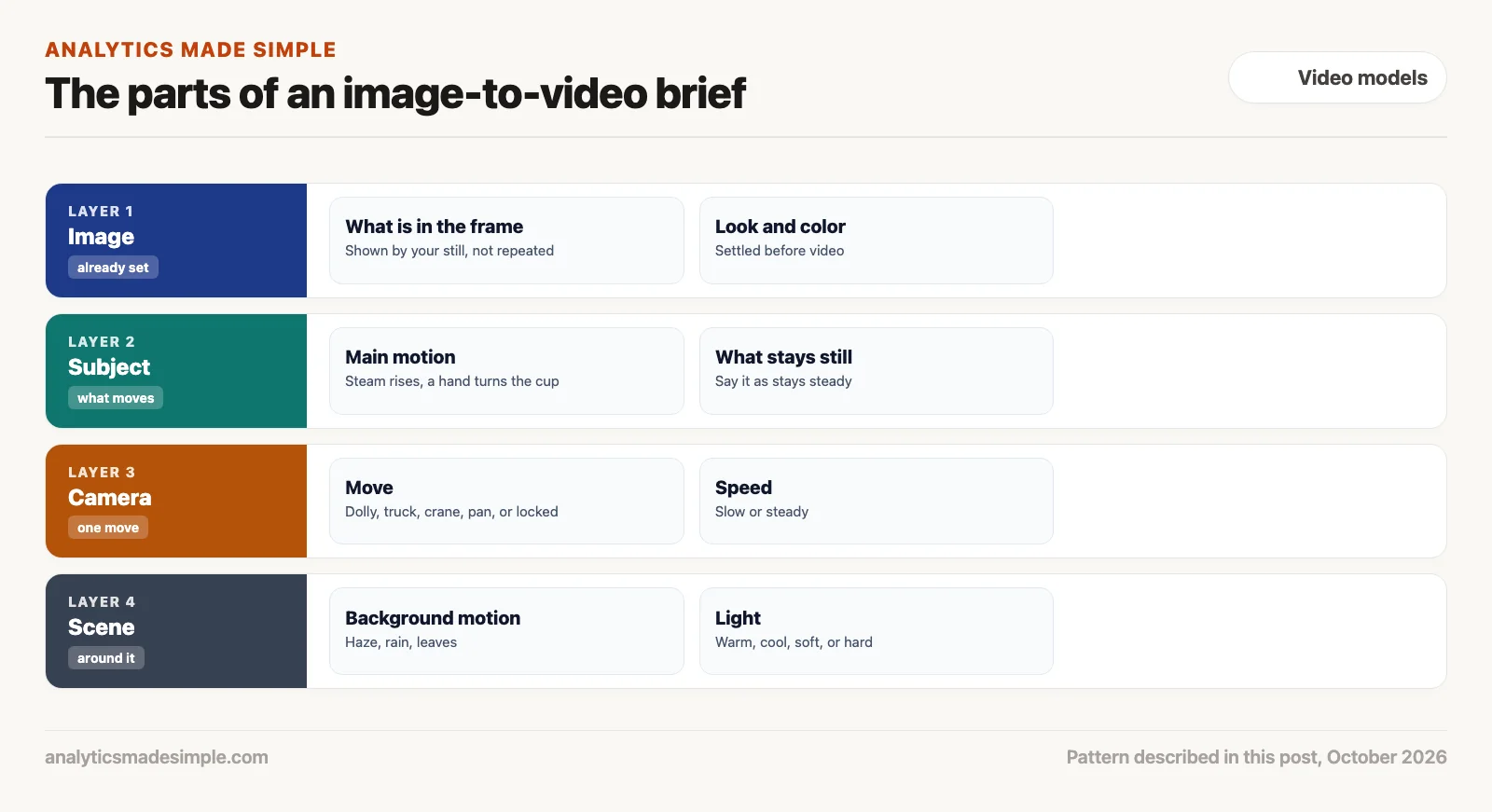
Your first AI video comes out better when you give it a clear brief, a few plain sentences that say how the camera moves, what moves in the picture, and what the light looks like. Mood words like “epic” do not help. If you start from a photo, describe only the movement, because the photo already shows what is in it.
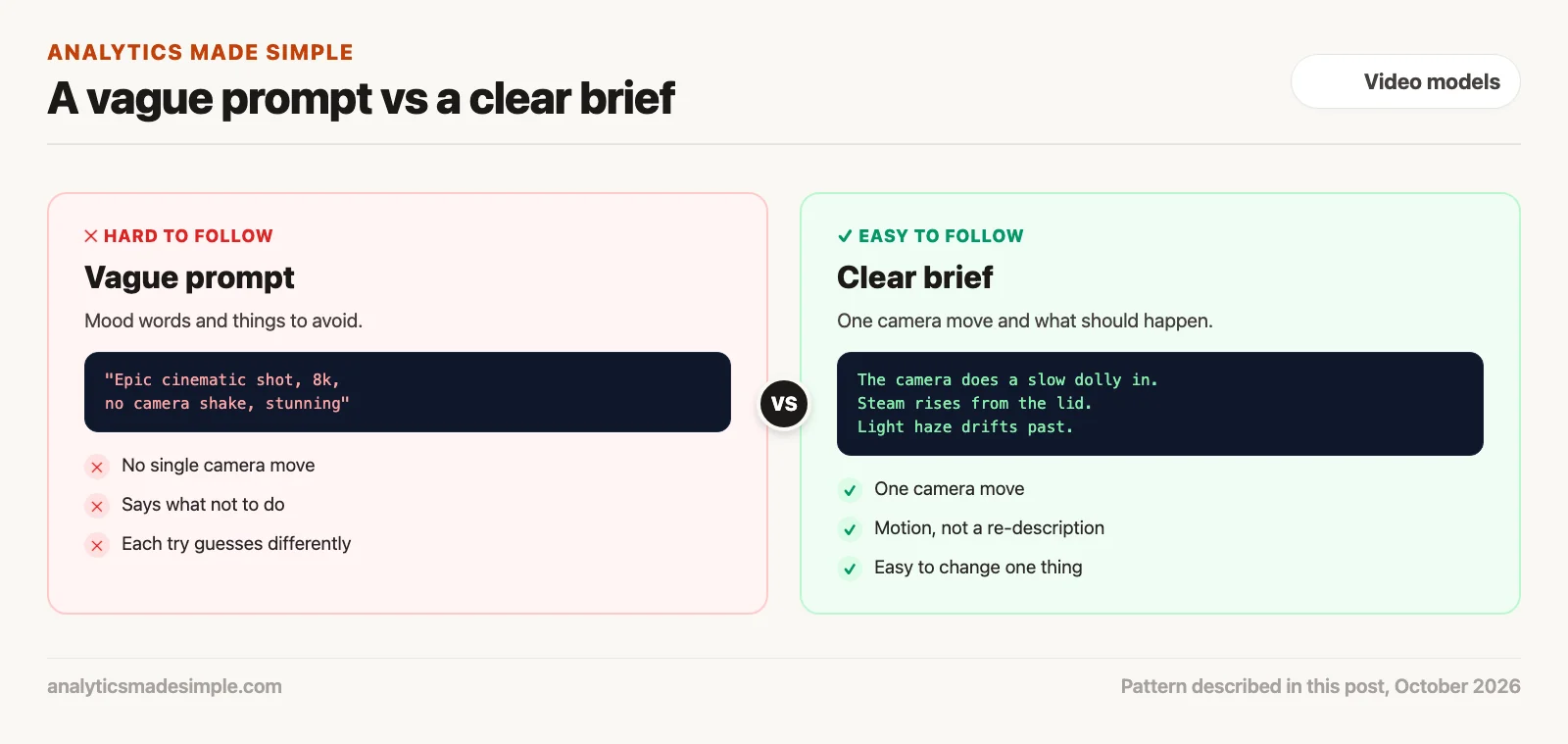
Say you upload a photo of your product and type “epic cinematic shot, 8k, stunning, no camera shake.” The clip that comes back drifts in two directions at once, the light flickers, and the next try looks completely different. You changed nothing, so you cannot tell what to fix.
This post shows what a clear brief contains, how to build one a step at a time, four camera moves worth knowing by name, and a short program that checks your brief before you pay for a video.
Why mood words make a weak brief
Words like “epic” or “cinematic” do not tell a video model what to do. “Epic camera movement” could mean a slow glide or a fast dive, so each try lands somewhere different. Quality words such as “8k” describe a file, not a shot.
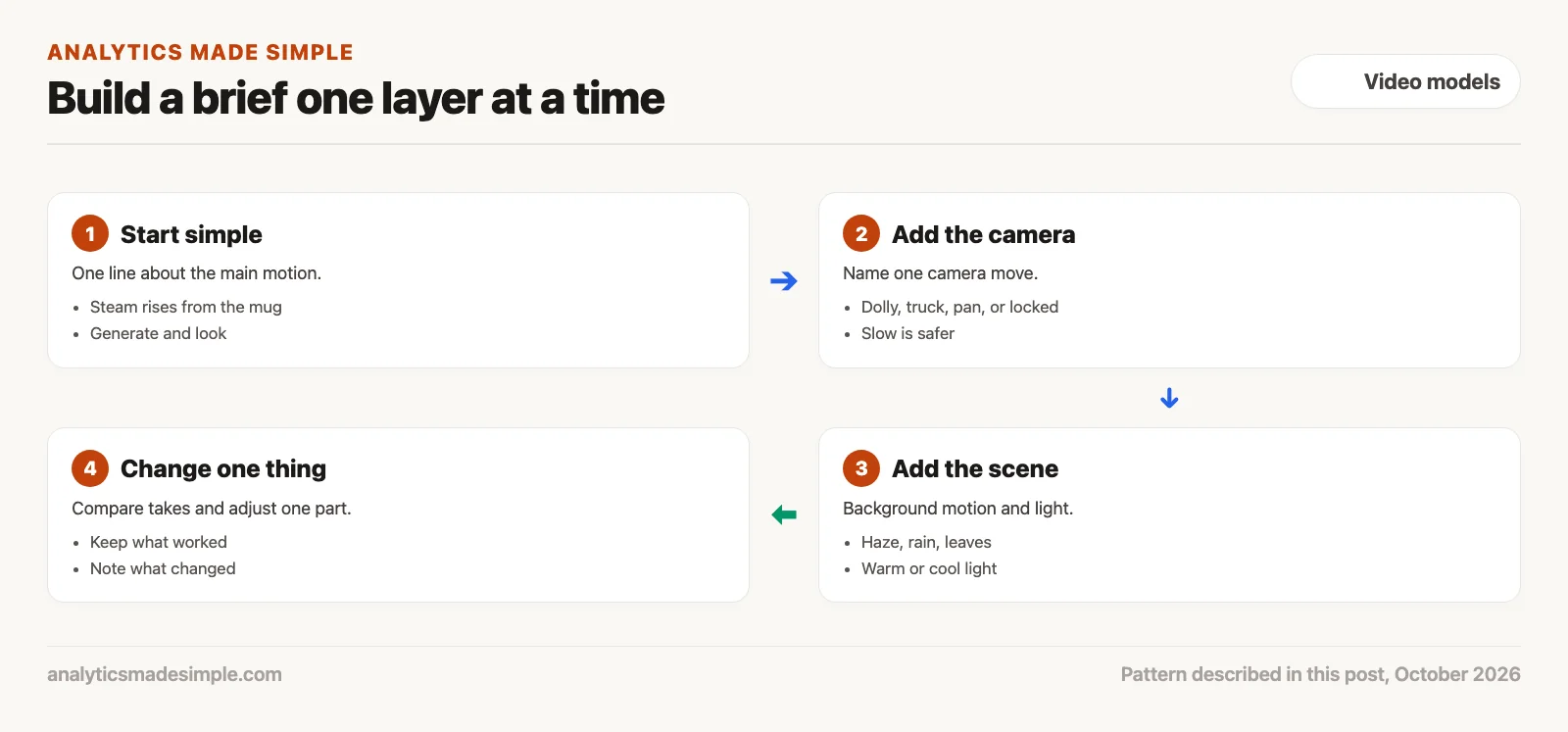
Runway’s Gen-4 video prompting guide, checked October 3, 2026, gives similar advice in its own words. It suggests starting with a simple prompt about the most important motion, then adding camera motion, scene motion, and style one at a time. It also says the model works best when you describe what should happen rather than what to avoid, and that repeating in detail what is already in your image can reduce motion or give odd results.
Build a brief one layer at a time
Adding one layer at a time lets you see what each change did. If you change everything at once and the clip gets worse, you will not know why.
1. Start with the main motion
Write one plain sentence about what moves, such as “steam rises slowly from the open lid.” Generate once and look. This is your baseline, the take you compare everything else against.
2. Add one camera move
Name a single camera move, such as a slow dolly in or a locked camera that does not move at all. Two moves that pull against each other, like panning left while trucking right, give the model conflicting instructions. Runway keeps a list of camera terms with example prompts if you want more options.
3. Add the scene and the light
Describe what moves around the subject, such as haze drifting past or leaves falling, and the kind of light, such as warm and soft or cool and bright. Small background motion gives a shot life without asking the subject to do something complicated.
4. Change one thing at a time
Compare the new take with your baseline. Keep what worked, change one part, and write down what you changed. After a few rounds you will have a brief you can reuse for similar shots.
Four camera moves worth knowing by name
Film crews use a small set of names for camera moves, and video tools generally understand them. The difference that matters most is whether the camera travels through space or only turns.
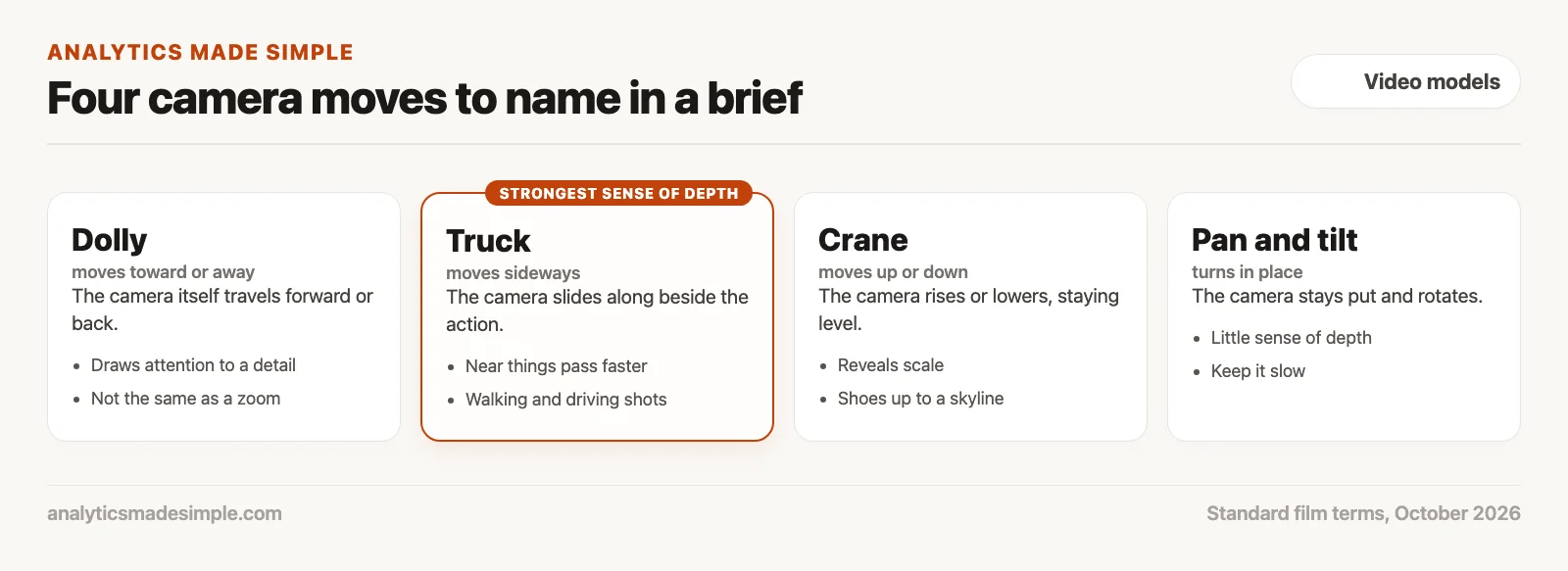
- Dolly: The camera itself moves toward or away from the subject. Nearby things grow while the background shifts at the edges. A zoom only magnifies the picture, so it looks flatter than a dolly.
- Truck: The camera slides sideways alongside the action. Things near the camera pass faster than things far away, which gives a strong sense of depth. It suits walking and driving shots.
- Crane, or pedestal: The camera rises or lowers while staying level. Starting low on a pair of shoes and rising to show a skyline is a classic way to reveal scale.
- Pan and tilt: The camera stays in place and turns, sideways for a pan and up or down for a tilt. Because it does not travel, there is little sense of depth. Keep these slow.
Lighting in plain words
You do not need film-school terms for light. Say where the main light comes from, whether it is warm like a lamp or cool like daylight, and whether it is soft like an overcast sky or hard like direct sun. “Soft warm light from the left, cool daylight from the window” tells a model far more than “good lighting.” If you know a few more terms, such as color temperature in kelvins (a scale where lower numbers look warmer), you can use them, but plain words work.
A checker for your brief
The short Python program below turns that advice into checks. It holds a made-up brief for a thermos ad with several common problems, flags each one, and then prints a fixed prompt. It needs nothing beyond Python.
# Build a short image-to-video prompt from a brief, and flag common problems first.
# The rules follow the advice in Runway's Gen-4 prompting guide (linked in the post).
CAMERA_MOVES = {"locked", "handheld", "dolly in", "dolly out", "truck left",
                "truck right", "pan left", "pan right", "tilt up", "tilt down", "crane up"}
VAGUE = {"epic", "cinematic", "stunning", "8k", "photorealistic", "masterpiece"}
NEGATIVE = ("no ", "don't", "do not", "without", "never")

image_description = "a black thermos with a silver logo on a wooden table"

brief = {
    "camera": ["dolly in", "pan left"],
    "subject_motion": "steam rises slowly from the open lid",
    "scene_motion": "light morning haze drifts past",
    "style": "epic cinematic look, no camera shake",
    "repeat_of_image": "a black thermos with a silver logo on a wooden table",
}

problems = []
moves = brief["camera"]
if len(moves) != 1:
    problems.append(f"pick one camera move, not {len(moves)}: {', '.join(moves)}")
for move in moves:
    if move not in CAMERA_MOVES:
        problems.append(f"unknown camera move: {move}")
text = " ".join(str(v) for k, v in brief.items() if k != "camera").lower()
for word in sorted(VAGUE):
    if word in text:
        problems.append(f"vague word: {word}")
for phrase in NEGATIVE:
    if phrase in text:
        problems.append(f"says what to avoid ('{phrase.strip()}'), say what should happen instead")
if image_description in text:
    problems.append("repeats the image description; the image already shows that")

for p in problems:
    print("FIX:", p)

# After fixing, the prompt is built from motion only, camera move first.
fixed = {"camera": "dolly in", "subject_motion": "steam rises slowly from the open lid",
         "scene_motion": "light morning haze drifts past", "style": "steady camera, soft warm light"}
prompt = f"The camera does a slow {fixed['camera']}. {fixed['subject_motion'].capitalize()}. " \
         f"{fixed['scene_motion'].capitalize()}. {fixed['style'].capitalize()}."
print("PROMPT:", prompt)
Running it prints:
FIX: pick one camera move, not 2: dolly in, pan left
FIX: vague word: cinematic
FIX: vague word: epic
FIX: says what to avoid ('no'), say what should happen instead
FIX: repeats the image description; the image already shows that
PROMPT: The camera does a slow dolly in. Steam rises slowly from the open lid. Light morning haze drifts past. Steady camera, soft warm light.
In plain words, the program keeps a list of known camera moves, a few vague words, and phrases that describe what to avoid. It flags the brief for asking for two camera moves, using “epic” and “cinematic,” saying “no camera shake” instead of “steady camera,” and repeating what the image already shows. The fixed prompt at the end names one move, the motion, the background, and the light.
Quick recap
- Mood words and quality words do not tell a model what to do.
- Start with the main motion, then add one camera move, then the scene and light.
- Say what should happen, not what to avoid, and do not repeat what the image shows.
- Dolly, truck, and crane travel through space and show depth. Pan and tilt only turn.
Your next step this week
Take one still image you already have, such as a product photo or a picture of your desk. Write a one-line brief with only the main motion and generate once. Then add a single camera move and generate again, and compare the two takes side by side.
Series notes
This is Part 3 of Video models from scratch. Previous: the AI video landscape. Next: cost and credits.
Sources
- Runway Help Center, Gen-4 Video Prompting Guide, checked October 3, 2026.
- Runway Help Center, Camera Terms, Prompts, and Examples, checked October 3, 2026.
Keep going
Same lessons in your feed
Short diagrams, hooks, and weekly tutorials on Substack, Instagram, X, and Facebook.



