
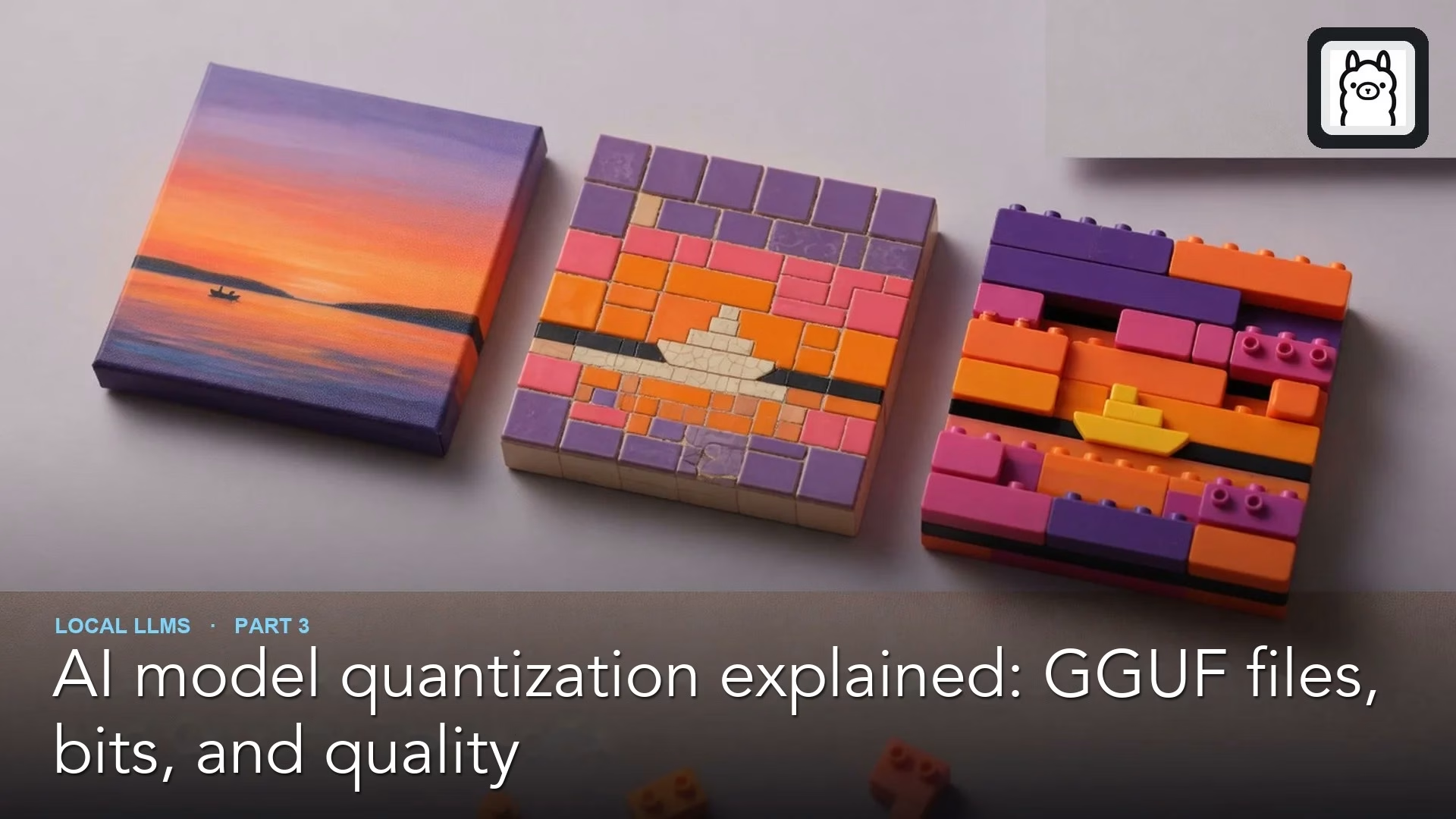
Quantization makes an AI model’s file smaller by storing its numbers with less detail, a bit like rounding prices to the nearest dollar. The odd names you see on download pages tell you exactly how much rounding was done. A little rounding barely hurts. Too much, and the model starts making things up.
Imagine you need a large AI model to read contracts on your own laptop, because the contracts cannot go online. The laptop has only 16 gigabytes of memory, so you grab the smallest version on the download page. It fits. But it invents contract terms that are not there and misses clauses that matter. A smaller model with gentler rounding would have fit too, and done the job.
Done well, rounding cuts the memory a model needs by about three-quarters, with only a small loss in quality. Done badly, it pushes the model over a cliff. This post explains how the rounding works, what the file names mean, how to measure what you lose, and how to pick the right level for your computer.
Why models get rounded down to smaller numbers
Quantization takes a model’s very precise numbers and rounds them down to small whole numbers, which shrinks the file while keeping most of what the model learned.
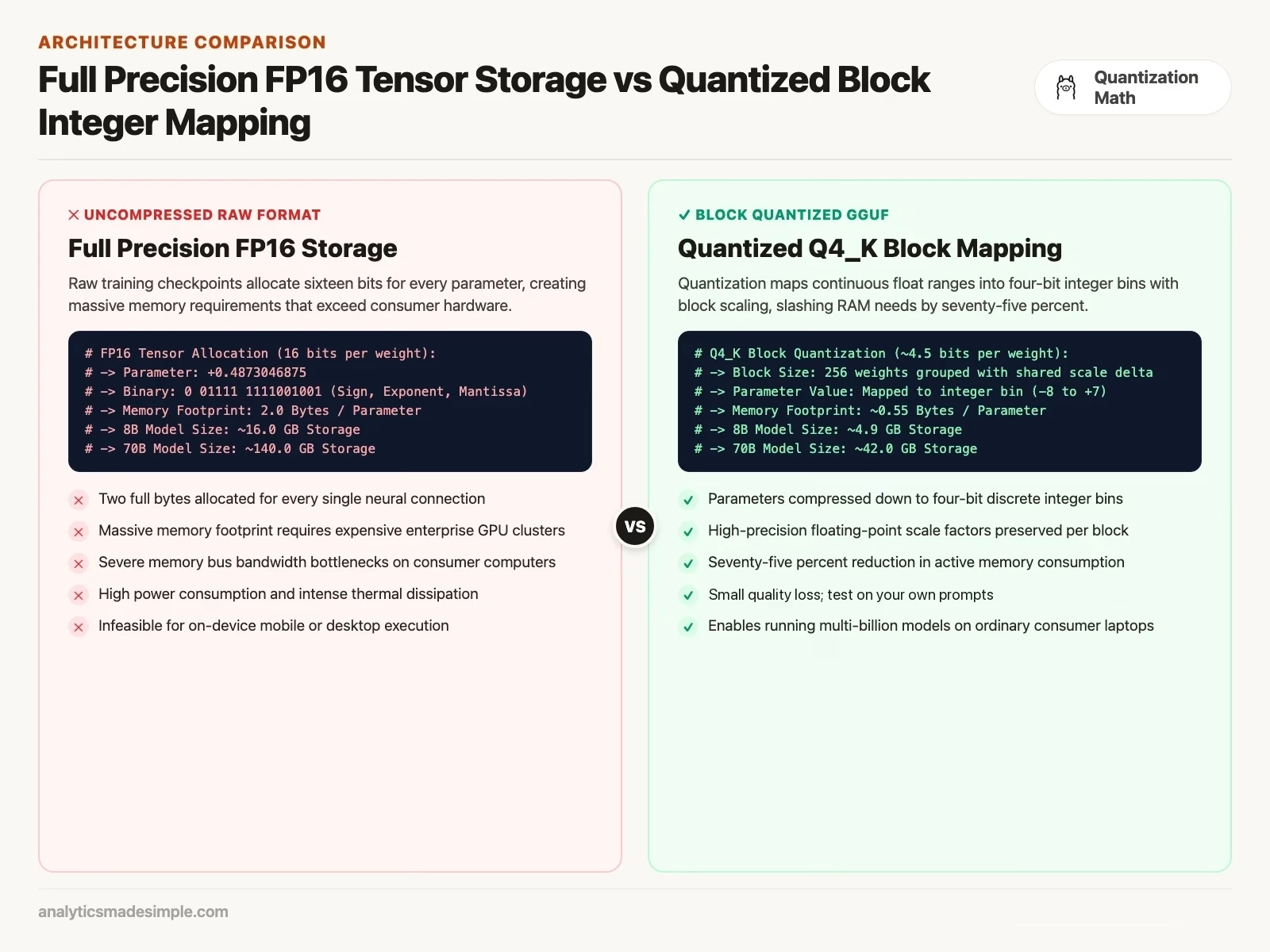
When a lab first trains a model, it does the math using sixteen-bit numbers, a format usually called FP16 or BF16. Those sixteen bits let the model track extremely fine differences between numbers while it’s learning.
That level of precision matters during training. Training nudges billions of tiny numbers a little at a time, over and over. Once training is done, though, most of that precision goes to waste. The model doesn’t need a number stored ten decimal places deep just to know that a sentence about an invoice probably continues with a dollar amount.
Quantization closes that gap. It groups a model’s numbers into small batches, usually 32 or 256 at a time, and rounds each batch down to small whole numbers. Each batch keeps one small note, called a scale factor. That note tells the computer how to stretch the rounded numbers back toward something close to the original values. In 8-bit quantization, each number gets squeezed into one of 256 possible values. In 4-bit quantization, it only gets 16 values to choose from.
The payoff is large. An 8-billion-parameter model that would normally need 16 gigabytes of memory shrinks to under 5 gigabytes once quantized. That’s small enough to run on an ordinary laptop, while keeping almost all of its original ability.
Why almost every local model uses one file format
A format called GGUF bundles a model’s numbers, its settings, and its vocabulary into one file, which is why it became the standard almost everyone uses to run models locally.
Running AI models on your own machine used to mean juggling a mess of separate files. Early tools stored a model’s numbers in raw formats borrowed straight from research code, plus a first attempt at a local format called GGML. GGML stands for the toolkit it came from, built by developer Georgi Gerganov for a project called llama.cpp, one of the first programs that let ordinary computers run these models at all.
Those older formats broke constantly. They were tied to specific hardware, stopped working after software updates, and needed extra files just to tell the model how to read text or reply in a chat. Download the wrong combination of files and the model simply wouldn’t talk.
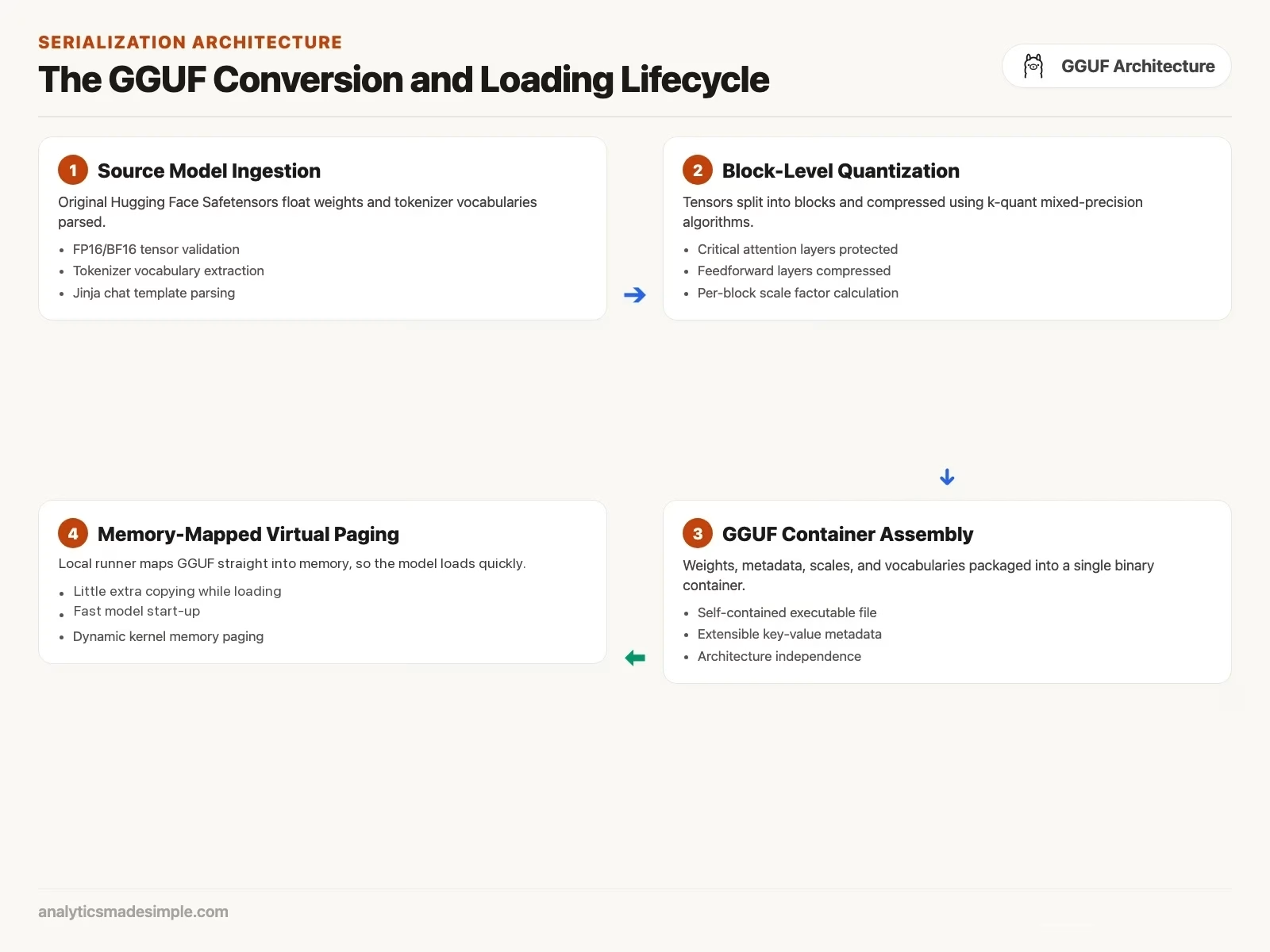
In late 2023, the community settled on a replacement: GGUF. GGUF stands for GPT-Generated Unified Format. The name mostly means one thing: everything lives in a single file now. Open one GGUF file and you get the model’s structure, its rounded numbers, its vocabulary, and even the template that tells it how to format a reply. A program like Ollama needs nothing else to run it.
GGUF was also built to load fast. Instead of reading the whole file into memory before starting, a GGUF file gets mapped directly. Your computer can start using pieces of it right away and swap parts in and out as needed. That’s why a local model can go from a cold start to answering your first question in a couple of seconds instead of a couple of minutes.
What the letters and numbers in a file name mean
Modern quantized files protect the parts of a model most sensitive to rounding errors, and compress the parts that can take a hit without much damage.
A file name like Q4_K_M looks like a locked code, but it breaks down simply once you know the pattern. Early, simpler versions rounded every part of the model down to the same precision, labeled things like Q4_0 or Q8_0. Modern versions, marked with a K in the name, such as Q4_K_M or Q5_K_S, are smarter about it.
Here’s the idea behind those K versions: not every part of a model reacts the same way to rounding. The layers that decide what the model should pay attention to are fragile, and so is the layer that turns its thinking into an actual answer. Round those too hard and the model’s logic falls apart. Other layers, the ones doing more repetitive number-crunching in between, have a lot of spare capacity. They can take heavier rounding just fine.
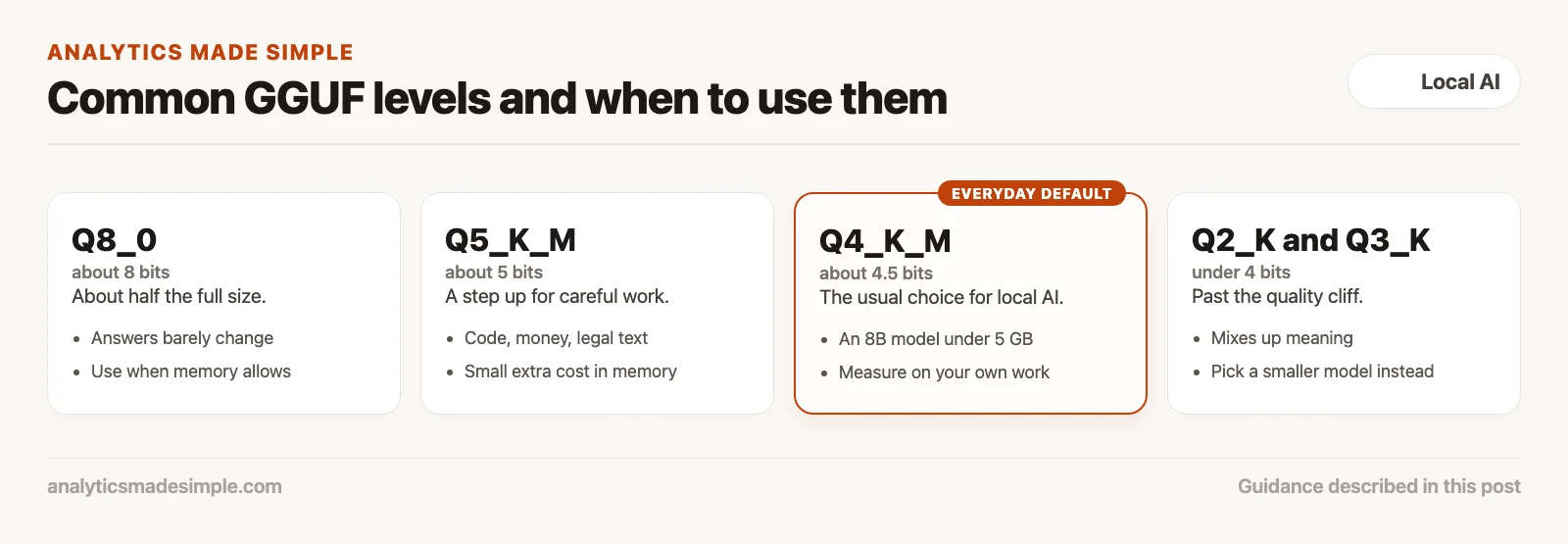
So a K-quant file mixes precision levels on purpose. In a Q4_K_M file, the fragile attention layers keep 5 or 6 bits of precision, while the sturdier layers drop to 4 bits. The letter at the end, S, M, or L, just means small, medium, or large: how much of the file gets that extra protection. M is usually the sweet spot. It protects what needs protecting without ballooning the file size.
How much quality you actually lose
Quality loss from quantization barely shows up until you compress too far, and then it drops off a cliff fast.
Researchers measure quality loss with a score called perplexity. It’s basically how surprised the model is by the next word in a passage of ordinary text. A lower score means the model is predicting well and still understands what it’s reading.
Drop a model from full precision down to 8-bit or 5-bit quantization and the perplexity score usually moves only a little. At 4-bit (Q4_K_M) the loss is larger but often small enough for everyday work. How much a particular model loses depends on the model and the task, so measure it yourself: run llama.cpp’s perplexity tool on the full-size file and on the quantized one, using text like the documents you plan to use, and compare the two scores.
Push past that point, though, and the curve stops being gentle. Drop below 3 bits per number, roughly the Q2_K setting or smaller, and perplexity spikes fast. At 2 bits, the model no longer has enough resolution to hold onto fine distinctions in meaning. It starts mixing up negatives, botching simple arithmetic, dropping punctuation, and stating false things with total confidence. That’s exactly what happened to the due-diligence model earlier in this post.
Why bigger models handle compression better
A huge model squeezed down to four bits still usually beats a small model running at full precision, because bigger models have far more room to absorb rounding without losing their footing.
One of the more useful discoveries in this space is that model size and compression tolerance are linked. Bigger models shrug off quantization far better than small ones do.
An 8-billion-parameter model doesn’t have much slack. Nearly every number it stores is doing real work. Compressing it down to 3 or 4 bits shows up as a visible drop in quality, because there’s little redundancy left to soften the rounding.
A 70-billion-parameter model is a different story. It has so much more internal capacity that compressing it down to 4 bits, or even 3, barely dents its output.
That leads to a rule of thumb worth remembering: a heavily compressed large model usually beats a pristine small one. A 70-billion-parameter model at 4-bit precision needs roughly 42 gigabytes of memory. It will still out-reason, out-code, and out-analyze an 8-billion-parameter model running at full, uncompressed precision. When you’re choosing between models, aim for the largest one your machine’s memory can fit at a 4 or 5-bit setting, rather than the smallest one at full precision.
Checking a model file’s info before you load it
You can peek inside a GGUF file’s header and see how it was built without loading gigabytes of numbers into memory first.
The short Python script below reads a GGUF file’s opening bytes directly and pulls out basic facts about it, like how many pieces (called tensors) it contains, in a fraction of a second:
# Inspect GGUF File Metadata and Quantization Architecture
import struct
from pathlib import Path

def parse_gguf_header(file_path: str):
    path = Path(file_path)
    if not path.exists():
        print(f"Error: File not found at {file_path}")
        return

    print(f"Inspecting GGUF Container: {path.name} ({path.stat().st_size / (1024**3):.2f} GB)")
    with open(path, "rb") as f:
        magic = f.read(4)
        if magic != b"GGUF":
            print("Error: Invalid GGUF magic bytes.")
            return

        version = struct.unpack("<I", f.read(4))[0]
        tensor_count = struct.unpack("<Q", f.read(8))[0]
        metadata_kv_count = struct.unpack("<Q", f.read(8))[0]

        print(f"GGUF Version:         {version}")
        print(f"Total Tensors:        {tensor_count}")
        print(f"Metadata Key-Values:  {metadata_kv_count}")
        print("Model file validated: Ready for memory-mapped virtual address paging.")

# Example: pass the path of a GGUF file you downloaded
if __name__ == "__main__":
    import sys
    parse_gguf_header(sys.argv[1] if len(sys.argv) > 1 else "models/Qwen3.5-9B-Q4_K_M.gguf")
How the common quantization settings compare
Here’s a quick reference for the settings you’ll actually run into, and when each one makes sense.
| Setting | Bits per number | Memory for an 8B model | Memory for a 70B model | What to use it for |
|---|---|---|---|---|
| Q2_K / IQ2_M | 2.5 to 2.8 bits | ~3.2 GB | ~26.0 GB | Avoid. Badly hurts quality and raises the risk of made-up answers |
| Q3_K_M | 3.4 to 3.7 bits | ~4.0 GB | ~34.0 GB | OK only on 70B-plus models when you’re truly out of memory |
| Q4_K_M | 4.5 to 4.8 bits | ~4.9 GB | ~42.0 GB | Good everyday default. Best balance of speed, memory, and reasoning |
| Q5_K_M | 5.5 to 5.7 bits | ~5.7 GB | ~51.0 GB | Better default for coding, math, or legal work, where mistakes cost more |
| Q6_K | 6.5 to 6.7 bits | ~6.6 GB | ~59.0 GB | Barely different from full quality; a small step up from Q5_K_M |
| Q8_0 | 8.5 bits | ~8.5 GB | ~75.0 GB | Reference quality; more than most people need for daily chat |
Simple rules for picking a quantization setting
A few field-tested rules keep you out of trouble when picking a model file for your own machine:
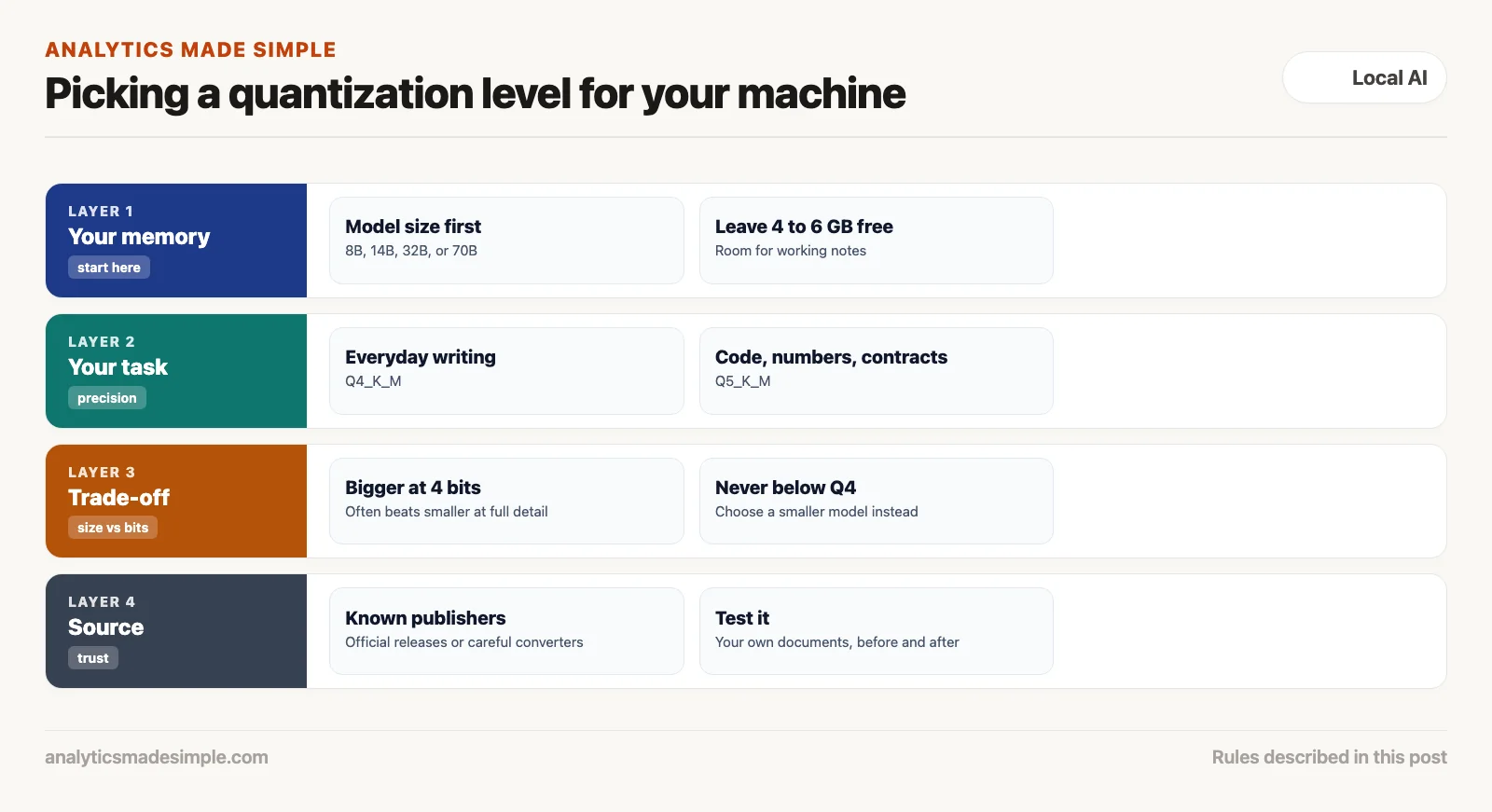
- Default to Q4_K_M or Q5_K_M for almost everything: Q4_K_M handles the vast majority of everyday tasks well. If you’re working with tricky code, financial numbers, or legal documents, step up to Q5_K_M.
- Don’t drop below Q4 just to fit a bigger model: if a 32-billion-parameter model only fits on your machine at Q2_K or Q3_K, skip it. The quality cliff will hurt you more than picking a smaller model would. Choose an 8 or 14-billion-parameter model at Q5_K_M instead.
- Leave room for working memory: keep 4 to 6 gigabytes free above the model’s own file size. A 5-gigabyte model crammed into 8 gigabytes of memory will crash the moment you feed it a long document, because it needs extra room to work while it’s thinking.
- Favor a bigger model when you have the memory: if your machine has 64 gigabytes free, choose a 70-billion-parameter model at Q4_K_M over an 8-billion-parameter model at full precision. The bigger model will reason and code better.
- Stick to well-known sources: when you download a GGUF file from a hub like Hugging Face, look for trusted names doing the compression work, such as Bartowski or TheBloke, or an official release from the model’s own maker, so you know the rounding was done carefully with proper calibration data.
Series notes
This is Part 3 of Local LLMs from scratch. The earlier post covered hardware reality. The next one covers Ollama, the easy path to actually running a model.
Sources
- Georgi Gerganov and contributors, GGUF file format specification, checked October 4, 2026.
- Dettmers, T., et al. (2023). QLoRA: Efficient Finetuning of Quantized LLMs. University of Washington.
- Frantar, E., et al. (2022). GPTQ: Accurate Post-Training Quantization for Generative Pre-trained Transformers.
- Lin, J., et al. (2023). AWQ: Activation-aware Weight Quantization for LLM Compression and Acceleration. MIT HAN Lab.
- Hugging Face, GGUF on the Hugging Face Hub, checked October 4, 2026.
Keep going
Same lessons in your feed
Short diagrams, hooks, and weekly tutorials on Substack, Instagram, X, and Facebook.



