

To run AI on your own computer, memory matters most. The model has to fit in fast memory, and how quickly that memory moves data decides how fast the answers come. A powerful-sounding graphics card without enough memory is just an expensive space heater.
Imagine you get an eight-thousand-dollar budget to build a computer for AI. You buy the fastest processor, fancy water cooling, and loads of regular memory, then save money with a cheap graphics card. You load a big model, and it types one word every two seconds while the fans roar. The money went to the wrong parts.
For games and video editing, a fast processor and good cooling matter. AI works differently. It is limited mostly by how much fast memory you have and how quickly that memory can feed the chip. This post covers the sizing math, why memory speed matters, Apple’s chips compared with graphics cards, heat, and the most common buying mistakes.
How much memory a model needs
The whole model has to sit in fast memory while it runs. If it does not fit, the computer falls back on its storage drive, and answers slow to a crawl.
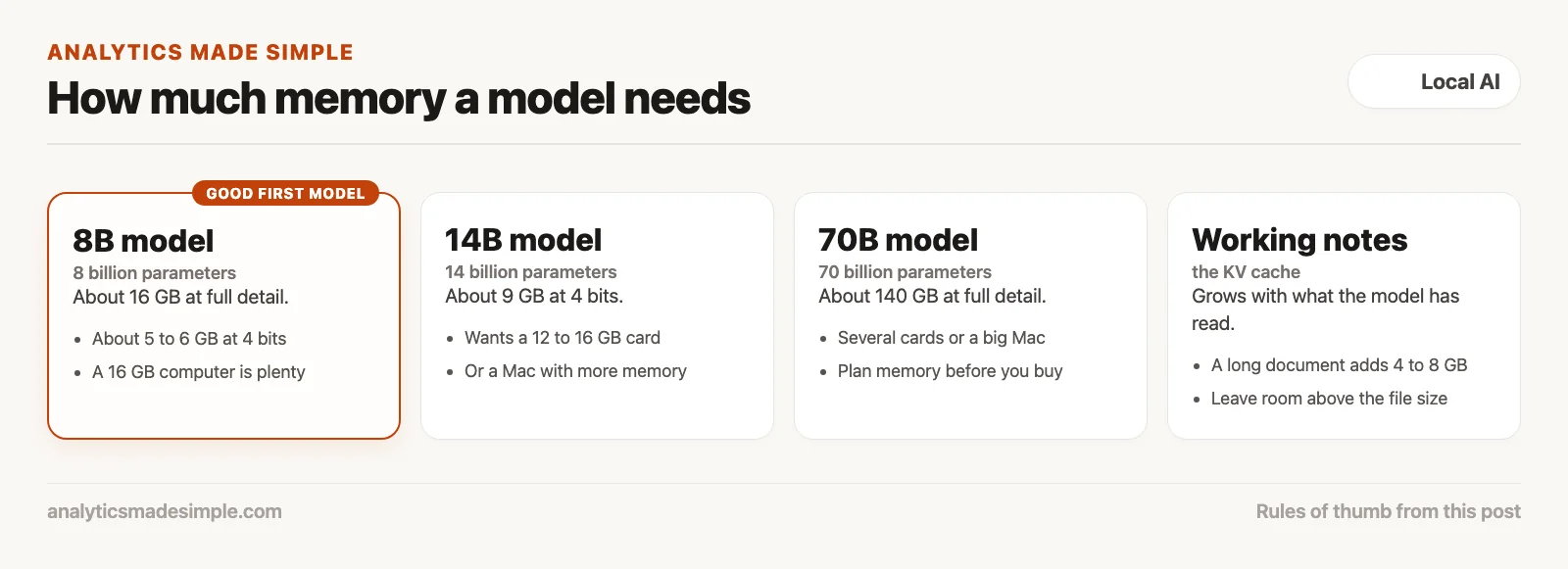
Start with the model’s size. A model described as 8B has about eight billion parameters, the numbers it learned in training. A 70B model has seventy billion.
At full detail, each parameter takes two bytes. So an 8B model needs about 16 gigabytes of memory just to load, and a 70B model needs about 140.
You will usually run a shrunk version instead. Shrinking, called quantization, stores each number with less detail, often about 4 bits, or half a byte. The quality drop is usually small. Shrunk to 4 bits, an 8B model needs roughly 5 to 6 gigabytes, a 14B model about 9, a 32B model about 20, and a 70B model about 40 to 42.
The model is not the only thing in memory. As you chat, the model keeps working notes on everything it has read so far, called the KV cache (KV is short for key-value). A long document can add another 4 to 8 gigabytes.
Regular computer memory is called random-access memory (RAM). Graphics cards have their own, faster video memory (VRAM). If the model and its notes do not fit in the fast memory, parts spill onto the storage drive, and the speed collapses.
Memory speed decides how fast it types
How much memory you have decides whether a model fits. How fast that memory moves data, called bandwidth, decides how fast the answers come.
Many buyers load up a desktop with 128 gigabytes of regular memory and expect big models to run well. Then the model types about two words a second.
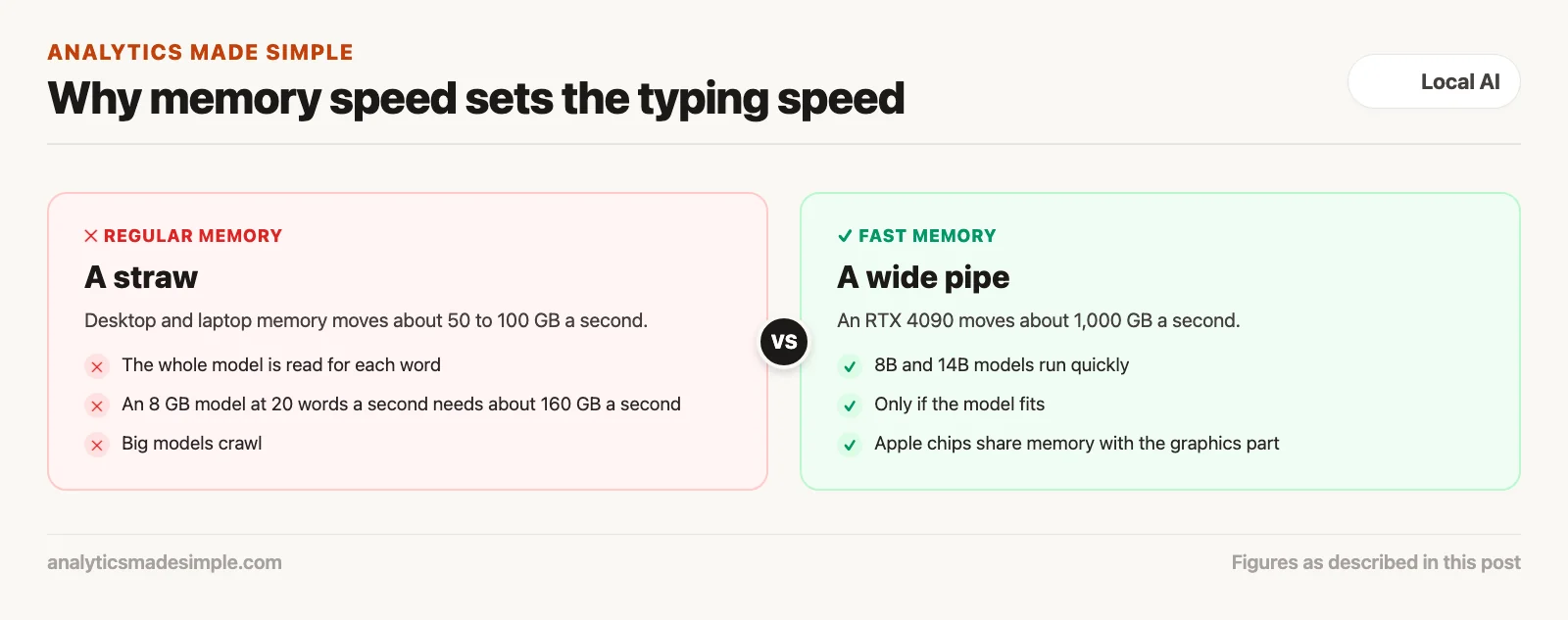
Here is why. To write each word, the computer has to read through the whole model once. A model takes up about 8 gigabytes in memory, so writing 20 words a second means moving about 160 gigabytes every second.
Regular desktop and laptop memory usually moves somewhere around 50 to 100 gigabytes a second. For AI, that is like emptying a pool through a straw.
A graphics card is built differently. Its memory sits on a much wider path to the chip. A card like the RTX 4090 from NVIDIA, the leading maker of AI chips, moves about 1,000 gigabytes a second, so it can run 8B and 14B models quickly. (RTX means NVIDIA’s line of consumer graphics cards.)
So when you shop, do not judge by processor speed or drive speed. Look at memory bandwidth, measured in gigabytes per second. It sets how fast your model talks.
Apple’s chips versus NVIDIA graphics cards
Apple’s chips give you a big pool of shared memory at a fair price, which suits large models. NVIDIA graphics cards are faster, but their memory is limited, which suits smaller models.
NVIDIA sells the graphics cards most AI software was built for. They are very fast at the math AI needs. But consumer cards have a hard memory limit: 24 gigabytes on the RTX 4090 and 32 gigabytes on the newer RTX 5090.
To run a 70B model on NVIDIA cards, you cannot just add regular memory. You need several cards, a bigger power supply, and software that splits the model across them. That setup gets expensive fast.
Apple takes a different approach, called unified memory. On Apple’s M-series chips, the processor and the graphics part share one pool of memory inside the chip, so the graphics part can use almost all of it.
As of October 2026, a Mac Studio with the M5 Ultra chip can hold up to 512 gigabytes of this shared memory, moving about 1.2 terabytes a second, per Apple’s Mac Studio specs page (checked October 4, 2026). That is enough to run a 70B model quietly in one small box.
NVIDIA cards still write faster on models that fit in their memory. For running large models without a stack of cards, Apple’s machines are often the simpler and cheaper route.
Heat, noise, and power
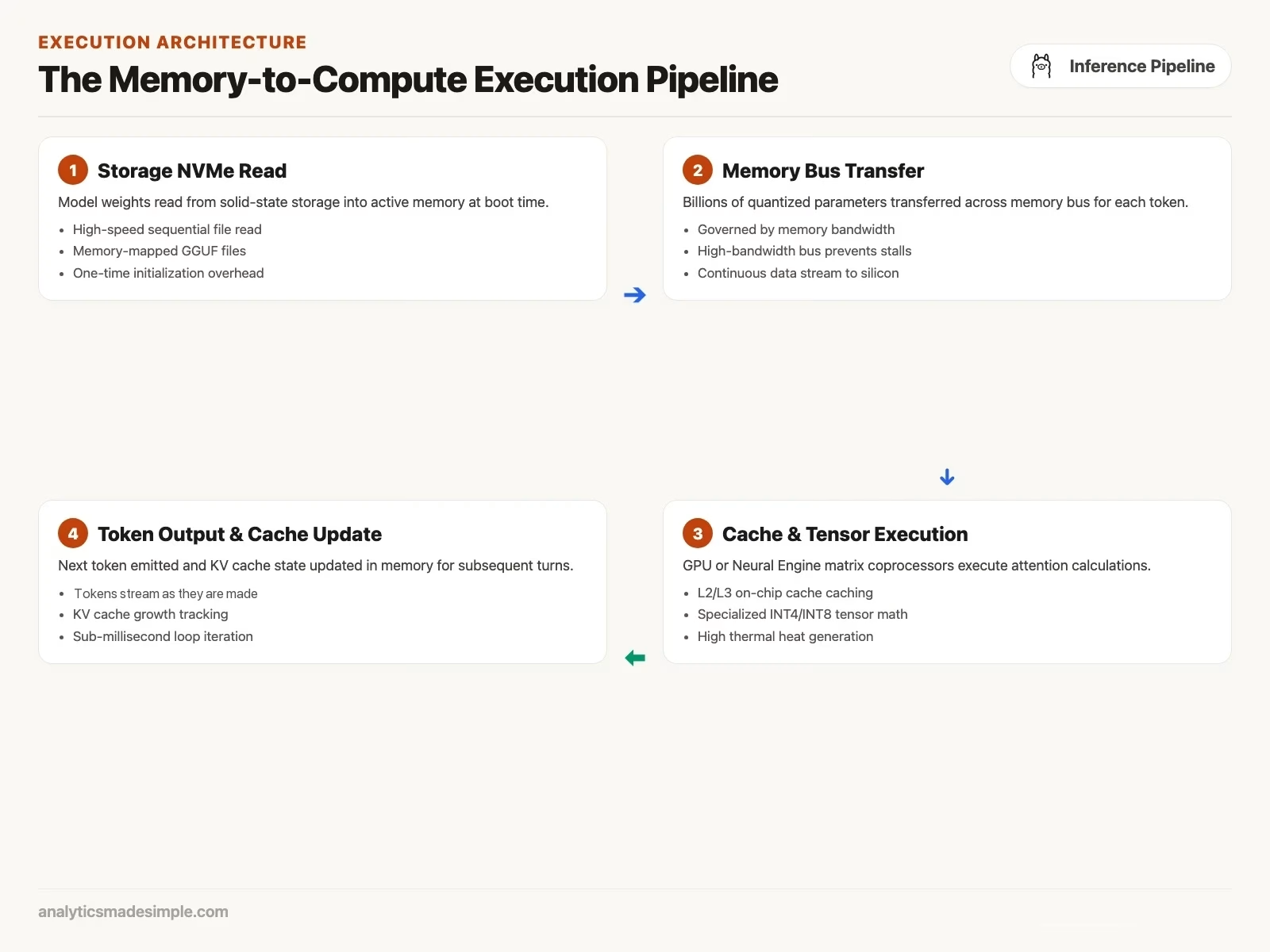
Running AI keeps a chip working hard for minutes at a time. A thin laptop heats up and slows itself down, and a big desktop can warm and fill a room with noise.
Opening a spreadsheet or streaming a video only asks the chip for short bursts. Running AI keeps every part busy for as long as the answer takes.
On a thin laptop, that heat builds fast. To protect itself, the laptop slows down its chip, so a run that starts quickly can drop to half speed or less as the case gets hot.
Power adds up too. Heavy AI use on battery can drain a laptop in well under an hour. Plug in before running anything big.
On a desktop, the big issue is noise. A computer with several graphics cards needs fast fans, and they are loud. An Apple desktop uses far less power and stays much quieter under the same kind of load.
Common buying mistakes
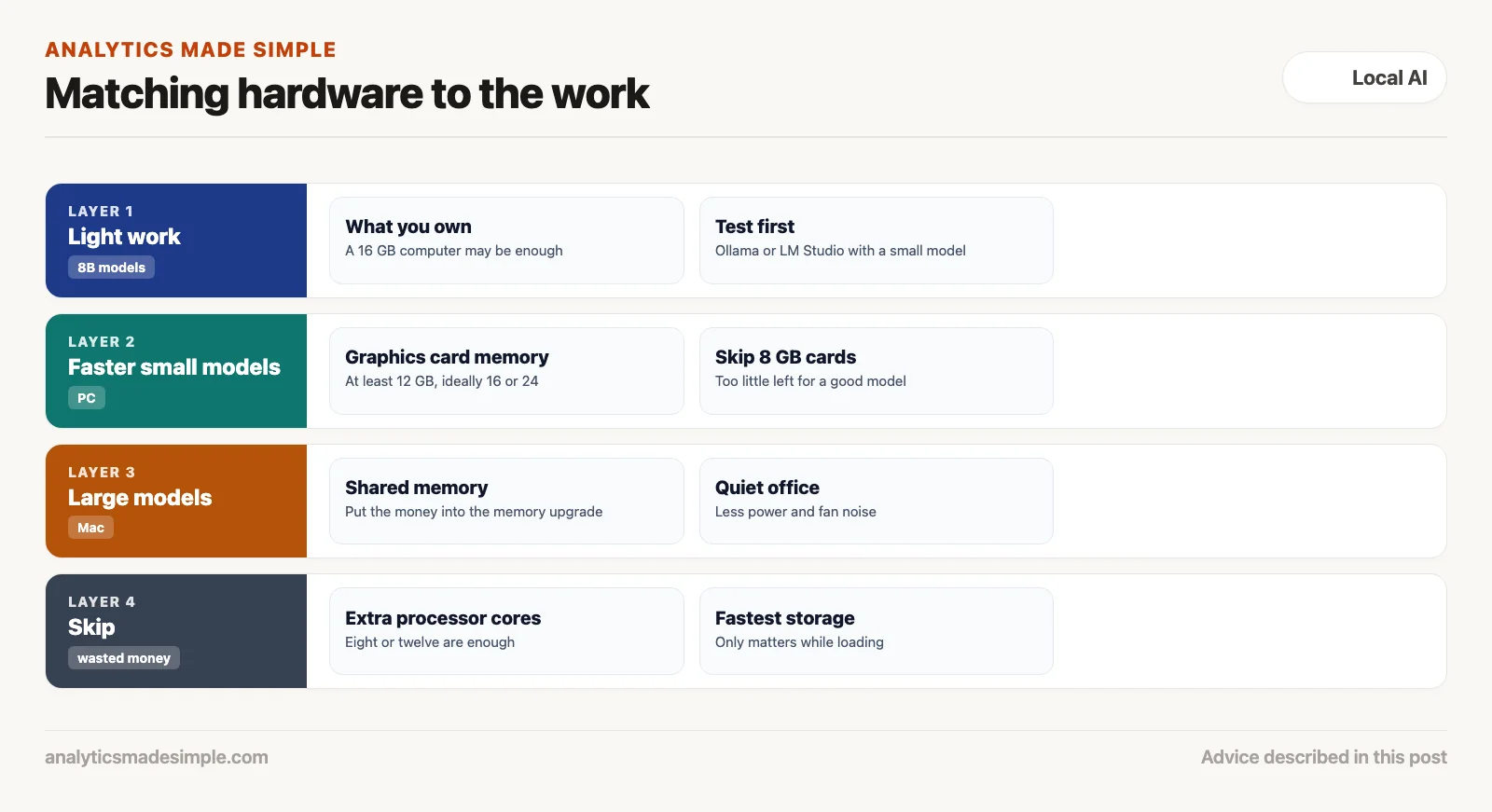
Skip the extra processor cores, fancy water cooling, and super-fast storage. Spend the money on memory size and memory speed instead.
First-time buyers often waste thousands on the wrong parts. The most common mistake is paying for a top-end processor, the computer’s main chip, called the central processing unit (CPU).
A 24-core processor helps very little if the memory is slow. The math AI does runs far faster on a graphics chip than on the main processor.
The second mistake is paying extra for the fastest storage drive. The drive only matters when the model first loads. A fast drive might load a model in two seconds instead of five, and after that it sits idle.
The better plan is simple. Buying a PC? Get the graphics card with the most memory you can afford, at least 12 to 16 gigabytes, and ideally 24 or more. Buying a Mac? Put the money into the memory upgrade.
Measuring your own speed in Python
To see whether your computer is limited by memory speed or by heat, measure how fast it writes and how long the first word takes.
The Python program below times a local model, recording words per second (measured in tokens, small chunks of about three-quarters of a word) and how long the answer takes to start.
# Benchmark Local Model Token Generation Throughput
import time
import requests
from openai import OpenAI

client = OpenAI(
    base_url="http://localhost:11434/v1",
    api_key="local-benchmark"
)

def benchmark_hardware_speed(model_name: str = "qwen3.5:9b"):
    test_prompt = (
        "Explain the physical principles of magnetic levitation in high-speed trains. "
        "Provide a detailed, technical three-paragraph explanation."
    )

    print(f"Starting hardware benchmark on model: {model_name}")
    start_time = time.perf_counter()
    first_token_time = None
    token_count = 0

    response = client.chat.completions.create(
        model=model_name,
        messages=[{"role": "user", "content": test_prompt}],
        stream=True,
        temperature=0.1
    )

    for chunk in response:
        delta = chunk.choices[0].delta.content
        if delta:
            if first_token_time is None:
                first_token_time = time.perf_counter()
            token_count += 1
            print(delta, end="", flush=True)

    total_time = time.perf_counter() - start_time
    gen_time = time.perf_counter() - first_token_time if first_token_time else total_time
    ttft = first_token_time - start_time if first_token_time else 0.0
    tokens_per_sec = token_count / gen_time if gen_time > 0 else 0.0

    print("\n\n--- Hardware Benchmark Results ---")
    print(f"Model Evaluated:        {model_name}")
    print(f"Total Tokens Emitted:   {token_count}")
    print(f"Time to First Token:    {ttft:.3f} seconds")
    print(f"Generation Velocity:    {tokens_per_sec:.2f} tokens/second")
    print(f"Total Elapsed Time:     {total_time:.3f} seconds")

# Run the benchmark
if __name__ == "__main__":
    benchmark_hardware_speed("qwen3.5:9b")
Hardware options at a glance
Use the table below to compare current hardware by memory and memory speed. Figures come from Apple’s and Nvidia’s spec pages and Ollama’s download sizes, checked October 4, 2026.
| Hardware | Memory | Memory speed | What fits at 4-bit |
|---|---|---|---|
| Laptop with the base Apple M5 chip | 16 GB or more, shared | 153 GB/s | Models up to about 9B, like qwen3.5:9b (6.55 GB download) |
| Nvidia RTX 4090 | 24 GB on the card | about 1,008 GB/s | Up to about 27B, like qwen3.5:27b (17.5 GB download) |
| Nvidia RTX 5090 | 32 GB on the card | 1,792 GB/s | 27B to 32B, with room for long inputs |
| MacBook Pro with M5 Max | Up to 128 GB, shared | 460 or 614 GB/s | 70B-class models at 4-bit, with 64 GB or more |
| Mac Studio with M5 Ultra | Up to 512 GB, shared | 1.2 TB/s | 70B models and larger mixture-of-experts models |
A buying checklist
Before you spend money on hardware for AI, run through this list.
- Pick your model size first. For light work like drafting notes or finishing code, an 8B model on a computer with 16 gigabytes is plenty. For deep analysis, plan on a 32B or 70B model, which needs roughly 32 to 96 gigabytes of fast memory.
- Don’t pay for extra processor cores. Eight or twelve cores are already enough. Put the money into memory.
- Avoid graphics cards with only 8 gigabytes. Your screen and other programs use some of it, leaving too little for a good model. Aim for at least 12, and ideally 16 or 24.
- Consider a Mac for a quiet office. If you want to run a large model without fan noise or a hot room, a Mac with lots of shared memory is often the simplest answer.
- Test on what you already own. Download Ollama or LM Studio (LM is short for language model) and try a small model like Qwen3.5 4B or Gemma 4 E4B, both current releases as of October 2026. Your current laptop might already be enough.
The next post in this series explains quantization in plain terms: how shrinking a model works, how much quality you lose, and how to pick the right level for your hardware.
Series notes
This is Part 2 of Local LLMs from scratch. Previous: why run locally. Next: quantization without mysticism.
Sources
- Apple, Mac Studio technical specifications and MacBook Pro technical specifications, checked October 4, 2026.
- Nvidia, GeForce graphics card comparison, checked October 4, 2026. The RTX 4090 figure follows from its published 21 Gbps memory on a 384-bit bus.
- Ollama, download sizes from the qwen3.5 and gemma4 library pages, checked October 4, 2026.
- Georgi Gerganov and contributors, llama.cpp on GitHub, checked October 4, 2026.
Keep going
Same lessons in your feed
Short diagrams, hooks, and weekly tutorials on Substack, Instagram, X, and Facebook.



