Running an AI model on your own computer makes sense when privacy, working offline, steady costs, or learning how AI works matter more than getting the most polished writing. Local only changes where the work happens. You still have to protect the computer itself.
Imagine you are rushing to finish a report, and you paste twenty pages of private client records into a free online chatbot to get a quick summary. It works. Then you remember that your contract says client data must never leave the office. That one paste may have broken the contract and the law. A model running on your own computer would have done the same summary without the data ever leaving your desk.
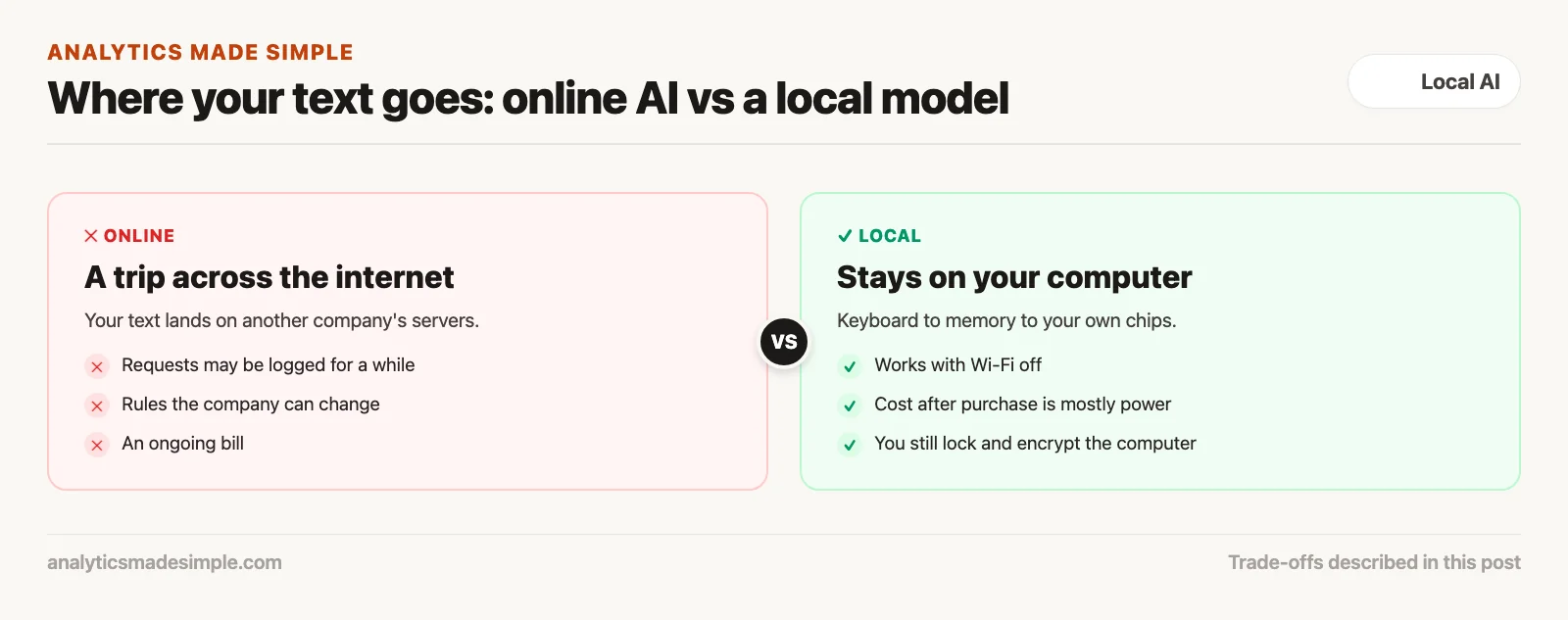
Until recently, useful AI mostly meant an online service you pay for monthly. That is handy for casual questions. But your text travels over the internet, sits on someone else’s computers, follows rules that company can change, and comes with an ongoing bill. Today, an ordinary laptop can run a capable AI model with no internet at all. Here is why that matters, in four parts: privacy, cost, working offline, and learning.
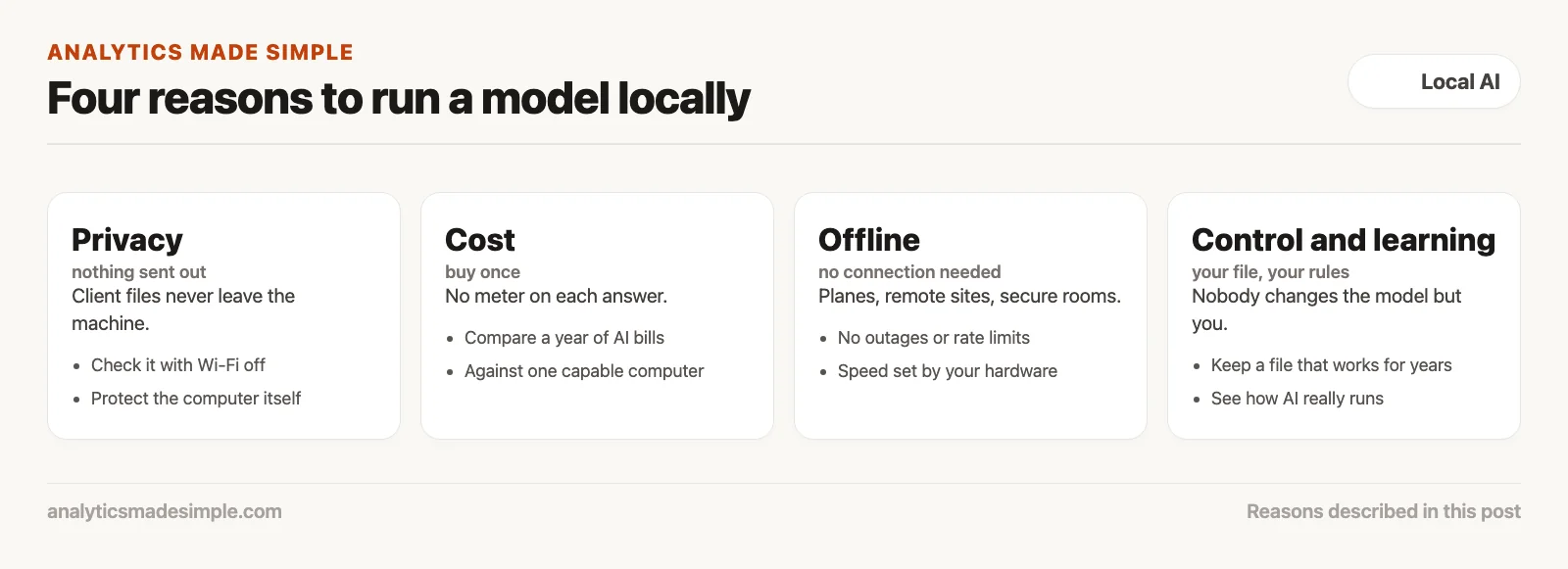
Privacy: your data never leaves your computer
When the model runs on your own machine, your text never crosses the internet or lands on another company’s servers. That removes a big legal worry and a big risk of leaks.
When you type into an online AI tool, your text takes a long trip. It crosses the internet, passes through the company’s network, and lands on its computers, called servers.
Even if the company promises not to train on your data, it often keeps records of your requests for a while, to fix problems and catch abuse. OpenAI, for example, keeps API logs for abuse monitoring for up to 30 days by default (OpenAI data controls, checked October 4, 2026).
For many kinds of work, that trip alone is a problem. Think of a clinic bound by HIPAA (the Health Insurance Portability and Accountability Act, the US law that protects patient records), a bank with strict customer-privacy rules, a law firm protecting its clients’ secrets, or a defense contractor. One pasted file can lead to fines and lost trust.
Running the model yourself removes that trip. Your text goes from your keyboard into your computer’s memory and gets processed by your computer’s own chips. Nothing is sent out.
Unplug the network cable and switch off the Wi-Fi, and it still works. You can check for yourself that no data leaves. Just remember the other half: lock the computer, encrypt its drive, and control who can use it.
Cost: buy once instead of paying every month
Online AI costs a monthly fee, and heavy use through a program can cost much more. A local model costs the price of a capable computer, and after that, mostly just electricity.
Online AI runs on subscriptions. A personal plan such as Claude Pro costs $20 a month billed monthly (Anthropic pricing, checked October 4, 2026), and business plans usually cost more per person.
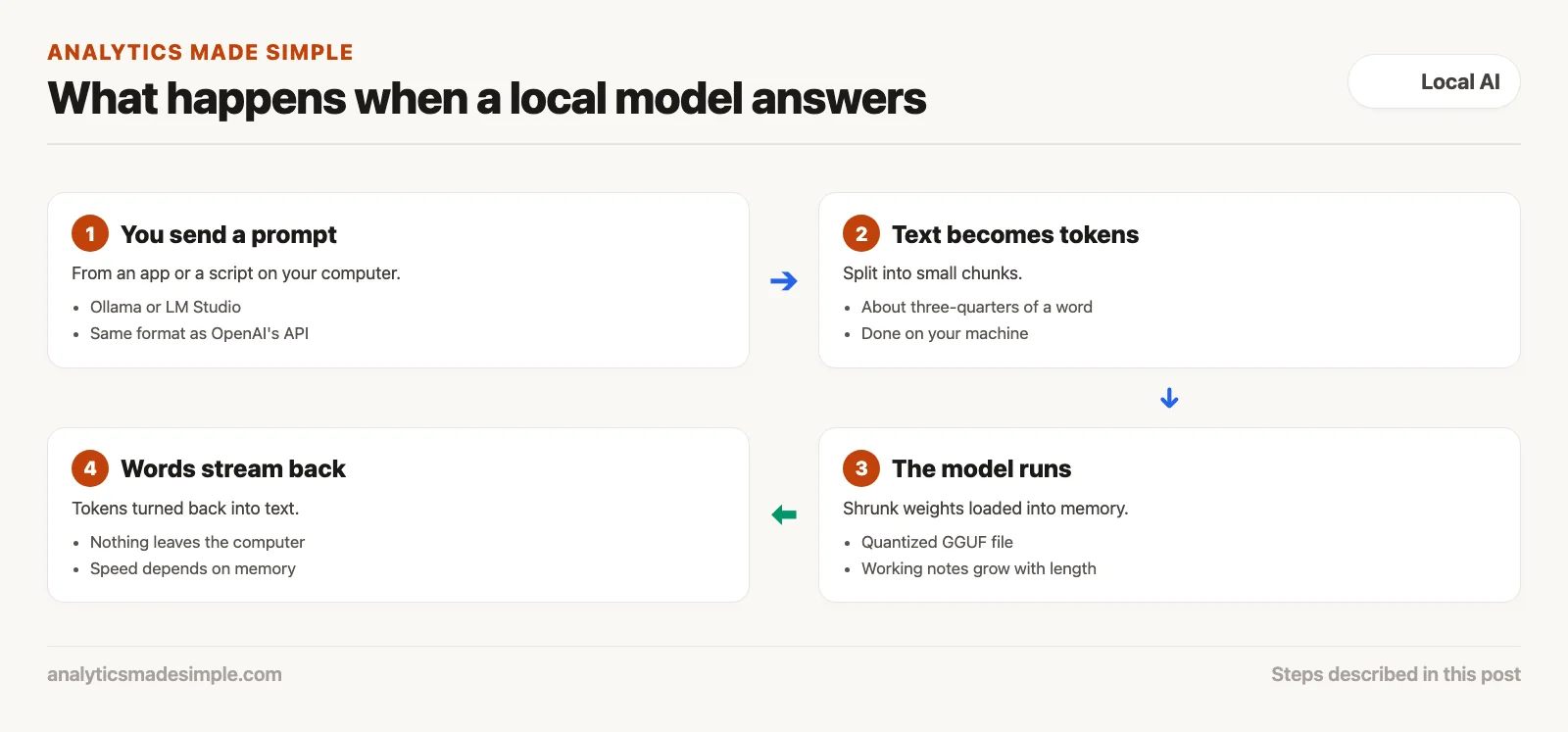
Programs that use AI heavily pay by the amount of text. Services measure text in tokens, small chunks of about three-quarters of a word, and charge for every token you send and every token you get back. A company processing large piles of documents every week can end up with a big monthly bill.
A local model flips that. Instead of renting forever, you buy the machine once. After that, each extra answer costs only a little electricity.
You can feed it thousands of pages, or leave a job running overnight, without a meter running. Whether the machine pays for itself depends on how much you use it. Add up your current AI bills for a year, and compare that with the price of a computer with enough memory.
Offline: it keeps working when the internet doesn’t
Online AI stops the moment your connection drops. A local model keeps working on a plane, at a remote site, or in a room with no network.
Most work now depends on a steady internet connection. When the connection drops, or the AI company has an outage, anyone relying on an online tool is stuck.
Plenty of work happens far from good internet: a researcher at a remote park, an engineer on an offshore platform, an auditor in a secure room with no outside network, or you on a long flight.
Online services also slow down at busy times, and many limit how much you can use them in an hour.
A local model does not care about any of that. It lives on your drive and runs on your computer’s chips. With no trip across the internet, the answer starts appearing quickly, and its speed depends only on your hardware.
Learning: see how AI really works
An online chat box hides how AI works. Running a model yourself teaches you what is going on inside, and that makes you much better at using it.
An online AI tool is built to feel like magic. The simple text box hides the machinery: how much text the model can hold, the settings that make answers more or less creative, and the shortcuts that save memory.
If you only use the chat box, you never learn why a model forgets the start of a long chat, or why its answers change from day to day.
Run a model yourself, and you see the machinery up close. You learn how a model file gets shrunk to fit in less memory, by storing its numbers with less detail. That trick is called quantization, and the common file format for shrunk models is called GGUF. You watch memory use climb as a conversation grows longer.
You also get a feel for settings like temperature, which controls how adventurous the answers are. That hands-on knowledge turns you from someone who types questions into someone who can test, fix, and tune an AI tool with confidence.
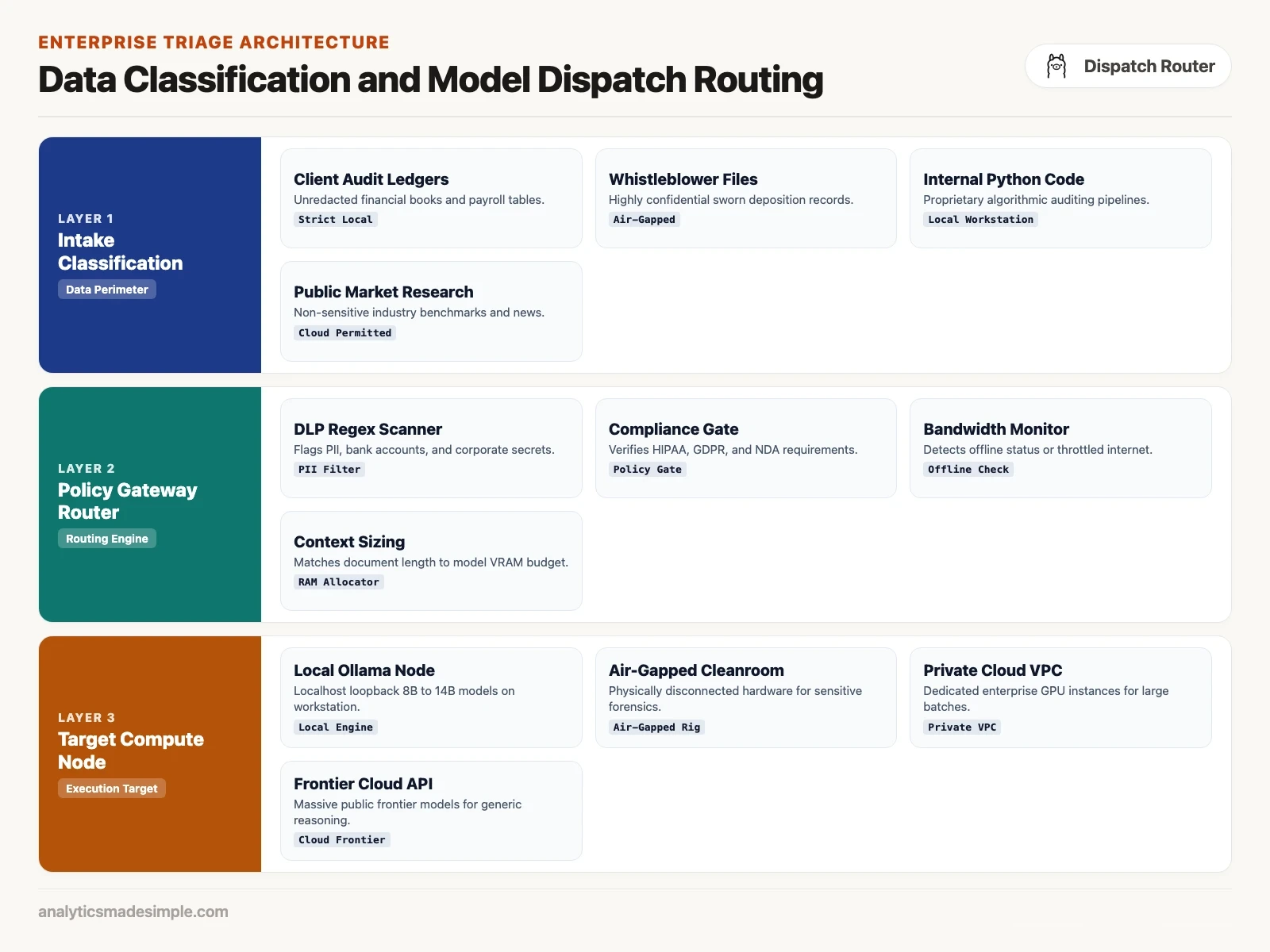
Control: nobody can change your model but you
Online AI companies change their models, add new limits, and retire old versions whenever they choose. A model file on your own computer stays exactly as it is.
Anyone who has built on an online service has had the rug pulled out at some point. A version gets retired, a favorite model starts refusing ordinary requests, or a plan disappears.
Online companies update their models behind the scenes. A request that gave a clean answer last Tuesday might start returning long warnings on Wednesday, because the company changed something.
A model file on your own drive does not change unless you change it. Nobody can reach across the internet to swap it or slow it down.
If one model, say Qwen3.5 9B or Qwen3-Coder 30B, works well for a task, you can keep that exact file and keep using it for years. Your tools will keep behaving the same way.
Talking to a local model from Python
Local model tools like Ollama and LM Studio (LM is short for language model) accept requests in the same format as OpenAI’s online service. So existing code can switch to your own computer by changing one line.
The Python program below connects to a model running on your own computer, checks that it is reachable, and prints the answer as it arrives, without sending anything over the internet.
# Query a Local Model via OpenAI-Compatible Localhost Endpoint
import os
import requests
from openai import OpenAI

# Connect to local runner (e.g. Ollama or LM Studio) bound to localhost
# Notice the base_url points to loopback port 11434 rather than api.openai.com
client = OpenAI(
    base_url="http://localhost:11434/v1",
    api_key="local-no-key-required"
)

def stream_local_response(prompt: str, model_name: str = "qwen3.5:9b"):
    print(f"Connecting to local model: {model_name}...")
    try:
        response = client.chat.completions.create(
            model=model_name,
            messages=[
                {"role": "system", "content": "You are a private local forensics assistant. Answer concisely."},
                {"role": "user", "content": prompt}
            ],
            stream=True,
            temperature=0.2
        )

        print("\n--- Streaming Local Response ---\n")
        for chunk in response:
            delta = chunk.choices[0].delta.content
            if delta:
                print(delta, end="", flush=True)
        print("\n\nExecution complete. Zero external network packets sent.")
    except Exception as e:
        print(f"Connection failed: Ensure local server is running on localhost:11434. Error: {e}")

# Example: three made-up invoice lines that never leave your computer
if __name__ == "__main__":
    stream_local_response(
        "Q3 invoice lines: INV-104 $1,200 paid twice on Sep 3; INV-118 $480 paid once; "
        "INV-121 $9,900 with no purchase order. Which lines look unusual, and why?"
    )
Local or cloud: a quick scorecard
Use the scorecard below to decide when to run the model on your own hardware and when to use an online service instead. In the table, “inference” means the model doing its work, and an “API” is the connection programs use to send requests to an online service.
| Operational Dimension | Commercial Cloud Frontier | Dedicated Cloud GPU (VPC) | Local Apple Silicon / Workstation |
|---|---|---|---|
| Data Privacy & Security | Third-party transit and potential vendor logging | Private tenant cloud with dedicated infrastructure | Data stays on your machine, which you still have to secure |
| Cost Model | Recurring monthly subscriptions plus metered token fees | Hourly fees for rented graphics cards | Fixed one-time hardware purchase, zero ongoing token costs |
| Offline Capability | Fails immediately without continuous broadband | Fails immediately without continuous broadband | Fully operational with zero internet or network connection |
| Reasoning Ceiling | The largest and most capable models | Customizable based on allocated GPU cluster size | High practical capacity (8B to 70B models depending on RAM) |
| Inference Latency | Network round-trip lag plus server queue delay | Low network lag within enterprise cloud VPC | No trip over the network; speed depends on your hardware |
| Model Permanence | Vendor can deprecate or modify weights at any time | Persistent until virtual machine instances terminate | Permanent and immutable local files on your physical disk |
How to get started this week
You do not need a computer science degree or a room full of servers. Here is a simple checklist.
- Check your memory. Look up how much memory your computer has. With 16 gigabytes or more, you can comfortably run a solid model of about 8 billion parameters (the numbers a model learned in training), like Qwen3.5 9B or Gemma 4 E4B, both current releases as of October 2026.
- Install a simple runner. Download Ollama or LM Studio. Each one bundles everything you need into one app that sets up in minutes.
- Download your first model. Start with a small, well-rounded one like
qwen3.5:9bin Ollama, about a 6.6 GB download, orphi4-miniat 2.49 GB if memory is tight (Ollama library, checked October 4, 2026). - Try it with the internet off. Turn off your Wi-Fi, open the model, and ask it to draft a letter or sum up a sample document. Seeing a capable AI answer with no connection is a memorable moment.
- List your private work. Write down the tasks that touch client files, company code, or medical records. Send those to your local model, and keep online tools for work that is not sensitive.
The next post in this series covers hardware: how much memory you need, which chips work best, and how to avoid overspending.
Series notes
This is Part 1 of Local LLMs from scratch. Next: hardware reality check.
Sources
- U.S. Department of Health and Human Services, HIPAA for professionals, checked October 4, 2026.
- OpenAI, Data controls in the OpenAI platform, checked October 4, 2026.
- Anthropic, Claude pricing, checked October 4, 2026.
- National Institute of Standards and Technology, AI Risk Management Framework, checked October 4, 2026.
- Ollama, OpenAI compatibility and model library, checked October 4, 2026.
Keep going
Same lessons in your feed
Short diagrams, hooks, and weekly tutorials on Substack, Instagram, X, and Facebook.