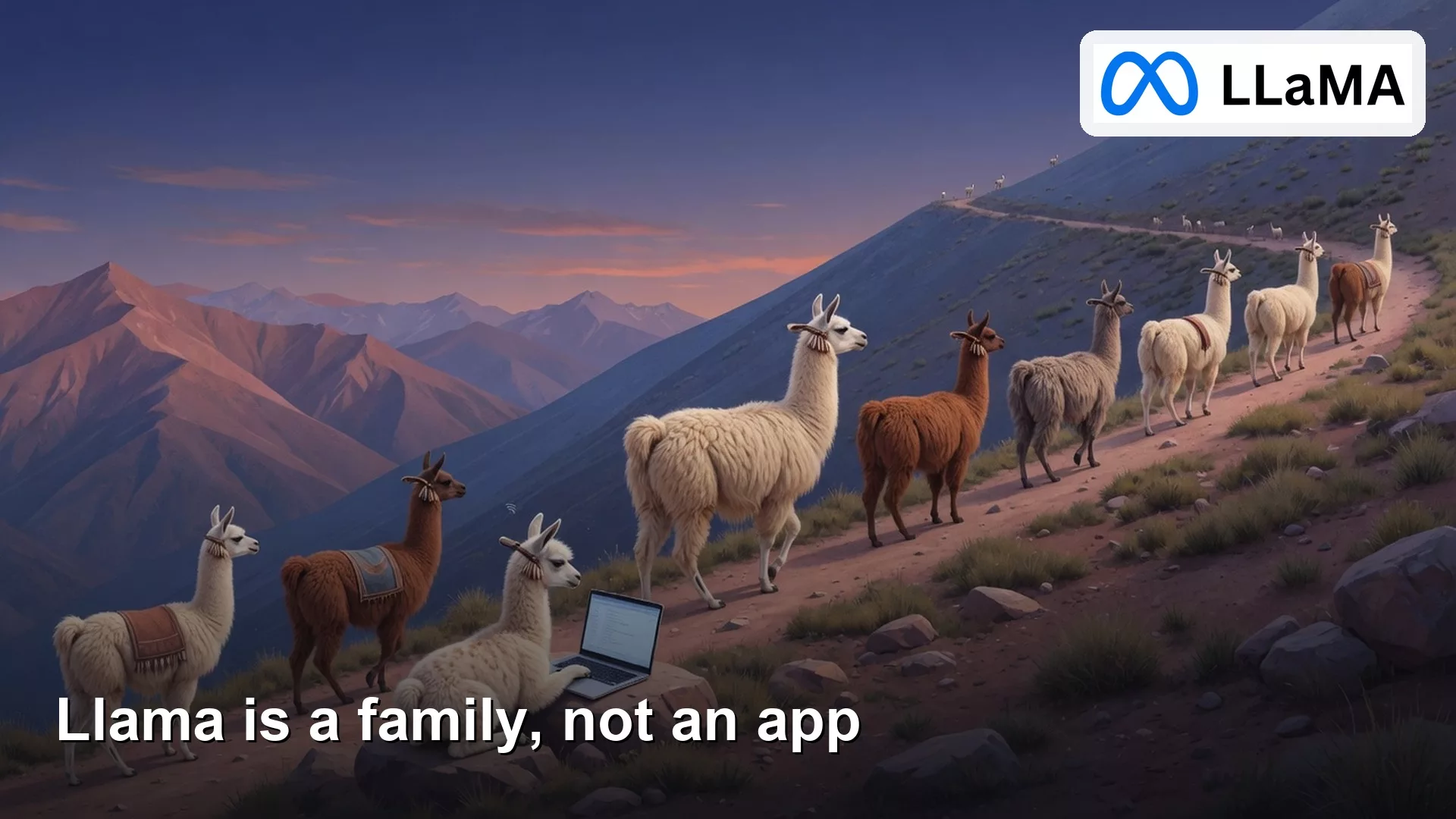
Llama is Meta’s open-weight model family, not a single chatbot tile in a phone store. Chat wrappers, hosted APIs, and weight files on disk are three different doors. Each one sends your data somewhere different, so installing the wrong door means you could paste a forecast into a stranger’s app.
Imagine you are on the ferry home with your phone almost out of battery. You search for Llama in an app marketplace, and the first tile is Llama Chat, 47 MB, with a cartoon llama in sunglasses and thousands of five-star reviews. You install it, because it looks official enough. Minutes later the bot asks for “the numbers so I can be specific,” and you paste NW_grocery_forecast_v7.xlsx, which is 14,208 rows of Q4 unit sales for a regional grocer. The reply lands in two seconds. Nothing feels wrong. When you finally scroll down to the developer details, the publisher is an unknown third party. Meta never shipped those weights into that mobile app, which means your file just went to a stranger.
Llama is a family of weight files
Llama is Meta’s line of open-weight models. Open-weight means Meta publishes the learned numbers, called the weights, so other people can download them, run them, and, within the license, build on them. The files live on llama.com/llama-downloads and on Hugging Face under meta-llama. You still need a program to load those files: that program is a runner, and the chat window you type into is a separate product built on top. Those three things, the weights, the runner, and the chat product, share a logo in conversation but almost never share a privacy story.
The family also has generations, and mixing them up is the most common mistake. Llama 2 and Llama 3.x are still on model cards and in Ollama tags today. Llama 4 shipped in April 2025 as Scout and Maverick, with a third model called Behemoth previewed as a teacher model that trains the smaller ones. So a Slack message that says “we use Llama” could mean an 8 billion parameter file on a laptop, a much larger model running on a paid host, or a chat bubble in WhatsApp. Ask which generation, which size, and which door before you trust the claim, because the word “Llama” alone is just a last name.
Open weights are also not the same thing as open source in the software-license sense (an earlier post in this series covers that difference). You can often download Llama files for free, but you cannot treat the license as permission to do anything you want with them, and a free chat box is not proof that you downloaded anything at all. A free mobile app charging nothing does not mean a download happened either.
Rule of thumb: If you cannot point at a model card, a license page, or a host’s model ID, you are in a wrapper app, not a real Llama door. Stop before the spreadsheet goes in.
Three doors you can name
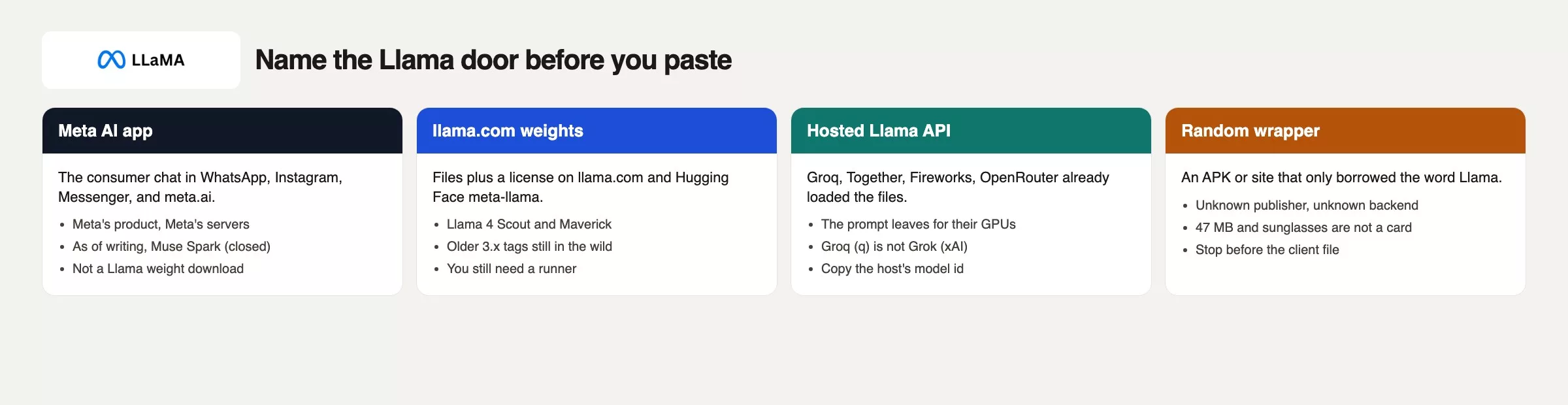
People say “Llama” when they mean one of four different rooms. Three of them are real products with a name you can point to. The fourth is how people lose several minutes of their evening to a wrapper app they never should have trusted.
| Door | What you opened | Where the prompt goes | What Llama means here |
|---|---|---|---|
| Meta AI app / meta.ai | WhatsApp, Instagram, Messenger, Meta AI app, meta.ai | Meta’s servers | A chat product built by Meta. Through mid-2026 that product ran a model called Muse Spark (closed weights), so do not assume Llama 4 is in the box. |
| Llama weights | llama.com, Hugging Face meta-llama, a GGUF file in Ollama or LM Studio | Your machine if you stay local | The family itself: Llama 4 Scout and Maverick, plus older 3.x tags |
| Hosted Llama API | Groq, Together, Fireworks, OpenRouter, a playground with a Llama ID | That company’s servers | Someone else already loaded Meta’s files, and you rent access by the token. Note that Groq (spelled with a q) is not Grok, the separate xAI chatbot. |
| Random wrapper | An installer file or “Llama Chat” site with no model card | Unknown backend | Just a title. A small file size and a friendly mascot are not a model card. |
Door one is the assistant already built into those Meta apps. In April 2026, Meta Superintelligence Labs put a model called Muse Spark into the Meta AI app and meta.ai, and surfaces like this tend to lag each other, so what runs behind the chat box can change without the app icon changing. Through mid-2026, that consumer door ran Spark, a model you cannot download as Llama weights no matter how the app is branded.
Door two is the actual download: you accept Meta’s Llama license, you pull Scout or Maverick, or an older 3.x tag, from llama.com or Hugging Face, and you either run it on your own machine or hand the files to your infrastructure team. That is the family this whole series is about. Door three is the same files, already loaded onto someone else’s servers for you to rent. A Groq playground that lists Llama as an option is still Groq’s building, not yours, and Together, Fireworks, and OpenRouter work the same way. Fast replies do not mean the prompt moved onto your laptop. So ask yourself: would you email NW_grocery_forecast_v7.xlsx to that vendor’s support inbox? If the answer is no, do not paste it into their chat window either.
A crowded year of names
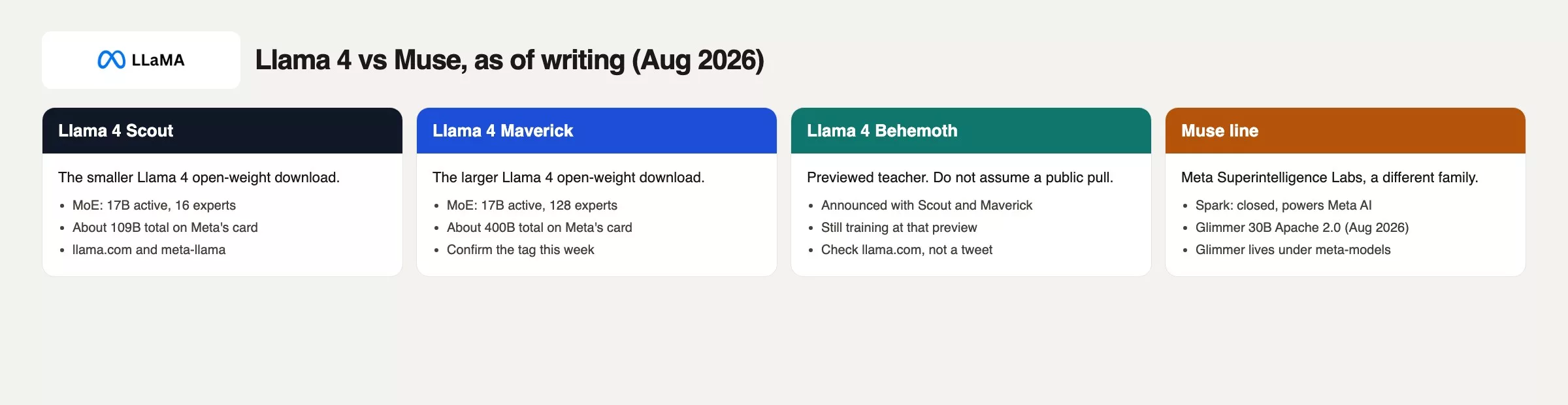
By 2026 the name pile is why so many people trust a friendly cartoon mascot without checking anything further. Llama, Meta AI, Muse, Spark, Glimmer, Scout, and Maverick all get mashed together because they come from the same company. They do not share a download page, and treating them as interchangeable is how a client file ends up in the wrong place.
Llama 4, the open-weight line
On 5 April 2025, Meta published a post called The Llama 4 herd and offered two downloads: Llama 4 Scout and Llama 4 Maverick. Both are what engineers call mixture-of-experts (MoE) models, which means only part of the model activates for any given question instead of the whole thing running at once. Scout is the smaller open Llama 4 file, with 17 billion active parameters, 16 experts, and about 109 billion total parameters on Meta’s card. Maverick is the larger one, with 17 billion active parameters but 128 experts and about 400 billion total. Confirm the numbers on the card the week you actually pull the file, because these tags do get relabeled over time.
Llama 4 Behemoth was previewed in that same announcement as a teacher model, meaning a very large model used to train the smaller, shippable ones, with 288 billion active parameters and nearly two trillion total, and it was still training when Meta announced it. Do not assume you can download Behemoth yourself: if llama.com does not list it as available, you do not have access to it.
Muse Spark, the closed consumer flagship
On 8 April 2026, Meta Superintelligence Labs announced Muse Spark as the model powering the Meta AI app and meta.ai. That is a different family from Llama, with closed weights, meaning nobody outside Meta can download the file itself. Later notes through 2026 about Spark 1.1, 1.2, and a Model API all stay inside the Muse family. Until Meta actually posts a Llama-style download for it, treat Spark as hosted and closed, and re-read ai.meta.com the week you brief a client on it.
Muse Glimmer, a separate open-weight model
On 10 August 2026, the same lab released Muse Glimmer, a 30 billion parameter model under the Apache 2.0 license, aimed at local agent work and distilled from Spark. Its weights sit on Hugging Face under meta-models, not under meta-llama, which is a useful tell on its own. Glimmer is Meta’s work and it is open-weight, but it is not Llama. If someone says “Meta’s new Llama,” ask whether they actually mean Glimmer, or whether they have simply not opened the model card yet.
Older Llama 3.x tags still run fine in Ollama and on various hosts today. A team that “moved to Llama” back in 2024 may still be running llama3.1:8b, and that is a perfectly reasonable setup, but it is a different animal from Scout. Write down the exact tag when you document what you are using, not just the family name.
The runner, the host, and Groq versus Grok
Weight files do not chat by themselves; something has to load them into memory and answer you. On a laptop that is often Ollama, LM Studio, or the llama.cpp engine running underneath those apps. On a server it is usually vLLM, SGLang, or a cloud host. Running ollama run on a Llama 4 tag is door two. Flipping an Ollama cloud toggle is door three wearing door two’s interface, which is an easy trap if you are not watching for it.
Groq, the inference company that builds its own chip hardware and spells its name with a q, is a common door three for Llama IDs. People type Grok instead because xAI’s chatbot is in the news constantly and the words collide in a fast Slack message. Grok is xAI’s chat app. Groq is a host that runs other companies’ models, including Llama, on its own hardware. If your slide says “we moved to Grok for Llama,” you have mixed up a vendor, a model family, and a spelling error in one sentence. Together and Fireworks also list Llama IDs. Copy the exact model string from whichever host you are actually paying that week, because a Groq ID will not paste into Together, and a Hugging Face repo path will not paste into Groq.
Pick Llama when you specifically want these files, this license path, or a named host that has already loaded them for you to rent. A few minutes spent in a random store download instead gets you a stranger’s API wearing a llama sticker.
Worked example: fourteen thousand rows and one wrong tap
| Moment | What you assume | What was actually true |
|---|---|---|
| Ferry ride, phone almost dead | Need Llama for the grocery forecast | You needed a door, and had not named one yet |
| Search: Llama | Top tile, five stars, small file, official enough | Sideload store listing, publisher unknown, llama in sunglasses |
| Minutes later | The bot asked for numbers, so this must be the right work tool | A wrapper app fishing for a file to read |
Paste NW_grocery_forecast_v7.xlsx | “Using Llama” on the client call | 14,208 rows left the phone toward an unknown host |
| Reply in two seconds | Pretty fast for a big model | Speed said nothing about whose servers, whose logs, or whose license applied |
Fix it in order. Uninstall the APK (the Android app installer file), and do not reopen it just to peek at anything inside. Tell the client the file went to an unknown backend, because that sentence is much cheaper to say on a Tuesday than during a contract review months later. If the work still genuinely needs Llama, pick a door on purpose: Meta AI only for throwaway public questions, llama.com plus a local runner if the file has to stay on your machine, or a named host such as Groq, Together, or Fireworks with a written-down model ID if the file is allowed to leave. Fill out the checklist below first, and paste a toy slice of ten rows, not all 14,208.
Here is a paste-ready checklist you can reuse before any client file goes anywhere near a chat box:
# Which door am I in? Fill before any client file.
Date: [YYYY-MM-DD]
Surface I opened: [meta.ai / WhatsApp Meta AI / llama.com / Groq / Together / Ollama / other]
Publisher or host: [Meta / Groq / Together / Fireworks / unknown]
Llama here means: [weight files / Meta AI chat / hosted API / I do not know]
Model string I can copy: [Llama-4-Scout / llama-4-maverick / llama3.1:8b / blank]
License page I opened: [llama.com/llama-downloads / host terms / none]
Prompt leaves this machine: [yes / no / I do not know]
Would I email this file to that vendor: [yes / no]
Stop if publisher is unknown, model string is blank, or leave-the-machine is "I do not know."
Toy paste first: [10 rows max], not NW_grocery_forecast_v7.xlsx
What that checklist actually does is force you to name a real noun before you act. Clicking install only gives you an icon and a mascot, not a verified host, a model ID, or a license URL. A fast reply is not due diligence, and a few minutes of use is not a vendor review.
What to check before pasting data into any mobile app
- Calling the WhatsApp bubble “Llama” after Meta moved Meta AI toward Muse Spark. Check the current product page, not a 2025 blog post still sitting in your bookmarks.
- Installing an app titled Llama Chat and pasting work files into it because the icon looks official.
- Writing “we use Llama” on a slide with no generation, no size, and no door named.
- Mixing up Groq the host with Grok the xAI chatbot, then briefing legal on the wrong company’s privacy policy.
- Treating Muse Glimmer, an Apache 2.0 model released in August 2026 under
meta-models, as a Llama 4 rename. It is a different family with its own model card. - Assuming a Groq or Together playground is running locally on your machine just because the model ID contains the word Llama.
- Skipping the license page because the chat itself was free. A free chat is not the same thing as accepting the Llama license.
Three tabs, no paste
Open three tabs: llama.com, which forwards to Meta’s developer downloads, meta.ai, and one host you already know, such as Groq, Together, or Ollama. Write one sentence per tab covering the door, the publisher, and whether a client file would actually leave your machine through it. Do not paste any real work while you do this. Uninstall any Llama Chat app you sideloaded earlier. The next post in this series covers the license itself and whether you can use it at work, and an earlier post covers the split between hosted and local models in more depth.
Door names to keep
- Llama is Meta’s open-weight family: files plus a license, not one single chatbot app.
- Name the door every time: Meta AI, llama.com weights, or a specific host. A random installer file is not a door worth keeping.
- Llama 4 Scout and Maverick are the current Llama 4 downloads, and Behemoth was only previewed. Muse Spark, with closed weights, powers Meta AI. Muse Glimmer is a separate open-weight model.
- Groq is not Grok. Fill out the door checklist before thousands of rows leave your phone.
Series notes
This is Part 1 of Learn Llama. The next post covers the license and what counts as fair work use. For background on the open-weight versus open-source distinction, see Open-source AI explained.
Sources
- llama.com and Llama downloads (official Llama family and weight downloads; URLs forward to Meta’s developer hub)
- Meta AI: The Llama 4 herd (5 April 2025: Scout and Maverick as open weights, Behemoth previewed)
- Hugging Face: meta-llama (Llama weight repos)
- Meta: Introducing Muse Spark (8 April 2026: Spark powers Meta AI app and meta.ai; closed weights at the time of that post)
- Meta AI Research: Muse Spark 1.1 and the Meta Model API (9 July 2026; check the live page for the latest Spark version)
- Meta AI Research: Introducing Muse Glimmer (10 August 2026: 30B, Apache 2.0, distilled from Spark, not a Llama 4 tag)
- Hugging Face: Muse-Glimmer-30B (
meta-models, Apache 2.0) - ai.meta.com (Meta AI research hub; re-check names the week you publish)
- AMS: Open-source AI explained and Hosted vs local models
Keep going
Same lessons in your feed
Short diagrams, hooks, and weekly tutorials on Substack, Instagram, X, and Facebook.