

You do not need an automation service for every job. Tools like Zapier, Make, and n8n are best at linking many different apps together. When a shared spreadsheet or a short program already does the job, those tools mostly add another account to manage and another bill to pay.
Say you just learned one of these tools and use it to rename a set of files every week. It works, but now there is another login to keep, another tool to update, and more to explain to whoever takes over. A short program that runs on a timer would have done the same job with less to look after.
This post shows how to decide which tool fits. A script here means a short program, and a batch means a large set of records handled in one go.
Four questions for choosing a tool
Visual platforms suit connections that run now and then and are owned by teams outside engineering. Plain scripts and scheduled jobs suit large batches of data, complex calculations, sensitive data, and core systems. Four questions sort most cases:
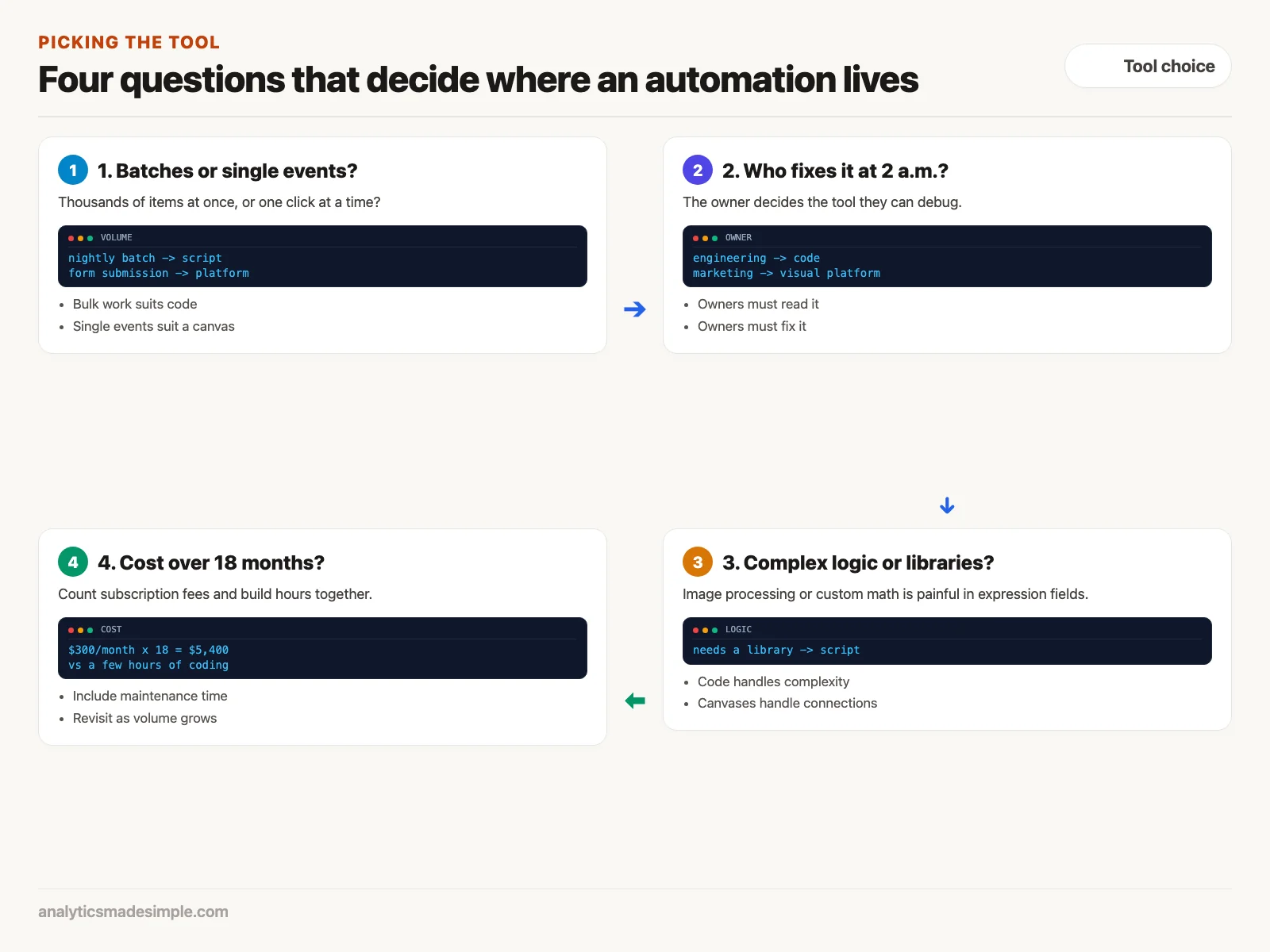
- How often does it run, and what does each run cost? Platforms charge per task, so a workflow (one automated chain of steps) that fires thousands of times a day across several steps gets expensive. A script on a server (a computer that runs software around the clock) you already run has no per-run fee.
- How much data, and how fast? Platforms handle items one at a time and have time and memory limits that depend on your plan. Large batches suit code that can write everything in one go.
- Who will maintain it? If a sales or marketing team owns it, a visual canvas is easier for them. If engineers own it, code gives them version history, tests, and review.
- Where must the data stay? If it includes health records or financial details, a script on your own network keeps it under your control instead of passing it through a shared service.
A worked example: a nightly inventory sync
Here is the difference on one task. An online store pulls yesterday’s stock levels from its warehouse system every night, marks items that are out of stock, and updates its own database. The catalog has 150,000 products.
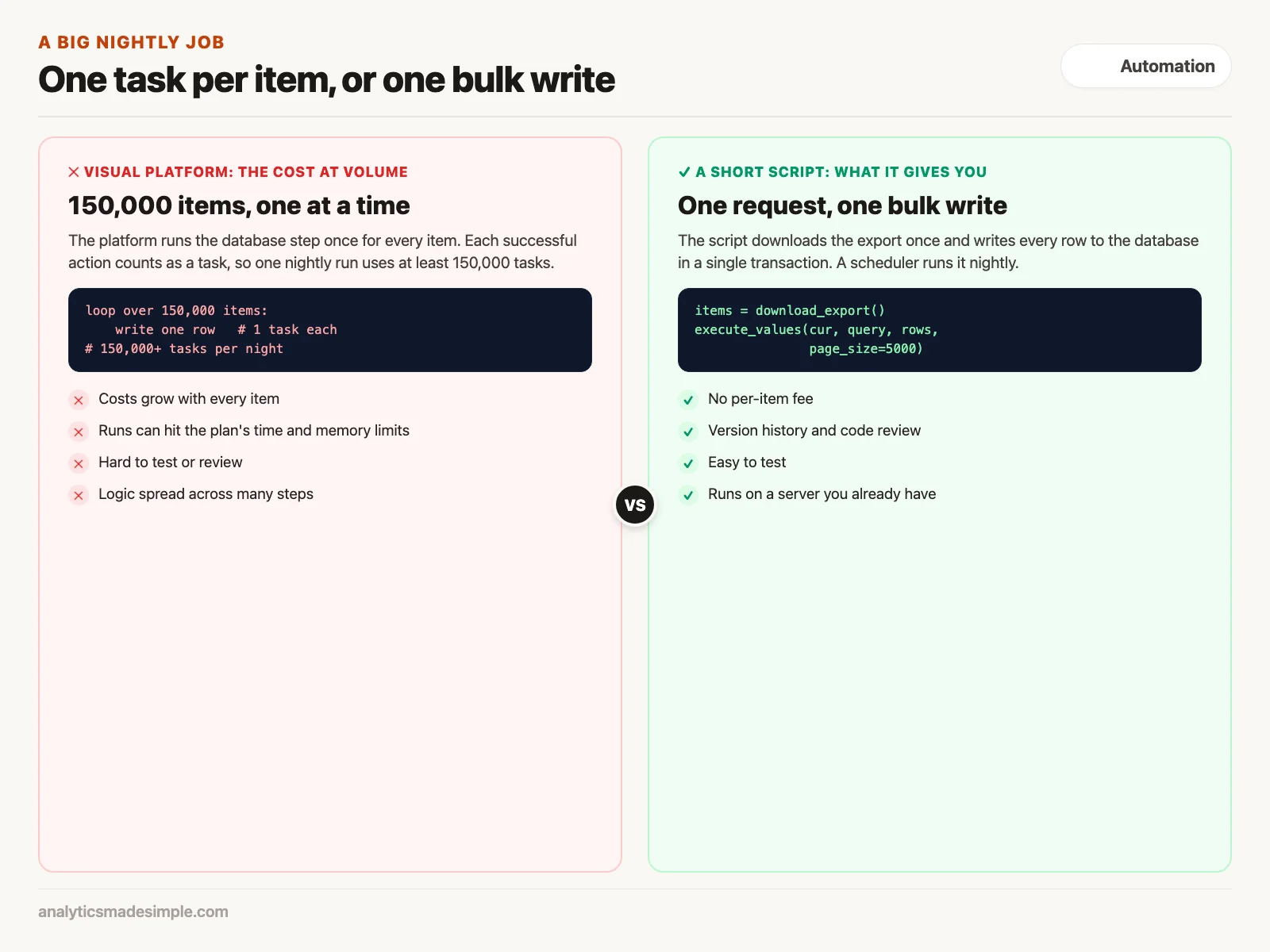
In a visual platform, you would loop over the 150,000 items and run a database step for each. On Zapier, for example, each successful action step counts as a task, so that one nightly run uses at least 150,000 tasks, and about 4.5 million over a month. That volume needs a large plan, and long runs can also hit the time and memory limits your plan sets.
A short Python script does the same job differently. It downloads the whole export in one request and writes every row to the database in one transaction, a group of changes that either all succeed or all fail:
# sync_inventory.py: one bulk database write instead of one call per item
import os, requests, psycopg2
from psycopg2.extras import execute_values

API_URL = "https://warehouse.example.com/api/v1/inventory/export"
API_TOKEN = os.environ["WAREHOUSE_API_TOKEN"]
DB_URL = os.environ["DATABASE_URL"]

def fetch_and_sync():
    headers = {"Authorization": f"Bearer {API_TOKEN}"}

    # 1. Download the full export in one request
    with requests.get(API_URL, headers=headers, timeout=60) as r:
        r.raise_for_status()
        items = r.json().get("items", [])

    # 2. Turn each item into a row, marking out-of-stock items
    updates = [
        (item["sku"], item["quantity"], item["warehouse_id"], "OUT_OF_STOCK" if item["quantity"] == 0 else "IN_STOCK")
        for item in items
    ]

    # 3. Insert or update all rows in one transaction
    query = '''
        INSERT INTO inventory (sku, quantity, warehouse_id, status)
        VALUES %s
        ON CONFLICT (sku) DO UPDATE
        SET quantity = EXCLUDED.quantity,
            status = EXCLUDED.status,
            updated_at = NOW();
    '''

    with psycopg2.connect(DB_URL) as conn:
        with conn.cursor() as cur:
            execute_values(cur, query, updates, page_size=5000)
            conn.commit()

    print(f"Successfully synchronized {len(updates)} items in a single transaction.")

if __name__ == "__main__":
    fetch_and_sync()
The script writes to an inventory table like the one below. The sku column must be unique, because ON CONFLICT (sku) uses it to decide whether to insert a new row or update an existing one. Create the table once before the first run:
CREATE TABLE inventory (
    sku          TEXT PRIMARY KEY,
    quantity     INTEGER NOT NULL,
    warehouse_id TEXT NOT NULL,
    status       TEXT NOT NULL,
    updated_at   TIMESTAMPTZ NOT NULL DEFAULT now()
);
In plain words: it reads the warehouse key and the database address from environment variables, the server settings where secrets are kept. It downloads the export, turns each item into a row, and marks it out of stock if the quantity is zero. Then it inserts or updates all rows at once with execute_values, sending them in groups of 5,000. Note that it holds the whole export in memory, which is fine for most catalogs. For a much larger one, you would read and write in pages.
To run it every night, add one line to the server’s crontab, its list of scheduled tasks:
# crontab: Run inventory synchronization every morning at 02:00 UTC
0 2 * * * /usr/bin/python3 /opt/services/sync_inventory.py >> /var/log/inventory_sync.log 2>&1
The line means “run at 2:00 every day” and saves the output to a log file. Cloud services such as Google Cloud Run or Amazon’s Elastic Container Service (ECS), which runs packaged apps called containers, can run the same script on a schedule if you do not have a server.
The code is short enough to read in a minute. A teammate reviews a change by looking at the few lines that changed, instead of comparing exported canvas files. And it runs on infrastructure you already pay for.
Where each tool fits
No single tool covers everything. Strong teams use a mix, matching each problem to the cheapest tool that is easy to maintain.
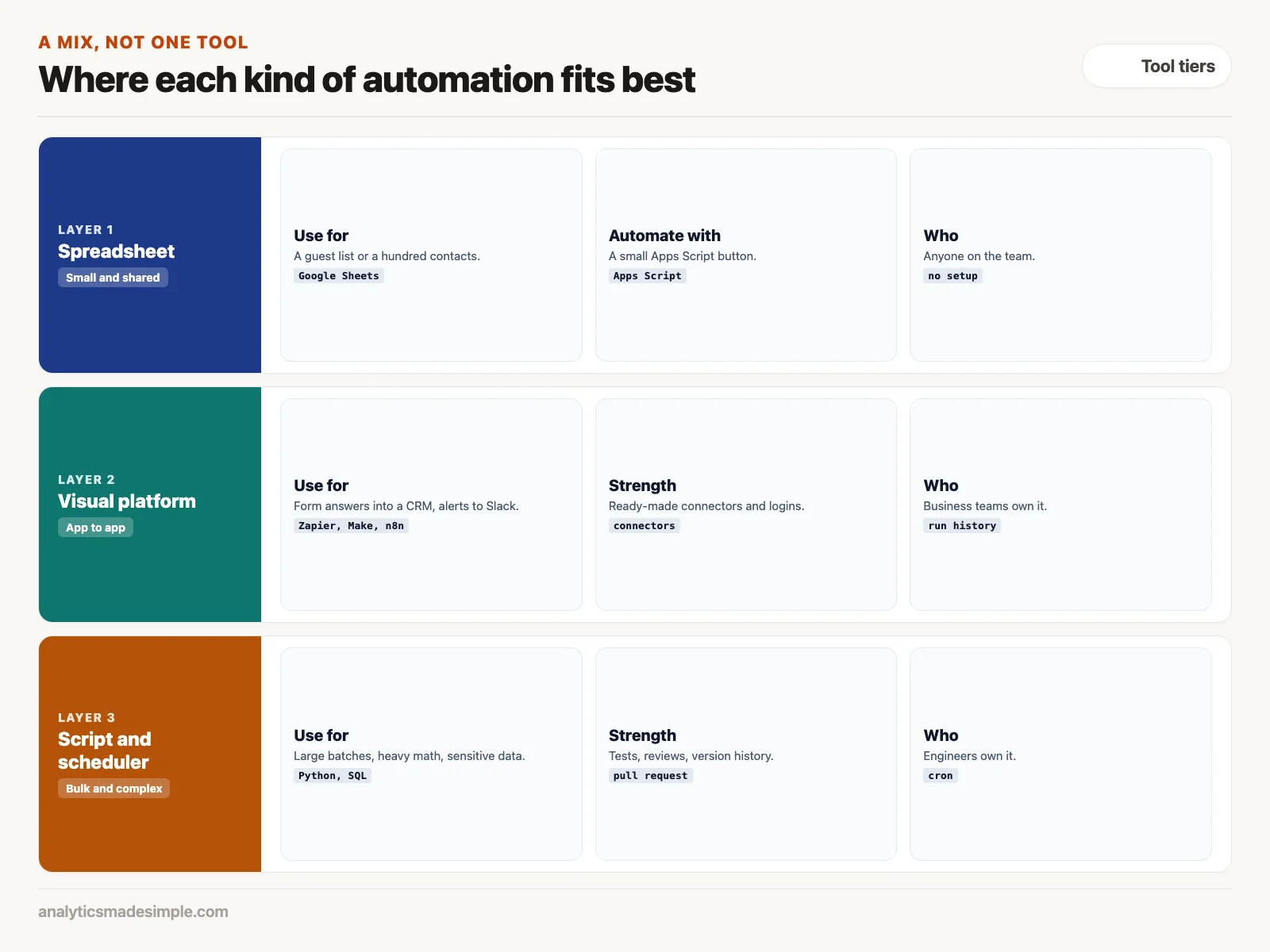
- Spreadsheets and Google Apps Script: for a small team tracking a hundred contacts or a guest list, a shared sheet with a small script button is plenty. It saves you building a database for a job that does not need one.
- Cloud visual platforms such as Zapier and Make: when a business team needs to connect apps, such as survey answers into a database or sales alerts into Slack, ready-made connectors save writing the login code yourself.
- Self-hosted n8n: running n8n on your own server gives you the visual canvas without a per-task fee, which suits internal automations across several systems.
- Python and scheduled SQL (Structured Query Language, the standard language for databases): for millions of records, heavy calculations, or financial data, code in a version-controlled repository (a shared store of code with full change history) is the right call.
Count the full cost
Compare subscription fees and build time together, over a realistic period. For example, a visual workflow that costs $300 a month adds up to $5,400 over eighteen months. A script that takes a day to write and runs on a server you already have may cost far less over the same time. Do the sum with your own numbers, and include the time to maintain each option.
What to do next
- Find your heaviest workflows: sort your workflows by tasks used each month, and flag any that loop over large batches, because those are the ones costing the most.
- Move one big batch job to a script: rebuild it with a single bulk database write, and compare the cost and run time before and after.
- Write a one-page guide: give business teams and engineers simple rules for when to use a visual tool and when to ask for a script, so the choice is not made case by case.
- Keep small things small: try a spreadsheet macro or a built-in app automation before building a multi-app workflow, because the simplest tool is the one people can still fix later.
The next and final post in this series covers keeping workflows reliable: retrying failed steps safely, avoiding duplicate actions, and adding human approval where it matters.
Series notes
This is Part 9 of Automation platforms from scratch. It follows the earlier post on security, and leads into the next one, on retries and idempotency.
Sources
- Zapier Help Center: how task usage is measured, checked October 2, 2026.
- psycopg documentation: fast execution helpers, including execute_values.
- Kleppmann, M. (2017). Designing Data-Intensive Applications. O’Reilly Media. dataintensive.net
- n8n documentation: scaling.
Keep going
Same lessons in your feed
Short diagrams, hooks, and weekly tutorials on Substack, Instagram, X, and Facebook.



