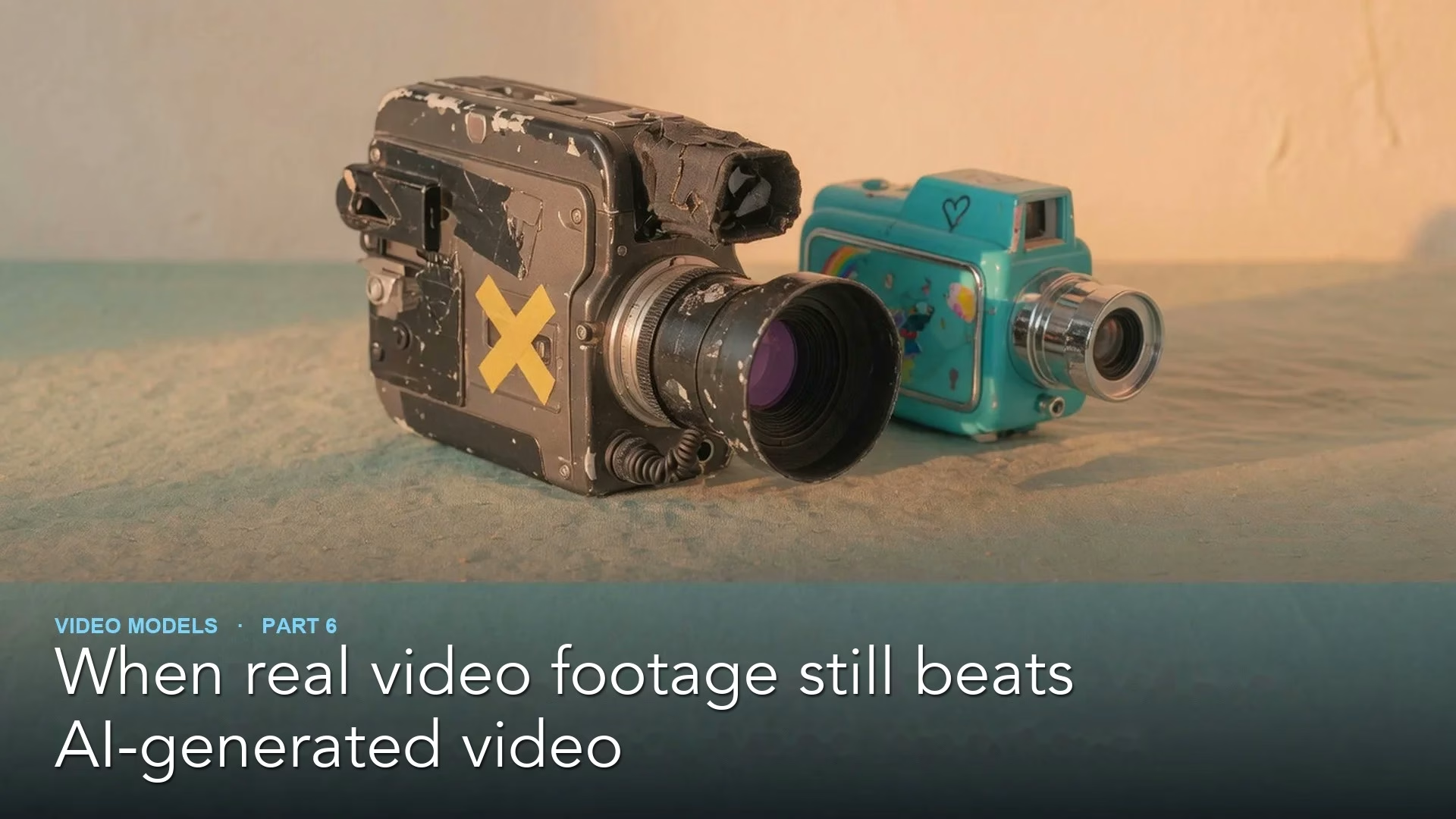
Real footage still wins when a video needs people to trust a face, such as a founder, a customer, or anyone telling a true story. AI video is useful for settings, effects, and shots you could never film, and the best results often mix the two: a real person on camera in a world built with AI.
Say you are making a short video for your company’s website. You could generate the whole thing with an AI tool, including a smiling spokesperson. In a wide shot it looks fine. In the close-up where the spokesperson explains why customers can trust you, something feels slightly off, and the people you show it to say they cannot put their finger on why.
This post explains why AI faces can feel off, four questions that tell you how to make each shot, how a hybrid shot comes together, and a short program that suggests a method for each shot in your list.
Why an AI face can feel off
The robotics researcher Masahiro Mori described the “uncanny valley” in a 1970 essay, later translated into English in a 2012 robotics magazine published by the Institute of Electrical and Electronics Engineers (IEEE), an engineering society. His idea was that as a robot or a figure looks more human, people warm to it, until it gets very close to human. At that point, small differences can make it feel eerie instead of friendly.
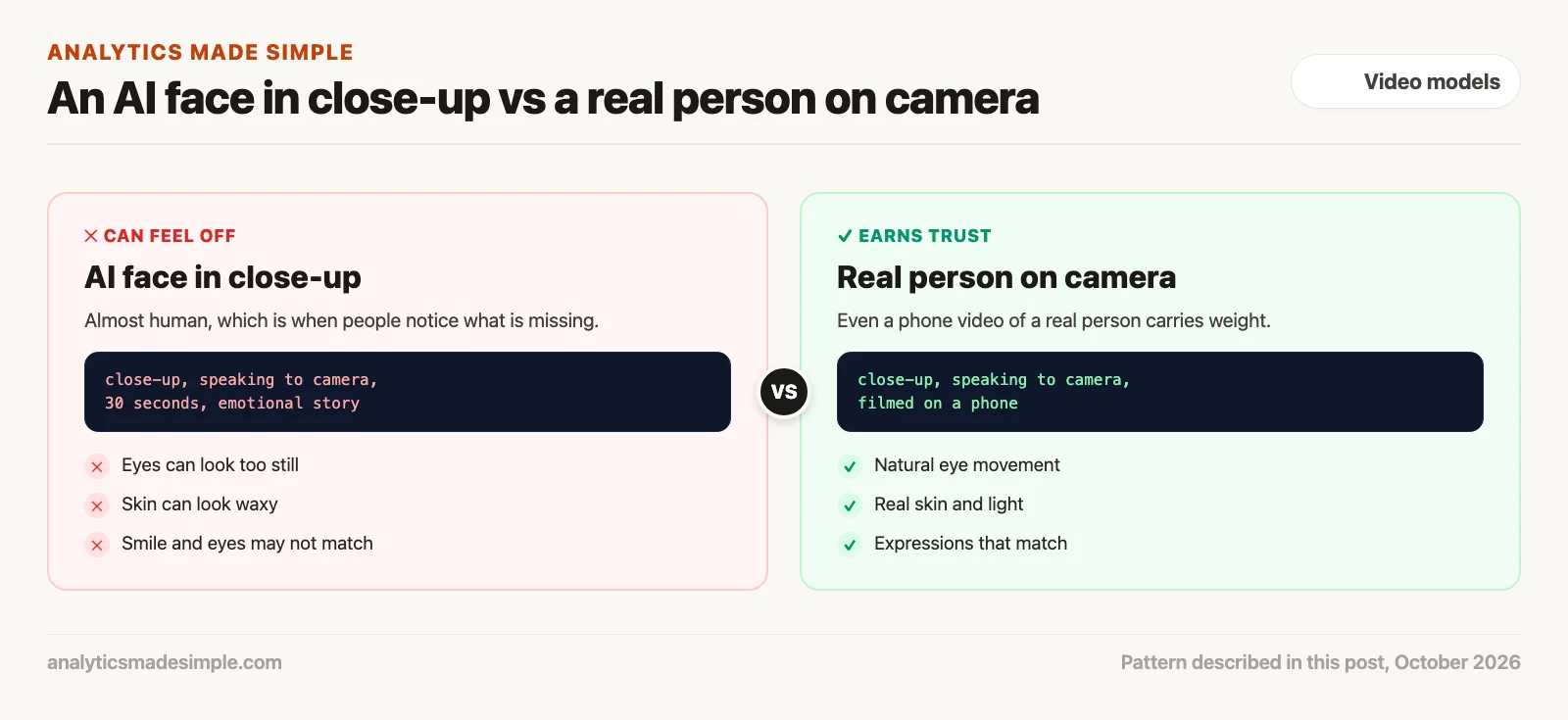
AI video can land in that zone in close-ups, because a real face does many small things at once and viewers are used to seeing all of them. A few things to watch for when you review a clip:
- The eyes: Real eyes are never perfectly still. They make tiny movements even when someone stares at one spot. Eyes that look too calm or unfocused can make a person seem to look through the camera.
- The skin: Light enters real skin a little and spreads before it comes back out, which gives skin a soft, warm look. Computer graphics researchers call this subsurface scattering, and Jensen and colleagues described a practical way to simulate it in 2001. Skin that lacks that softness can look waxy.
- The expression: In a real smile, many face muscles move together, including around the eyes. If the mouth smiles but the eyes do not quite follow, people may sense the mismatch without knowing what it is.
These are things to check, not guarantees of failure. Models improve, and some clips look convincing. But when a shot’s whole job is to earn trust, the safer choice is a real person on camera, even if it is filmed on a phone.
Four questions for every shot
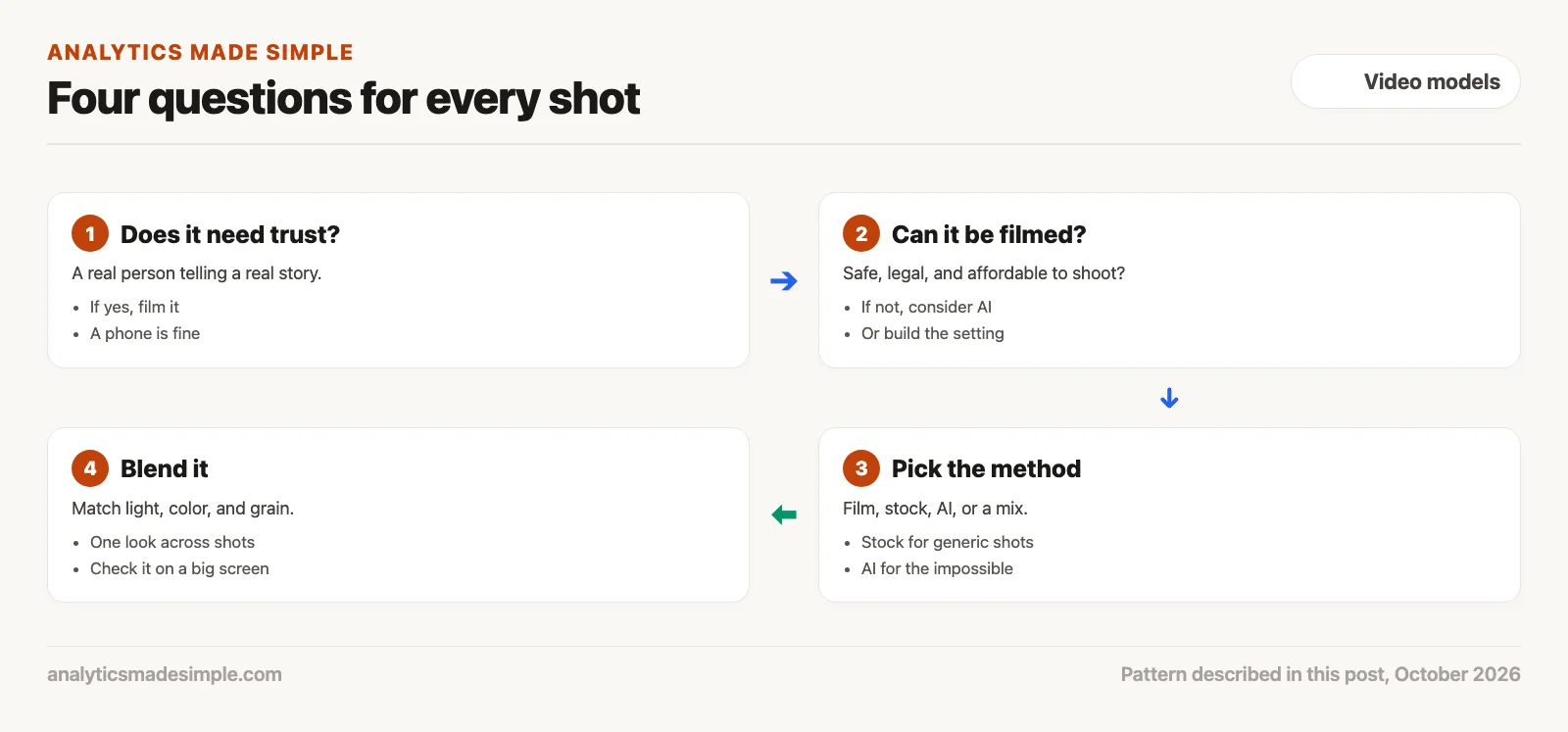
1. Does the shot need trust?
If a real person is telling a real story, such as why a company exists or how a product helped them, film it. Viewers give more weight to a real face, and it avoids the questions about consent covered in the previous post.
2. Can it be filmed safely and affordably?
Some shots are dangerous, impossible, or far too expensive to film, such as a camera diving into a volcano or a street from another century. Those are where AI video earns its place.
3. Pick the method
Film the people, license stock footage for generic shots such as a city skyline or a plane taking off, and generate the scenes that cannot exist. A stock clip is often cheaper, quicker, and more realistic than generating the same ordinary shot.
4. Blend it into one look
When you mix methods, match the direction and color of the light, the color grade, and the film grain across every shot. Watch the result on a large screen, where mismatches are easier to spot.
How a hybrid shot comes together
A hybrid shot keeps a real performance and replaces the setting. You film the person on a plain set, cut them out of the background, generate the new setting, and blend the two.
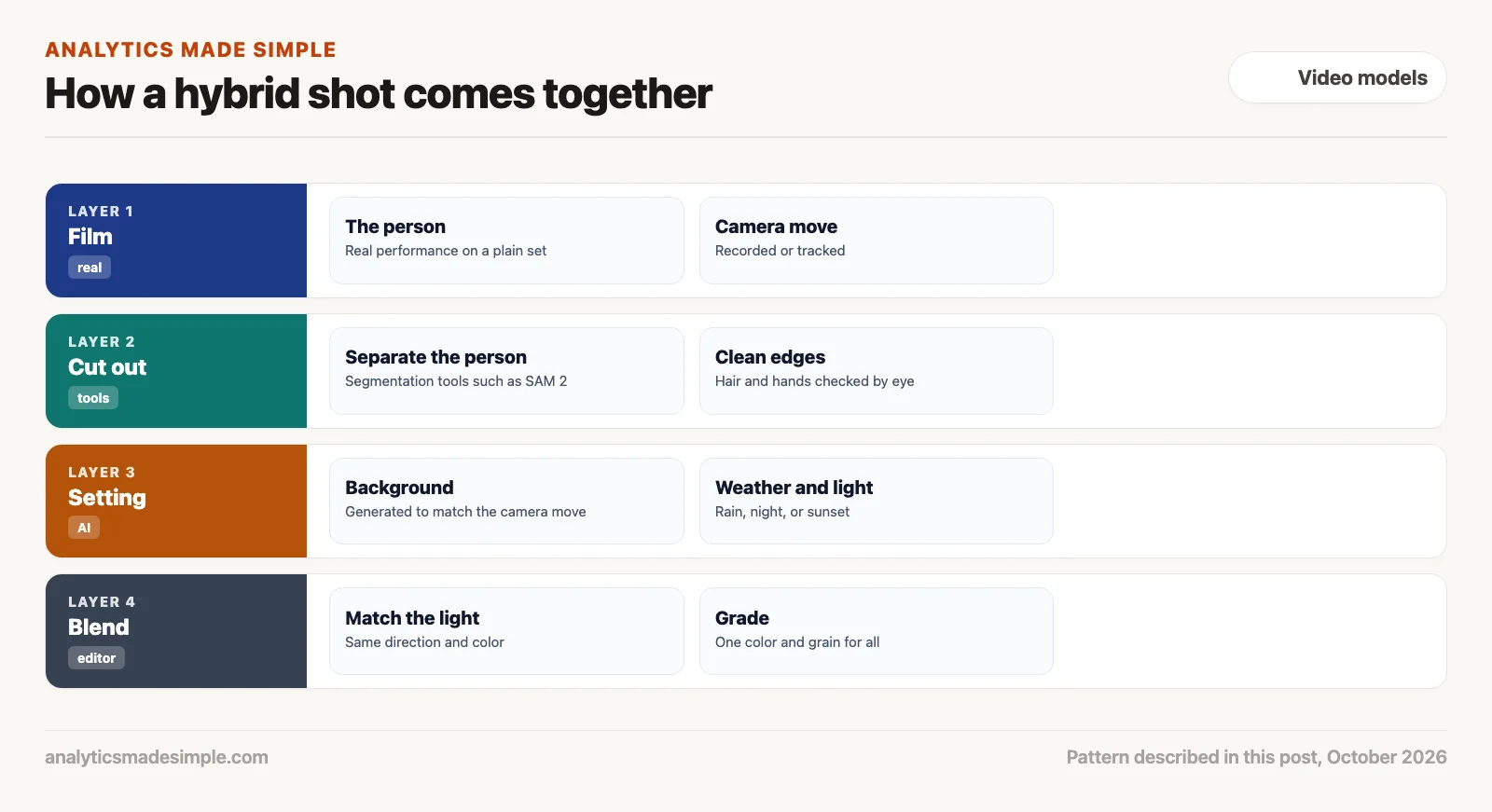
Cutting a person out of footage used to take a lot of frame-by-frame work. Segmentation tools, programs that find the outline of a person or object in each frame, now do much of it. Meta’s SAM 2 is one openly published example. Check the edges by eye anyway, especially hair and hands.
The generated setting has to move the way the real camera moved, or the person will seem to float. If you recorded or tracked the camera move, describe it in the brief for the background, as covered in the earlier post on writing a clear brief.
Four ways to make a shot
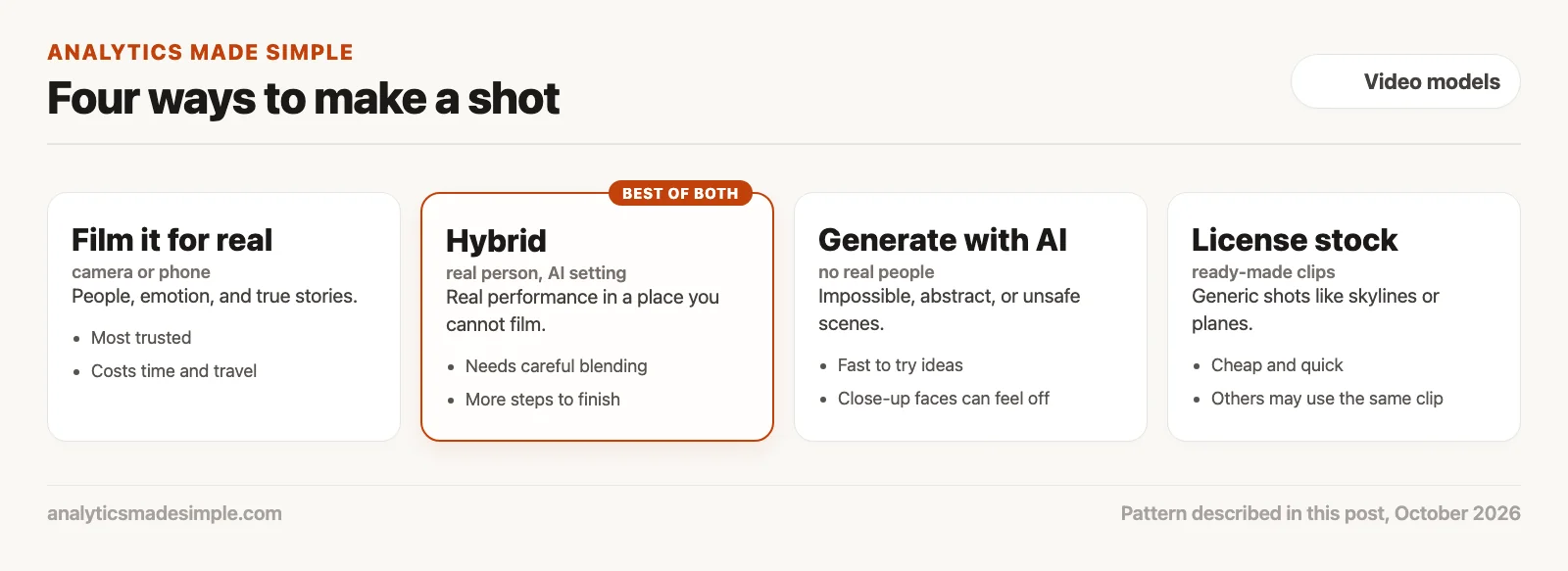
- Film it for real: Best for people, emotion, and true stories. It costs more time and travel, and you are limited to places you can actually reach.
- Hybrid: A real performance in a setting you could not film. It takes more steps to finish, and the blending has to be careful.
- Generate with AI: Best for impossible, abstract, or unsafe scenes, and for trying ideas quickly. Close-up faces are where it is most likely to feel off.
- License stock footage: Good for generic shots. It is cheap and quick, but other videos may use the same clip.
A shot planner you can run
The short Python program below asks four plain questions about each shot and suggests a method. The shots are made up for practice, and it needs nothing beyond Python. It is a starting point for a conversation, not a rule.
# Suggest a way to make each shot in a video, based on a few plain questions.
# The shots are made up for practice. It is a starting point for a conversation,
# not a rule: you still decide.
shots = [
    {"name": "founder explains why the company started", "real_person_on_camera": True,
     "needs_trust": True, "impossible_or_unsafe_to_film": False, "generic": False},
    {"name": "product floats through a glass galaxy", "real_person_on_camera": False,
     "needs_trust": False, "impossible_or_unsafe_to_film": True, "generic": False},
    {"name": "customer talks on a rainy rooftop at night", "real_person_on_camera": True,
     "needs_trust": True, "impossible_or_unsafe_to_film": True, "generic": False},
    {"name": "plane takes off at sunset", "real_person_on_camera": False,
     "needs_trust": False, "impossible_or_unsafe_to_film": False, "generic": True},
]


def suggest(shot):
    if shot["real_person_on_camera"] and shot["impossible_or_unsafe_to_film"]:
        return "hybrid: film the person, build the setting with AI"
    if shot["real_person_on_camera"] or shot["needs_trust"]:
        return "film it for real"
    if shot["generic"]:
        return "license stock footage"
    if shot["impossible_or_unsafe_to_film"]:
        return "generate it with AI"
    return "any method; pick the cheapest"


for shot in shots:
    print(f"{shot['name']}: {suggest(shot)}")
Running it prints:
founder explains why the company started: film it for real
product floats through a glass galaxy: generate it with AI
customer talks on a rainy rooftop at night: hybrid: film the person, build the setting with AI
plane takes off at sunset: license stock footage
In plain words, the program checks each shot in order. A real person in a place that is impossible to film gets a hybrid suggestion. Otherwise, any shot with a real person or a need for trust gets filmed. Generic shots go to stock, and impossible scenes without people go to AI. The founder’s story is filmed, the galaxy shot is generated, the rooftop interview becomes a hybrid, and the plane comes from stock.
Quick recap
- Film real people for shots that need trust, even on a phone.
- AI faces in close-up can feel off because of the eyes, the skin, and expressions that do not match.
- Use AI for impossible or unsafe scenes, stock for generic shots, and hybrid for real people in impossible places.
- When you mix methods, match the light, color, and grain.
Your next step this week
Take the shot list for your next video and mark each shot with the four questions above. Film every shot that needs trust, even if only on a phone, and save AI for the shots you could not get any other way.
Series notes
This is Part 6 of Video models from scratch, and it closes the planned video track. The series covered the three ways to make AI video, the current tools, writing a clear brief, budgeting credits, rights and consent, and, here, when to film for real. Previous: rights, likeness, and deepfakes.
Sources
- Masahiro Mori, translated by Karl F. MacDorman and Norri Kageki, The Uncanny Valley, IEEE Robotics & Automation Magazine, 2012 (original essay 1970).
- Henrik Wann Jensen and others, A Practical Model for Subsurface Light Transport, SIGGRAPH 2001.
- Nikhila Ravi and others, SAM 2: Segment Anything in Images and Videos, Meta, 2024.
Keep going
Same lessons in your feed
Short diagrams, hooks, and weekly tutorials on Substack, Instagram, X, and Facebook.