

In SQL (the standard language for asking a database for data), save a query you reuse as a view, and add an index when a common search has to read too many rows. Say you have a query you run every Monday for the sales standup. You paste it from a doc, tweak a date, and hope the column names still match. Meanwhile a dashboard (a screen of charts that updates on its own) times out because every page view scans the entire orders history. Two different pains, two different tools: views for reusable query shapes, and indexes for finding rows without reading everything. Neither fixes everything, but both are standard parts of a well-run database.
This tutorial covers views and indexes for our SQL series on Analytics Made Simple. Our previous tutorial taught safe write operations. Now you learn database objects that make reading cheaper and sharing safer. The full path is on the SQL series page, with more learning routes on the Learn hub.
What you will learn
- What a view is: a stored query you can
SELECTlike a table. - When views help governance, reuse, and simpler consumer SQL.
- What an index is: a lookup structure that trades storage and write cost for read speed.
- Which columns often deserve indexes (keys, join columns, common filters).
- Tradeoffs, myths, and why “index everything” backfires.
- How views and indexes fit the customers and orders toy schema (the layout of tables and columns).
Two objects, two jobs

| Object | Plain English | Helps when | Does not magically |
|---|---|---|---|
| View | Saved SELECT with a name | Many people need the same grain and filters | Guarantee speed by itself |
| Index | Side structure for finding rows | Filters and joins hit selective columns often | Fix bad queries or wrong grain |
Analysts sometimes confuse views with “tables that are always fast.” A simple view is usually expanded into the underlying query at run time. If the underlying query is heavy, the view is heavy. Materialized views and warehouse equivalents can store results, but that is a separate product feature with refresh rules. Start with regular views for clarity. Optimize with indexes and better SQL once you know what is slow.
Views: give the good query a name
A view is a stored SELECT. Consumers query the view as if it were a table. The definition lives in the database (or in migration code that creates it), so everyone shares one meaning of “paid orders with customer region.”
Create View v_paid_orders AS
SELECT
  o.order_id,
  o.customer_id,
  c.name AS customer_name,
  c.region,
  o.order_date,
  o.amount,
  o.status
FROM orders AS o
INNER JOIN customers AS c
  ON c.customer_id = o.customer_id
WHERE o.status = 'paid';
Now a weekly report can stay short:
SELECT
  region,
  COUNT(*) AS paid_orders,
  SUM(amount) AS revenue
FROM v_paid_orders
WHERE order_date >= '2024-05-01'
GROUP BY region
ORDER BY revenue DESC;
Benefits you will feel at work:
- Reuse: one definition of paid orders, not twelve slightly different copies in dashboards.
- Simpler consumer SQL: junior analysts select from a friendly shape.
- Light governance: you can grant
SELECTon a view without granting raw table access in some setups (depends on engine and security model). - Documentation by name:
v_paid_ordersis a claim about grain and status filter.
Example output:
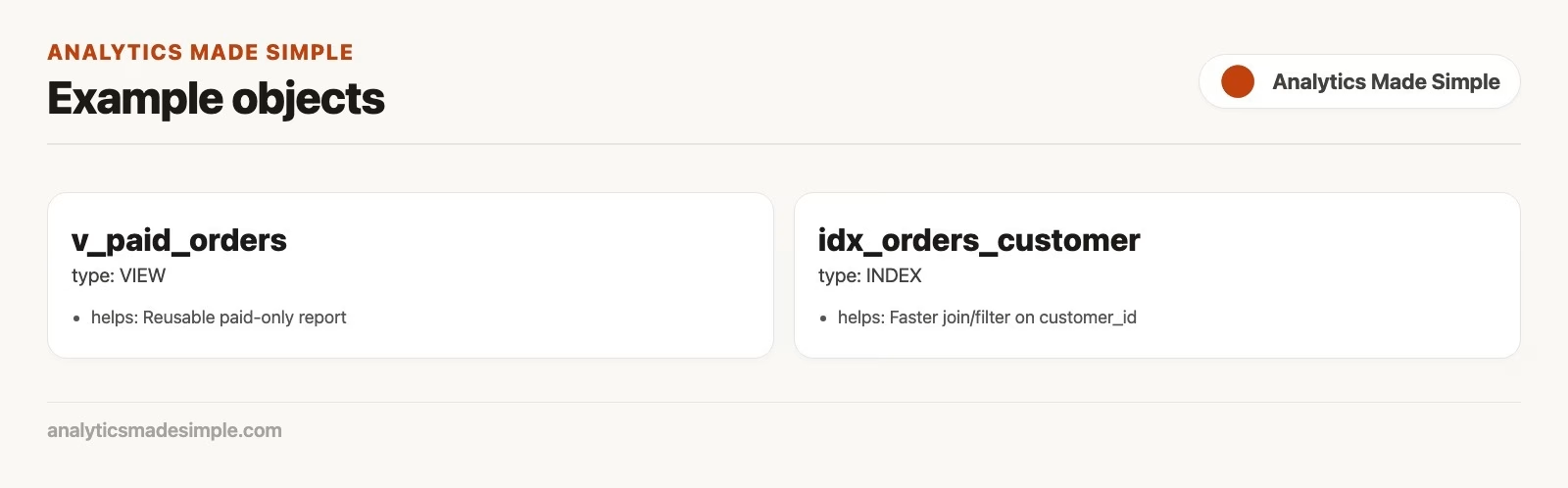
Views are contracts about meaning
If “paid” later includes a new status code, you update the view definition in one place. That is the dream. The nightmare is people building private extracts that freeze old logic forever. Views do not replace communication, but they reduce accidental forks of business rules. Pair them with clear naming and a short comment in your repo or wiki about grain: one row equals one paid order with customer attributes denormalized for convenience.
Updatable views and why you should stay cautious
Some engines allow INSERT, UPDATE, and DELETE operations through simple views. Many real views (joins, aggregates, distinct) are not updatable, or are updatable only with extra rules. For analytics work, treat views as read models unless your platform documentation and team policy say otherwise. Our previous write safety discipline still applies at the base tables.
When not to use a view
- The logic changes every day and nobody owns the definition.
- You stack views on views on views until EXPLAIN looks like archaeology.
- You need a snapshot as of last night (consider a table build, scheduled job, or materialized object).
- You are hiding a broken grain instead of fixing keys (see data quality).
Indexes: help the engine find needles
An index is a separate structure the database maintains to locate rows faster for certain lookups, joins, and sorts. The classic analogy is a book index: you do not read every page to find “refunds.” The analogy fails a bit because database indexes must update when data changes, and because the planner may ignore an index if a full scan looks cheaper.
Primary keys and unique constraints almost always create indexes. Foreign key columns, which point to rows in another table, often deserve indexes too, especially the child side used in joins (orders.customer_id). Filter columns that appear in frequent WHERE clauses (order_date, status) are candidates when tables grow.
-- Illustrative; exact syntax varies by engine
Create Index idx_orders_customer_id
  ON orders (customer_id);

Create Index idx_orders_order_date
  ON orders (order_date);

Create Index idx_orders_status_date
  ON orders (status, order_date);
The third example is a composite index. Column order matters. An index on (status, order_date) often helps filters that use status alone or status plus a date range. It may not help a query that filters only on order_date. Think of composite indexes as sorted first by the leftmost columns.
Example output:
| order_id | customer_id | order_date | amount | status |
|---|---|---|---|---|
| 10 | 1 | 2026-01-03 | 120.0 | paid |
| 11 | 1 | 2026-01-04 | 40.0 | paid |
| 12 | 2 | 2026-01-04 | 200.0 | paid |
| 13 | 3 | 2026-01-05 | 15.0 | pending |
What indexes speed up (and what they cost)
Often help:
- Equality lookups:
WHERE customer_id = 6. - Joins on the indexed key.
- Selective filters that touch a small fraction of rows.
- Some
ORDER BYandGROUP BYpatterns when the index order matches.
Cost money in other ways:
- Extra storage on disk.
- Slower
INSERT/UPDATE/DELETEbecause indexes must stay in sync. - More planner choices, which can confuse you if you create redundant indexes.
- Operational complexity (rebuilds, bloat, statistics) that our database maintenance guide touches.
On a 20-row toy table, indexes will not feel magical. On millions of orders, the difference between an index lookup and a sequential scan can be the difference between interactive business intelligence (BI) dashboards and a coffee break. Measure with your engine’s query plan tools (our optimization guide) rather than guessing from blog folklore.
Also remember selectivity. An index on a column that is almost always the same value (for example a status that is “paid” for 99 percent of rows) may not help filters on that value, because the engine might decide a sequential scan is cheaper than bouncing through the index for nearly every row. Indexes shine when they help you skip most of the table. They are less exciting when every row qualifies anyway. That is why “index status” is sometimes useful as part of a composite with a selective date, and sometimes wasteful alone.
Sargable filters and index efficiency
Even a perfect index struggles when you wrap the column in a function in a way that hides it from the planner. Prefer:
SELECT order_id, amount
FROM orders
WHERE order_date >= '2024-05-01'
  AND order_date < '2024-06-01';
This asks for May’s orders with a plain date range on the raw column. Written this way, the database can use an index on order_date and jump straight to May, instead of checking every row.
over patterns that force a full evaluation of a transformed column when you can express a range on the raw column instead. Details vary by engine and function. The habit is: keep filter columns “visible” when you care about index use.
Worked story: a standup view plus a join index
Team ritual: every morning someone needs paid revenue by region for the last 30 days of data in the toy set. You create a view for the join grain, keep date filtering in the consumer query, and ensure orders.customer_id and orders.order_date are indexed in larger environments.
Create View v_customer_order_lines AS
SELECT
  c.customer_id,
  c.name,
  c.region,
  o.order_id,
  o.order_date,
  o.amount,
  o.status
FROM customers AS c
INNER JOIN orders AS o
  ON o.customer_id = c.customer_id;
Consumer query for the meeting:
SELECT
  region,
  SUM(amount) AS paid_revenue,
  COUNT(*) AS paid_order_count
FROM v_customer_order_lines
WHERE status = 'paid'
  AND order_date >= '2024-05-01'
GROUP BY region
ORDER BY paid_revenue DESC;
This query reads from the view built above and, for each region, adds up paid revenue and counts paid orders since May 1, highest first. The view already joined customers and orders, so the meeting query stays short and the join is written only once.
Why not put the date filter inside the view? Because hardcoding “last 30 days” inside a shared object surprises people next month. Prefer views that fix meaning and grain, and leave flexible inputs, such as dates and regions, to whoever runs the query unless you intentionally publish a curated snapshot object.
Views in analytics stacks (dbt and friends)
Modern analytics often builds “views” as version-controlled models that compile to SQL in a warehouse. The idea is the same: name a transformation, document grain, test it, reuse it. Whether you use database-native Create View or a tool-managed model, the professional bar is identical: one clear definition, tests for uniqueness and not-null keys, and consumers who select from the curated layer instead of reinventing joins. Our procedures and functions guide will explain that many analytics shops prefer scripts and transformation tools over stored procedures for this reason: portability and reviewability in git.
If you move results into Python after the view does the heavy join, keep the handoff clean as in the Python series. SQL shapes the set. Python polishes or models. Neither should silently redefine “paid.”
Index strategy without the cargo cult
Practical sequence for analysts who can propose indexes but may not be allowed to change the live database’s structure themselves. (Those structure changes are written in data definition language, or DDL, the part of SQL that creates and alters tables.)
- Identify slow queries with real examples (not vibes).
- Check whether filters are selective and columns are used raw, because an index only helps when a filter narrows the rows on an unchanged column.
- Look for missing indexes on join keys and common equality filters.
- Propose the smallest useful index, not a dozen overlapping ones.
- Ask how writes and storage will be affected on large tables, because every index speeds up reads but slows down each insert and takes disk space.
- Re-measure after the change goes live. Keep the index only if it earns its keep.
Primary keys already cover unique id lookups. Adding a redundant index on the same column wastes writes. Composite indexes should match real query patterns. Covering indexes and partial indexes are advanced options some engines offer; learn them when a measured query needs them, not on day one of a toy schema.
How views go wrong in real teams
Views fail socially more often than they fail syntactically. Someone creates v_orders_enriched with a left join to a flaky reference table. Null regions quietly appear. Dashboards still “work.” Months later, a nested view stacks on top and multiplies the confusion. Nobody knows which definition of “active customer” is canonical because three views disagree by one filter each.
Countermeasures that cost little:
- Name views after grain and business meaning, not after the author (
v_paid_orders, notv_jens_temp2). - Document the grain in a one-line comment or catalog description.
- Prefer a shallow stack: raw tables → curated views/models → consumers.
- Add tests for uniqueness of keys and not-null on critical dimensions when your stack allows it, so a broken upstream load fails loudly instead of quietly doubling rows.
- Review view changes like application code, not like a private notebook cell.
Indexes fail differently: they work until writes hurt, or until the query pattern changes and the composite order no longer matches. Schedule a quarterly look at unused indexes if your platform reports them. Dropping a useless index can speed up loads more than adding a fashionable new one. Pair that review with query plan analysis habits so you are not guessing.
On the toy schema, create the paid-orders view, build two reports on it, then intentionally change the view’s status filter and re-run both reports. Feel how one definition change ripples. That ripple is the point of views. It is also why a bad view is more dangerous than a bad one-off query: it multiplies.
Common mistakes
- Assuming a view is automatically fast. It is a named query, not a free cache (a short-term memory the program keeps to work faster).
- Stacking nested views until nobody can explain a number.
- Indexing every column “just in case.” Write amplification and clutter follow.
- Wrong composite order, then blaming the database when the index is never used.
- Using views to paper over duplicate keys instead of fixing the model.
- Granting broad table access while also maintaining careful views, so people bypass the curated layer.
Rule of thumb: Views document meaning. Indexes document access paths. If you only have one, start with meaning. Fast wrong answers still wreck meetings.
How to practice
- Create
v_paid_orderson your toy schema and rebuild last week’s favorite report on top of it. - Write two consumer queries against the view: regional revenue and top customers by spend, so you confirm the view answers the questions people actually ask.
- On a larger practice dataset if you have one, compare query plans with and without an index on the join key (our optimization tutorial goes deeper on query plans).
- Document grain in a one-line comment: “one row = one paid order with customer region.”.
- List three indexes you would propose for a million-row orders table and why, including one you would refuse to add.
Spreadsheet natives: a view is closer to a well-named QUERY formula or a curated tab everyone is told to use, except it lives next to the data and can be permissioned. Habits from From spreadsheets to real data about single sources of truth still apply.
Quick recap
- Views store a
SELECTso teams share grain and business filters. - Indexes speed selective lookups and joins at the cost of storage and write work.
- Neither object fixes wrong definitions or bad keys by itself.
- Prefer curated meaning first, then measured performance work.
- Composite index column order should match real filters.
Our next tutorial levels up query structure with common table expressions, window functions, and a conceptual look at recursion. Continue via the SQL series or Learn.
Your next step
Create one view for a question your team asks every week, such as completed orders by month, and ask a teammate to query the view instead of the raw tables. If they get the same answer you do without asking how you filtered, the view is doing its job.
Sources
Research and further reading used for this article:
- PostgreSQL documentation: Create View
- PostgreSQL documentation: Indexes
- MySQL Reference Manual: Views
- MySQL Reference Manual: Optimization and Indexes
- SQLite documentation: Create Index
- Analytics Made Simple: SQL series
Keep going
Same lessons in your feed
Short diagrams, hooks, and weekly tutorials on Substack, Instagram, X, and Facebook.



