

Do not use an AI image tool such as Grok Imagine to make realistic pictures of real people, fake company logos, or copyrighted cartoon characters for work. Ask for consent, use official brand assets, and run a visual fails checklist before anything ships. If a viewer could think a real person said something or a real brand sponsored it, and neither is true, do not generate it.
Imagine your legal team messages you first thing in the morning. Late last night, someone on your team made a realistic image of your CEO with a quote for a social media post, and the CEO never said those words. That is the mistake this post helps you avoid.
Identification versus endorsement
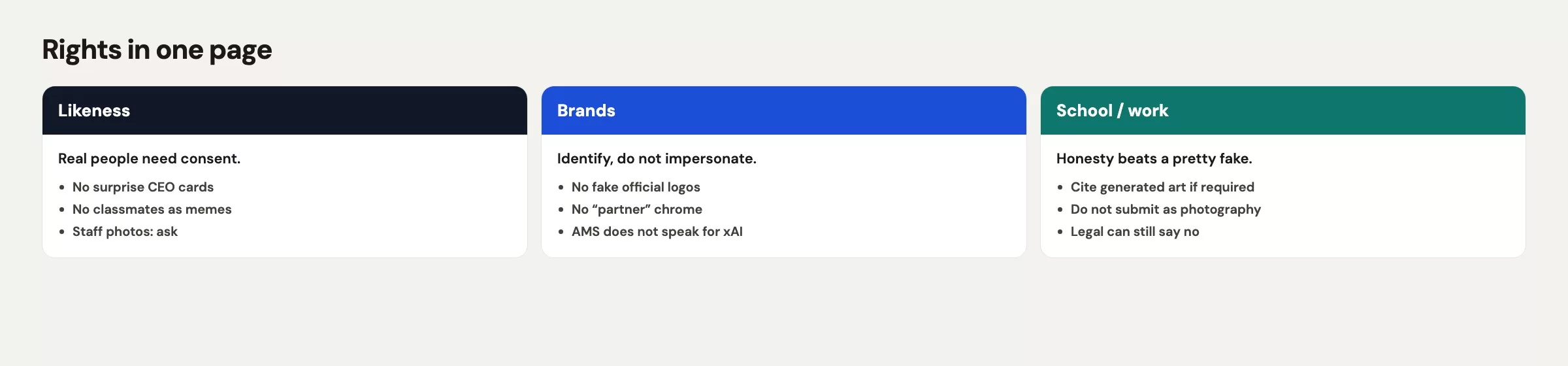
You can say “this tutorial is about Grok Imagine” and show the real Grok or xAI mark you sourced from official channels, in a teaching context, without pretending this site ships their product. That is identification, because you are naming the thing you are teaching about. You cannot put a fake Nike swoosh on a mug, a fake Sony badge on a speaker, or a fake “partnered with xAI” ribbon on a quote card, because that is endorsement theater. Viewers do not parse your intent. They parse the picture.
The same split applies to people. A labeled diagram that says “a workshop table, empty chairs” identifies a setting. A photoreal CEO with a made-up sentence identifies a human who did not agree to perform. If your legal team (or your school handbook) would flinch, do not generate it, and if you do not have a legal team, flinch on their behalf.
xAI’s own consumer pages and apps carry acceptable-use rules, so read them the week you roll this out. This post is workplace caution and not their policy restated as law. When their interface and your company handbook disagree, follow the stricter one.
Likeness and deepfakes
A deepfake, in the everyday office sense, is a picture or clip of a real person doing or saying something they never did or said, generated so it looks like a camera was there. The CEO quote card is the office version. So is a photoreal coworker “laughing in Room 2B” because you wanted the lunch-and-learn poster to feel populated, and so is a clip that turns a still of a real face into a talking head.
Skip all of it, including the internal meme channel that “nobody outside will see.” Internal is still an audience, and even 43 impressions count as one. Consent for likeness means the person agreed, in a way your handbook accepts, to this use, this crop, this quote, and this channel. A headshot in the company directory is not that agreement, a selfie in Slack is not that agreement, and “she would have said this” is not that agreement either.
Public figures are not a free buffet. A photoreal politician, actor, or athlete in your product ad is a problem even if you add a tiny “parody” line the model invented. For teaching, you do not need their face, because a table, a mug, a chart, or a diagram does the job.
If you must show a person, photograph a willing human, or use a clearly illustrated character you made yourself (not a lookalike of a coworker), or keep the chairs empty. Empty chairs are underrated, and they also spare you the extra fingers.
Brands and characters
Do not invent lookalike marks, and do not prompt for an “apple-ish laptop logo but different so it is fine,” because that still copies a mark. Leave laptop lids and mugs blank instead. If the post is about a named product, fetch the real official logo from a press kit, a brand site, or your own licensed pack, then place it on the image in a tool you control. That is the same rule this site uses for product tutorials, and it exists because Imagine is bad at tiny official shapes and happy to hallucinate a cousin of the mark.
Copyrighted characters are the other trap: mascots, comic heroes, game sprites, and movie robots. Asking for something “in the style of” a living artist or a franchise can still land you in a lookalike. For work, skip the franchise. For school, skip it unless the assignment is explicitly about fair use and your instructor said so in writing. A Dock 4 mug does not need a superhero holding it.
Music and voices on Imagine video follow the same idea, so use no celebrity voice and no famous chorus, only soft room tone or silence. If you need a licensed track, license it outside the generator.
Work and school honesty
A generated picture is not a photo of your experiment. If you used Imagine for a figure in a report, say so in the caption: “Illustration generated with Grok Imagine. Not a photograph of our lab.” If the assignment required your own drawing, do not turn in an Imagine poster and sign it as hand-drawn. If the deck claims “customer research,” do not generate twelve photoreal “customers” in a focus room, because that is fabricated evidence, and fabricated evidence is far worse than an ugly stock photo you licensed.
Work policy varies. Some companies ban generative image tools on the work network, or ban likeness, or require a vendor review. Others allow Imagine on a company plan and forbid personal grok.com logins for anything with customer data. Follow the written rule, and if there is no written rule, do not be the intern who tests Legal on a Wednesday morning. Ask first, and put the answer in the team doc.
Do not upload confidential screens, badge photos, or customer faces as reference images. The earlier post on privacy covers why: Grok, privacy, and work caution. A mug you own is a fine reference, while a screenshot from your customer database is not.
What to do instead
Replace the illegal-or-unwise request with a brief that still does the job. The table below pairs each common request with a safer swap.
| Request | Allowed? | Instead |
|---|---|---|
| Photoreal CEO quote card for LinkedIn | No | Real photo she approved, or a type-only card with a cited line she did say |
| Coworkers laughing in Room 2B | No, unless they sat for it | Empty chairs, table, plant, documentary still |
| Fake Nike mug for a listing | No | Blank mug in your teal, your words on the sleeve |
| Grok / xAI mark on a teaching diagram | Identification, official asset | Fetch the real mark. Do not have Imagine invent one. |
| Disney hero holding your SQL printout | No | A plain hand you photographed, or no hand |
| Talking-head clip of a real person from one still | No without consent and policy | Voice you recorded, or silence, or no clip |
| Twelve photoreal “customers” for a research slide | No | Charts from real data, or labeled illustration |
| Misspelled poster, “we will fix in caption” | No as a ship plan | Exact short lines, 100% inspect, or type in the slide |
The Dock 4 lunch-and-learn still from the earlier post on writing image briefs is the pattern to copy. It has a subject you own, a setting without staff, a style that looks like a photo of objects, and text that is either written exactly or left out. A file like that can live on a slide and never trigger a message from Legal.
Rule of thumb: If a reasonable viewer could think a real person said this, or a real brand sponsored this, and neither is true, do not generate it.
Common mistakes
- Shipping a photoreal quote card because the thumbnail looked “board-ready.”
- Treating internal Slack as a rights-free zone.
- Prompting lookalike logos so the laptop “feels real.”
- Using Imagine faces as fake research participants.
- Captioning nothing, so a generated illustration reads as a photograph.
- Assuming this site or your blog is a partner of xAI because you wrote a tutorial.
- Skipping the 100% inspect, then learning about extra fingers from the comments.
Quick recap
- Teaching identification still needs a real official mark and a quote the person actually said.
- No photoreal likeness without consent and no deepfake quote cards. Empty chairs are a valid scene.
- No invented logos or copyrighted characters, so fetch official marks or leave the lid blank.
- Caption generated art as generated, never fake research photos, and follow work and school rules.
- Inspect type, fingers, and marks at 100% before anyone else does.
- This Grok series ends here. Return to the hub when you need another Grok tool.
Visual fails checklist
Rights can be clean and the file can still be unshippable. Inspect every image at 100% zoom and watch every clip at normal speed. Image 2.0 is better at lettering than older modes, but you still need to read every letter yourself, because your name is on the file.
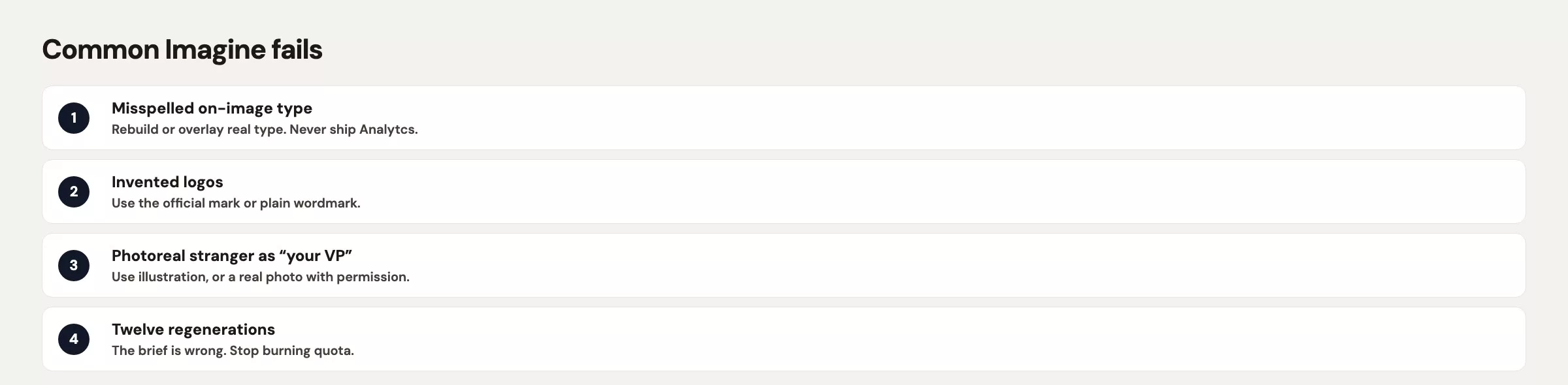
- Tiny misspelled type (a company name spelled wrong, a garbled room number, a web address that goes nowhere)
- Extra fingers, extra mugs, extra chairs that duplicate as you stare
- Close-enough logos on lids, speakers, trucks, and lanyards
- Photoreal people you did not hire or get consent from
- A quote that looks photographed, attributed to a real name
- Video type that boils, flickers, or changes spelling mid-pan
- Invented city skylines in a “small conference room” brief
- Focus-group faces used as if they were your research sample
If any row is true, the file does not ship. Fix it with the editing tools covered in the earlier post on Imagine edits, or kill it. Do not shrink the image so the typo is “harder to see,” because someone will zoom in.
Series notes
This is Part 24 of the Grok series and closes the Imagine section. Previous: Imagine video and motion. Hub: Grok series.
Sources
Research and further reading used for this article:
- Grok Imagine (studio you are using; re-read the live use rules)
- xAI: Imagine Image 2.0 (Quality Mode, edit tools, consumer refs)
- xAI docs: Imagine overview (images, edits, video clips, model ids)
- xAI: Grok FAQ (product questions that move; confirm before you write policy)
- Grok (chat is a different product than Imagine)
- Analytics Made Simple: Grok series hub (full path: chat, Build, Imagine, API)
- Analytics Made Simple: Learn
- Analytics Made Simple: Grok privacy and work caution
Keep going
Same lessons in your feed
Short diagrams, hooks, and weekly tutorials on Substack, Instagram, X, and Facebook.



