
If your notes say “install Gemini CLI,” check which tool your account should use now, because Google is moving people from Gemini CLI to a newer tool called Antigravity CLI (Google Developers Blog, May 19, 2026). Both let an AI read and change files from a text window where you type commands, so using the wrong one on the wrong account is a real risk, not just an old name.
Imagine you follow last year’s install steps on your home laptop, the one with the family photos and tax files. The AI tool starts, and it offers to “clean up” a folder that turns out to hold settings you need. The out-of-date program name was the small problem. Letting a tool change files before you checked which product and account you were using was the big one.
Terminal agents in one paragraph
A terminal agent runs in your command window and can read and change the files in a project, as long as you give it permission. It can also carry out a multi-step task on its own, which is more freedom than a single chat reply has. That power is the point of the tool. It is also the risk. It is closer to a junior engineer with a keyboard than to a side panel that rewrites one sentence.
Gemini CLI, the name you still see
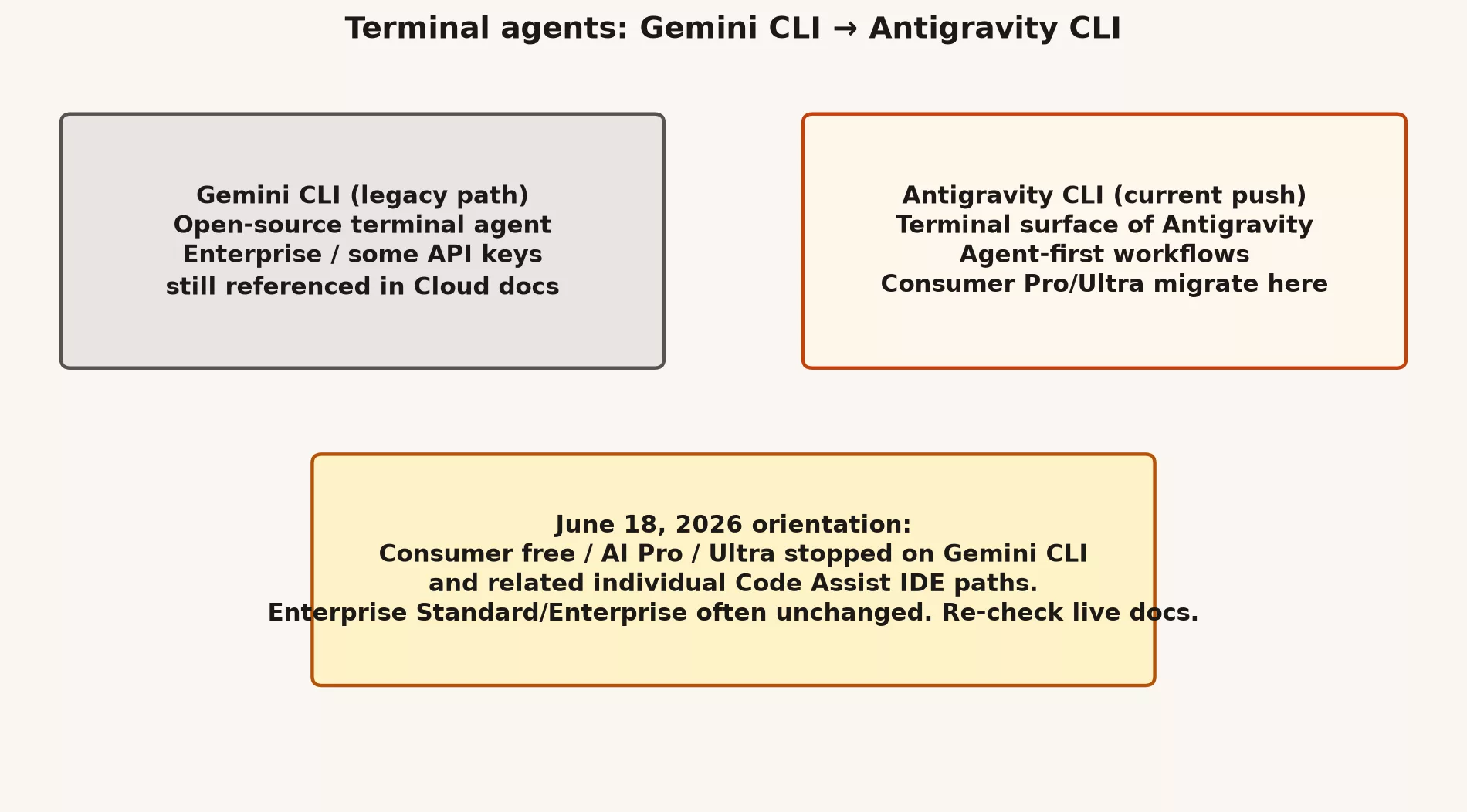
Gemini CLI is Google’s terminal tool for Gemini-powered agent work, and much of its code is open source. It became a popular answer to “I want the model working in my project from the terminal, the text window where I type commands.” Google’s cloud documentation still mentions Gemini CLI limits for enterprise Code Assist customers. The tool can stay relevant for enterprise users, and for people who follow its public code, even while Google changes where consumer accounts are sent.
Antigravity CLI on the map
Google Antigravity is the brand name for Google’s platform for building software with agents. It includes a desktop command center for managing agents, plus a terminal tool. Antigravity CLI is the lightweight terminal product that Google positioned as the fast path for agent work, and it came with migration guidance for people using Gemini CLI. Announcements around Google’s I/O 2026 event tied Antigravity 2.0, managed agents, and the CLI together as one “agent-first” story.
What “replaced what” means, without the myths
For many consumer users on free individual plans or Google AI Pro and Ultra, Google’s May 2026 announcement gave a hard date. On June 18, 2026, Gemini CLI would stop serving those requests, and so would the individual Code Assist extension for coding apps (plug-ins for the integrated development environment (IDE), which is the app where developers write code). Those plans were directed to Antigravity CLI. Enterprise Standard and Enterprise Code Assist access was described as staying on its existing path, and some API-key and platform access notes stayed in place for Gemini CLI in enterprise settings.
So “replaced” depends on your plan, and here is how it breaks down.
- Many consumers: plan as if Antigravity CLI is the supported terminal agent after the cutover.
- Many enterprises: may still run Gemini CLI and Code Assist under company licenses while also trying out Antigravity.
- Everyone: re-read the migration docs, and do not rely on a blog post from a friend.
A migration mindset
Moving to the new tool is mostly bookkeeping, and these five steps keep it from becoming a mess.
- List the scripts, shortcuts, and automated build steps (continuous integration, or CI) that call the old program name.
- Read the official migration guide, which is the Antigravity documentation linked from Google’s announcement, because tutorials written before the change show the old commands.
- Test sign-in again, and find out which Google account or cloud project the new tool uses.
- Rebuild one real workflow (the series of steps you follow), such as explaining a failing test or drafting a patch, before you train the team.
- Update your internal wiki the same day instead of “later.”
# Example team note (fill with your real commands after you verify docs)
# Old: gemini ...   (Gemini CLI)
# New: (Antigravity CLI command per current install docs)
# Auth: work account only
# Rule: no production secrets in prompts
# Rule: human review before merge
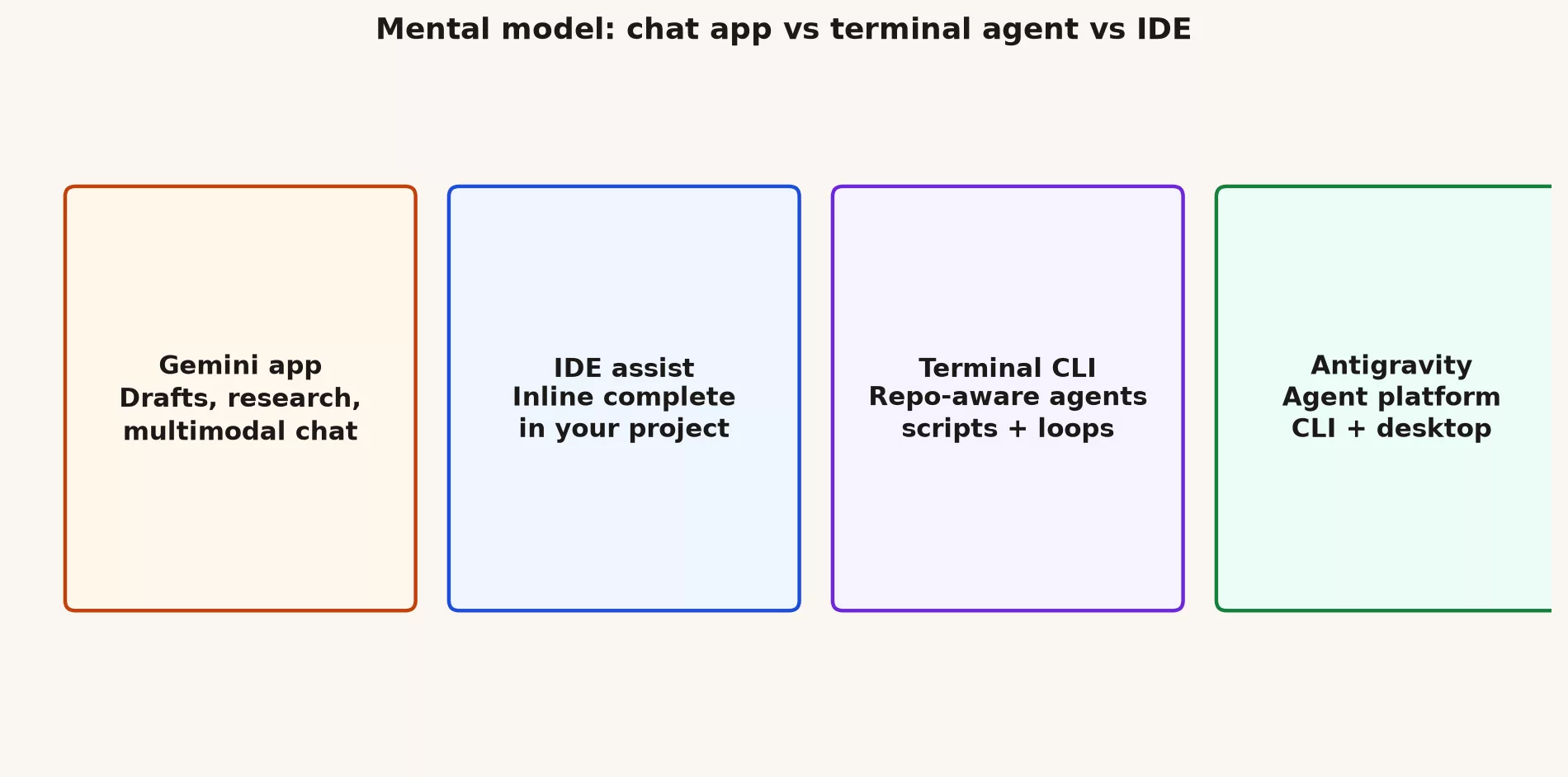
Terminal, coding app, or chat: pick on purpose
| Job | Prefer | Why |
|---|---|---|
| Rewrite an email | Gemini app / Workspace | Not a repo problem |
| Complete a function while reading code | IDE assist | Inline context |
| Multi-file agent task in a repo | Terminal CLI / Antigravity | Shell + files + loops |
| Managed multi-agent desktop | Antigravity platform | When you outgrow one-off CLI calls |
Safety for agents that can see your project
An agent that can read your whole project needs a few ground rules before you run it, and these six are a good start.
- Start in a clean git branch, so you can undo whatever the agent does.
- Prefer dry-run or plan modes when they are available.
- Never point an agent at production passwords “to fix things faster.”
- Review the changes like a skeptical tech lead.
- Keep your .env file and key files out of what the agent can read, because an agent can copy anything it reads into a prompt or a commit.
- Log what ran if your team needs an audit trail.
When a terminal agent is overkill
If the task is a ten-line explanation, use chat, and if it is a single function rename, use your coding app. Terminal agents shine when the work has many steps and touches many files. Using them for everything is how you end up with a surprising list of changed files and tired reviewers.
Write down whether you are consumer or enterprise
- Write down whether you are consumer or enterprise for coding AI, because the two have different timelines and different rules for the same tool.
- Open Antigravity’s site and the Gemini CLI transition blog, and note the date language that applies to you.
- If you already use a CLI agent, list three commands you depend on.
- Mark which of them need migration testing this month.
Common mistakes
- Copy-pasting install instructions from a tutorial written before the transition.
- Assuming enterprise and consumer timelines match.
- Letting an agent force-push its changes or skip tests.
- Training junior developers on terminal agents before a review culture exists.
Three team stories about account choices
Say your operations team standardizes on personal consumer accounts because Workspace AI is “not rolled out yet.” Six months later you have no audit trail and three conflicting prompt templates. The rebuild costs more than the original conversation with IT about paid seats would have.
Or say your mobile team installs every AI coding plugin available. The suggestions overlap, the tools that scan for leaked secrets keep complaining, and junior developers accept multi-file edits they cannot explain. The team cuts back to one approved tool and a written review rule, and speed goes up because review time goes down.
A third case is a prototype that uses Studio keys in a public demo without rate limits. A scraper finds it over a weekend, and the budget alerts only fire after the bill is already ugly. Caps in your code and on the cloud project are cheaper than postmortems.
If you keep only one sentence from this post, keep this one. Your product and account type decide what you can click long before any debate about which model is smartest, so get the account right first, then the habits, and only then worry about this month’s model label.
What “agent-first” changes about responsibility
Chat asks you a question and waits for your answer. An agent proposes a whole sequence of actions, which shifts the failure from “a wrong paragraph” to “a wrong set of files.” Your review has to shift too. Inspect the plan, limit which folders the agent can touch, require tests, and keep the damage from any one mistake small. A team that adopts Antigravity CLI without changing how it reviews work is not modern. It is gambling with better branding. Change the review first.
Cautions about automated builds
Putting a coding agent into your CI pipeline (a set of automated steps that build, test, or ship code) can be powerful and expensive. Start with jobs that a human triggers on feature branches, log the prompts and model versions, and cap the minutes each job may run. Never give production deploy passwords to an experimental agent job. If leadership wants “AI in the pipeline,” turn that into one narrow, measurable stage, such as drafting release notes from the titles of merged pull requests (PRs, the proposed changes teammates review), before you try any autonomous refactors.
Skills, hooks, and plugins without the hype
Agent tools love add-on points such as skills, hooks, plugins, and tools that connect through the Model Context Protocol (MCP). Use them when a repeated workflow has settled down, and do not install twenty community plugins on day one. Each add-on is another source of code you have to trust and another way for your project context to leak out, so prefer a short internal list where every item has an owner.
Documenting the terminal standard
# Internal standard stub
# Approved terminal agent: (Antigravity CLI / Gemini CLI / none)
# Who may install: (roles)
# Auth: work account / Cloud project (id)
# Data: no customer PII in prompts
# Git: feature branch required
# Review: human required for auth, payments, migrations
# Support channel: #ai-coding
# Last verified: YYYY-MM-DD
A week-one pilot plan for terminal agents
On day 1, install only on a volunteer’s machine with a throwaway project. On day 2, run explain and test-fix tasks with a human reviewing the results. On day 3, try one multi-file change on a feature branch. On day 4, write the internal standard above and a short plan for what happens if the agent deletes files. On day 5, decide whether to expand, pause, or reject. Pilots that skip the decision meeting become permanent accidental standards. Do not let that happen.
During the pilot, capture three things: a good session transcript, a bad one, and a time comparison against doing the task by hand. Those three items persuade skeptics better than vendor keynotes do.
- Name a pilot owner, so one person decides when the trial succeeded or should stop.
- Write the success criteria before you install anything, because criteria written afterward tend to match whatever happened.
- Define rollback as uninstalling the tool and updating the wiki the same day.
- Keep customer projects out of week one.
If your pilot succeeds, save the install instructions with dates on them. Tomorrow’s program name might change again. Dated internal docs beat tribal memory, and they also make the next deprecation less dramatic than the last one.
Keep a short changelog of your terminal-tool decisions in the same place you keep your coding standards. You will want it the next time a keynote renames the terminal tool again.
Quick recap
- Gemini CLI and Antigravity CLI are terminal agents in the same broader family story.
- Consumer cutovers in 2026 pushed many people to Antigravity CLI, while enterprises often kept their licensed paths.
- Pick a terminal tool, a coding app, or chat based on the shape of the job.
- The next post covers Google AI Studio and the API (a way for one program to ask another for data) in light detail.
Your next step
Decide which kind of job you want help with this week: a terminal task, a coding app task, or a chat question. Try the matching tool on one real task and note what worked. Matching the tool to the shape of the job is the habit this post is about.
Series notes
This is Part 3 of the Gemini product map (GM10). Previous: Android Studio and Code Assist. Next: AI Studio and API light.
Sources
- Transitioning Gemini CLI to Antigravity CLI
- Google Antigravity
- I/O 2026 developer highlights
- Individuals deprecation notes
- Code Assist overview (enterprise context)
Keep going
Same lessons in your feed
Short diagrams, hooks, and weekly tutorials on Substack, Instagram, X, and Facebook.



