

Writing with an AI tool goes wrong in a predictable way. The outline looks professional, the paragraphs sound confident, and the citations are either missing or just for show. The fix is a fixed order of work: write your questions first, gather sources you trust, agree on an outline, draft with visible placeholders for anything unknown, and then check the draft against real sources. A smooth sentence is not the same as a true one.
Say you ask Gemini for a full report before you have written down a single question. It looks finished, so you send it for review, and then spend Friday chasing three web addresses that looked official but do not exist. If you had asked for an outline first, and allowed only numbers from your own spreadsheet, there would have been nothing to chase.
Readers experience smooth writing as truth, which is why research and planning with Gemini need a routine that forces questions, sources, placeholders, and a human check before anything earns your name at the top.
The five-stage pipeline
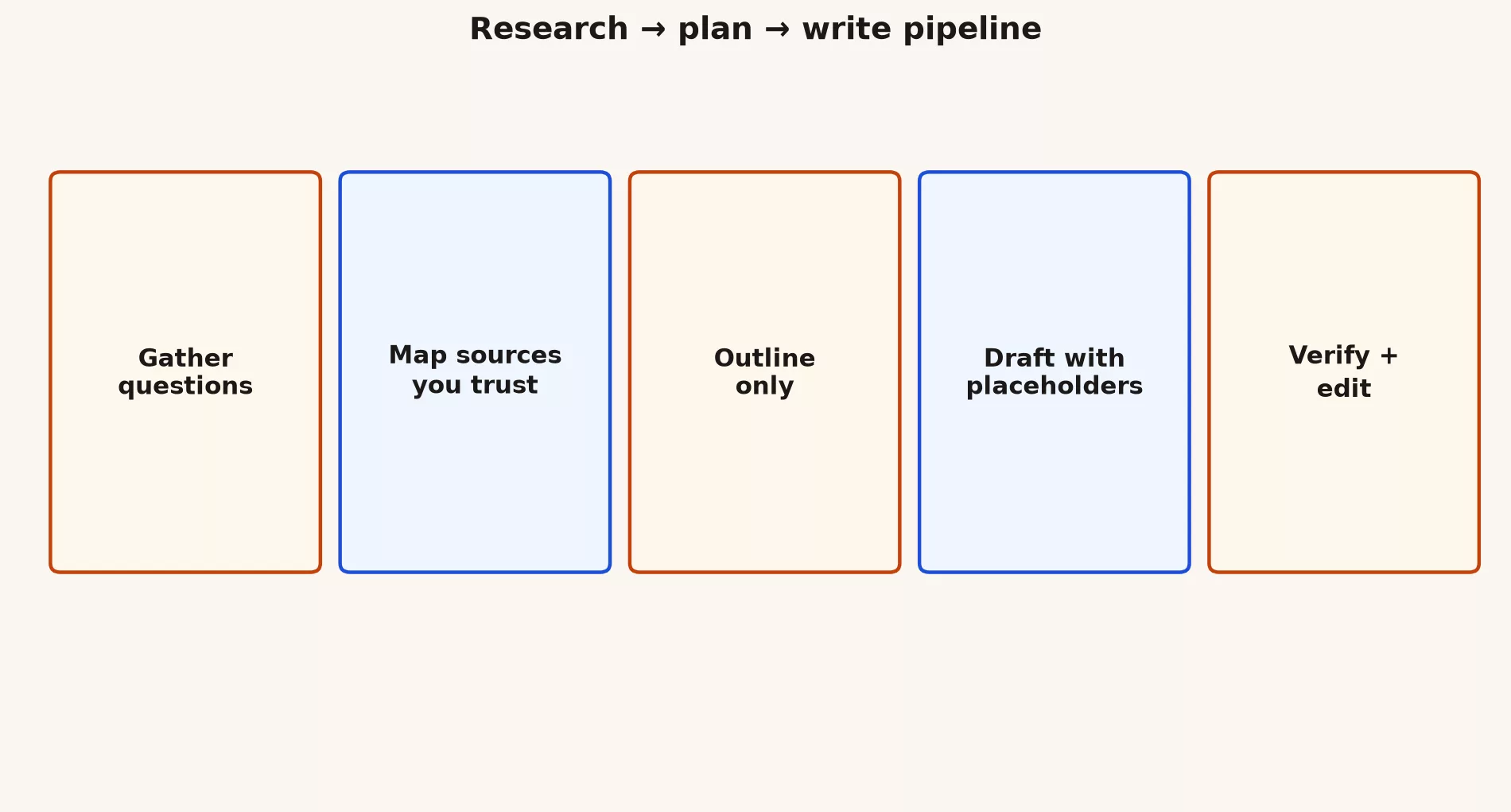
Stage 1: gather questions
Before you ask for a draft, list what you need to know. Gemini can help you expand the list of questions, but it cannot replace your own curiosity about the topic.
I need to write [document type] about [topic] for [audience].
List 12 questions a careful reader will ask.
Group them: facts, process, risks, costs, alternatives.
Do not answer yet.
Stage 2: map sources you trust
Sort your sources into three kinds. Primary sources are your own data, contracts, and official documents. Secondary sources are reputable explainers. And “chat memory” is not a source at all. Ask Gemini to suggest where official documents might live, then go and open them yourself, because the model can only guess at the address.
For each question group, suggest where a primary source might live
(official docs, internal systems, standards bodies).
Do not invent URLs. Prefer org names and doc types.
Mark anything that requires an expert human.
Stage 3: outline only
Approve the structure before you ask for any full paragraphs. This step saves you hours of rewriting beige prose that argued the wrong case.
Using these questions and constraints, propose an outline with H2s only.
Max 8 sections. Each H2 has one sentence purpose.
Audience: [ ]
Must include: [ ]
Must avoid: [ ]
No full draft yet.
Stage 4: draft with placeholders
Generate the draft one section at a time, and force anything unknown into a visible marker so it cannot hide inside a confident sentence.
Write section "[H2]" only.
Use [[NEED SOURCE]] for any non-obvious fact.
Use [[METRIC]] for numbers I must supply.
Tone: plain, specific, no hype adjectives.
Length: [ ]
Stage 5: verify and edit
Search your draft for [[NEED SOURCE]] and [[METRIC]], and either fill each one in or delete the sentence. Read the whole piece aloud once and cut any opening that clears its throat before saying something. Put your name on it only after that pass.
Claim hygiene
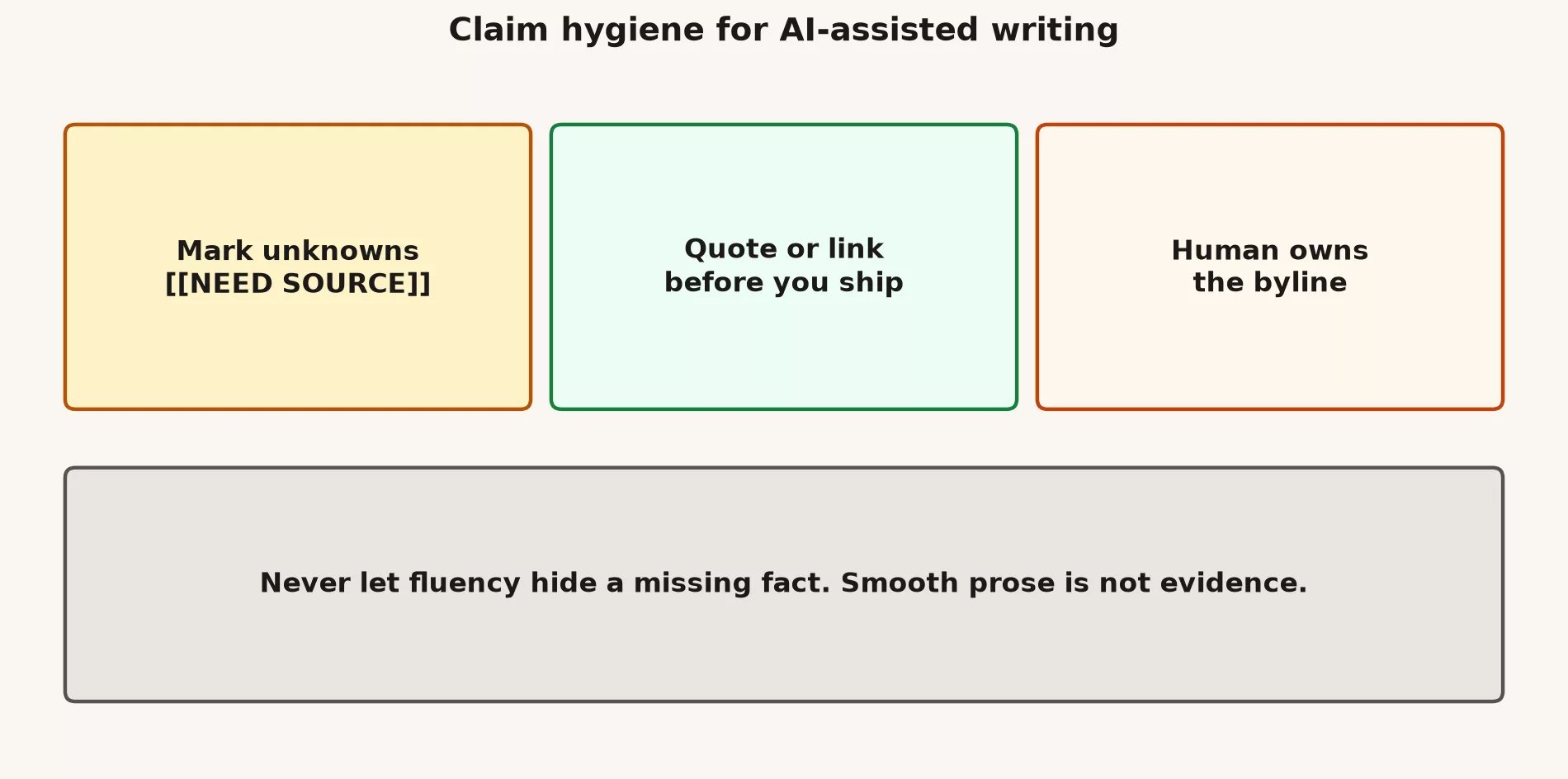
Not every claim in a draft carries the same risk, so this table shows what the AI may do and what you must do for four common kinds of claim.
| Claim type | AI may | You must |
|---|---|---|
| Definition of a public concept | Draft plain language | Check against a trusted explainer or standard |
| Your company’s metric | Help phrase it | Pull the number from the official source your company trusts for that figure |
| Legal or compliance statement | List questions for counsel | Not invent policy (leave that to the people who own it) |
| Competitor claims | Suggest what to verify | Use primary pages, not vibes |
Research modes that help
- Question expansion: better interviews and better briefs
- Outline stress test: “What is missing for a skeptical reader?”
- Counterargument pass: “Argue against this proposal in 5 bullets.”
- Plain-language pass: use it after your facts are solid
- Length pass: cut 30% without losing decisions
If your version of Gemini offers a deep research mode, treat its output as a reading list plus draft notes, not as a finished literature review. When the stakes are real, still open the underlying sources yourself.
Worked example: one-page project brief
Here is the whole pipeline (the sequence of steps from this post) applied to a one-page project brief, which is a short document that tells leadership what a project is, what it will cost, and what you need from them.
- Questions: who is it for, what problem does it solve, what does done look like, and what are the risks, cost, and timeline?
- Sources: ticket data you export, a prior brief, and a budget note from finance.
- Outline: approved in about ten minutes.
- Draft: written with
[[METRIC]]standing in for volume and cost. - Verify: you paste in the real numbers from the sheet and delete two invented risks the model added.
Project brief draft rules:
- 1 page max
- decisions required from leadership listed at top
- no adjectives without nouns
- every number is [[METRIC]] until I replace it
- end with open questions, not fake certainty
Writing problems Gemini can fix, and ones it cannot
| Can help | Cannot replace |
|---|---|
| Structure and clarity | Taste that matches your brand without examples |
| Audience-specific tone variants | Permission to publish sensitive content |
| Finding jargon to cut | Original reporting you never did |
| Checklists for completeness | Accountability when wrong |
Planning beyond documents
The same pipeline works for event plans, lesson sequences, and personal projects. The only difference is the map of sources, which might be calendars, budgets, skill level, or limits on your time. Always include a “will not do” list, because models love to invent an endless scope.
Stop conditions
Stop generating and go read the real material when any of these happens:
- You see the same claim repeated with no trail back to a source
- Numbers appear that you never provided
- The topic is regulated or high stakes
- You cannot explain a paragraph in your own words
- You are using generation to avoid a hard conversation with a human stakeholder
Team habits for AI writing
- Share outline templates, not raw dumps of chat threads, because a template is reusable while a chat dump is noise.
- Require a human edit on anything that goes outside the company.
- Keep a small library, a shared collection, of good before-and-after examples, with names removed, so new teammates learn from real examples without seeing anyone’s private details.
- Ban the “as an AI” voice and empty openings in your style guide.
- Record which model and app you used if it matters where the text came from.
Common mistakes
- Asking for a full essay before the questions exist
- Letting the citations be web addresses the model invented
- Choosing a smooth tone over accuracy
- Using research mode as a substitute for opening the PDF you already have
What good looks like
The nonprofit team from the start of this post cut its revision time by forcing outlines first and banning numbers that did not come from their spreadsheet. A student who used Gemini to write an entire paper got a fluent F on substance, and only then built a question list. Start earlier in the pipeline than your pride wants you to.
If you write for Analytics Made Simple or a similar teaching site, your bar is higher: everyday language, no em dash habits, and media that teaches. The pipeline still holds, but your verification pass also asks “would a careful reader learn a skill from this?” and not only “does it sound smart?”
Keep a personal “false confident” list of phrases that often arrive with invented facts in your field. When you see one, slow down. Recognizing your own patterns works better than a general habit of doubting everything.
For shared documents, add a comment like “AI-assisted outline, human facts” when your team’s culture needs to know where text came from. Being clear about your tools beats hiding them, and it beats pretending a model attended your stakeholder interviews.
Building a lightweight source pack
Before a medium-stakes brief, spend fifteen minutes assembling a source pack. That is one folder holding links, PDFs you may use, exports with only safe columns, and a notes file of constraints. Point Gemini at your questions and refer to those materials when the product allows uploads. When it does not, paste short excerpts that you are allowed to paste. The pack keeps the model from freestyling about your industry.
Name your files clearly, because “final_v3_really_final” is how the wrong attachment gets used. “2026-q3-brief-sources” is boring and correct.
Editing passes that matter more than more generation
- Facts pass: every number and name checked
- Structure pass: decisions up front for busy readers
- Voice pass: cut hype and empty openers
- Length pass: remove repeated ideas
- Risk pass: what could be misunderstood?
Run these as separate passes by a human. If you ask the model to “do all five at once,” you often get a smooth paragraph that still hides a bad number, so doing them one at a time gives you better quality control than one giant prompt.
Collaboration without chat sprawl
When several people touch a draft, keep the official version in Google Docs or in your content management system (CMS), the tool that publishes your web pages. Use comments for disagreements. Paste only the disputed paragraphs back into Gemini for options, then decide as humans. A thread where twelve people prompt in parallel is not collaboration. It is chaos with a nice interface.
Placeholders that save careers
Markers like [[NEED LEGAL]], [[NEED FINANCE]], [[NEED CUSTOMER QUOTE]], and [[NEED METRIC FROM WAREHOUSE]] are better than confident guesses. Teach your stakeholders to expect brackets in early drafts. Teams that punish visible uncertainty end up with invisible fiction instead.
One more habit: keep a single note file for this topic, titled with the week you start. Paste in your best prompts, the near misses, and one sentence on what improved. That note becomes more valuable than any single chat transcript, and you can show it to a teammate who asks how you got faster without getting sloppy.
A second worked path: FAQ from support tickets
Suppose you must publish an internal FAQ built from twenty recurring support tickets. Do not paste the tickets into a personal chat. Either remove the private details first, or work from themes your team has already summarized in an approved sheet.
For stage 1, your questions are who the reader is, which ten issues cover 80% of the volume, what you will not promise, and which answers need legal or finance. For stage 2, your sources are the policy pages, the product docs, and the cleaned-up theme sheet. In stage 3, the outline has one section per issue plus an “escalation” section. In stage 4, you draft with [[POLICY LINK]] placeholders. In stage 5, humans fill in the links and remove anything that sounds like a guarantee you cannot keep.
This path trains the same skills as a public blog post, with less ego at stake. If the FAQ is good, customers feel it later as fewer tickets. If it is bad, you learn where your claim checking failed without a public pile-on.
Prompts for skeptical editors
If you work with an editor who distrusts AI, invite them into the process at outline approval. Ask Gemini for two alternate outlines and let the editor pick one, then generate only the chosen structure. People resist less when they control the architecture, and they resist more when a surprise wall of generated prose lands in their inbox.
- “List five ways this outline could mislead a hurried reader.”
- “Cut this section by 40% without removing the decision.”
- “Replace abstractions with concrete nouns from this glossary only.”
- “Mark every sentence that implies measurement without a number.”
Prompts like these create collaboration, while “write the whole thing better” creates arguments.
Quick recap
- Work in this order: questions, sources, outline, placeholder draft, verify.
- Mark the unknowns, and remember that humans own the byline.
- Stop generating when the stakes are high or the text turns empty.
- The next post covers learning hard topics with Gemini.
Practice this week
- Pick a one-pager you owe this month.
- Run stages 1 to 3 only today, and do not write the full draft yet.
- Fill in a claim table with five rows: the claim, its status, and its source.
- Tomorrow, draft one section with placeholders and verify it.
Series notes
This is Part 2 of the Gemini everyday tutorial (GM14). Previous: product basics for everyday use. Next: learning hard topics.
Sources
Keep going
Same lessons in your feed
Short diagrams, hooks, and weekly tutorials on Substack, Instagram, X, and Facebook.



