

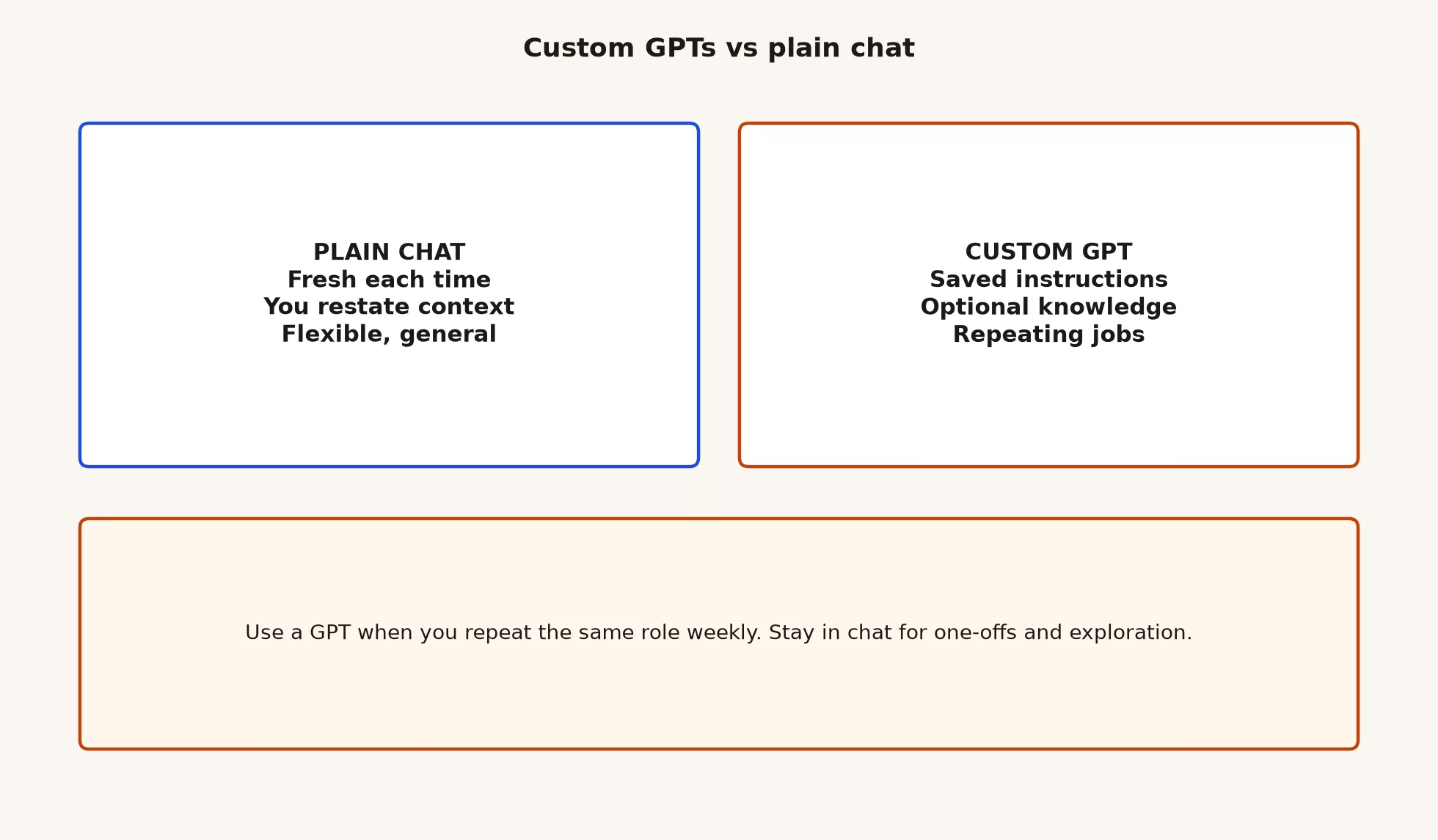
If you do the same job in ChatGPT every week, save your instructions once as a Custom GPT. If the job is new or keeps changing, just start a fresh chat.
Imagine you paste the same long set of instructions into ChatGPT every Monday. It takes a few minutes, and sometimes you forget a line. A teammate asks for a copy, and you realize the recipe only lives in your head. A Custom GPT is that recipe, saved with a name, so anyone on your team can open it ready to go.
This post is part of the ChatGPT product map. Details follow OpenAI’s help pages as checked in July 2026. Names and sharing rules change, so re-check OpenAI’s Help Center before you promise your team a GPT.
Plain chat: the flexible default
Plain chat is the conversation you already know. You open Chat on web, desktop, or mobile, start a thread, and say what you need. Context lives in that thread, and in whatever you paste or attach. Tomorrow’s thread starts cold, unless you use other product features such as projects or memory that your plan and settings allow. You are free to change roles mid-flight too: analyst for ten minutes, editor for five, coach for a draft you will rewrite anyway.
What plain chat is good at
Chat shines for one-offs and exploration. You do not know the final format yet, or you are still learning a topic. You need a quick rewrite that will never repeat, or you want to try three different tones before you pick one. You are dealing with a messy situation that does not match last week’s recipe, and you need to ask follow-up questions that would fight against a rigid saved instruction set.
Chat is also the right place to invent the recipe in the first place. Draft the role, test it on three real examples, tighten the rules, then decide whether the finished recipe actually deserves a Custom GPT. Building a GPT first and learning later is how teams end up with five half-broken bots and no one who remembers what any of them were for.
What plain chat costs you
If you repeat the same long instructions every week, you pay a tax in time and consistency. You forget a constraint here and there, a teammate uses a looser version of the rules, and the Monday brief slowly drifts. That tax is the signal that a saved GPT might actually help. Until the tax is real, though, plain chat is not “less professional.” It is simply the right tool for work that is not a weekly ritual yet.
Rule of thumb: Use plain chat for one-offs and exploration. Use a Custom GPT once you would otherwise retype the same role and format every single week.
What a Custom GPT actually is
A Custom GPT is a saved ChatGPT configuration that you, or someone else, created for a repeating job. At minimum it has a name and instructions, which is the standing prompt that defines the role, the rules, and the shape of the output. Many GPTs also include knowledge files you upload, so the assistant can ground its answers in documents you actually provide. Some GPTs add actions or other tools when the product and your plan allow it. The user still opens a normal conversation either way. The only difference is that the recipe is already loaded in.
That last sentence is really the whole product honesty test. A Custom GPT is still a conversation product. It is not a full software application with its own database, service guarantees, an audit trail, and a real release process, unless your company builds that separately through the API or other internal tools. If someone says “we shipped a product” and they actually mean “we published a GPT with a friendly avatar,” push for clearer language. Recipes can be valuable. They are just not the same thing as shipping software.
Name, instructions, knowledge: three layers
| Layer | What it is | When it helps | When it hurts |
|---|---|---|---|
| Name | Label people click | Team can find the right recipe | Cute names hide stale or unsafe bots |
| Instructions | Standing role, rules, output format | Same job every week with stable constraints | Over-long rules nobody maintains |
| Knowledge | Uploaded files the GPT can use | Stable docs: style guides, definitions, templates | Living data that goes stale, or secrets that should not live there |
Instructions are the spine. Knowledge is optional extra weight. If your knowledge files change every day, you will spend more time updating the GPT than you actually save. If your instructions try to cover every edge case on earth, people will quietly ignore the GPT and just open plain chat instead.
GPT vs chat: recipes vs one-offs
Here is the clean split this series wants you to remember:
- Custom GPT: repeating recipes. Same role, same format, same constraints, often the same knowledge base, used weekly or daily.
- Plain chat: one-offs and exploration. A new shape, a new domain, or a situation that should not be frozen into a team template just yet.
Both use the same underlying models. Both can be wrong. Both need human review when the output actually matters. The GPT does not make the model any more honest. It makes the setup more consistent, which is useful when consistency is the goal, and dangerous when people start treating consistency as truth.
Work and Codex, the two agent modes from the earlier post in this series, are still separate tools. An agent is a program that can take actions, such as opening files or running commands, across several steps. Agentic means the work runs in those steps instead of one reply. A Custom GPT does not replace Work for multi-step office work, and it does not replace Codex for work in a code folder. A GPT is mostly a better way to start certain conversations, sometimes with tools attached. If your job is multi-file coding or a long office task that takes many steps, map those to Work or Codex first, then ask whether a GPT even belongs.
When a Custom GPT earns its keep
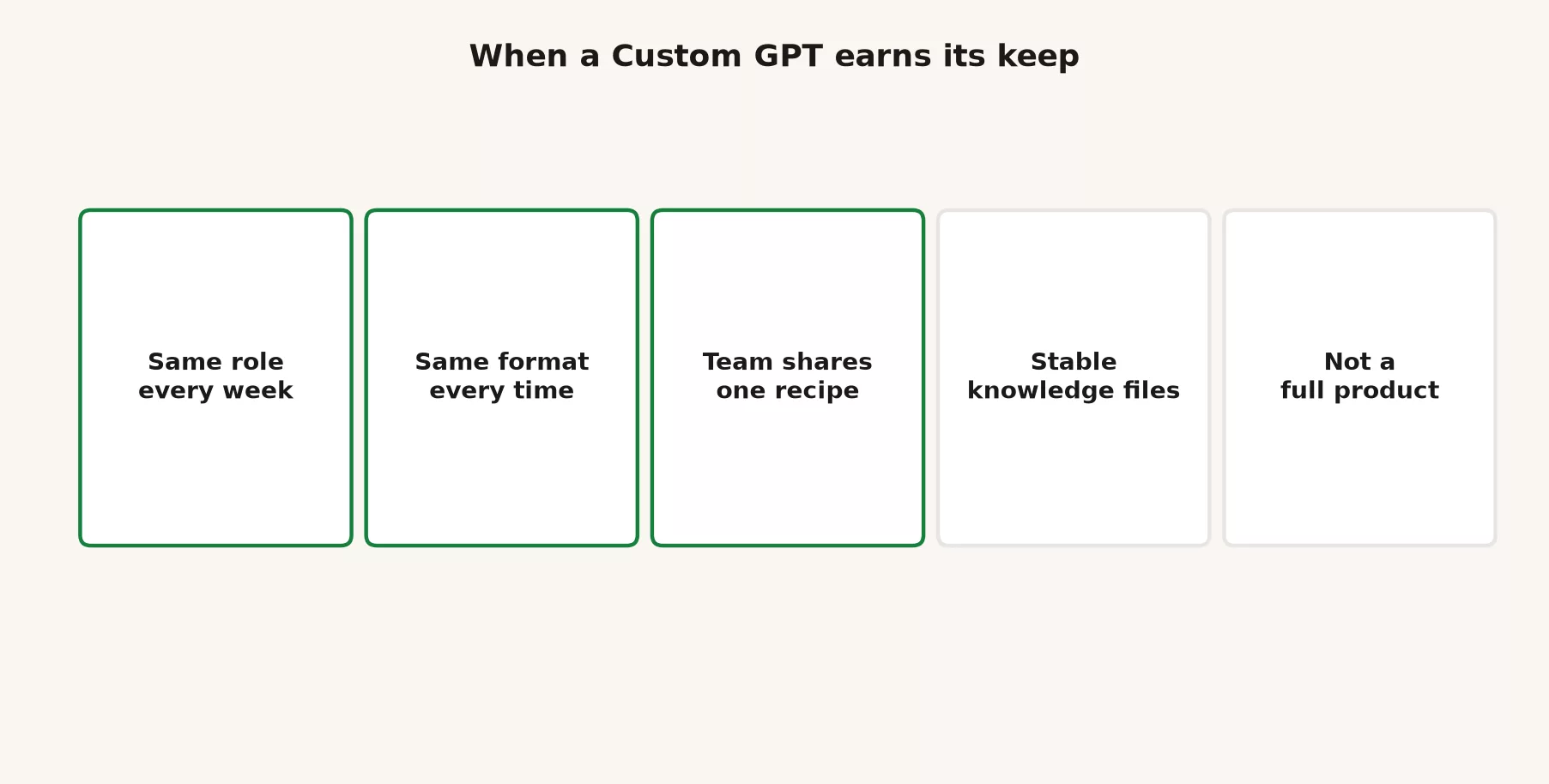
Build or adopt a GPT when several of these are true:
- Same role every week. You always need the same analyst, editor, coach, or reviewer persona, with the same hard rules attached.
- Same format every time. The output has to look like a fixed brief, checklist, ticket template, or scorecard, so people can compare it week over week.
- The team shares one recipe. Five people should not be maintaining five slightly different Monday prompts in their own private notes.
- The knowledge files are stable. A style guide, a glossary, approved metric definitions, or a template pack that changes slowly.
- You accept the maintenance. Someone owns updates when the process changes, because orphan GPTs become folklore fast.
Skip the GPT when the work is rare, exploratory, confidential in a way your GPT settings cannot respect, or so unstable that the instructions would rot within a month. Skip it too when you really need actual software: access control, logging, multi-user workflows with an audit trail, or integration work that belongs in the API and developer platform story, which a later part of this map series covers.
Plan reality: who can create, who can use
Creating Custom GPTs commonly requires a paid plan. Language across OpenAI’s plan matrix has included Plus, Pro, Go, Business, and Enterprise stories, depending on the year and the market. A practical rule many teams use is that Go and above can create on consumer-style ladders where Go exists, while Free users may still use GPTs that others published or shared, when the product allows it. Exact create rights, sharing options, and store visibility all change. Confirm on your own account and on help.openai.com before you promise “everyone will build one.”
| Question | Practical answer (hedge and re-check) |
|---|---|
| Can Free users open chat? | Yes, within Free limits. |
| Can Free users create Custom GPTs? | Often no on many consumer plans; paid create rights are common. |
| Can Free users use someone else’s GPT? | Often yes, when the GPT is shared or available in ways OpenAI allows. |
| Do Business or Enterprise change the story? | Yes: workspace controls, data settings, and admin policy can matter more than consumer labels. |
| Does a GPT need Work or Codex? | No. A GPT is not a substitute for those modes. They are different tools. |
If you are the only person with a paid seat, you can still create a GPT for teammates who only have Free, when the sharing rules allow them to open it. That is a cost and ownership question, not a magic free-for-all. Name who pays, who maintains it, and who retires dead GPTs.
Worked example: Monday status brief
Goal: every Monday, turn last week’s bullet notes into a one-page leadership status update, with assumptions listed and open questions at the end.
Path A: plain chat, good while inventing
You paste notes and write out a full role each time. After three weeks you notice the same four rules keep appearing: no invented metrics, ask for the grain if it is unclear, keep it to one page max, and list the assumptions. Chat was the right lab for this. The recipe is now stable enough to save for real.
Path B: a Custom GPT, good once the recipe is stable
You create a GPT named something boring and clear, like “AMS Monday status.” The instructions encode the four rules and the exact section order. The knowledge holds a short glossary of metric definitions that only change maybe once a quarter. Teammates open that GPT, paste their notes, get a consistent skeleton back, and then edit for accuracy. You own the updates whenever leadership changes the format.
Path C: wrong turns
Someone builds “Ultimate Strategy Superbrain 9000,” uploads last year’s private forecast workbook, shares it broadly, and never updates the instructions when the board packet format changes. People trust the avatar anyway. The numbers drift. That is not a Custom GPT success story. That is a process failure wearing a logo.
Another wrong turn is using a GPT when what you actually needed was Work. Gathering information across many files and apps in multiple steps belongs in Work, not in a chat recipe that still expects you to paste everything in yourself. Recipes and agents solve two different kinds of friction.
A small design checklist before you create
If you have create rights and a repeating job in mind, write these answers offline first. Then put them into the GPT builder.
- Job sentence: “This GPT helps ___ produce ___ for ___.”
- Hard rules: three to seven constraints you refuse to drop, such as no invented numbers, citing the user’s own text, or asking when the grain is missing.
- Output shape: headings, a length limit, and a tone suited to a named audience.
- Knowledge list: only stable files, with a refresh date noted in the file name or the instructions.
- Owner: a real human name for updates and eventual retirement.
- Test set: three real past inputs, and the output quality bar you will accept.
- Non-goals: what this GPT must refuse to do, such as legal advice, confidential systems, or production SQL without review. SQL is the language for asking a database questions.
If you cannot fill in the checklist, stay in plain chat for now. The GPT builder is not a substitute for actually knowing the job.
Sample instruction skeleton (study, then adapt)
Below is a teaching skeleton, not a magic spell. Adapt it to your real process, and put any secrets or private data in approved systems, never in a casually shared GPT.
You are a careful weekly status editor for a product team.

Hard rules:
- Never invent metrics, dates, or customer names.
- If a number is missing, write "UNKNOWN" and ask one clarifying question.
- Prefer short sentences. Max one page equivalent.
- List assumptions in a final section.

Output sections in this order:
1) Headline (one line)
2) What shipped
3) What slipped
4) Risks
5) Asks
6) Assumptions and unknowns

If the user pastes messy notes, reorganize into those sections.
If the notes look like confidential HR or raw credentials, refuse and say why.
Test that skeleton on three real note dumps before you share it with anyone. If it fails the same way twice, fix the instructions themselves. Do not “fix” the failure by asking teammates to prompt harder forever.
Knowledge files without creating a mess
Knowledge helps when the document is the trusted reference for style or definitions, and it changes slowly. A glossary of metric names. A brand tone page. A template outline leadership already approved. Knowledge hurts when the file is a live spreadsheet of forecasts, a dump of customer tickets, or anything that goes stale week to week. Stale knowledge is worse than no knowledge at all, because the GPT still sounds confident while describing last quarter’s world.
Practical habits:
- Put a date in the file name, such as
metric-glossary-2026-07.txt. - Keep files short and purposeful. A 200-page PDF of everything is not a knowledge strategy.
- Strip out secrets. Application passwords, personal data, and unreleased financials do not belong in a casually shared GPT.
- On Business or Enterprise plans, follow the admin rules for workspace GPTs and data controls.
- Schedule a quarterly review the same way you would review a dashboard. A dashboard is one screen of charts. No review means no trust.
Common mix-ups
Treating a GPT as a full software product
A GPT is a saved recipe inside ChatGPT. It is not your CRM, the system that stores your customer list, your ticket system, or an official system your compliance team can rely on. If you need multi-user workflows with audit logs, build or buy real software and call models through the developer platform when that is the actual path. Do not paper over missing product work with a clever avatar.
Building before the recipe is stable
If you are still changing the output format every week, plain chat is cheaper. Freeze the recipe after a few real runs, and only then create the GPT.
No owner, no retirement plan
Team GPTs without an owner go stale. People keep using last year’s process because nobody updated it. Assign a real human. Write a retirement rule too: if it goes unused for ninety days, or gets the wrong answer three times in a row without a fix, archive it.
Confusing create rights with use rights
Free users may use shared GPTs while only paid seats can create them. That is fine when it is intentional. It becomes a mess when managers assume everyone can build one. Document the create rights the same way you document who can edit the wiki.
Confusing a GPT with an agent mode
Multi-step office agents and coding agents are not “Custom GPTs with extra features.” The mode map from the earlier post still applies here. Pick the right mode for the job first, then decide whether a GPT helps with the conversation layer on top of it.
Skipping verification because the brand is internal
“Our team GPT said so” is not a source. Check the numbers against the official record. Check names against the actual ticket. Consistency of format is not the same thing as correctness of facts.
Chooser table for real Mondays
| Situation | Prefer | Why |
|---|---|---|
| First time solving a messy problem | Plain chat | Exploration; recipe not ready |
| Same brief format every Monday | Custom GPT | Repeating recipe |
| One email rewrite, never again | Plain chat | One-off |
| Team needs one shared tone and checklist | Custom GPT with owner | Shared recipe |
| Live multi-file office project with tools | Work | Agent mode, not only a saved prompt |
| Repo changes and PR review | Codex | Coding mode |
| Need app with auth, logs, scale | API / developer platform (a later part) | Full product path |
| Sensitive data, unclear policy | Stop; ask IT; use approved tools | Do not freeze secrets into a GPT |
Frequently asked questions
Is a Custom GPT smarter than chat?
Not automatically. It is more consistent about the setup you saved. How smart it acts still depends on the model, the inputs, and your own review. A bad recipe just makes consistently bad outputs.
Can Free users create GPTs?
Often not, on many consumer plans. Paid create rights, including Go and above where Go is offered, are common. Free users may still use GPTs that others share. Verify this on your own account and on help.openai.com.
Should every team process become a GPT?
No. Only repeating, stable recipes that have an owner. Everything else stays in plain chat until the pattern turns out to be real.
Does a GPT replace training people?
No. People still need to know what good looks like, when to refuse a request, and how to check facts. A GPT can encode a checklist. It cannot care about your reputation the way you do.
Series notes
Part 3 of this series is the models chooser in plain English, covering when to switch tiers without treating version numbers as permanent brands. Part 4 covers the API and builders’ tools lightly, so you know when a ChatGPT app seat stops being the right place to pay. Deep Custom GPT building, meaning instructions, knowledge, actions, and sharing with a team without chaos, lives in a later Custom GPTs tutorial series.
If modes still blur for you, reread the earlier post on Chat vs Work vs Codex. If everyday chat habits are still shaky, stay with Learn ChatGPT from scratch. Related paths sit on Learn.
Quick recap
- Plain chat is flexible: good for one-offs, exploration, and inventing a new recipe.
- A Custom GPT is a saved name, instructions, and optional knowledge for repeating jobs.
- Use a GPT for repeating recipes and chat for one-offs. Consistency is not the same as truth.
- Create rights often need paid plans, such as Go and above on many ladders; Free may still use others’ GPTs.
- A GPT is not a full software product. Owners, tests, and retirement rules still matter.
- Do not use a GPT as a substitute for Work, Codex, or real platform engineering.
Try it this week
- List three prompts you reused this month. Mark each one “one-off,” “might become a recipe,” or “already a recipe.”
- For one “might become a recipe,” write the seven-line checklist above offline first. Do not open the GPT builder yet if the checklist is still empty.
- Run that recipe three times in plain chat with real inputs. Note the failures, and fix the wording until the failures shrink.
- If you have create rights and the recipe is stable, create one narrowly named GPT. Share it only with people who actually need it, and put your name as owner in the description.
- If you only have Free, find out whether your workspace or public options let you use a well-scoped GPT, and practice good review habits even when you cannot create one yourself.
- Skim OpenAI’s help articles on Custom GPTs and plan features, so your team notes match the current create and share language.
Sources
Official product pages and help used for this map, checked in July 2026 (re-check before purchase or policy; create rights and GPT features change):
- OpenAI ChatGPT product home: https://openai.com/chatgpt/
- ChatGPT app: https://chatgpt.com/
- OpenAI Help Center: https://help.openai.com/
- OpenAI Help: Custom GPTs and GPT creation (search help.openai.com for current “Custom GPTs,” “creating a GPT,” and plan feature articles)
- OpenAI Help: ChatGPT plans and features (Free, Go, Plus, Pro, Business, Enterprise language as published)
- Analytics Made Simple: Learn ChatGPT from scratch (foundation series)
- Analytics Made Simple: Learn hub (related paths)
Keep going
Same lessons in your feed
Short diagrams, hooks, and weekly tutorials on Substack, Instagram, X, and Facebook.



