

A Custom GPT (a version of ChatGPT you set up once with your own instructions and files) is the wrong tool for one-off jobs, live systems, secrets, and official company numbers. In those cases, use plain Chat, Work or connectors, Codex with review, or a real app, instead of stuffing half a shared drive into a set of instructions.
Say you spend a weekend building “Company Brain 9000,” a Custom GPT loaded with half a drive of PDFs and a rule that says “never invent policy.” On Monday it invents a refund rule from a 2022 draft and sounds completely sure of itself. This post is about how to avoid that.
A few terms first. A Custom GPT is a saved ChatGPT setup with its own instructions and files. Chat is the plain conversation window. Work is ChatGPT’s mode for multi-step office jobs that use files and connected apps. Codex is OpenAI’s coding agent (an AI tool that takes several steps on its own to finish a task), and the API is how developers plug the models into their own software.
The short answer
A Custom GPT earns its keep when three things are true: the job repeats, the recipe is stable, and the kind of data you are using is allowed. If any one of those fails, use a different tool.
- A one-off job, or a process you are still inventing belongs in plain Chat.
- Multi-step office work with tools, files, and approvals belongs in Work.
- A code repository (a project folder that keeps every version of its files), tests, or software changes belong in Codex.
- An app for many users, with keys, logs, and automation that runs without a person in a chat belongs on the API or the developer platform.
- Secrets, large amounts of personal data, licensed advice presented as authority, or the official truth behind a company number are a hard no, or they stay with the source systems and the people who own them.
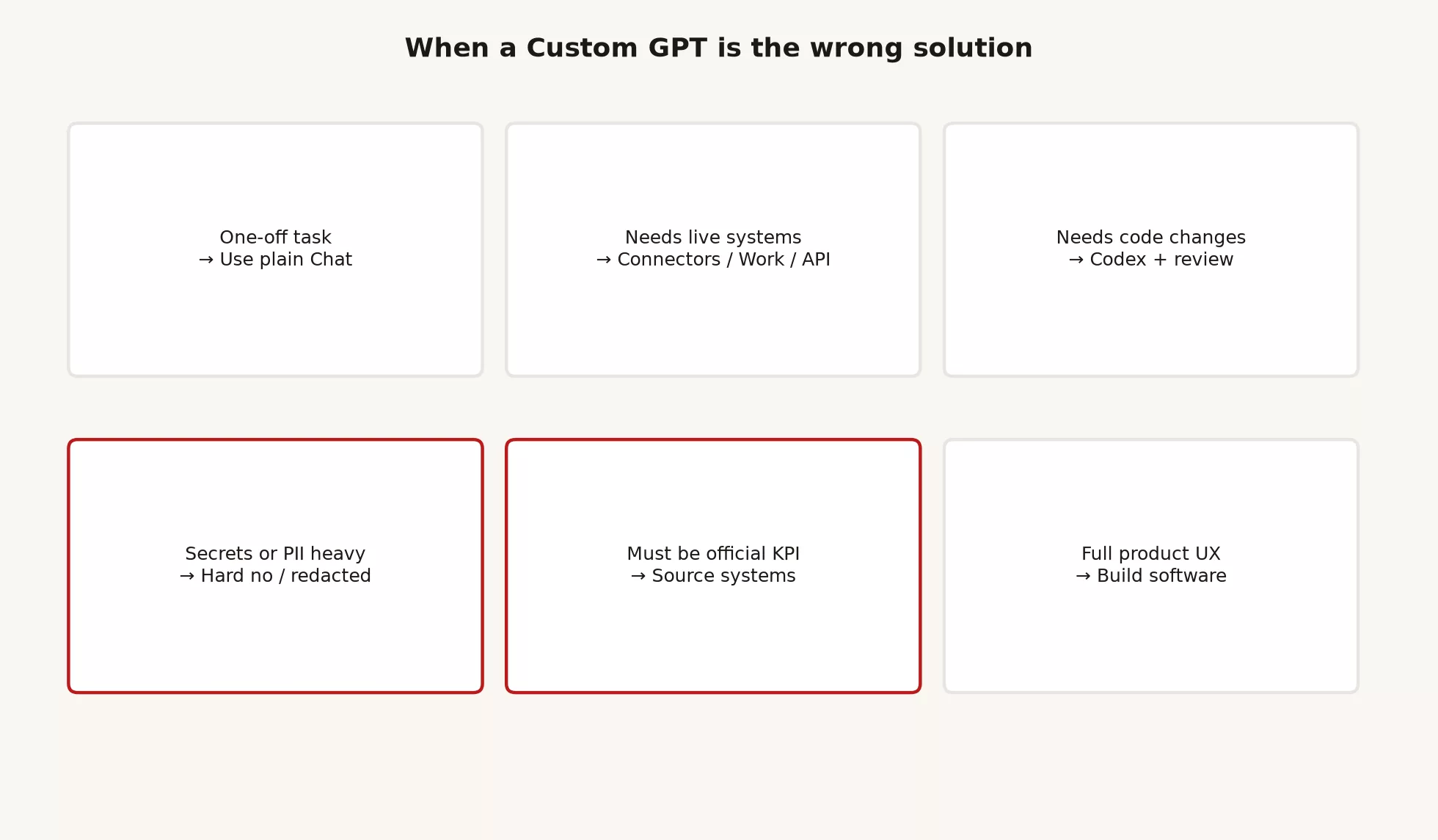
Decision table: right tool, wrong tool
Use this before you open Create GPT. If two rows disagree, pick the safer option, because it limits how much can go wrong.
| Situation | Prefer | Why a Custom GPT is weak here |
|---|---|---|
| First time solving a messy problem | Plain Chat | The recipe is not ready; freeze it later if the job repeats |
| One email rewrite, never again | Plain Chat | No sharing or version upkeep is worth paying for |
| Same brief format every Monday | Custom GPT (with an owner) | This is the happy path from the first three posts in this series |
| Many files into a deck or sheet, with tools | Work | It needs an agent doing office steps, not only a saved prompt |
| Live customer records, mail, or calendar actions at scale | Work with admin policy, or a real integration | GPT actions are not a free integration platform |
| Code change, tests, pull request | Codex | Wrong tools and a wrong place to review the work |
| External product with logins and audit logs | API / developer platform (or an internal app) | A GPT is a conversation recipe, not a place to host a product |
| Passwords, API keys, full customer dumps | Never put them in GPT knowledge | Everyone with access shares the exposure; it is a policy failure |
| A board number that must match the warehouse | Source systems or your reporting tool | Models invent numbers, and recipes go stale |
| Legal, medical, or financial authority | A licensed human plus policy | Draft only if allowed; never present it as “the firm’s answer” |
| Unclear company AI rules | Stop and ask IT | Personal convenience is not approval |
One-offs belong in Chat
Create GPT is a commitment. You pick a name, write instructions, add optional files, maybe connect actions, and eventually decide how to share it, which the earlier post on team sharing covered. That overhead is silly for a problem you will solve once.
You are probably still in one-off territory if any of these are true.
- You change the role every time you open the chat.
- You cannot write a one-sentence job description that stays true for a month.
- You have not run the recipe three times on real inputs.
- You want “something smart” more than a fixed output format.
Use plain Chat, along with the everyday skills from the ChatGPT tutorials: a job line, constraints, a structure, and a check of the result. If the same shape of request shows up every week, then freeze your instructions and turn them into a GPT. Building the bot first is how teams collect abandoned avatars.
Live systems lean toward Work, connectors, or the API
A Custom GPT can hold knowledge files and, when the product allows it, call actions. That still does not make it your integration layer. Multi-step office work with connected apps, in-progress files, and approvals is what Work is for. Deep control over connectors belongs to workspace admins. Automated systems that run without a person sitting in ChatGPT belong on the API or on other backend (the behind-the-scenes software that does the work) software.
If your pitch is “the GPT will keep our Salesforce and finance sheet in sync,” you are describing software. Pilot the human workflow in Chat or Work first. Then decide whether you need an engineer, rather than a fancier avatar.
When Work beats a GPT
- You have many steps and many files that feed into one deliverable.
- You need a supervised agent that loops through steps, not only a standing prompt.
- Approvals and tool permissions matter more than a shared recipe name.
See the ChatGPT Work tutorial for the working loop. A GPT can still help with a repeating instruction pattern after the workflow is stable. It does not replace what Work does.
Code belongs in Codex (with review)
If the thing you are producing is a code repository, tests, or a pull request (a proposed code change that a teammate reviews), open Codex. A Custom GPT with “you are a senior engineer” in its instructions is not a coding agent. It lacks project context, change comparisons, and version-control habits. You practiced those habits in the Codex tutorial: explore first, limit the size of the change, review it, make small commits, and never force-push blind.
There is one exception that is not really an exception. A GPT that helps people write tickets or outline design proposals is fine. A GPT that “owns production deploys” is a fantasy and a policy problem.
Secrets: a hard no
Do not put production passwords, API keys, private keys, full customer extracts, payroll files, or unreleased merger and acquisition decks into GPT knowledge “so it knows our world.” Shared access multiplies the exposure, and chat logs and team use are not a vault.
The same rule applies to the instructions themselves. A line such as “Always use this access key” is a credential leak with extra steps. Keep secrets in approved secret stores and approved apps, redact your examples, and use made-up data when you teach a recipe.
If the only way the bot works is by holding secrets, the bot is the wrong design. Build an internal tool with real logins, or do not automate that step.
Official numbers are not a GPT’s job
Models are fluent, but they are not your warehouse. A shared GPT that “knows our metrics” will eventually invent a number, round it wrong, or cite last quarter’s definition after finance changed how it counts. People will still paste the answer into a board deck because the avatar looked official.
A healthier pattern looks like this.
- The truth behind each number lives in your business intelligence (BI) tool, your warehouse, or the finance systems that officially own it.
- AI may help write SQL (the standard language for asking a database for data), outline a brief, or reword a narrative you have already verified.
- GPT instructions should ban inventing metrics and should require a list of assumptions, as the earlier post on instructions taught.
- Sharing with a team does not turn a recipe into an audited store of metrics.
Rule of thumb: If someone will make a money, headcount, or compliance decision from the number, the number must come from a system you trust, not from a chat answer.
A full product experience is software
A Custom GPT is still ChatGPT: the same conversation window, the same plan limits, and the same OpenAI product rules. It is a great way to package internal recipes. It is a weak home for a customer-facing product with your own branding, your own logins, your own service promises, and your own answer for where the data is stored.
The earlier post in the product map series on the API already drew this line. If you need apps for many separate customers, batch jobs, or deep audit trails in your own systems, you are in builder territory. Prove the prompt and the workflow with a GPT if you like, but do not stop at the GPT and call it “the product.”
A five-minute chooser script
Before you Create a GPT, or before you promote a private bot to the team, answer these questions out loud. If you stall on any line, stay in Chat or pick another tool.
1. Job in one sentence:
2. How often? (daily / weekly / monthly / once)
3. Output format fixed? (yes/no)
4. Data class allowed in ChatGPT here? (yes / no / unknown)
5. Needs live systems or multi-file agent loop? (yes/no)
6. Needs repo changes? (yes/no)
7. Would a wrong answer look “official”? (yes/no)
8. Named owner + backup if shared? (names or n/a)

Gate:
- once, or format still changing → Chat
- weekly + fixed format + allowed data + no live systems → Custom GPT candidate
- multi-file office agent → Work
- repo → Codex
- unknown data class or secrets → stop; ask IT
- official KPI / licensed authority → source systems + humans
Print that block into a team wiki if you want. It is shorter than a policy novel and longer than “we should AI this.” Pair it with the sharing checklist from the team-sharing post, but only after the gate says GPT.
Worked example: three wrong builds, three fixes
Wrong build 1: the one-off turned permanent
Say you built a GPT for a single board narrative in March. By September its instructions still mention themes from the first quarter, and people open it just because it sits in the sidebar.
Fix: Retire it. For the next board cycle, use plain Chat with a fresh job line, or build a new GPT only after the format stabilizes. Next time, set a retire date when you create it, as the team-sharing post suggested.
Wrong build 2: the customer records brain
Say a coworker in sales uploaded a customer-database export to a GPT’s knowledge so the bot could “answer any account question.” The export included emails and deal notes, and the sharing level was set to the whole workspace.
Fix: Unshare it immediately and delete the knowledge file. Move account questions back to the customer database or to an approved internal tool. If AI help is allowed, use redacted samples and admin-approved connectors instead of a stale dump.
Wrong build 3: the coding GPT that ships to main
Say a team GPT pastes “production-ready” code into Slack. Nobody opens Codex, nobody runs the tests, and nobody opens a pull request.
Fix: Ban “paste and deploy” in team norms. Use Codex for repository work, and require review and automated checks (called continuous integration, or CI) before code ships. Keep any prompt helper limited to tickets and design notes, because green text in a chat is not a release.
How to downgrade or retire without drama
Say you already shared something that should not be a GPT. That is fine. Fix it in public with a short note.
Retiring: Account Answer Bot (workspace)
Why: knowledge held CRM export; wrong door for account truth
Do instead: CRM search / your AE / approved BI for revenue
Owner action: knowledge removed, share set to only me, then unlisted
Questions: #ops-gpt-bugs
If the job is real but the packaging is wrong, here is a downgrade path.
| Current | Downgrade to | Keep |
|---|---|---|
| Workspace GPT with actions | Link-only GPT, actions off | Stable instructions only |
| GPT with heavy knowledge | Plain Chat + human-held docs | Job line and format |
| GPT used as office agent | Work with approvals | Goal block and checklist |
| GPT used as coding agent | Codex + PR | Scope and review habits |
| GPT used as product | API / internal app plan | Prompt lessons only |
Common mistakes
| Mistake | What happens | Fix |
|---|---|---|
| A GPT for every problem | A sidebar museum with no upkeep | Use one only for repeating, stable jobs with allowed data |
| A GPT instead of Work | Weak multi-step delivery | Open Work for agent-style office jobs |
| A GPT instead of Codex | Unreviewed code in Slack | Do repository work in Codex with version-control habits |
| A GPT as a number warehouse | Wrong board numbers | Use source systems, and use AI for prose only after you check |
| Secrets in knowledge | Shared exposure | Never; use secret stores only |
| A public share for an internal process | Brand and data risk | Share with the workspace or a narrower group |
| No owner | A stale bot that looks official | Name an owner and a retire date |
| Skipping policy | Trust and legal debt | Ask before you scale up |
When a Custom GPT is the right choice
Is a Custom GPT ever the right first tool?
Yes, when you already know the weekly job and its format, and you have run it in Chat enough times to trust the recipe. Your first exploration still belongs in plain Chat.
Can one GPT replace Work, Codex, and the API?
No. Each one is a different tool with a different amount of risk. The whole ChatGPT track on this site exists so you stop forcing every job through one avatar.
We already have ten GPTs. Should we delete them?
Take inventory first, as the team-sharing post described. Keep the few that have owners, jobs, and allowed data, and retire the rest. Ten thin bots are worse than two that are maintained.
Does this mean the earlier Custom GPT posts were a waste?
No. Those posts teach a real skill, which is packaging a repeating chat recipe and sharing it without chaos. This post keeps that skill from turning into a hammer for every nail.
What this series covered
The Custom GPTs tutorial was the deep track for packaged chat recipes.
| Order | Focus |
|---|---|
| 1 | Build a simple GPT for a repeating task |
| 2 | Instructions, knowledge files, and actions (light) |
| 3 | Share with a team without creating chaos |
| 4 | When a Custom GPT is the wrong solution (this post) |
If you keep one idea from the four posts, make it this: a Custom GPT is a maintained recipe with a named owner. It is not a substitute for Work, Codex, source systems, or real software. Build small, share carefully, retire often, and refuse secrets and made-up official numbers.
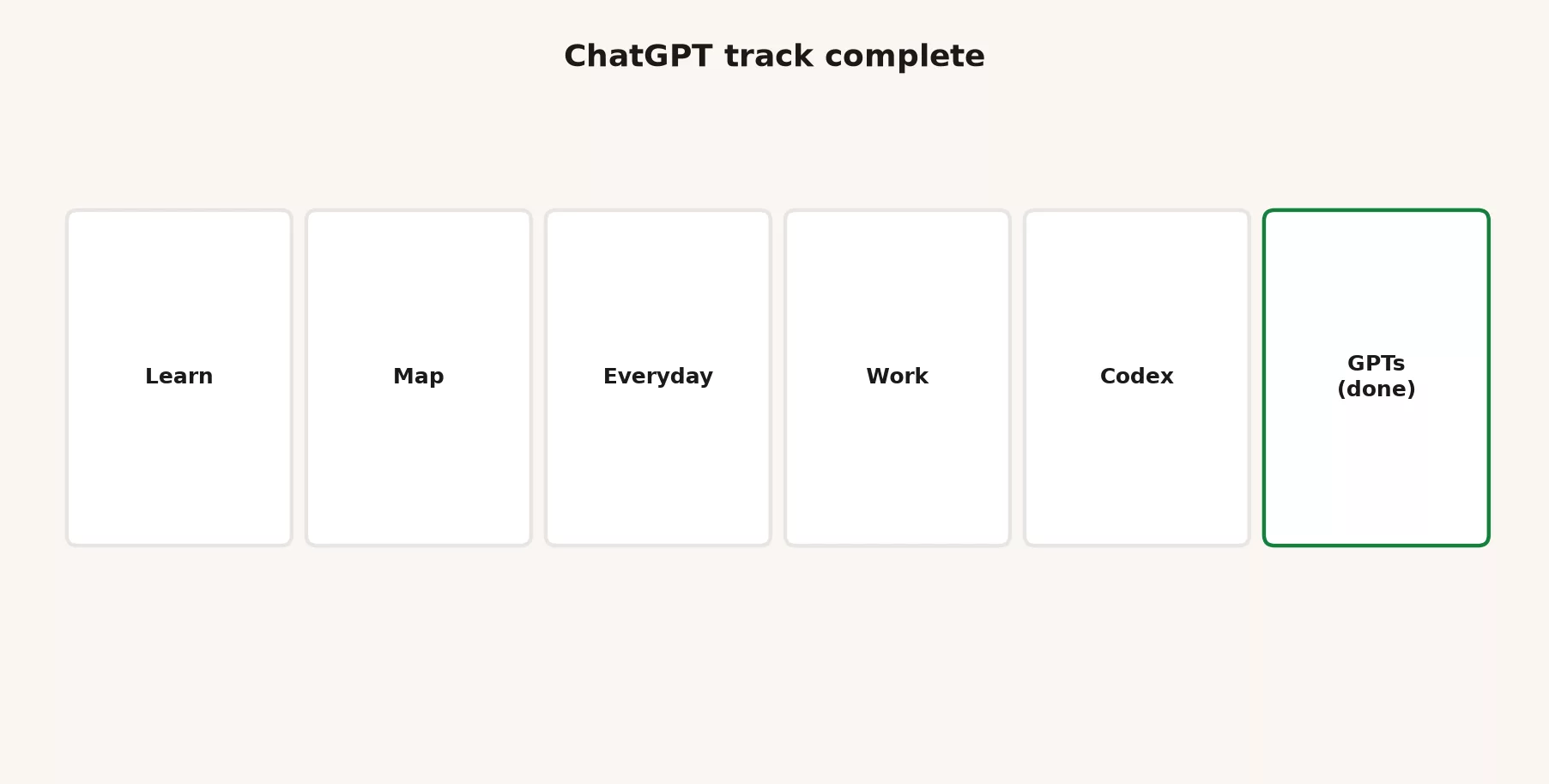
ChatGPT track complete on this site
With this post, the planned ChatGPT deep curriculum on Analytics Made Simple is complete. It is six series that lead from “what is this product” to “which tool for which job.”
| Series | What it trained | Link |
|---|---|---|
| Learn ChatGPT from scratch | Foundations, plans, first tasks, privacy judgment | learn-chatgpt |
| ChatGPT product map | Chat vs Work vs Codex, GPTs vs chat, models, API light | chatgpt-product-map |
| ChatGPT everyday tutorial | Human-led Chat skills for real weekly work | chatgpt-everyday-tutorial |
| ChatGPT Work tutorial | Agentic office jobs, approvals, result checks | chatgpt-work-tutorial |
| ChatGPT Codex / coding tutorial | Repo work, review, git-friendly habits | chatgpt-codex-tutorial |
| Custom GPTs tutorial | Build, layers, share, wrong-solution chooser | chatgpt-custom-gpts-tutorial |
You do not need to reread all six in order every year. Use them as shelves. Start with the foundations when you are new, use the map when the names blur, use the everyday series when Chat is the job, use Work when a deliverable needs an agent, use Codex when code is the job, and use the GPT series when a recipe should be shared and maintained.
Here is a practical map for when you have thirty minutes.
- If the names and modes feel fuzzy, read the product map, especially the parts on Chat versus Work versus Codex and on GPTs versus plain chat.
- If you avoid ChatGPT for real work because the outputs feel messy, read the everyday tutorial.
- If you keep starting agents for jobs that only need a person to paste text, read the decision tables in the Work tutorial.
- If you ship code from chat summaries, read the Codex review and version-control posts.
- If your team has five half-dead bots, read the sharing and wrong-solution posts in this series.
What to do next (optional)
Finishing a track is a fine place to stop and practice. If you want the next product deep dive on this site, the content plan points to a few later topics.
- The Gemini track is an optional next deep dive. It covers Learn Gemini, the product map, everyday use, Google Workspace patterns, and coding tools as the plan ships them. Start from the Learn page when those series go live.
- Other later topics include Grok, open models, Hugging Face, and cloud data platforms, and they appear on the content plan when scheduled. Do not assume every logo needs a bot on day one.
- The sibling stack matters if you work across vendors. Learn Claude from scratch and the Claude Code and Cowork tutorials are the Anthropic shelf.
- Staying on ChatGPT is also a good choice. Revisit one series with a real work problem this month, take inventory of your GPTs, and delete two. That is a better win than opening a seventh product tab.
All paths stay listed on the Learn page.
Quick recap
- Use a GPT when the job repeats, the recipe is stable, and the data is allowed.
- One-offs go to Chat, live multi-step office work goes to Work or approved integrations, code goes to Codex, and products at scale go to the API or real software.
- Secrets and official numbers are not problems you solve by adding more files to a GPT.
- Retire and downgrade in public, because taking inventory beats keeping ghost bots.
- The Custom GPTs series is complete: build, layers, share, and choose.
- The ChatGPT track on this site is complete: Learn, Map, Everyday, Work, Codex, and GPTs.
- Optional next steps are the Gemini track, other plan items, or practicing what you already have.
Practice this week
- List every Custom GPT you use at work. Mark each one as keep, downgrade, or retire, using the decision table.
- For one you keep, confirm the owner, the version notes, and the kind of data it may handle.
- For one that is the wrong tool, write a three-line retirement note and move the job to Chat, Work, Codex, or a source system.
- Pick one real Monday task and name the tool before you open ChatGPT: Chat, Work, Codex, a GPT, or not AI at all, so the tool fits the job instead of the other way around.
- Skim the six-series table above and bookmark the one shelf you actually need this quarter.
- Optional: if Gemini is next for your company’s tools, note the first job you would test, without building a marketplace of bots.
Series notes
This is Part 4 of the Custom GPTs tutorial, and it closes the series.
Sources
Research and further reading used for this article:
- OpenAI: Introducing GPTs (what GPTs are for; personal, company, public scopes)
- OpenAI Help: ChatGPT Work and Codex (Chat vs Work vs Codex product split)
- OpenAI Help: Managing GPT access in Enterprise and Edu workspaces (create/share governance; verify current controls)
- OpenAI Help Center (search current Custom GPTs, sharing, connectors, and plan feature articles)
- OpenAI: ChatGPT product overview (plans and features move; re-check before policy)
- OpenAI Platform docs overview (when the app or API path differs from ChatGPT app seats)
- Analytics Made Simple: Custom GPTs tutorial (this series)
- Analytics Made Simple: Learn ChatGPT from scratch
- Analytics Made Simple: ChatGPT product map
- Analytics Made Simple: ChatGPT everyday tutorial
- Analytics Made Simple: ChatGPT Work tutorial
- Analytics Made Simple: ChatGPT Codex / coding tutorial
- Analytics Made Simple: Learn (related paths on this site)
Keep going
Same lessons in your feed
Short diagrams, hooks, and weekly tutorials on Substack, Instagram, X, and Facebook.



