
Not every task deserves a full IDE or CLI agent. Match the size of the tool to the size of the job. Use a side-panel rewrite for a single sentence, inline autocomplete for a small edit, and save the full agent for work that touches multiple files, where the extra review cost is actually worth paying.
After one good demo, a team decided to use the agent for everything. A simple variable rename turned into a twelve-file change that someone then had to review line by line. Review time jumped. The agent had touched far more than the rename required, and nobody had told it not to. A sticky note with a simple, lean stack, meaning chat for design questions, IDE assist for tiny edits, and an agent only for scoped multi-file jobs, would have saved that whole week.
Full IDE or CLI autonomy costs real attention, review time, and risk. It is not free just because the demo looked impressive. This closing post in the series is about judgment: when to reach for a smaller tool, when to skip AI entirely, and how the earlier Gemini posts in this track fit together now that it is complete.
When a smaller tool wins
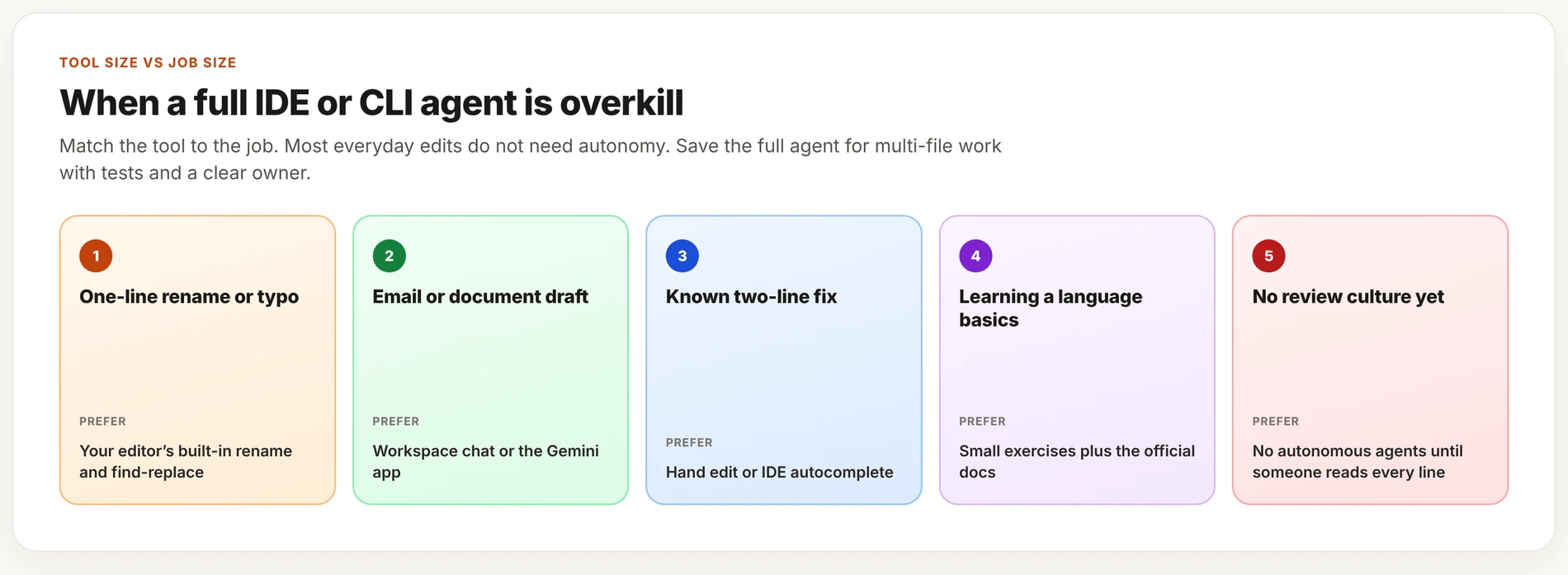
A full agent is overkill more often than the demos suggest. Most everyday edits are small enough that a heavier tool just adds review work without adding any value. The cards above match common small jobs to a lighter tool. The table adds the one case where a fuller agent can earn its review cost.
| Job | Prefer |
|---|---|
| One-line rename or typo fix | Your editor’s built-in tools |
| Email or document draft | Workspace or the Gemini app |
| Known two-line fix | Hand edit or IDE autocomplete |
| Learning the basics of a language | Small exercises plus the docs |
| No review culture on the team yet | No autonomous agents |
| Multi-file change with tests and a clear owner | IDE assist or a CLI agent working in a loop |
A decision card for picking a tool
Most teams only need one chat surface, one IDE assist path, and optionally one terminal agent. Running three overlapping agents at once is not sophistication. It is noise, and it slows every review down. Pick your defaults, write them down somewhere the team can see, and revisit the choice every quarter rather than every time a new tool launches.
The cost of turning on autonomy
Before you let a coding agent run on its own, walk through this short checklist so the risk is a decision you made on purpose, not something you noticed afterward.
Before autonomous coding AI:
[ ] Data/class and account approved?
[ ] Feature branch?
[ ] Small scope + tests?
[ ] Human will read every line?
[ ] Rollback is easy?
If any box is unchecked, shrink the tool or stop.
What this Gemini track covered
- Learn Gemini: the product map, pricing plans, your first session, a Workspace introduction, multimodal input, privacy settings, and picking the wrong tool for a job.
- The product map: consumer Gemini versus Workspace, the IDE integration, the CLI and Antigravity, Studio and the API, and how the different models compare.
- Everyday use: planning your week, research and writing help, studying, and practicing with multimodal input such as photos and voice.
- Workspace: Gmail, Docs, Sheets, Drive, and the habits a team needs to use those well together.
- Coding: starting from zero in the IDE, the terminal model, working in a loop, usage quotas, and this post’s judgment call on when an agent is overkill.
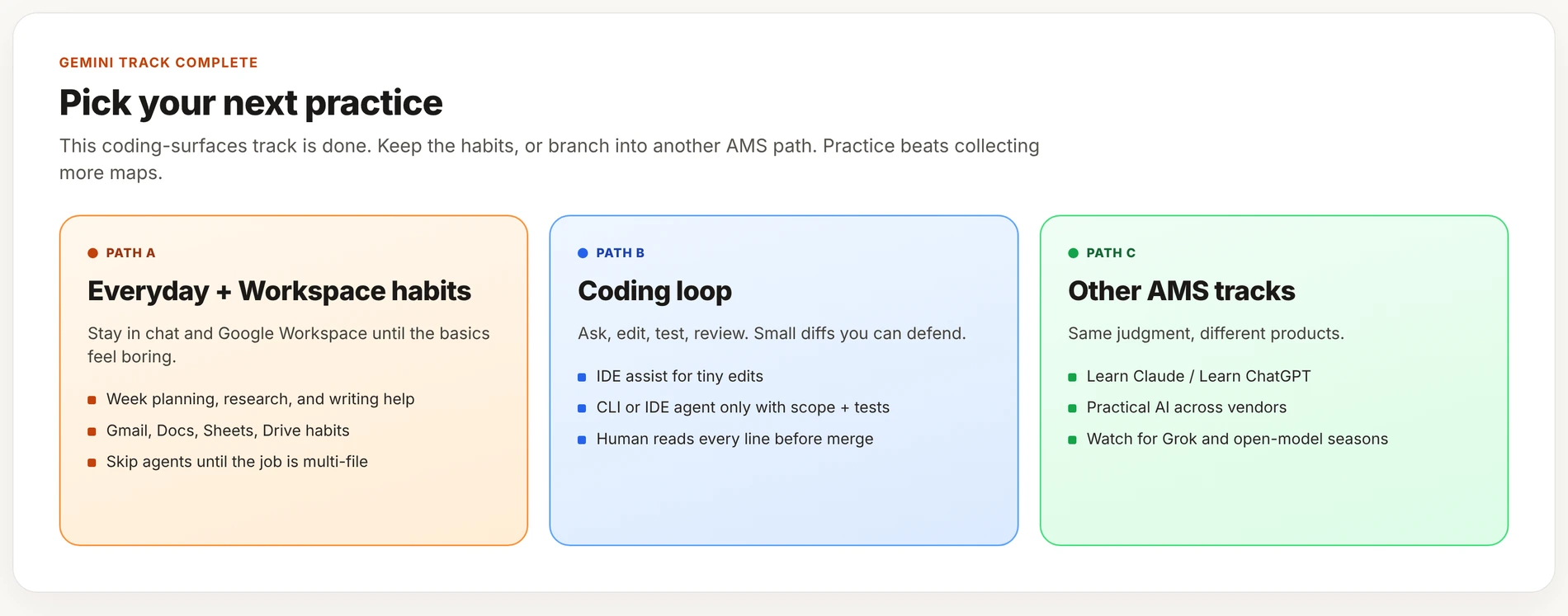
Where to go next on AMS
- Read Practical AI for habits that work across any vendor, not just Gemini.
- Try Learn Claude and Learn ChatGPT, which cover the same ground for those products.
- Watch for the Grok and open-model series when those seasons publish.
Practice this week
- Write your lean tool stack on one sticky note so the whole team can see it.
- Mark one recent task where you reached for far more agent than the job needed.
- Mark one task that should have used AI help and did not.
- Put a quarterly tool review on the calendar now, before it gets forgotten.
Mistakes that come up again and again
- Switching to agents for everything right after one good demo, without checking whether the next task actually needs one.
- Having no AI policy at all, so each person on the team freelances a different approach.
- Closing out the Gemini track without ever practicing the coding loop under real conditions.
What good looks like
The strongest coding AI users on high-performing teams tend to look boring in the best way: small diffs, tests that pass, short pull requests, and clear ownership of every change. Flashy agent demos impress an all-hands meeting. Boring, reviewable loops are the ones that actually ship software.
Ship one small, reviewed change this week using only the habits from this post. Coding AI skills stick when they produce merges you can defend to a reviewer, not when they produce an impressive demo you cannot fully explain afterward.
Quick recap
- Match the size of the tool to the size of the job in front of you.
- Keep a lean stack and a written decision card so the choice does not get relitigated every week.
- This Gemini deep track is complete, and practicing what you learned beats collecting more maps of what is possible.
Series notes
This is Part 5 of Gemini coding surfaces, and it closes that track. The previous post covered usage quotas and what to do when you hit them.
Sources
Keep going
Same lessons in your feed
Short diagrams, hooks, and weekly tutorials on Substack, Instagram, X, and Facebook.